Page 28 of 464

Power Door Locks
A power door lock switch is on each front door trim
panel. Use this switch to lock or unlock the doors.
If you press the power door lock switch while the key is
in the ignition, and any front door is open, the powerlocks will not operate. This prevents you from acciden-
tally locking your keys in the vehicle. Removing the key
or closing the door will allow the locks to operate. A
chime will sound if the key is in the ignition and a door
is open, as a reminder to remove the key.
Auto Door Locks — If Equipped
The doors will lock automatically on vehicles with power
door locks if all of the following conditions are met:
1. The Automatic Door Locks feature is enabled.
2. The transmission is in gear.
3. All doors are closed.
4. The throttle is pressed.
5. The vehicle speed is above 15 mph (24 km/h).
6. The doors were not previously locked using the power
door lock switch or remote keyless entry transmitter.
Power Door Lock Switch
28 THINGS TO KNOW BEFORE STARTING YOUR VEHICLE
Page 35 of 464

Reset
Any time the vehicle battery is disconnected, or goes
dead, the auto-up function will be disabled. To reactivate
the auto-up feature, perform the following steps after
vehicle power is restored:
1. Pull the window switch up to close window com-
pletely and continue to hold the switch up for an
additional two seconds after the window is closed.
2. Push the window switch down firmly to the second
detent to open the window completely and continue to
hold the switch down for an additional two seconds after
the window is fully open.
Wind Buffeting
Wind buffeting can be described as the perception of
pressure on the ears or a helicopter type sound in the
ears. Your vehicle may exhibit wind buffeting with the
windows down, or the sunroof (if equipped) in certainopen or partially open positions. This is a normal occur-
rence and can be minimized. If the buffeting occurs with
the rear windows open, open the front and rear windows
together to minimize the buffeting. If the buffeting occurs
with the sunroof open, adjust the sunroof opening to
minimize the buffeting.
LIFTGATE
NOTE:The key that is used to start the vehicle is also
used to lock or unlock the doors and open the liftgate.
To open the liftgate, insert the key into the lock and turn
to the right. On vehicles equipped with power locks the
liftgate can also be unlocked using the remote keyless
entry or by activating the power door lock switches
located on the front doors.
THINGS TO KNOW BEFORE STARTING YOUR VEHICLE 35
2
Page 36 of 464
Once unlocked, on vehicles equipped with power locks,
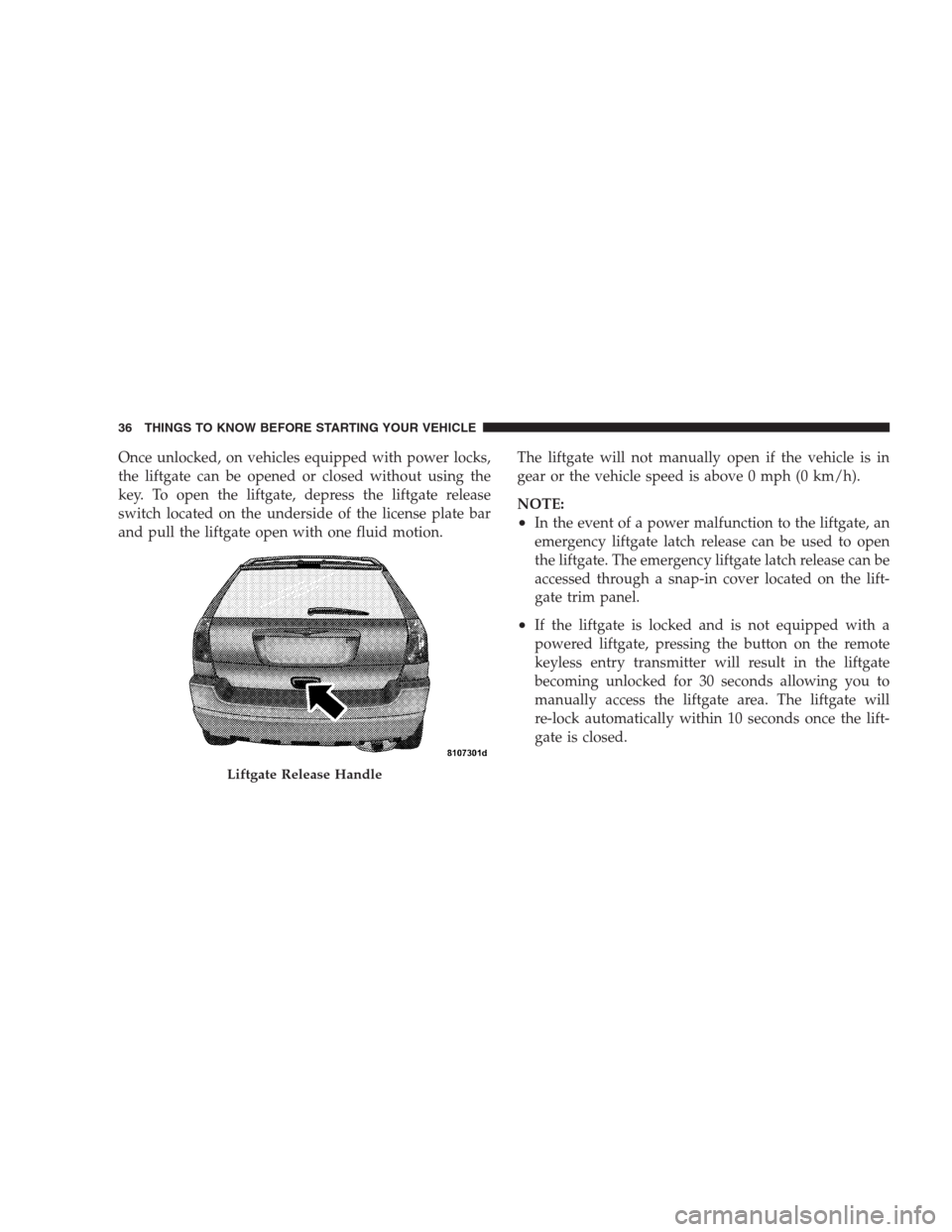
the liftgate can be opened or closed without using the
key. To open the liftgate, depress the liftgate release
switch located on the underside of the license plate bar
and pull the liftgate open with one fluid motion.The liftgate will not manually open if the vehicle is in
gear or the vehicle speed is above 0 mph (0 km/h).
NOTE:
•In the event of a power malfunction to the liftgate, an
emergency liftgate latch release can be used to open
the liftgate. The emergency liftgate latch release can be
accessed through a snap-in cover located on the lift-
gate trim panel.
•If the liftgate is locked and is not equipped with a
powered liftgate, pressing the button on the remote
keyless entry transmitter will result in the liftgate
becoming unlocked for 30 seconds allowing you to
manually access the liftgate area. The liftgate will
re-lock automatically within 10 seconds once the lift-
gate is closed.
Liftgate Release Handle
36 THINGS TO KNOW BEFORE STARTING YOUR VEHICLE
Page 37 of 464
Power Liftgate — If Equipped
The power liftgate may be opened manually or by using
the button on the remote keyless entry transmitter. Press
the button on the remote keyless entry transmitter twice
within five seconds, to open the power liftgate. Once the
liftgate is fully open, pressing the button twice within
five seconds a second time will close the liftgate.
The power liftgate may also be opened by pressing the
button located on the overhead console.
Power Liftgate Button
THINGS TO KNOW BEFORE STARTING YOUR VEHICLE 37
2
Page 127 of 464
DRIVER MEMORY SEAT — IF EQUIPPED
If your vehicle is equipped with memory systems, your
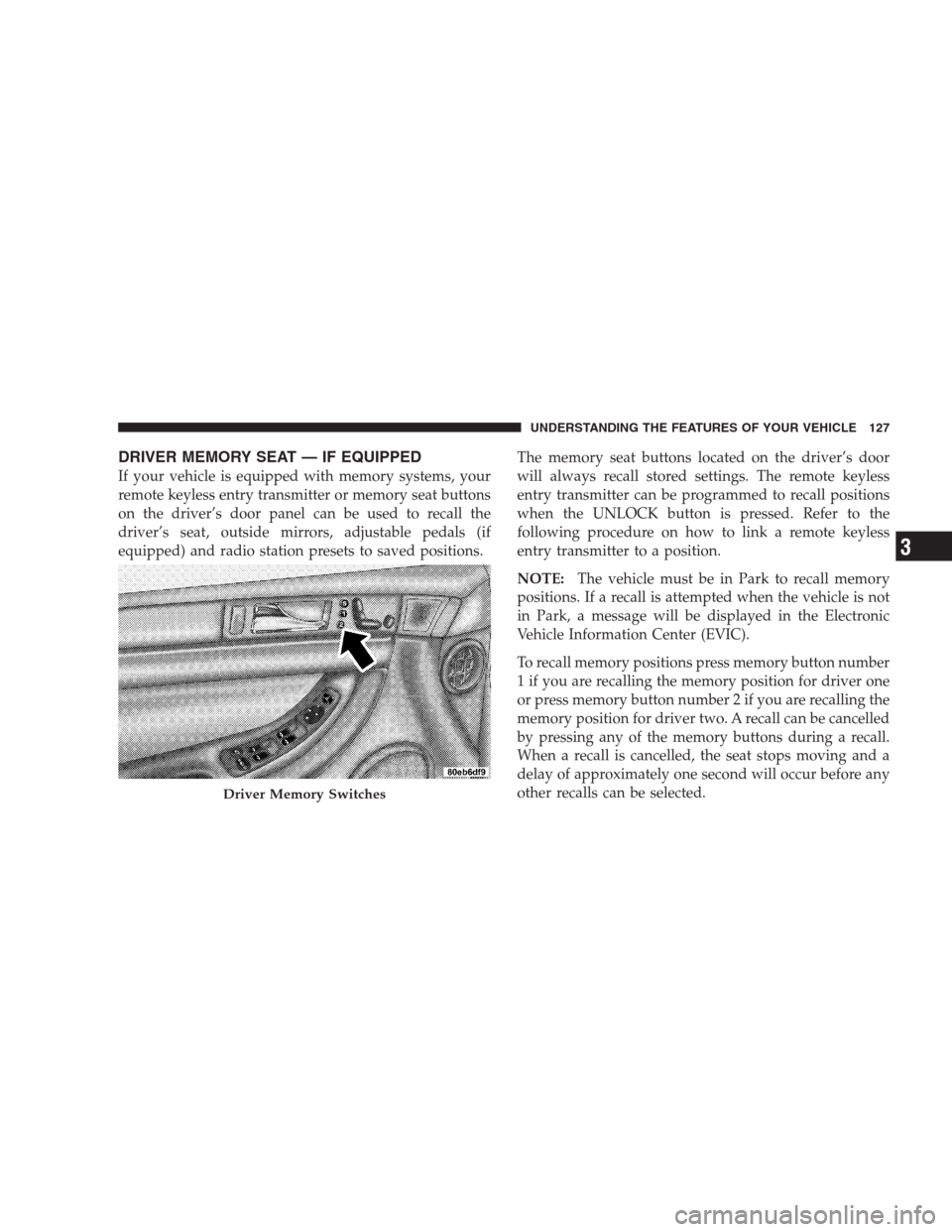
remote keyless entry transmitter or memory seat buttons
on the driver’s door panel can be used to recall the
driver’s seat, outside mirrors, adjustable pedals (if
equipped) and radio station presets to saved positions.The memory seat buttons located on the driver’s door
will always recall stored settings. The remote keyless
entry transmitter can be programmed to recall positions
when the UNLOCK button is pressed. Refer to the
following procedure on how to link a remote keyless
entry transmitter to a position.
NOTE:The vehicle must be in Park to recall memory
positions. If a recall is attempted when the vehicle is not
in Park, a message will be displayed in the Electronic
Vehicle Information Center (EVIC).
To recall memory positions press memory button number
1 if you are recalling the memory position for driver one
or press memory button number 2 if you are recalling the
memory position for driver two. A recall can be cancelled
by pressing any of the memory buttons during a recall.
When a recall is cancelled, the seat stops moving and a
delay of approximately one second will occur before any
other recalls can be selected.
Driver Memory Switches
UNDERSTANDING THE FEATURES OF YOUR VEHICLE 127
3
Page 128 of 464
Your vehicle has been delivered with two remote keyless
entry transmitters. One or both transmitters can be linked
to either memory position. Up to eight remote keyless
entry transmitters can be used with your vehicle. The
memory seat system can also accommodate up to eight
transmitters linked to either of the two stored seat
positions or any combination of the two positions.
To Program Memory Seat Buttons & RKE
Transmitters, Follow These Steps:
1. Turn the ignition switch to the ON position.
2. Select Remote Linked to Memory from the EVIC and
enter “Yes”.
3. Use the seat, mirror and adjustable pedal switches to
adjust the seat, recliner, side view mirrors and adjustable
pedals to the desired positions.
4. Set the radio station presets.5. Turn the ignition switch to the OFF position and
remove the key.
6. Press and release the SET (S) button located on the
driver’s door. A light in the button will flash telling you
that you are in the set memory mode. You have five
seconds to complete the next step.
7. Within 5 seconds, press and release button 1 or 2 on
the driver’s door. A chime will sound signaling you that
the driver memory has been set. A message will also be
displayed in the Electronic Vehicle Information Center
(EVIC), indicating a position has been set.
8. Within 5 seconds, press and release the LOCK button
on one of the Remote Keyless Entry Transmitters. A
chime will sound signaling you that the transmitter has
been successfully linked. A message will also be dis-
played in the Electronic Vehicle Information Center
(EVIC), indicating the transmitter has been linked.
128 UNDERSTANDING THE FEATURES OF YOUR VEHICLE
Page 129 of 464
Repeat the above steps for the second position using the
other driver’s door numbered button and Remote Key-
less Entry Transmitter.
Each time the SET (S) button and a numbered button are
pressed, you erase the old memory and store a new one.
To Disable A Transmitter Link, Follow These Steps:
1. Select “Remote Linked To Memory” from the Elec-
tronic Vehicle Information Center, Customer Program-
mable features.
2. Turn the ignition switch to the OFF position and
remove the key.
3. Press and release the SET (S) button located on the
driver’s door. A light in the button will flash telling you
that you are in the set memory mode. You have five
seconds to complete the next step.4. Within 5 seconds, press and release button 1 or 2 on
the driver’s door. A chime will sound signaling you that
the driver memory has been set. A message will also be
displayed in the Electronic Vehicle Information Center
(EVIC), indicating a position has been set.
5. Within 5 seconds, press and release the UNLOCK
button on the remote keyless entry transmitters. A chime
will sound signaling you that the transmitter link has
been successfully disabled. A message will also be dis-
played in the Electronic Vehicle Information Center
(EVIC), indicating the transmitter has been disabled.
To disable another transmitter from memory positions 1
or 2, repeat steps 1– 4 for each transmitter.
NOTE:This function can be selected using the “Cus-
tomer Programmable Features” in the Electronic Vehicle
Information Center (EVIC) section, Otherwise see your
authorized dealer.
UNDERSTANDING THE FEATURES OF YOUR VEHICLE 129
3
Page 149 of 464
Press the switch rearward to move the pedals rearward
(toward the driver).
•The pedals can be adjusted with the ignition OFF.
•The pedals can be adjusted while driving.
•The pedalscannotbe adjusted when the vehicle is in R
(Reverse) or when the Speed Control is ON. A message
will be displayed in the Electronic Vehicle Information
Center (EVIC) if the pedals are attempted to be ad-
justed when the system is locked out (“Adjustable
Pedal Disabled — Cruise Control Engaged” or “Ad-
justable Pedal Disabled — Vehicle In Reverse”).NOTE:If your vehicle is equipped with memory seat
feature, your remote keyless entry transmitter or memory
seat buttons on the driver’s door panel can be used to
recall the adjustable pedals to saved positions.CAUTION!
Do not place any article under the adjustable pedals
or impede its ability to move as it may cause damage
to the pedal controls. Pedal travel may become
limited if movement is stopped by an obstruction in
the adjustable pedal’s path.
UNDERSTANDING THE FEATURES OF YOUR VEHICLE 149
3