Page 127 of 464
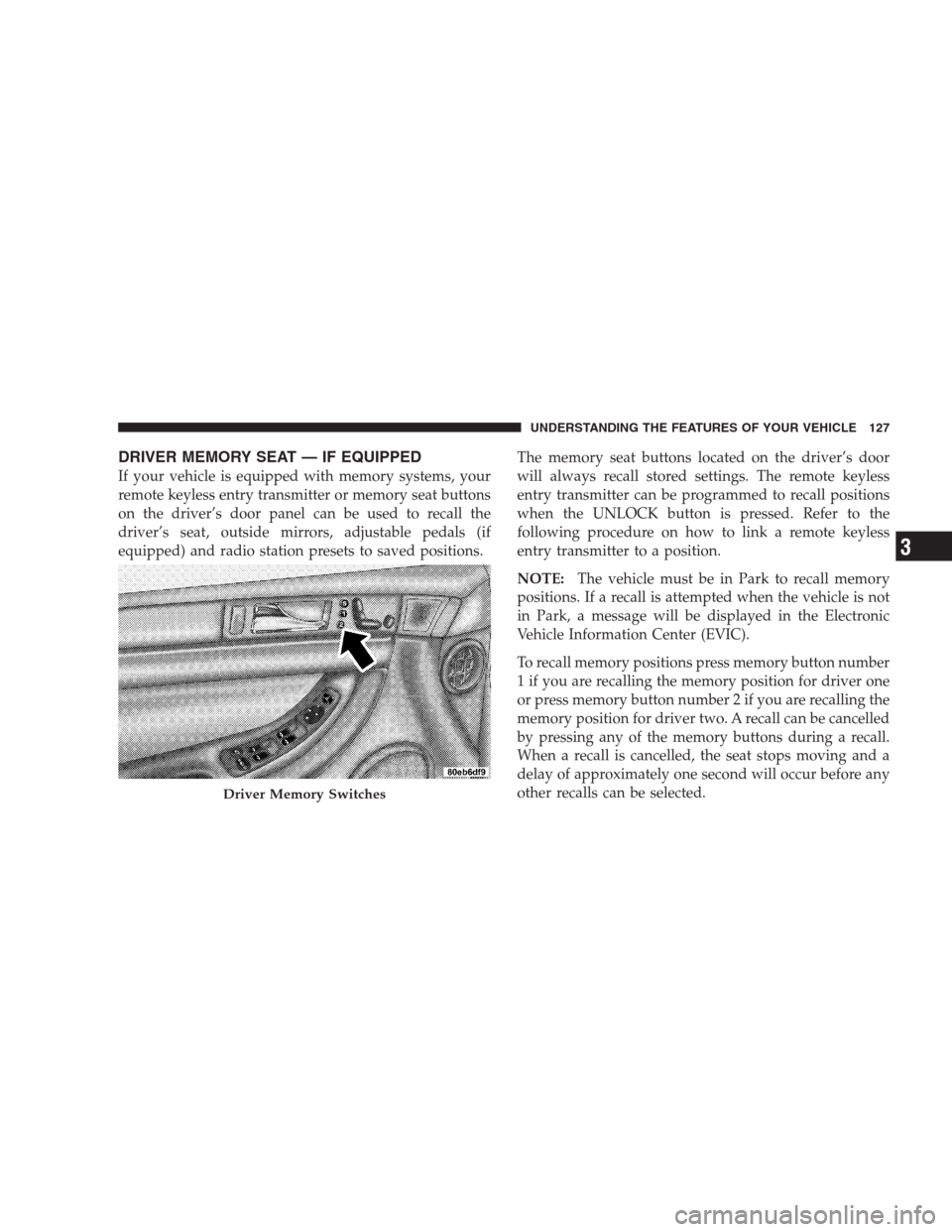
DRIVER MEMORY SEAT — IF EQUIPPED
If your vehicle is equipped with memory systems, your
remote keyless entry transmitter or memory seat buttons
on the driver’s door panel can be used to recall the
driver’s seat, outside mirrors, adjustable pedals (if
equipped) and radio station presets to saved positions.The memory seat buttons located on the driver’s door
will always recall stored settings. The remote keyless
entry transmitter can be programmed to recall positions
when the UNLOCK button is pressed. Refer to the
following procedure on how to link a remote keyless
entry transmitter to a position.
NOTE:The vehicle must be in Park to recall memory
positions. If a recall is attempted when the vehicle is not
in Park, a message will be displayed in the Electronic
Vehicle Information Center (EVIC).
To recall memory positions press memory button number
1 if you are recalling the memory position for driver one
or press memory button number 2 if you are recalling the
memory position for driver two. A recall can be cancelled
by pressing any of the memory buttons during a recall.
When a recall is cancelled, the seat stops moving and a
delay of approximately one second will occur before any
other recalls can be selected.
Driver Memory Switches
UNDERSTANDING THE FEATURES OF YOUR VEHICLE 127
3
Page 128 of 464
Your vehicle has been delivered with two remote keyless
entry transmitters. One or both transmitters can be linked
to either memory position. Up to eight remote keyless
entry transmitters can be used with your vehicle. The
memory seat system can also accommodate up to eight
transmitters linked to either of the two stored seat
positions or any combination of the two positions.
To Program Memory Seat Buttons & RKE
Transmitters, Follow These Steps:
1. Turn the ignition switch to the ON position.
2. Select Remote Linked to Memory from the EVIC and
enter “Yes”.
3. Use the seat, mirror and adjustable pedal switches to
adjust the seat, recliner, side view mirrors and adjustable
pedals to the desired positions.
4. Set the radio station presets.5. Turn the ignition switch to the OFF position and
remove the key.
6. Press and release the SET (S) button located on the
driver’s door. A light in the button will flash telling you
that you are in the set memory mode. You have five
seconds to complete the next step.
7. Within 5 seconds, press and release button 1 or 2 on
the driver’s door. A chime will sound signaling you that
the driver memory has been set. A message will also be
displayed in the Electronic Vehicle Information Center
(EVIC), indicating a position has been set.
8. Within 5 seconds, press and release the LOCK button
on one of the Remote Keyless Entry Transmitters. A
chime will sound signaling you that the transmitter has
been successfully linked. A message will also be dis-
played in the Electronic Vehicle Information Center
(EVIC), indicating the transmitter has been linked.
128 UNDERSTANDING THE FEATURES OF YOUR VEHICLE
Page 149 of 464
Press the switch rearward to move the pedals rearward
(toward the driver).
•The pedals can be adjusted with the ignition OFF.
•The pedals can be adjusted while driving.
•The pedalscannotbe adjusted when the vehicle is in R
(Reverse) or when the Speed Control is ON. A message
will be displayed in the Electronic Vehicle Information
Center (EVIC) if the pedals are attempted to be ad-
justed when the system is locked out (“Adjustable
Pedal Disabled — Cruise Control Engaged” or “Ad-
justable Pedal Disabled — Vehicle In Reverse”).NOTE:If your vehicle is equipped with memory seat
feature, your remote keyless entry transmitter or memory
seat buttons on the driver’s door panel can be used to
recall the adjustable pedals to saved positions.CAUTION!
Do not place any article under the adjustable pedals
or impede its ability to move as it may cause damage
to the pedal controls. Pedal travel may become
limited if movement is stopped by an obstruction in
the adjustable pedal’s path.
UNDERSTANDING THE FEATURES OF YOUR VEHICLE 149
3
Page 155 of 464
WARNING!
Vehicle exhaust contains carbon monoxide, a danger-
ous gas. Do not run the vehicle’s exhaust while
training the transceiver. Exhaust gas can cause seri-
ous injury or death.
WARNING!
Your motorized door or gate will open and close
while you are training the Universal Transceiver. Do
not train the transceiver if people or pets are in the
path of the door or gate. A moving door or gate can
cause serious injury or death to people and pets or
damage to objects.
Programming HomeLink
NOTE:When programming a garage door opener, it is
advised to park outside the garage. Some vehicles may
require the ignition switch to be turned to the second (or
�Accessory�) position for programming and/or operation
of HomeLink. It is also recommended that a new battery
be placed in the hand-held transmitter of the device
being programmed to HomeLink for more efficient train-
ing and accurate transmission of the radio-frequency
signal.
The Electronic Vehicle Information Center (EVIC) fea-
tures a driver-interactive display which includes
HomeLink�system messages.
1. Press and hold the two outer HomeLink buttons, and
release only when the indicator light begins to flash or
the EVIC display shows “Channels Cleared” (after 20
seconds).Do nothold the buttons for longer than 30
UNDERSTANDING THE FEATURES OF YOUR VEHICLE 155
3
Page 156 of 464
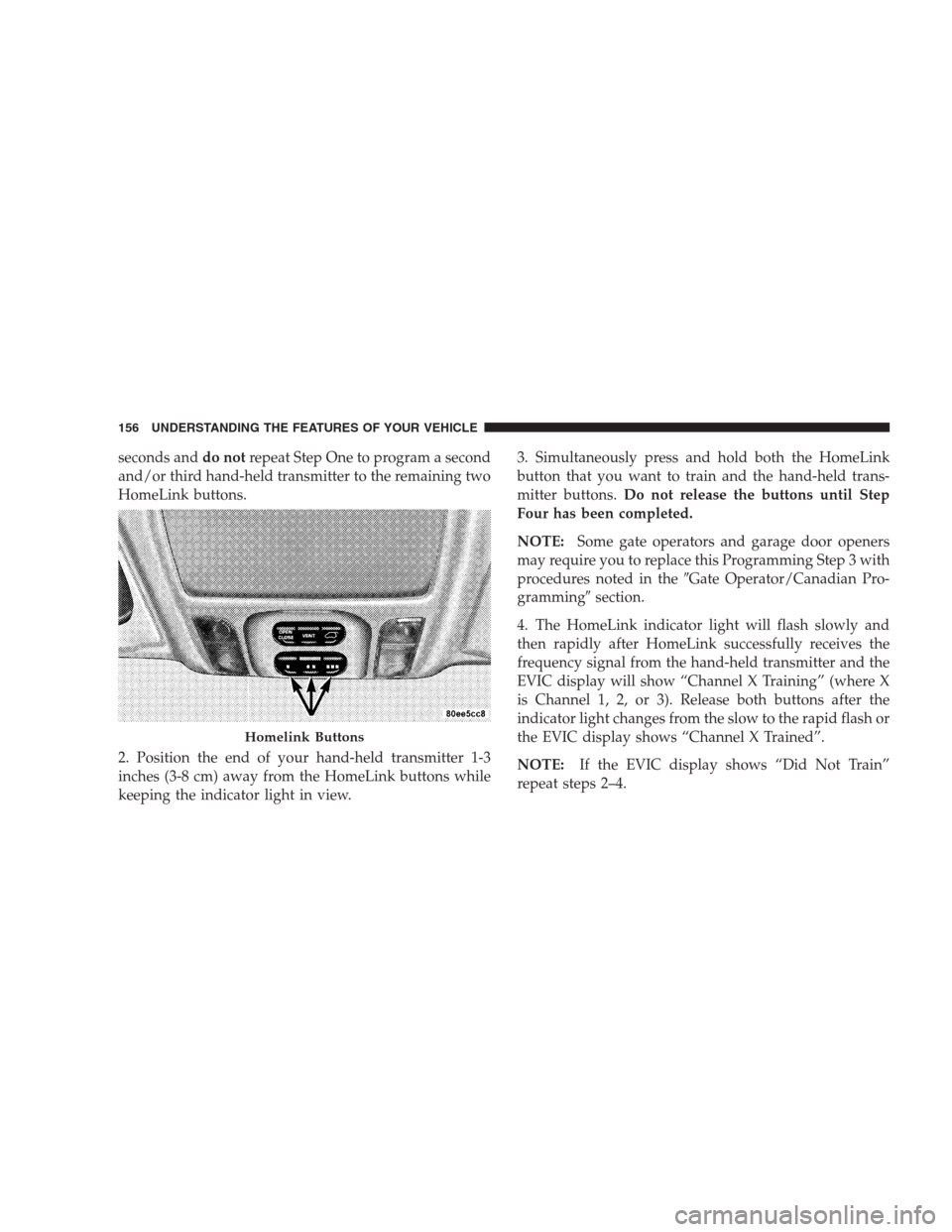
seconds anddo notrepeat Step One to program a second
and/or third hand-held transmitter to the remaining two
HomeLink buttons.
2. Position the end of your hand-held transmitter 1-3
inches (3-8 cm) away from the HomeLink buttons while
keeping the indicator light in view.3. Simultaneously press and hold both the HomeLink
button that you want to train and the hand-held trans-
mitter buttons.Do not release the buttons until Step
Four has been completed.
NOTE:Some gate operators and garage door openers
may require you to replace this Programming Step 3 with
procedures noted in the�Gate Operator/Canadian Pro-
gramming�section.
4. The HomeLink indicator light will flash slowly and
then rapidly after HomeLink successfully receives the
frequency signal from the hand-held transmitter and the
EVIC display will show “Channel X Training” (where X
is Channel 1, 2, or 3). Release both buttons after the
indicator light changes from the slow to the rapid flash or
the EVIC display shows “Channel X Trained”.
NOTE:If the EVIC display shows “Did Not Train”
repeat steps 2–4.
Homelink Buttons
156 UNDERSTANDING THE FEATURES OF YOUR VEHICLE
Page 159 of 464
Using HomeLink
To operate, simply press and release the programmed
HomeLink button. Activation will now occur for the
trained device (i.e. garage door opener, gate operator,
security system, entry door lock, home/office lighting,
etc.). For convenience, the hand-held transmitter of the
device may also be used at any time. In the event that
there are still programming difficulties or questions,
contact HomeLink at:www.homelink.com or 1-800-355-
3515.
Erasing HomeLink Buttons
To erase programming from the three buttons (individual
buttons cannot be erased but can be�reprogrammed�-
note below), follow the step noted:
•Press and hold the two outer HomeLink buttons until
the indicator light begins to flash and the EVIC display
shows “Channels Cleared” (after 20 seconds). Release
both buttons. Do not hold for longer that 30 seconds.HomeLink is now in the train (or learning) mode and
can be programmed at any time beginning with�Pro-
gramming�- Step Two.
Reprogramming a Single HomeLink Button
To program a device to HomeLink using a HomeLink
button previously trained, follow these steps:
1. Press and hold the desired HomeLink button.Do
NOTrelease the button.
2. The indicator light will begin to flash after 20 seconds
and the EVIC display will show “Channel X Transmit”
(where X is Channel 1, 2, or 3) for 20 seconds and then
change to “Channel X Training”. Without releasing the
HomeLink button, proceed with�Programming�Step
Two.
UNDERSTANDING THE FEATURES OF YOUR VEHICLE 159
3
Page 160 of 464
Security
If you sell your vehicle, be sure to erase the frequencies
by following the “Erasing HomeLink Buttons” instruc-
tions in this section.
This device complies with part 15 of FCC rules and with
RSS-210 of Industry Canada. Operation is subject to the
following conditions:
•This device may not cause harmful interference.
•This device must accept any interference that may be
received including interference that may cause undes-
ired operation.
NOTE:Changes or modifications not expressly ap-
proved by the party responsible for compliance could
void the user’s authority to operate the equipment.
HomeLink�is a trademark owned by Johnson Controls,
Inc.In the event that you are still having programming
difficulties, questions, or comments, contact HomeLink
at:www.homelink.com or 1-800-355-3515.
POWER SUNROOF — IF EQUIPPED
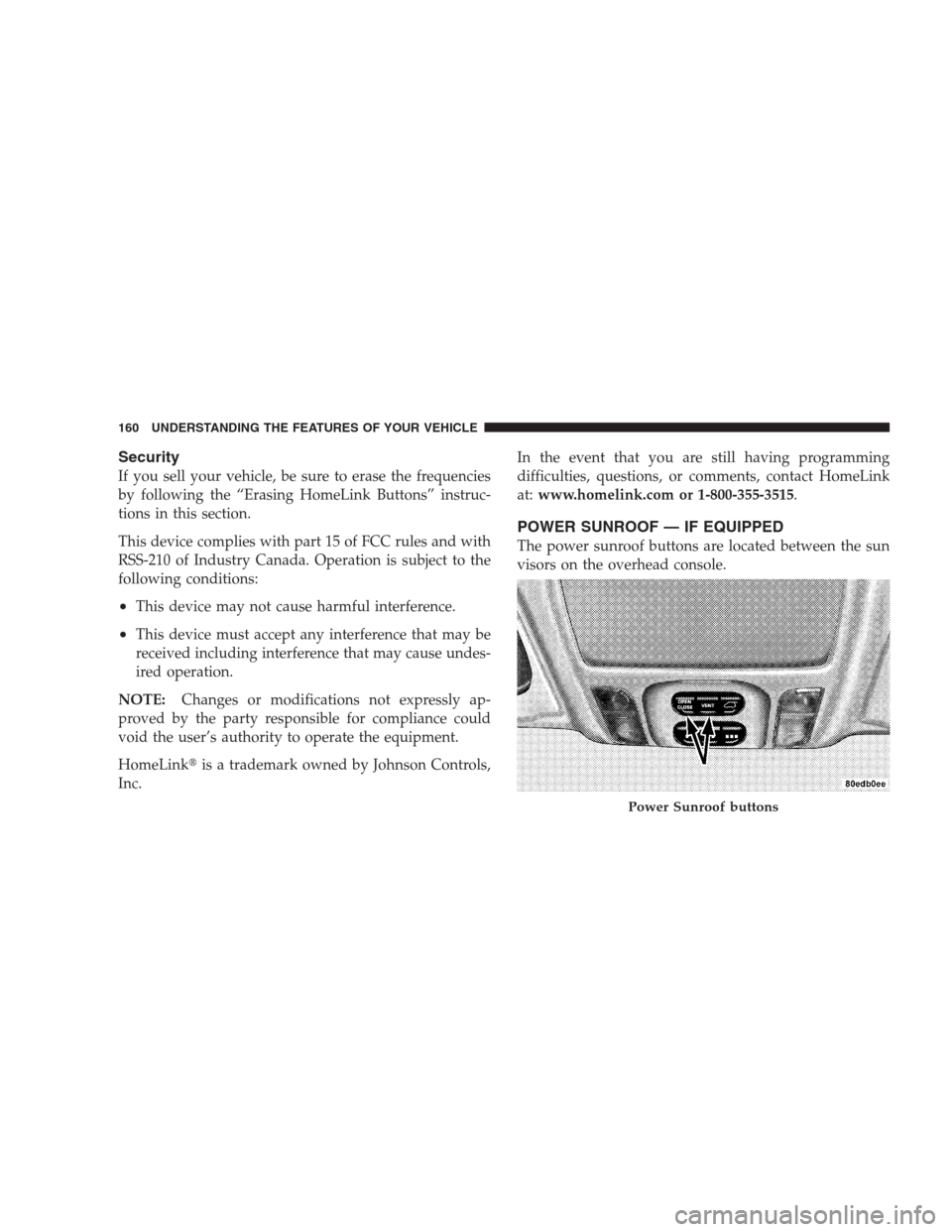
The power sunroof buttons are located between the sun
visors on the overhead console.
Power Sunroof buttons
160 UNDERSTANDING THE FEATURES OF YOUR VEHICLE
Page 161 of 464
Press and hold the “OPEN” button rearward to fully
open the sunroof. The sunroof can be stopped at any
position between closed and full open. Momentarily
pressing the “OPEN” button rearward will activate the
Express Open Feature, causing the sunroof to open
automatically.
Press and hold the “VENT” button to open the vent. The
sunroof can be stopped at any position between closed
and full vent. To close the sunroof from the vent position,
press and hold the “CLOSE” button forward. Releasing
the button will stop the movement of the sunroof and the
sunroof will remain in the partial vent position until the
button is pushed forward again.
NOTE:The power sunroof buttons remain active for up
to 45 seconds after the ignition button has been turned
off. Opening either front door will cancel this feature.Express Open Feature
The sunroof is equipped with an intermediate stop or
comfort stop position. This feature is designed to elimi-
nate wind buffeting at vehicle speeds between 20-40 mph
(32-64 km/h). To operate this feature, momentarily press
the “OPEN” button rearward to activate the Express
Open Feature and the glass will automatically stop at the
comfort stop position. Pressing the button rearward
again will fully open the sunroof.
During the Express Open operation, any movement of
the button will stop the sunroof and it will remain in a
partial open position. Again, momentarily pressing the
button rearward will activate the Express Open Feature.
UNDERSTANDING THE FEATURES OF YOUR VEHICLE 161
3