2007 CHEVROLET TRAIL BLAZER service reset
[x] Cancel search: service resetPage 221 of 574
DIC Operation and Displays
The DIC comes on when the ignition is on.
After a short delay the DIC will display the
information that was last displayed before the
engine was turned off.
If a problem is detected, a warning message
will appear on the display. Pressing the trip
stem will acknowledge any warning or service
messages. Pressing any of the DIC steering
wheel buttons — trip information, fuel information,
customization, or select button — will also
acknowledge any warnings or service messages.
You should take any message that appears
on the display seriously and remember that
clearing the message will only make the
message disappear, not correct the problem.
The DIC has different modes which can be
accessed by pressing the four DIC buttons
located on the steering wheel. These buttons are
trip information, fuel information, customization,
and select. The button functions are detailed
in the following pages.
Trip Information Button
3
(Trip Information):Press the trip information
button to scroll through the ODOMETER, TRIP A,
TRIP B, TIRE PRESSURES, and TIMER.
Odometer:Press the trip information button
until ODOMETER appears on the display. This
mode shows the total distance the vehicle has been
driven in either miles or kilometers. Pressing the
reset stem located on the instrument cluster with
the vehicle off will also display the odometer.
Trip A:Press the trip information button until
TRIP A appears on the display. This mode shows
the current distance traveled since the last reset
for TRIP A in either miles or kilometers.
Trip B:Press the trip information button until
TRIP B appears on the display. This mode shows
the current distance traveled since the last reset
for TRIP B in either miles or kilometers.
To reset TRIP A or TRIP B information, press and
hold the select button for one second while in
one of the trip modes. This will reset the information
for TRIP A or TRIP B.
221
Page 225 of 574
CHANGE ENGINE OIL
This message displays when the engine oil needs
to be changed and service is required for your
vehicle. SeeScheduled Maintenance on page 519
andEngine Oil on page 402for more information.
Also seeEngine Oil Life System on page 408
for information on how to reset the message.
This message clears itself after 10 seconds until
the next ignition cycle.
CHECK TIRE PRESSURE
This message displays when the tire pressure in
one of the vehicle’s tires needs to be checked.
Press any of the DIC buttons, or the trip stem,
to acknowledge this message and clear it from the
DIC display.
If this message appears on the DIC, stop as soon
as you can. Have the tire pressures checked
and set to those shown on the Tire Loading
Information label. SeeTires on page 448,Loading
Your Vehicle on page 356, andInation - Tire
Pressure on page 457. If the tire pressure is low,
the low tire pressure warning light comes on.
SeeTire Pressure Light on page 211.
CHECK WASHER FLUID
This message displays if the washer uid level is
low. Adding washer uid to the windshield washer
uid reservoir clears this message. SeeWindshield
Washer Fluid on page 427. This message clears
itself after 10 seconds, or you can press any of the
DIC buttons, or the trip stem, to acknowledge this
message and clear it from the DIC display.
CURB VIEW ACTIVATED
This message displays when the passenger
outside rearview mirror moves into the curb view
position. SeeOutside Curb View Assist Mirror
on page 144for more information.
DRIVER DOOR AJAR
This message displays and a chime sounds if
the driver’s door is not fully closed. Stop and turn
off the vehicle, check the door for obstructions,
and close the door again. Check to see if the
message still appears on the DIC. Press any of
the DIC buttons, or the trip stem, to acknowledge
this message and clear it from the DIC display.
225
Page 228 of 574
SERVICE AIR BAG
This message displays if there is a problem with
the airbag system. Have your dealer/retailer
inspect the system for problems. SeeAirbag
Readiness Light on page 202andAirbag System
on page 69for more information. Press any of
the DIC buttons, or the trip stem, to acknowledge
this message and clear it from the DIC display.
SERVICE BRAKE SYSTEM
This message displays if a problem occurs with
the brake system. If this message appears, stop
as soon as possible and turn off the vehicle.
Restart the vehicle and check for the message
on the DIC display. If the message is still
displayed, or appears again when you begin
driving, the brake system needs service.
See your dealer/retailer.
SERVICE CHARGING SYS (System)
This message displays if there is a problem with the
battery charging system. Under certain conditions,
the charging system light may also turn on in the
instrument panel cluster. SeeCharging System
Light on page 206. The battery will not be charging
at an optimal rate and the vehicle will lose the ability
to enter the fuel economy mode. The vehicle is safe
to drive, however you should have the electrical
system checked by your dealer/retailer. Press any
of the DIC buttons, or the trip stem, to acknowledge
this message and clear it from the DIC display.
SERVICE STABILITRAK
If this message displays, it means there may be
a problem with the StabiliTrak®system. If this
message appears, try to reset the system by
performing the following: stop; turn off the engine;
then start the engine again. If this message still
comes on, it means there is a problem. You should
see your dealer/retailer for service. The vehicle is
safe to drive, however, you do not have the benet
of StabiliTrak
®, so reduce your speed and drive
accordingly. Press any of the DIC buttons, or the
trip stem, to acknowledge this message and clear it
from the DIC display.
228
Page 245 of 574
If the radio cannot nd the desired program
type, NONE displays and the radio returns to
the last station you were listening to.
SCAN:Scan the stations within a PTY by
performing the following:
1. Press the TYPE button to activate program
type select mode. TYPE and the last selected
PTY displays.
2. Turn the TYPE knob or press and release the
TYPE button to select a PTY.
3. Once the desired PTY is displayed, press and
hold either the left
©or right¨SCAN or
TYPE arrows for two seconds, and the radio
begins to scan the stations in the PTY.
4. Press either the TYPE or the SCAN arrows
to stop scanning.
BAND (Alternate Frequency):Alternate
frequency lets the radio switch to a stronger
station with the same program type. To turn
alternate frequency on, press and hold BAND
for two seconds. AF ON displays. The radio can
switch to stations with a stronger frequency.To turn alternate frequency off, press and hold
BAND again for two seconds. AF OFF displays.
The radio does not switch to other stations.
This function does not apply for XM™ Satellite
Radio Service.
Setting Preset PTYs (RDS Only)
These buttons have factory PTY presets.
Up to 12 PTYs (six FM1 and six FM2), can be
programmed on the six numbered pushbuttons,
by performing the following steps:
1. Press BAND to select FM1 or FM2.
2. Press the TYPE button to activate program
type select mode. TYPE and the last selected
PTY displays.
3. Turn the TYPE knob or press and release
the TYPE button to select a PTY.
4. Press and hold one of the six numbered
pushbuttons until a beep sounds. When that
numbered pushbutton is pressed (while in
program type mode), the PTY that was set,
returns.
5. Repeat the steps for each pushbutton.
245
Page 265 of 574
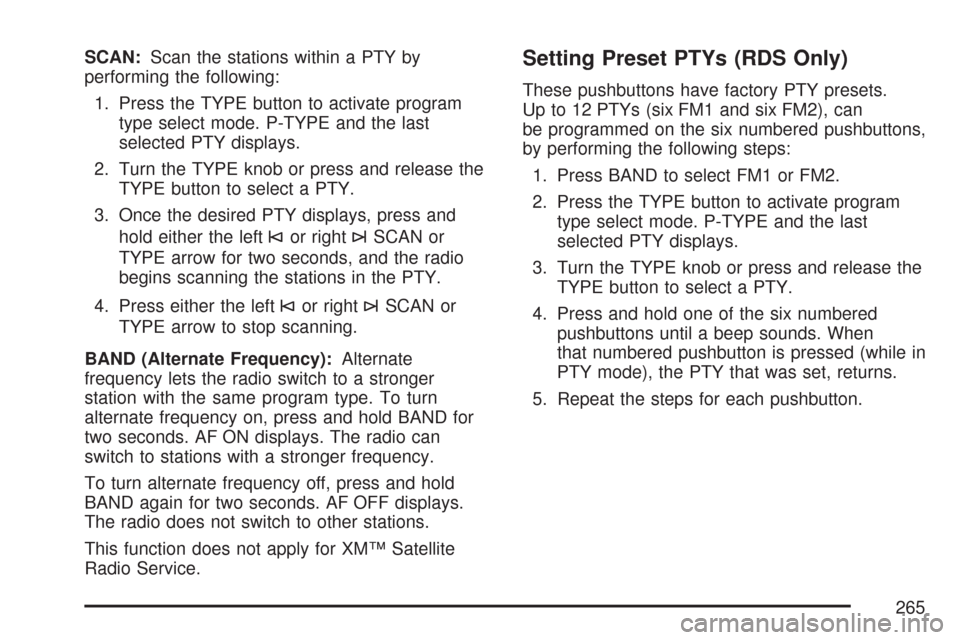
SCAN:Scan the stations within a PTY by
performing the following:
1. Press the TYPE button to activate program
type select mode. P-TYPE and the last
selected PTY displays.
2. Turn the TYPE knob or press and release the
TYPE button to select a PTY.
3. Once the desired PTY displays, press and
hold either the left
©or right¨SCAN or
TYPE arrow for two seconds, and the radio
begins scanning the stations in the PTY.
4. Press either the left
©or right¨SCAN or
TYPE arrow to stop scanning.
BAND (Alternate Frequency):Alternate
frequency lets the radio switch to a stronger
station with the same program type. To turn
alternate frequency on, press and hold BAND for
two seconds. AF ON displays. The radio can
switch to stations with a stronger frequency.
To turn alternate frequency off, press and hold
BAND again for two seconds. AF OFF displays.
The radio does not switch to other stations.
This function does not apply for XM™ Satellite
Radio Service.
Setting Preset PTYs (RDS Only)
These pushbuttons have factory PTY presets.
Up to 12 PTYs (six FM1 and six FM2), can
be programmed on the six numbered pushbuttons,
by performing the following steps:
1. Press BAND to select FM1 or FM2.
2. Press the TYPE button to activate program
type select mode. P-TYPE and the last
selected PTY displays.
3. Turn the TYPE knob or press and release the
TYPE button to select a PTY.
4. Press and hold one of the six numbered
pushbuttons until a beep sounds. When
that numbered pushbutton is pressed (while in
PTY mode), the PTY that was set, returns.
5. Repeat the steps for each pushbutton.
265
Page 280 of 574
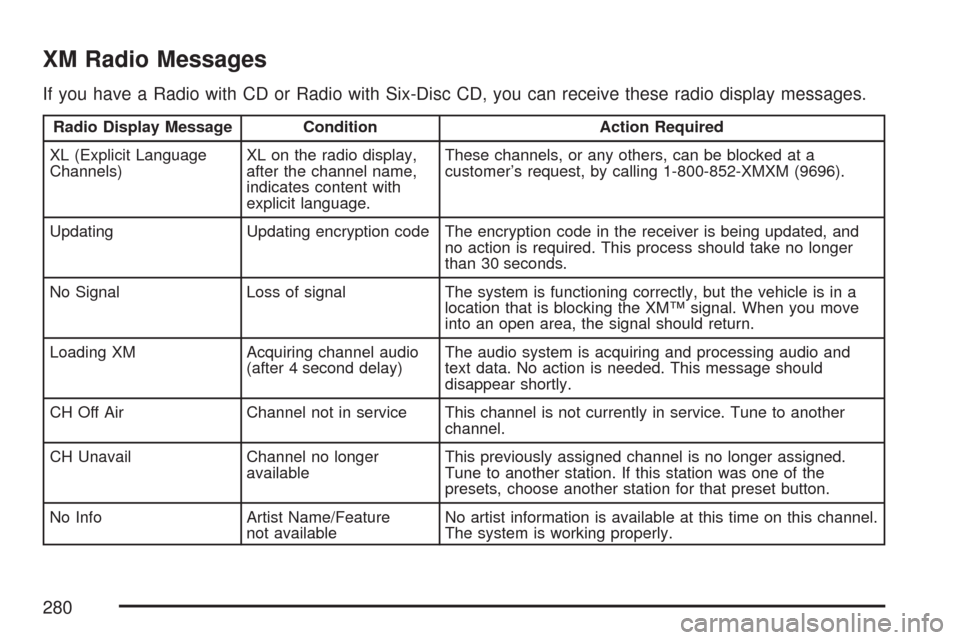
XM Radio Messages
If you have a Radio with CD or Radio with Six-Disc CD, you can receive these radio display messages.
Radio Display Message Condition Action Required
XL (Explicit Language
Channels)XL on the radio display,
after the channel name,
indicates content with
explicit language.These channels, or any others, can be blocked at a
customer’s request, by calling 1-800-852-XMXM (9696).
Updating Updating encryption code The encryption code in the receiver is being updated, and
no action is required. This process should take no longer
than 30 seconds.
No Signal Loss of signal The system is functioning correctly, but the vehicle is in a
location that is blocking the XM™ signal. When you move
into an open area, the signal should return.
Loading XM Acquiring channel audio
(after 4 second delay)The audio system is acquiring and processing audio and
text data. No action is needed. This message should
disappear shortly.
CH Off Air Channel not in service This channel is not currently in service. Tune to another
channel.
CH Unavail Channel no longer
availableThis previously assigned channel is no longer assigned.
Tune to another station. If this station was one of the
presets, choose another station for that preset button.
No Info Artist Name/Feature
not availableNo artist information is available at this time on this channel.
The system is working properly.
280
Page 282 of 574
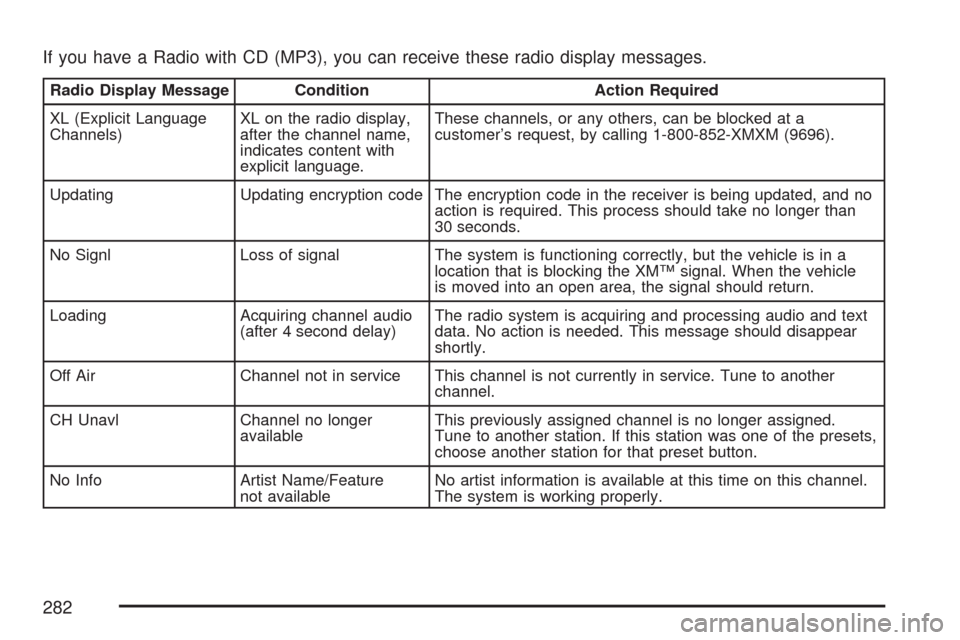
If you have a Radio with CD (MP3), you can receive these radio display messages.
Radio Display Message Condition Action Required
XL (Explicit Language
Channels)XL on the radio display,
after the channel name,
indicates content with
explicit language.These channels, or any others, can be blocked at a
customer’s request, by calling 1-800-852-XMXM (9696).
Updating Updating encryption code The encryption code in the receiver is being updated, and no
action is required. This process should take no longer than
30 seconds.
No Signl Loss of signal The system is functioning correctly, but the vehicle is in a
location that is blocking the XM™ signal. When the vehicle
is moved into an open area, the signal should return.
Loading Acquiring channel audio
(after 4 second delay)The radio system is acquiring and processing audio and text
data. No action is needed. This message should disappear
shortly.
Off Air Channel not in service This channel is not currently in service. Tune to another
channel.
CH Unavl Channel no longer
availableThis previously assigned channel is no longer assigned.
Tune to another station. If this station was one of the presets,
choose another station for that preset button.
No Info Artist Name/Feature
not availableNo artist information is available at this time on this channel.
The system is working properly.
282
Page 409 of 574
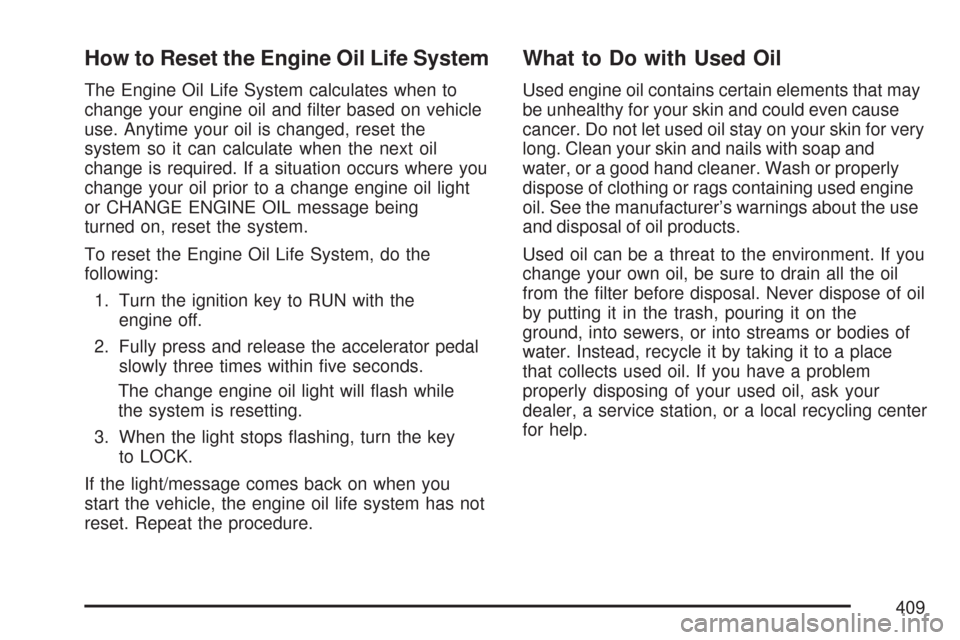
How to Reset the Engine Oil Life System
The Engine Oil Life System calculates when to
change your engine oil and lter based on vehicle
use. Anytime your oil is changed, reset the
system so it can calculate when the next oil
change is required. If a situation occurs where you
change your oil prior to a change engine oil light
or CHANGE ENGINE OIL message being
turned on, reset the system.
To reset the Engine Oil Life System, do the
following:
1. Turn the ignition key to RUN with the
engine off.
2. Fully press and release the accelerator pedal
slowly three times within ve seconds.
The change engine oil light will ash while
the system is resetting.
3. When the light stops ashing, turn the key
to LOCK.
If the light/message comes back on when you
start the vehicle, the engine oil life system has not
reset. Repeat the procedure.
What to Do with Used Oil
Used engine oil contains certain elements that may
be unhealthy for your skin and could even cause
cancer. Do not let used oil stay on your skin for very
long. Clean your skin and nails with soap and
water, or a good hand cleaner. Wash or properly
dispose of clothing or rags containing used engine
oil. See the manufacturer’s warnings about the use
and disposal of oil products.
Used oil can be a threat to the environment. If you
change your own oil, be sure to drain all the oil
from the lter before disposal. Never dispose of oil
by putting it in the trash, pouring it on the
ground, into sewers, or into streams or bodies of
water. Instead, recycle it by taking it to a place
that collects used oil. If you have a problem
properly disposing of your used oil, ask your
dealer, a service station, or a local recycling center
for help.
409