Page 316 of 634

See “Using the Auxiliary Input Jack(s)” later in this
section, or “Audio/Video (A/V) Jacks” under,Rear
Seat Entertainment System on page 337for more
information.
O(Power):Press this knob to turn the radio on or
off. Turn this knob clockwise or counterclockwise to
increase or decrease the volume. Press and hold
the knob for more than two seconds to turn off the
entire radio and Rear Seat Entertainment (RSE)
system and to start the parental control feature.
Parental control prevents the rear seat occupant
from operating the Rear Seat Audio (RSA) system
or remote control.
A lock symbol appears next to the clock display.
The parental control feature remains on until this
button is pressed and held for more than
two seconds again, or until the driver turns the
ignition off and exits the vehicle.
f(Tune):Turn this knob to change tracks on a CD
or DVD, to manually tune a radio station, or to
change clock or date settings, while in the clock or
date setting mode. See the information given earlier
in this section specic to the radio, CD, and the
DVD. Also, see “Setting the Time” in the index, for
setting the clock and date.
©SEEK (Previous Track/Chapter):Press this
button to return to the start of the current track
or chapter. Press this button again to go to
the previous track or chapter. This button might
not work when the DVD is playing the copyright
information or the previews.
SEEK
¨(Next Track/Chapter):Press this
button to go to the next track or chapter. This
button might not work when the DVD is playing the
copyright information or the previews.
sREV (Reverse):Press this button to quickly
reverse the CD or DVD at ve times the normal
speed. The radio displays the elapsed time while in
fast reverse. To stop fast reversing, press this
button again. This button might not work when the
DVD is playing the copyright information or the
previews.
\FWD (Fast Forward):Press this button to
fast forward the CD or DVD. The radio displays the
elapsed time and fast forwards ve times the
normal speed. To stop fast forwarding, press this
button again. This button might not work when
the DVD is playing the copyright information or the
previews.
316
Page 320 of 634

DVD Radio Error Messages
Player Error:This message displays when there
are disc load or eject problems.
Disc Format Error:This message displays, if the
disc is inserted with the disc label wrong side
up, or if the disc is damaged.
Disc Region Error:This message displays, if the
disc is not from a correct region.
No Disc Inserted:This message displays, if no
disc is present when the EJECT or DVD/CD AUX
button is pressed on the radio.
Using the Auxiliary Input Jack(s)
The radio system has an auxiliary input jack
located on the lower right side of the faceplate.
This is not an audio output; do not plug the
headphone set into the front auxiliary input jack.
However, an external audio device such as
an iPod, laptop computer, MP3 player, CD player,
or cassette tape player, etc. can be connected
to the auxiliary input jack for use as another source
for audio listening.Drivers are encouraged to set up any auxiliary
device while the vehicle is in PARK (P). See
Defensive Driving on page 356for more
information on driver distraction.
To use a portable audio player, connect a 1/8 inch
(3.5 mm) cable to the radio’s front auxiliary
input jack. While a device is connected, the radio
automatically begins playing audio from the
device over the vehicle speakers.
To listen to a device through the rear auxiliary
input over the speakers, cycle the DVD/CD Aux
button on the radio faceplate until “Rear Aux Input”
displays on the radio. The RSA or DVD Screen
must be on in order for the radio to source to rear
auxiliary.O(Power/Volume):Turn this knob clockwise or
counterclockwise to increase or decrease the
volume of the portable player. Additional volume
adjustments might be needed from the portable
device if the volume is not loud or soft enough.
BAND:Press this button to listen to the radio
when a portable audio device is playing. The
portable audio device continues playing, so you
might want to stop it or power it off.
320
Page 364 of 634
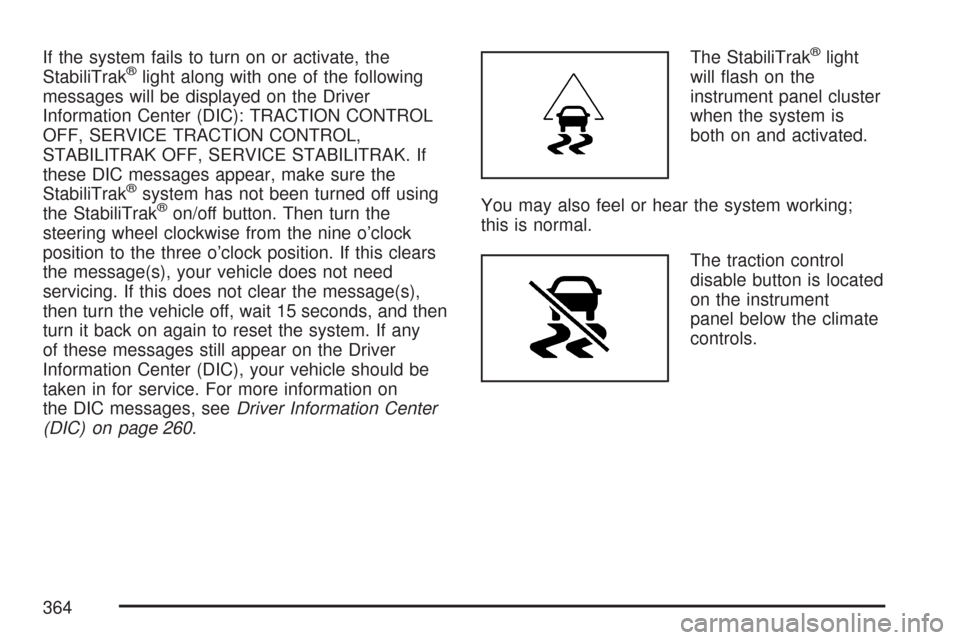
If the system fails to turn on or activate, the
StabiliTrak®light along with one of the following
messages will be displayed on the Driver
Information Center (DIC): TRACTION CONTROL
OFF, SERVICE TRACTION CONTROL,
STABILITRAK OFF, SERVICE STABILITRAK. If
these DIC messages appear, make sure the
StabiliTrak
®system has not been turned off using
the StabiliTrak®on/off button. Then turn the
steering wheel clockwise from the nine o’clock
position to the three o’clock position. If this clears
the message(s), your vehicle does not need
servicing. If this does not clear the message(s),
then turn the vehicle off, wait 15 seconds, and then
turn it back on again to reset the system. If any
of these messages still appear on the Driver
Information Center (DIC), your vehicle should be
taken in for service. For more information on
the DIC messages, seeDriver Information Center
(DIC) on page 260.The StabiliTrak
®light
will ash on the
instrument panel cluster
when the system is
both on and activated.
You may also feel or hear the system working;
this is normal.
The traction control
disable button is located
on the instrument
panel below the climate
controls.
364
Page 368 of 634
Try to adjust your speed so you can “drive”
through the curve. Maintain a reasonable, steady
speed. Wait to accelerate until you are out of
the curve, and then accelerate gently into
the straightaway.
Adding non-GM accessories can affect your
vehicle’s performance. SeeAccessories and
Modications on page 444.
Steering in Emergencies
There are times when steering can be more
effective than braking. For example, you come
over a hill and nd a truck stopped in your lane, or
a car suddenly pulls out from nowhere, or a
child darts out from between parked cars and
stops right in front of you. You can avoid these
problems by braking — if you can stop in time. But
sometimes you cannot; there is not room. That
is the time for evasive action — steering around
the problem.
Your vehicle can perform very well in emergencies
like these. First, apply the brakes. SeeBraking
on page 360. It is better to remove as much speed
as you can from a possible collision. Then steer
around the problem, to the left or right depending
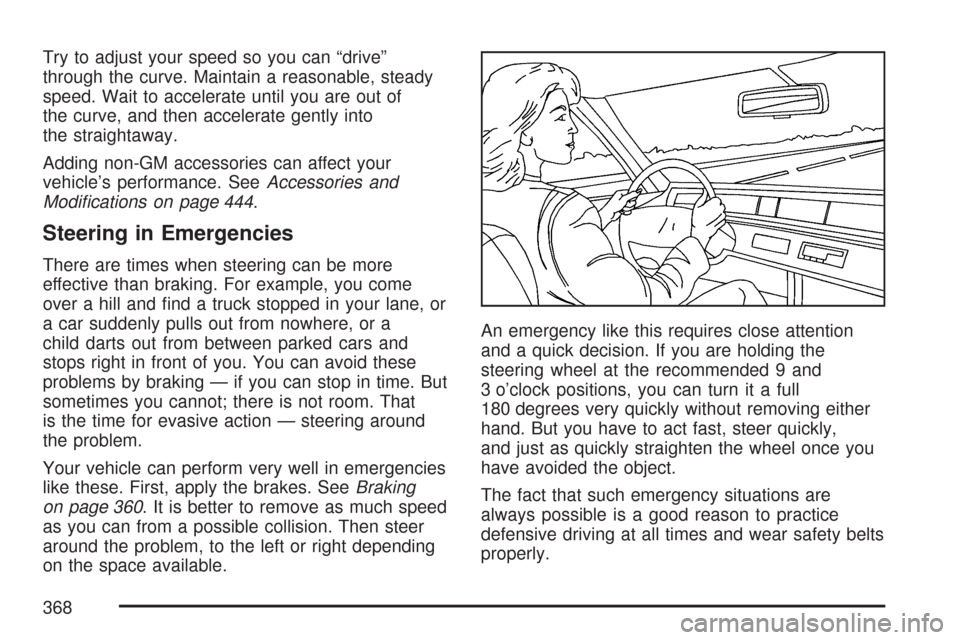
on the space available.An emergency like this requires close attention
and a quick decision. If you are holding the
steering wheel at the recommended 9 and
3 o’clock positions, you can turn it a full
180 degrees very quickly without removing either
hand. But you have to act fast, steer quickly,
and just as quickly straighten the wheel once you
have avoided the object.
The fact that such emergency situations are
always possible is a good reason to practice
defensive driving at all times and wear safety belts
properly.
368
Page 381 of 634
Q:What should I do if my vehicle stalls, or
is about to stall, and I cannot make it up
the hill?
A:If this happens, there are some things you
should do, and there are some things you
must not do. First, here is what youshoulddo:
Push the brake pedal to stop the vehicle
and keep it from rolling backwards. Also, apply
the parking brake.
If your engine is still running, shift the
transmission to REVERSE (R), release the
parking brake, and slowly back down the hill in
REVERSE (R).
If your engine has stopped running, you will
need to restart it. With the brake pedal
pressed and the parking brake still applied,
shift the transmission to PARK (P) and restart
the engine. Then, shift to REVERSE (R),
release the parking brake, and slowly back
down the hill as straight as possible in
REVERSE (R).
As you are backing down the hill, put your left
hand on the steering wheel at the 12 o’clock
position. This way, you will be able to tell
if your wheels are straight and maneuver as
you back down. It is best that you back
down the hill with your wheels straight rather
than in the left or right direction. Turning
the wheel too far to the left or right will
increase the possibility of a rollover.
381
Page 452 of 634
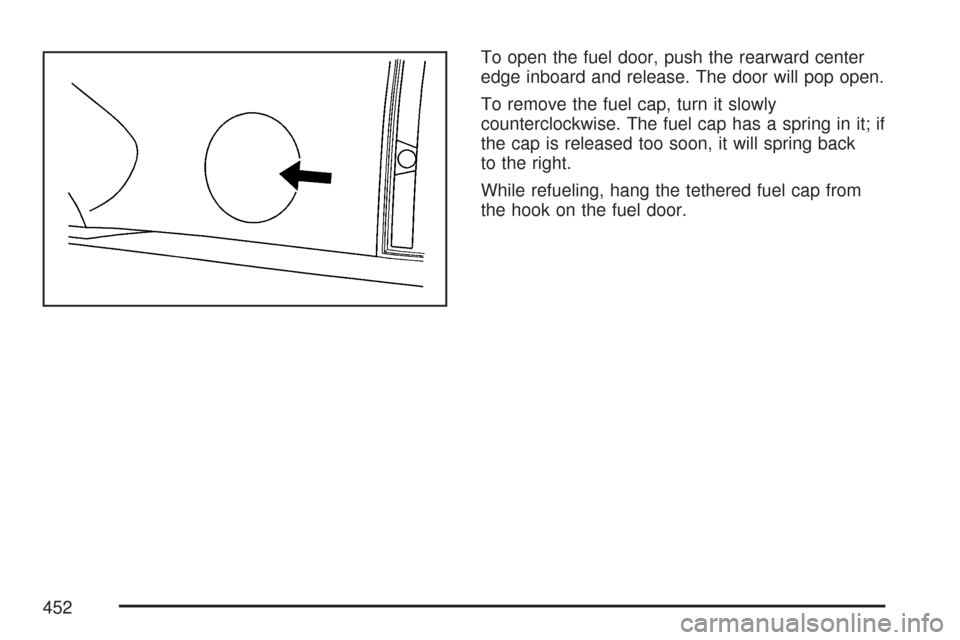
To open the fuel door, push the rearward center
edge inboard and release. The door will pop open.
To remove the fuel cap, turn it slowly
counterclockwise. The fuel cap has a spring in it; if
the cap is released too soon, it will spring back
to the right.
While refueling, hang the tethered fuel cap from
the hook on the fuel door.
452
Page 453 of 634
{CAUTION:
If you spill fuel and then something
ignites it, you could be badly burned. Fuel
can spray out on you if you open the fuel
cap too quickly. This spray can happen if
your tank is nearly full, and is more likely
in hot weather. Open the fuel cap slowly
and wait for any hiss noise to stop. Then
unscrew the cap all the way.Be careful not to spill fuel. Do not top off or overll
the tank and wait a few seconds after you have
nished pumping before removing the nozzle.
Clean fuel from painted surfaces as soon
as possible. SeeWashing Your Vehicle on
page 557.
When replacing the fuel cap, turn it clockwise until
it clicks. Make sure the cap is fully installed.
The diagnostic system can determine if the fuel
cap has been left off or improperly installed.
This would allow fuel to evaporate into the
atmosphere. SeeMalfunction Indicator Lamp on
page 253.
453
Page 481 of 634
Notice:In cold weather, water can freeze and
crack the engine, radiator, heater core and
other parts. Use the recommended coolant and
the proper coolant mixture.
{CAUTION:
You can be burned if you spill coolant on
hot engine parts. Coolant contains
ethylene glycol and it will burn if the
engine parts are hot enough. Do not spill
coolant on a hot engine.1. You can remove the
coolant surge tank
pressure cap
when the cooling
system, including
the coolant
surge tank pressure
cap and upper
radiator hose, is no
longer hot.
Turn the pressure cap slowly counterclockwise
about one full turn. If you hear a hiss, wait
for that to stop. A hiss means there is
still some pressure left.
2. Then keep turning the pressure cap slowly,
and remove it.
481