2007 CHEVROLET SUBURBAN battery
[x] Cancel search: batteryPage 215 of 634
Exterior Lamps
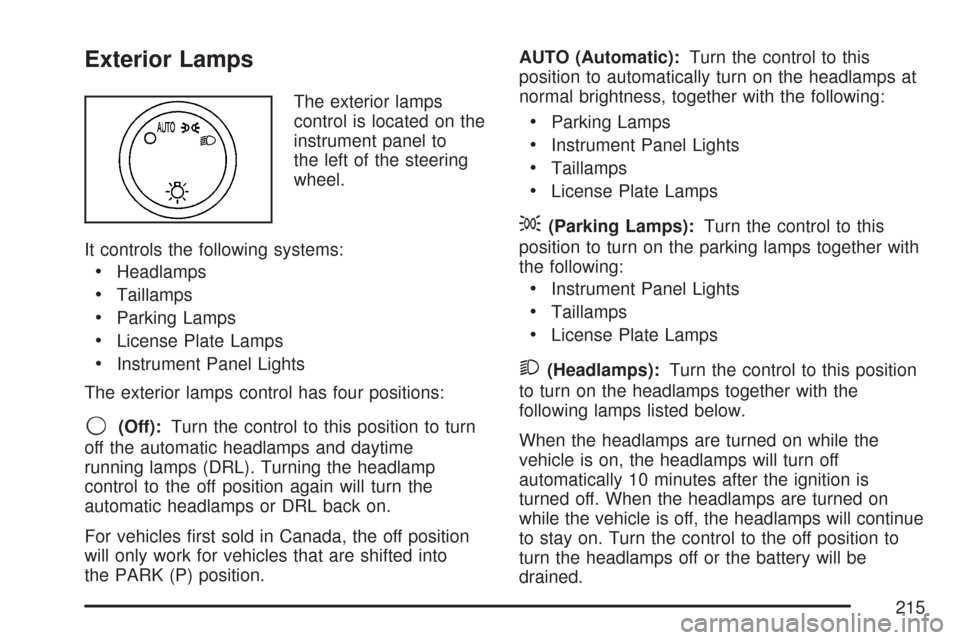
The exterior lamps
control is located on the
instrument panel to
the left of the steering
wheel.
It controls the following systems:
Headlamps
Taillamps
Parking Lamps
License Plate Lamps
Instrument Panel Lights
The exterior lamps control has four positions:
9(Off):Turn the control to this position to turn
off the automatic headlamps and daytime
running lamps (DRL). Turning the headlamp
control to the off position again will turn the
automatic headlamps or DRL back on.
For vehicles rst sold in Canada, the off position
will only work for vehicles that are shifted into
the PARK (P) position.AUTO (Automatic):Turn the control to this
position to automatically turn on the headlamps at
normal brightness, together with the following:
Parking Lamps
Instrument Panel Lights
Taillamps
License Plate Lamps
;(Parking Lamps):Turn the control to this
position to turn on the parking lamps together with
the following:
Instrument Panel Lights
Taillamps
License Plate Lamps
2(Headlamps):Turn the control to this position
to turn on the headlamps together with the
following lamps listed below.
When the headlamps are turned on while the
vehicle is on, the headlamps will turn off
automatically 10 minutes after the ignition is
turned off. When the headlamps are turned on
while the vehicle is off, the headlamps will continue
to stay on. Turn the control to the off position to
turn the headlamps off or the battery will be
drained.
215
Page 220 of 634
Entry Lighting
Your vehicle has an illuminated entry feature.
When the doors are opened, the dome lamps will
come on if the dome override button is in the
extended position. If the dome override button is
pressed in, the lamps will not come on.
Exit Lighting
With exit lighting, the interior lamps will come on
when the key is removed from the ignition. They
will turn off automatically in 20 seconds. The lights
will not come on if the dome override button is
pressed in.
Reading Lamps
If your vehicle has reading lamps they are located
on the overhead console.
To turn on the reading lamps, press the button
located next to each lamp. To turn them off, press
the button again.Your vehicle may also have reading lamps in other
locations. To turn the lamps on or off, press the
button located next to the lamp.
The lamps are xed and cannot be adjusted.
Electric Power Management
The vehicle has Electric Power Management (EPM)
that estimates the battery’s temperature and state
of charge. It then adjusts the voltage for best
performance and extended life of the battery.
When the battery’s state of charge is low, the
voltage is raised slightly to quickly put the charge
back in. When the state of charge is high, the
voltage is lowered slightly to prevent overcharging.
If the vehicle has a voltmeter gage or voltage
display on the Driver Information Center (DIC), you
may see the voltage move up or down. This is
normal. If there is a problem, an alert will be
displayed.
220
Page 221 of 634
The battery can be discharged at idle if the
electrical loads are very high. This is true for
all vehicles. This is because the generator
(alternator) may not be spinning fast enough at
idle to produce all the power that is needed for very
high electrical loads.
A high electrical load occurs when several of the
following loads are on: headlamps, high beams,
fog lamps, rear window defogger, climate
control fan at high speed, heated seats, engine
cooling fans, trailer loads, and loads plugged into
accessory power outlets.
EPM works to prevent excessive discharge of the
battery. It does this by balancing the generator’s
output and the vehicle’s electrical needs. It
can increase engine idle speed to generate more
power, whenever needed. It can temporarily
reduce the power demands of some accessories.Normally, these actions occur in steps or levels,
without being noticeable. In rare cases at the
highest levels of corrective action, this action may
be noticeable to the driver. If so, a Driver
Information Center (DIC) message might be
displayed, such as Battery Saver Active or Service
Battery Charging System. If this message is
displayed, it is recommended that the driver
reduce the electrical loads as much as possible.
SeeDIC Warnings and Messages on page 270.
Battery Run-Down Protection
This feature shuts off the dome, and reading
lamps if they are left on for more than 10 minutes
when the ignition is off. This will keep the
battery from running down.
221
Page 226 of 634
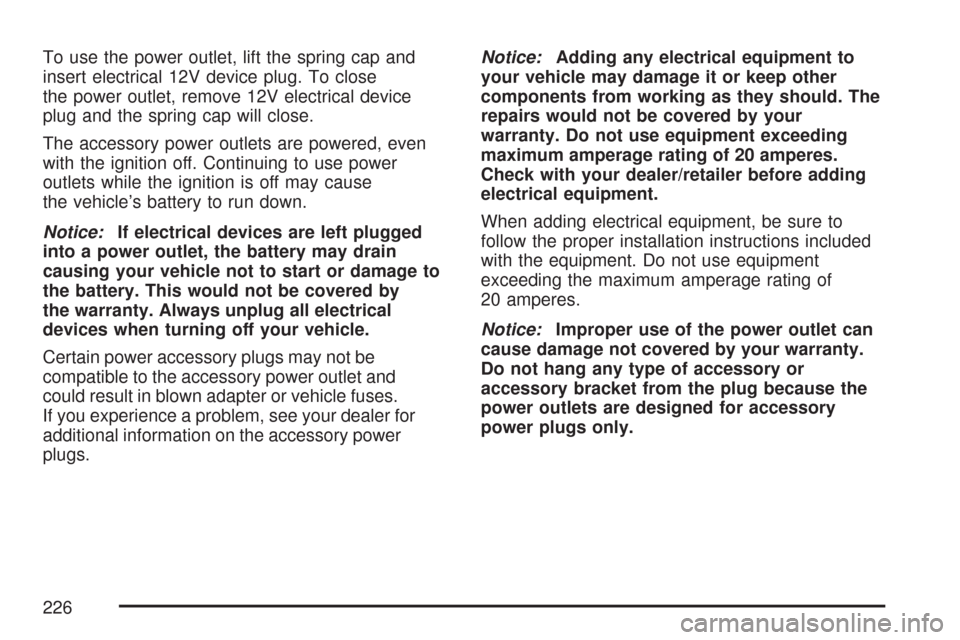
To use the power outlet, lift the spring cap and
insert electrical 12V device plug. To close
the power outlet, remove 12V electrical device
plug and the spring cap will close.
The accessory power outlets are powered, even
with the ignition off. Continuing to use power
outlets while the ignition is off may cause
the vehicle’s battery to run down.
Notice:If electrical devices are left plugged
into a power outlet, the battery may drain
causing your vehicle not to start or damage to
the battery. This would not be covered by
the warranty. Always unplug all electrical
devices when turning off your vehicle.
Certain power accessory plugs may not be
compatible to the accessory power outlet and
could result in blown adapter or vehicle fuses.
If you experience a problem, see your dealer for
additional information on the accessory power
plugs.Notice:Adding any electrical equipment to
your vehicle may damage it or keep other
components from working as they should. The
repairs would not be covered by your
warranty. Do not use equipment exceeding
maximum amperage rating of 20 amperes.
Check with your dealer/retailer before adding
electrical equipment.
When adding electrical equipment, be sure to
follow the proper installation instructions included
with the equipment. Do not use equipment
exceeding the maximum amperage rating of
20 amperes.
Notice:Improper use of the power outlet can
cause damage not covered by your warranty.
Do not hang any type of accessory or
accessory bracket from the plug because the
power outlets are designed for accessory
power plugs only.
226
Page 248 of 634

If, after several seconds, all status indicator lights
remain on, or if there are no lights at all, there
may be a problem with the lights or the passenger
sensing system. See your dealer for service.
{CAUTION:
If the off indicator and the airbag
readiness light ever come on together, it
means that something may be wrong with
the airbag system. If this ever happens,
have the vehicle serviced promptly,
because an adult-size person sitting in the
right front passenger seat may not have
the protection of the frontal airbag. See
Airbag Readiness Light on page 245.
Charging System Light
The charging system
light will come on briey
when you turn on the
ignition, but the engine is
not running, as a check
to show you it is working.
It should go out once the engine is running. If it
stays on, or comes on while you are driving,
you may have a problem with the charging system.
It could indicate that you have problems with the
generator, the generator drive belt, or another
electrical problem. Have it checked right away.
Driving while this light is on could drain your
battery.
When this light comes on, the Driver Information
Center (DIC) will also display the SERVICE
BATTERY NOT CHARGING SYSTEM message.
SeeDIC Warnings and Messages on page 270for
more information.
If you must drive a short distance with the light on,
be certain to turn off all your accessories, such as
the radio and air conditioner, to reduce the drain on
your battery.
248
Page 249 of 634
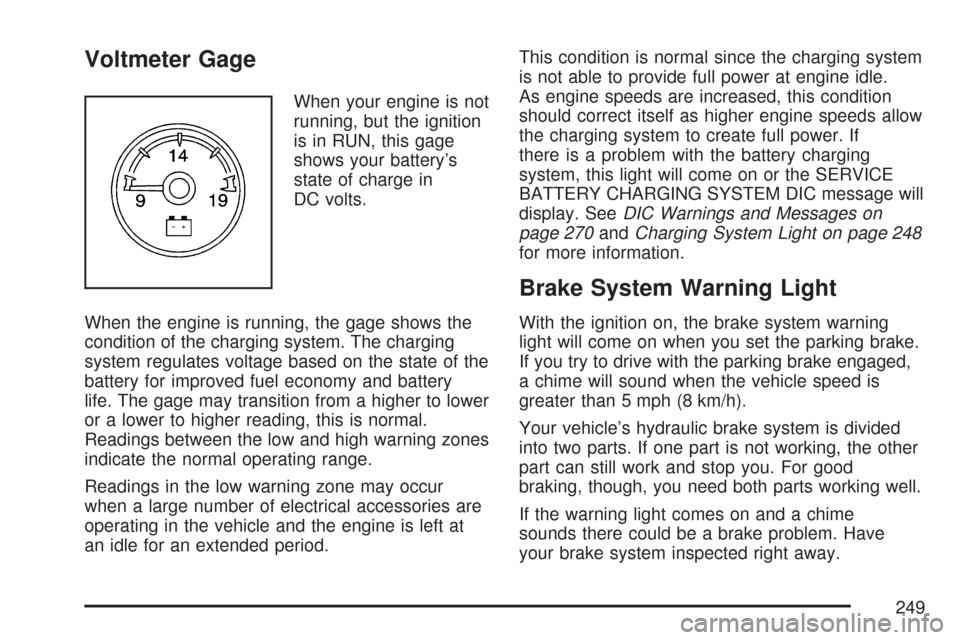
Voltmeter Gage
When your engine is not
running, but the ignition
is in RUN, this gage
shows your battery’s
state of charge in
DC volts.
When the engine is running, the gage shows the
condition of the charging system. The charging
system regulates voltage based on the state of the
battery for improved fuel economy and battery
life. The gage may transition from a higher to lower
or a lower to higher reading, this is normal.
Readings between the low and high warning zones
indicate the normal operating range.
Readings in the low warning zone may occur
when a large number of electrical accessories are
operating in the vehicle and the engine is left at
an idle for an extended period.This condition is normal since the charging system
is not able to provide full power at engine idle.
As engine speeds are increased, this condition
should correct itself as higher engine speeds allow
the charging system to create full power. If
there is a problem with the battery charging
system, this light will come on or the SERVICE
BATTERY CHARGING SYSTEM DIC message will
display. SeeDIC Warnings and Messages on
page 270andCharging System Light on page 248
for more information.
Brake System Warning Light
With the ignition on, the brake system warning
light will come on when you set the parking brake.
If you try to drive with the parking brake engaged,
a chime will sound when the vehicle speed is
greater than 5 mph (8 km/h).
Your vehicle’s hydraulic brake system is divided
into two parts. If one part is not working, the other
part can still work and stop you. For good
braking, though, you need both parts working well.
If the warning light comes on and a chime
sounds there could be a brake problem. Have
your brake system inspected right away.
249
Page 256 of 634

Emissions Inspection and Maintenance
Programs
Some state/provincial and local governments have
or may begin programs to inspect the emission
control equipment on your vehicle. Failure to pass
this inspection could prevent you from getting a
vehicle registration.
Here are some things you need to know to help
your vehicle pass an inspection:
Your vehicle will not pass this inspection if the
check engine light is on or not working properly.
Your vehicle will not pass this inspection if
the OBD (on-board diagnostic) system determines
that critical emission control systems have not
been completely diagnosed by the system.
The vehicle would be considered not ready for
inspection. This can happen if you have recently
replaced your battery or if your battery has
run down. The diagnostic system is designed to
evaluate critical emission control systems
during normal driving. This may take several days
of routine driving. If you have done this and
your vehicle still does not pass the inspection for
lack of OBD system readiness, your dealer
can prepare the vehicle for inspection.
Oil Pressure Gage
The oil pressure gage shows the engine oil
pressure in psi (pounds per square inch) when the
engine is running. Canadian vehicles indicate
pressure in kPa (kilopascals).
Oil pressure may vary with engine speed, outside
temperature and oil viscosity, but readings
above the low pressure zone indicate the normal
operating range. When the oil pressure reaches
the low pressure zone, the OIL PRESSURE LOW
STOP ENGINE message will appear in the
Driver Information Center (DIC). SeeDIC
Warnings and Messages on page 270andEngine
Oil on page 459for more information.
United StatesCanada
256
Page 275 of 634

REMOTE KEY LEARNING ACTIVE
This message displays while you are matching a
Remote Keyless Entry (RKE) transmitter to
your vehicle. See “Matching Transmitter(s) to Your
Vehicle” underRemote Keyless Entry (RKE)
System Operation on page 115andDIC Operation
and Displays (With DIC Buttons) on page 261or
DIC Operation and Displays (Without DIC Buttons)
on page 267for more information.
REPLACE BATTERY IN REMOTE KEY
This message displays if a Remote Keyless
Entry (RKE) transmitter battery is low. The battery
needs to be replaced in the transmitter. See
“Battery Replacement” underRemote Keyless
Entry (RKE) System Operation on page 115.
RIGHT REAR DOOR OPEN
This message displays and a chime sounds if the
passenger’s side rear door is not fully closed
and the vehicle is in a drive gear. Stop and turn
off the vehicle, check the door for obstructions, and
close the door again. Check to see if the
message still appears on the DIC.
SERVICE 4 WHEEL DRIVE
This message displays if a problem occurs with the
four-wheel-drive system. If this message appears,
stop as soon as possible and turn off the vehicle.
Restart the vehicle and check for the message on
the DIC display. If the message is still displayed or
appears again when you begin driving, the
four-wheel-drive system needs service. See your
dealer.
SERVICE AIR BAG
This message displays if there is a problem with the
airbag system. Have your dealer inspect the system
for problems. SeeAirbag Readiness Light on
page 245andAirbag System on page 90for more
information.
275