2007 CHEVROLET SILVERADO ECO mode
[x] Cancel search: ECO modePage 371 of 684
When a CD/DVD is playing, press the up or the
down arrow to go to the next or previous track or
chapter.
g(Mute/Voice Recognition):Press and release
this button to silence the vehicle speakers only.
The audio of the wireless and wired headphones, if
your vehicle has these features, does not mute.
Press and release this button again, to turn
the sound on.
If your vehicle has the navigation system, press
and hold this button for longer than one second to
initiate voice recognition. See “Voice Recognition”
in the Navigation System manual for more
information.
If your vehicle has OnStar
®, press and hold this
button for longer than one second to interact
with the OnStar
®system. If your vehicle also has
the navigation system, press and hold this
button for longer than one second to initiate voice
recognition and say “OnStar” to enter OnStar
®
mode. See theOnStar®System on page 182in
this manual for more information.SRCE (Source):Press this button to switch
between the radio (AM, FM), XM™ (if equipped),
CD, and if your vehicle has these features,
DVD, front auxiliary, and rear auxiliary.
+
e−e(Volume):Press the plus or minus
button to increase or to decrease the radio volume.
¨(Seek):Press the seek arrow to go to the
next radio station while in AM, FM, or XM™
(if equipped). Press this button to go to the next
track or chapter while sourced to the CD or
DVD slot.
Radio Reception
Frequency interference and static can occur
during normal radio reception if items such as cell
phone chargers, vehicle convenience accessories,
and external electronic devices are plugged
into the accessory power outlet. If there is
interference or static, unplug the item from the
accessory power outlet.
371
Page 375 of 684
Your Driving, the Road, and Your
Vehicle..................................................... 376
Defensive Driving...................................... 376
Drunken Driving........................................ 377
Control of a Vehicle.................................. 380
Braking...................................................... 380
Anti-Lock Brake System (ABS).................. 381
Braking in Emergencies............................. 383
Locking Rear Axle..................................... 383
StabiliTrak
®System................................... 384
Steering.................................................... 387
Off-Road Recovery.................................... 389
Passing..................................................... 389
Loss of Control.......................................... 391
Off-Road Driving........................................ 392
Driving at Night......................................... 409
Driving in Rain and on Wet Roads............ 410
City Driving............................................... 414
Freeway Driving........................................ 415Before Leaving on a Long Trip.................. 416
Highway Hypnosis..................................... 417
Hill and Mountain Roads........................... 418
Winter Driving........................................... 420
If Your Vehicle is Stuck in Sand, Mud,
Ice, or Snow.......................................... 424
Rocking Your Vehicle to Get It Out........... 425
Recovery Hooks (Except SS Model).......... 426
Loading Your Vehicle................................ 427
Adding a Snow Plow or Similar
Equipment.............................................. 434
Truck-Camper Loading Information............ 438
Pickup Conversion to Chassis Cab.............. 441
Towing........................................................ 441
Towing Your Vehicle................................. 441
Recreational Vehicle Towing...................... 442
Towing a Trailer........................................ 447
Trailer Recommendations.......................... 484
Section 4 Driving Your Vehicle
375
Page 392 of 684
A cornering skid is best handled by easing your
foot off the accelerator pedal.
Remember: StabiliTrak
®helps avoid only the
acceleration skid. SeeStabiliTrak®System
on page 384. If the StabiliTrak®System is off,
then an acceleration skid is also best handled by
easing your foot off the accelerator pedal.
If your vehicle starts to slide, ease your foot off the
accelerator pedal and quickly steer the way you
want the vehicle to go. If you start steering quickly
enough, your vehicle may straighten out. Always be
ready for a second skid if it occurs.
Of course, traction is reduced when water, snow,
ice, gravel, or other material is on the road.
For safety, you will want to slow down and adjust
your driving to these conditions. It is important
to slow down on slippery surfaces because
stopping distance will be longer and vehicle control
more limited.
While driving on a surface with reduced traction,
try your best to avoid sudden steering,
acceleration, or braking, including reducing
vehicle speed by shifting to a lower gear.Any sudden changes could cause the tires to
slide. You may not realize the surface is slippery
until your vehicle is skidding. Learn to recognize
warning clues — such as enough water, ice,
or packed snow on the road to make a mirrored
surface — and slow down when you have
any doubt.
Remember: Any Anti-Lock Brake System (ABS)
helps avoid only the braking skid.
Off-Road Driving
This off-road guide is for vehicles that have
four-wheel drive. Also, seeBraking on page 380.
If your vehicle is an SS Model or does not have
four-wheel drive, you should not drive off-road
unless you are on a level, solid surface. If your
vehicle has 20-inch tire/wheel assemblies, do not
use your vehicle for off-road driving. SeeTires
on page 552.
The airbag system is designed to work properly
under a wide range of conditions, including off-road
usage. Observe safe driving speeds, especially
on rough terrain. As always, wear your safety belt.
392
Page 426 of 684
Recovery Hooks (Except SS Model)
Notice:SS Models have recovery hooks
that are concealed by the front bumper trim
covering. Use of the recovery hooks could
cause damage to your vehicle. If you have the
SS Model, do not use the recovery hooks.
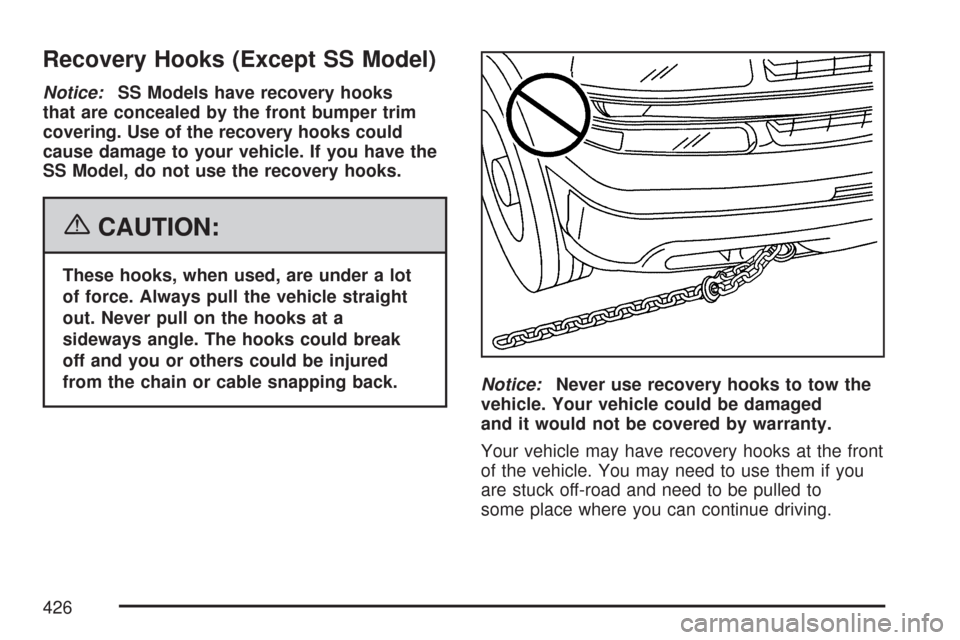
{CAUTION:
These hooks, when used, are under a lot
of force. Always pull the vehicle straight
out. Never pull on the hooks at a
sideways angle. The hooks could break
off and you or others could be injured
from the chain or cable snapping back.
Notice:Never use recovery hooks to tow the
vehicle. Your vehicle could be damaged
and it would not be covered by warranty.
Your vehicle may have recovery hooks at the front
of the vehicle. You may need to use them if you
are stuck off-road and need to be pulled to
some place where you can continue driving.
426
Page 449 of 684
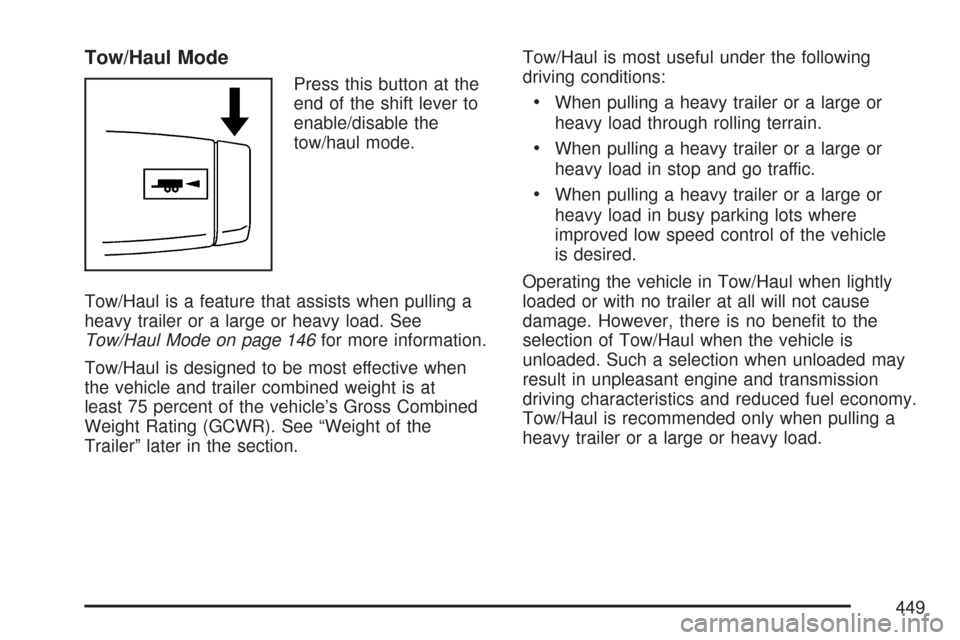
Tow/Haul Mode
Press this button at the
end of the shift lever to
enable/disable the
tow/haul mode.
Tow/Haul is a feature that assists when pulling a
heavy trailer or a large or heavy load. See
Tow/Haul Mode on page 146for more information.
Tow/Haul is designed to be most effective when
the vehicle and trailer combined weight is at
least 75 percent of the vehicle’s Gross Combined
Weight Rating (GCWR). See “Weight of the
Trailer” later in the section.Tow/Haul is most useful under the following
driving conditions:
When pulling a heavy trailer or a large or
heavy load through rolling terrain.
When pulling a heavy trailer or a large or
heavy load in stop and go traffic.
When pulling a heavy trailer or a large or
heavy load in busy parking lots where
improved low speed control of the vehicle
is desired.
Operating the vehicle in Tow/Haul when lightly
loaded or with no trailer at all will not cause
damage. However, there is no benet to the
selection of Tow/Haul when the vehicle is
unloaded. Such a selection when unloaded may
result in unpleasant engine and transmission
driving characteristics and reduced fuel economy.
Tow/Haul is recommended only when pulling a
heavy trailer or a large or heavy load.
449
Page 481 of 684
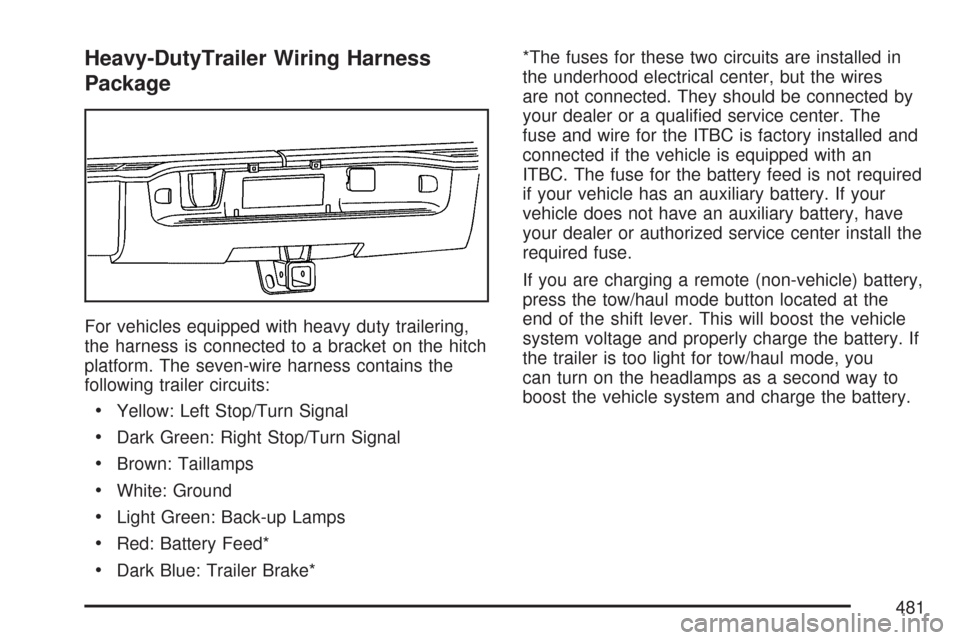
Heavy-DutyTrailer Wiring Harness
Package
For vehicles equipped with heavy duty trailering,
the harness is connected to a bracket on the hitch
platform. The seven-wire harness contains the
following trailer circuits:
Yellow: Left Stop/Turn Signal
Dark Green: Right Stop/Turn Signal
Brown: Taillamps
White: Ground
Light Green: Back-up Lamps
Red: Battery Feed*
Dark Blue: Trailer Brake**The fuses for these two circuits are installed in
the underhood electrical center, but the wires
are not connected. They should be connected by
your dealer or a qualied service center. The
fuse and wire for the ITBC is factory installed and
connected if the vehicle is equipped with an
ITBC. The fuse for the battery feed is not required
if your vehicle has an auxiliary battery. If your
vehicle does not have an auxiliary battery, have
your dealer or authorized service center install the
required fuse.
If you are charging a remote (non-vehicle) battery,
press the tow/haul mode button located at the
end of the shift lever. This will boost the vehicle
system voltage and properly charge the battery. If
the trailer is too light for tow/haul mode, you
can turn on the headlamps as a second way to
boost the vehicle system and charge the battery.
481
Page 495 of 684
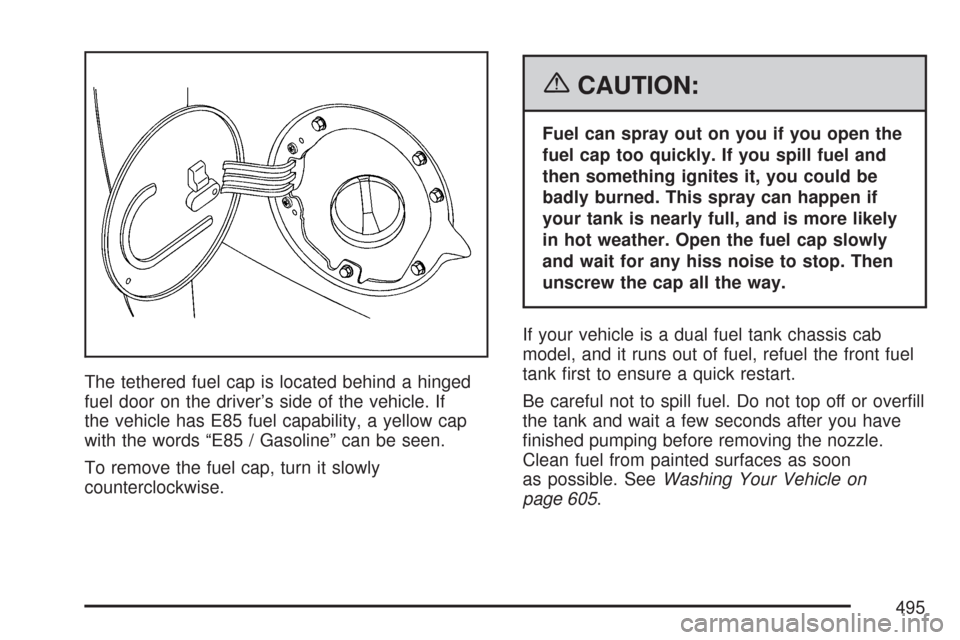
The tethered fuel cap is located behind a hinged
fuel door on the driver’s side of the vehicle. If
the vehicle has E85 fuel capability, a yellow cap
with the words “E85 / Gasoline” can be seen.
To remove the fuel cap, turn it slowly
counterclockwise.
{CAUTION:
Fuel can spray out on you if you open the
fuel cap too quickly. If you spill fuel and
then something ignites it, you could be
badly burned. This spray can happen if
your tank is nearly full, and is more likely
in hot weather. Open the fuel cap slowly
and wait for any hiss noise to stop. Then
unscrew the cap all the way.
If your vehicle is a dual fuel tank chassis cab
model, and it runs out of fuel, refuel the front fuel
tank rst to ensure a quick restart.
Be careful not to spill fuel. Do not top off or overll
the tank and wait a few seconds after you have
nished pumping before removing the nozzle.
Clean fuel from painted surfaces as soon
as possible. SeeWashing Your Vehicle on
page 605.
495
Page 567 of 684

5. Start with the driver’s side front tire.
6. Remove the valve cap from the valve cap
stem. Activate the TPMS sensor by
increasing or decreasing the tire’s air pressure
for ve seconds, or until a horn chirp
sounds. The horn chirp, which make take up
to 30 seconds to sound, conrms that the
sensor identication code has been matched
to this tire and wheel position. To decrease
air-pressure out of a tire you can use the
pointed end of the valve cap, a pencil-style air
pressure gage, or a key.
7. Proceed to the passenger’s side front tire, and
repeat the procedure in Step 6.
8. Proceed to the passenger’s side rear tire, and
repeat the procedure in Step 6.9. Proceed to the driver’s side rear tire, and
repeat the procedure in Step 6.
10. After hearing the conrming horn chirp for the
driver’s side rear tire, the horn chirp will sound
two more times to signal the tire learning
mode is no longer active. Turn the ignition
switch to LOCK.
11. Set all four tires to the recommended air
pressure level as indicated on the Tire
and Loading Information label.
12. Put the valve caps back on the valve stems
The spare tire does not have a TPMS sensor.
If you replace one of the road tires with the spare,
the SERVICE TIRE MONITOR message will be
displayed on the DIC screen. This message should
go off once you re-install the road tire containing
the TPMS sensor.
567