Page 443 of 684
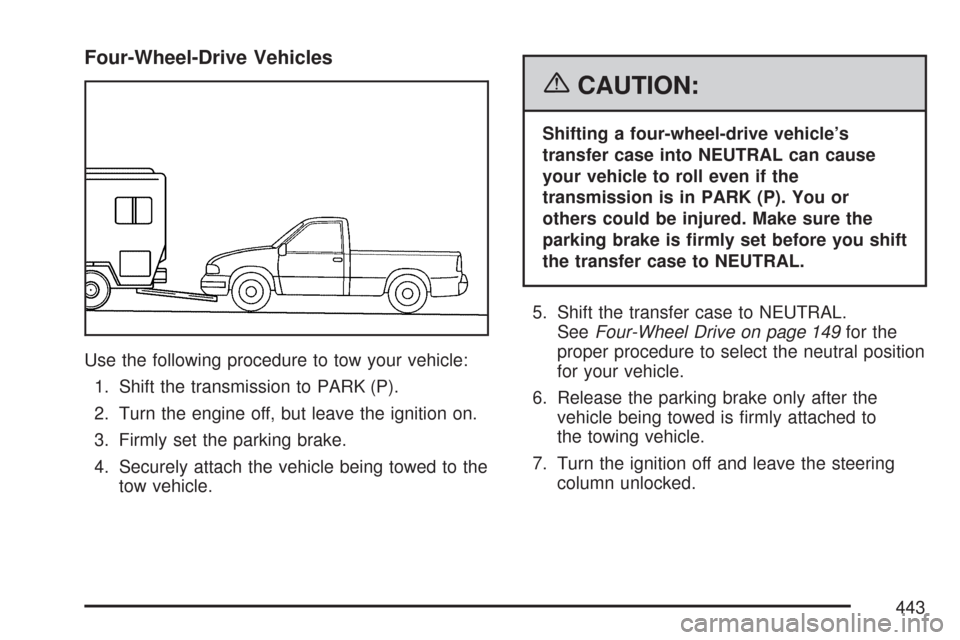
Four-Wheel-Drive Vehicles
Use the following procedure to tow your vehicle:
1. Shift the transmission to PARK (P).
2. Turn the engine off, but leave the ignition on.
3. Firmly set the parking brake.
4. Securely attach the vehicle being towed to the
tow vehicle.
{CAUTION:
Shifting a four-wheel-drive vehicle’s
transfer case into NEUTRAL can cause
your vehicle to roll even if the
transmission is in PARK (P). You or
others could be injured. Make sure the
parking brake is rmly set before you shift
the transfer case to NEUTRAL.
5. Shift the transfer case to NEUTRAL.
SeeFour-Wheel Drive on page 149for the
proper procedure to select the neutral position
for your vehicle.
6. Release the parking brake only after the
vehicle being towed is rmly attached to
the towing vehicle.
7. Turn the ignition off and leave the steering
column unlocked.
443
Page 445 of 684
{CAUTION:
Shifting a four-wheel-drive vehicle’s
transfer case into NEUTRAL can cause
your vehicle to roll even if the
transmission is in PARK (P). You or
others could be injured. Make sure the
parking brake is rmly set before you shift
the transfer case to NEUTRAL.
6. Shift the transfer case to NEUTRAL.
SeeFour-Wheel Drive on page 149for the
proper procedure to select the neutral position
for your vehicle.
7. Release the parking brake only after the
vehicle being towed is rmly attached to
the towing vehicle.
8. Turn the ignition off and lock the steering
column.
Rear Towing
(Rear Wheels Off the Ground)
Two-Wheel-Drive Vehicles
Use the following procedure to tow your vehicle
from the rear:
1. Drive the vehicle onto the dolly.
2. Firmly set the parking brake. SeeParking
Brake on page 164.
3. Put the transmission in PARK (P).
4. Follow the dolly manufacturer’s instructions to
attach and secure the vehicle being towed to
the dolly and then the loaded dolly to the
tow vehicle. Make sure the wheels are straight
before towing.
Use an adequate clamping device to ensure
that the front wheels are locked into the
straight position.
5. Release the parking brake only after the
vehicle being towed is rmly attached to
the tow vehicle.
6. Turn the ignition to LOCK.
445
Page 446 of 684
Four-Wheel-Drive Vehicles
Use the following procedure to tow your vehicle
from the rear:
1. Drive the vehicle onto the dolly.
2. Firmly set the parking brake. SeeParking
Brake on page 164.
3. Put the transmission in PARK (P).
4. Follow the dolly manufacturer’s instructions to
attach and secure the vehicle being towed to
the dolly and then the loaded dolly to the
tow vehicle.
Use an adequate clamping device to ensure
that the front wheels are locked into the
straight position.{CAUTION:
Shifting a four-wheel-drive vehicle’s
transfer case into NEUTRAL can cause
your vehicle to roll even if the transmission
is in PARK (P). You or others could be
injured. Make sure the parking brake is
rmly set before you shift the transfer case
to NEUTRAL.
5. Shift the transfer case to NEUTRAL.
SeeFour-Wheel Drive on page 149.
6. Release the parking brake only after the
vehicle being towed is rmly attached to
the tow vehicle.
7. Turn the ignition to LOCK.
446
Page 467 of 684
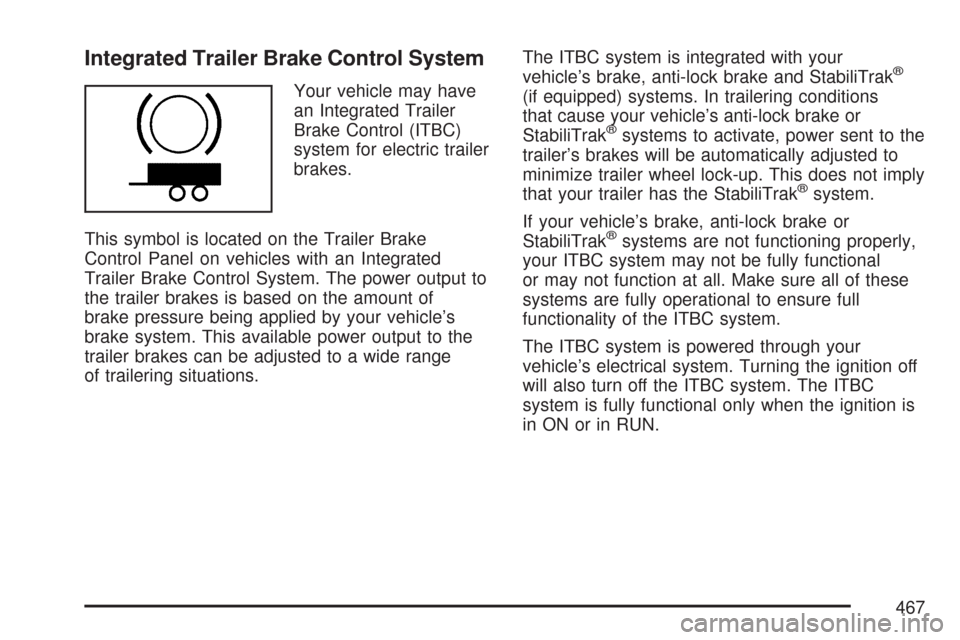
Integrated Trailer Brake Control System
Your vehicle may have
an Integrated Trailer
Brake Control (ITBC)
system for electric trailer
brakes.
This symbol is located on the Trailer Brake
Control Panel on vehicles with an Integrated
Trailer Brake Control System. The power output to
the trailer brakes is based on the amount of
brake pressure being applied by your vehicle’s
brake system. This available power output to the
trailer brakes can be adjusted to a wide range
of trailering situations.The ITBC system is integrated with your
vehicle’s brake, anti-lock brake and StabiliTrak
®
(if equipped) systems. In trailering conditions
that cause your vehicle’s anti-lock brake or
StabiliTrak
®systems to activate, power sent to the
trailer’s brakes will be automatically adjusted to
minimize trailer wheel lock-up. This does not imply
that your trailer has the StabiliTrak
®system.
If your vehicle’s brake, anti-lock brake or
StabiliTrak
®systems are not functioning properly,
your ITBC system may not be fully functional
or may not function at all. Make sure all of these
systems are fully operational to ensure full
functionality of the ITBC system.
The ITBC system is powered through your
vehicle’s electrical system. Turning the ignition off
will also turn off the ITBC system. The ITBC
system is fully functional only when the ignition is
in ON or in RUN.
467
Page 472 of 684
Manual Trailer Brake Apply
The Manual Trailer Brake Apply Lever is located on
the Trailer Brake Control Panel and is used to apply
the trailer’s electric brakes independent of your
vehicle’s brakes. This lever is used in the Trailer
Gain Adjustment Procedure to properly adjust the
power output to the trailer brakes. Sliding the lever
to the left will apply only the trailer brakes. The
power output to the trailer is indicated in the Trailer
Brake Display Page in the DIC. If your vehicle’s
service brakes are applied while using the Manual
Trailer Brake Apply Lever, the trailer output power
will be the greater of the two.
The trailer and the vehicle’s brake lamps will come
on when either vehicle braking or manual trailer
brakes are applied.
Trailer Gain Adjustment Procedure
Trailer Gain should be set for a specic trailering
condition and must be adjusted any time
vehicle loading, trailer loading or road surface
conditions change.
Setting the Trailer Gain properly is needed for the
best trailer stopping performance. A trailer that
is over-gained may result in locked trailer brakes.
A trailer that is under-gained may result in notenough trailer braking. Both of these conditions
may result in poorer stopping and stability of
the vehicle and trailer.
Use the following procedure to correctly adjust
Trailer Gain for each towing condition:
1. Make sure the trailer brakes are in proper
working condition.
2. Connect a properly loaded trailer to the
vehicle and make all necessary mechanical
and electrical connections. SeeLoading Your
Vehicle on page 427for more information.
3. After the electrical connection is made to a
trailer equipped with electric brakes:
A TRAILER CONNECTED message will be
briey displayed on the DIC display.
The Trailer Brake Display Page will appear
on the DIC showing TRAILER GAIN and
TRAILER OUTPUT.
In the Trailer Output display on the
DIC, “------“will disappear if there is no
error present. Connecting a trailer without
electric brakes will not clear the six dashed
lines.
472
Page 473 of 684
4. Adjust the Trailer Gain by using the gain
adjustment (+ / -) buttons on the Trailer
Brake Control Panel.
5. Drive the vehicle with the trailer attached on a
level road surface representative of the towing
condition and free of traffic at about 20 to
25 mph (32 to 40 km/h) and fully apply
the Manual Trailer Brake Apply lever.
Adjusting trailer gain at speeds lower than
20 to 25 mph (32 to 40 km/h) may result in an
incorrect gain setting.
6. Adjust the Trailer Gain to just below the point
of trailer wheel lock-up, indicated by trailer
wheel squeal or puffs of tire smoke when
a trailer wheel locks.
Trailer wheel lock-up may not occur if towing
a heavily loaded trailer. In this case, adjust
the Trailer Gain to the highest allowable
setting for the towing condition.
7. Re-adjust Trailer Gain any time vehicle
loading, trailer loading or road surface
conditions change or if you notice trailer wheel
lock-up at any time while you are towing.Other ITBC Related DIC Messages
In addition to displaying TRAILER GAIN and
TRAILER OUTPUT through the DIC, trailer
connection and ITBC system status is displayed in
the DIC.
TRAILER CONNECTED – This message will be
briey displayed when a trailer with electric brakes
is rst connected to the vehicle. This message
will automatically turn off in about ten seconds.
The driver can also acknowledge this message
before it automatically turns off.
CHECK TRAILER WIRING – This message will be
displayed if:
1. The ITBC system rst determines connection
to a trailer with electric brakes and then the
trailer harness becomes disconnected
from the vehicle.
If the disconnect occurs while the vehicle is
stationary, this message will automatically turn
off in about thirty seconds. This message
will also turn off if the driver acknowledges this
message off or if the trailer harness is
re-connected.
473
Page 487 of 684
Appearance Care........................................ 601
Cleaning the Inside of Your Vehicle.......... 601
Fabric/Carpet............................................. 602
Leather...................................................... 603
Instrument Panel, Vinyl, and Other
Plastic Surfaces..................................... 604
Care of Safety Belts.................................. 604
Weatherstrips............................................ 604
Washing Your Vehicle............................... 605
Cleaning Exterior Lamps/Lenses................ 605
Finish Care............................................... 605
Windshield and Wiper Blades.................... 606
Aluminum or Chrome-Plated Wheels
and Trim................................................ 607
Tires......................................................... 608
Sheet Metal Damage................................. 608
Finish Damage.......................................... 608Underbody Maintenance............................ 608
Chemical Paint Spotting............................ 609
Vehicle Care/Appearance Materials............ 609
Vehicle Identication.................................. 610
Vehicle Identication Number (VIN)........... 610
Service Parts Identication Label............... 611
Electrical System........................................ 611
Add-On Electrical Equipment..................... 611
Windshield Wiper Fuses............................ 611
Power Windows and Other Power
Options.................................................. 611
Fuses and Circuit Breakers....................... 612
Instrument Panel Fuse Block..................... 612
Center Instrument Panel Fuse Block......... 614
Underhood Fuse Block.............................. 615
Capacities and Specications.................... 620
Section 5 Service and Appearance Care
487
Page 488 of 684
Service
Your dealer knows your vehicle best and wants
you to be happy with it. We hope you will go
to your dealer for all your service needs. You will
get genuine GM parts and GM-trained and
supported service people.
We hope you will want to keep your GM vehicle
all GM. Genuine GM parts have one of these
marks:
Accessories and Modications
When you add non-GM accessories to your vehicle
they can affect your vehicle’s performance and
safety, including such things as, airbags, braking,
stability, ride and handling, emissions systems,
aerodynamics, durability, and electronic systems
like anti-lock brakes, traction control and
stability control. Some of these accessories may
even cause malfunction or damage not covered by
warranty.
GM Accessories are designed to complement and
function with other systems on your vehicle.
Your GM dealer/retailer can accessorize your
vehicle using genuine GM Accessories. When you
go to your GM dealer/retailer and ask for GM
Accessories, you will know that GM-trained and
supported service technicians will perform the work
using genuine GM Accessories.
488