2007 CHEVROLET KODIAK tow
[x] Cancel search: towPage 145 of 430

Windshield Wipers
You control the
windshield wipers
by turning the
band with the wiper
symbol on it.
9(Off):Turn the band on the lever to this
symbol to turn off the windshield wipers.
8(Mist):For a single wiping cycle, turn the band
to this symbol. Hold it there until the wipers start,
then let go. The wipers will stop after one cycle. If
you want more cycles, hold the band on mist
longer.
You can set the wiper speed for a long or short
delay between wipes. This can be very useful in
light rain or snow. Turn the band to select the delay
time. The farther the band is turned upward, the
longer the delay will be. The farther the band is
turned downward, the shorter the delay will be.For steady wiping at low speed, turn the band
toward you to the first solid band below the
delay settings.
For high-speed wiping, turn the band farther, to the
last solid band below the delay settings. To stop the
wipers, move the band to off.
Be sure to clear ice and snow from the wiper
blades before using them. If they are frozen to the
windshield, carefully loosen or thaw them. If
your blades do become worn or damaged, get
new blades or blade inserts. For more information,
seeWindshield Wiper Blade Replacement on
page 316.
Heavy snow or ice can overload your wipers.
The windshield wiper motor is protected
from overload by a circuit breaker and a fuse. If
the motor overheats due to heavy snow or ice the
wiper will stop until the motor cools. Although
the circuit is protected from electrical overload,
overload due to heavy snow or ice may cause
wiper linkage damage. Always clear ice and heavy
snow from the windshield before using your
windshield wipers.
145
Page 150 of 430

Exterior Lamps
The control located to the left of the steering
column operates the exterior lamps.
The exterior lamp control has three positions:
OFF:Turning the control to this position turns
off all lamps except the Daytime Running
Lamps (DRL).
;(Parking Lamps):Turning the control to this
position turns on the parking lamps, together
with the following:
•Marker Lamps
•Taillamps
•License Plate Lamps
•Instrument Panel Lights
O(Headlamps):Turning the control to this
position turns on the headlamps, together with the
previously listed lamps and lights.
You can switch your headlamps from low to high
beam by pulling the turn signal/multifunction
lever toward you. Pull the lever toward you again
to return to low beam.
A circuit breaker protects your headlamps. If you
have an electrical overload, your headlamps
will flicker on and off. Have your headlamp wiring
checked right away if this ever happens.
Headlamps on Reminder
If you have this system, a tone will sound when
your headlamps and/or parking lamps are
turned on and your ignition is in LOCK or
ACCESSORY.
150
Page 158 of 430

To change the current mode, select one of the
following:
9(Off):This setting turns the system off.
H(Vent):This mode directs air to the instrument
panel vents.
)(Bi-Level):This mode directs half of the air to
the instrument panel vents, then directs the
remaining air to the floor vents. Cooler air is
directed to the upper vents and warmer air to the
floor vents.
6(Floor):This mode directs most of the air to
the floor vents. Use this mode to send air to
the rear of the vehicle. Keep the area under the
front seats free of objects that could obstruct
airflow to the rear of the vehicle.
The mode knob can also be used to select the
defrost mode. For more information, see
“Defogging and Defrosting” later in this section.
9(Fan):Turn the left knob clockwise or
counterclockwise to increase or decrease the fan
speed. To increase airflow, turn the knob clockwise.
To decrease airflow, turn it counterclockwise. To
turn the fan off, turn the mode knob on the far right
counterclockwise to the off position.Temperature Knob:Turn the middle knob
located clockwise or counterclockwise to increase
or decrease the temperature inside of your
vehicle. Turn the knob toward the red area for
warmer air. Turn the knob toward the blue area for
cooler air.
If your vehicle has air conditioning, the controls
will look like this:
On hot days, open the windows to let hot inside
air escape; then close them. This helps to reduce
the time it takes for your vehicle to cool down.
It also helps the system to operate more efficiently.
Vehicles With Air Conditioning
158
Page 159 of 430

<(Maximum Air Conditioning):Turn the right
knob to this setting for maximum cooling. This
setting puts the system in recirculation mode and
helps to maximize your air conditioner’s
performance and your vehicle’s fuel economy.
This setting also cools the air the fastest.
Y(Air Conditioning):This setting is used for
normal cooling on hot days. It cools outside air and
directs it through the instrument panel vents.
)(Bi-Level Air Conditioning):This setting
divides airflow between the floor vents and
instrument panel vents. The air conditioning
compressor will cycle continuously in this setting
as long as the outside temperature is warm
enough to activate the compressor.
Defogging and Defrosting
Fog on the inside of windows is a result of high
humidity (moisture) condensing on the cool window
glass. This can be minimized if the climate
control is used properly. There are two modes to
clear fog or frost from your windshield and
side windows.Use the defog mode to clear the windows of fog or
moisture and warm the passengers. Use the defrost
mode to remove fog or frost from the windshield
more quickly. For best results, clear all snow and
ice from the windshield before defrosting.
Turn the mode knob on the right of the climate
control panel to select the defog or defrost mode.
-(Defog):With this setting, the outside air
comes out of both the floor and defroster outlets.
Adjust the temperature knob for warmer or
cooler air. The air conditioning compressor may
operate in this setting to dehumidify the air.
0(Defrost):This setting operates the defroster.
Most of the air comes out near the windshield,
with some going to the floor outlets and front side
windows. The air conditioning compressor may
operate in this setting to dehumidify the air.
The defog setting is useful for cold weather with a
large number of passengers or very humid
conditions to help keep the windshield clear. Use
defrost to remove fog or ice from the windshield
quickly in extremely cold conditions. The
temperature knob should be in the red area and
the fan control toward high. Do not drive the
vehicle until all the windows are clear.
159
Page 169 of 430

Notice:If you continue driving your vehicle
after the transmission warning light comes on,
you could damage the transmission. While
this light is on, the transmission cannot
operate in all gears. If you attempt to shift
gears, the vehicle may not continue to move.
Do not attempt to shift gears while the
transmission warning light is on. Instead, drive
directly to an authorized dealer for service. If
you cannot drive to a dealer immediately, have
the vehicle towed.
Range Inhibit Warning Indicator
If your vehicle has an Allison 1000/2200/2300/
2500 series automatic transmission, a lighted bar
under the current gear selected will flash.
If your vehicle has an Allison 3000/3500
series automatic transmission, the current gear
selected on the pushbutton display will flash.
The flashing bar or gear selection indicates that
transmission range shifts may not occur.
For detailed information on shift inhibit limitations,
see the Allison Automatic Transmission
Operator’s Manual in your vehicle for further
information.
Brake System Warning Light
Your vehicle has either hydraulic or air brakes.
Each system has different warning lights.
Hydraulic Brake System
Warning Lights
Vehicles with hydraulic brake systems
have two brake system warning lights on the
instrument panel.
If the brake system
warning light comes on,
it means that the
fluid level in the master
cylinder reservoir is
low or there is another
problem with your
hydraulic brakes.
When it comes on, you will also hear a
warning tone.
169
Page 170 of 430

The brake system warning light may come on, and
the warning tone may sound, when you are
turning and braking at the same time. This is
normal. See “Hydraulic Brake Systems” under
Braking on page 210.
This light is located
above the climate
controls in the center of
the instrument panel.
If the service brakes soon warning light comes on,
it means there may be something wrong in the
brake system.
When this light comes on, you will also hear a
warning tone. Have the system repaired
immediately.Both of these lights should come on briefly every
time you start your engine. If they do not come
on then, have them fixed so they will be ready to
warn you if there is a problem. If one or both
of these warning lights stay on after you start the
engine, there could be a brake problem. Have
your brake system inspected right away.
If one or both of these lights come on while you
are driving, pull off the road and stop carefully. You
may notice that the pedal is harder to push, or
the pedal may go closer to the floor. It may take
longer to stop. If this light is still on, have the
vehicle towed for service. SeeTowing Your
Vehicle on page 241. See “Hydraulic Brake
Systems” underBraking on page 210for further
information.
170
Page 174 of 430
Wait to Start Indicator
If your vehicle has the DURAMAX®6.6L diesel
engine, it will have glow plugs and an air
intake heater. If your vehicle has the Isuzu 6H
diesel engine, it will have glow plugs and an inlet
heater. If your vehicle has a Caterpillar
®engine,
it will have an inlet heater.
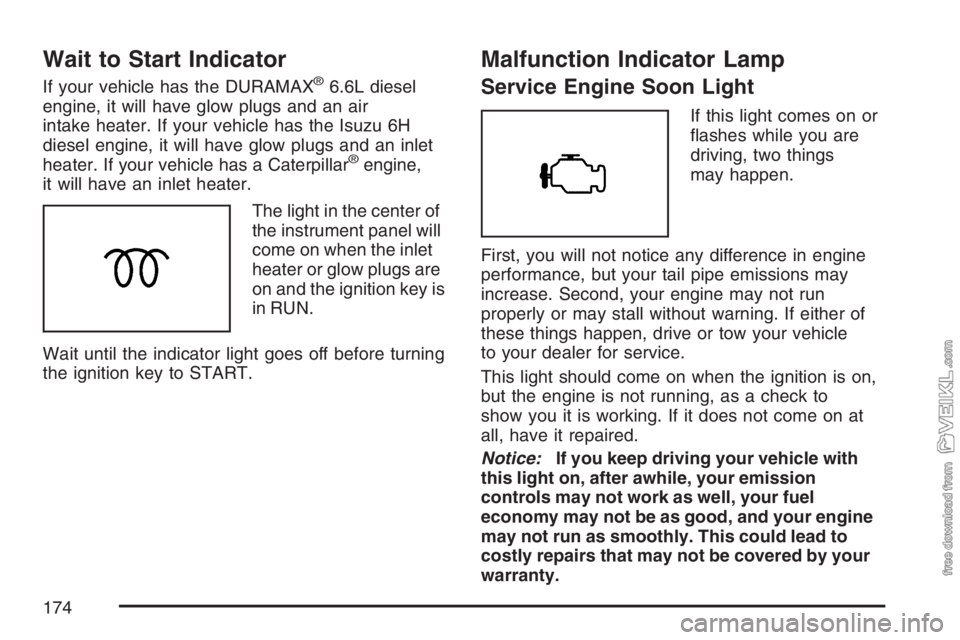
The light in the center of
the instrument panel will
come on when the inlet
heater or glow plugs are
on and the ignition key is
in RUN.
Wait until the indicator light goes off before turning
the ignition key to START.
Malfunction Indicator Lamp
Service Engine Soon Light
If this light comes on or
flashes while you are
driving, two things
may happen.
First, you will not notice any difference in engine
performance, but your tail pipe emissions may
increase. Second, your engine may not run
properly or may stall without warning. If either of
these things happen, drive or tow your vehicle
to your dealer for service.
This light should come on when the ignition is on,
but the engine is not running, as a check to
show you it is working. If it does not come on at
all, have it repaired.
Notice:If you keep driving your vehicle with
this light on, after awhile, your emission
controls may not work as well, your fuel
economy may not be as good, and your engine
may not run as smoothly. This could lead to
costly repairs that may not be covered by your
warranty.
174
Page 188 of 430

Adjusting the Speakers (Balance/Fade)
AUDIO:To adjust the balance between the
right and the left speakers, press and release
AUDIO until BAL (balance) displays. Then press
and hold the up or the down arrow to move
the sound toward the right or the left speakers.
To adjust the fade between the front and the rear
speakers, press and release AUDIO until FAD
(fade) displays. Then press and hold the up or the
down arrow to move the sound toward the front
or the rear speakers.
To adjust balance or fade to the middle position,
select BAL or FAD. Then press and hold
AUDIO for more than two seconds until a beep
sounds. B (balance) and a zero or F (fade) and a
zero displays.
To adjust both tone controls and both speaker
controls to the middle position, first exit out of audio
mode by pressing another button, causing the radio
to perform that function or wait five seconds for the
display to return to time of day. Then press and hold
AUDIO for more than two seconds until a beep
sounds. CEN (center) displays.
Fade might not be available if the vehicle is a
regular cab model.
Radio Messages
CAL (Calibrated):The audio system has been
calibrated for your vehicle from the factory. If CAL
displays it means that the radio has not been
configured properly for your vehicle and must be
returned to your dealer for service.
LOC (Locked):This message is displayed when
the THEFTLOCK
®system has locked up. Take
the vehicle to your dealer for service.
If any error occurs repeatedly or if an error cannot
be corrected, contact your dealer.
188