2007 CHEVROLET KODIAK reset
[x] Cancel search: resetPage 183 of 430

Air Pressure Gage
If your vehicle has air
brakes, the air pressure
gage is located above
the switchbank in
the center of the
instrument panel.
This gage shows the air pressure for both your
front and rear brake systems.
If the needle on the gage indicates that the air
pressure is below 60 to 75 psi (415 to 517 kPa),
the low air warning light will come on. An alarm will
also sound if this happens.The top pointer shows the pressure available for the
front system, while the bottom pointer shows
pressure for the rear. There should be no more than
4 psi (28 kPa) difference showing between the
systems.
Don’t drive until both pointers are showing at least
120 psi (827 kPa), so you’ll have enough air if
you need to apply your brakes.
Hourmeter Gage
To access the engine hourmeter gage, press the
trip odometer button three times.
The instrument panel cluster displays the
accumulated engine run time hours using the
reconfigurable odometer display. The engine run
time hours displays only when the ignition is in the
LOCK or ACCESSORY position and the trip
reset button is pressed for about four seconds.
The value of the accumulated hours does
not change when the battery is disconnected.
The hourmeter resets to 0.0 when 10,000 hours
are accumulated. The instrument panel cluster
begins to reaccumulate the engine run time hours
from 0.0 hours.
183
Page 184 of 430

Audio System(s)
If your vehicle came without a radio, the wiring
provisions for a radio and an antenna were
installed at the assembly plant, so that if you want,
a radio can be installed at the dealer.
Determine which radio your vehicle has and then
read the pages following to familiarize yourself
with its features.
Driving without distraction is a necessity for a
safer driving experience. SeeDefensive Driving on
page 206. By taking a few moments to read this
manual and get familiar with your vehicle’s
audio system, you can use it with less effort, as
well as take advantage of its features. While your
vehicle is parked, set up your audio system by
presetting your favorite radio stations, setting the
tone and adjusting the speakers. Then, when
driving conditions permit, you can tune to
your favorite stations using the presets and
steering wheel controls if the vehicle has them.{CAUTION:
This system provides you with a far greater
access to audio stations and song listings.
Giving extended attention to entertainment
tasks while driving can cause a crash and
you or others can be injured or killed.
Always keep your eyes on the road and
your mind on the drive — avoid engaging
in extended searching while driving.
Keeping your mind on the drive is important for
safe driving. For more information, seeDefensive
Driving on page 206.
Here are some ways in which you can help avoid
distraction while driving.
184
Page 185 of 430

While your vehicle is parked:
•Familiarize yourself with all of its controls.
•Familiarize yourself with its operation.
•Set up your audio system by presetting your
favorite radio stations, setting the tone, and
adjusting the speakers. Then, when driving
conditions permit, you can tune to your favorite
radio stations using the presets and steering
wheel controls if the vehicle has them.
Notice:Before adding any sound equipment to
your vehicle, such as an audio system, CD
player, CB radio, mobile telephone, or two-way
radio, make sure that it can be added by
checking with your dealer. Also, check federal
rules covering mobile radio and telephone
units. If sound equipment can be added, it is
very important to do it properly. Added sound
equipment may interfere with the operation of
your vehicle’s engine, radio, or other systems,
and even damage them. Your vehicle’s systems
may interfere with the operation of sound
equipment that has been added.Notice:The chime signals related to safety
belts, parking brake, and other functions
of your vehicle operate through the
radio/entertainment system. If that equipment
is replaced or additional equipment is added
to your vehicle, the chimes may not work. Make
sure that replacement or additional equipment
is compatible with your vehicle before
installing it.
Setting the Time
Press and hold the HR (down) or MIN (up) arrow
for two seconds. Then press HR until the
correct hour appears on the display. Press and
hold MIN until the correct minute appears on
the display. The time can be set with the ignition
on or off.
185
Page 186 of 430

AM-FM Radio
Playing the Radio
PWR (Power):Press this knob to turn the system
on and off.
VOL (Volume):Turn this knob clockwise or
counterclockwise to increase or to decrease the
volume.
RCL (Recall):Press this knob to switch the
display between the radio station frequency, band,
and the time. When the ignition is off, press this
knob to display the time.
Finding a Station
AM FM:Press this button to switch between FM1,
FM2, or AM. The selection displays.
TUNE:Turn this knob to select radio stations.
oSEEKp:Press the right or the left arrow
to go to the next or to the previous station and
stay there.
To scan stations, press and hold either SEEK
arrow for two seconds until a beep sounds. The
radio goes to a station, plays for a few seconds,
then goes to the next station. Press either
SEEK arrow again to stop scanning.
To scan preset stations, press and hold either
SEEK arrow for more than four seconds until
two beeps sound. The radio goes to the first preset
station stored on the pushbuttons, plays for a
few seconds, then goes to the next preset station.
Press either SEEK arrow again to stop scanning
presets.
The radio only seeks and scans stations with a
strong signal that are in the selected band.
186
Page 187 of 430
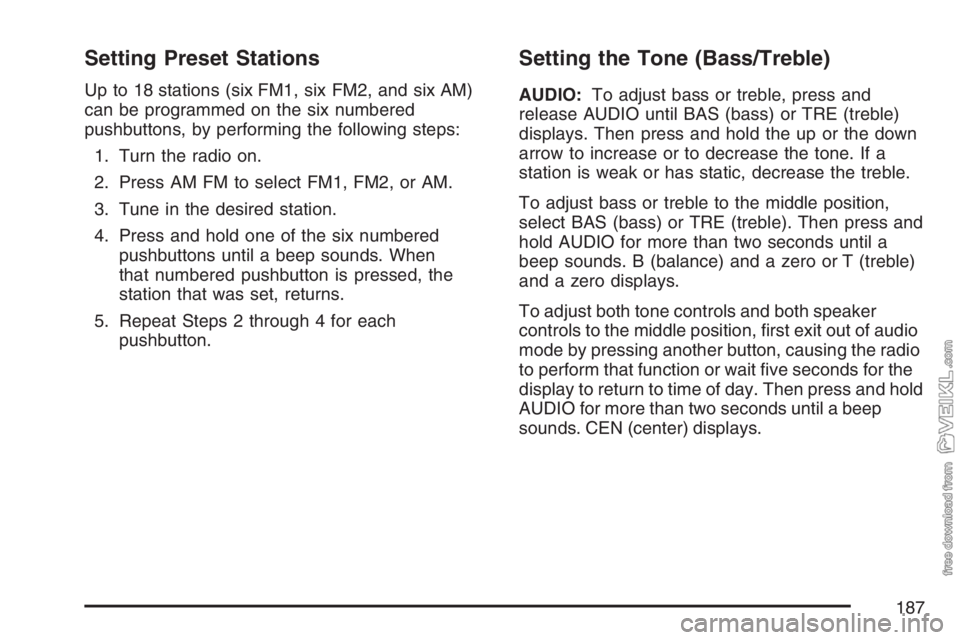
Setting Preset Stations
Up to 18 stations (six FM1, six FM2, and six AM)
can be programmed on the six numbered
pushbuttons, by performing the following steps:
1. Turn the radio on.
2. Press AM FM to select FM1, FM2, or AM.
3. Tune in the desired station.
4. Press and hold one of the six numbered
pushbuttons until a beep sounds. When
that numbered pushbutton is pressed, the
station that was set, returns.
5. Repeat Steps 2 through 4 for each
pushbutton.
Setting the Tone (Bass/Treble)
AUDIO:To adjust bass or treble, press and
release AUDIO until BAS (bass) or TRE (treble)
displays. Then press and hold the up or the down
arrow to increase or to decrease the tone. If a
station is weak or has static, decrease the treble.
To adjust bass or treble to the middle position,
select BAS (bass) or TRE (treble). Then press and
hold AUDIO for more than two seconds until a
beep sounds. B (balance) and a zero or T (treble)
and a zero displays.
To adjust both tone controls and both speaker
controls to the middle position, first exit out of audio
mode by pressing another button, causing the radio
to perform that function or wait five seconds for the
display to return to time of day. Then press and hold
AUDIO for more than two seconds until a beep
sounds. CEN (center) displays.
187
Page 189 of 430

Radio with Cassette
Playing the Radio
PWR (Power):Press this knob to turn the system
on and off.
VOL (Volume):Turn this knob clockwise or
counterclockwise to increase or to decrease
the volume.
RCL (Recall):Press this knob to switch the
display between the radio station frequency and
the time. When the ignition is off, press this
knob to display the time.
Finding a Station
AM FM:Press this button to switch between FM1,
FM2, and AM. The display shows the selection.
TUNE:Turn this knob to select radio stations.
oSEEKp:Press the right or the left arrow to go
to the next or to the previous station and stay there.
To scan stations, press and hold one of the SEEK
arrows for two seconds until you hear a beep. The
radio goes to a station, plays for a few seconds and
flashes the station frequency, then goes to the next
station. Press one of the SEEK arrows again to stop
scanning.
To scan preset stations, press and hold one of the
SEEK arrows for more than four seconds until you
hear two beeps. The radio goes to the first preset
station stored on the pushbuttons, plays for a few
seconds and flashes the station frequency, then
goes to the next preset station. Press one of the
SEEK arrows again to stop scanning presets.
The radio only seeks and scans stations with a
strong signal that are in the selected band.
189
Page 190 of 430

Setting Preset Stations
Up to 18 stations (six FM1, six FM2, and six AM)
can be programmed on the six numbered
pushbuttons, by performing the following steps:
1. Turn the radio on.
2. Press AM FM to select FM1, FM2, or AM.
3. Tune in the desired station.
4. Press and hold one of the six numbered
pushbuttons until you hear a beep.
Whenever that numbered pushbutton is
pressed, the station that was set returns.
5. Repeat the steps for each pushbutton.
Setting the Tone (Bass/Treble)
AUDIO:To adjust bass and treble, press and
release AUDIO until BAS (bass) or TRE (treble)
appears on the display. Then press and hold
the up or the down arrow to increase or to
decrease. If a station is weak or has static,
decrease the treble.
To adjust bass or treble to the middle position,
select BAS or TRE. Then press and hold AUDIO
for more than two seconds until you hear a
beep. B and a zero or T and a zero appears on
the display.
To adjust both tone controls and both speaker
controls to the middle position, end out of audio by
waiting for the display to change to the clock
display. Then press and hold AUDIO for more than
two seconds until you hear a beep. CEN (center)
appears on the display.
190
Page 193 of 430

3 REV (Reverse):Press this pushbutton to
quickly reverse the tape. FR appears on the
display. The radio plays while the tape reverses.
Press it again to return to playing speed.
Select stations during reverse operation by using
the TUNE or SEEK controls or by using the
scan or preset scan features.
4 FWD (Forward):Press this pushbutton to
quickly advance the tape. FF appears on
the display. The radio plays while the tape
advances. Press this pushbutton again to return to
playing speed. Select stations during forward
operation by using the TUNE or SEEK controls or
by using the scan or preset scan features.
5 SIDE:Press this pushbutton to play the other
side of the tape.
6 RPT (Repeat):The tape must have at least
three seconds of silence between each selection
for repeat to work. Press and release this
pushbutton to hear a selection over again. RPT
appears on the display. Press this pushbutton
again to turn off repeated play. OFF appears on
the display.oSEEKp:The tape must have at least
three seconds of silence between each selection for
seek to work. The left arrow is the same as the
PREV pushbutton and the right arrow is the same
as the NEXT pushbutton. If either arrow is held or
pressed more than once, the player continues
moving backward or forward through the tape.
AM FM:Press this button to listen to the radio
when a tape is playing. The inactive tape remains
safely inside the radio for future listening.
TAPE:Press this button to play a cassette tape
when listening to the radio. CAS appears on
the display when a tape is loaded.
Z(Eject):Press this button to eject a tape.
Eject may be activated with the radio off. Cassette
tapes can be loaded with the ignition and radio
off if this button is pressed first.
193