2007 CHEVROLET HHR ESP
[x] Cancel search: ESPPage 24 of 446
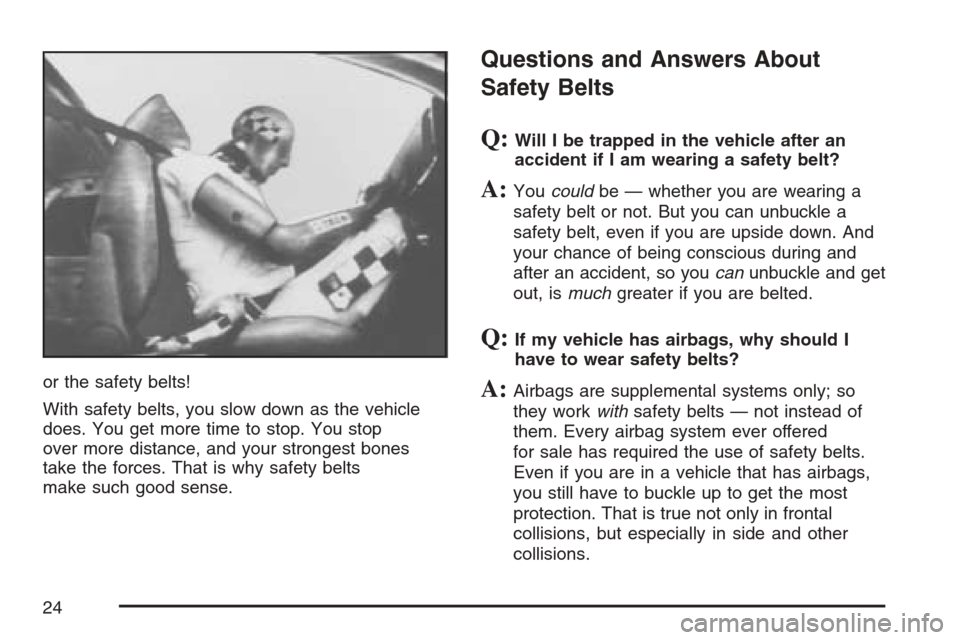
or the safety belts!
With safety belts, you slow down as the vehicle
does. You get more time to stop. You stop
over more distance, and your strongest bones
take the forces. That is why safety belts
make such good sense.
Questions and Answers About
Safety Belts
Q:Will I be trapped in the vehicle after an
accident if I am wearing a safety belt?
A:Youcouldbe — whether you are wearing a
safety belt or not. But you can unbuckle a
safety belt, even if you are upside down. And
your chance of being conscious during and
after an accident, so youcanunbuckle and get
out, ismuchgreater if you are belted.
Q:If my vehicle has airbags, why should I
have to wear safety belts?
A:Airbags are supplemental systems only; so
they workwithsafety belts — not instead of
them. Every airbag system ever offered
for sale has required the use of safety belts.
Even if you are in a vehicle that has airbags,
you still have to buckle up to get the most
protection. That is true not only in frontal
collisions, but especially in side and other
collisions.
24
Page 103 of 446
Doors and Locks
Door Locks
{CAUTION:
Unlocked doors can be dangerous.
Passengers, especially children, can
easily open the doors and fall out of a
moving vehicle. When a door is
locked, the handle will not open it.
You increase the chance of being
thrown out of the vehicle in a crash if
the doors are not locked. So, wear
safety belts properly and lock the
doors whenever you drive.
Young children who get into unlocked
vehicles may be unable to get out.
A child can be overcome by extreme
heat and can suffer permanent injuries
or even death from heat stroke.
Always lock your vehicle whenever
you leave it.
CAUTION: (Continued)
CAUTION: (Continued)
Outsiders can easily enter through an
unlocked door when you slow down
or stop your vehicle. Locking your
doors can help prevent this from
happening.
There are several ways to lock and unlock your
vehicle.
To lock the driver’s door from the outside, turn the
key clockwise. To unlock the door, turn the key
counterclockwise.
You can also use the remote keyless entry
transmitter to lock and unlock the doors.
From the inside, use the manual lock knobs on
each door or the power door lock switch to
lock and unlock all doors.
103
Page 109 of 446
Windows
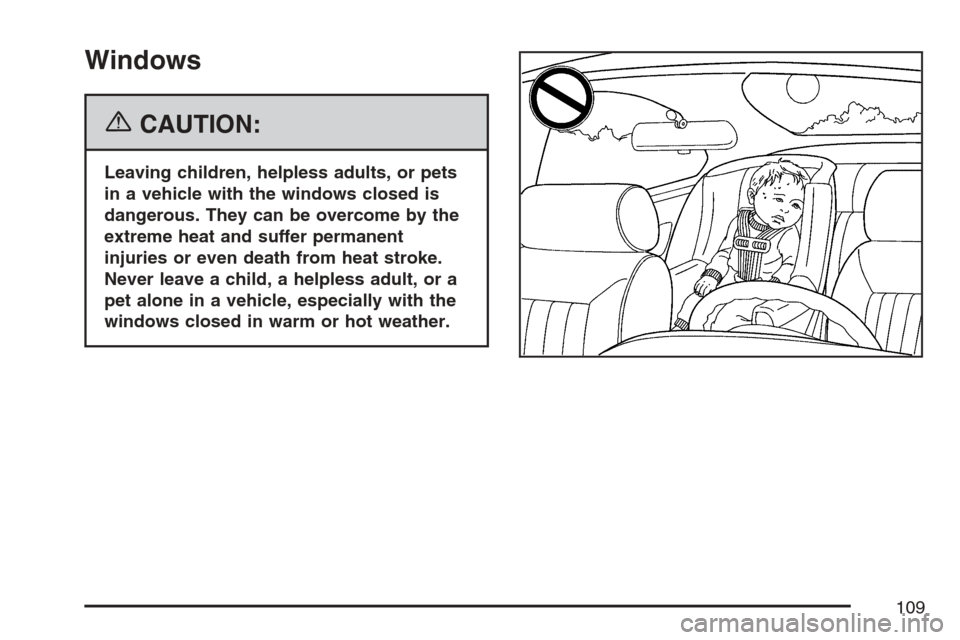
{CAUTION:
Leaving children, helpless adults, or pets
in a vehicle with the windows closed is
dangerous. They can be overcome by the
extreme heat and suffer permanent
injuries or even death from heat stroke.
Never leave a child, a helpless adult, or a
pet alone in a vehicle, especially with the
windows closed in warm or hot weather.
109
Page 111 of 446
Sun Visors
To block out glare, swing down the visor(s).
The sun visors can also be detached from the
center mount and swung out to cover the
side windows. They can also be slid along the rod
to cover different areas of the front window.
Visor Vanity Mirrors
Your vehicle has visor vanity mirrors. Swing down
the sun visor and lift the cover to expose the
mirror.
Theft-Deterrent Systems
Vehicle theft is big business, especially in some
cities. Although your vehicle has a number of
theft-deterrent features, we know that nothing we
put on it can make it impossible to steal.
Content Theft-Deterrent
Your vehicle may have
a content theft-deterrent
alarm system. If your
vehicle has remote
keyless entry, then it
has content
theft-deterrent.
Arming the System
With the ignition off, you can arm the system by
pressing the remote keyless entry transmitter lock
button.
The system will arm after either of these things
occur:
Thirty seconds after all the doors are closed.
Sixty seconds with any door open.
If you press the lock button on the transmitter a
second time while all the doors are closed,
the system will arm immediately. The system will
still arm in 60 seconds if a door is open. When
the open door is closed, it will also become armed.
111
Page 120 of 446
Starting Procedure
1. With your foot off the accelerator pedal, turn
the ignition key to START. When the engine
starts, let go of the key. The idle speed will go
down as your engine gets warm. Do not
race the engine immediately after starting it.
Operate the engine and transaxle gently
to allow the oil to warm up and lubricate all
moving parts.
Your vehicle has a Computer-Controlled
Cranking System. This feature assists in
starting the engine and protects components.
If the ignition key is turned to the START
position, and then released when the engine
begins cranking, the engine will continue
cranking for a few seconds or until the vehicle
starts. If the engine does not start and the
key is held in START for many seconds,
cranking will be stopped after 15 seconds to
prevent cranking motor damage. To prevent
gear damage, this system also prevents
cranking if the engine is already running.
Engine cranking can be stopped by turning the
ignition switch to the ACC or LOCK position.Notice:Cranking the engine for long periods
of time, by returning the key to the START
position immediately after cranking has ended,
can overheat and damage the cranking
motor, and drain the battery. Wait at least
15 seconds between each try, to allow
the cranking motor to cool down.
2. If the engine does not start after 5-10 seconds,
especially in very cold weather (below 0°F
or−18°C), it could be ooded with too much
gasoline. Try pushing the accelerator
pedal all the way to the oor and holding it
there as you hold the key in START for up to
a maximum of 15 seconds. Wait at least
15 seconds between each try, to allow the
cranking motor to cool down. When the engine
starts, let go of the key and accelerator. If
the vehicle starts briey but then stops again,
do the same thing. This clears the extra
gasoline from the engine. Do not race the
engine immediately after starting it. Operate
the engine and transaxle gently until the
oil warms up and lubricates all moving parts.
120
Page 143 of 446
Your Responsibility
You may need to increase the volume of your
radio to hear the OnStar®advisor. If the light next
to the OnStar®buttons is red, this means that
your system is not functioning properly and should
be checked by a dealer. If the light appears
clear (no light is appearing), your OnStar
®
subscription has expired. You can always press
the OnStar®button to conrm that your OnStar®
equipment is active.
Storage Areas
Glove Box
Open the glove box by lifting up on the lever.
Close the glove box with a rm push.
Cupholder(s)
There are two cupholders located in the oor
console between the front seats. There is also a
cupholder for the rear seat passenger located
at the rear of the oor console. They can be
removed for cleaning.
Instrument Panel Storage Area
Your vehicle has a storage compartment on the
instrument panel above the air vents. Push
the button on the compartment to open the lid.
Floor Console Storage Area
There are two small storage compartments on the
oor console, one at the front under the window
switches and one next to the parking brake
lever. The rubber liners can be removed for
cleaning.
Rear Storage Area
Your vehicle may have two rear storage areas that
can be used for the convenience net or other
small items.
143
Page 164 of 446
Wiper Activated Headlamps
This feature activates the headlamps and parking
lamps after the windshield wipers are turned
on. For this feature to work, automatic lighting
must be enabled. SeeHeadlamps on page 163for
additional information.
When the ignition is turned off, the wiper-activated
headlamps will immediately turn off. They will
also turn off 15 seconds after the windshield wiper
control is turned off.
Headlamps on Reminder
If you open the driver’s door with the ignition off
and the lamps on, you will hear a warning chime.
Daytime Running Lamps (DRL)
Daytime Running Lamps (DRL) can make it easier
for others to see the front of your vehicle during
the day. DRL can be helpful in many different
driving conditions, but they can be especially
helpful in the short periods after dawn and before
sunset. Fully functional daytime running lamps
are required on all vehicles rst sold in Canada.Your vehicle has a light sensor on top of the
instrument panel. Make sure it is not covered or
the headlamps will come on when you do not
need them.
The DRL system will make the headlamps come
on at reduced brightness when the following
conditions are met:
The ignition is on.
The exterior lamp control is turned to AUTO.
The light sensor detects daytime light.
The shift lever is not in PARK (P).
While the DRL system is on, the taillamps,
sidemarker lamps, and instrument panel lights will
not be illuminated.
The DRL system will be off any time your vehicle
is in PARK (P). The DRL system on U.S.
vehicles can also be turned off by using the off/on
switch for one ignition cycle.
As with any vehicle, you should turn on the
regular headlamp system when you need it.
164
Page 235 of 446
AM
The range for most AM stations is greater than for
FM, especially at night. The longer range can cause
station frequencies to interfere with each other. For
better radio reception, most AM radio stations will
boost the power levels during the day, and then
reduce these levels during the night. Static can also
occur when things like storms and power lines
interfere with radio reception. When this happens,
try reducing the treble on your radio.
FM Stereo
FM stereo will give the best sound, but FM signals
will reach only about 10 to 40 miles (16 to 65 km).
Tall buildings or hills can interfere with FM
signals, causing the sound to fade in and out.
XM™ Satellite Radio Service
XM™ Satellite Radio Service gives digital radio
reception from coast-to-coast in the 48 contiguous
United States, and in Canada. Just as with FM, tall
buildings or hills can interfere with satellite radio
signals, causing the sound to fade in and out. In
addition, traveling or standing under heavy foliage,
bridges, garages, or tunnels may cause loss of XM
signal for a period of time. The radio may display
NO XM SIGNAL to indicate interference.
Care of Your CDs
Handle CDs carefully. Store them in their original
cases or other protective cases and away from
direct sunlight and dust. The CD player scans the
bottom surface of the disc. If the surface of a
CD is damaged, such as cracked, broken,
or scratched, the CD will not play properly or not
at all. If the surface of a CD is soiled, take a
soft, lint free cloth or dampen a clean, soft cloth in
a mild, neutral detergent solution mixed with
water, and clean it. Make sure the wiping process
starts from the center to the edge.
Do not touch the bottom side of a CD while
handling it; this could damage the surface. Pick up
CDs by grasping the outer edges or the edge of
the hole and the outer edge.
Care of the CD Player
Do not use CD lens cleaners for CD players
because the lens of the CD optics can become
contaminated by lubricants.
235