2007 CHEVROLET EQUINOX light
[x] Cancel search: lightPage 136 of 492
OnStar®service cannot work unless your vehicle
is in a place where OnStar®has an agreement
with a wireless service provider for service in
that area. OnStar
®service also cannot work
unless you are in a place where the wireless
service provider OnStar
®has hired for that area
has coverage, network capacity and reception
when the service is needed, and technology that
is compatible with the OnStar
®service. Not all
services are available everywhere, particularly
in remote or enclosed areas, or at all times.
OnStar
®service that involves location information
about your vehicle cannot work unless GPS
satellite signals are unobstructed and available
in that place as well.Your vehicle must have a working electrical
system (including adequate battery power) for the
OnStar
®equipment to operate. There are other
problems OnStar®cannot control that may prevent
OnStar®from providing OnStar®service to you
at any particular time or place. Some examples are
damage to important parts of your vehicle in an
accident, hills, tall buildings, tunnels, weather
or wireless phone network congestion.
Your Responsibility
You may need to increase the volume of your
radio to hear the OnStar®advisor. If the light
next to the OnStar®buttons is red, this means
that your system is not functioning properly
and should be checked by a dealer. If the
light appears clear (no light is appearing), your
OnStar
®subscription has expired. You can
always press the OnStar®button to conrm
that your OnStar®equipment is active.
136
Page 145 of 492
Instrument Panel Overview........................ 148
Hazard Warning Flashers.......................... 150
Other Warning Devices............................. 150
Horn.......................................................... 150
Tilt Wheel.................................................. 151
Turn Signal/Multifunction Lever.................. 151
Turn and Lane-Change Signals................. 152
Headlamp High/Low-Beam Changer.......... 152
Flash-to-Pass............................................ 153
Windshield Wipers..................................... 153
Windshield Washer.................................... 154
Rear Window Wiper/Washer...................... 155
Cruise Control........................................... 155
Headlamps................................................ 158
Headlamps on Reminder........................... 159
Daytime Running Lamps (DRL)................. 159
Automatic Headlamp System..................... 160
Fog Lamps................................................ 160
Instrument Panel Brightness...................... 161
Dome Lamp.............................................. 161
Entry Lighting............................................ 161
Map Lamps............................................... 162
Cargo Lamp.............................................. 162
Electric Power Management...................... 162Battery Run-Down Protection..................... 163
Accessory Power Outlet(s)........................ 164
Ashtray(s) and Cigarette Lighter................ 165
Climate Controls......................................... 165
Climate Control System............................. 165
Outlet Adjustment...................................... 169
Passenger Compartment Air Filter............. 169
Warning Lights, Gages, and Indicators..... 171
Instrument Panel Cluster........................... 172
Speedometer and Odometer...................... 173
Trip Odometer........................................... 173
Tachometer............................................... 173
Safety Belt Reminder Light........................ 173
Passenger Safety Belt Reminder Light....... 174
Airbag Readiness Light............................. 174
Passenger Airbag Status Indicator............. 175
Battery Warning Light................................ 178
Brake System Warning Light..................... 178
Anti-Lock Brake System Warning Light...... 180
Traction Control System (TCS)
Warning Light........................................ 181
Engine Coolant Temperature
Warning Light........................................ 181
Section 3 Instrument Panel
145
Page 146 of 492
Engine Coolant Temperature Gage............ 182
Tire Pressure Light.................................... 182
Malfunction Indicator Lamp........................ 183
Oil Pressure Light..................................... 186
Change Engine Oil Light........................... 187
Security Light............................................ 188
Fog Lamp Light......................................... 188
Cruise Control Light.................................. 188
Reduced Engine Power Light.................... 188
Highbeam On Light................................... 189
Service All-Wheel Drive Light.................... 189
All-Wheel Drive Disabled Light.................. 190
Gate Ajar Light.......................................... 190
Door Ajar Light.......................................... 190
Service Vehicle Soon Light........................ 191
Fuel Gage................................................. 191
Low Fuel Warning Light............................ 192
Driver Information Center (DIC).................. 192
DIC Operation and Displays...................... 193
DIC Warnings and Messages.................... 198
DIC Vehicle Personalization....................... 207Audio System(s)......................................... 215
Setting the Time
(Without Date Display)........................... 216
Setting the Time
(With Date Display)................................ 217
Radio with CD (Base)............................... 219
Radio with CD (MP3)................................ 224
Radio with CD and DVD........................... 235
Using an MP3 (Radio with CD or
Six-Disc CD Player)............................... 253
Using an MP3 (Radio with CD and
DVD Player)........................................... 260
XM Radio Messages................................. 267
Navigation/Radio System........................... 269
Rear Seat Entertainment System............... 269
Theft-Deterrent Feature............................. 279
Audio Steering Wheel Controls.................. 280
Radio Reception........................................ 281
Care of Your CDs and DVDs.................... 282
Care of the CD and DVD Player............... 282
Multi-Band Antenna................................... 282
Section 3 Instrument Panel
146
Page 152 of 492
Turn and Lane-Change Signals
The turn signal has two upward (for right) and
two downward (for left) positions. These positions
allow you to signal a turn or a lane change.
To signal a turn, move the lever all the way up or
down. When the turn is nished, the lever will
return automatically.
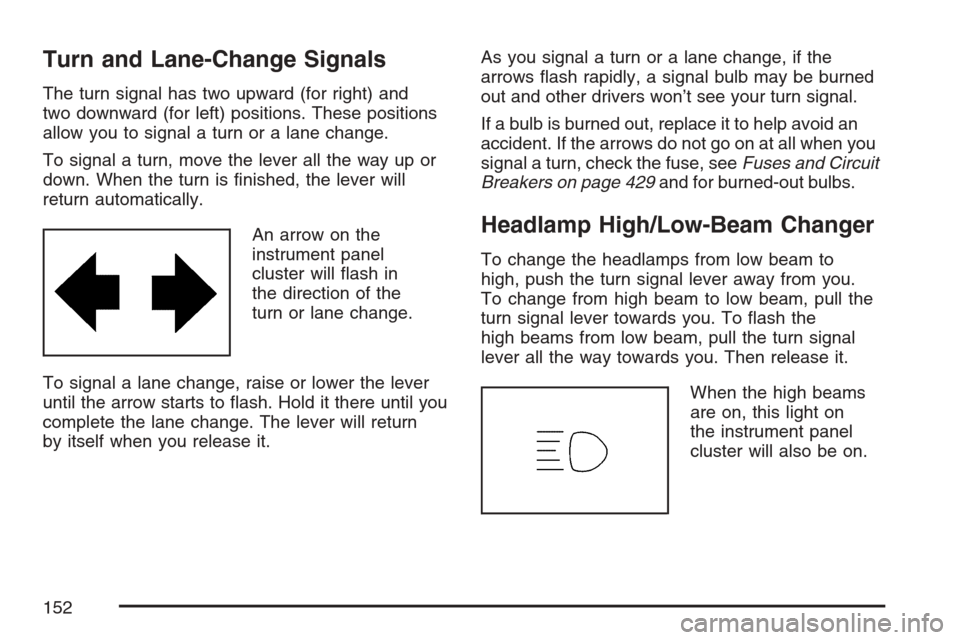
An arrow on the
instrument panel
cluster will ash in
the direction of the
turn or lane change.
To signal a lane change, raise or lower the lever
until the arrow starts to ash. Hold it there until you
complete the lane change. The lever will return
by itself when you release it.As you signal a turn or a lane change, if the
arrows ash rapidly, a signal bulb may be burned
out and other drivers won’t see your turn signal.
If a bulb is burned out, replace it to help avoid an
accident. If the arrows do not go on at all when you
signal a turn, check the fuse, seeFuses and Circuit
Breakers on page 429and for burned-out bulbs.
Headlamp High/Low-Beam Changer
To change the headlamps from low beam to
high, push the turn signal lever away from you.
To change from high beam to low beam, pull the
turn signal lever towards you. To ash the
high beams from low beam, pull the turn signal
lever all the way towards you. Then release it.
When the high beams
are on, this light on
the instrument panel
cluster will also be on.
152
Page 156 of 492
Setting Cruise Control
{CAUTION:
If you leave your cruise control on when
you are not using cruise, you might hit a
button and go into cruise when you do not
want to. You could be startled and even
lose control. Keep the cruise control switch
off until you want to use cruise control.
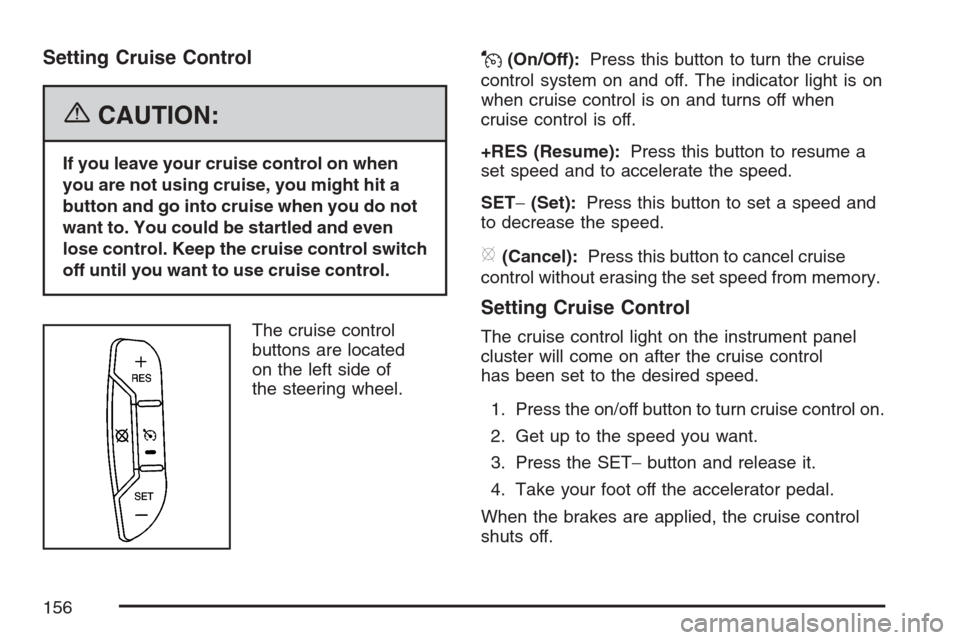
The cruise control
buttons are located
on the left side of
the steering wheel.
J(On/Off):Press this button to turn the cruise
control system on and off. The indicator light is on
when cruise control is on and turns off when
cruise control is off.
+RES (Resume):Press this button to resume a
set speed and to accelerate the speed.
SET−(Set):Press this button to set a speed and
to decrease the speed.
[(Cancel):Press this button to cancel cruise
control without erasing the set speed from memory.
Setting Cruise Control
The cruise control light on the instrument panel
cluster will come on after the cruise control
has been set to the desired speed.
1. Press the on/off button to turn cruise control on.
2. Get up to the speed you want.
3. Press the SET−button and release it.
4. Take your foot off the accelerator pedal.
When the brakes are applied, the cruise control
shuts off.
156
Page 158 of 492
Passing Another Vehicle While Using
Cruise Control
Use the accelerator pedal to increase your speed.
When you take your foot off the pedal, your vehicle
will slow down to the cruise control speed you set
earlier. However, if you use the accelerator to
increase the vehicle’s speed for approximately
60 seconds, cruise control will disengage.
Using Cruise Control on Hills
How well your cruise control will work on hills
depends upon your speed, load, and the
steepness of the hills. When going up steep hills,
you may have to step on the accelerator pedal
to maintain your vehicle’s speed. When going
downhill, you may have to brake or shift to a lower
gear to limit the vehicle’s speed. Of course,
applying the brakes ends cruise control. Many
drivers nd this to be too much trouble and do not
use cruise control on steep hills.
Ending Cruise Control
There are three ways to end cruise control:
Step lightly on the brake pedal.
Press the cancel button on the steering wheel.
Press the On/Off button on the steering wheel.
Erasing Speed Memory
When the cruise control or the ignition is turned
off, the cruise control set speed memory is erased.
Headlamps
The exterior lamp control is located on the turn
signal/multifunction lever.
O(Exterior Lamp Control):Turn the control
with this symbol on it to operate the exterior lamps.
158
Page 159 of 492
The exterior lamp control has the following
positions:
AUTO (Off/Automatic Headlamps):Turn the
control to this position to put the headlamps
in automatic mode. Automatic mode will turn
the exterior lamps on and off depending upon how
much light is available outside of the vehicle.
;(Parking Lamps):Turn the control to
this position to turn on the parking lamps together
with the following:
Sidemarker Lamps
Taillamps
License Plate Lamps
Instrument Panel Lights
53(Headlamps):Turning the control to this
position turns on the headlamps, together with the
previously listed lamps and lights.
Headlamps on Reminder
If you open the driver’s door with the ignition off
and the lamps on, you will hear a warning chime.
Daytime Running Lamps (DRL)
Daytime Running Lamps (DRL) can make it easier
for others to see the front of your vehicle during the
day. DRL can be helpful in many different driving
conditions, but they can be especially helpful in the
short periods after dawn and before sunset. Fully
functional Daytime Running Lamps (DRL) are
required on all vehicles rst sold in Canada.
The DRL system will make your low-beam
headlamps come on at a reduced brightness in
daylight when the following conditions are met:
The ignition is on.
The exterior lamp band is in the automatic
position.
The transaxle is not in PARK (P).
The light sensor determines it is daytime.
The parking brake is released.
When the DRL are on, the low-beam headlamps
will be on at a reduced brightness. The taillamps,
sidemarker and other lamps will not be on.
The instrument panel will not be lit up either.
159
Page 160 of 492
When you turn the exterior lamp band to the
headlamp position, your low-beam headlamps will
come on. The other lamps that come on with
your headlamps will also come on.
When you turn off the headlamps, the regular
lamps will go off, and your low-beam headlamps
will come on to the reduced brightness.
To idle your vehicle with the DRL off, move the
shift lever to PARK (P). The DRL will stay off until
you move the shift lever out of PARK (P).
As with any vehicle, you should turn on the regular
headlamp system when you need it.
Automatic Headlamp System
When it is dark enough outside and the exterior
lamps control is in the automatic position, the
headlamps will come on automatically. See
Headlamps on page 158.
Your vehicle has a light sensor located on top of
the instrument panel. Make sure it is not covered,
or the headlamps will be on when you do not
need them.
The system may also turn on the headlamps when
driving through a parking garage or tunnel.
Fog Lamps
If your vehicle has this feature, use your fog lamps
for better visibility in foggy or misty conditions.
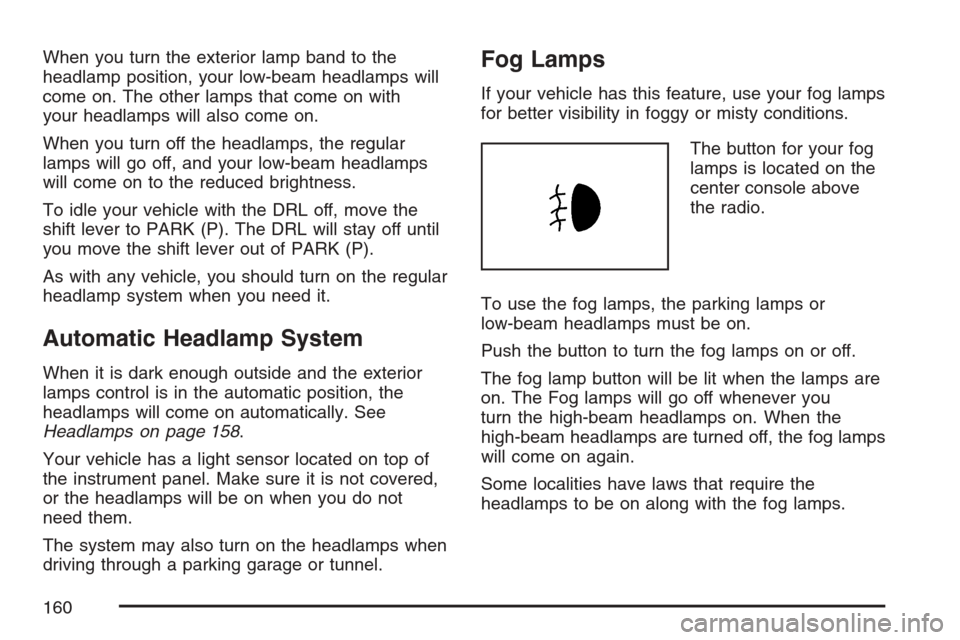
The button for your fog
lamps is located on the
center console above
the radio.
To use the fog lamps, the parking lamps or
low-beam headlamps must be on.
Push the button to turn the fog lamps on or off.
The fog lamp button will be lit when the lamps are
on. The Fog lamps will go off whenever you
turn the high-beam headlamps on. When the
high-beam headlamps are turned off, the fog lamps
will come on again.
Some localities have laws that require the
headlamps to be on along with the fog lamps.
160