2007 CHEVROLET COLORADO lock
[x] Cancel search: lockPage 171 of 496

;(Parking Lamps):Turn the knob to this
position to turn on the parking lamps, together
with the following:
Sidemarker Lamps
Taillamps
License Plate Lamps
Instrument Panel Lights
2(Headlamps):Turn the knob to this position to
turn on the headlamps, together with the previously
listed lamps and lights.
You can switch the headlamps from low to high
beam by pushing the turn signal/multifunction lever
toward the instrument panel.
Headlamps on Reminder
If a door is open, a reminder chime will sound
when the headlamps or parking lamps are
manually turned on and your key is out of the
ignition. To turn off the chime, turn the headlamp
switch to off and then back on. In the automatic
mode, the headlamps turn off once the ignition
is in LOCK.
If your vehicle was rst sold in Canada and
the parking lamps are turned on manually, the
Daytime Running Lamps (DRL) will stay on.
Daytime Running Lamps (DRL)
Daytime Running Lamps (DRL) can make it easier
for others to see the front of your vehicle during
the day. DRL can be helpful in many different
driving conditions, but they can be especially
helpful in the short periods after dawn and before
sunset. Fully functional daytime running lamps
are required on all vehicles rst sold in Canada.
171
Page 175 of 496

Dome Lamp Override
E(Dome Override):Press this button, located
below the exterior lamp control, to turn the
dome lamp off even when a door is opened.
SeeExterior Lamps on page 170for more
information on location.
To return the lamp to automatic operation,
press the button again.
Exit Lighting
With exit lighting, the interior lamps will come
on when you remove the key from the ignition.
The lamps will not come on if the dome override
button is pressed in.
Electric Power Management
The vehicle has Electric Power Management (EPM)
that estimates the battery’s temperature and state
of charge. It then adjusts the voltage for best
performance and extended life of the battery.When the battery’s state of charge is low, the
voltage is raised slightly to quickly put the charge
back in. When the state of charge is high, the
voltage is lowered slightly to prevent overcharging.
If the vehicle has a voltmeter gage, you may
see the voltage move up or down. This is normal.
If there is a problem, an alert will be displayed.
The battery can be discharged at idle if the electrical
loads are very high. This is true for all vehicles.
This is because the generator (alternator) may not
be spinning fast enough at idle to produce all the
power that is needed for very high electrical loads.
A high electrical load occurs when several of the
following loads are on: headlamps, high beams,
fog lamps, rear window defogger, climate
control fan at high speed, heated seats, engine
cooling fans, trailer loads, and loads plugged
into accessory power outlets.Battery Run-Down Protection
This feature shuts off the dome lamp if it is left
on for more than 20 minutes when the ignition
is in LOCK. This will help prevent your battery
from running down.
175
Page 178 of 496

Temperature Knob
The left knob on the control panel is used to
adjust the temperature of the air in the vehicle.
Turn the knob clockwise or counterclockwise
to increase or decrease the temperature.
Fan Knob
9
(Fan):The center knob on the control panel
is used to control the fan speed. Turn the knob
clockwise or counterclockwise to increase or
decrease the fan speed.
If the knob is set on “0” (zero), some outside air
will still enter the vehicle and will be directed
according to the position of the mode knob.
Mode Knob
The right knob on the control panel is used to
direct the airow inside your vehicle. Turn the
knob to select one of the following modes:
H(Vent):Select this mode to direct air to
the instrument panel outlets.
\(Bi-Level):Select this mode to direct
approximately half of the air to the instrument
panel outlets, and the remaining air to the
oor outlets and the defroster and side window
outlets. Cooler air is directed to the upper outlets
and warmer air to the oor outlets.
[(Floor):Select this mode to direct air to the
oor outlets. Recirculation is disabled in this mode
because interior window could fog under some
conditions. If this occurs, see “Defogging and
Defrosting” following.
Mode Buttons
@
(Recirculation):This mode recirculates air
inside the cabin, and prevents outside air from
coming in the vehicle. It can be used to prevent
outside odors from entering your vehicle and
cool the air inside your vehicle more quickly. Press
this button to turn the recirculation mode on or
off. An indicator light on the button will come on to
let you know the recirculation mode is activated.
178
Page 180 of 496

Turn the mode knob on the climate control panel
clockwise to select the defog or defrost modes.
/(Floor/Defog):This mode directs the air to the
windshield, the side window outlets, and to the oor
outlets. When you select this mode, the system
runs the air conditioning compressor unless the
outside temperature is near freezing or below.
Recirculation is not available in this mode.
0(Defrost):This mode directs most of the
air to the windshield, and the side window outlets.
When you select this mode, the system runs
the air conditioning compressor unless the
outside temperature is near, or below freezing.
Recirculation is not available in this mode.
Do not drive the vehicle until all the windows
are clear.
Outlet Adjustment
Use the thumbwheel on the outlets to change the
direction of the air ow.
Lift up or push down on the thumbwheel located
in the center of the outlet to direct the air up
or down, or slide the thumbwheel to the left or
right to direct the airow from side-to-side.
Operation Tips
Clear away any ice, snow or leaves from the
air inlets at the base of the windshield that
may block the ow of air into your vehicle.
Use of non-GM approved hood deectors may
adversely affect the performance of the system.
Keep the path under the front seats clear of
objects to help circulate the air inside of your
vehicle more effectively.
180
Page 190 of 496

When the ignition is on, the brake system warning
light will also come on when you set your parking
brake. SeeParking Brake on page 133for more
information. The light will stay on if your parking
brake does not release fully. If it stays on after your
parking brake is fully released, it means you have a
brake problem.
If the light comes on while you are driving, pull off
the road and stop carefully. You may notice that the
pedal is harder to push, or the pedal may go closer
to the oor. It may take longer to stop. If the light
is still on, have the vehicle towed for service.
SeeTowing Your Vehicle on page 299.
{CAUTION:
Your brake system may not be working
properly if the brake system warning light
is on. Driving with the brake system
warning light on can lead to an accident.
If the light is still on after you have pulled
off the road and stopped carefully, have
the vehicle towed for service.
Anti-Lock Brake System
Warning Light
With the Anti-Lock Brake
System (ABS), this light
will come on briey when
you start your engine
to show it is working.
Then it will turn off.
This is normal.
If the light stays on, or comes on when you are
driving, your vehicle needs service. If the regular
brake system warning light is not on, you still
have brakes, but you do not have anti-lock brakes.
If the regular brake system warning light is also
on, you do not have anti-lock brakes and there is
a problem with your regular brakes. SeeBrake
System Warning Light on page 189.
The ABS warning light should come on briey
when you turn the ignition key to ON. If the light
does not come on then, have it xed so it will
be ready to warn you if there is a problem.
190
Page 196 of 496
Security Light
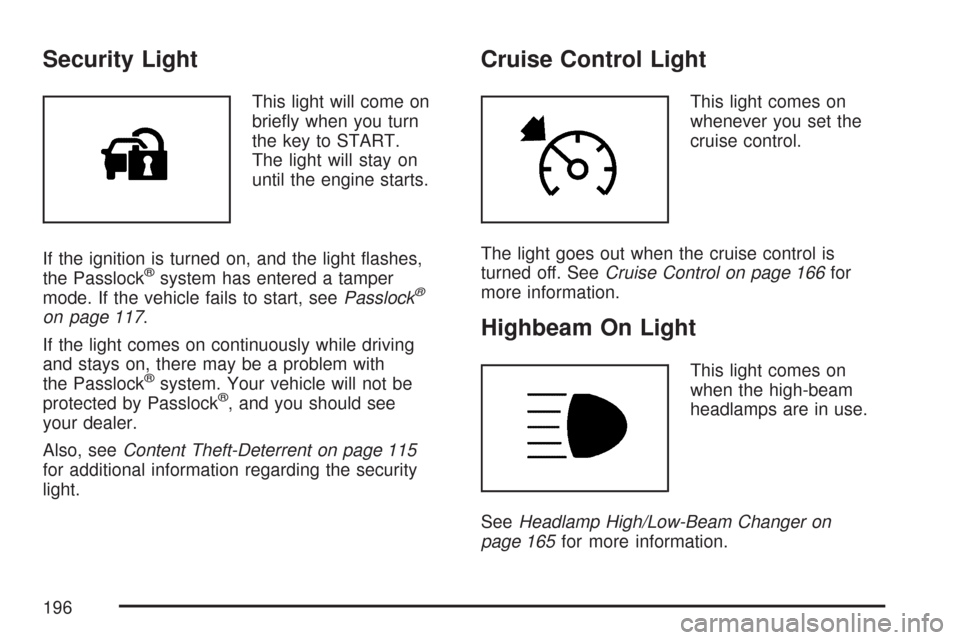
This light will come on
briey when you turn
the key to START.
The light will stay on
until the engine starts.
If the ignition is turned on, and the light ashes,
the Passlock
®system has entered a tamper
mode. If the vehicle fails to start, seePasslock®
on page 117.
If the light comes on continuously while driving
and stays on, there may be a problem with
the Passlock
®system. Your vehicle will not be
protected by Passlock®, and you should see
your dealer.
Also, seeContent Theft-Deterrent on page 115
for additional information regarding the security
light.
Cruise Control Light
This light comes on
whenever you set the
cruise control.
The light goes out when the cruise control is
turned off. SeeCruise Control on page 166for
more information.
Highbeam On Light
This light comes on
when the high-beam
headlamps are in use.
SeeHeadlamp High/Low-Beam Changer on
page 165for more information.
196
Page 200 of 496

Automatic Door Locks
This feature allows you to program your door
locks to a preferred setting.
To set your choice for this feature, perform the
following steps:
1. With the engine off, turn the key to LOCK.
Do not remove the key from the ignition.
2. Press and hold the power door lock button
until the DIC display shows the current
door lock mode.
3. To view the next available mode, press and
hold the reset stem until the mode appears.
Release the reset stem and press and
hold again to view the next mode.
4. Once the desired mode is shown on the DIC
display, briey press the reset stem to set
your choice. The DIC display then clears.
The following are the available modes:
Lock 1 (default):On vehicles with an automatic
transmission, this mode locks all of the doors
when the vehicle is shifted out of PARK (P) and
unlocks all of the doors when the vehicle is shifted
into PARK (P).On vehicles with a manual transmission, this
mode locks all of the doors when the vehicle
speed is greater than 15 mph (24 km/h) and
unlocks all of the doors when the key is removed
from the ignition.
Lock 2:On vehicles with an automatic
transmission, this mode locks all of the doors
when the vehicle is shifted out of PARK (P) and
unlocks the driver’s door when the vehicle is
shifted into PARK (P).
On vehicles with a manual transmission, this
mode locks all of the doors when the vehicle
speed is greater than 15 mph (24 km/h) and
unlocks the driver’s door when the key is removed
from the ignition.
Lock 3:On vehicles with an automatic
transmission, this mode locks all of the doors
when the vehicle is shifted out of PARK (P).
The doors will not automatically unlock.
On vehicles with a manual transmission, this
mode locks all of the doors when the vehicle
speed is greater than 15 mph (24 km/h).
The doors will not automatically unlock.
200
Page 201 of 496
Remote Keyless Entry (RKE)
Feedback
This feature allows you to program your
Remote Keyless Entry (RKE) feedback to
a preferred setting.
To set your choice for this feature, perform
the following steps:
1. With the engine off, turn the key to LOCK.
Do not remove the key from the ignition.
2. Press and hold the lock and unlock buttons
on the RKE transmitter at the same time.
Hold both buttons until the DIC display
shows the current RKE feedback mode.
3. To view the next available mode, press and
hold the reset stem until the mode appears.
Release the reset stem and press and
hold again to view the next mode.
4. Once the desired mode is shown on the DIC
display, briey press the reset stem to set
your choice. The DIC display then clears.The following are the available modes:
RFA 1 (default):This mode ashes the parking
lamps when you press the lock or unlock
buttons on the RKE transmitter.
RFA 2:This mode ashes the parking lamps and
sounds the horn when you press the lock button
on the RKE transmitter. This mode also ashes the
parking lamps when you press the unlock button
on the RKE transmitter.
RFA 3:This mode ashes the parking lamps
and sounds the horn when you press the lock or
unlock buttons on the RKE transmitter.
RFA 4:This mode disables RKE feedback.
There will be no feedback when you press the
lock or unlock buttons on the RKE transmitter.
201