2007 CHEVROLET COLORADO steering
[x] Cancel search: steeringPage 129 of 496

Four-Wheel Drive
If your vehicle has four-wheel drive, you can send
your engine’s driving power to all four wheels for
extra traction. To get the best performance out of
four-wheel drive, you must be familiar with its
operation. Read the part that follows before using
four-wheel drive. You should use two-wheel-drive
high for most normal driving conditions.
Notice:Driving on clean, dry pavement in
four-wheel drive for an extended period of
time can cause premature wear on your
vehicle’s powertrain. Do not drive on clean,
dry pavement in Four-Wheel Drive for
extended periods of time.
Notice:If your vehicle has four-wheel drive
and the compact spare tire is installed on
your vehicle, do not drive in four-wheel drive
until you can have your at tire repaired and/or
replaced. You could damage your vehicle,
and the repair costs would not be covered
by your warranty. Never use four-wheel drive
when the compact spare tire is installed
on your vehicle.The transfer case buttons are located to the right
of the steering wheel on the instrument panel.
Recommended Transfer Case Settings
Driving ConditionsTransfer Case Settings
2m4m4nN
Normal YES
Severe YES
Extreme YES
Vehicle in Tow* YES
*SeeRecreational Vehicle Towing on page 300
orTowing Your Vehicle on page 299for further
information.
129
Page 151 of 496

OnStar®Hands-Free Calling
OnStar®Hands-Free Calling allows eligible
OnStar®subscribers to make and receive calls
using voice commands. Hands-Free Calling is fully
integrated into the vehicle, and can be used with
OnStar
®Pre-Paid Minute Packages. Hands-Free
Calling may also be linked to a Verizon Wireless
service plan in the U.S. or a Bell Mobility service
plan in Canada, depending on eligibility. To nd
out more, refer to the OnStar
®Owner’s Guide
in the vehicle’s glove box, visit www.onstar.com
or www.onstar.ca, or speak with an OnStar
®
advisor by pressing the OnStar®button or
calling 1-888-4-ONSTAR (1-888-466-7827).
OnStar®Virtual Advisor
OnStar®Virtual Advisor is a feature of OnStar®
Hands-Free Calling that uses your minutes to
access location-based weather, local traffic reports,
and stock quotes. By pressing the phone button
and giving a few simple voice commands, you
can browse through the various topics. See the
OnStar
®Owner’s Guide for more information.
(Only available in the continental U.S.)
OnStar®Steering Wheel Controls
Your vehicle may be equipped with a Talk/Mute
button that can be used to interact with OnStar®
Hands-Free Calling.
On some vehicles, you may have to hold the
button for a few seconds and give the command
“ONSTAR” in order to activate the OnStar
®
Hands-Free Calling feature.
On some vehicles, the mute button can be
used to dial numbers into voicemail systems,
or to dial phone extensions. See the OnStar
®
Owner’s Guide for more information.
151
Page 162 of 496

Hazard Warning Flashers
The hazard warning ashers let you warn the
police and others that you have a problem.
The front and rear turn signal lamps will ash
on and off.
The hazard warning
asher button is
located on the
instrument panel,
between the
two air vents in
the center.
The hazard warning ashers work no matter what
position the key is in, and even if the key is not
in the ignition.
Press the button to make the front and rear turn
signal lamps ash on and off. Press the button
again to turn the ashers off.
When the hazard warning ashers are on, the
turn signals will not work.
Other Warning Devices
If you carry reective triangles, you can set one up
at the side of the road about 300 feet (100 m)
behind your vehicle.
Horn
To sound the horn, press the horn symbol on the
steering wheel pad.
Tilt Wheel
A tilt wheel allows you to adjust the steering wheel
before you drive. The tilt steering wheel can be
raised to the highest level to allow more room for
the driver to enter and exit the vehicle.
162
Page 163 of 496

The tilt lever is located on the left side of the
steering column, under the turn signal lever.
To tilt, hold the steering wheel and pull the tilt lever
toward you. Move the wheel to a comfortable
level, then release the tilt lever to lock the wheel
in place.
Do not adjust the steering wheel while driving.
Turn Signal/Multifunction Lever
The lever on the left side of the steering column
includes the following:
GTurn and Lane Change Signals. SeeTurn
Signal/Multifunction Lever on page 163.
53Headlamp High/Low-Beam Changer.
SeeHeadlamp High/Low-Beam Changer on
page 165.
Flash-to-Pass. SeeFlash-to-Pass on page 165.
NWindshield Wipers. SeeWindshield Wipers
on page 165.
LWindshield Washer. SeeWindshield
Washer on page 166.
JCruise Control. SeeCruise Control on
page 166.
163
Page 206 of 496

TRACTION FAULT
If your vehicle has the Traction Control System
(TCS), this message may display if there is
a problem with the TCS. Check the TCS as soon
as possible and have your vehicle serviced by
your dealer. SeeTraction Control System (TCS)
on page 253for more information. Press and
release the reset stem to acknowledge the
message and clear it from the display.
TURN SIGNAL
This message displays when the turn signal is
on for about 0.75 miles (1.2 km) of travel. Press
and release the reset stem to acknowledge
the message and clear it from the display.
Audio System(s)
Determine which radio your vehicle has and then
read the pages following to familiarize yourself
with its features.
Driving without distraction is a necessity for a
safer driving experience. SeeDefensive Driving
on page 246. By taking a few moments to read
this manual and get familiar with your vehicle’s
audio system, you can use it with less effort,
as well as take advantage of its features.
While your vehicle is parked, set up your audio
system by presetting your favorite radio stations,
setting the tone and adjusting the speakers.
Then, when driving conditions permit, you can
tune to your favorite stations using the presets and
steering wheel controls if the vehicle has them.
206
Page 207 of 496

{CAUTION:
This system provides you with a far greater
access to audio stations and song listings.
Giving extended attention to entertainment
tasks while driving can cause a crash
and you or others can be injured or killed.
Always keep your eyes on the road and
your mind on the drive — avoid engaging
in extended searching while driving.
Keeping your mind on the drive is important for
safe driving. Here are some ways in which you
can help avoid distraction while driving.
While your vehicle is parked:
Familiarize yourself with all of its controls.
Familiarize yourself with its operation.
Set up your audio system by presetting your
favorite radio stations, setting the tone, and
adjusting the speakers. Then, when driving
conditions permit, you can tune to your favorite
radio stations using the presets and steering
wheel controls if the vehicle has them.Notice:Before adding any sound equipment
to your vehicle, such as an audio system,
CD player, CB radio, mobile telephone,
or two-way radio, make sure that it can be
added by checking with your dealer/retailer.
Also, check federal rules covering mobile radio
and telephone units. If sound equipment can
be added, it is very important to do it properly.
Added sound equipment may interfere with
the operation of your vehicle’s engine, radio,
or other systems, and even damage them.
Your vehicle’s systems may interfere with
the operation of sound equipment that
has been added.
Notice:The chime signals related to safety
belts, parking brake, and other functions
of your vehicle operate through the radio/
entertainment system. If that equipment
is replaced or additional equipment is added
to your vehicle, the chimes may not work.
Make sure that replacement or additional
equipment is compatible with your vehicle
before installing it. SeeAccessories and
Modifications on page 324.
207
Page 245 of 496
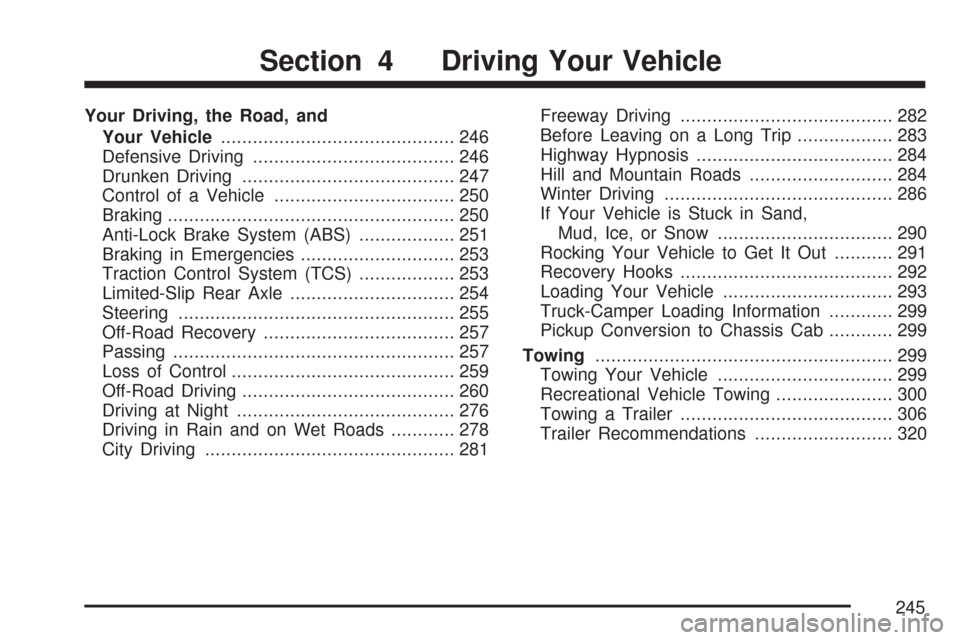
Your Driving, the Road, and
Your Vehicle............................................ 246
Defensive Driving...................................... 246
Drunken Driving........................................ 247
Control of a Vehicle.................................. 250
Braking...................................................... 250
Anti-Lock Brake System (ABS).................. 251
Braking in Emergencies............................. 253
Traction Control System (TCS).................. 253
Limited-Slip Rear Axle............................... 254
Steering.................................................... 255
Off-Road Recovery.................................... 257
Passing..................................................... 257
Loss of Control.......................................... 259
Off-Road Driving........................................ 260
Driving at Night......................................... 276
Driving in Rain and on Wet Roads............ 278
City Driving............................................... 281Freeway Driving........................................ 282
Before Leaving on a Long Trip.................. 283
Highway Hypnosis..................................... 284
Hill and Mountain Roads........................... 284
Winter Driving........................................... 286
If Your Vehicle is Stuck in Sand,
Mud, Ice, or Snow................................. 290
Rocking Your Vehicle to Get It Out........... 291
Recovery Hooks........................................ 292
Loading Your Vehicle................................ 293
Truck-Camper Loading Information............ 299
Pickup Conversion to Chassis Cab............ 299
Towing........................................................ 299
Towing Your Vehicle................................. 299
Recreational Vehicle Towing...................... 300
Towing a Trailer........................................ 306
Trailer Recommendations.......................... 320
Section 4 Driving Your Vehicle
245
Page 250 of 496

Control of a Vehicle
You have three systems that make your vehicle go
where you want it to go. They are the brakes, the
steering, and the accelerator. All three systems
have to do their work at the places where the tires
meet the road.
Sometimes, as when you are driving on snow
or ice, it is easy to ask more of those control
systems than the tires and road can provide.
That means you can lose control of your vehicle.
Adding non-GM accessories can affect your
vehicle’s performance. SeeAccessories and
Modications on page 324.
Braking
SeeBrake System Warning Light on page 189.
Braking action involves perception time and
reaction time.First, you have to decide to push on the brake
pedal. That is perception time. Then you have to
bring up your foot and do it. That is reaction time.
Average reaction time is about three-fourths of
a second. But that is only an average. It might
be less with one driver and as long as two or
three seconds or more with another. Age, physical
condition, alertness, coordination, and eyesight
all play a part. So do alcohol, drugs, and
frustration. But even in three-fourths of a second,
a vehicle moving at 60 mph (100 km/h) travels
66 feet (20 m). That could be a lot of distance in
an emergency, so keeping enough space between
your vehicle and others is important.
And, of course, actual stopping distances vary
greatly with the surface of the road, whether it
is pavement or gravel; the condition of the road,
whether it is wet, dry, or icy; tire tread; the
condition of the brakes; the weight of the vehicle;
and the amount of brake force applied.
250