Page 505 of 618

4. If your vehicle has the DIC buttons, press the
set/reset button. The horn will sound twice to
indicate the TPMS receiver is ready, and
the TIRE LEARNING ACTIVE message will
display. If your vehicle does not have the
DIC buttons, press and hold the trip odometer
reset stem until the horn chirps twice and
the TIRE LEARNING ACTIVE message
is displayed.
5. Start with the driver’s side front tire.
6. Remove the valve cap from the valve cap
stem. Activate the TPMS sensor by
increasing or decreasing the tire’s air pressure
for ve seconds, or until a horn chirp
sounds. The horn chirp, which make take
up to 30 seconds to sound, conrms that the
sensor identication code has been matched
to this tire and wheel position. To decrease
air-pressure out of a tire you can use the
pointed end of the valve cap, a pencil-style
air pressure gage, or a key.
7. Proceed to the passenger’s side front tire,
and repeat the procedure in Step 6.8. Proceed to the passenger’s side rear tire,
and repeat the procedure in Step 6.
9. Proceed to the driver’s side rear tire, and
repeat the procedure in Step 6.
10. After hearing the conrming horn chirp for
the driver’s side rear tire, the horn chirp will
sound two more times to signal the tire
learning mode is no longer active. Turn the
ignition switch to LOCK.
11. Set all four tires to the recommended air
pressure level as indicated on the Tire
and Loading Information label.
12. Put the valve caps back on the valve stems
The spare tire does not have a TPMS sensor.
If you replace one of the road tires with the spare,
the SERVICE TIRE MONITOR message will be
displayed on the DIC screen. This message should
go off once you re-install the road tire containing
the TPMS sensor.
505
Page 507 of 618

When rotating your vehicle’s tires, always use the
correct rotation pattern shown here.
Do not include the spare tire in the tire rotation.
After the tires have been rotated, adjust the
front and rear ination pressures as shown on the
tire and loading information label. SeeLoading
Your Vehicle on page 402andInation - Tire
Pressure on page 500, for more information.
Vehicles that have the Tire Pressure Monitor
System (TPMS) will need to have the TPMS
sensors reset after a tire rotation. See “TPMS
Sensor Identication Codes” underTire Pressure
Monitor System on page 501.Make certain that all wheel nuts are properly
tightened. See “Wheel Nut Torque” under
Capacities and Specications on page 556.
{CAUTION:
Rust or dirt on a wheel, or on the parts to
which it is fastened, can make wheel nuts
become loose after time. The wheel could
come off and cause an accident. When
you change a wheel, remove any rust or
dirt from places where the wheel attaches
to the vehicle. In an emergency, you can
use a cloth or a paper towel to do this;
but be sure to use a scraper or wire brush
later, if needed, to get all the rust or dirt
off. SeeChanging a Flat Tire on page 516.
507
Page 563 of 618
Scheduled Maintenance
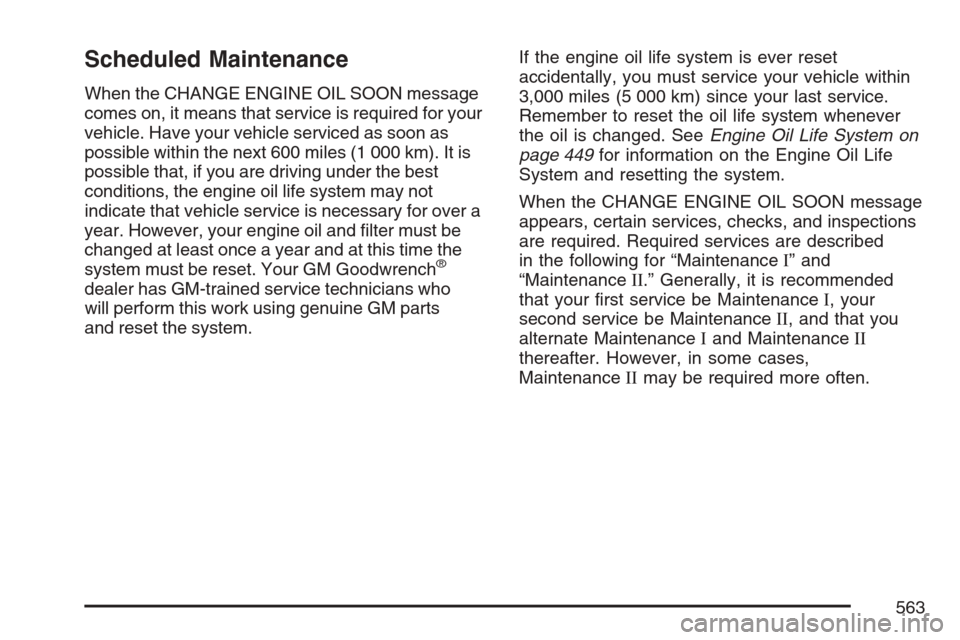
When the CHANGE ENGINE OIL SOON message
comes on, it means that service is required for your
vehicle. Have your vehicle serviced as soon as
possible within the next 600 miles (1 000 km). It is
possible that, if you are driving under the best
conditions, the engine oil life system may not
indicate that vehicle service is necessary for over a
year. However, your engine oil and lter must be
changed at least once a year and at this time the
system must be reset. Your GM Goodwrench
®
dealer has GM-trained service technicians who
will perform this work using genuine GM parts
and reset the system.If the engine oil life system is ever reset
accidentally, you must service your vehicle within
3,000 miles (5 000 km) since your last service.
Remember to reset the oil life system whenever
the oil is changed. SeeEngine Oil Life System on
page 449for information on the Engine Oil Life
System and resetting the system.
When the CHANGE ENGINE OIL SOON message
appears, certain services, checks, and inspections
are required. Required services are described
in the following for “MaintenanceI” and
“MaintenanceII.” Generally, it is recommended
that your rst service be MaintenanceI, your
second service be MaintenanceII, and that you
alternate MaintenanceIand MaintenanceII
thereafter. However, in some cases,
MaintenanceIImay be required more often.
563
Page 564 of 618
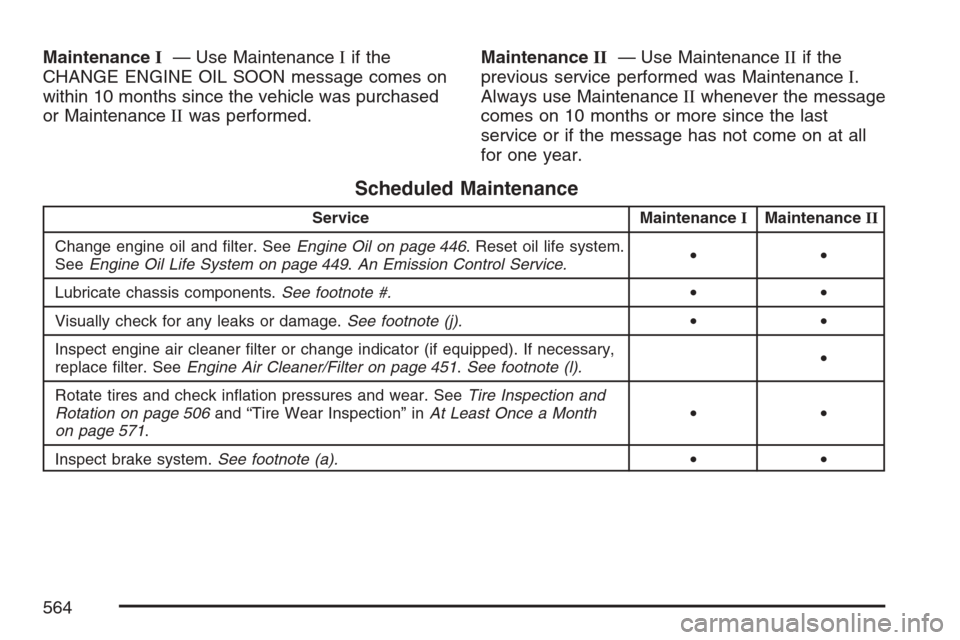
MaintenanceI— Use MaintenanceIif the
CHANGE ENGINE OIL SOON message comes on
within 10 months since the vehicle was purchased
or MaintenanceIIwas performed.MaintenanceII— Use MaintenanceIIif the
previous service performed was MaintenanceI.
Always use MaintenanceIIwhenever the message
comes on 10 months or more since the last
service or if the message has not come on at all
for one year.
Scheduled Maintenance
Service MaintenanceIMaintenanceII
Change engine oil and lter. SeeEngine Oil on page 446. Reset oil life system.
SeeEngine Oil Life System on page 449.An Emission Control Service.••
Lubricate chassis components.See footnote #.••
Visually check for any leaks or damage.See footnote (j).••
Inspect engine air cleaner lter or change indicator (if equipped). If necessary,
replace lter. SeeEngine Air Cleaner/Filter on page 451.See footnote (l).•
Rotate tires and check ination pressures and wear. SeeTire Inspection and
Rotation on page 506and “Tire Wear Inspection” inAt Least Once a Month
on page 571.••
Inspect brake system.See footnote (a).••
564