2007 CADILLAC SRX transmission
[x] Cancel search: transmissionPage 125 of 522

2. To enter the DSC mode, press the shift lever
forward to upshift or rearward to downshift.
The DIC will show the
requested gear range
when moving the
shift lever forward or
rearward. See
Driver Information
Center (DIC) on
page 214
While using the DSC feature, the vehicle will have
rmer shifting and increased performance. You
can use this for sport driving or when climbing or
descending hills, to stay in gear longer, or to
down shift for more power or engine braking.The transmission will only allow you to shift into
gears appropriate for the vehicle speed and engine
Revolutions Per Minute (RPM). The transmission
will not automatically shift to the next higher
gear if the engine RPM is too high.
If shifting is prevented for any reason, the currently
selected gear will ash multiple times, indicating
that the transmission has not shifted gears.
While in the DSC mode, the transmission will
automatically downshift when the vehicle comes to
a stop and while quickly applying the accelerator
to increase speed. This will allow for more
power during take-off.
When accelerating your vehicle from a stop in
snowy and icy conditions, you may want to shift
into second gear. A higher gear ratio allows you to
gain more traction on slippery surfaces.
125
Page 127 of 522

Grade Braking
Grade Braking assists when driving on a downhill
grade. It maintains the vehicle’s speed by
automatically implementing a shift schedule that
uses the engine and the transmission to slow
the vehicle. This reduces wear on the brakes
system and increases control of the vehicle. The
system constantly monitors the vehicle’s speed,
acceleration, throttle position, and whether
the brake pedal is being pressed, and determines
when to keep the current vehicle speed or to
slow down. The system will then automatically
command downshifts that reduces the vehicles
speed, until the brake pedal is no longer
being pressed. This indicates the desired vehicle
speed has been reached.
The tow/haul mode and grade braking shift modes
can be activated by pressing the button on the
instrument panel console. While in the DSC mode,
grade braking is deactivated, allowing the driver
to select a gear.
SeeAutomatic Transmission Operation on
page 122.
Parking Brake
The parking brake pedal
is located on the lower
portion of the instrument
panel to the left of the
steering wheel.
To set the parking brake, hold the regular brake
pedal down with your right foot and push the
parking brake pedal down with your left foot.
If the ignition is on, the brake system warning light
on the instrument panel cluster should come
on. If it does not, you need to have your vehicle
serviced. SeeBrake System Warning Light
on page 204for more information.
127
Page 130 of 522

Leaving Your Vehicle With the
Engine Running
{CAUTION:
It can be dangerous to leave your vehicle
with the engine running. Your vehicle
could move suddenly if the shift lever is
not fully in PARK (P) with the parking
brake rmly set. And, if you leave the
vehicle with the engine running, it could
overheat and even catch re. You or
others could be injured. Do not leave your
vehicle with the engine running.
If you have to leave your vehicle with the engine
running, be sure your vehicle is in PARK (P)
and your parking brake is rmly set before you
leave it. After you have moved the shift lever into
PARK (P), hold the regular brake pedal down.
Then, see if you can move the shift lever
away from PARK (P) without rst pushing the
button on the shift lever. If you can, it means that
the shift lever was not fully locked into PARK (P).
Torque Lock
If you are parking on a hill and you do not shift
your transmission into PARK (P) properly,
the weight of the vehicle may put too much force
on the parking pawl in the transmission. You
may nd it difficult to pull the shift lever out
of PARK (P). This is called “torque lock.” To
prevent torque lock, set the parking brake and then
shift into PARK (P) properly before you leave
the driver’s seat. To nd out how, see “Shifting Into
PARK (P)” listed previously.
If torque lock does occur, you may need to have
another vehicle push yours a little uphill to
take some of the pressure from the parking pawl
in the transmission, so you can pull the shift
lever out of PARK (P).
130
Page 131 of 522

Shifting Out of Park (P)
Your vehicle has an automatic transmission shift
lock control system.
To shift out of PARK (P):
1. Apply the regular brake pedal.
2. Then press the shift lever button.
3. Move the shift lever to the desired gear.
If you are still unable to shift out of PARK (P):
1. Fully release the shift lever button.
2. While holding down the brake pedal, press
the shift lever button again.
3. Move the shift lever to the desired gear.
If you still cannot move the shift lever from
PARK (P), consult your dealer.
Parking Over Things That Burn
{CAUTION:
Things that can burn could touch hot
exhaust parts under your vehicle and
ignite. Do not park over papers, leaves,
dry grass, or other things that can burn.
131
Page 150 of 522

Universal Home Remote System
Operation (With One Triangular LED)
Your vehicle may have the Universal Home
Remote System. If there is one triangular Light
Emitting Diode (LED) above the Universal
Home Remote buttons, follow the instructions
below. If your vehicle has three round LED above
the Universal Home Remote buttons, follow the
instructions under Universal Home Remote System
Operation (With three round LED).
Do not use the Universal Home Remote with any
garage door opener that does not have the
stop and reverse feature. This includes any garage
door opener model manufactured before April 1,
1982. If you have a newer garage door opener
with rolling codes, please be sure to follow Steps
6 through 8 to complete the programming of
your Universal Home Remote Transmitter.Read the instructions completely before attempting
to program the Universal Home Remote.
Because of the steps involved, it may be helpful to
have another person available to assist you in
the programming steps.
Keep the original hand-held transmitter for use in
other vehicles as well as for future Universal
Home Remote programming. It is also
recommended that upon the sale of the vehicle,
the programmed Universal Home Remote buttons
should be erased for security purposes. See
“Erasing Universal Home Remote Buttons” later in
this section or, for assistance, seeCustomer
Assistance Offices on page 491.
Be sure that people and objects are clear of the
garage door or gate operator you are
programming. When programming a garage door,
it is advised to park outside of the garage.
It is recommended that a new battery be installed
in your hand-held transmitter for quicker and
more accurate transmission of the radio-frequency
signal.
150
Page 152 of 522

6. Locate in the garage, the garage door opener
receiver (motor-head unit). Locate the “Learn”
or “Smart” button. This can usually be
found where the hanging antenna wire is
attached to the motor-head unit.
7. Firmly press and release the “Learn” or
“Smart” button. The name and color of
the button may vary by manufacturer.
You will have 30 seconds to start Step 8.
8. Return to the vehicle. Firmly press and hold
the programmed Universal Home Remote
button for two seconds, then release it.
Immediately press and hold the same button
a second time for two seconds, then
release it. Immediately, press and hold the
same button a third time for two seconds, then
release.
The Universal Home Remote should now
activate your rolling-code equipped device.
To program the remaining two Universal Home
Remote buttons, begin with Step 2 of
“Programming Universal Home Remote.” You do
not want to repeat Step 1, as this will erase
all previous programming from the Universal Home
Remote buttons.Gate Operator and Canadian
Programming
Canadian radio-frequency laws require transmitter
signals to time out or quit after several seconds
of transmission. This may not be long enough
for Universal Home Remote to pick up the signal
during programming. Similarly, some U.S. gate
operators are manufactured to time out in
the same manner.
If you live in Canada, or you are having difficulty
programming a gate operator or garage door
opener by using the “Programming Universal
Home Remote” procedures, regardless of where
you live, replace Step 3 under “Programming
Universal Home Remote” with the following:
Continue to press and hold the Universal Home
Remote button while you press and release every
two seconds (cycle) the hand-held transmitter
button until the frequency signal has been
successfully accepted by the Universal Home
Remote. The Universal Home Remote indicator
light will ash slowly at rst and then rapidly.
Proceed with Step 4 under “Programming
Universal Home Remote” to complete.
152
Page 179 of 522
Headlamps on Reminder
A warning chime will sound if the exterior lamp
control is left on in either the headlamp or parking
lamp position and the driver’s door is opened
with the ignition off. SeeLights On Reminder on
page 212for additional information.
Daytime Running Lamps (DRL)
Daytime Running Lamps (DRL) can make it easier
for others to see the front of your vehicle during
the day. DRL can be helpful in many different
driving conditions, but they can be especially
helpful in the short periods after dawn and before
sunset. Fully functional daytime running lamps
are required on all vehicles rst sold in Canada.The DRL system will make the turn signal lamps
come on when the following conditions are met:
It is daylight and the ignition is in the ON or
START position.
The exterior lamp control is in the off or AUTO
position and the headlamps are off.
The automatic transmission is not in PARK (P).
When DRL are on, only the front turn signal lamps
will be on. No other exterior lamps will be on.
The instrument panel cluster will not be lit
up either.
179
Page 208 of 522
This light will ash for approximately 60 seconds
and then turn on solid if a problem is detected with
the Tire Pressure Monitor system.
SeeTire Pressure Monitor System on page 410
for more information.
Malfunction Indicator Lamp
Check Engine Light
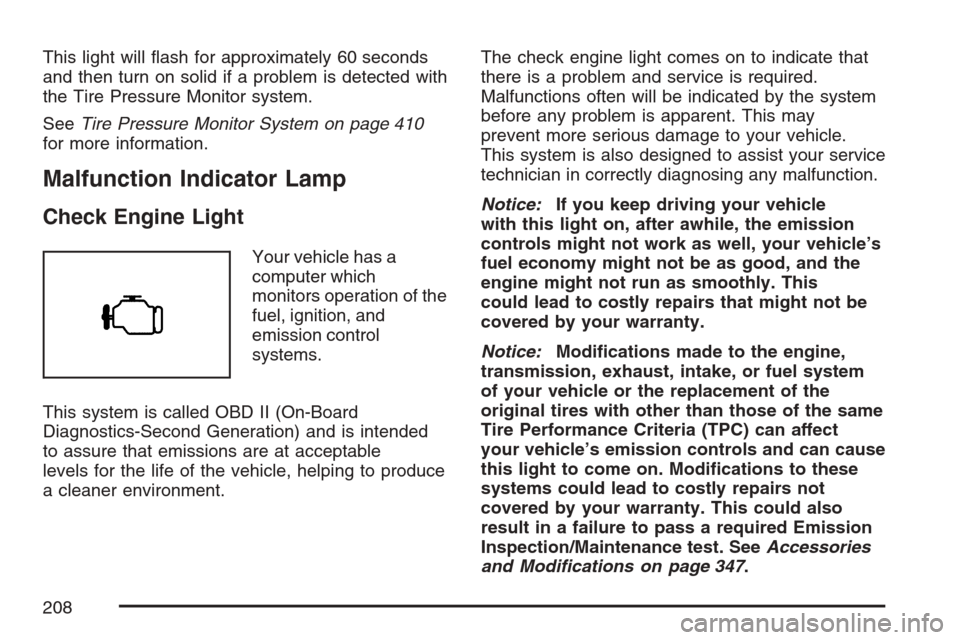
Your vehicle has a
computer which
monitors operation of the
fuel, ignition, and
emission control
systems.
This system is called OBD II (On-Board
Diagnostics-Second Generation) and is intended
to assure that emissions are at acceptable
levels for the life of the vehicle, helping to produce
a cleaner environment.The check engine light comes on to indicate that
there is a problem and service is required.
Malfunctions often will be indicated by the system
before any problem is apparent. This may
prevent more serious damage to your vehicle.
This system is also designed to assist your service
technician in correctly diagnosing any malfunction.
Notice:If you keep driving your vehicle
with this light on, after awhile, the emission
controls might not work as well, your vehicle’s
fuel economy might not be as good, and the
engine might not run as smoothly. This
could lead to costly repairs that might not be
covered by your warranty.
Notice:Modications made to the engine,
transmission, exhaust, intake, or fuel system
of your vehicle or the replacement of the
original tires with other than those of the same
Tire Performance Criteria (TPC) can affect
your vehicle’s emission controls and can cause
this light to come on. Modications to these
systems could lead to costly repairs not
covered by your warranty. This could also
result in a failure to pass a required Emission
Inspection/Maintenance test. SeeAccessories
and Modifications on page 347.
208