Page 136 of 528

To release the parking brake, hold the regular
brake pedal down with your right foot while
you push down on the parking brake pedal with
your left foot. When you lift your left foot from the
parking brake pedal, it will pop up to the
released position.
Notice:Driving with the parking brake on can
overheat the brake system and cause
premature wear or damage to brake system
parts. Verify that the parking brake is fully
released and the brake warning light is
off before driving.
If you are towing a trailer and are parking on any
hill, seeTowing a Trailer on page 340.Shifting Into Park (P)
{CAUTION:
It can be dangerous to get out of your
vehicle if the shift lever is not fully in
PARK (P) with the parking brake rmly set.
Your vehicle can roll. If you have left the
engine running, the vehicle can move
suddenly. You or others could be injured.
To be sure your vehicle will not move, even
when you are on fairly level ground, use
the steps that follow. If you are pulling a
trailer, seeTowing a Trailer on page 340.
1. Hold the brake pedal down with your right foot
and set the parking brake.
2. Move the shift lever into PARK (P) by pulling
the shift lever toward you and moving it up as
far as it will go.
3. Turn the ignition key to OFF.
4. Remove the key and take it with you. If you
can leave your vehicle with the ignition key in
your hand, your vehicle is in PARK (P).
136
Page 137 of 528

Leaving Your Vehicle With the
Engine Running
{CAUTION:
It can be dangerous to leave your vehicle
with the engine running. Your vehicle
could move suddenly if the shift lever is
not fully in PARK (P) with the parking
brake rmly set. And, if you leave the
vehicle with the engine running, it could
overheat and even catch re. You or
others could be injured. Do not leave your
vehicle with the engine running.
If you have to leave your vehicle with the engine
running, be sure your vehicle is in PARK (P)
and the parking brake is rmly set before
you leave it. After you move the shift lever into
PARK (P), hold the regular brake pedal down.
Then, see if you can move the shift lever away
from PARK (P) without rst pulling it toward you.
If you can, it means that the shift lever was
not fully locked into PARK (P).
Torque Lock
If you are parking on a hill and you do not shift
your vehicle into PARK (P) properly, the weight of
the vehicle may put too much force on the
parking pawl in the transaxle. You may nd it
difficult to pull the shift lever out of PARK (P). This
is called torque lock. To prevent torque lock,
set the parking brake and then shift into PARK (P)
properly before you leave the driver’s seat. To
nd out how, seeShifting Into Park (P) on
page 136.
When you are ready to drive, move the shift lever
out of PARK (P) before you release the parking
brake.
If torque lock does occur, you may need to have
another vehicle push yours a little uphill to
take some of the pressure from the parking pawl
in the transaxle, so you can pull the shift lever
out of PARK (P).
137
Page 141 of 528

Running the Engine While Parked
It is better not to park with the engine running. But if
you ever have to, here are some things to know.
{CAUTION:
Idling the engine with the climate control
system off could allow dangerous exhaust
into your vehicle. See the earlier caution
underEngine Exhaust on page 140.
Also, idling in a closed-in place can let
deadly carbon monoxide (CO) into your
vehicle even if the climate control fan is at
the highest setting. One place this can
happen is a garage. Exhaust — with
CO — can come in easily. NEVER park in
a garage with the engine running.
Another closed-in place can be a blizzard.
SeeWinter Driving on page 327.
{CAUTION:
It can be dangerous to get out of your
vehicle if the shift lever is not fully in
PARK (P) with the parking brake rmly
set. Your vehicle can roll. Do not leave
your vehicle when the engine is running
unless you have to. If you have left the
engine running, the vehicle can move
suddenly. You or others could be injured.
To be sure your vehicle will not move,
even when you are on fairly level ground,
always set your parking brake and move
the shift lever to PARK (P).
Follow the proper steps to be sure your vehicle
will not move. SeeShifting Into Park (P) on
page 136.
If you are pulling a trailer, seeTowing a Trailer on
page 340.
141
Page 143 of 528
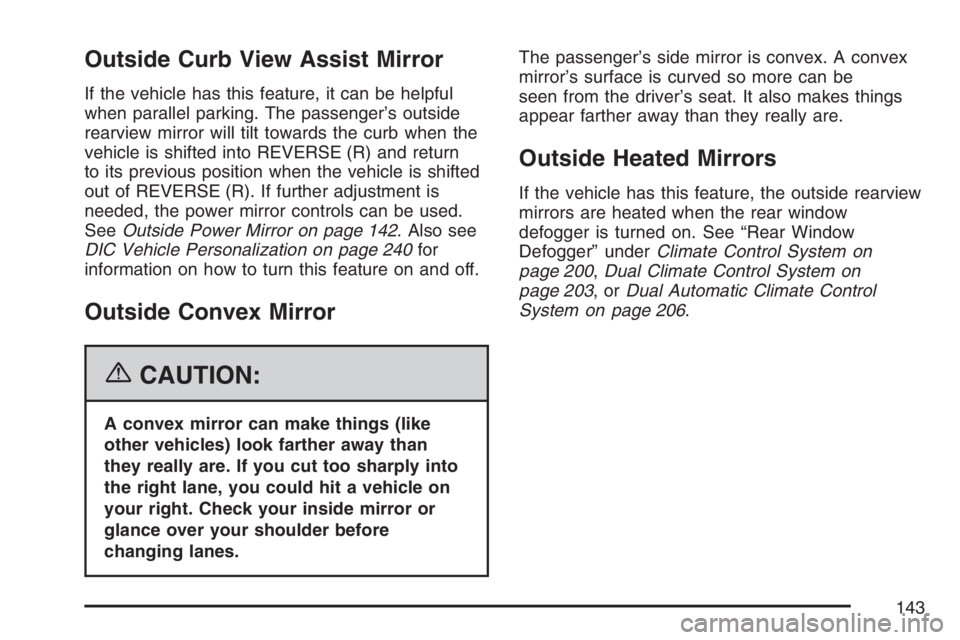
Outside Curb View Assist Mirror
If the vehicle has this feature, it can be helpful
when parallel parking. The passenger’s outside
rearview mirror will tilt towards the curb when the
vehicle is shifted into REVERSE (R) and return
to its previous position when the vehicle is shifted
out of REVERSE (R). If further adjustment is
needed, the power mirror controls can be used.
SeeOutside Power Mirror on page 142. Also see
DIC Vehicle Personalization on page 240for
information on how to turn this feature on and off.
Outside Convex Mirror
{CAUTION:
A convex mirror can make things (like
other vehicles) look farther away than
they really are. If you cut too sharply into
the right lane, you could hit a vehicle on
your right. Check your inside mirror or
glance over your shoulder before
changing lanes.The passenger’s side mirror is convex. A convex
mirror’s surface is curved so more can be
seen from the driver’s seat. It also makes things
appear farther away than they really are.
Outside Heated Mirrors
If the vehicle has this feature, the outside rearview
mirrors are heated when the rear window
defogger is turned on. See “Rear Window
Defogger” underClimate Control System on
page 200,Dual Climate Control System on
page 203,orDual Automatic Climate Control
System on page 206.
143
Page 159 of 528

Your vehicle has cupholders located in the rear
seat armrests if it has a split folding rear seat.
If your vehicle has captain’s chairs, there
are cupholders on the sides of the seats. If your
vehicle has a stowable seat, there are cupholders
in the center of the seat.
Cell Phone Storage Area
Your vehicle has a cell phone storage
compartment located on the oor console storage
closest to the driver’s seat. Lift the lid to use
the storage compartment. The compartment has
an accessory power outlet for charging the
cell phone.
Overhead Console
If your vehicle has an overhead console, it may
contain a storage compartment, a sunglasses
storage compartment, and Universal Home
Remote buttons. SeeUniversal Home Remote
System (With Three Round LED) on page 147or
Universal Home Remote System (With One
Triangular LED) on page 148for more information.If your vehicle has the OnStar
®System, the
OnStar®buttons will replace the storage
compartment. SeeOnStar®System on page 144
for more information.
If your vehicle has a sunroof, the mini console
contains the Universal Home Remote buttons and
the OnStar
®buttons.
Storage Compartment
To open the storage compartment located at the
front of the overhead console, press the release
latch forward. Then pull the compartment down to
the full open position.
Sunglasses Storage Compartment
To open the sunglasses storage compartment in
the overhead console, press the release button.
Then pull the compartment down to the full
open position.
159
Page 166 of 528

The extended rear convenience center, without
the optional third row stowable seat, has a forward
bin and rear bin. The rear convenience center,
with the optional third row stowable seat, contains
one storage bin.
To use the convenience center, remove the
carpeted mat and lift the handle(s) on the top of
the lid to open the storage bin.
The extended rear convenience center has a
maximum weight capacity of 400 lbs (181.6 kg)
on top.
The shorter rear convenience center that comes
with the optional third row stowable seat has
a maximum weight capacity of 100 lbs (45.4 kg)
on top.Removing the Extended Rear
Convenience Center
1. Make sure that all items have been removed
from the top and the inside of the rear
convenience center.
2. Remove the carpeted mat from the vehicle.
3. Lift the handle(s) on the top of the lid to open
the rear storage bin. The center lid will also
need to be opened.
4. Remove the two nuts from inside the rear
storage bin. The nuts are located in the
bottom of the bin.
5. Lift the rear storage bin and remove it from
the rear of the vehicle.
6. Remove the two nuts inside the forward
storage bin. These nuts are located along
the bottom of the center divider wall.
7. Lift the forward storage bin and remove it
from the rear of the vehicle.
166
Page 168 of 528
Removing the Rear Convenience
Center on Vehicles with the Third Row
Stowable Seat
1. Make sure that all items have been removed
from the top and the inside of the rear
convenience center.
2. Lift the handle(s) on the top of the lid to open
the storage bin.
3. Remove the two nuts from inside the storage
bin. The nuts are located in the bottom of
the bin.
If you are only removing the convenience
center and not the stowable seat, you must
replace these nuts once the bin is removed to
secure the seat.
4. Lift the storage bin and remove it from the
rear of the vehicle.
Reinstalling the Rear Convenience
Center on Vehicles with the Third Row
Stowable Seat
1. Make sure that all items have been removed
from the rear of the vehicle.
2. Lift the bin into the back of the vehicle. Align
the bin over the rear mounting bolts.
3. Put the nuts back onto the mounting bolts and
tighten.
4. Push and pull on the rear storage system to
make sure that it is locked into place properly.
168
Page 178 of 528

LPUSH Windshield Washer. See
Windshield Washer on page 180.
CRUISEICruise Control. SeeCruise
Control on page 181.
Turn and Lane-Change Signals
The turn signal has two upward (for right) and two
downward (for left) positions. These positions
allow you to signal a turn or a lane change.
To signal a turn, move the lever all the way up or
down. When the turn is nished, the lever will
return automatically.
An arrow on the
instrument panel cluster
and the HUD display
will ash in the direction
of the turn or lane
change.
To signal a lane change, just raise or lower the
lever until the arrow starts to ash. Hold it
there until you complete your lane change. The
lever will return by itself when you release it.As you signal a turn or a lane change, if the arrow
ashes faster than normal, a signal bulb may
be burned out and other drivers will not see your
turn signal.
If a bulb is burned out, replace it to help avoid an
accident. If the arrows do not go on at all when
you signal a turn, check for burned-out bulbs and
check the fuse. SeeFuses and Circuit Breakers
on page 463.
If you have a trailer towing option with added
wiring for the trailer lamps, the signal indicator will
ash at a normal rate even if a turn signal bulb
is burned out. Check the front and rear turn signal
lamps regularly to make sure they are working.
Turn Signal On Chime
If either turn signal is left on for more than 3/4 mile
(1.2 km), a chime will sound to let the driver
know to turn it off.
If you need to leave the signal on for more than
3/4 mile (1.2 km), turn off the signal and then turn it
back on.
178
