2007 BMW 650I COUPE&CONVERTIBLE remote control
[x] Cancel search: remote controlPage 192 of 256
BMW Assist
190
BMW Assist
BMW Assist provides you with various services.
For example, the position data of your vehicle
can be transmitted to the BMW Assist
Response Center if an emergency call
* has
been initiated.
Many functions of BMW Assist depend on the
individually agreed contract.
After your agreement expires, the BMW Assist
system can be deactivated by the BMW Assist
Response Center without visiting a
BMW center. Following the deactivation of the
BMW Assist systems, no BMW Assist service
is available. The BMW Assist system be reacti-
vated by a BMW center after signing a new con-
tract.
Requirements
You can use BMW Assist when the following
requirements are met:
>The installed BMW Assist system is logged
in on a mobile phone network. This network
must be capable of transmitting the ser-
vices.
>To transmit position data, the vehicle must
be able to determine the current position.
>A GPS signal must be available in order for
BMW Assist to be activated and updated.
>You have applied for BMW Assist at your
BMW center or at the BMW Assist
Response Center and concluded the con-
tract of participation. Enabling must have
been completed.
>BMW Assist is activated, refer to page195.
Services offered
The following services are available via
BMW Assist:
>Emergency call, refer to page219:
When you press the SOS button, a connec-
tion is established to the BMW Assist
Response Center. The BMW Assist
Response Center contacts you and
arranges for further steps to help you.
>Automatic emergency call:
Under certain conditions a connection is
established to the BMW Assist Response
Center directly following a serious accident.
If possible, the BMW Assist Response Cen-
ter then contacts you and arranges for fur-
ther steps to help you.
>Roadside Assistance:
You can call Roadside Assistance
* of the
BMW Group should you require help in the
event of a breakdown. If possible, the vehi-
cle and position data are transmitted in the
process.
>BMW Hotline:
For information related to your vehicle, call
the BMW Customer Relations.
>TeleService:
Data on your vehicle's service status or
legally mandated inspections are transmit-
ted to your BMW center either automati-
cally before a service due date or when you
request a BMW service appointment.
>Vehicle unlocking by the BMW Assist
Response Center:
Inform the BMW Assist Response Center,
e.g. if your remote control is not available
and you want to have the vehicle unlocked.
To do this, the vehicle electronics must be
ready for operation.
>Vehicle search:
After your vehicle has been reported to the
police as stolen, the BMW Assist Response
Center can locate its position. To do this,
*
Page 214 of 256
Maintenance
212
Maintenance
BMW Maintenance System
The BMW Maintenance System supports the
preservation of the traffic and operating safety
of your BMW. The service schedule also
includes operations related to the vehicle's
comfort and convenience features, such as
replacement of the filters for the inside air.
The ultimate objective is to ensure economical
maintenance by providing the ideal service for
your vehicle.
Should the day come when you decide to sell
your BMW, you will find that a complete dealer
service history is an asset of inestimable value.
CBS Condition Based Service
Sensors and special algorithms take the differ-
ent driving conditions of your BMW into
account. Condition Based Service uses this to
determine the current and future service
requirements. By letting you define a service
and maintenance regimen that reflects your
own individual requirements, the system builds
the basis for trouble-free driving.
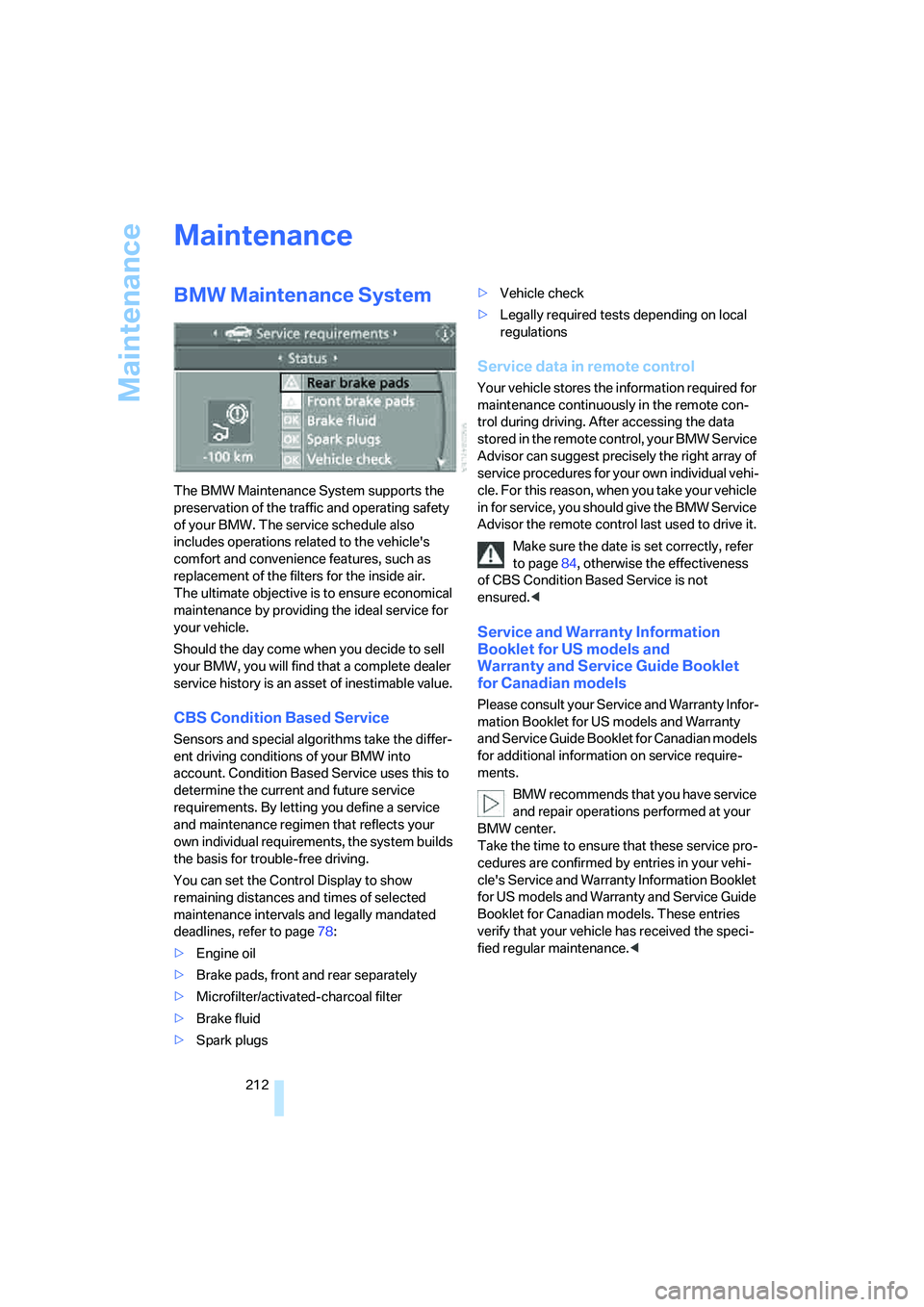
You can set the Control Display to show
remaining distances and times of selected
maintenance intervals and legally mandated
deadlines, refer to page78:
>Engine oil
>Brake pads, front and rear separately
>Microfilter/activated-charcoal filter
>Brake fluid
>Spark plugs>Vehicle check
>Legally required tests depending on local
regulations
Service data in remote control
Your vehicle stores the information required for
maintenance continuously in the remote con-
trol during driving. After accessing the data
stored in the remote control, your BMW Service
Advisor can suggest precisely the right array of
service procedures for your own individual vehi-
cle. For this reason, when you take your vehicle
in for service, you should give the BMW Service
Advisor the remote control last used to drive it.
Make sure the date is set correctly, refer
to page84, otherwise the effectiveness
of CBS Condition Based Service is not
ensured.<
Service and Warranty Information
Booklet for US models and
Warranty and Service Guide Booklet
for Canadian models
Please consult your Service and Warranty Infor-
mation Booklet for US models and Warranty
and Service Guide Booklet for Canadian models
for additional information on service require-
ments.
BMW recommends that you have service
and repair operations performed at your
BMW center.
Take the time to ensure that these service pro-
cedures are confirmed by entries in your vehi-
cle's Service and Warranty Information Booklet
for US models and Warranty and Service Guide
Booklet for Canadian models. These entries
verify that your vehicle has received the speci-
fied regular maintenance.<
Page 217 of 256
Mobility
215Reference
At a glance
Controls
Driving tips
Communications
Navigation
Entertainment
Have work on the xenon lighting system
performed only by your BMW center or a
workshop that works according to BMW repair
procedures with correspondingly trained per-
sonnel. Due to the high voltage involved, there
is a danger to life and limb when work is carried
out improperly.<
High beams, parking lamps
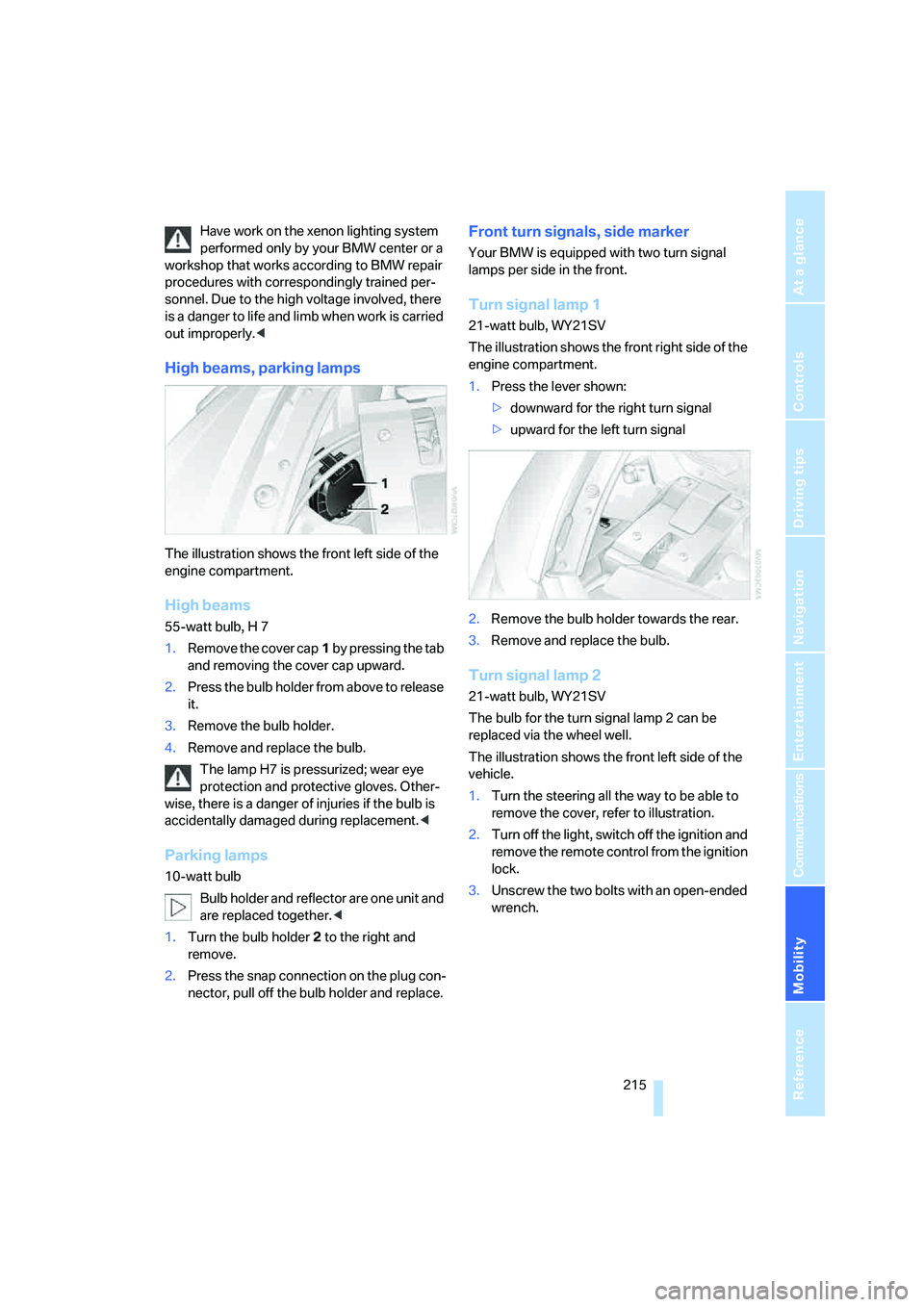
The illustration shows the front left side of the
engine compartment.
High beams
55-watt bulb, H 7
1.Remove the cover cap1 by pressing the tab
and removing the cover cap upward.
2.Press the bulb holder from above to release
it.
3.Remove the bulb holder.
4.Remove and replace the bulb.
The lamp H7 is pressurized; wear eye
protection and protective gloves. Other-
wise, there is a danger of injuries if the bulb is
accidentally damaged during replacement.<
Parking lamps
10-watt bulb
Bulb holder and reflector are one unit and
are replaced together.<
1.Turn the bulb holder2 to the right and
remove.
2.Press the snap connection on the plug con-
nector, pull off the bulb holder and replace.
Front turn signals, side marker
Your BMW is equipped with two turn signal
lamps per side in the front.
Turn signal lamp 1
21-watt bulb, WY21SV
The illustration shows the front right side of the
engine compartment.
1.Press the lever shown:
>downward for the right turn signal
>upward for the left turn signal
2.Remove the bulb holder towards the rear.
3.Remove and replace the bulb.
Turn signal lamp 2
21-watt bulb, WY21SV
The bulb for the turn signal lamp 2 can be
replaced via the wheel well.
The illustration shows the front left side of the
vehicle.
1.Turn the steering all the way to be able to
remove the cover, refer to illustration.
2.Turn off the light, switch off the ignition and
remove the remote control from the ignition
lock.
3.Unscrew the two bolts with an open-ended
wrench.
Page 237 of 256
Reference 235
At a glance
Controls
Driving tips
Communications
Navigation
Entertainment
Mobility
Around the center console14
Around the steering wheel10
Arrival time
– refer to Computer77
– refer to Starting destination
guidance141
"Arrow display" during
Navigation142
Artificial leather, refer to
Caring for your vehicle
brochure
Ashtray116
Assist, refer to
BMW Assist190
Assistance systems, refer to
Driving stability control
systems88
Assistance window20
"Assist. window off"21
AUC Automatic recirculated-
air control110
"Audio"155,157,162
Audio154
– controls154
– switching on/off154
– tone control155
– volume155
Audio device, external115
Automatic
– air distribution108
– air volume108
– cruise control67
– headlamp control103
– recirculated-air control
AUC110
– service notification192
– steering wheel
adjustment50
– storing stations159
Automatic car washes124
– also refer to Caring for your
vehicle brochure
– also refer to Comfort
access38Automatic climate control107
– automatic air
distribution108
– convertible program108
– switching on and off110
– ventilation with vehicle
parked111
Automatic closing of doors,
refer to Automatic soft
closing34
Automatic curb monitor54
Automatic lighting
– refer to Automatic headlamp
control103
– refer to Daytime running
lamps104
– refer to Interior lamps
105
– refer to Pathway lighting103
"Automatic programs"108
Automatic soft closing34
Automatic station search159
Automatic transmission with
Steptronic63
– deactivating selector lever
interlock64
– Dynamic Driving Control65
– interlock63
– kick-down64
– selector lever lock,
interlock63
– shiftlock63
– towing222
– tow-starting223
– with comfort access38
"Automatic ventilation"111
AUTO program with
automatic climate
control108
"Autostore" on the
radio158,160
"AUX"155
AUX-In
– connection115
– refer to External audio
device173
"AUX" with external audio
device173Average fuel consumption76
– setting units85
Average speed76
"Avoid ferries" for
navigation140
"Avoid highways" for
navigation139
Avoiding freeways for
navigation139
Avoiding unintentional
alarms37
"Avoid tollroads" for
navigation140
Axle loads, refer to
Weights229
"A - Z"182,183
B
Backrest contour, refer to
Lumbar support49
Backrests, refer to Seats49
Backup lamps, replacing
bulbs, refer to Tail
lamps216
"Balance", refer to Tone
control156
Band-aids, refer to First-aid
kit220
Bass, refer to Tone
control155
"Bass", tone control156
Battery
– jump starting220
– refer to Vehicle battery217
Battery replacement, remote
control for comfort
access39
BC button, refer to
Computer76
Being towed222
Belts, refer to Safety belts53
Beverage holder, refer to Cup
holders116
Blower, refer to Air
volume109
"Bluetooth"177
"BMW Assist"191
Page 238 of 256
Everything from A to Z
236 BMW Assist190
– activating195
– breakdown assistance191
– contacting BMW
Hotline193
– displaying vehicle data196
– information service193
– services offered190
– TeleService192
– updating194
"BMW Contact"184
"BMW Contact
Numbers"184
BMW homepage4
BMW Maintenance
System212
BMW Night Vision100
– activating101
– cleaning camera102
– cleaning camera, refer to
Wiper system67
– deactivating102
– making settings102
"BMW Services"194
BMW website4
Bottle holder, refer to Cup
holders116
Bracket for telephone or
mobile phone
– refer to Snap-in adapter188
Brake Assistant, refer to DBC
Dynamic Brake Control88
Brake force display95
Brake lamps
– replacing bulbs, refer to Tail
lamps216
– two-stage95
Brake rotors
– breaking in122
– refer to Braking safely123
Brakes
– ABS Antilock Brake
System88
– brake force display95
– breaking-in122
– CBC Cornering Brake
Control88
– handbrake61Brake system122
– brake pads122
– brake rotors124
– breaking-in122
– warning lamp13,90
Braking
– electronic brake-force
distribution88
– refer to Braking safely123
Braking safely123
Breakdown assistance191
Breakdown services, refer to
Roadside Assistance220
Breaking-in122
Breaking in brake pads122
Breaking-in the clutch122
Breaking in the differential,
refer to Engine and
differential122
"Brightness"85,99
Brightness of Control
Display85
"Brightness" with BMW Night
Vision102
Button for starting engine,
refer to Start/Stop button59
Buttons on steering wheel11
Bypassing route sections145
C
California Proposition 65
Warning6
"Call"183,194
Call
– accepting181
– displaying accepted183
– ending182
– in absence183
– rejecting181
– starting181
Calling
– by entering phone
number181
– from phone book182
– from Top 8 list183
– redialing183
Can holder, refer to Cup
holders116Capacities229
Car battery, refer to Vehicle
battery217
Car care, refer to Caring for
your vehicle brochure
Car-care products, refer to
Caring for your vehicle
brochure
"Car data"77
Care213
– refer to Caring for your
vehicle brochure
Cargo loading
– securing cargo125
– stowing cargo125
– vehicle124
Caring for artificial leather,
refer to Caring for your
vehicle brochure
Caring for leather, refer to
Caring for your vehicle
brochure
Caring for light-alloy wheels,
refer to Caring for your
vehicle brochure
Caring for plastic, refer to
Caring for your vehicle
brochure
Caring for the carpet, refer to
Caring for your vehicle
brochure
Caring for the vehicle finish,
refer to Caring for your
vehicle brochure
Car key, refer to Keys/remote
control28
Car phone176
– installation location, refer to
Center armrest115
– refer to Mobile phone176
– refer to separate operating
instructions
Car radio, refer to Radio158
Car wash124
– refer to Before driving into a
car wash124
– refer to Caring for your
vehicle brochure
– with comfort access38
Page 239 of 256
Reference 237
At a glance
Controls
Driving tips
Communications
Navigation
Entertainment
Mobility
Catalytic converter, refer to
Hot exhaust system122
"Categories"164
CBC Cornering Brake
Control88
CBS Condition Based
Service212
"CD"155,167
CD changer167
– controls154
– fast forward/reverse171
– installation location171
– random play sequence170
– repeating a track170
– sampling a track169
– selecting a CD167
– selecting a track168
– switching on/off154
– tone control155
– volume155
CD player167
– controls154
– fast forward/reverse171
– random play sequence170
– repeating a track170
– sampling a track169
– selecting a track168
– switching on/off154
– tone control155
– volume155
Center armrest, adjusting
height115
Center console14
"Central locking"30
Central locking
– from inside33
– from outside30
Central locking system30
– comfort access37
– hotel function33
Changes, technical, refer to
For your own safety6
Changing a wheel217
Changing language on
Control Display85
Changing scale for navigation
system display143
Changing units of measure on
Control Display85Changing wheels206
CHECK button81
Check Control80
"Check Control
messages"81
Check Gas Cap200
Checking air pressure, refer to
Tire inflation pressure202
Child-restraint fixing system
LATCH58
Child restraint systems57
Child seats, refer to
Transporting children
safely57
Chrome parts, refer to Caring
for your vehicle brochure
Cigarette lighter116
Cigarette lighter socket, refer
to Connecting electrical
devices117
Cleaning, refer to Caring for
your vehicle brochure
"Climate"108
Clock75
– 12h/24h mode84
– hour signal84
– setting time and date83
Closing
– from inside33
– from outside30
Closing fuel filler cap200
Clothes hooks, Coupe116
Cockpit10
Cold start, refer to Starting
engine60
Comfort access37
– observe in car wash38
– replacing battery, remote
control38
Comfort closing
– windows, with comfort
access with Coupe38
– with comfort access38
Comfort operation
– convertible top31,32
– glass sunroof31,32
– windows31,32
"Communication"181,191Compact disc
– refer to CD changer167
– refer to CD player167
Compartment for remote
control, refer to Ignition
lock59
Compartments, refer to
Storage compartments115
Compressed audio files167
Computer76
– displays on Control
Display77
– hour signal84
"Concert hall", refer to Tone
control156
"Concierge"193
Condensation, refer to When
vehicle is parked124
Condition Based Service
CBS212
"Confirmation"31
Confirmation signals for
locking and unlocking31
Connecting car vacuum
cleaner, refer to Connecting
electrical devices117
Consumption display, refer to
Average fuel
consumption76
Consumption statistics, refer
to Average fuel
consumption76
"Continue guidance to
destination?"141
"Contrast" with BMW Night
Vision102
Control Center, refer to
iDrive16
Control Display, refer to
iDrive16
– setting brightness85
Control Display, refer to
Switching iDrive
– off/on21
Controller, refer to iDrive16
Controls, refer to Cockpit10
Page 241 of 256

Reference 239
At a glance
Controls
Driving tips
Communications
Navigation
Entertainment
Mobility
Dimensions
– Convertible228
– Coupe227
Directional indicators, refer to
Turn signals65
Direction announcements,
refer to Voice
instructions144
Direction instructions, refer to
Voice instructions144
Directory, refer to Phone
book182
Directory for navigation, refer
to Address book136
Displacement, refer to Engine
data226
"Display"85
Display, refer to iDrive
controls16
Display elements, refer to
Instrument cluster12
Displaying vehicle data196
Display lighting, refer to
Instrument lighting105
"Display off"21
Displays
– on Control Display, refer to
iDrive16
– refer to Instrument
cluster12
"Display settings"85,99
Displays on the windshield,
refer to Head-Up Display98
Disposal
– battery of remote control
with comfort access39
– coolant211
– vehicle battery217
Distance, refer to
Computer77
Distance control, refer to
Active cruise control68
"Distance to dest."77
Distance to destination, refer
to Computer77Distance warning, refer to
PDC Park Distance
Control87
Door entry lighting, refer to
Interior lamps105
Door key, refer to Keys/
remote control28
Door lock32
"Door locks"30,79
Doors
– manual operation32
– remote control31
DOT Quality Grades204
Draft-free ventilation111
"Driver's door only"31
Driving lamps, refer to Parking
lamps/low beams103
Driving route, refer to
Displaying route142
Driving stability control
systems88
Driving through water123
Driving tips, refer to General
driving notes122
Drying the air, refer to Cooling
function109
DSC Dynamic Stability
Control89
– indicator lamp13,89
– malfunction90
DTC Dynamic Traction
Control89
– activating89
– indicator lamp13,89
DVD for navigation128
Dynamic Brake Control
DBC88
Dynamic Drive90
Dynamic Driving Control65
"Dynamic route" for
navigation140
Dynamic Stability Control
DSC89
Dynamic Traction Control
DTC89
E
Easy entry, refer to Entering
rear52
Easy entry/exit55
Eject button, refer to Buttons
on CD player154
Electrical malfunction
– convertible top44
– door lock32
– driver's door32
– fuel filler door200
– glass sunroof42
– luggage compartment lid35
– storage compartment, hotel
function34
Electric convertible top42
Electric steering wheel
adjustment55
Electronic brake-force
distribution88
Electronic oil level check209
Emergency assistance, refer
to Roadside Assistance220
Emergency call219
Emergency operation, refer to
Manual operation
– convertible top44
– door lock32
– driver's door32
– fuel filler door200
– glass sunroof42
– hotel function34
– luggage compartment lid35
– selector lever interlock,
automatic transmission64
Emergency release for
luggage compartment lid in
luggage compartment35
Emergency services, refer to
Roadside Assistance220
"Enable services"196
"End call"182
Page 243 of 256
Reference 241
At a glance
Controls
Driving tips
Communications
Navigation
Entertainment
Mobility
Fog lamps105
– indicator lamp13,105
Folding into raised position
convertible top
compartment floor,
Convertible35
Footbrake, refer to Braking
safely123
Footwell lighting, refer to
Interior lamps105
For specified oil grades, refer
to Approved engine oils210
For your own safety6
Freeway, refer to Route
criteria139
Front airbags95
Front passenger airbags
– deactivating96
FTM, refer to Flat Tire
Monitor90
Fuel
– average consumption76
– display76
– fuel specifications201
– high-quality brands201
– quality201
– specifications201
– tank contents, refer to
Capacities229
Fuel display, refer to Fuel
gauge76
Fuel filler door200
– releasing in the event of
electrical malfunction200
Fuel gauge76
Full mobile phone preparation
package176
Full screen display, refer to
Switching assistance
window off20
"Full screen" with BMW Night
Vision102
Fuses218G
Garage-door opener, refer to
Integrated universal remote
control113
Gasoline
– refer to Average fuel
consumption76
Gasoline, refer to Fuel
specifications201
Gasoline, refer to Required
fuel201
Gasoline display, refer to Fuel
gauge76
Gear changes
– automatic transmission with
Steptronic63
– SMG Sequential Manual
Transmission63
Gear display
– automatic transmission with
Steptronic63
– SMG Sequential Manual
Transmission62
Gearshift lever
– automatic transmission with
Steptronic63
– manual transmission61
– SMG Sequential Manual
Transmission62
General driving notes122
Glass sunroof, electric with
raise function41
– comfort operation32
– comfort operation with
comfort access38
– moving manually42
– remote control31
Glove compartment114
– rechargeable flashlight114
GPS navigation, refer to
Navigation system128
Grills, refer to Ventilation110
Gross vehicle weight, refer to
Weights229
H
Handbrake61
– indicator lamp13,61
Hands-free system, refer to
Microphone14
Hazard warning flashers15
"HD radio"162
HD radio, refer to High
Definition Radio162
Head airbags95
Headlamp
– cleaning tank, refer to
Capacities229
Headlamp control,
automatic103
Headlamp flasher65
Headlamps
– care, refer to Caring for your
vehicle brochure
– cleaning, refer to Wiper
system66
– replacing bulbs214
– reservoir for washer
fluid209
Head Light, refer to Adaptive
Head Light104
Head restraints
– front51
– removing51
– sitting safely48
"Head-Up Display"99
Head-Up Display98
Heated
– mirrors54
– rear window109
– seats53
– steering wheel55
Heater108
Heating
– exterior mirrors54
– interior107
– rear window109
– residual heat utilization110
– seats53
– steering wheel55