2006 VOLVO S60 lock
[x] Cancel search: lockPage 35 of 132

Cutout switch for rear windows
Cutout switch for rear windows
The electrically operated rear door windows can be disabled by a switch located on the driver's door (see illustration).
If the LED in the switch is OFF: The rear door windows can be raised or lowered with the buttons on the rear door
armrests or with the buttons on the driver's door armrest.
If the LED in the switch is ON: The rear door windows can only be raised or lowered with the buttons on the driver's
door armrest.
pg. 43 Instruments and controls
Electrically operated window on the front passenger's side
The control for the electrically operated window on the front passenger's seat operates that window only.
Electrically operated windows in the rear doors.
The rear door windows can be operated with the control on each door and the switch on the driver's door. If the LED
in the switch for blocking electrically operated windows in the rear doors (located in the driver's door control panel) is
on, the rear door windows can only be operated from the driver's door.
pg. 44 Instruments and controls
Rearview mirror/sideview mirrors
ProCarManuals.com
Page 36 of 132

Rearview mirror
A Normal position
B Night position, reduces glare from following headlights
Autodim function (option)
The autodim function reacts to headlights from following traffic and automatically reduces glare.
NOTE: This function is automatically switched off when the gear selector is placed in the Reverse position.
Electrically operated sideview mirrors
The mirror control switches are located on the driver's door armrest.
Driver's side: Press the L switch (an LED in the switch will light up) to activate the adjustment control and then use
this control to adjust the driver's door mirror.
Passenger's door: Press the R switch (an LED in the switch will light up) and then use the adjustment control to
adjust the passenger's door mirror.
After you have adjusted the mirror(s), press the L or R switch again (the LED will go out) to deactivate the adjustment
control.
WARNING!
The mirrors should always be adjusted prior to driving. Objects seen in the passenger's side wide -angle sideview
mirror are closer than they appear to be.
Remote central locking and sideview mirror memory-option
If you lock the car and later unlock it with the same remote control and open the driver's door, the sideview mirrors
(and the driver's seat) will automatically move to the position they were in when you left the car. This feature will
work in the same way with all of the remote control transmitters (up to 3) that you use with your car. This feature will
not function if you lock your car with the key.
Water repellent glass-option
ProCarManuals.com
Page 42 of 132

Rear window and sideview mirror defrosters
This function defrosts/de-ices the rear window and sideview mirrors. The LED in the switch will light up to indicate
that the heating function is engaged. See page 37
for additional information on this function.
Never use ice scrapers made of metal as they can easily scratch the mirror surface.
Temperature
These controls are used to individually set the temperature for both sides of the passenger compartment.
Please note that the compartment will not be heated or cooled faster by setting the temperature higher or lower than
necessary.
Set the control to the temperature you prefer.
Defroster
This function defrosts/de-ices the windshield and front side windows. The LED in the switch will light up to indicate
that the defrost function is engaged. Blower speed increases automatically and the air in the passenger compartment is
dehumidified. Recirculation will not function while defrost is engaged.
Blower control
Turn the control clockwise to increase or counterclockwise to decrease the blower speed. Pressing the AUTO switch
will automatically regulate blower speed and override manual adjustment.
NOTE: Turning the blower control counter-clockwise until an orange LED comes on will turn both the blower and the
air conditioning off.
pg. 54 Climate control
Electronic climate control, ECC (contd)
Air distribution
Press AUTO to automatically regulate air flow or press any combination of the controls shown in the illustration to
manually adjust air flow. An LED in the switch will light up if an air flow control has been pressed.
Heated front seats (option)
Press the switch once for maximum seat heating. Both LEDs in the switch will be lit.
Press the switch a second time for comfort heating. One LED in the switch will be lit.
Press the switch a third time to turn the heating off completely. The LED will go off.
ProCarManuals.com
Page 45 of 132

2 0 0 6
VOLVO S60
Interior
pg. 57 Interior
Front seats 58
Interior lighting62
Floor mats63
Storage compartments64
Rear seat and trunk68
Spare wheel, tools and jack70
pg. 58 Interior
Front seats
Manually adjusted front seats
1. Front-rear adjustment: lift the bar and move the seat to the position of your choice.
2. Raise/lower the front edge of the seat cushion (option): use the control to pump the front edge of the cushion up or
down.
3. Raise/lower seat height: pump the seat up or down
4. Lumbar support: turn the control for firmer or softer lumbar support.
5. Backrest tilt: turn the control to adjust the angle of the backrest.
6. Control panel for optional power seat (see page 60
for more information).
WARNING!
- Do not adjust the seat while driving. The seat should be adjusted so that the brake pedal can be depressed fully. In
addition, position the seat as far rearward as comfort and control allow.
- Check that the seat is securely locked into position after adjusting.
ProCarManuals.com
Page 47 of 132

Within approximately 4 minutes after the driver's door has been unlocked from the outside and has been opened and
remains open.
Within 40 seconds, if the driver's door has just been closed.
Within 40 seconds, if the driver's door has not been opened after the ignition has been switched off.
Passenger seat: The seat can only be adjusted if the ignition key is in position I, II or if the engine is running.
Power seat control panel
Seat adjustment
If your Volvo is equipped with power seats, the following may be adjusted with the two switches at the side of the
seat:
A - Front edge of seat (raise/lower)
B - Front-rear
C - Rear edge of seat (raise/lower)
D - Backrest tilt
NOTE! The power seats have an overload protector that activates if a seat is blocked by any object. If this occurs,
switch off the ignition (key in position 0) and wait about 20 seconds before operating the seat again.
Please refer to the following page for information on programming the memory function in the driver's seat.
Remote keyless entry system and the driver's seat
The remote control transmitter also controls the position of the electrically operated driver's seat in the following way:
1. Adjust the seat to your preferences.
2. When you leave your vehicle, lock it using the remote control.
The position of the seat is now stored in the remote control.
Automatic seat adjustment
To move the seat to the position in which you left it:
1. Unlock the driver's door with the same remote control (the one used to lock the doors)
2. Open the driver's door within 2 minutes. The driver's seat will automatically move to the position in which you left
it.
NOTE:
The seat will move to this position even if someone else has moved it to a different seating position and locked the
car with a different remote control.
This feature will work in the same way with all of the remote control transmitters (up to 3) that you use with your
vehicle.
NOTE: This feature will not function if your lock your vehicle with the key.
pg. 61 Interior
ProCarManuals.com
Page 49 of 132

the light on for 30 seconds if:
You unlock the car from the outside with the key or remote control.
You switch off the ignition (turn the key to position 0).
The courtesy light stays on for 10 minutes if one of the doors is left open after the car is unlocked.
The courtesy light switches off if:
The engine is started.
The car is locked from the outside with the key or remote control.
The courtesy light can be switched off or on in all situations by briefly pressing the button.
When you switch the light on, it remains lit for 10 minutes.
You can disconnect the automatic function by pressing the courtesy light button for more than 3 seconds. Briefly
pressing the courtesy light button again automatically reconnects the function.
The courtesy light timer periods can be changed. Contact your Volvo retailer.
Rear reading lights
Reading lights - front/rear
The reading lights can be switched on or off by pressing the respective buttons. These lights switch off automatically
after 10 minutes if the engine is not running. If the engine is running, the lights stay on indefinitely. The lights can be
switched off at any time by pressing the button.
pg. 63 Interior
ProCarManuals.com
Page 51 of 132

2 0 0 6
VOLVO S60
Locks and alarm
pg. 71 Locks and alarm
Keys 72
Remote control73
Locking and unlocking75
Child safety lock77
Alarm78
pg. 72 Locks and alarm
Keys and remote controls
Keys
Two types of keys are provided with your car; master keys and a service (valet) key. The master key, the remote
control, and the central locking button may all be used to lock and unlock all of your car's locks.
The service key will operate only the driver's door and the ignition switch. It is intended to help deter unwanted entry
into the glove compartment and trunk.
Turn the key once to unlock the driver's door only.
ProCarManuals.com
Page 52 of 132
Turn the key again (within 10 seconds) to unlock all doors and the trunk.
One turn with the key towards lock in the drivers door locks all doors, trunk.
Use the switch on the driver's door armrest to lock/unlock the car from the inside.
WARNING!
If the doors are locked while driving, this may hinder rapid access to the occupants of the car in the event of an
accident. (Also see information on "Child safety locks")
NOTE: To help prevent accidentally locking the keys in the car, the central locking system is designed to unlock the
doors immediately if the key is left in the ignition switch, the car is locked using the lock button on the door and the
door is then closed. A sound from the lock will be audible at this time.
Please note that this function will not unlock the doors if the engine is running.
Immobilizer (start inhibitor)
Each of the keys supplied with your car contains a coded transmitter. The code in the key is transmitted to an antenna
in the ignition switch where it is compared to the code stored in the start inhibitor module. The car will start only with
a properly coded key.
Each key has a unique code, which your Volvo retailer uses if new keys are required. A maximum of six remote
controls/keys can be programmed and used for one car.
If you misplace a key, take the other keys to an authorized Volvo retailer for reprogramming as an antitheft measure.
NOTE: This device complies with part 15 of the FCC rules. Operation is subject to the following condition: (1) This
device may not cause harmful interference, and (2) this device must accept any interference received, including
interference that may cause undesired operation.
pg. 73 Locks and alarm
Remote controls
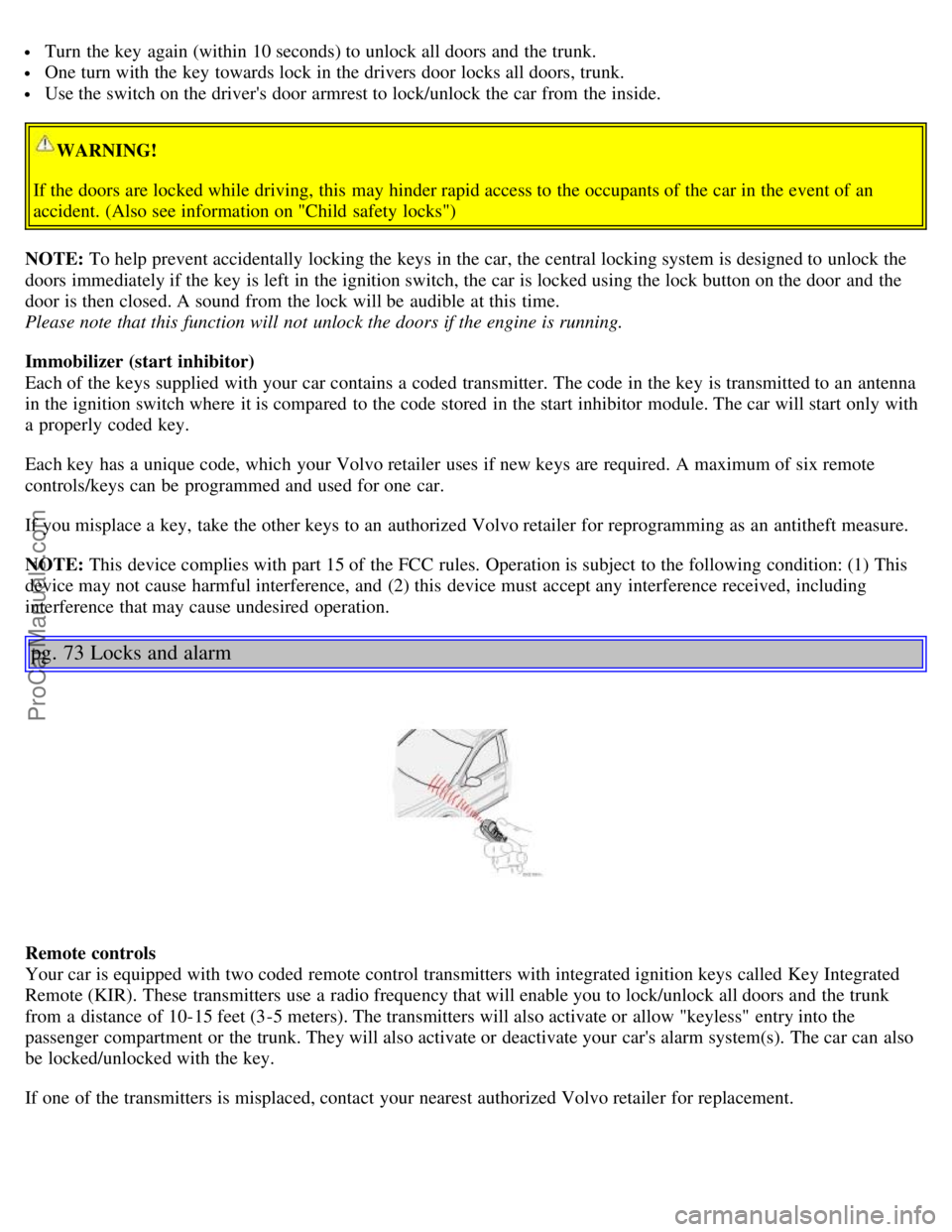
Your car is equipped with two coded remote control transmitters with integrated ignition keys called Key Integrated
Remote (KIR). These transmitters use a radio frequency that will enable you to lock/unlock all doors and the trunk
from a distance of 10-15 feet (3-5 meters). The transmitters will also activate or allow "keyless" entry into the
passenger compartment or the trunk. They will also activate or deactivate your car's alarm system(s). The car can also
be locked/unlocked with the key.
If one of the transmitters is misplaced, contact your nearest authorized Volvo retailer for replacement.
ProCarManuals.com