Page 334 of 527
’06 TUNDRA_U (L/O 0508)
322
2006 TUNDRA from Oct. ’06 Prod. (OM 34458U)
This device complies with Part 15 of the
FCC Rules and with RSS−210 of the IC
Rules. Operation is subject to the fol-
lowing two conditions: (1) This device
may not cause harmful interference, and
(2) this device must accept any interfer-
ence received, including interference
that may cause undersired operation.
WARNING: This transmitter has been
tested and complies with FCC and IC
rules. Changes or modifications not
expressly approved by the party re-
sponsible for compliance could void
the user’s authority to operate the
device.
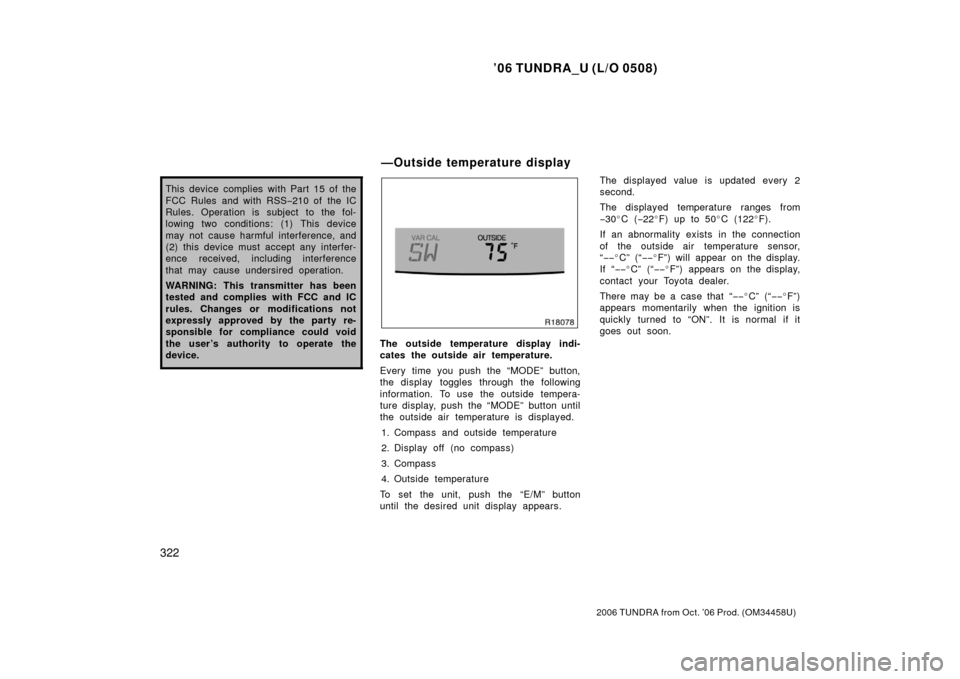
The outside temperature display indi-
cates the outside air temperature.
Every time you push the “MODE” button,
the display toggles through the following
information. To use the outside tempera-
ture display, push the “MODE” button until
the outside air temperature is displayed.
1. Compass and outside temperature
2. Display off (no compass)
3. Compass
4. Outside temperature
To set the unit, push the “E/M” button
until the desired unit display appears. The displayed value is updated every 2
second.
The displayed temperature ranges from
−
30 �C ( −22 �F) up to 50 �C (122 �F).
If an abnormality exists in the connection
of the outside air temperature sensor,
“ −− �C” (“ −−�F”) will appear on the display.
If “ −−�C” (“ −−�F”) appears on the display,
contact your Toyota dealer.
There may be a case that “−− �C” (“ −−�F”)
appears momentarily when the ignition is
quickly turned to “ON”. It is normal if it
goes out soon.
—Outside temperature display
Page 336 of 527
’06 TUNDRA_U (L/O 0508)
324
2006 TUNDRA from Oct. ’06 Prod. (OM 34458U)
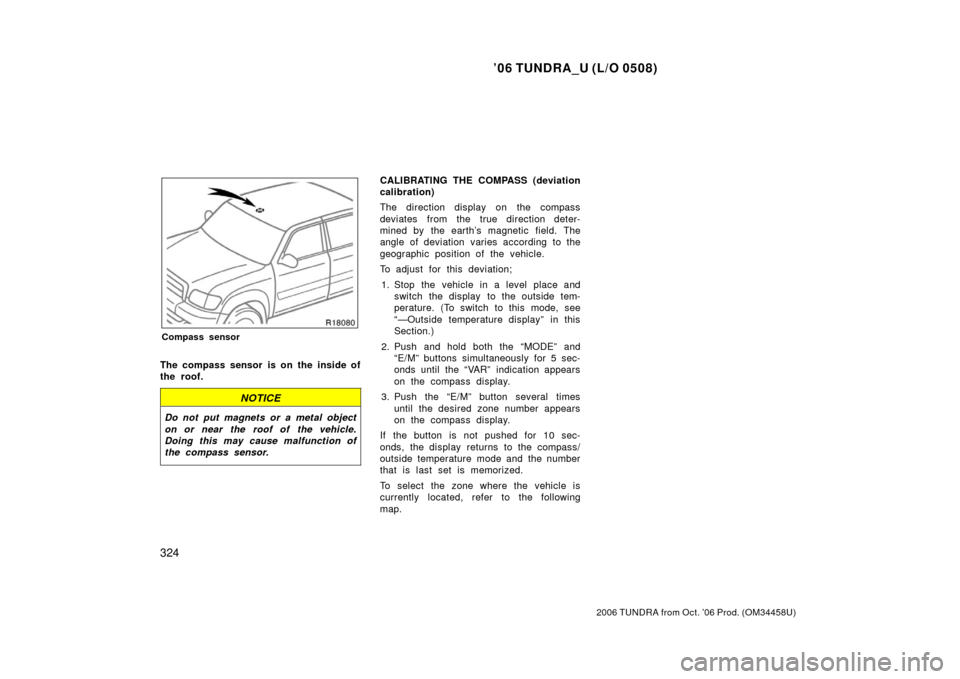
Compass sensor
The compass sensor is on the inside of
the roof.
NOTICE
Do not put magnets or a metal object
on or near the roof of the vehicle.
Doing this may cause malfunction of
the compass sensor.
CALIBRATING THE COMPASS (deviation
calibration)
The direction display on the compass
deviates from the true direction deter-
mined by the earth’s magnetic field. The
angle of deviation varies according to the
geographic position of the vehicle.
To adjust for this deviation;
1. Stop the vehicle in a level place and switch the display to the outside tem-
perature. (To switch to this mode, see
“—Outside temperature display” in this
Section.)
2. Push and hold both the “MODE” and “E/M” buttons simultaneously for 5 sec-
onds until the “VAR” indication appears
on the compass display.
3. Push the “E/M” button several times until the desired zone number appears
on the compass display.
If the button is not pushed for 10 sec-
onds, the display returns to the compass/
outside temperature mode and the number
that is last set is memorized.
To select the zone where the vehicle is
currently located, refer to the following
map.
Page 372 of 527
’06 TUNDRA_U (L/O 0508)
360
2006 TUNDRA from Oct. ’06 Prod. (OM 34458U)
CAUTION
Do not overestimate the antilock
brake system: Although the antilock
brake system assists in providing ve-
hicle control, it is still important to
drive with all due care and maintain
a moderate speed and safe distance
from the vehicle in front of you, be-
cause there are limits to the vehicle
stability and effectiveness of steering
wheel operation even with the anti
lock brake system on.
If tire grip performance exceeds its
capability, or if hydroplaning occurs
during high speed driving in the rain,
the antilock brake system does not
provide vehicle control.
Antilock brake system is not de-
signed to shorten the stopping dis-
tance: Always drive at a moderate
speed and maintain a safe distance
from the vehicle in front of you.
Compared with vehicles without an
antilock brake system, your vehicle
may require a longer stopping dis-
tance in the following cases:
�Driving on rough, gravel or snow
covered roads.
�Driving with tire chains installed.
�Driving over the steps such as the
joints on the road.
�Driving on roads where the road
surface is pitted or has other differ-
ences in surface height.
Install all 4 tires of specified size at
appropriate pressure: The antilock
brake system detects vehicle speeds
using the speed sensors for respec-
tive wheels’ turning speeds. The use
of tires other than specified may fail
to detect the accurate turning speed
resulting in a longer stopping dis-
tance.
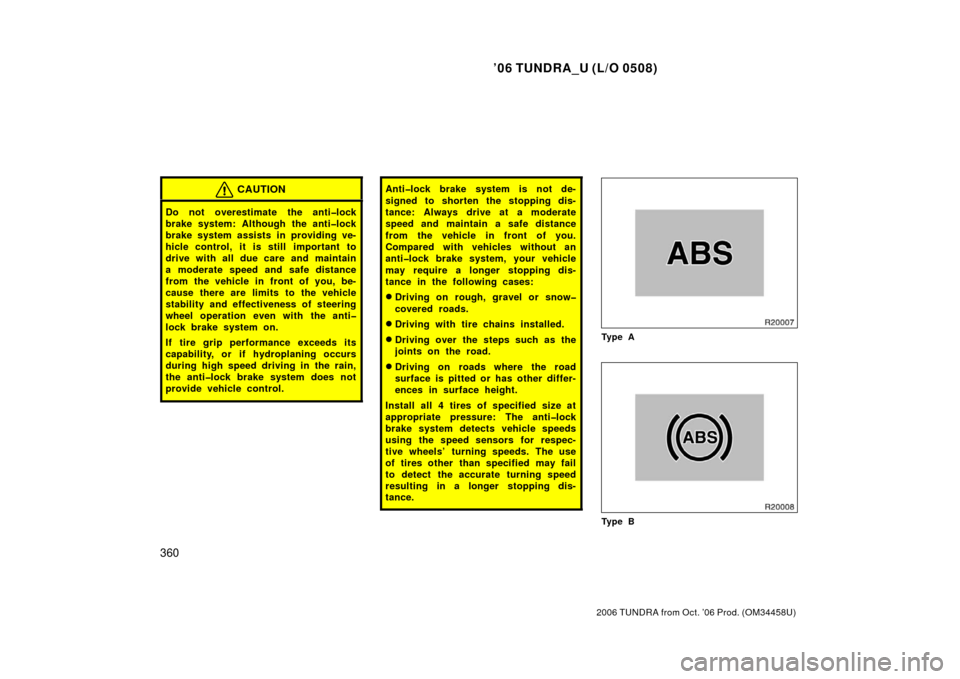
Ty p e A
Ty p e B
Page 374 of 527
’06 TUNDRA_U (L/O 0508)
362
2006 TUNDRA from Oct. ’06 Prod. (OM 34458U)
CAUTION
Do not overestimate the antilock
brake system: Although the antilock
brake system assists in providing ve-
hicle control, it is still important to
drive with all due care and maintain
a moderate speed and safe distance
from the vehicle in front of you, be-
cause there are limits to the vehicle
stability and effectiveness of steering
wheel operation even with the anti
lock brake system on.
If tires grip performance exceeds its
capability, or if hydroplaning occurs
during high speed driving in the rain,
the antilock brake system does not
provide vehicle control.
Antilock brake system is not de-
signed to shorten the stopping dis-
tance: Always drive at a moderate
speed and maintain a safe distance
from the vehicle in front of you.
Compared with vehicles without an
antilock brake system, your vehicle
may require a longer stopping dis-
tance in the following cases:
�Driving on rough, gravel or snow
covered roads.
�Driving with tire chains installed.
�Driving over the steps such as the
joints on the road.
�Driving on roads where the road
surface is pitted or has other differ-
ences in surface height.
Install all 4 tires of specified size at
appropriate pressure: The antilock
brake system detects vehicle speeds
using the speed sensors for respec-
tive wheels’ turning speed. The use
of tires other than specified may fail
to detect the accurate turning speed
resulting in a longer stopping dis-
tance.
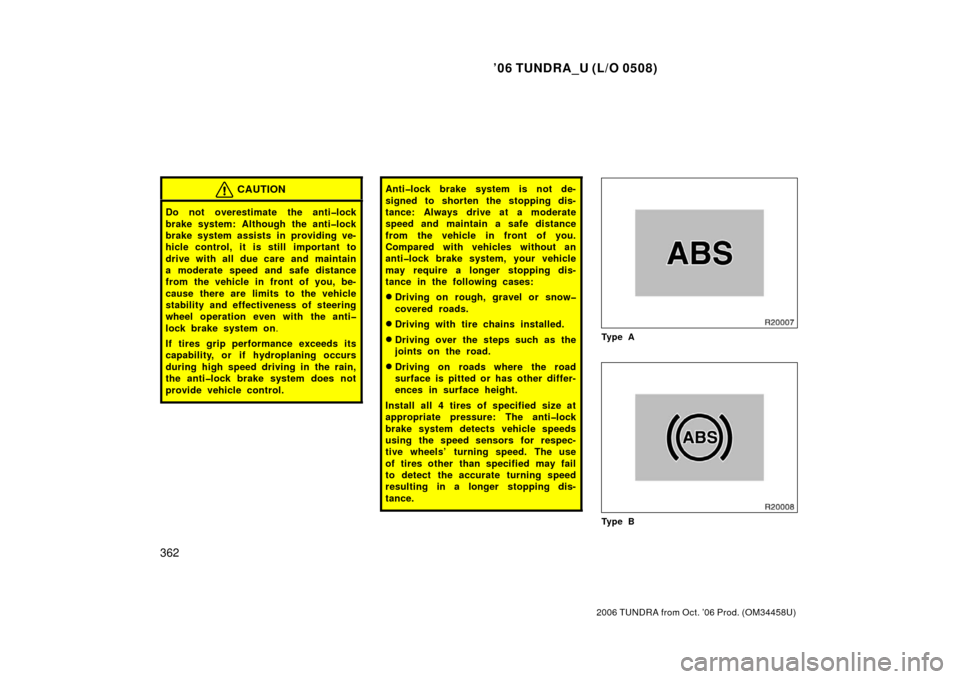
Ty p e A
Ty p e B
Page 505 of 527
’06 TUNDRA_U (L/O 0508)
493
2006 TUNDRA from Oct. ’06 Prod. (OM 34458U)
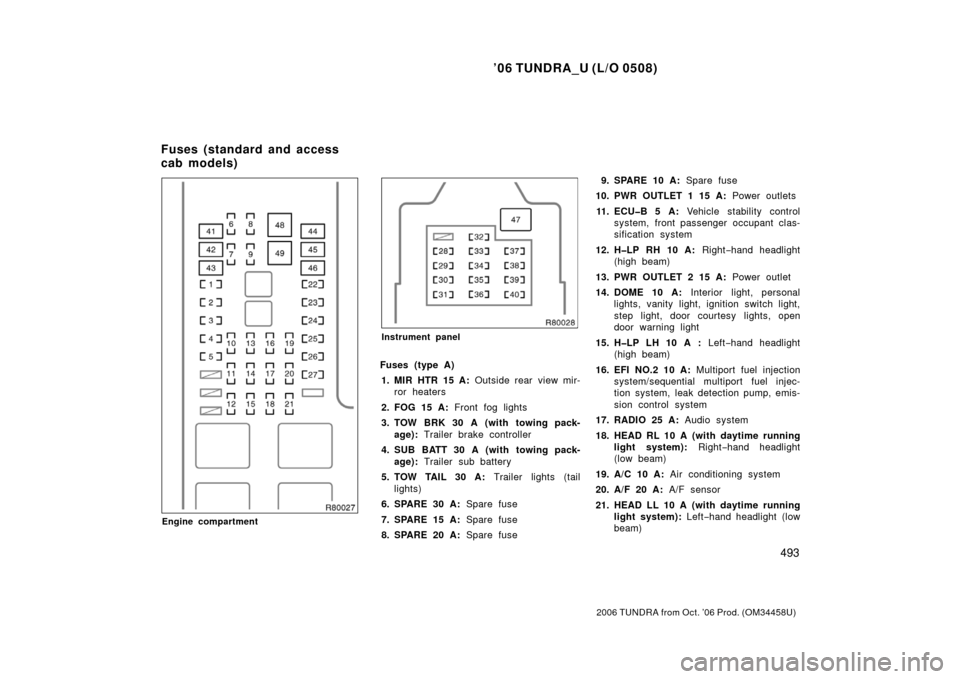
Engine compartment
Instrument panel
Fuses (type A)
1. MIR HTR 15 A: Outside rear view mir-
ror heaters
2. FOG 15 A: Front fog lights
3. TOW BRK 30 A (with towing pack- age): Trailer brake controller
4. SUB BATT 30 A (with towing pack- age): Trailer sub battery
5. TOW TAIL 30 A: Trailer lights (tail
lights)
6. SPARE 30 A: Spare fuse
7. SPARE 15 A: Spare fuse
8. SPARE 20 A: Spare fuse 9. SPARE 10 A:
Spare fuse
10. PWR OUTLET 1 15 A: Power outlets
11. ECUB 5 A: Vehicle stability control
system, front pass enger occupant clas-
sification system
12. HLP RH 10 A: Right−hand headlight
(high beam)
13. PWR OUTLET 2 15 A: Power outlet
14. DOME 10 A: Interior light, personal
lights, vanity light, ignition switch light,
step light, door courtesy lights, open
door warning light
15. HLP LH 10 A : Left−hand headlight
(high beam)
16. EFI NO.2 10 A: Multiport fuel injection
system/s equential multiport fuel injec-
tion system, leak detection pump, emis-
sion control system
17. RADIO 25 A: Audio system
18. HEAD RL 10 A (with daytime running light system): Right−hand headlight
(low beam)
19. A/C 10 A: Air conditioning system
20. A/F 20 A: A/F sensor
21. HEAD LL 10 A (with daytime running light system): Left−hand headlight (low
beam)
Fuses (standard and access
cab models)
Page 507 of 527
’06 TUNDRA_U (L/O 0508)
495
2006 TUNDRA from Oct. ’06 Prod. (OM 34458U)
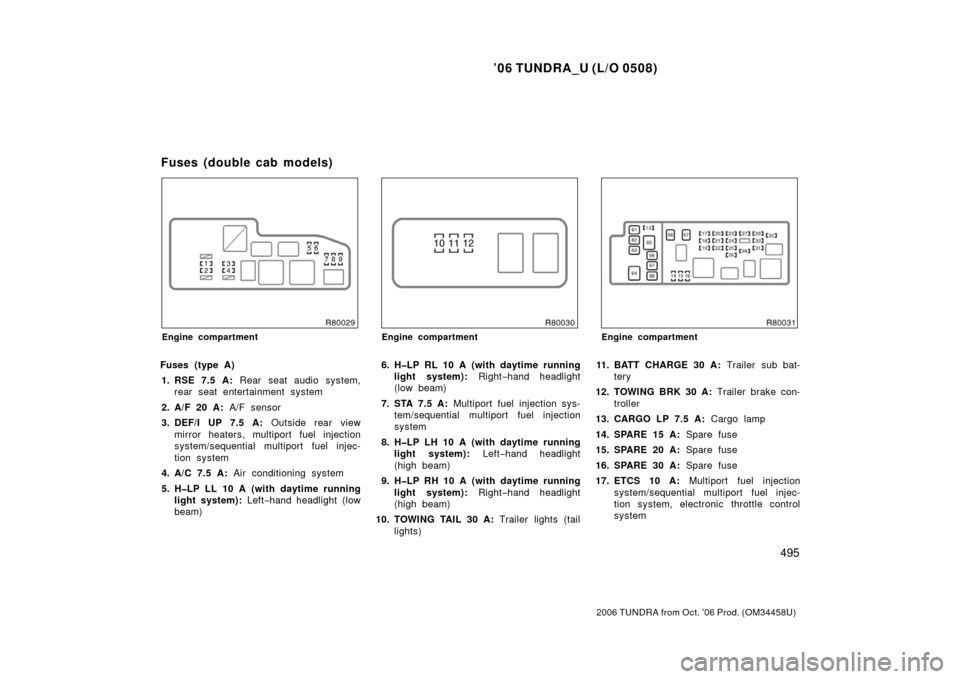
Engine compartment
Fuses (type A)
1. RSE 7.5 A: Rear seat audio system,
rear seat entertainment system
2. A/F 20 A: A/F sensor
3. DEF/I UP 7.5 A: Outside rear view
mirror heaters, multiport fuel injection
system/s equential multiport fuel injec-
tion system
4. A/C 7.5 A: Air conditioning system
5. HLP LL 10 A (with daytime running light system): Left−hand headlight (low
beam)
Engine compartment
6. HLP RL 10 A (with daytime running light system): Right−hand headlight
(low beam)
7. STA 7.5 A: Multiport fuel injection sys-
tem/sequential multiport fuel injection
system
8. HLP LH 10 A (with daytime running light system): Left−hand headlight
(high beam)
9. HLP RH 10 A (with daytime running light system): Right−hand headlight
(high beam)
10. TOWING TAIL 30 A: Trailer lights (tail
lights)
Engine compartment
11. BATT CHARGE 30 A: Trailer sub bat-
tery
12. TOWING BRK 30 A: Trailer brake con-
troller
13. CARGO LP 7.5 A: Cargo lamp
14. SPARE 15 A: Spare fuse
15. SPARE 20 A: Spare fuse
16. SPARE 30 A: Spare fuse
17. ETCS 10 A: Multiport fuel injection
system/s equential multiport fuel injec-
tion system, electronic throttle control
system
Fuses (double cab models)
Page:
< prev 1-8 9-16 17-24