Page 13 of 364
3
1. Headlight, turn signal and front foglight switches
2. Cruise control switch
3. Ignition switch
4. Wiper and washer switches
5. Emergency flasher switch
6. Navigation system including air condi- tioning controls (See the separate
“Navigation System Owner ’s Manual”.)
7. Clock and outside temperature display
8. Front passenger ’s seat belt reminder light
9. Audio system
10. Outside rear view mirror heater switch 11. Rear air conditioning switch
12. Rear window defogger switch
13. Center differential lock switch
14. Power antenna switch
15. Power tilt and telescopic steering switch
16. Instrument panel light control dial
17. Power rear view mirror control switches
18. Tire pressure warning system reset switch
19. Power quarter window switch (left− hand side)
20. Power quarter window switch (right −hand side)
21. Roll sensing of curtain shield airbags off switch
�
View B
(Vehicles with navigation system)
11C515b
Page 14 of 364
4
1. Headlight, turn signal and front foglight switches
2. Cruise control switch
3. Ignition switch
4. Wiper and washer switches
5. Emergency flasher switch
6. Clock, outside temperature and trip in- formation display
7. Audio system
8. Front passenger ’s seat belt reminder light
9. Air conditioning controls
10. Outside rear view mirror heater switch 11. Rear air conditioning switch
12. Rear window defogger switch
13. Center differential lock switch
14. Power antenna switch
15. Power tilt and telescopic steering switch
16. Instrument panel light control dial
17. Power rear view mirror control switches
18. Tire pressure warning system reset switch
19. Power quarter window switch (left− hand side)
20. Power quarter window switch (right −hand side)
21. Roll sensing of curtain shield airbags off switch
�
View B
(Vehicles without navigation system)
11C029d
Page 17 of 364
7
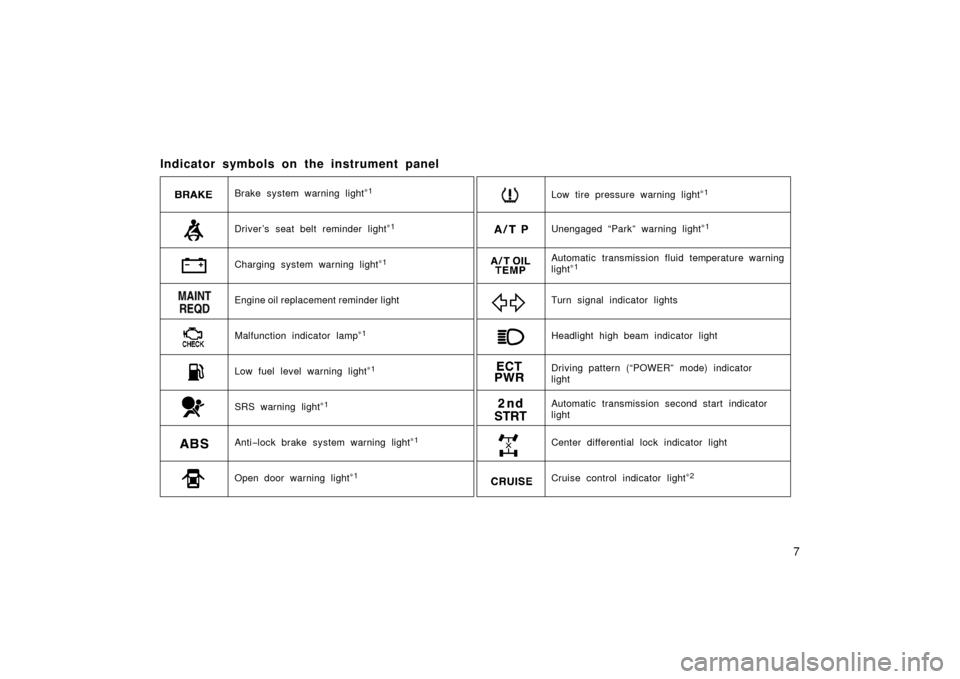
Indicator symbols on the instrument panel
Brake system warning light∗1
Malfunction indicator lamp∗1Headlight high beam indicator light Turn signal indicator lights
Driver ’s seat belt reminder light∗1
Anti −lock brake system warning light∗
1
Open door warning light∗1
SRS warning light∗1
Low fuel level warning light∗1
Automatic transmission fluid temperature warning
light∗1
Unengaged “Park” warning light∗1
Charging system warning light∗1
Engine oil replacement reminder light
Center differential lock indicator light Driving pattern (“POWER” mode) indicator
light
Automatic transmission second start indicator
light
Cruise control indicator light∗2
Low tire pressure warning light∗1
Page 25 of 364
15
To lock and unlock all the side doors
and back door, push the switches slow-
ly and securely.
To lock: Push the “LOCK” switch. All the
side doors and back door are locked si-
multaneously. At this time, turn signal
lights flash once.*
NOTE: *The turn signal lights can be set
not to flash. Ask your Toyota dealer for
details.
Check to see that all the side doors and
back door are securely locked.
If any of the side doors or back door is
not securely closed, or if the key is in the
ignition switch, locking cannot be per-
formed by the “LOCK” switch.
To unlock: Push the “UNLOCK” switch
once to unlock the driver ’s door alone.
Pushing the switch twice within 3 seconds
unlocks all the side doors and back door
simultaneously.* At this time, turn signal
lights flash twice.**
NOTE: *The 2step unlocking function can
be changed. **The turn signal lights can
be set not to flash. Ask your Toyota deal-
er for details.Together with the activation of unlocking,
the interior light comes on for 15 seconds
if the interior light switch is in “DOOR”
position.* However, this function does not
work when the ignition key is in the “ACC”
or “ON” position. (For detailed information,
see “Interior lights” on page 113.)
You have 30 seconds to open a door after
using the wireless remote unlock fea-
ture.** If a door is not opened by then, all
the side doors and back door will be auto-
matically locked again.
NOTE: *The interior light can be set not
to come on or the duration of lighting can
be changed. **The time before automatic
relocking can be changed. Ask your
Toyota dealer for details.
If the “LOCK” or “UNLOCK” switch is kept
pressed in, the locking or unlocking opera-
tion is not repeated. Release the switch
and then push again.
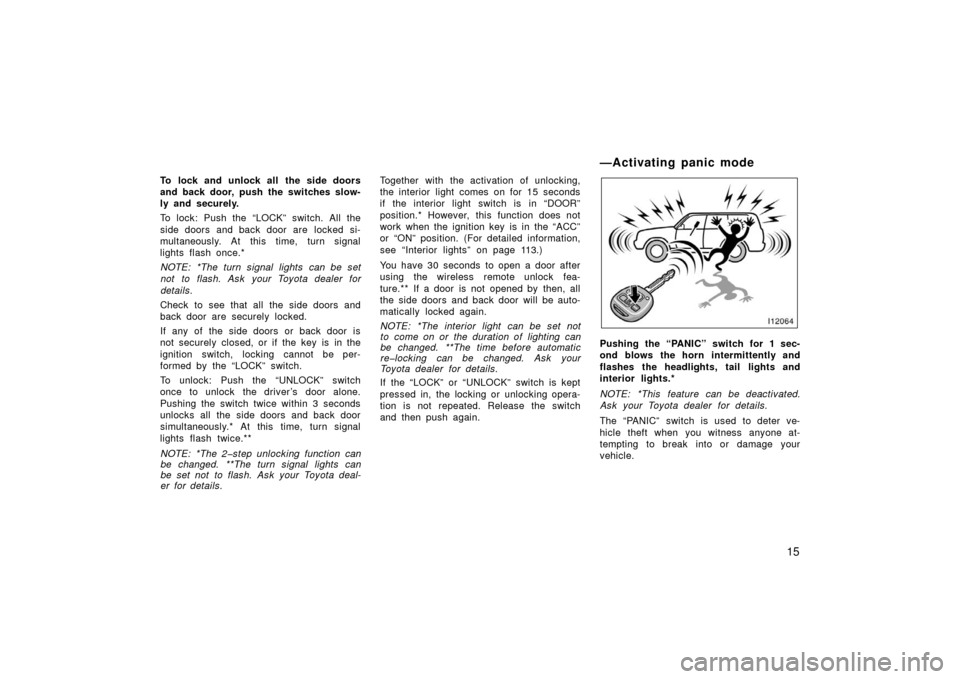
Pushing the “PANIC” switch for 1 sec-
ond blows the horn intermittently and
flashes the headlights, tail lights and
interior lights.*
NOTE: *This feature can be deactivated.
Ask your Toyota dealer for details.
The “PANIC” switch is used to deter ve-
hicle theft when you witness anyone at-
tempting to break into or damage your
vehicle.
—Activating panic mode
Page 38 of 364
28
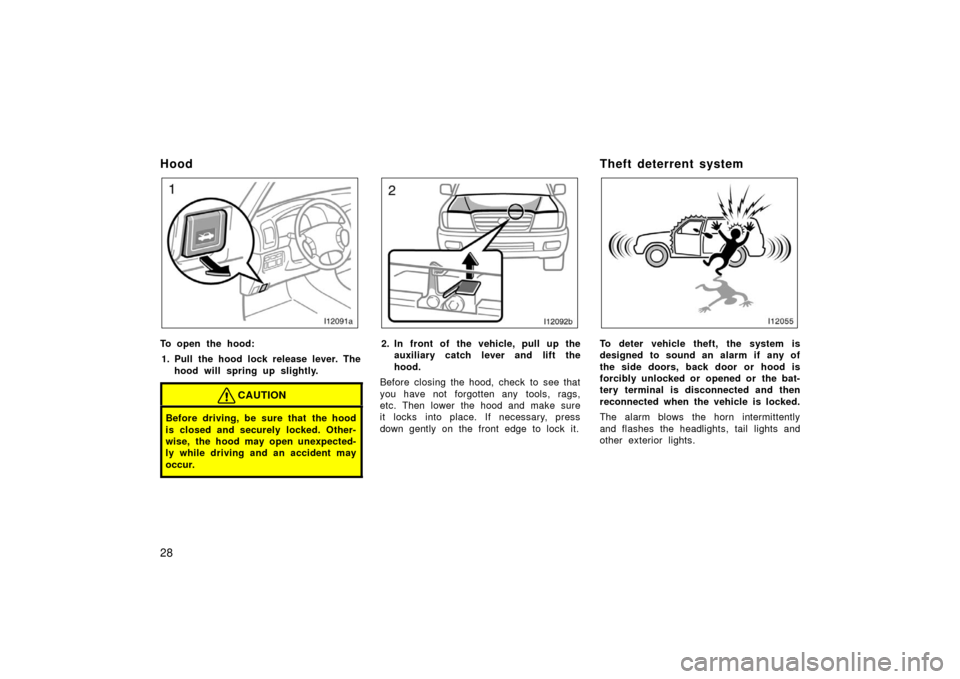
Hood
To open the hood:1. Pull the hood lock release lever. The hood will spring up slightly.
CAUTION
Before driving, be sure that the hood
is closed and securely locked. Other-
wise, the hood may open unexpected-
ly while driving and an accident may
occur.
2. In front of the vehicle, pull up theauxiliary catch l ever and lift the
hood.
Before closing the hood, check to see that
you have not forgotten any tools, rags,
etc. Then lower the hood and make sure
it locks into place. If necessary, press
down gently on the front edge to lock it.
Theft deterrent system
To deter vehicle theft, the system is
designed to sound an alarm if any of
the side doors, back door or hood is
forcibly unlocked or opened or the bat-
tery terminal is disconnected and then
reconnected when the vehicle is locked.
The alarm blows the horn intermittently
and flashes the headlights, tail lights and
other exterior lights.
Page 112 of 364
102
NOTICE
If ice should jam the mirror, do not
operate the control or scrape the mir-
ror face. Use a spray deicer to free
the mirror.
—Folding rear view mirrors
The rear view mirrors can be folded
backward for parking in compact areas.
To fold the rear view mirror, push back-
ward.
CAUTION
Do not drive with the mirrors folded
backward. Both the driver and pas-
senger side rear view mirrors must
be extended and properly adjusted
before driving.
13C010b
Adjust the mirror so that you can just
see the rear of your vehicle in the mir-
ror.
Pushing the switch changes the mode
between “AUTO” and “DAY”.
The indicator comes on when the “AUTO”
mode is selected.
“DAY” mode: The mirror surface is nor-
mal.
“AUTO” mode: If the mirror detects
light from the headlights of the vehicle
behind you, the mirror surface darkens
slightly to reduce the reflected light.
Antiglare inside rear view
mirror—
Page 113 of 364
103
When the ignition key is inserted and
turned on, the inside rear view mirror al-
ways turns on in the “AUTO” mode.
When the inside air temperature is low, it
may take a little longer for the mirror to
darken in response to the detection of
headlights.
CAUTION
Do not adjust the mirror while the
vehicle is moving. Doing so may
cause the driver to mishandle the ve-
hicle and an accident may occur re-
sulting in death or serious injuries.
13c570b
To ensure correct functioning of anti−glare
mirror sensors located on both sides of
the mirror, do not touch or cover the sen-
sors with your finger or a piece of cloth,
etc.
13c013
The compass indicates the direction in
which the vehicle is heading. The illustra-
tion shown above indicates the vehicle is
heading north.
Displays
Directions
N
NE E
SE
S
SW W
NWNorth
Northeast East
Southeast
South
Southwest West
Northwest
—Compass (vehicles without
navigation system)
Page 119 of 364

109
OPERATION OF INSTRUMENTS AND
CONTROLS
Lights, Wipers and Defogger
Headlight and turn signals11 0
. . . . . . . . . . . . . . . . . . . . . . . . . . . . . . . . . . .
Emergency flashers 11 2
. . . . . . . . . . . . . . . . . . . . . . . . . . . . . . . . . . . . \
. . . . .
Instrument panel light control 11 2
. . . . . . . . . . . . . . . . . . . . . . . . . . . . . . . .
Front fog lights 11 3
. . . . . . . . . . . . . . . . . . . . . . . . . . . . . . . . . . . . \
. . . . . . . . .
Interior lights 11 3
. . . . . . . . . . . . . . . . . . . . . . . . . . . . . . . . . . . . \
. . . . . . . . . . .
Personal lights 11 4
. . . . . . . . . . . . . . . . . . . . . . . . . . . . . . . . . . . . \
. . . . . . . . .
Ignition switch light 11 5
. . . . . . . . . . . . . . . . . . . . . . . . . . . . . . . . . . . . \
. . . . .
Windshield wipers and washer 11 5
. . . . . . . . . . . . . . . . . . . . . . . . . . . . . . .
Rear window wiper and washer 11 6
. . . . . . . . . . . . . . . . . . . . . . . . . . . . . .
Rear window defogger 11 7
. . . . . . . . . . . . . . . . . . . . . . . . . . . . . . . . . . . . \
. .
Outside rear view mirror heaters 11 7
. . . . . . . . . . . . . . . . . . . . . . . . . . . . . .
SECTION 1 5