Page 280 of 428
’06 HIGHLANDER_U (L/O 0508)
270
CAUTION
�When doing the circling calibration,
be sure to secure a wide space,
and watch out for people and ve-
hicles in the neighborhood. Do not
violate any local traffic rules while
performing circling calibration.
�Do not adjust the display while the
vehicle is moving. Be sure to adjust
the display only when the vehicle is
stopped.
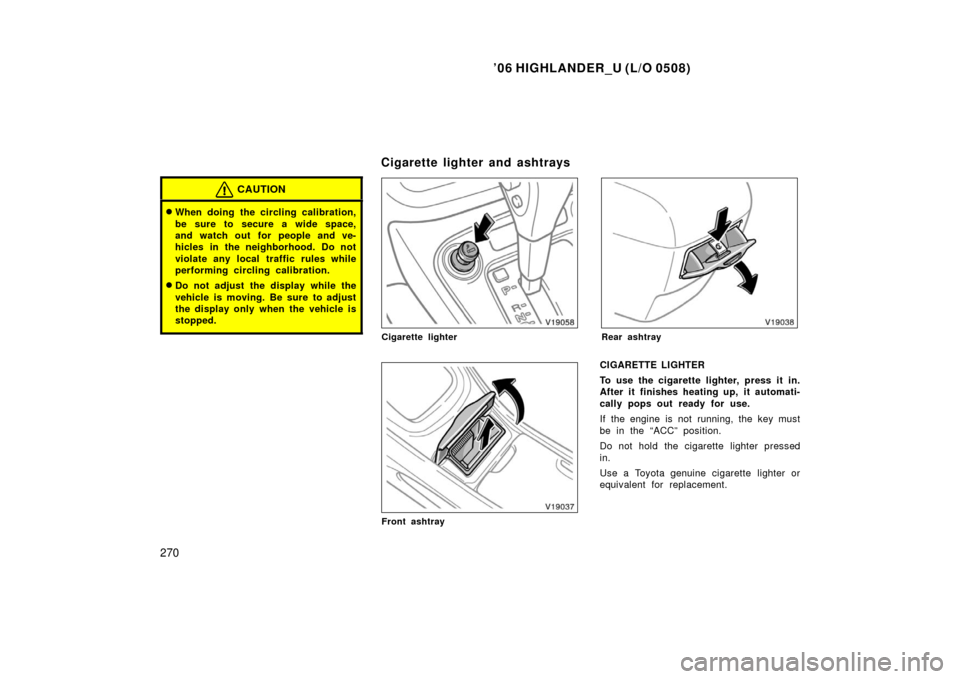
Cigarette lighter
Front ashtray
Rear ashtray
CIGARETTE LIGHTER
To use the cigarette lighter, press it in.
After it finishes heating up, it automati-
cally pops out ready for use.
If the engine is not running, the key must
be in the “ACC” position.
Do not hold the cigarette lighter pressed
in.
Use a Toyota genuine cigarette lighter or
equivalent for replacement.
Cigarette lighter and ashtrays
Page 284 of 428
’06 HIGHLANDER_U (L/O 0508)
274
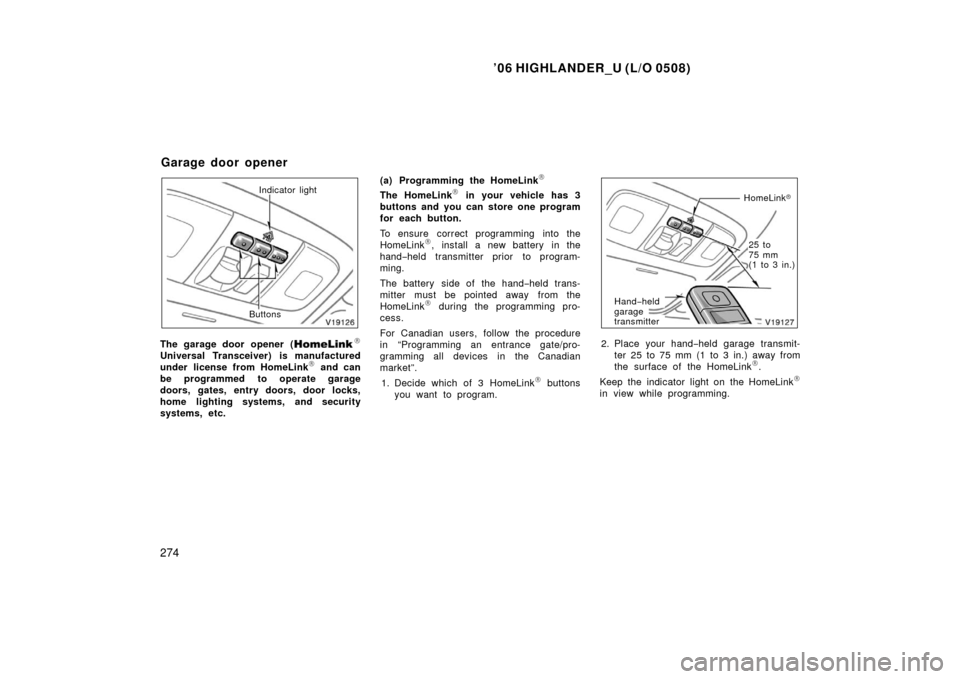
Indicator light
Buttons
The garage door opener (\b
Universal Transceiver) is manufactured
under license from HomeLink\b and can
be programmed to operate garage
doors, gates, entry doors, door locks,
home lighting systems, and security
systems, etc. (a) Programming the HomeLink
\b
The HomeLink\b in your vehicle has 3
buttons and you can store one program
for each button.
To ensure correct programming into the
HomeLink
\b, install a new battery in the
hand− held transmitter prior to program-
ming.
The battery side of the hand −held trans-
mitter must be pointed away from the
HomeLink
\b during the programming pro-
cess.
For Canadian users, follow the procedure
in “Programming an entrance gate/pro-
gramming all devices in the Canadian
market”.
1. Decide which of 3 HomeLink
\b buttons
you want to program.
HomeLink �
Hand −held
garage
transmitter
25 to
75 mm
(1 to 3 in.)
2. Place your hand −held garage transmit-
ter 25 to 75 mm (1 to 3 in.) away from
the surface of the HomeLink
\b.
Keep the indicator light on the HomeLink
\b
in view while programming.
Garage door opener
Page 286 of 428
’06 HIGHLANDER_U (L/O 0508)
276
The ceiling mounted garage door opener
motor should now recognize the
HomeLink
\b unit and be able activate the
garage door up/down.
4. Repeat steps 1 through 3 for each re- maining HomeLink
\b button to program
another rolling code system.
Programming an entrance gate/program-
ming all devices in the Canadian market 1. Decide which of the 3 HomeLink
\b but-
tons you want to program.
2. Place your hand− held gate/device
transmitter 25 to 75 mm (1 to 3 in.)
away from the surface of the
HomeLink
\b.
Keep the indicator light on the HomeLink
\b
in view while programming. 3. Press and hold the selected HomeLink
\b button.
4. Continuously press and release ( cycle)
the hand− held gate/device transmitter
button every two seconds until step 5
is complete.
5. When the indicator light on the HomeLink
\b changes from a slow to a
rapid flash after 20 seconds, you can
release both buttons. 6. Test the operation of the HomeLink
\b by
pressing the newly programmed button.
Check to see if the gate/device oper-
ates correctly.
7. Repeat steps 1 through 6 for each re- maining HomeLink
\b button to program
another device.
Programming other devices
To program other devices such as home
security systems, home door locks or
lighting, contact your authorized Toyota
dealer for assistance.
Reprogramming a button
Individual HomeLink
\b buttons cannot be
erased, however, to reprogram a single
button, follow the procedure “Programming
the HomeLink
\b”.
(b) Operating the HomeLink
\b
To operate the HomeLink\b, press the
appropriate HomeLink\b button to activate
the programmed device. The HomeLink\b
indicator light should come on. The
HomeLink\b continues to send the signal
for up to 20 seconds as long as the
button is pressed.
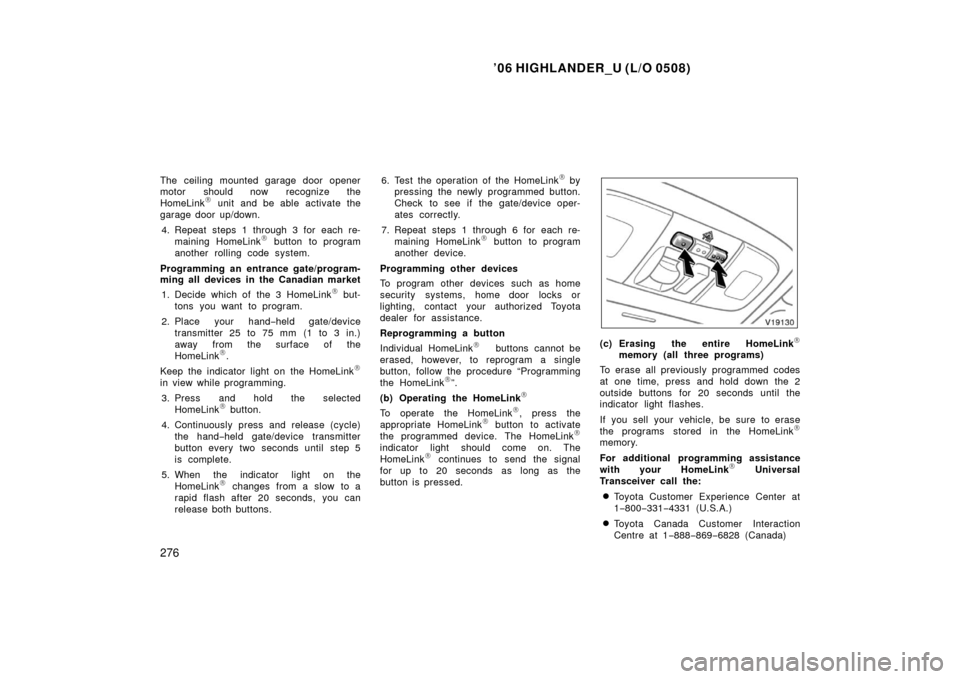
(c) Erasing the entire HomeLink\b
memory (all three programs)
To erase all previously programmed codes
at one time, press and hold down the 2
outside buttons for 20 seconds until the
indicator light flashes.
If you sell your vehicle, be sure to erase
the programs stored in the HomeLink
\b
memory.
For additional programming assistance
with your HomeLink
\b Universal
Transceiver call the:
�Toyota Customer Experience Center at
1 −800− 331−4331 (U.S.A.)
�Toyota Canada Customer Interaction
Centre at 1 −888− 869−6828 (Canada)
Page 291 of 428
’06 HIGHLANDER_U (L/O 0508)
281
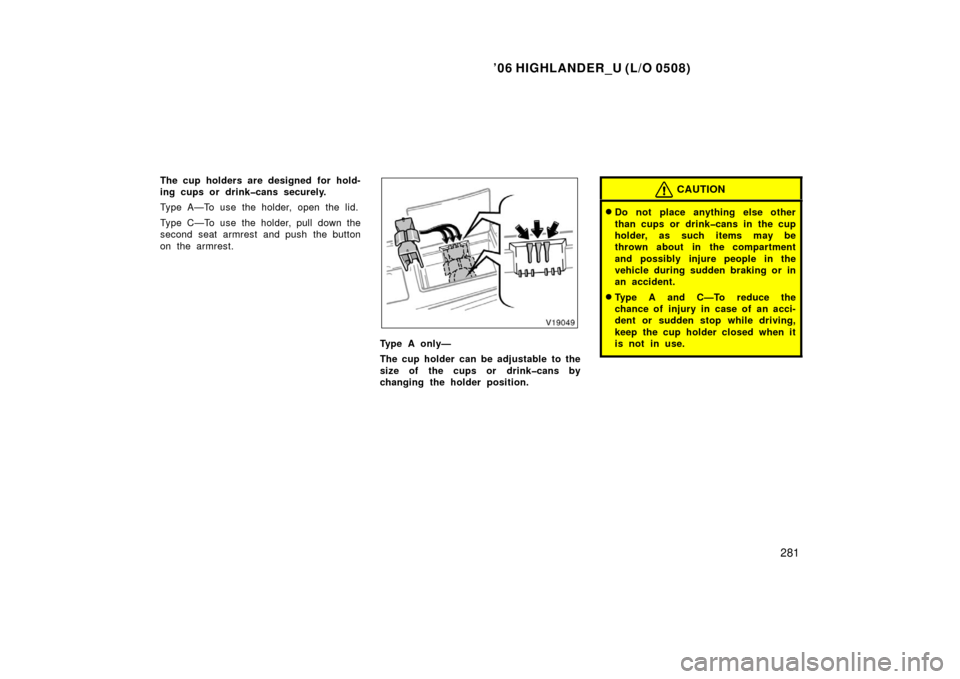
The cup holders are designed for hold-
ing cups or drinkcans securely.
Type A—To use the holder, open the lid.
Type C—To use the holder, pull down the
second seat armrest and push the button
on the armrest.
Type A only—
The cup holder can be adjustable to the
size of the cups or drinkcans by
changing the holder position.
CAUTION
�Do not place anything else other
than cups or drinkcans in the cup
holder, as such items may be
thrown about in the compartment
and possibly injure people in the
vehicle during sudden braking or in
an accident.
�Type A and C—To reduce the
chance of injury in case of an acci-
dent or sudden stop while driving,
keep the cup holder closed when it
is not in use.
Page 292 of 428
’06 HIGHLANDER_U (L/O 0508)
282
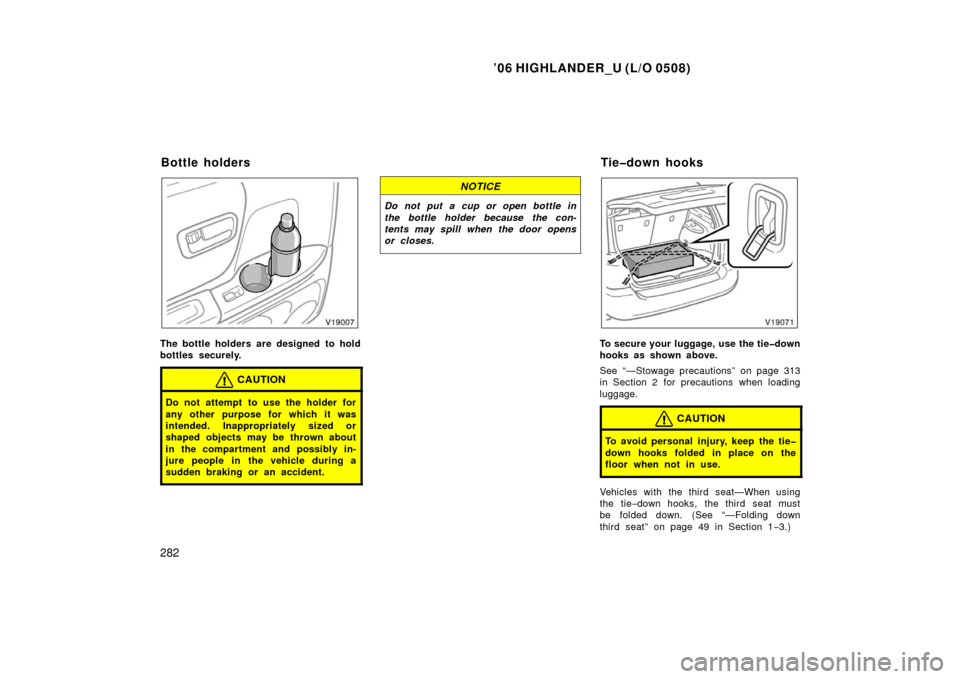
The bottle holders are designed to hold
bottles securely.
CAUTION
Do not attempt to use the holder for
any other purpose for which it was
intended. Inappropriately sized or
shaped objects may be thrown about
in the compartment and possibly in-
jure people in the vehicle during a
sudden braking or an accident.
NOTICE
Do not put a cup or open bottle in
the bottle holder because the con-
tents may spill when the door opens
or closes.
To secure your luggage, use the tiedown
hooks as shown above.
See “—Stowage precautions” on page 313
in Section 2 for precautions when loading
luggage.
CAUTION
To avoid personal injury, keep the tie
down hooks folded in place on the
floor when not in use.
Vehicles with the third seat—When using
the tie−down hooks, the third seat must
be folded down. (See “—Folding down
third seat” on page 49 in Section 1 −3.)
Bottle holders Tiedown hooks
Page 293 of 428
’06 HIGHLANDER_U (L/O 0508)
283
NOTICE
Do not use the anchor brackets on
the second seat seatback instead of
the tiedown hooks.
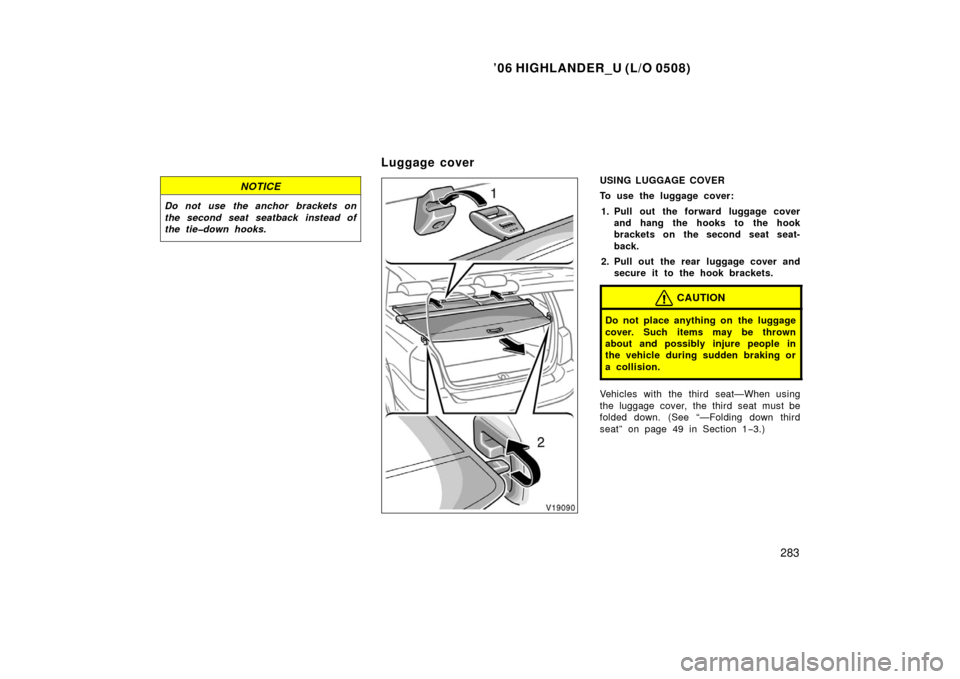
USING LUGGAGE COVER
To use the luggage cover:
1. Pull out the forward luggage cover and hang the hooks to the hook
brackets on the second seat seat-
back.
2. Pull out the rear luggage cover and secure it to the hook brackets.
CAUTION
Do not place anything on the luggage
cover. Such items may be thrown
about and possibly injure people in
the vehicle during sudden braking or
a collision.
Vehicles with the third seat—When using
the luggage cover, the third seat must be
folded down. (See “—Folding down third
seat” on page 49 in Section 1 −3.)
Luggage cover
Page 296 of 428

’06 HIGHLANDER_U (L/O 0508)
286
2. Slide the cross rails to the appropri-
ate position for loading the luggages
and turn the side knobs clockwise to
tighten the cross rails securely.
Vehicles with the electric moon
roof—There are cross rail stoppers on the
roof rails which help you prevent the
cross rails being touched with the tilted up
moon roof.
NOTICE
Vehicles with the electric moon roof
only—Do not remove the cross rail
stoppers, or the moon roof may be
damaged when it is tilted.
3. In order to fix the cross rails to the appropriate length, turn the upper
knobs clockwise after tightening all
of the side knobs.
CAUTION
Make sure the cross rails are fixed
securely by pushing forward and rear-
ward them. Failure to do so may
cause an unexpected accident or se-
vere injury in the event of emergency
braking or a collision.
Follow the manufacture’s instructions and
precautions when installing the attach-
ments or their equivalent.
CAUTION
When you load cargo on the roof lug-
gage carrier, observe the following:
�Place the cargo so that its weight
is distributed evenly between the
front and rear axles.
�If loading long or wide cargo, never
exceed the vehicle overall length or
width. (See “Dimensions and
weights” on page 404 in Section 8
for information on your vehicle
overall length and width.)
�Before driving, make sure the cargo
is securely fastened on the roof
luggage carrier.
�Loading cargo on the roof luggage
carrier will make the center of the
vehicle gravity higher. Avoid high
speeds, sudden starts, sharp turns,
sudden braking or abrupt maneu-
vers, otherwise it may result in loss
of control or vehicle rollover due to
failure to operate this vehicle cor-
rectly.
Page 323 of 428

’06 HIGHLANDER_U (L/O 0508)
313
When stowing cargo and luggage in
the vehicle, observe the following:
� Put cargo and luggage in the lug-
gage compartment when at all
possible. Be sure all items are se-
cured in place.
� Be careful to keep the vehicle bal-
anced. Locating the weight as far
forward as possible helps maintain
balance.
� For better fuel economy, do not
carry unneeded weight.
CAUTION
�To prevent cargo and l uggage
from sliding forward during
braking, do not stack anything
in the luggage compartment
higher than the seatbacks.
Keep cargo and luggage low,
as close to the floor as pos-
sible.
� Never allow anyone to ride in
the luggage compartment. It is
not designed for passengers.
They should ride in their seats
with their seat belts properly
fastened. Otherwise, they are
much more likely suffer seri-
ous bodily injury, in the event
of sudden braking or a colli-
sion.
� Do not place anything on the
flattened seat, or it may slide
forward during braking.
�Do not place anything on the
luggage cover. Such items may
be thrown about and possibly
injure people in the vehicle
during sudden braking or an
accident. Secure all items in a
safe place.
� Do not drive with objects left
on top of the instrument panel.
They may interfere with the
driver’s field of view. Or they
may move during sharp vehicle
acceleration or turning, and im-
pair the driver’s control of the
vehicle. In an accident they
may injure the vehicle occu-
pants.
� Do not put objects in the con-
tainer which can shift, roll out
or be thrown out in the event
of sudden stops or accidents.
Objects which come out of the
container can create a safety
hazard due to interference with
pedal operation or driver dis-
traction.
Cargo and luggage—
—Stowage precautions