Page 216 of 428
’06 HIGHLANDER_U (L/O 0508)
206
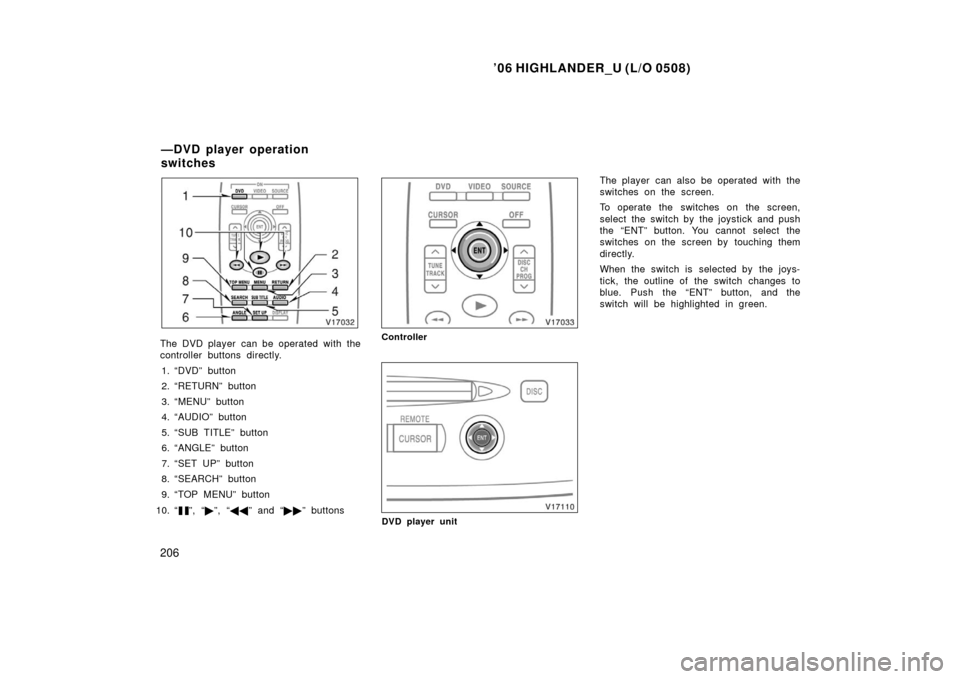
The DVD player can be operated with the
controller buttons directly.
1. “DVD” button
2. “RETURN” button
3. “MENU” button
4. “AUDIO” button
5. “SUB TITLE” button
6. “ANGLE” button
7. “SET UP” button
8. “SEARCH” button
9. “TOP MENU” button
10. “
”, “ �”, “ �� ” and “�� ” buttons
Controller
DVD player unit
The player can also be operated with the
switches on the screen.
To operate the switches on the screen,
select the switch by the joystick and push
the “ENT” button. You cannot select the
switches on the screen by touching them
directly.
When the switch is selected by the joys-
tick, the outline of the switch changes to
blue. Push the “ENT” button, and the
switch will be highlighted in green.
—DVD player operation
switches
Page 217 of 428
’06 HIGHLANDER_U (L/O 0508)
207
Controller
DVD player unit
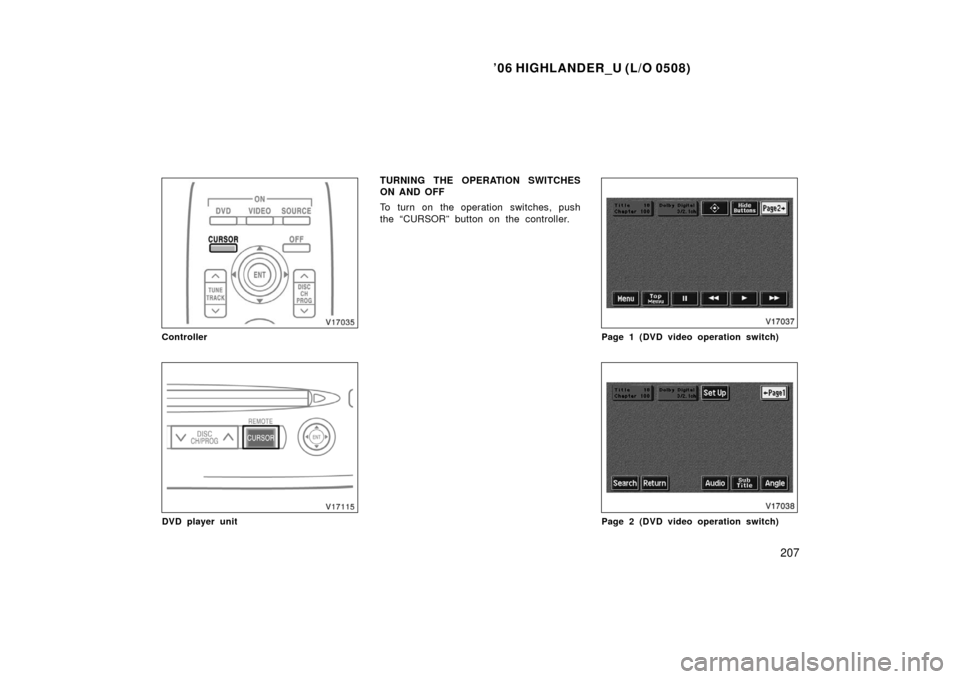
TURNING THE OPERATION SWITCHES
ON AND OFF
To turn on the operation switches, push
the “CURSOR” button on the controller.
Page 1 (DVD video operation switch)
Page 2 (DVD video operation switch)
Page 219 of 428
’06 HIGHLANDER_U (L/O 0508)
209
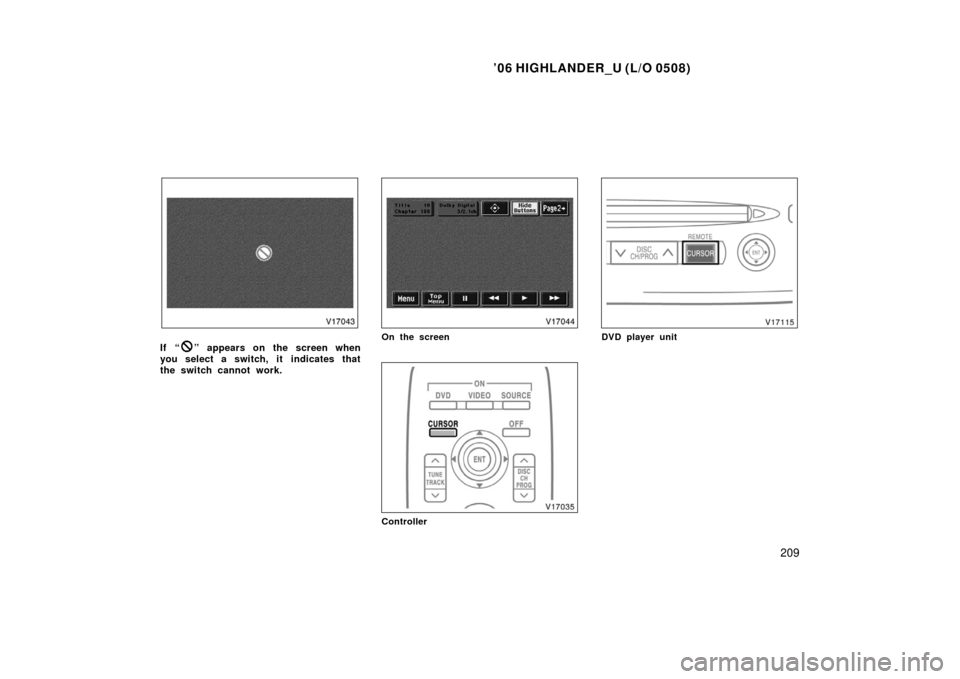
If “” appears on the screen when
you select a switch, it indicates that
the switch cannot work.On the screen
Controller
DVD player unit
Page 220 of 428
’06 HIGHLANDER_U (L/O 0508)
210
To turn off the switches on the screen,
push the “CURSOR” button on the control-
ler once again or push the “Hide Buttons”
on the screen. NOTE:
The playback condition of some
DVD video discs may be determined by
the DVD video software producer. This
DVD player plays discs as the software
producer intended. Therefore, some
functions may not work properly. Be
sure to read the instruction manual for
the DVD video disc separately provided.
For detailed information about DVD vid-
eo discs, see “—DVD video disc infor-
mation” on page 234 in this Section.
Precautions for DVD video discs
When recording on a DVD video, DVD
audio, video CD or audio tracks may not
record in some cases while the menu is
displayed. As audio will not play in this
case, verify that the video tracks are play-
ing and then activate playback.
The title/chapter number and playback
time display may not appear while playing
back certain DVD video discs.CAUTION
Conversational speech on some DVDs
is recorded at a low volume to em-
phasize the impact of sound effects.
If you adjust the volume assuming
that the conversations represent the
maximum volume level available for
the DVD, you may be startled by
louder sound effects or when you
change to a different audio source.
Loud sounds may have a significant
impact on the human body or pose a
driving hazard. Keep this in mind
when you adjust the volume.
—DVD player operation
(DVD video/DVD audio)
Page 223 of 428
’06 HIGHLANDER_U (L/O 0508)
213
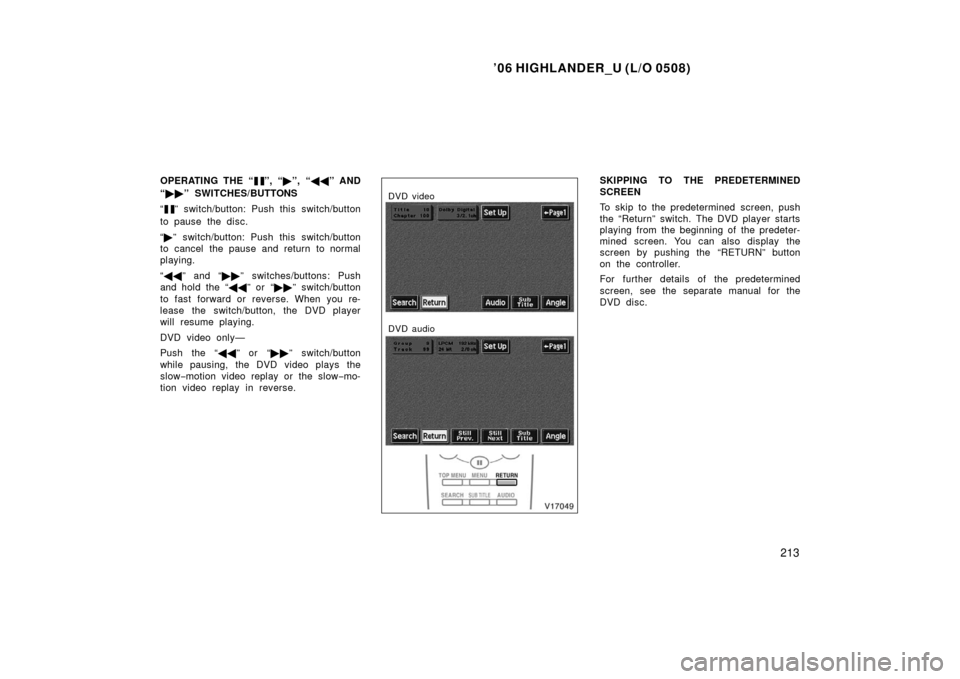
OPERATING THE “”, “�”, “ �� ” AND
“ �� ” SWITCHES/BUTTONS
“
” switch/button: Push this switch/button
to pause the disc.
“ � ” switch/button: Push this switch/button
to cancel the pause and return to normal
playing.
“ �� ” and “�� ” switches/buttons: Push
and hold the “ ��” or “�� ” switch/button
to fast forward or reverse. When you re-
lease the switch/button, the DVD player
will resume playing.
DVD video only—
Push the “�� ” or “��” switch/button
while pausing, the DVD video plays the
slow −motion video replay or the slow −mo-
tion video replay in reverse.
DVD video
DVD audio
SKIPPING TO THE PREDETERMINED
SCREEN
To skip to the predetermined screen, push
the “Return” switch. The DVD player starts
playing from the beginning of the predeter-
mined screen. You can also display the
screen by pushing the “RETURN” button
on the controller.
For further details of the predetermined
screen, see the separate manual for the
DVD disc.
Page 225 of 428
’06 HIGHLANDER_U (L/O 0508)
215
DVD video—
Select the title number by using the “ −”,
“+” and “+10” switches and push the
“Enter” switch to enter the number. The
player starts playing disc for that title
number. The selected title number will
appear on the screen.
Push the “Back” switch to return to the
menu screen.
DVD audio—
Enter the group number by using the “− ”
and “+” switches. The selected group
number will appear on the screen. Push
the “Enter” switch. The player starts play-
ing the disc from the entered group num-
ber.
Push the “Back” switch to return to the
previous screen.
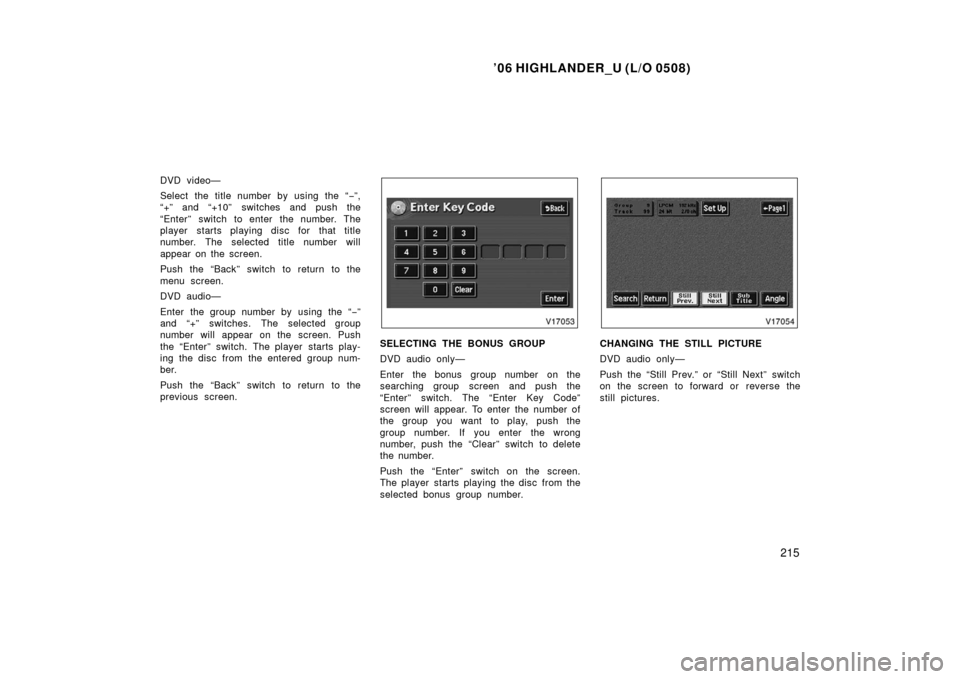
SELECTING THE BONUS GROUP
DVD audio only—
Enter the bonus group number on the
searching group screen and push the
“Enter” switch. The “Enter Key Code”
screen will appear. To enter the number of
the group you want to play, push the
group number. If you enter the wrong
number, push the “Clear” switch to delete
the number.
Push the “Enter” switch on the screen.
The player starts playing the disc from the
selected bonus group number.CHANGING THE STILL PICTURE
DVD audio only—
Push the “Still Prev.” or “Still Next” switch
on the screen to forward or reverse the
still pictures.
Page 230 of 428
’06 HIGHLANDER_U (L/O 0508)
220
DVD video
DVD audio
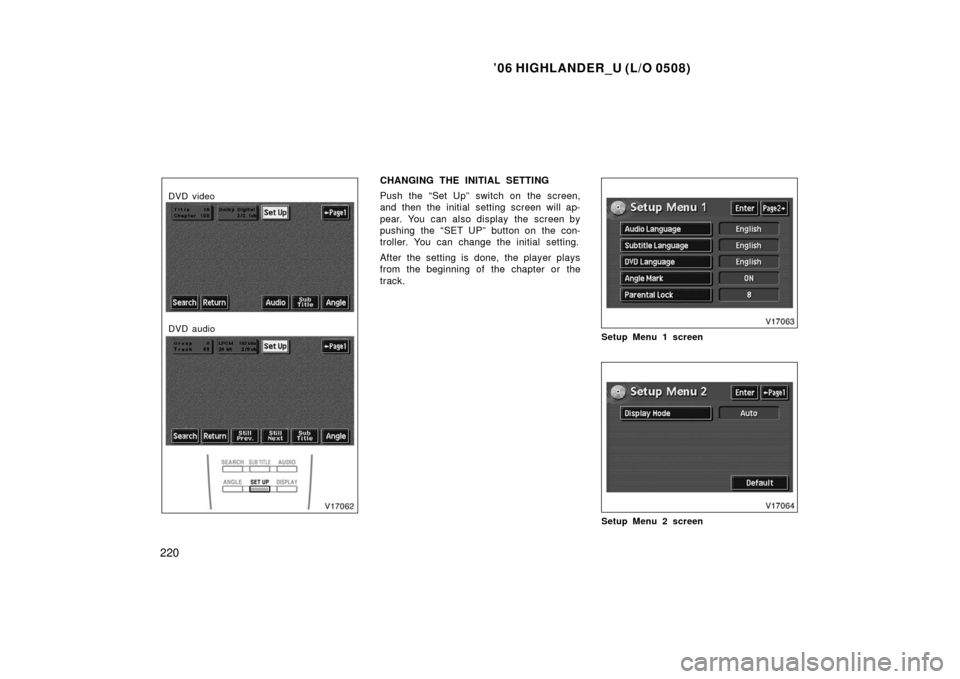
CHANGING THE INITIAL SETTING
Push the “Set Up” switch on the screen,
and then the initial setting screen will ap-
pear. You can also display the screen by
pushing the “SET UP” button on the con-
troller. You can change the initial setting.
After the setting is done, the player plays
from the beginning of the chapter or the
track.
Setup Menu 1 screen
Setup Menu 2 screen
Page 238 of 428
’06 HIGHLANDER_U (L/O 0508)
228
USING THE CONTROL SCREEN
When playing a disc, push the “DVD” but-
ton on the controller. The control screen
will appear on the screen.
Details of the specific switches, controls
and features are described below.
1. “PICTURE” switch
Push the “PICTURE” switch to turn off
the control screen and return to the
picture previously displayed.
2. “RPT” switch (DVD audio only) Push the “RPT” switch while the track
is playing. When the track ends, it will
automatically replay. To turn off the re-
peat feature, push this switch again.
3. “RAND” switch (DVD audio only) Push the “RAND” switch. The player
will play the tracks on the disc in ran-
dom order. To turn off the random fea-
ture, push this switch again.
4. “SCAN” switch (DVD audio only) Push the “SCAN” switch. The player
will scan all the tracks on the disc you
are listening to. To stop scanning, push
this switch again. If the player has
scanned all the tracks on the disc, it
will stop scanning. 5. “” and “” switches
Push and hold the “
” or “” switch
to fast forward or reverse a disc. When
you release the switch, the DVD player
will resume playing.
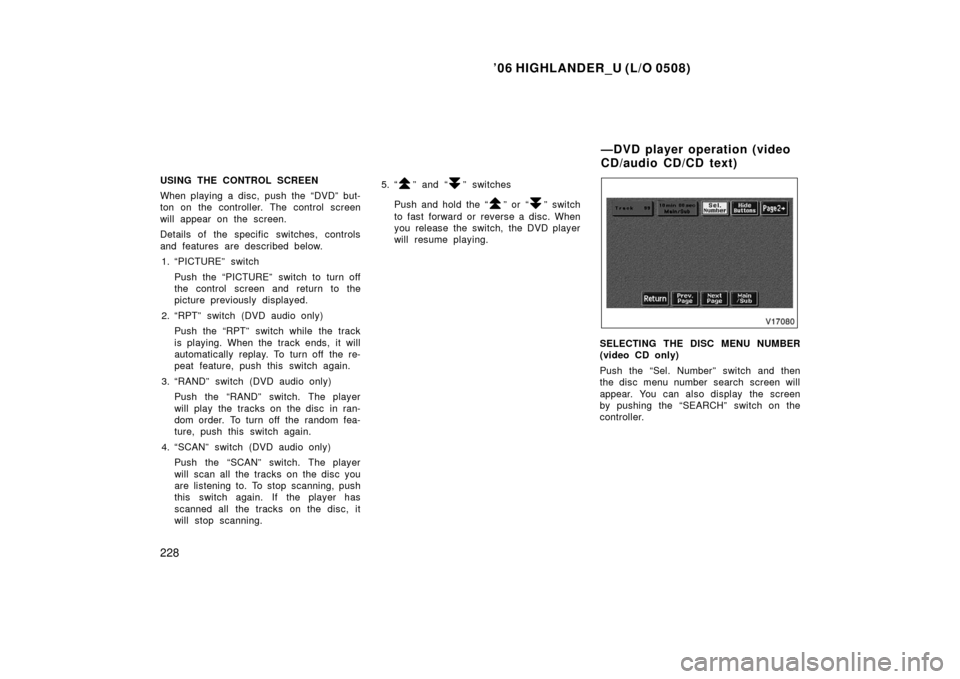
SELECTING THE DISC MENU NUMBER
(video CD only)
Push the “Sel. Number” switch and then
the disc menu number search screen will
appear. You can also display the screen
by pushing the “SEARCH” switch on the
controller.
—DVD player operation (video
CD/audio CD/CD text)