2006 PONTIAC G6 lock
[x] Cancel search: lockPage 151 of 416

?(Recirculation):Press the left side of the button
to turn the recirculation mode on. When recirculation
mode is selected, the air inside the vehicle will be
recirculated through the climate control system and the
vehicle, not from outside your vehicle. This mode is
helpful when you are trying to limit odors from entering
your vehicle and for maximum air conditioning
performance in hot weather. When the button is pressed,
an indicator light above the button will come on to let you
know that it is activated. The recirculation indicator light
will blink three times if you try to use recirculation in a
mode that it can not be used in. Only use this mode when
it is needed for comfort, since window fogging will rapidly
occur if the air conditioning compressor is not engaged.
Pressing this button will cancel the outside air mode.
When you switch to the defog or defrost modes the
system will automatically move from recirculation to
outside air. When you move the mode knob back to
another air delivery mode, the system will move back into
recirculation. When the vehicle or fan is turned off and
back on, the system will default to outside air
automatically. Only use recirculation mode when it is
needed for comfort, since window fogging may occur.
Temperature Control:Turn the center knob clockwise
or counterclockwise to increase or decrease the
temperature inside your vehicle.
When it’s cold outside 0°F (−18°C) or lower, use the
engine coolant heater, if equipped, to provide warmer air
faster to your vehicle. An engine coolant heater warmsthe coolant that the engine uses to provide heat to
warm the inside of your vehicle. For more information,
seeEngine Coolant Heater on page 2-27.
#(Air Conditioning):Press this button to turn the air
conditioning system on or off. When the air conditioning
button is pressed, an indicator light will come on to let you
know that air conditioning is activated.
On hot days, open the windows to let hot inside air
escape; then close them. This helps to reduce the time
it takes for your vehicle to cool down. It also helps
the system to operate more efficiently.
For quick cool down on hot days, do the following:
1. Select the vent mode.
2. Select the highest fan speed.
3. Select air conditioning.
4. Select the recirculation mode.
5. Select the coolest temperature.
Using these settings together for long periods of time
may cause the air inside of your vehicle to become too
dry. To prevent this from happening, after the air in
your vehicle has cooled, turn the recirculation mode off.
The air-conditioning system removes moisture from
the air, so you may sometimes notice a small amount of
water dripping underneath your vehicle while idling or
after turning off the engine. This is normal.
3-21
Page 158 of 416

Rear Window Defogger
The rear window defogger uses a warming grid to
remove fog from the rear window.
<(Rear):Press this button to turn the rear window
defogger on or off. An indicator light above the
button will come on to let you know that the rear window
defogger is activated.
If driving below 50 mph (80 km/h), the rear window
defogger will turn off about 15 minutes after the button
is pressed. If you need additional warming time,
press the button again.
If your vehicle’s speed is maintained above 50 mph
(80 km/h), the rear window defogger will remain on once
the button is pressed.
If your vehicle has the remote start feature, the rear
defogger will automatically be turned on if it is cold
outside. The indicator light will not be on. When
the vehicle transitions out of remote start mode the rear
defogger will turn off.
Notice:Using a razor blade or sharp object to clear
the inside rear window may damage the rear
window defogger. Repairs would not be covered by
your warranty. Do not clear the inside of the rear
window with sharp objects.
Outlet Adjustment
Rotate the instrument panel outlets and move the
louvers on the outlets to change the direction and
amount of airow in your vehicle.
Operation Tips
Clear away any ice, snow or leaves from the air
inlets at the base of the windshield that may
block the ow of air into your vehicle.
Use of non-GM approved hood deectors may
adversely affect the performance of the system.
Keep the path under the front seats clear of objects
to help circulate the air inside of your vehicle more
effectively.
When an objectionable odor outside the vehicle is
encountered, use the recirculation mode, with the
temperature knob at a comfortable setting to prevent
the odor from entering the vehicle through the
ventilation system. This can be helpful when driving
through a long tunnel with poor ventilation.
However, extended usage of this mode in cold or
cool weather can cause window fogging.
3-28
Page 167 of 416
When the ignition is on, the brake system warning light
will also come on when you set your parking brake.
The light will stay on if your parking brake doesn’t
release fully. If it stays on after your parking brake is
fully released, it means you have a brake problem.
If the light comes on while you are driving, pull off the
road and stop carefully. You may notice that the pedal is
harder to push. Or, the pedal may go closer to the
oor. It may take longer to stop. If the light is still on,
have the vehicle towed for service. SeeTowing
Your Vehicle on page 4-38.
{CAUTION:
Your brake system may not be working
properly if the brake system warning light is
on. Driving with the brake system warning light
on can lead to an accident. If the light is still
on after you have pulled off the road and
stopped carefully, have the vehicle towed
for service.
Anti-Lock Brake System
Warning Light
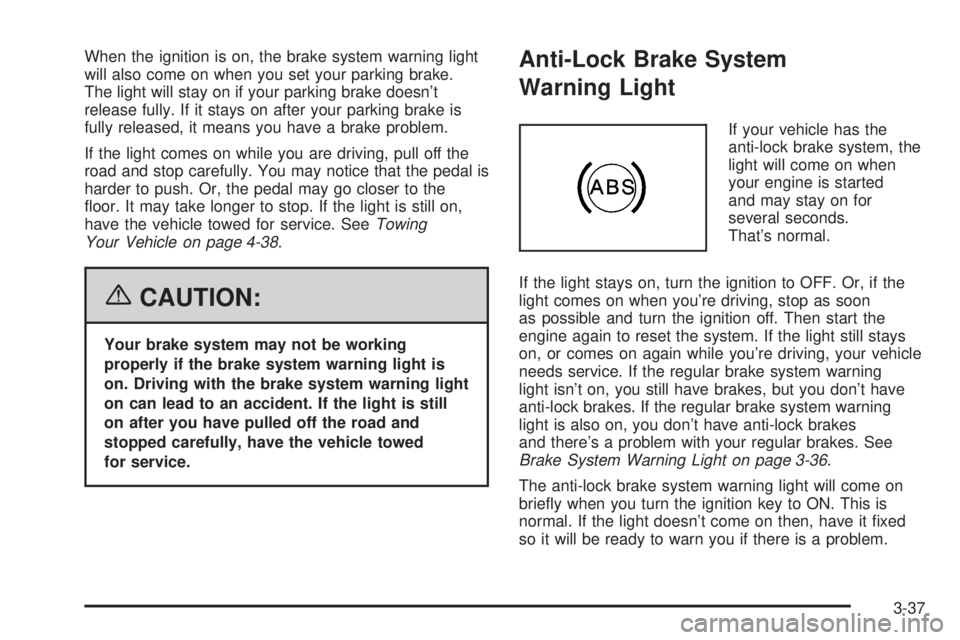
If your vehicle has the
anti-lock brake system, the
light will come on when
your engine is started
and may stay on for
several seconds.
That’s normal.
If the light stays on, turn the ignition to OFF. Or, if the
light comes on when you’re driving, stop as soon
as possible and turn the ignition off. Then start the
engine again to reset the system. If the light still stays
on, or comes on again while you’re driving, your vehicle
needs service. If the regular brake system warning
light isn’t on, you still have brakes, but you don’t have
anti-lock brakes. If the regular brake system warning
light is also on, you don’t have anti-lock brakes
and there’s a problem with your regular brakes. See
Brake System Warning Light on page 3-36.
The anti-lock brake system warning light will come on
briey when you turn the ignition key to ON. This is
normal. If the light doesn’t come on then, have it xed
so it will be ready to warn you if there is a problem.
3-37
Page 177 of 416

AV (Average) SPEED:Press the information button
until AV SPEED is displayed. This shows the vehicle’s
average speed in miles per hour or kilometers per hour.
Press and hold the enter button while AV SPEED is
displayed to reset the average vehicle speed.
OIL LIFE:Press the information button until OIL LIFE is
displayed. The engine oil life system shows an
estimate of the oil’s remaining useful life. It will show
100% when the system is reset after an oil change.
It will alert you to change your oil on a schedule
consistent with your driving conditions.
Always reset the engine oil life system after an oil
change. See “OIL LIFE RESET” underDIC Vehicle
Personalization on page 3-52andEngine Oil Life
System on page 5-20.
In addition to the engine oil life system monitoring the
oil life, additional maintenance is recommended in
the Maintenance Schedule in this manual. See
Scheduled Maintenance on page 6-4andEngine Oil on
page 5-17.Personalization
MENU:Press this button while the vehicle is in ON to
scroll through each of the personalization options in
the following order. If the vehicle is moving faster than
2 mph (3 km/h), the personalization menu options
are not available, except for the UNITS option. All of the
personalization options may not be available on your
vehicle. Only the options available will be displayed on
your DIC.
Units Selection (English/Metric)
Oil Life Reset
Remote Start Capability
Horn Chirp During Remote Keyless Entry Locking
Horn Chirp During Remote Keyless Entry Unlocking
Exterior Light Flash During Remote Keyless
Entry Locking or Unlocking
Delayed Locking
Automatic Vehicle Unlocking: Specic Doors
Automatic Vehicle Unlocking: When Key is Off or
When Shift To Park
Exterior Perimeter Lighting During Remote Keyless
Entry Unlock
Select Language: (English, French, Spanish or
German)
3-47
Page 182 of 416

DIC Vehicle Personalization
The following personalization options may appear
on your vehicle’s audio display by pressing the
MENU button:
UNITS:When UNITS appears on the display, press the
enter button to move between METRIC or ENGLISH.
When you have made your choice, press the MENU
button to record your selection. The initial setting from
the factory is English for the United States and metric
for Canada.
If you choose English, all information will be displayed
in English units. For example, distance in miles and fuel
economy in miles per gallon is displayed.
If you choose metric, all information will be displayed in
metric units. For example, distance in kilometers and
fuel economy in liters per 100 kilometers is displayed.
The unit measurement will also change the trip
odometer, temperature, and average fuel
economy displays.
OIL LIFE RESET:When this option is displayed, you
can reset the engine oil life system. To reset the system,
seeEngine Oil Life System on page 5-20.REMOTE START:The remote start option, if equipped,
can be enabled or disabled. When REMOTE START
appears on the display, press the enter button to move
between OFF and ON. When you have made your
choice, press the MENU button to record your selection.
The initial setting from the factory is ON.
LOCK HORN:If your vehicle has remote keyless entry,
this option which allows the vehicle’s horn to chirp
every time the lock button on the remote keyless entry
transmitter is pressed, can be enabled or disabled.
When LOCK HORN appears on the display, press the
enter button to move between ON and OFF. When
you have made your choice, press the MENU button to
record your selection. The initial setting from the
factory is OFF.
UNLOCK HORN:If your vehicle has remote keyless
entry, this option which allows the vehicle’s horn to chirp
every time the unlock button on the remote keyless
entry transmitter is pressed, can be enabled or disabled.
When UNLOCK HORN appears on the display, press
the enter button to move between ON and OFF.
When you have made your choice, press the MENU
button to record your selection. The initial setting from
the factory is OFF.
3-52
Page 183 of 416

LIGHT FLASH:If your vehicle has remote keyless
entry, this option which allows the vehicle’s exterior
perimeter lighting to ash every time the lock or unlock
button on the remote keyless entry transmitter is
pressed, can be enabled or disabled. When LIGHT
FLASH appears on the display, press the enter button
to move between OFF and ON. When you have
made your choice, press the MENU button to record
your selection. The initial setting from the factory is ON.
DELAY LOCK:The delayed locking option, which
delays the actual locking of the vehicle, can be enabled
or disabled. When DELAY LOCK appears on the
display, press the enter button to move between OFF
and ON. When you have made your choice, press
the MENU button to record your selection. The initial
setting from the factory is ON.
AUTO UNLK (Unlock):The automatic door unlocking
option, which allows the vehicle to automatically
unlock certain doors can be enabled or disabled. When
AUTO UNLK appears on the display, press the enter
button to move between ALL, DRIVER or NONE. When
you have made your choice, press and the MENU
button to record your selection. The initial setting from
the factory is ALL.If you have a manual transaxle vehicle, the door(s) will
automatically unlock when the ignition is turned off.
If you have an automatic transaxle vehicle, you can
select when the automatic unlocking will occur. See
“UNLK (Unlock) (Automatic Transaxle Only)” following.
SeeProgrammable Automatic Door Unlock on page 2-13
for more information.
UNLK (Unlock) (Automatic Transaxle Only):This
screen displays only if your vehicle has an automatic
transaxle and DRIVER or ALL is selected for the AUTO
UNLK option. This option determines when the
automatic door unlocking will occur, when either the key
is turned to OFF or the vehicle is shifted into PARK (P).
When UNLK appears on the display, press the enter
button to move between KEY OFF and SHIFT TO
P (Park). When you have made your choice, press the
MENU button to record your selection. The initial
setting from the factory is SHIFT TO P (Park). See
Programmable Automatic Door Unlock on page 2-13for
more information.
3-53
Page 184 of 416

EXT (Exterior) LIGHTS:If your vehicle has remote
keyless entry, this option which allows the vehicle’s
exterior perimeter lighting to turn on each time
the unlock button on the remote keyless entry
transmitter is pressed, can be enabled or disabled.
When EXT LIGHTS appears on the display, press the
enter button to move between ON and OFF. When
you have made your choice, press the MENU button to
record your selection. The initial setting from the
factory is ON.
LANGUAGE:To select your choice of language, press
the enter button to move between the optional
languages.
The languages are ENGLISH, FRENCH, SPANISH,
and GERMAN.
Choosing a language will display all of the information
on the DIC in the desired language.
When you have made your choice, press the MENU
button for at least one second to record your selection.
The initial setting from the factory is ENGLISH.Audio System(s)
Driving without distraction is a necessity for a safer
driving experience. SeeDefensive Driving on page 4-2.
By taking a few moments to read this manual and
get familiar with your vehicle’s audio system, you can
use it with less effort, as well as take advantage of
its features. While your vehicle is parked, program your
favorite radio stations and XM™ channels (if equipped).
Set the tone and balance the way you like them.
Then when driving conditions permit, you can tune to
your favorite stations using the presets and steering
wheel controls (if equipped).
Notice:Before adding any sound equipment to
your vehicle, such as an audio system, CD player,
CB radio, mobile telephone, or two-way radio, make
sure that it can be added by checking with your
dealer. Also, check federal rules covering mobile
radio and telephone units. If sound equipment can
be added, it is very important to do it properly.
Added sound equipment may interfere with
the operation of your vehicle’s engine, radio, or
other systems, and even damage them. Your
vehicle’s systems may interfere with the operation
of sound equipment that has been added.
3-54
Page 185 of 416

Figure out which audio system is in your vehicle, nd
out what your audio system can do, and how to operate
all of its controls.
Your vehicle has a feature called Retained Accessory
Power (RAP). With RAP, the audio system can be played
even after the ignition is turned off. SeeRetained
Accessory Power (RAP) on page 2-24for more
information.
Setting the Time for Radios without
Radio Data Systems (RDS)
To set the hour, press the clock button. The clock
symbol will appear on the display and the hour number
will ash. Then turn the ADJ knob to increase or to
decrease. To set the minutes, press the clock button
again. The minute numbers will ash. Then turn the ADJ
knob to increase or to decrease. The time can be set
with the ignition on or off.
Setting the Time for Radios with
Radio Data Systems (RDS)
To set the hour, press the clock button. The clock
symbol will appear on the display and the hour number
will ash. Then turn the ADJ knob to increase or to
decrease. To set the minutes, press the clock button
again. The minute numbers will ash. Then turn the ADJ
knob to increase or to decrease. The time can be set
with the ignition on or off.
To synchronize the time with an FM station broadcasting
Radio Data System (RDS) information, press and
hold the clock button to enter the clock set mode, then
press and hold the clock button for three seconds
until UPDATED appears on the display. If the time is
not available from the station, NO UPDATE will appear
on the display.
RDS time is broadcast once a minute. After tuning to an
RDS broadcast station, it may take a few minutes for
the time to update.
3-55