2006 PONTIAC G6 tow
[x] Cancel search: towPage 150 of 416

Climate Controls
Climate Control System
With this system you can control the heating, cooling
and ventilation for your vehicle. If your vehicle has
the remote start feature, the climate control system will
function as part of the remote start feature. The
system will return to the last settings the vehicle was at
when it was turned off.
Operation
9
(Fan):Turn the left knob clockwise or
counterclockwise to increase or decrease the fan speed.
The fan must be on to run the air-conditioning
compressor.To change the air delivery settings, turn the right knob
to select one of the following:
H(Vent):This mode directs air to the instrument
panel outlets.
)(Bi-Level):This mode directs half of the air to the
instrument panel outlets, and the remaining air to
the oor outlets. Some air may be directed toward the
side windows.
6(Floor):This mode directs most of the air to
the oor outlets with some air directed to the side
window outlets.
:(Outside Air):Press the right side of this button to
turn the outside air mode on. When this mode is selected,
air from outside the vehicle will circulate throughout your
vehicle. When the button is pressed, an indicator light will
come on to let you know that it is activated. The outside
air mode can be used with all modes, but it cannot be
used with the recirculation mode. Pressing this button will
cancel the recirculation mode.
3-20
Page 167 of 416
When the ignition is on, the brake system warning light
will also come on when you set your parking brake.
The light will stay on if your parking brake doesn’t
release fully. If it stays on after your parking brake is
fully released, it means you have a brake problem.
If the light comes on while you are driving, pull off the
road and stop carefully. You may notice that the pedal is
harder to push. Or, the pedal may go closer to the
oor. It may take longer to stop. If the light is still on,
have the vehicle towed for service. SeeTowing
Your Vehicle on page 4-38.
{CAUTION:
Your brake system may not be working
properly if the brake system warning light is
on. Driving with the brake system warning light
on can lead to an accident. If the light is still
on after you have pulled off the road and
stopped carefully, have the vehicle towed
for service.
Anti-Lock Brake System
Warning Light
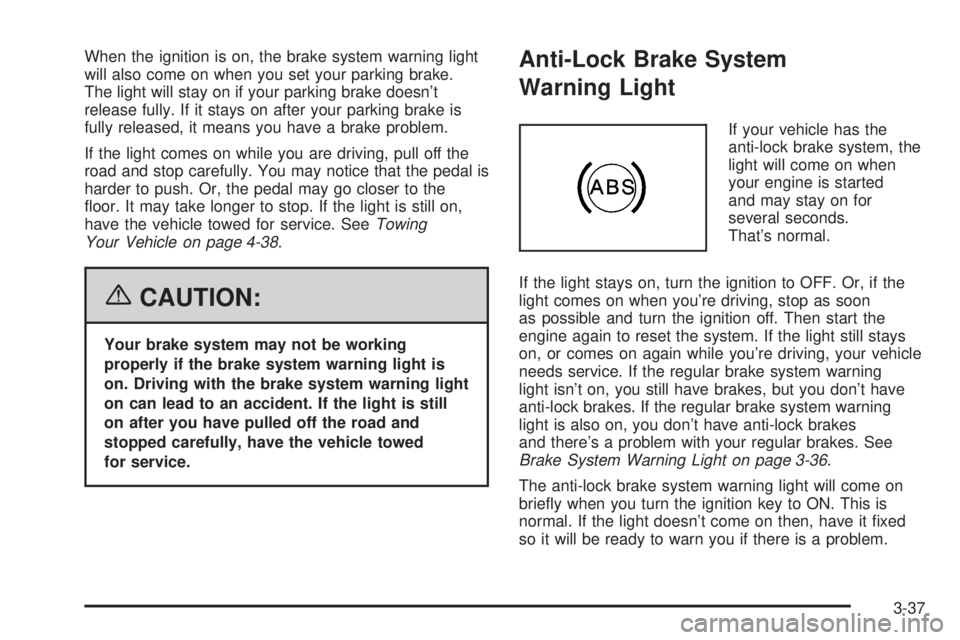
If your vehicle has the
anti-lock brake system, the
light will come on when
your engine is started
and may stay on for
several seconds.
That’s normal.
If the light stays on, turn the ignition to OFF. Or, if the
light comes on when you’re driving, stop as soon
as possible and turn the ignition off. Then start the
engine again to reset the system. If the light still stays
on, or comes on again while you’re driving, your vehicle
needs service. If the regular brake system warning
light isn’t on, you still have brakes, but you don’t have
anti-lock brakes. If the regular brake system warning
light is also on, you don’t have anti-lock brakes
and there’s a problem with your regular brakes. See
Brake System Warning Light on page 3-36.
The anti-lock brake system warning light will come on
briey when you turn the ignition key to ON. This is
normal. If the light doesn’t come on then, have it xed
so it will be ready to warn you if there is a problem.
3-37
Page 171 of 416

Notice:If you keep driving your vehicle with this
light on, after awhile, your emission controls
may not work as well, your fuel economy may not
be as good, and your engine may not run as
smoothly. This could lead to costly repairs that may
not be covered by your warranty.
Notice:Modications made to the engine,
transaxle, exhaust, intake, or fuel system of your
vehicle or the replacement of the original tires with
other than those of the same Tire Performance
Criteria (TPC) can affect your vehicle’s emission
controls and may cause this light to come on.
Modications to these systems could lead to costly
repairs not covered by your warranty. This may
also result in a failure to pass a required Emission
Inspection/Maintenance test.
This light should come on, as a check to show you it is
working, when the ignition is on and the engine is
not running. If the light does not come on, have it
repaired. This light will also come on during a
malfunction in one of two ways:
Light Flashing— A misre condition has been
detected. A misre increases vehicle emissions and
may damage the emission control system on your
vehicle. Diagnosis and service may be required.
Light On Steady— An emission control system
malfunction has been detected on your vehicle.
Diagnosis and service may be required.
If the Light is Flashing
The following may prevent more serious damage to
your vehicle:
Reducing vehicle speed
Avoiding hard accelerations
Avoiding steep uphill grades
If you are towing a trailer, reduce the amount of
cargo being hauled as soon as it is possible
If the light stops ashing and remains on steady, see “If
the Light Is On Steady” following.
If the light continues to ash, when it is safe to do so,
stop the vehicle. Find a safe place to park your vehicle.
Turn the key off, wait at least 10 seconds and restart
the engine. If the light remains on steady, see “If
the Light Is On Steady” following. If the light is still
ashing, follow the previous steps, and see your dealer
for service as soon as possible.
3-41
Page 188 of 416

Adjusting the Speakers (Balance/Fade)
BAL/FADE /S(Balance/Fade):To adjust the
balance between the right and the left speakers, press
and release the balance and fade button until BAL
appears on the display. Turn the ADJ knob to move the
sound toward the right or the left speakers.
To adjust the fade between the front and the rear
speakers, press and release the balance and fade
button until FADE appears on the display. Then turn the
ADJ knob to move the sound toward the front or the
rear speakers.
To adjust the balance or the fade to the middle position,
select BAL or FADE. Then press and hold the balance
and fade button for more than two seconds. You
will hear a beep and the level will be adjusted to the
middle position.
To adjust the speaker controls to the middle position,
rst end out of balance and fade by pressing another
button, causing the radio to perform that function, or by
waiting ve seconds for the display to return to the
default display. Then press and hold the balance and
fade button for more than two seconds until you hear a
beep. ALL CENTERED will appear on the display.
Radio Messages
CALIBRATE:The audio system has been calibrated for
your vehicle from the factory. If CALIBRATE appears
on the display it means that the radio has not been
congured properly for your vehicle and must be
returned to your GM dealer for service.
LOCKED:This message is displayed when the
THEFTLOCK
®system has locked up. Take the vehicle
to your GM dealer for service.
If any error occurs repeatedly or if an error cannot be
corrected, contact your GM dealer.
Playing a CD
Insert a CD partway into the slot, label side up. The
player will pull it in and the CD should begin playing. If
you want to insert a CD with the ignition off, rst
press the eject button or the DISP knob.
As each new track starts to play, the track number will
appear on the display.
If the ignition or radio is turned off with a CD in the
player, it will stay in the player. When the ignition
or radio is turned on, the CD will start playing, where it
stopped, if it was the last selected audio source.
3-58
Page 194 of 416

Setting the Tone
(Bass/Midrange/Treble)
TONE /P/Q(Bass/Treble):Press and release this
button until BASS, MID, or TREB appears on the
display. Turn the ADJ knob to increase or to decrease.
The display will show the bass, midrange, or treble
level. If a station is weak or noisy, decrease the treble.
To adjust bass, midrange, or treble to the middle
position, select BASS, MID, or TREB. Then press and
hold the tone button for more than two seconds. You will
hear one beep and the tone control will be adjusted to
the middle position.
To adjust all tone controls to the middle position, press
and hold the tone button when no tone control is
displayed. ALL CENTERED will appear on the display
and you will hear a beep. The bass, midrange, and
treble will be adjusted to the middle position.
AUTO TONE/AUTO EQ (Automatic
Equalization):Press this button to select customized
equalization settings designed for country, jazz,
talk, pop, rock, and classical.
To return to the manual mode, press the AUTO TONE
or AUTO EQ button until CUSTOM appears on the
display. You can also manually adjust the bass,
midrange, and treble using the tone button.
Adjusting the Speakers (Balance/Fade)
BAL/FADE /S(Balance/Fade):To adjust
the balance between the right and the left speakers,
push and release the balance and fade button until BAL
appears on the display. Turn the ADJ knob to move
the sound toward the right or the left speakers.
To adjust the fade between the front and the rear
speakers, push and release the balance and fade
button until FADE appears on the display. Turn the ADJ
knob to move the sound toward the front or the
rear speakers.
To adjust balance or fade to the middle position, select
BAL or FADE. Then press and hold the balance and
fade button for more than two seconds. You will
hear one beep and the speaker control will be adjusted
to the middle position.
To adjust both speaker controls to the middle position,
push and hold the tone button when no speaker
control is displayed. ALL CENTERED will appear on the
display and you will hear one beep. The balance and
fade will be adjusted to the middle position.
3-64
Page 205 of 416

Adjusting the Speakers (Balance/Fade)
BAL/FADE /S(Balance/Fade):To adjust
the balance between the right and the left speakers,
push and release the balance and fade button until BAL
appears on the display. Turn the ADJ knob to move
the sound toward the right or the left speakers.
To adjust the fade between the front and rear speakers,
push and release the balance and fade button until
FADE appears on the display. Turn the ADJ knob to
move the sound toward the front or the rear speakers.
To adjust balance or fade to the middle position,
select BAL or FADE. Then press and hold the balance
and fade button for more than two seconds. The
display level will be adjusted to the middle position and
you will hear a beep.
To adjust both speaker controls to the middle position,
press and hold the tone button when no speaker
control is displayed. ALL CENTERED will appear on the
display and you will hear a beep.
Finding a Program Type (PTY) Station
(RDS and XM™)
To select and nd a desired PTY perform the following:
1. Press the P-TYPE button to activate program
type select mode. PTY for FM or PTYPE for XM and
a program type will appear on the display.
2. Turn the ADJ knob to select a PTY.
3. Once the desired PTY is displayed, press the
SEEK up arrow to select and to take you to the
PTY’s rst station.
4. To go to another station within that PTY press the
SEEK up arrow again. If the radio cannot nd the
desired PTY, NONE FOUND will appear on
the display and the radio will return to the last
station you were listening to.
5. Press P-TYPE to exit program type select mode.
If PTY times out and is no longer on the display,
go back to Step 1.
If both P-TYPE and TRAF are on, the radio will search
for stations with the selected PTY and traffic
announcements.
3-75
Page 221 of 416

Your Driving, the Road, and Your Vehicle..........4-2
Defensive Driving...........................................4-2
Drunken Driving.............................................4-3
Control of a Vehicle........................................4-5
Braking.........................................................4-6
Anti-Lock Brake System (ABS).........................4-7
Braking in Emergencies...................................4-8
Traction Control System (TCS).........................4-9
Enhanced Traction System (ETS)....................4-11
StabiliTrak
®System......................................4-12
Steering......................................................4-13
Off-Road Recovery.......................................4-15
Passing.......................................................4-16
Loss of Control.............................................4-17
Driving at Night............................................4-18
Driving in Rain and on Wet Roads..................4-20City Driving..................................................4-22
Freeway Driving...........................................4-23
Before Leaving on a Long Trip.......................4-24
Highway Hypnosis........................................4-25
Hill and Mountain Roads................................4-26
Winter Driving..............................................4-27
If Your Vehicle is Stuck in Sand, Mud,
Ice or Snow..............................................4-32
Rocking Your Vehicle to Get It Out.................4-32
Loading Your Vehicle....................................4-33
Towing..........................................................4-38
Towing Your Vehicle.....................................4-38
Recreational Vehicle Towing...........................4-38
Towing a Trailer...........................................4-40
Section 4 Driving Your Vehicle
4-1
Page 252 of 416

If Your Vehicle is Stuck in Sand,
Mud, Ice or Snow
In order to free your vehicle when it is stuck, you will need
to spin the wheels, but you do not want to spin your
wheels too fast. The method known as rocking can help
you get out when you are stuck, but you must use
caution.
If your vehicle has a traction system, the traction system
can often help to free a stuck vehicle. SeeTraction
Control System (TCS) on page 4-9,Enhanced Traction
System (ETS) on page 4-11,orStabiliTrak
®System on
page 4-12. If the stuck condition is too severe for the
traction system to free the vehicle, turn the traction
system off and use the rocking method.
{CAUTION:
If you let your tires spin at high speed, they can
explode, and you or others could be injured.
And, the transaxle or other parts of the vehicle
can overheat. That could cause an engine
compartment re or other damage. When you
are stuck, spin the wheels as little as possible.
Do not spin the wheels above 35 mph (55 km/h)
as shown on the speedometer.Notice:Spinning your wheels can destroy parts of
your vehicle as well as the tires. If you spin the
wheels too fast while shifting your transaxle back
and forth, you can destroy your transaxle. See
Rocking Your Vehicle to Get It Out on page 4-32.
For information about using tire chains on your vehicle,
seeTire Chains on page 5-73.
Rocking Your Vehicle to Get It Out
First, turn your steering wheel left and right. That
will clear the area around your front wheels. If your
vehicle has a traction system, you should turn
your traction system off. SeeTraction Control System
(TCS) on page 4-9,Enhanced Traction System (ETS) on
page 4-11,orStabiliTrak
®System on page 4-12.
Then shift back and forth between REVERSE (R) and a
forward gear, or with a manual transaxle, between
FIRST (1) or SECOND (2) and REVERSE (R), spinning
the wheels as little as possible. Release the accelerator
pedal while you shift, and press lightly on the
accelerator pedal when the transaxle is in gear. By
slowly spinning your wheels in the forward and reverse
directions, you will cause a rocking motion that may
free your vehicle. If that does not get you out after a few
tries, you may need to be towed out. If you do need
to be towed out, seeTowing Your Vehicle on page 4-38.
4-32