2006 NISSAN ALTIMA ECO mode
[x] Cancel search: ECO modePage 172 of 304

CD CARE AND CLEANING
cHandle a CD by its edges. Do not bend the
disc. Never touch the surface of the disc.
cAlways place the discs in the storage case
when they are not being used.
c
To clean a disc, wipe the surface from the center
to the outer edge using a clean, soft cloth. Do
not wipe the disc using a circular motion.
cDo not use a conventional record cleaner or
alcohol intended for industrial use.
cA new disc may be rough on the inner and
outer edges. Remove the rough edges by
rubbing the inner and outer edges with the
side of a pen or pencil as illustrated.
1. Volume control switch
2. Mode select switch
3. Audio power on/off switch
4. Audio tuning Up/Down
STEERING WHEEL SWITCH FOR
AUDIO CONTROL (if so equipped)
1. Volume control switch
2. Mode select switch
3. Trip
4. Audio tuning Up/Down
POWER on/off switch (Type A)
With the ignition key turned to the ACC or ON
position, push the POWER switch to turn the
audio system on or off.
Trip set (Type B)
For information on using the trip computer see
“Trip computer” in the “Instrument and controls”
section of this owner’s manual.
LHA0049
Type A
WHA0471
Type B
LHA0450
4-40Display screen, heater, air conditioner and audio systems
ZREVIEW COPYÐ2006 Altima(l30)
Owners ManualÐUSA_English(nna)
09/08/05Ðdebbie
X
Page 173 of 304
“MODE” select switch
Push the mode select switch to change the
modes:
PRESET A!PRESET B!PRESET C!CD
Volume control switch
Push the volume control switch up or down to
increase or decrease the volume.
Tuning
Memory change (radio):
While in one of the preset radio station banks (A,
B or C) , push the tuning switch
orfor less than 1.5 seconds to change to the next
preset station in memory.
Seek tuning (radio):
Push the tuning switch
orfor more
than 1.5 seconds to seek the next or previous
radio station.
Next/Previous track (CD):
Push the tuning switch
orfor less
than 1.5 seconds to return to the beginning of the
present track or skip to the next track. Push
several times to skip back or skip through tracks.This system searches for the blank intervals be-
tween selections. If there is a blank interval within
1 program or there is no interval between pro-
grams, the system may not stop in the desired or
expected location.
Change disc (CD) (if so equipped):
Push the tuning switch
orfor more
than 1.5 seconds to change the playing disc up
or down.
ANTENNA
Window antenna
The antenna pattern is printed inside the rear
window.
CAUTION
cDo not place metalized film near the
rear window glass or attach any metal
parts to it. This may cause poor recep-
tion or noise.
cWhen cleaning the inside of the rear
window, be careful not to scratch or
damage the rear window antenna.
Lightly wipe along the antenna with a
dampened soft cloth.When installing a CB, ham radio or car phone in
your NISSAN, be sure to observe the following
cautions, otherwise the new equipment may ad-
versely affect the engine control system and
other electronic parts.
WARNING
cA cellular telephone should not be used
while driving so full attention may be
given to vehicle operation. Some juris-
dictions prohibit the use of cellular tele-
phones while driving.
cIf you must make a call while your ve-
hicle is in motion, the hands free cellu-
lar phone operational mode (if so
equipped) is highly recommended. Ex-
ercise extreme caution at all times so
full attention may be given to vehicle
operation.
cIf a conversation in a moving vehicle
requires you to take notes, pull off the
road to a safe location and stop your
vehicle before doing so.
CAR PHONE OR CB RADIO
Display screen, heater, air conditioner and audio systems4-41
ZREVIEW COPYÐ2006 Altima(l30)
Owners ManualÐUSA_English(nna)
09/08/05Ðdebbie
X
Page 179 of 304
MANUAL TRANSMISSION
The ignition switch includes a device that helps
prevent accidental removal of the key while driv-
ing.
The key can only be removed when the ignition
switch is in the LOCK position.
On manual transmission models, to turn the igni-
tion key to LOCK position from ACC or ON
position, turn the key to OFF, push the key in, then
turn the key to LOCK.
In order for the steering wheel to be locked, it
must be turned about 1/8 of a turn clockwise
from the straight up position.To lock the steering wheel, turn the key to
the LOCK position. Remove the key. To
unlock the steering wheel, insert the key
and turn it gently while rotating the steer-
ing wheel slightly right and left.
WARNING
Never remove or turn the key to the LOCK
position while driving. The steering wheel
will lock. This may cause the driver to lose
control of the vehicle and could result in
serious vehicle damage or personal injury.
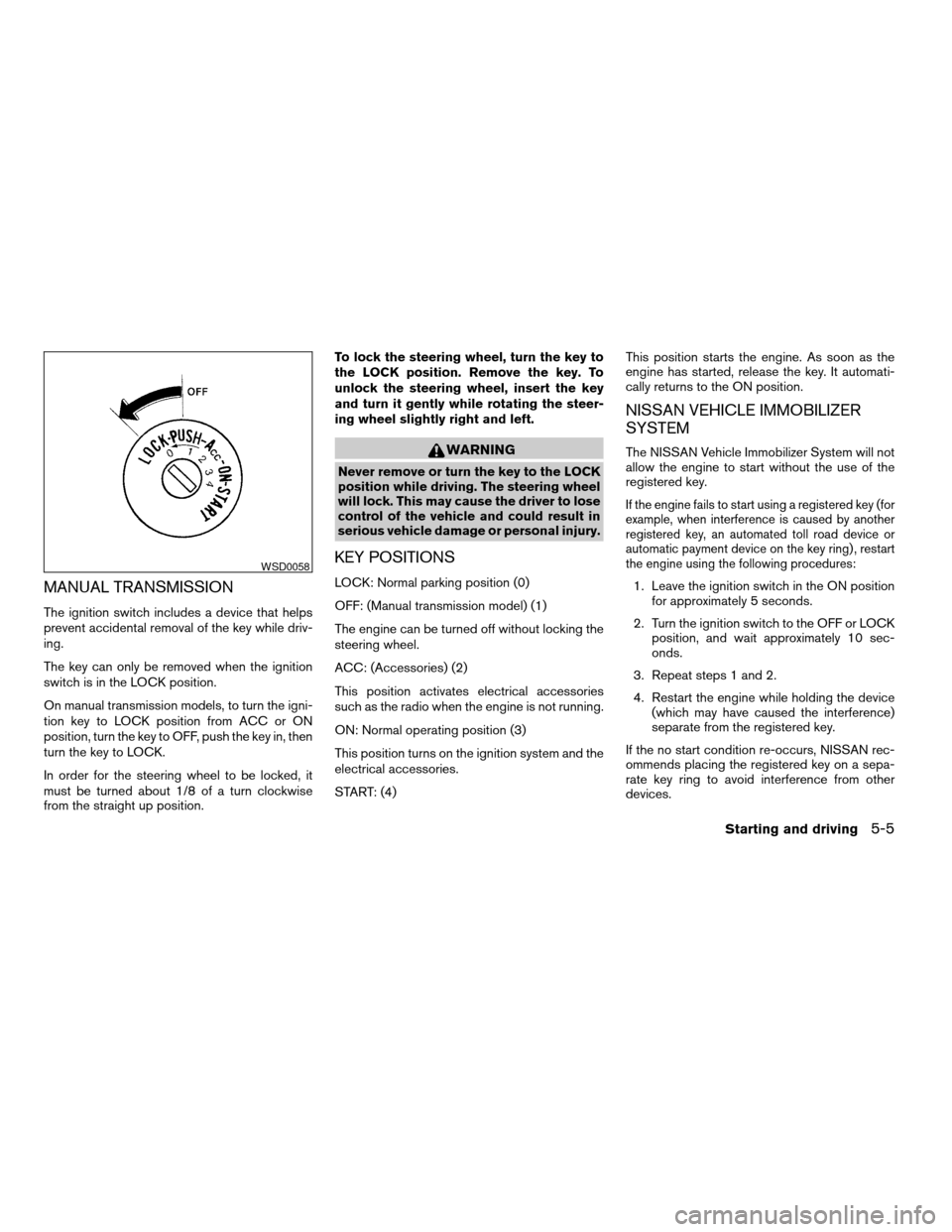
KEY POSITIONS
LOCK: Normal parking position (0)
OFF: (Manual transmission model) (1)
The engine can be turned off without locking the
steering wheel.
ACC: (Accessories) (2)
This position activates electrical accessories
such as the radio when the engine is not running.
ON: Normal operating position (3)
This position turns on the ignition system and the
electrical accessories.
START: (4)This position starts the engine. As soon as the
engine has started, release the key. It automati-
cally returns to the ON position.
NISSAN VEHICLE IMMOBILIZER
SYSTEM
The NISSAN Vehicle Immobilizer System will not
allow the engine to start without the use of the
registered key.
If the engine fails to start using a registered key (for
example, when interference is caused by another
registered key, an automated toll road device or
automatic payment device on the key ring) , restart
the engine using the following procedures:
1. Leave the ignition switch in the ON position
for approximately 5 seconds.
2. Turn the ignition switch to the OFF or LOCK
position, and wait approximately 10 sec-
onds.
3. Repeat steps 1 and 2.
4. Restart the engine while holding the device
(which may have caused the interference)
separate from the registered key.
If the no start condition re-occurs, NISSAN rec-
ommends placing the registered key on a sepa-
rate key ring to avoid interference from other
devices.
WSD0058
Starting and driving5-5
ZREVIEW COPYÐ2006 Altima(l30)
Owners ManualÐUSA_English(nna)
09/08/05Ðdebbie
X
Page 180 of 304
cMake sure the area around the vehicle is
clear.
cCheck fluid levels such as engine oil, cool-
ant, brake and clutch fluid, and window
washer fluid as frequently as possible, or at
least whenever you refuel.
cCheck that all windows and lights are clean.
cVisually inspect tires for their appearance
and condition. Also check tires for proper
inflation.
cLock all doors.
cPosition seat and adjust head restraints.
cAdjust inside and outside mirrors.
cFasten seat belts and ask all passengers to
do likewise.
cCheck the operation of warning lights when
the key is turned to the ON (3) position. See
“Warning/indicator lights and audible re-
minders” in the “Instruments and controls”
section of this manual.1. Apply the parking brake.
2.Automatic transmission:
Move the shift selector lever to P (Park) or N
(Neutral) . P (Park) is recommended.
The shift selector lever cannot be
moved out of P (Park) and into any of
the other gear positions if the ignition
key is turned to the OFF position or if
the key is removed from the ignition
switch.
The starter is designed not to operate if
the shift selector lever is in any of the
driving positions.
Manual transmission:
Move the shift lever to N (Neutral) . Depress
the clutch pedal to the floor while cranking
the engine.
The starter is designed not to operate
unless the clutch pedal is fully de-
pressed.
3. Crank the enginewith your foot off the
accelerator pedalby turning the ignition
key to START. Release the key when the
engine starts. If the engine starts, but fails to
run, repeat the above procedure.cIf the engine is very hard to start in ex-
tremely cold weather or when restarting,
depress the accelerator pedal a little (ap-
proximately 1/3 to the floor) and hold it
and then crank the engine. Release the
key and the accelerator pedal when the
engine starts.
c
If the engine is very hard to start because it
is flooded, depress the accelerator pedal
all the way to the floor and hold it. Crank the
engine for 5-6 seconds. After cranking the
engine, release the accelerator pedal.
Crank the enginewith your foot off the
accelerator pedal
by turning the ignition
key to START. Release the key when the
engine starts. If the engine starts, but fails
to run, repeat the above procedure.
CAUTION
Do not operate the starter for more than
15 seconds at a time. If the engine does
not start, turn the key off and wait 10
seconds before cranking again, otherwise
the starter could be damaged.
4. Allow the engine to idle for at least 30 sec-
onds after starting. Do not race the engine
while warming it up. Drive at moderate
speed for a short distance first, especially in
cold weather.
BEFORE STARTING THE ENGINE STARTING THE ENGINE
5-6Starting and driving
ZREVIEW COPYÐ2006 Altima(l30)
Owners ManualÐUSA_English(nna)
09/08/05Ðdebbie
X
Page 181 of 304
AUTOMATIC TRANSMISSION (if so
equipped)
WARNING
cDo not depress the accelerator pedal
while shifting from P (Park) or N (Neu-
tral) to R (Reverse) , D (Drive) or manual
shift mode. Always depress the brake
pedal until shifting is completed. Fail-
ure to do so could cause you to lose
control and have an accident.
cCold engine idle speed is high, so use
caution when shifting into a forward or
reverse gear before the engine has
warmed up.
cNever shift to P (Park) or R (Reverse)
while the vehicle is moving. This could
cause an accident.
CAUTION
cWhen stopping the vehicle on an uphill
grade, do not hold the vehicle by de-
pressing the accelerator pedal. The foot
brake should be used for this purpose.
cDo not downshift abruptly on slippery
roads. This may cause a loss of control.The automatic transmission in your vehicle is
electronically controlled to produce maximum
power and smooth operation.
The recommended operating procedures for this
transmission are shown on the following pages.
Follow these procedures for maximum vehicle
performance and driving enjoyment.
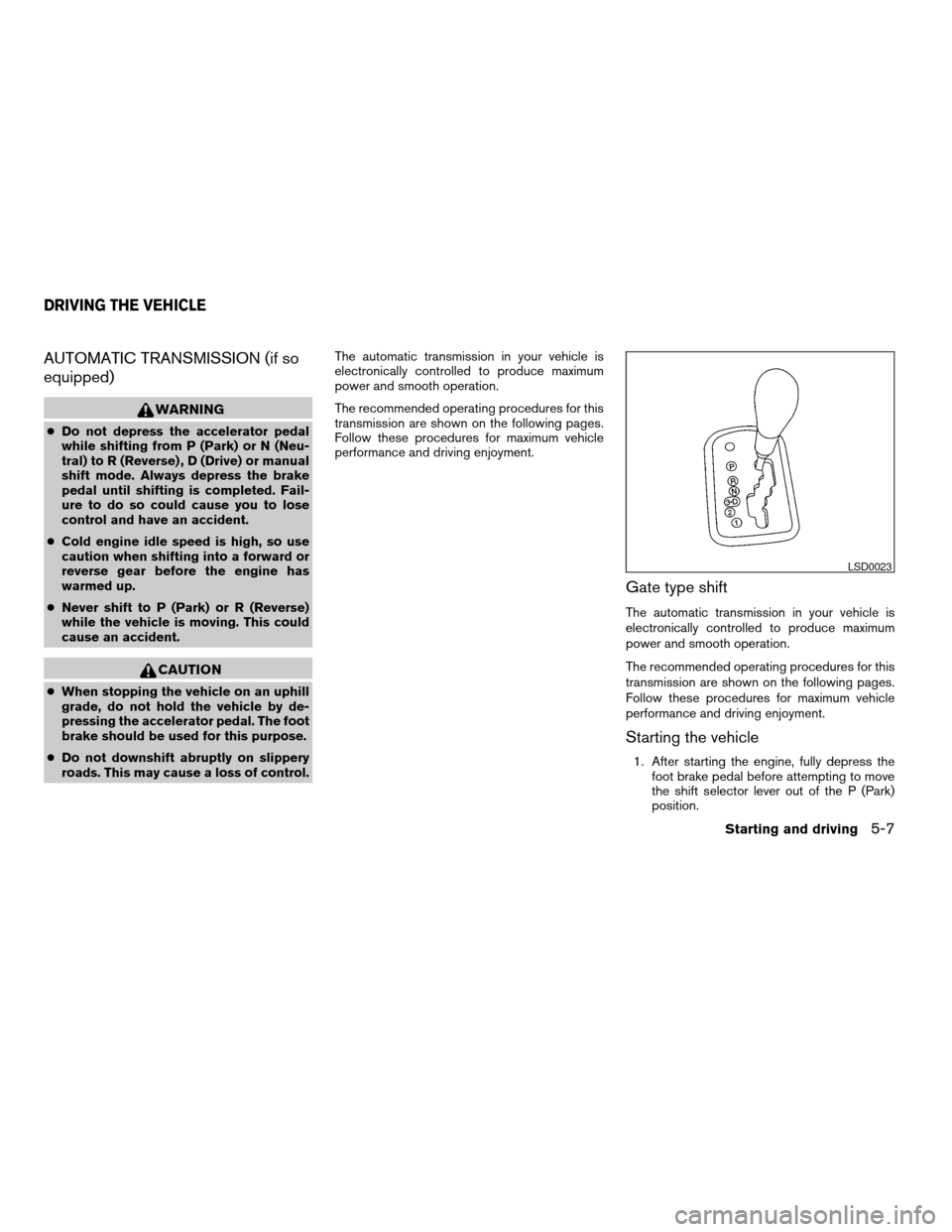
Gate type shift
The automatic transmission in your vehicle is
electronically controlled to produce maximum
power and smooth operation.
The recommended operating procedures for this
transmission are shown on the following pages.
Follow these procedures for maximum vehicle
performance and driving enjoyment.
Starting the vehicle
1. After starting the engine, fully depress the
foot brake pedal before attempting to move
the shift selector lever out of the P (Park)
position.
LSD0023
DRIVING THE VEHICLE
Starting and driving5-7
ZREVIEW COPYÐ2006 Altima(l30)
Owners ManualÐUSA_English(nna)
09/08/05Ðdebbie
X
Page 183 of 304
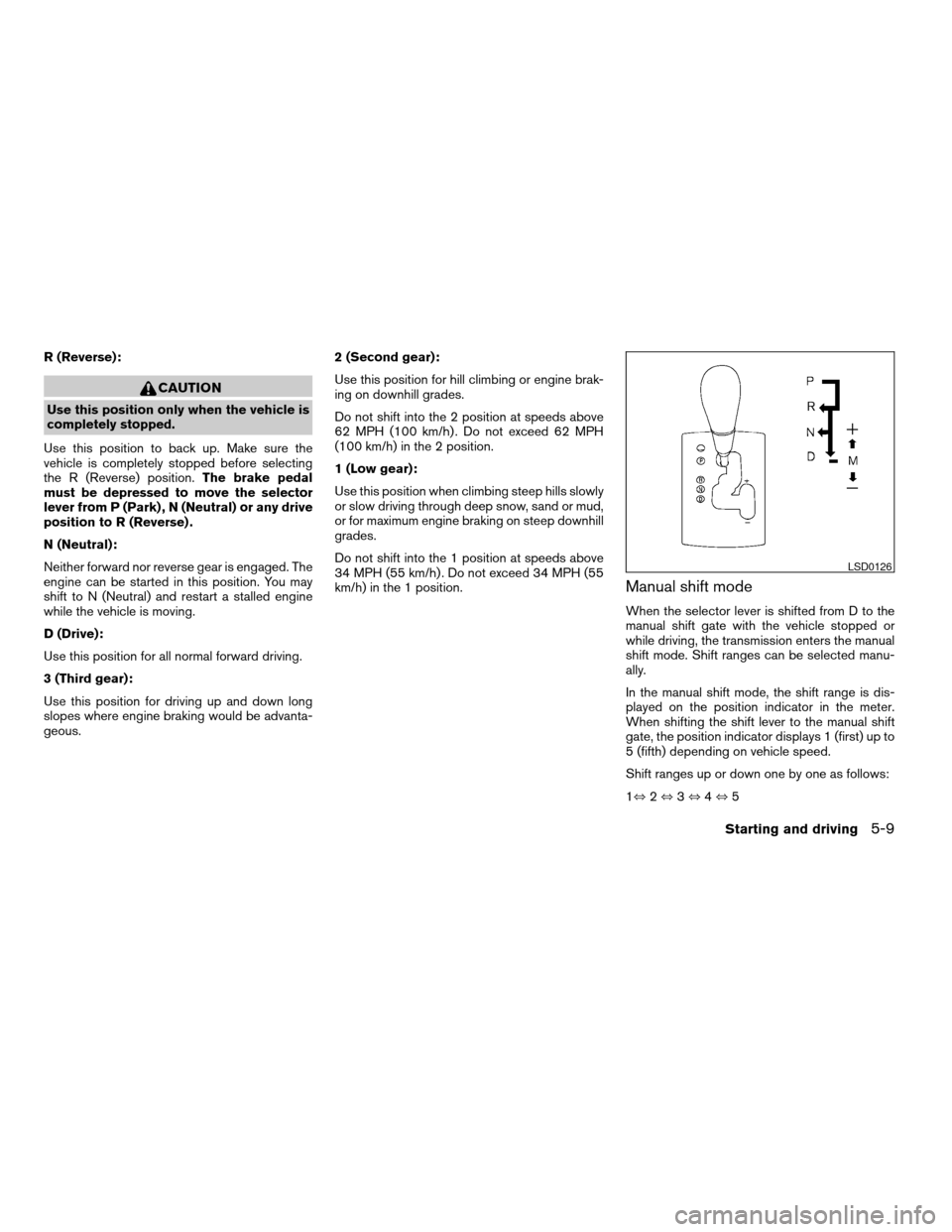
R (Reverse):
CAUTION
Use this position only when the vehicle is
completely stopped.
Use this position to back up. Make sure the
vehicle is completely stopped before selecting
the R (Reverse) position.The brake pedal
must be depressed to move the selector
lever from P (Park) , N (Neutral) or any drive
position to R (Reverse) .
N (Neutral):
Neither forward nor reverse gear is engaged. The
engine can be started in this position. You may
shift to N (Neutral) and restart a stalled engine
while the vehicle is moving.
D (Drive):
Use this position for all normal forward driving.
3 (Third gear):
Use this position for driving up and down long
slopes where engine braking would be advanta-
geous.2 (Second gear):
Use this position for hill climbing or engine brak-
ing on downhill grades.
Do not shift into the 2 position at speeds above
62 MPH (100 km/h) . Do not exceed 62 MPH
(100 km/h) in the 2 position.
1 (Low gear):
Use this position when climbing steep hills slowly
or slow driving through deep snow, sand or mud,
or for maximum engine braking on steep downhill
grades.
Do not shift into the 1 position at speeds above
34 MPH (55 km/h) . Do not exceed 34 MPH (55
km/h) in the 1 position.
Manual shift mode
When the selector lever is shifted from D to the
manual shift gate with the vehicle stopped or
while driving, the transmission enters the manual
shift mode. Shift ranges can be selected manu-
ally.
In the manual shift mode, the shift range is dis-
played on the position indicator in the meter.
When shifting the shift lever to the manual shift
gate, the position indicator displays 1 (first) up to
5 (fifth) depending on vehicle speed.
Shift ranges up or down one by one as follows:
1,2,3,4,5
LSD0126
Starting and driving5-9
ZREVIEW COPYÐ2006 Altima(l30)
Owners ManualÐUSA_English(nna)
09/08/05Ðdebbie
X
Page 184 of 304

5 (Fifth):
Use this position for all normal forward driving at
highway speeds.
4 (Fourth):
For driving up or down long slopes where engine
braking would be advantageous.
3 (Third) and 2 (Second):
Use for hill climbing or engine braking on downhill
grades.
M1 (First):
Use this position when climbing steep hills slowly
or driving slowly through deep snow, sand or
mud, or for maximum engine braking on steep
downhill grades.
cRemember not to drive at high speeds for
extended periods of time in lower than 4
range. This reduces fuel economy.
When shifting up:
Move the selector lever to the + (up) side. (Shifts
to higher range.)
When shifting down:
Move the selector lever to the2(down) side.
(Shifts to lower range.)cThe transmission will automatically down-
shift the gears. (For example, if you select the
3rd range, the transmission will shift down
between the 3rd and 1st gears.)
cMoving the selector lever rapidly to the same
side twice will shift the ranges in succession.
When canceling the manual shift mode:
Return the selector lever to the D position to
return the transmission to the normal driving
mode.
cIn the manual shift mode, the transmis-
sion may not shift to the selected gear.
This helps maintain driving perfor-
mance and reduces the chance of ve-
hicle damage or loss of control.
cIn the manual shift mode, the transmis-
sion may shift up automatically to a
higher range than selected if the en-
gine speed is too high. When the ve-
hicle speed decreases, the transmis-
sion automatically shifts down and
shifts to 1st gear before the vehicle
comes to a stop.
Shift lock release
If the battery is discharged, the shift selector lever
may not be moved from the P (Park) position even
with the brake pedal depressed.
To move the shift selector lever, release the shift
lock. The shift selector lever can be moved to N
(Neutral) . However, the steering wheel will be
locked unless the ignition switch is turned to the
ON position. This allows the vehicle to be moved
if the battery is discharged.
Type A
LSD0024
5-10Starting and driving
ZREVIEW COPYÐ2006 Altima(l30)
Owners ManualÐUSA_English(nna)
09/08/05Ðdebbie
X
Page 187 of 304

Suggested upshift speeds
The following are suggested vehicle speeds for
shifting into a higher gear. These suggestions
relate to fuel economy and vehicle performance.
Actual upshift speeds will vary according to road
conditions, the weather and individual driving
habits.
For normal acceleration in low altitude areas (less
than 4,000 ft [1219 m]):
For QR25DE:
GEAR CHANGE ACCEL shift
point MPH
(km/h)CRUISE shift
point MPH
(km/h)
1st to 2nd 15 (24) 15 (24)
2nd to 3rd 25 (40) 18 (29)
3rd to 4th 36 (58) 30 (48)
4th to 5th 40 (64) 39 (62)
For VQ35DE:
GEAR CHANGE ACCEL shift
point MPH
(km/h)CRUISE shift
point MPH
(km/h)
1st to 2nd 13 (21) 13 (21)
2nd to 3rd 23 (37) 16 (26)
3rd to 4th 33 (53) 27 (44)
4th to 5th 39 (63) 36 (58)
For VQ35DE SE-R:
GEAR CHANGE ACCEL shift
point MPH
(km/h)CRUISE shift
point MPH
(km/h)
1st to 2nd 13 (21) 13 (21)
2nd to 3rd 23 (37) 16 (26)
3rd to 4th 33 (53) 27 (44)
4th to 5th 39 (63) 36 (58)
5th to 6th
For quick acceleration in low altitude areas and
high altitude areas (over 4,000 ft [1219 m]):
Gear change MPH (km/h)
1st to 2nd 15 (24)
2nd to 3rd 25 (40)
3rd to 4th 40 (64)
4th to 5th 45 (72)
5th to 6th*
*6 Speed available on SE-R models only.
Suggested maximum speed in each
gear
Downshift to a lower gear if the engine is not
running smoothly, or if you need to accelerate.Do not exceed the maximum suggested speed
(shown below) in any gear. For level road driving,
use the highest gear suggested for that speed.
Always observe posted speed limits, and drive
according to the road conditions, which will en-
sure safe operation. Do not over-rev the engine
when shifting to a lower gear as it may cause
engine damage or loss of vehicle control.
GEAR QR25DE
MPH (km/h)VQ35DE
MPH (km/h)
1st 32 (52) 41 (66)
2nd 57 (92) 70 (113)
3rd 89 (143) — (—)
4th — —
5th — —
For VQ35DE SE-R:
GEAR VQ35DE
MPH (km/h)
1st 37 (60)
2nd 61 (98)
3rd 85 (137)
4th —
5th —
6th —
Starting and driving5-13
ZREVIEW COPYÐ2006 Altima(l30)
Owners ManualÐUSA_English(nna)
09/08/05Ðdebbie
X