2006 MERCEDES-BENZ SPRINTER service reset
[x] Cancel search: service resetPage 395 of 2305

Symptom:
STEERING ANGLE SENSOR INTERNAL FAULT
POSSIBLE CAUSES
STEERING ANGLE SENSOR INTERMITTENT DTC
STEERING ANGLE SENSOR
TEST ACTION APPLICABILITY
1NOTE: If a system undervoltage or overvoltage DTC is set along with this
DTC, diagnose the system voltage DTC first.
NOTE: Electromagnetic (radio) interference can cause an intermittent
system malfunction by interrupting communication between the sensor
and the CAB.
Turn the ignition on.
With the DRBIIIt, erase DTCs.
Move the Steering Wheel from stop to stop several times.
With the DRBIIIt, perform the road test procedure.
With the DRBIIIt, read DTCs.
NOTE: The Steering Angle Sensor is very sensitive to changes due to
alignment problems. The sensor must be recalculated using the DRBIIItif
alignment has been changed by more than 5 degrees.
Does this DTC reset?All
Ye s!Inspect the Steering Angle Sensor for proper installation. Inspect
the wiring and connectors. Repair as necessary. If no other
problems are found, replace the Steering Angle Sensor in accor-
dance with the Service Information.
No!Go To 2
2 The condition that set this DTC is not present at this time.
Monitor the DRBIIItwhile wiggle testing the related harness and connectors. Look
for any related parameters to change or for the DTC to reset.
Inspect the related harness and connectors.
Look for any chafed, pierced, pinched, or partially broken wires.
Look for broken, bent, pushed out, or corroded terminals.
Inspect the tires and wheels to make sure that they are the correct size. All tires must
be the same size.
Inspect the steering column and Steering Angle Sensor for correct mounting and
installation.
Inspect the front end and steering components for damage or misalignment.
Were any problems found?All
Ye s!Repair as necessary.
No!Test Complete.
74
BRAKES (CAB)
Page 396 of 2305
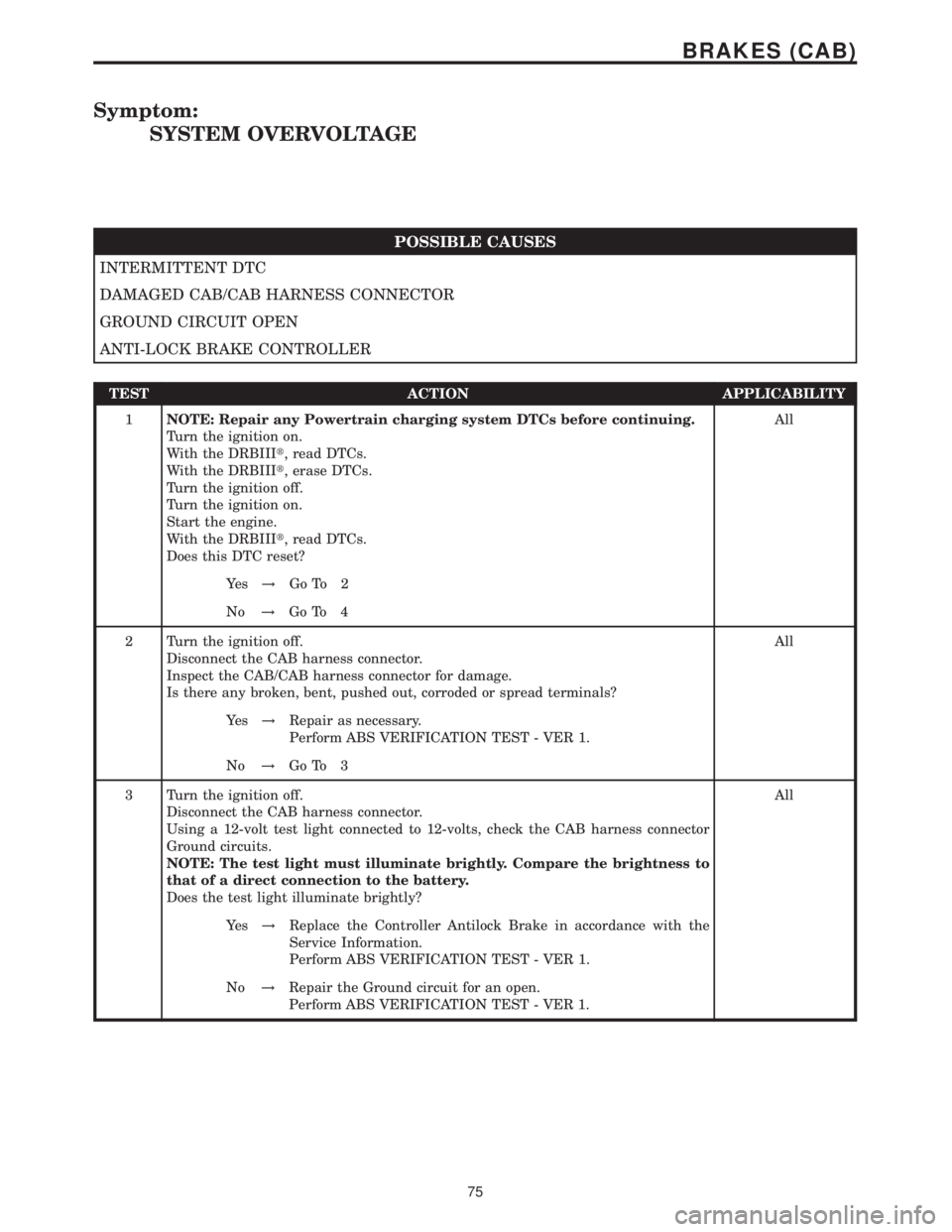
Symptom:
SYSTEM OVERVOLTAGE
POSSIBLE CAUSES
INTERMITTENT DTC
DAMAGED CAB/CAB HARNESS CONNECTOR
GROUND CIRCUIT OPEN
ANTI-LOCK BRAKE CONTROLLER
TEST ACTION APPLICABILITY
1NOTE: Repair any Powertrain charging system DTCs before continuing.
Turn the ignition on.
With the DRBIIIt, read DTCs.
With the DRBIIIt, erase DTCs.
Turn the ignition off.
Turn the ignition on.
Start the engine.
With the DRBIIIt, read DTCs.
Does this DTC reset?All
Ye s!Go To 2
No!Go To 4
2 Turn the ignition off.
Disconnect the CAB harness connector.
Inspect the CAB/CAB harness connector for damage.
Is there any broken, bent, pushed out, corroded or spread terminals?All
Ye s!Repair as necessary.
Perform ABS VERIFICATION TEST - VER 1.
No!Go To 3
3 Turn the ignition off.
Disconnect the CAB harness connector.
Using a 12-volt test light connected to 12-volts, check the CAB harness connector
Ground circuits.
NOTE: The test light must illuminate brightly. Compare the brightness to
that of a direct connection to the battery.
Does the test light illuminate brightly?All
Ye s!Replace the Controller Antilock Brake in accordance with the
Service Information.
Perform ABS VERIFICATION TEST - VER 1.
No!Repair the Ground circuit for an open.
Perform ABS VERIFICATION TEST - VER 1.
75
BRAKES (CAB)
Page 490 of 2305

POSSIBLE CAUSES
CORRECTION QUANTITY CHECK
CYLINDER SPEED CHECK
ENGINE COMPRESSION
INJECTOR LEAKAGE
INTERMITTENT CONDITION
TEST ACTION APPLICABILITY
1NOTE: If the ECM detects and stores a DTC, the ECM also stores the
engine/vehicle operating conditions under which the DTC was set. Some of
these conditions are displayed on the DRB at the same time the DTC is
displayed.
NOTE: Before erasing stored DTCs, record these conditions. Attempting to
duplicate these conditions may assist when checking for an active DTC.
With the DRBIIIt, erase ECM DTCs.
Test drive the vehicle and attempt to duplicate the problem.
With the DRB, read ECM DTC's.
Did this DTC set again?All
Ye s!Go To 2
No!Go To 8
2 Start and idle the engine for 5 minutes.
Turn the ignition off.
Inspect the fuel rail, fuel pressure sensor, fuel pressure solenoid and all fuel injectors
for evidence of fuel leakage.
Is there fuel leakage near any of the injectors or the fuel rail?All
Ye s!Refer to the Service Information to repair fuel leakage.
Perform ROAD TEST VERIFICATION - VER-2.
No!Go To 3
3 Turn the ignition off.
With the DRBIIIt, perform the Cylinder Compression Test.
Is the cylinder compression within specification for all cylinders?All
Ye s!Go To 4
No!Repair as necessary in accordance with the Service Information.
Perform ROAD TEST VERIFICATION - VER-2.
4 Turn the ignition off.
Read and note the six-digit code located on the top of each injector.
Turn the ignition on.
With the DRBIIIt, check the current programmed injector classifications to the
six-digit codes from the vehicles current fuel injectors.
Are all of the Fuel Injectors classified correctly?All
Ye s!Go To 5
No!Using the DRB III, reset injectors to correct classification.
Perform ROAD TEST VERIFICATION - VER-2.
67
DRIVEABILITY - DIESEL
P0300-MISFIRE DETECTED ÐContinued
Page 543 of 2305

TEST ACTION APPLICABILITY
5NOTE: If the ECM detects and stores a DTC, the ECM also stores the
engine/vehicle operating conditions under which the DTC was set. Some of
these conditions are displayed on the DRB IIItat the same time the DTC is
displayed.
NOTE: Before erasing stored DTCs, record these conditions. Attempting to
duplicate these conditions may assist when checking for an active DTC.
NOTE: Refer to the Service Information and perform the Air Bleed Proce-
dure before continuing diagnosis.
Turn the ignition on.
With the DRBIIIt, erase the ECM DTCs.
Start and idle the engine while monitoring for ECM DTC's.
If the DTC does not reset at idle condition, test drive the vehicle under various load
and speed conditions to attempt to duplicate the fault.
NOTE: Driving the vehicle up and down steep hills or rapid cornering with
a low fuel level can cause this DTC to set. Verify with customer if Low Fuel
Light was illuminated when fault occurred.
With the DRBIIIt, read the ECM DTCs.
Does the DRBIIItdisplay this DTC?All
Ye s!Go To 6
No!Go To 16
6 Start the engine.
With the DRBIIItin Sensors, compare the Fuel Pressure Setpoint with the Actual
Fuel Pressure readings.
NOTE: If there is air in the fuel system, the Actual Fuel Pressure will
oscillate above and below the Fuel Pressure Setpoint.
Does Actual Fuel Pressure oscillate above and below the Fuel Pressure Setpoint?All
Ye s!Refer to the Service Information to purge air from the fuel system.
Perform ROAD TEST VERIFICATION - VER-2.
No!Go To 7
7 Start the engine.
With the DRBIIItin Sensors, compare the Fuel Pressure Setpoint with the Actual
Fuel Pressure readings.
NOTE: A sticking Fuel Pressure Solenoid is indicated by Actual Fuel
Pressure gradually dropping below the Fuel Pressure Setpoint then sud-
denly increasing (spiking) above the Fuel Pressure Setpoint.
Does Actual Fuel Pressure gradually decrease then suddenly increase (spike) above
the Fuel PressureAll
Ye s!Replace the Fuel Pressure Solenoid in accordance with the
Service Information.
Perform ROAD TEST VERIFICATION - VER-2.
No!Go To 8
120
DRIVEABILITY - DIESEL
P2015-FUEL RAIL PRESSURE MALFUNCTION MAXIMUM FUEL FLOW
EXCEEDED Ð
Continued
Page 723 of 2305
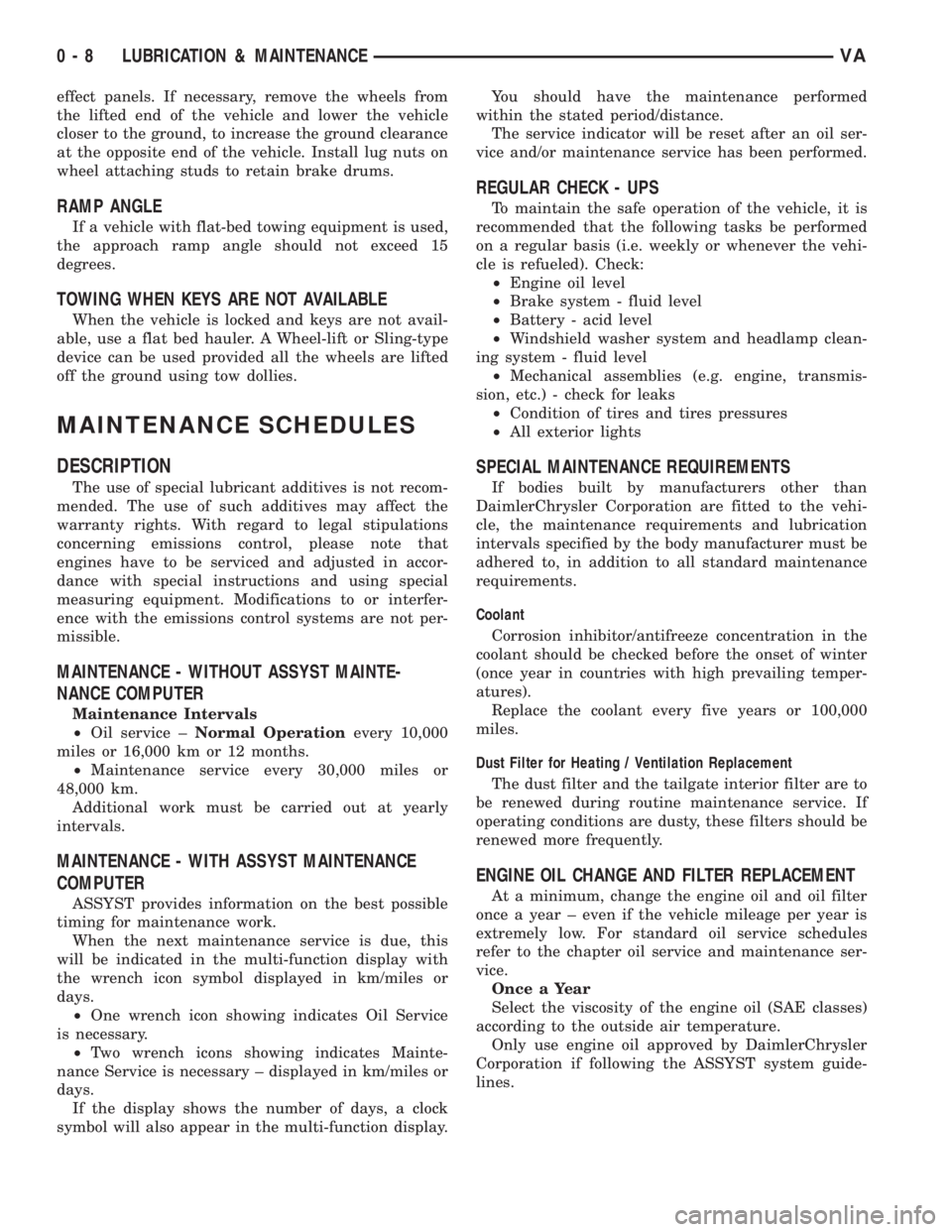
effect panels. If necessary, remove the wheels from
the lifted end of the vehicle and lower the vehicle
closer to the ground, to increase the ground clearance
at the opposite end of the vehicle. Install lug nuts on
wheel attaching studs to retain brake drums.
RAMP ANGLE
If a vehicle with flat-bed towing equipment is used,
the approach ramp angle should not exceed 15
degrees.
TOWING WHEN KEYS ARE NOT AVAILABLE
When the vehicle is locked and keys are not avail-
able, use a flat bed hauler. A Wheel-lift or Sling-type
device can be used provided all the wheels are lifted
off the ground using tow dollies.
MAINTENANCE SCHEDULES
DESCRIPTION
The use of special lubricant additives is not recom-
mended. The use of such additives may affect the
warranty rights. With regard to legal stipulations
concerning emissions control, please note that
engines have to be serviced and adjusted in accor-
dance with special instructions and using special
measuring equipment. Modifications to or interfer-
ence with the emissions control systems are not per-
missible.
MAINTENANCE - WITHOUT ASSYST MAINTE-
NANCE COMPUTER
Maintenance Intervals
²Oil service ±Normal Operationevery 10,000
miles or 16,000 km or 12 months.
²Maintenance service every 30,000 miles or
48,000 km.
Additional work must be carried out at yearly
intervals.
MAINTENANCE - WITH ASSYST MAINTENANCE
COMPUTER
ASSYST provides information on the best possible
timing for maintenance work.
When the next maintenance service is due, this
will be indicated in the multi-function display with
the wrench icon symbol displayed in km/miles or
days.
²One wrench icon showing indicates Oil Service
is necessary.
²Two wrench icons showing indicates Mainte-
nance Service is necessary ± displayed in km/miles or
days.
If the display shows the number of days, a clock
symbol will also appear in the multi-function display.You should have the maintenance performed
within the stated period/distance.
The service indicator will be reset after an oil ser-
vice and/or maintenance service has been performed.
REGULAR CHECK - UPS
To maintain the safe operation of the vehicle, it is
recommended that the following tasks be performed
on a regular basis (i.e. weekly or whenever the vehi-
cle is refueled). Check:
²Engine oil level
²Brake system - fluid level
²Battery - acid level
²Windshield washer system and headlamp clean-
ing system - fluid level
²Mechanical assemblies (e.g. engine, transmis-
sion, etc.) - check for leaks
²Condition of tires and tires pressures
²All exterior lights
SPECIAL MAINTENANCE REQUIREMENTS
If bodies built by manufacturers other than
DaimlerChrysler Corporation are fitted to the vehi-
cle, the maintenance requirements and lubrication
intervals specified by the body manufacturer must be
adhered to, in addition to all standard maintenance
requirements.
Coolant
Corrosion inhibitor/antifreeze concentration in the
coolant should be checked before the onset of winter
(once year in countries with high prevailing temper-
atures).
Replace the coolant every five years or 100,000
miles.
Dust Filter for Heating / Ventilation Replacement
The dust filter and the tailgate interior filter are to
be renewed during routine maintenance service. If
operating conditions are dusty, these filters should be
renewed more frequently.
ENGINE OIL CHANGE AND FILTER REPLACEMENT
At a minimum, change the engine oil and oil filter
once a year ± even if the vehicle mileage per year is
extremely low. For standard oil service schedules
refer to the chapter oil service and maintenance ser-
vice.
Once a Year
Select the viscosity of the engine oil (SAE classes)
according to the outside air temperature.
Only use engine oil approved by DaimlerChrysler
Corporation if following the ASSYST system guide-
lines.
0 - 8 LUBRICATION & MAINTENANCEVA
Page 724 of 2305

SCOPE OF WORK FOR MAINTENANCE SERVICE
Oil Service
²Engine: Oil change and filter replacement
Check fluid levels of the following system, refill as neces-
sary.
²If fluid is lost, trace and eliminate cause - as a
separate order.
²Power-assisted steering
Lubrication work:
²Trailer tow hitch (original equipment)
Maintenance
²ASSYST maintenance computer reset
Function check
²Signalling system, warning and indicator lamps
²Headlamps, exterior lighting
²Windshield wipers, windshield washer system
Check for leaks and damage
²Check for abrasion points and ensure that lines
are correctly routed!
²All lines and hoses, sensor cables
²Rubber boots on front axle drive shafts, rubber
boots on front axle suspension ball joints, shock
absorbers
²Check fluid levels for the following systems, cor-
rect as necessary
NOTE: Should there be a loss of fluid which cannot
be explained by regular use, trace and eliminate the
cause.
²Engine cooling system. Check corrosion inhibi-
tor/antifreeze, refill as necessary.
²Hydraulic brake system
²Battery
²Windshield washer system
Engine
²Fuel filter renewal - Every oil service
²Air cleaner with maintenance indicator:
²Check degree of contamination.
²Air cleaner filter element renewed as necessary.
Chassis and body
²Trailer coupling: Check operation, play and
retaining fixtures
²Secondary rubber springs: Visual check
²Tire pressures: Correct as necessary, including
spare tire
²Check thickness of brake pads
²Brake test
²Check condition of steering mechanism
²Heating/ventilation dust filter renewal
ADDITIONAL MAINTENANCE WORK
Automatic transmission once only at 80,000 miles / 128000
km
²Oil and filter change
During every second maintenance service
²Air cleaner without maintenance indicator:
²Air cleaner filter element renewal
²Check poly-V-belt for wear and signs of damage
During every fourth maintenance service
²Change rear axle fluid
ADDITIONAL MAINTENANCE WORK AFTER YEARS
Every 2 years
²Change brake fluid.
Every 3 years
²Air cleaner filter element renewal (note installa-
tion date)
Every 15 years or 100,000 miles
²Coolant renewal
²Note coolant composition
INTERNATIONAL SYMBOLS
DESCRIPTION
DaimlerChrysler Corporation uses international
symbols to identify engine compartment lubricant
and fluid inspection and fill locations (Fig. 3).
Fig. 3 INTERNATIONAL SYMBOLS
VALUBRICATION & MAINTENANCE 0 - 9
Page 930 of 2305

remains illuminated until the cluster receives a
lamp-off message from the ECM, or until the ignition
switch is turned to the Off position, whichever occurs
first.
The ECM continually monitors the constant engine
speed (ADR) switch and electronic messages from the
Controller Antilock Brake (CAB) concerning the sta-
tus of the four wheel speed sensors, the park brake
switch and the brake lamp switch to determine the
correct operating mode for the ADR feature. The
ECM then sends the proper lamp-on or lamp-off mes-
sages to the instrument cluster. See the owner's man-
ual in the vehicle glove box for more information on
the features, use, activation and deactivation of the
constant engine speed (ADR) feature. For proper
diagnosis of the ADR feature, the ECM, the CAB, the
CAN data bus, or the electronic message inputs to
the instrument cluster that control the ADR indica-
tor, a diagnostic scan tool is required. Refer to the
appropriate diagnostic information.
AIRBAG INDICATOR
DESCRIPTION
An airbag indicator is standard equipment on all
instrument clusters. The airbag indicator is located
near the left edge of the instrument cluster, next to
the tachometer. The airbag indicator consists of a
stencil-like cutout of the letters ªSRSº in the opaque
layer of the instrument cluster overlay. The dark
outer layer of the overlay prevents the indicator from
being clearly visible when it is not illuminated. A red
Light Emitting Diode (LED) behind the cutout in the
opaque layer of the overlay causes the ªSRSº text to
appear in red through the translucent outer layer of
the overlay when the indicator is illuminated from
behind by the LED, which is soldered onto the
instrument cluster electronic circuit board. The air-
bag indicator is serviced as a unit with the instru-
ment cluster.
OPERATION
The airbag (SRS) indicator gives an indication to
the vehicle operator when the Airbag Control Module
(ACM) has recorded a Diagnostic Trouble Code (DTC)
for a Supplemental Restraint System (SRS) circuit or
component malfunction. Such a DTC may indicate
that the SRS is faulty or inoperative. The airbag
indicator is controlled by a transistor on the instru-
ment cluster circuit board based upon cluster pro-
gramming and a hard wired input received by the
cluster from the ACM. The airbag indicator Light
Emitting Diode (LED) is completely controlled by the
instrument cluster logic circuit, and that logic will
only allow this indicator to operate when the instru-
ment cluster detects that the ignition switch is in the
On position. Therefore, the LED will always be offwhen the ignition switch is in any position except
On. The LED only illuminates when it is provided a
path to ground by the instrument cluster transistor.
The instrument cluster will turn on the airbag indi-
cator for the following reasons:
²Bulb Test- Each time the ignition switch is
turned to the On position the airbag indicator is illu-
minated for about four seconds. The entire four sec-
ond bulb test is a function of the ACM.
²Airbag Lamp-On Input- Each time the cluster
receives a lamp-on input from the ACM, the airbag
indicator will be illuminated. The indicator can be
flashed on and off, or illuminated solid, as dictated
by the ACM input. For some DTC's, if the problem
does not recur, the ACM will send a lamp-off input
automatically. Other DTC's may require that a fault
be repaired and the ACM be reset before a lamp-off
input will be sent. For more information on the ACM
and the DTC set and reset parameters, refer to 8 -
ELECTRICAL/RESTRAINTS/AIRBAG CONTROL
MODULE - OPERATION). The indicator remains
illuminated until the cluster receives a lamp-off
input from the ACM, or until the ignition switch is
turned to the Off position, whichever occurs first.
²Airbag Indicator Malfunction- Following the
seatbelt reminder function, each time the cluster
detects a malfunction in the airbag (SRS) indicator or
the airbag indicator circuit, the cluster will flash the
seatbelt indicator on and off. The cluster will con-
tinue to flash the seatbelt indicator until the airbag
indicator circuit fault is resolved, or until the ignition
switch is turned to the Off position, whichever occurs
first.
The ACM continually monitors the SRS circuits
and sensors to decide whether the system is in good
operating condition. The ACM then provides the
proper lamp-on or lamp-off inputs to the instrument
cluster. If the ACM provides a lamp-on input after
the bulb test, it indicates that the ACM has detected
a system malfunction and/or that the airbags and
seat belt tensioners may not deploy when required,
or may deploy when not required. The ACM will
store a DTC for any malfunction it detects. The ACM
input circuit to the instrument cluster can be diag-
nosed using conventional diagnostic tools and meth-
ods. For proper diagnosis of the SRS, the ACM, or
the instrument cluster circuitry that controls the air-
bag indicator, a diagnostic scan tool is required. Refer
to the appropriate diagnostic information.
AMBIENT TEMPERATURE
INDICATOR
DESCRIPTION
An ambient temperature indicator is optional
equipment on all instrument clusters. In vehicles so
VAINSTRUMENT CLUSTER 8J - 11
Page 940 of 2305
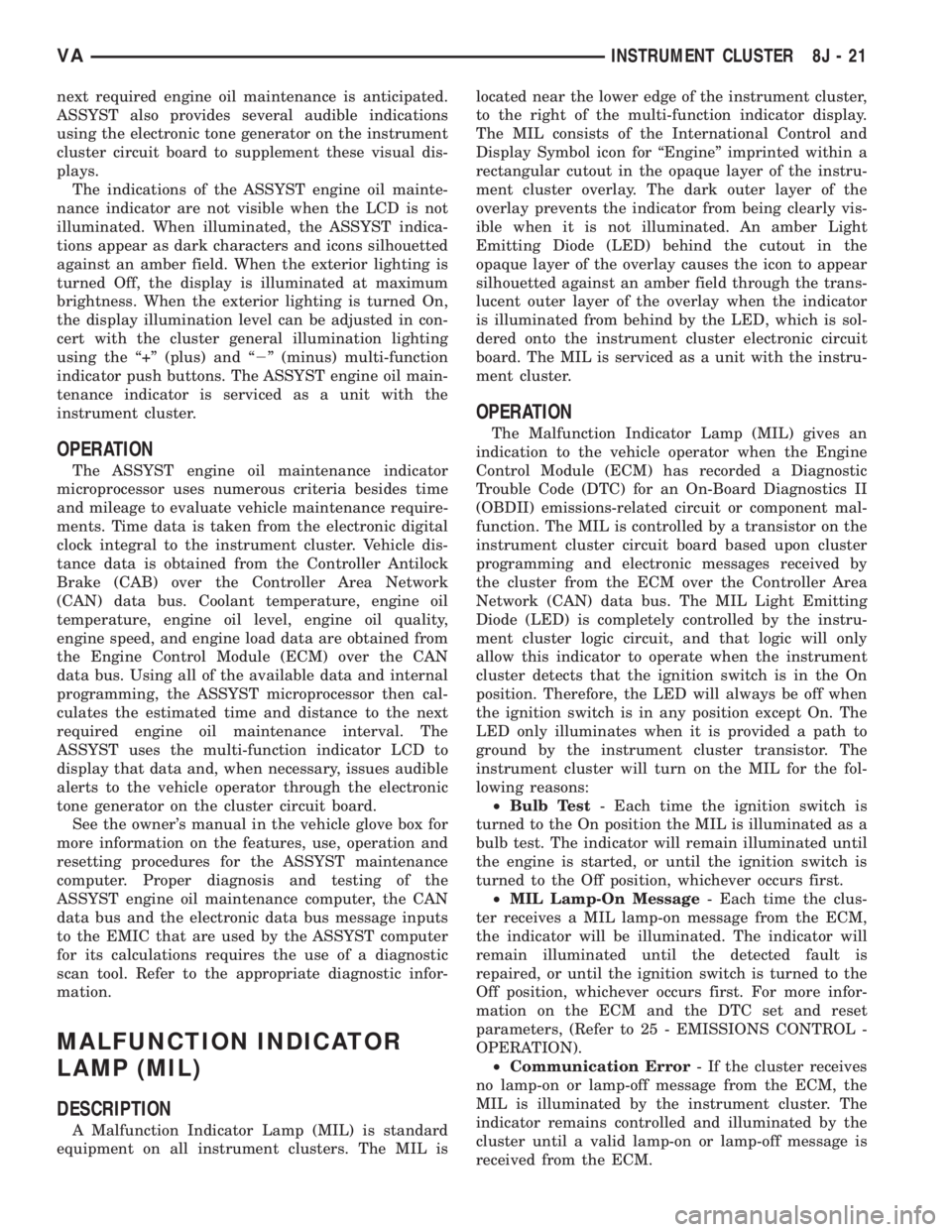
next required engine oil maintenance is anticipated.
ASSYST also provides several audible indications
using the electronic tone generator on the instrument
cluster circuit board to supplement these visual dis-
plays.
The indications of the ASSYST engine oil mainte-
nance indicator are not visible when the LCD is not
illuminated. When illuminated, the ASSYST indica-
tions appear as dark characters and icons silhouetted
against an amber field. When the exterior lighting is
turned Off, the display is illuminated at maximum
brightness. When the exterior lighting is turned On,
the display illumination level can be adjusted in con-
cert with the cluster general illumination lighting
using the ª+º (plus) and ª2º (minus) multi-function
indicator push buttons. The ASSYST engine oil main-
tenance indicator is serviced as a unit with the
instrument cluster.
OPERATION
The ASSYST engine oil maintenance indicator
microprocessor uses numerous criteria besides time
and mileage to evaluate vehicle maintenance require-
ments. Time data is taken from the electronic digital
clock integral to the instrument cluster. Vehicle dis-
tance data is obtained from the Controller Antilock
Brake (CAB) over the Controller Area Network
(CAN) data bus. Coolant temperature, engine oil
temperature, engine oil level, engine oil quality,
engine speed, and engine load data are obtained from
the Engine Control Module (ECM) over the CAN
data bus. Using all of the available data and internal
programming, the ASSYST microprocessor then cal-
culates the estimated time and distance to the next
required engine oil maintenance interval. The
ASSYST uses the multi-function indicator LCD to
display that data and, when necessary, issues audible
alerts to the vehicle operator through the electronic
tone generator on the cluster circuit board.
See the owner's manual in the vehicle glove box for
more information on the features, use, operation and
resetting procedures for the ASSYST maintenance
computer. Proper diagnosis and testing of the
ASSYST engine oil maintenance computer, the CAN
data bus and the electronic data bus message inputs
to the EMIC that are used by the ASSYST computer
for its calculations requires the use of a diagnostic
scan tool. Refer to the appropriate diagnostic infor-
mation.
MALFUNCTION INDICATOR
LAMP (MIL)
DESCRIPTION
A Malfunction Indicator Lamp (MIL) is standard
equipment on all instrument clusters. The MIL islocated near the lower edge of the instrument cluster,
to the right of the multi-function indicator display.
The MIL consists of the International Control and
Display Symbol icon for ªEngineº imprinted within a
rectangular cutout in the opaque layer of the instru-
ment cluster overlay. The dark outer layer of the
overlay prevents the indicator from being clearly vis-
ible when it is not illuminated. An amber Light
Emitting Diode (LED) behind the cutout in the
opaque layer of the overlay causes the icon to appear
silhouetted against an amber field through the trans-
lucent outer layer of the overlay when the indicator
is illuminated from behind by the LED, which is sol-
dered onto the instrument cluster electronic circuit
board. The MIL is serviced as a unit with the instru-
ment cluster.
OPERATION
The Malfunction Indicator Lamp (MIL) gives an
indication to the vehicle operator when the Engine
Control Module (ECM) has recorded a Diagnostic
Trouble Code (DTC) for an On-Board Diagnostics II
(OBDII) emissions-related circuit or component mal-
function. The MIL is controlled by a transistor on the
instrument cluster circuit board based upon cluster
programming and electronic messages received by
the cluster from the ECM over the Controller Area
Network (CAN) data bus. The MIL Light Emitting
Diode (LED) is completely controlled by the instru-
ment cluster logic circuit, and that logic will only
allow this indicator to operate when the instrument
cluster detects that the ignition switch is in the On
position. Therefore, the LED will always be off when
the ignition switch is in any position except On. The
LED only illuminates when it is provided a path to
ground by the instrument cluster transistor. The
instrument cluster will turn on the MIL for the fol-
lowing reasons:
²Bulb Test- Each time the ignition switch is
turned to the On position the MIL is illuminated as a
bulb test. The indicator will remain illuminated until
the engine is started, or until the ignition switch is
turned to the Off position, whichever occurs first.
²MIL Lamp-On Message- Each time the clus-
ter receives a MIL lamp-on message from the ECM,
the indicator will be illuminated. The indicator will
remain illuminated until the detected fault is
repaired, or until the ignition switch is turned to the
Off position, whichever occurs first. For more infor-
mation on the ECM and the DTC set and reset
parameters, (Refer to 25 - EMISSIONS CONTROL -
OPERATION).
²Communication Error- If the cluster receives
no lamp-on or lamp-off message from the ECM, the
MIL is illuminated by the instrument cluster. The
indicator remains controlled and illuminated by the
cluster until a valid lamp-on or lamp-off message is
received from the ECM.
VAINSTRUMENT CLUSTER 8J - 21