Page 222 of 481
221 Controls in detail
Audio system
Compatible MP3 data carriers
The CD changer can read the following
data carriers in MP3 mode:�
CD-DA
�
CD-R
�
CD-RW
Compatible file systems and compres-
sion methods
Use Romeo or Joliet. Depending on file for-
mat used, up to 128 characters are possi-
ble.
The following compression methods are
compatible:
�
MP3
�
WMA
�
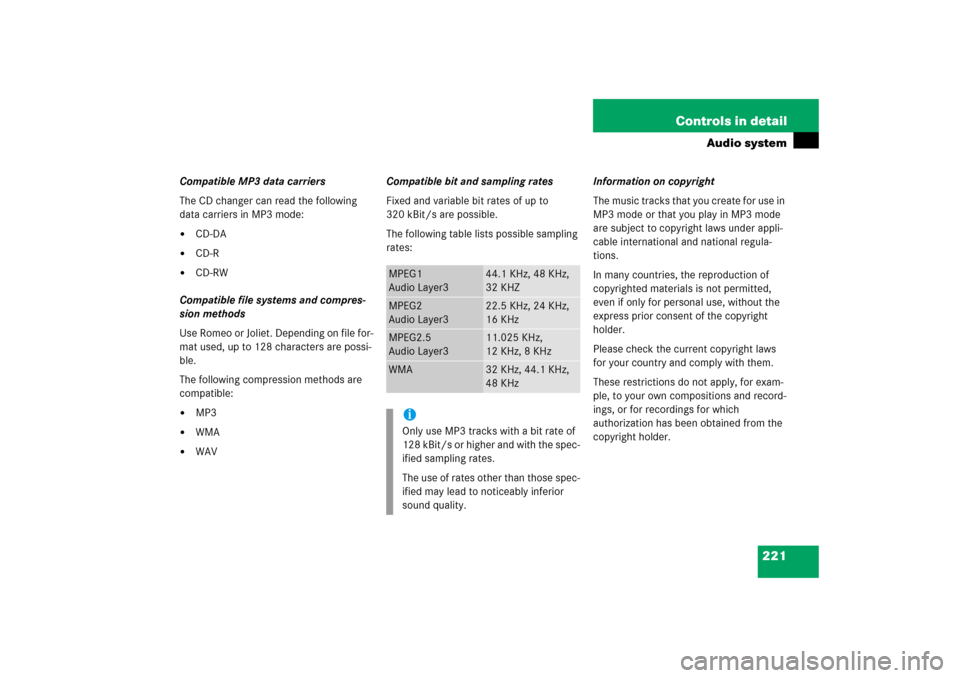
WAVCompatible bit and sampling rates
Fixed and variable bit rates of up to
320 kBit/s are possible.
The following table lists possible sampling
rates:Information on copyright
The music tracks that you create for use in
MP3 mode or that you play in MP3 mode
are subject to copyright laws under appli-
cable international and national regula-
tions.
In many countries, the reproduction of
copyrighted materials is not permitted,
even if only for personal use, without the
express prior consent of the copyright
holder.
Please check the current copyright laws
for your country and comply with them.
These restrictions do not apply, for exam-
ple, to your own compositions and record-
ings, or for recordings for which
authorization has been obtained from the
copyright holder.
MPEG1
Audio Layer3
44.1 KHz, 48 KHz,
32 KHZ
MPEG2
Audio Layer3
22.5 KHz, 24 KHz,
16 KHz
MPEG2.5
Audio Layer3
11.025 KHz,
12 KHz, 8 KHz
WMA
32 KHz, 44.1 KHz,
48 KHz
iOnly use MP3 tracks with a bit rate of
128 kBit/s or higher and with the spec-
ified sampling rates.
The use of rates other than those spec-
ified may lead to noticeably inferior
sound quality.
Page 232 of 481
231 Controls in detail
Audio system
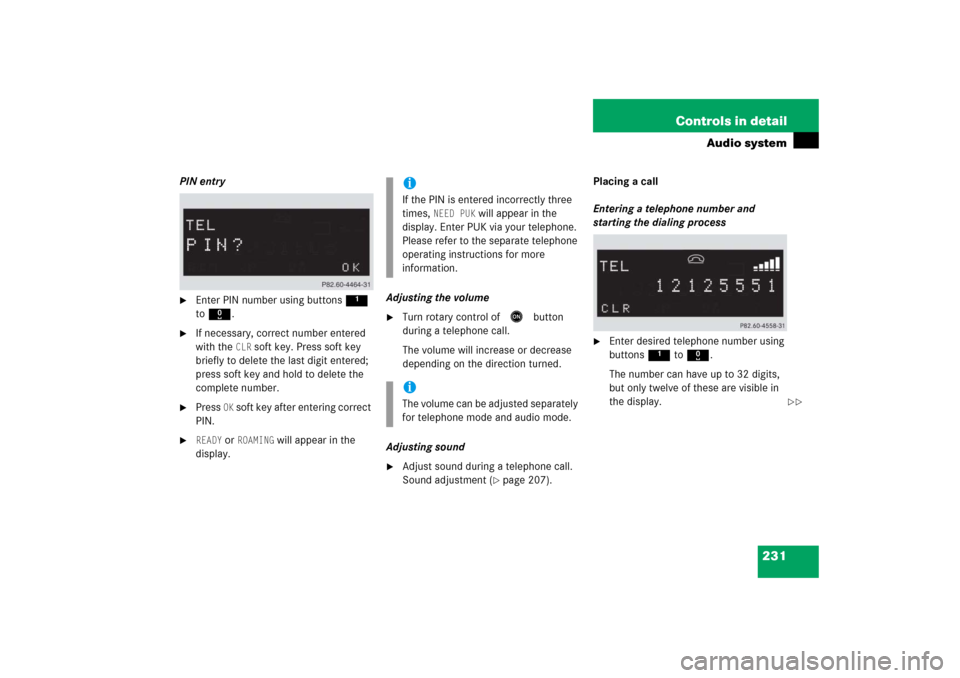
PIN entry�
Enter PIN number using buttons 1
to R.
�
If necessary, correct number entered
with the
CLR
soft key. Press soft key
briefly to delete the last digit entered;
press soft key and hold to delete the
complete number.
�
Press
OK soft key after entering correct
PIN.
�
READY
or
ROAMING
will appear in the
display.Adjusting the volume
�
Turn rotary control of
E
button
during a telephone call.
The volume will increase or decrease
depending on the direction turned.
Adjusting sound
�
Adjust sound during a telephone call.
Sound adjustment (
�page 207).Placing a call
Entering a telephone number and
starting the dialing process
�
Enter desired telephone number using
buttons 1 to R.
The number can have up to 32 digits,
but only twelve of these are visible in
the display.
iIf the PIN is entered incorrectly three
times,
NEED PUK
will appear in the
display. Enter PUK via your telephone.
Please refer to the separate telephone
operating instructions for more
information.
iThe volume can be adjusted separately
for telephone mode and audio mode.
��
Page 239 of 481

238 Controls in detailAudio systemAdjusting sound�
Adjust sound during a telephone call.
Sound adjustment (
�page 207).
Placing a call
Entering a telephone number and
starting the dialing process
�
Enter desired telephone number using
buttons 1 to R.
The number can have up to 32 digits,
but only twelve of these are visible in
the display.
�
If necessary, correct number entered
with the
CLR
soft key. Press soft key
briefly to delete the last digit entered;
press soft key and hold to delete the
complete number.
�
After correct telephone number has
been entered, press s button.
Phone book
The numbers stored in the phone book of
the mobile telephone can be called up
either by name or number.
In addition, incoming calls are stored in the
phone book.
�
Searching and calling up phone book
entries by name
You can access your mobile
telephone’s phone book with the audio
system. You can access both the main
entries and the sub-entries of your
phone book.
iIf the telephone number has been
saved together with a name in the
phone book, the name will appear in
the display.
iThis is only possible, however, when
the call information transmitted
includes the number of the person
calling. If the telephone number is not
transmitted,
NO NUMBER
will be stored
in the phone book.
Page 252 of 481
251 Controls in detail
Power windows
Synchronizing power windows
The power windows must be synchronized�
after the battery has been disconnect-
ed or discharged.
�
if the power windows cannot be fully
opened (Express-open) or closed
(Express-close).Each power window must be synchronized.
�
Close all doors.
�
Switch on the ignition (
�page 36).
�
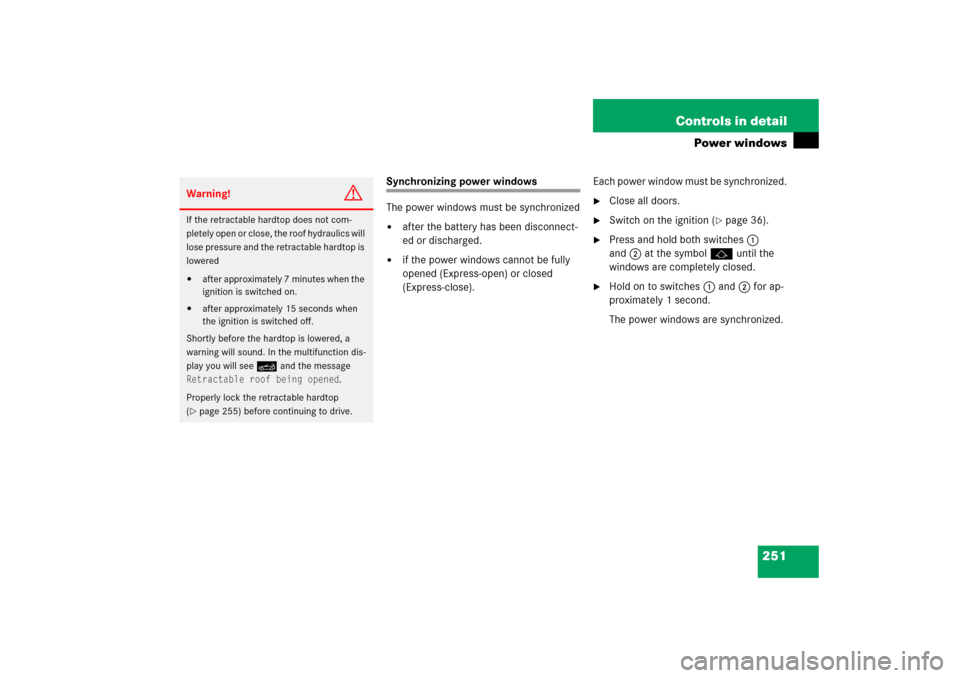
Press and hold both switches1
and2 at the symbolj until the
windows are completely closed.
�
Hold on to switches1and2 for ap-
proximately 1 second.
The power windows are synchronized.
Warning!
G
If the retractable hardtop does not com-
pletely open or close, the roof hydraulics will
lose pressure and the retractable hardtop is
lowered�
after approximately 7 minutes when the
ignition is switched on.
�
after approximately 15 seconds when
the ignition is switched off.
Shortly before the hardtop is lowered, a
warning will sound. In the multifunction dis-
play you will seeK and the message
Retractable roof being opened
.
Properly lock the retractable hardtop
(
�page 255) before continuing to drive.
Page 256 of 481

255 Controls in detail
Retractable hardtop
Locking the retractable hardtop after
raising/lowering
If the retractable hardtop is not properly
locked, lock it as described below.Warning!
G
Be sure to keep the hardtop switch pushed
until the hardtop is fully opened or closed.
The hydraulic pump will then shut off.
To prevent possible accidents, drive the ve-
hicle only with the hardtop either completely
closed and locked, or fully lowered into its
storage compartment.
Warning!
G
If the retractable hardtop does not com-
pletely open or close, the roof hydraulics will
lose pressure and the retractable hardtop is
lowered�
after approximately 7 minutes when the
ignition is switched on.
�
after approximately 15 seconds when
the ignition is switched off.
Shortly before the hardtop is lowered, a
warning will sound. In the multifunction dis-
play you will seeK and the message
Retractable roof being opened
.
�
Properly lock the retractable hardtop
before continuing to drive (
�page 256).
Warning!
G
The hardtop is not fully closed and locked or
not fully opened and locked if:�
the message
Retractable roof in
operation is shown in the multifunc-
tion display
�
a warning sounds for 10 seconds when
driving and a message in the multifunc-
tion display appears (
�page 381).
Page 259 of 481

258 Controls in detailRetractable hardtopClosing (Convenience closing feature)�
Press and hold lock button‹ until
the retractable hardtop is fully closed.
The retractable hardtop and windows
begin to close after approximately
1 second. In the multifunction display
you will see the message
Retractable
roof in operation
.
�
Release button‹ on the SmartKey
to interrupt procedure.
Warning!
G
When closing the side windows and retract-
able hardtop, make sure that there is no
danger of anyone being harmed by the
closing procedure.
If potential danger exists, proceed as fol-
lows:�
Release button‹ to stop the closing
procedure. To open, press and hold
buttonŒ. To continue the closing
procedure after making sure that there
is no danger of anyone being harmed by
the closing procedure, press and hold
button‹.
Warning!
G
If the retractable hardtop does not com-
pletely open or close, the roof hydraulics will
lose pressure and the retractable hardtop is
lowered�
after approximately 7 minutes when the
ignition is switched on.
�
after approximately 15 seconds when
the ignition is switched off.
Shortly before the hardtop is lowered, a
warning will sound. In the multifunction dis-
play you will seeK and the message
Retractable roof being opened
.
�
Properly lock the retractable hardtop
before continuing to drive (
�page 256).
Page 334 of 481

333 Operation
Tires and wheels
MOExtended system*
The MOExtended system allows you to
continue driving your vehicle even if there
is a total loss of pressure in one or more
tires.
You may only use the MOExtended system
in conjunction with the Run Flat Indicator*.
!The maximum distance in emergency
mode depends on the vehicle’s load. It
is 30 miles (50 km) if the vehicle is par-
tially loaded and 18 miles (30 km) if the
vehicle is fully loaded.
The point at which the maximum driv-
ing distance begins in emergency
mode is when the warning message
appears in the multifunction display
indicating that there is a loss of tire
inflation pressure.
Do not exceed the maximum speed of
50 mph (80 km/h).
Warning!
G
In emergency mode, your vehicle’s driving
characteristics are diminished in such situa-
tions as:�
driving around curves
�
while braking
�
while accelerating rapidly
Therefore, your driving style must be adapt-
ed accordingly. Avoid abrupt steering and
driving maneuvers, as well as driving over
obstacles (road curbs, potholes, or off-road
areas). This is especially important if the ve-
hicle is heavily loaded.
The emergency driving distance that can be
achieved greatly depends on the demands
placed on the vehicle. Depending on speed,
load, driving maneuvers, road conditions,
outside temperature, etc., the distance can
be significantly shorter or, if the vehicle is
driven cautiously, somewhat longer.
Do not continue driving in emergency mode
if�
you notice knocking sounds
�
the vehicle starts to shake
�
smoke develops and you smell rubber
�
ESP
® is intervening continuously
�
you notice tears on the tire sidewalls
After driving in emergency mode, you must
have the rims inspected by an authorized
Mercedes-Benz Center to check if they are
suitable for further use. The failed tire must
be replaced in any case.iWhen replacing individual or all tires on
the vehicle, make sure only tires
marked with “MOExtended” are mount-
ed in the size specified for your vehicle
(�page 439).
Page 352 of 481
351 Operation
Maintenance
Clearing the maintenance service indicator
The maintenance service indicator is auto-
matically cleared after 30 seconds.
You can also clear it yourself.�
Press reset buttonJ(
�page 25) for
clearing the maintenance service indi-
cator.
The maintenance service indicator is
cleared and the standard display menu
appears in the multifunction display
(
�page 128).
Maintenance service term exceeded
If you have exceeded the suggested main-
tenance service term, you will see the fol-
lowing message in the multifunction
display:Service A exceeded by XXXXX miles (km)
Service A exceeded by XXX days
Service A exceeded by X dayIn addition, a signal sounds when the mes-
sage appears.
Any authorized Mercedes-Benz Center will
reset the maintenance service indicator
following a completed maintenance
service.Calling up the maintenance service
indicator�
Switch on the ignition (
�page 36).
The standard display menu appears in
the multifunction display (�page 128).
�
Press buttonjork repeatedly
on the multifunction steering wheel un-
til the maintenance service
indicator9 appears in the multi-
function display (
�page 124).
��