Page 22 of 417
21 At a glance
Cockpit
Instrument cluster
Multifunction steering wheel
Center console
Overhead control panel
Door control panel
Page 24 of 417
23 At a glance
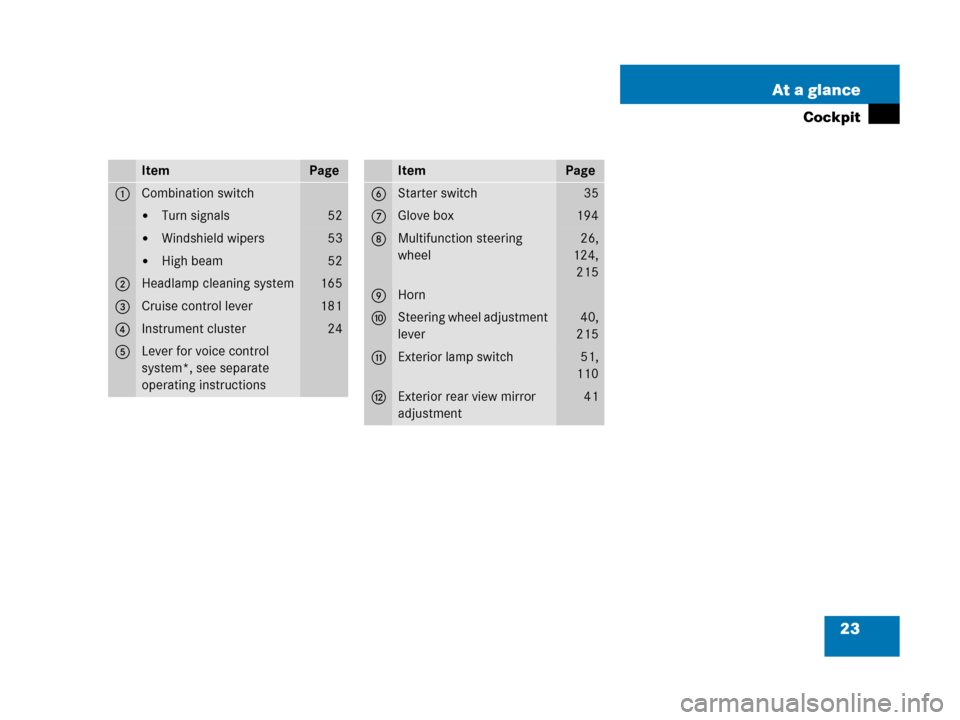
Cockpit
ItemPage
1Combination switch
�Turn signals52
�Windshield wipers53
�High beam52
2Headlamp cleaning system165
3Cruise control lever181
4Instrument cluster24
5Lever for voice control
system*, see separate
operating instructions
ItemPage
6Starter switch35
7Glove box194
8Multifunction steering
wheel26,
124,
215
9Horn
aSteering wheel adjustment
lever40,
215
bExterior lamp switch51,
110
cExterior rear view mirror
adjustment41
Page 27 of 417
26 At a glance
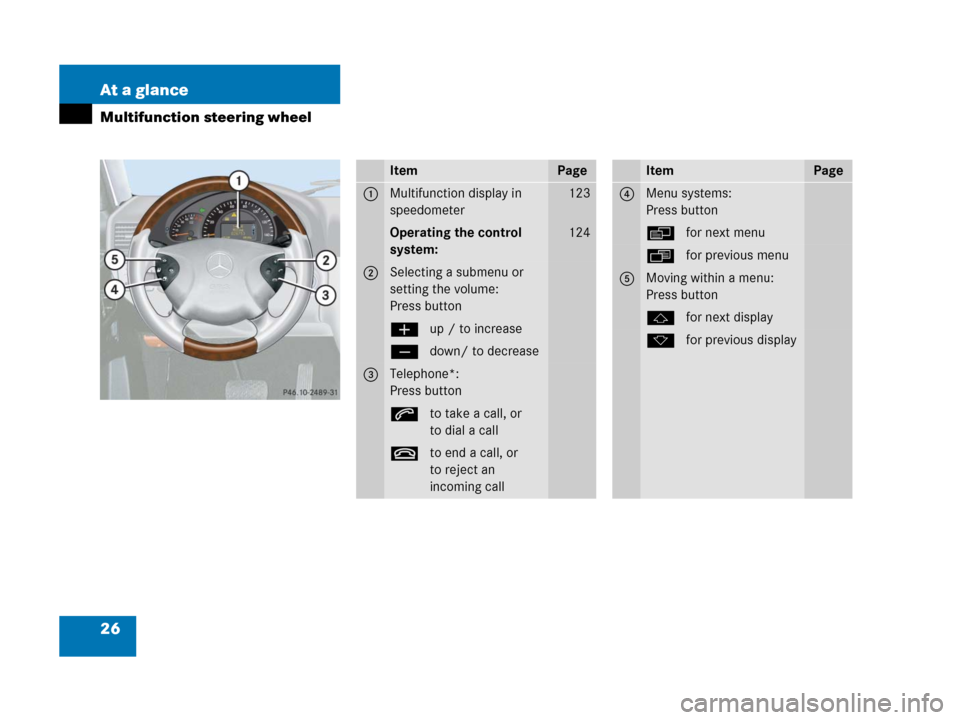
Multifunction steering wheel
ItemPage
1Multifunction display in
speedometer123
Operating the control
system:124
2Selecting a submenu or
setting the volume:
Press button
æup / to increase
çdown/ to decrease
3Telephone*:
Press button
sto take a call, or
to dial a call
tto end a call, or
to reject an
incoming call
ItemPage
4Menu systems:
Press button
èfor next menu
ÿfor previous menu
5Moving within a menu:
Press button
jfor next display
kfor previous display
Page 28 of 417
27 At a glance
Multifunction steering wheel
i
G55AMG:
The steering wheel in this vehicle may
vary from steering wheel shown.
However, multifunction steering wheel
symbols and feature description apply
to AMG vehicles as well.
Page 32 of 417
31 At a glance
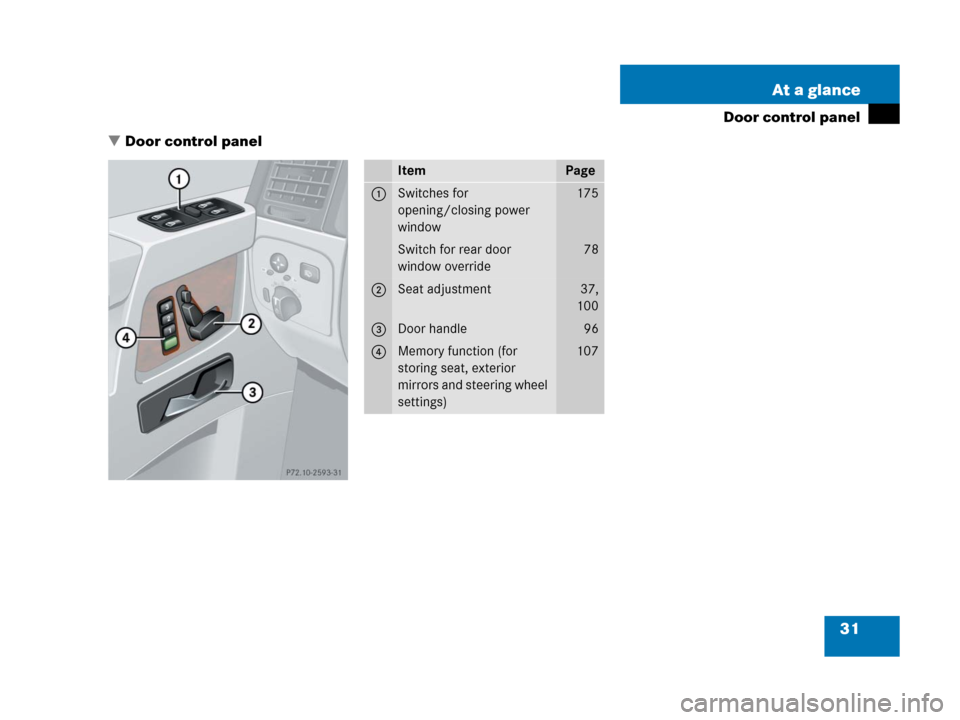
Door control panel
�Door control panel
ItemPage
1Switches for
opening/closing power
window175
Switch for rear door
window override78
2Seat adjustment37,
100
3Door handle96
4Memory function (for
storing seat, exterior
mirrors and steering wheel
settings)107
Page 38 of 417

37 Getting started
Adjusting
�Adjusting
Seats
Warning!G
All seat, head restraint, steering wheel, and
rear view mirror adjustments, as well as fas-
tening of seat belts, must be done before
the vehicle is put into motion.
Warning!G
Do not adjust the driver’s seat while driving.
Adjusting the seat while driving could cause
the driver to lose control of the vehicle.
Never ride in a moving vehicle with the seat
back in an excessively reclined position as
this can be dangerous. You could slide un-
der the seat belt in a collision. If you slide
under it, the belt would apply force at the ab-
domen or neck. That could cause serious or
fatal injuries.
The seat back and seat belts provide the
best restraint when the wearer is in a nearly
upright position and belts are properly posi-
tioned on the body. Your seat must be ad-
justed so that you can correctly fasten your
seat belt (
�page 43).
Never place hands under the seat or near
any moving parts while a seat is being ad-
justed.
Warning!G
When leaving the vehicle, always remove the
SmartKey from the starter switch, take it
with you, and lock the vehicle.
Even with the SmartKey removed from the
starter switch, the power seats can be oper-
ated when the respective door is open.
Therefore, do not leave children unattended
in the vehicle, or with access to an unlocked
vehicle. Unsupervised use of vehicle equip-
ment may cause an accident and/or serious
personal injury.
Warning!G
Children 12 years old and under must never
ride in the front seat, except in a
Mercedes-Benz authorized BabySmart
TM1
compatible child seat, which operates with
the BabySmart
TM system installed in the ve-
hicle to deactivate the passenger front
airbag when it is properly installed. Other-
wise they will be struck by the airbag when
it inflates in a crash. If this happens, serious
or fatal injury will result.
According to accident statistics, children
are safer when properly restrained in the
rear seating positions than in the front seat-
ing positions. Infants and small children
must ride in the back seats and be seated in
an appropriate infant or child restraint sys-
tem, which is properly secured with the ve-
hicle’s seat belt and top tether strap, or
secured via lower anchors and top tether
strap, fully in accordance with the child seat
manufacturer’s instructions.
1BabySmartTM is a trademark of Siemens
Automotive Corp.
��
Page 39 of 417
38 Getting started
Adjusting
Seat adjustment
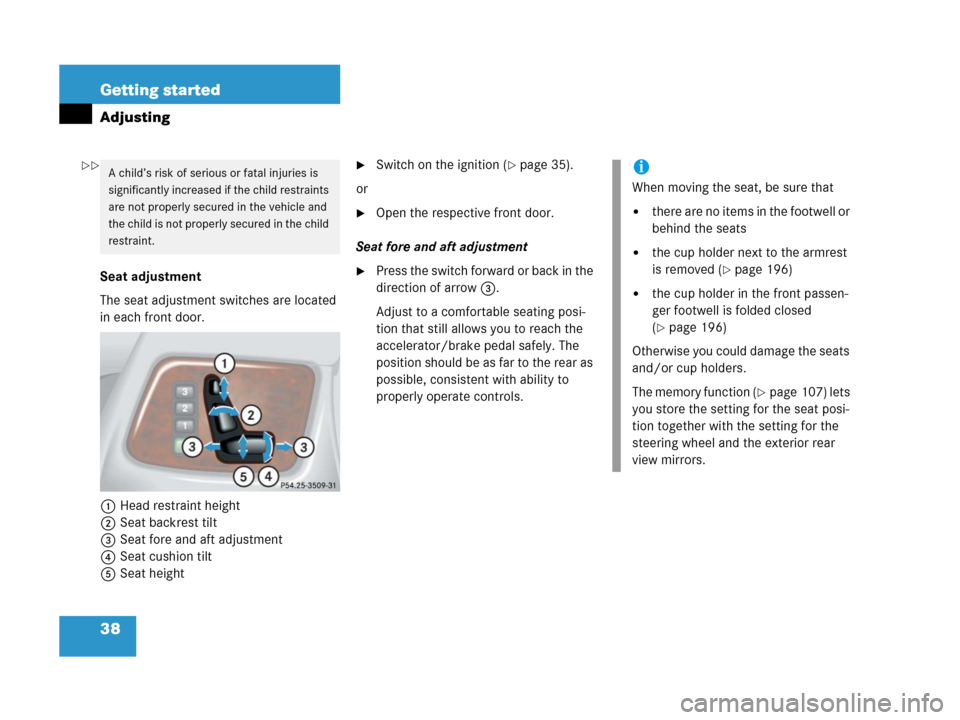
The seat adjustment switches are located
in each front door.
1Head restraint height
2Seat backrest tilt
3Seat fore and aft adjustment
4Seat cushion tilt
5Seat height
�Switch on the ignition (�page 35).
or
�Open the respective front door.
Seat fore and aft adjustment
�Press the switch forward or back in the
direction of arrow3.
Adjust to a comfortable seating posi-
tion that still allows you to reach the
accelerator/brake pedal safely. The
position should be as far to the rear as
possible, consistent with ability to
properly operate controls.
A child’s risk of serious or fatal injuries is
significantly increased if the child restraints
are not properly secured in the vehicle and
the child is not properly secured in the child
restraint.i
When moving the seat, be sure that
�there are no items in the footwell or
behind the seats
�the cup holder next to the armrest
is removed (
�page 196)
�the cup holder in the front passen-
ger footwell is folded closed
(
�page 196)
Otherwise you could damage the seats
and/or cup holders.
The memory function (
�page 107) lets
you store the setting for the seat posi-
tion together with the setting for the
steering wheel and the exterior rear
view mirrors.
��
Page 40 of 417
39 Getting started
Adjusting
Seat cushion tilt
�Press the switch up or down in the di-
rection of arrow4 until your upper
legs are lightly supported.
Seat backrest tilt
�Press the switch forward or backward
in the direction of arrow2 until your
arms are slightly angled when holding
the steering wheel.
Seat height
�Press the switch up or down in the di-
rection of arrow5.
Make sure you have sufficient head-
room.Head restraint height
�Press the switch up or down in the di-
rection of arrow1.
Adjust head restraint to support the back
of the head approximately at eye level.Head restraint tilt
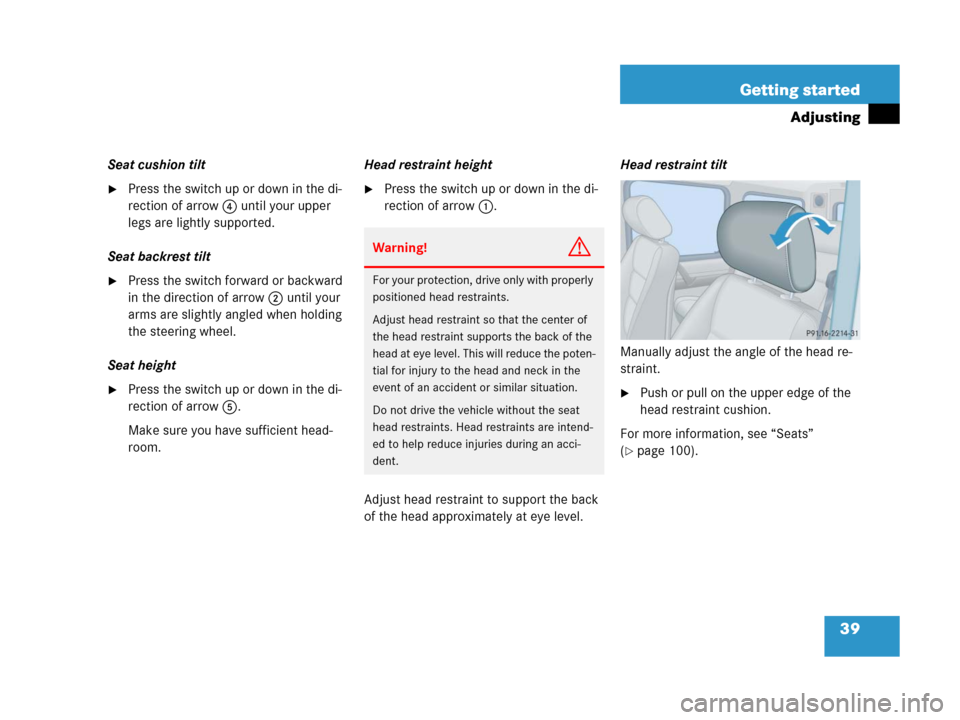
Manually adjust the angle of the head re-
straint.
�Push or pull on the upper edge of the
head restraint cushion.
For more information, see “Seats”
(
�page 100).
Warning!G
For your protection, drive only with properly
positioned head restraints.
Adjust head restraint so that the center of
the head restraint supports the back of the
head at eye level. This will reduce the poten-
tial for injury to the head and neck in the
event of an accident or similar situation.
Do not drive the vehicle without the seat
head restraints. Head restraints are intend-
ed to help reduce injuries during an acci-
dent.