Page 225 of 521

224 Controls in detail4-zone automatic climate control*Windshield fogged on the outside�
Switch the windshield wipers on
(�page 55).
�
Press one buttonU (
�page 216) or
(
�page 217).
The indicator lamp on the button
comes on.
AUTO
appears in the
display4 (
�page 216) or
(
�page 217). The air volume and air
distribution are adjusted automatically.
If the automatic mode of the climate con-
trol is switched off:
�
Turn air distribution control1 and 7
to a or Y (
�page 216) or
(
�page 217).
Maximum cooling MAX COOL
If the left and right air distribution controls
as well as the airflow volume control are
set toU and there is a high need for
cooling, the display “
MAX COOL
” appears in
the front and rear display (
�page 229).
This provides the fastest possible cooling
of the vehicle interior (when windows and
tilt/sliding sunroof* are closed).
Air recirculation mode
Switch to air recirculation mode to prevent
unpleasant odors from entering the vehicle
from the outside (e.g. before driving
through a tunnel). This setting cuts off the
intake of outside air and recirculates the
air in the passenger compartment.
iKeep this setting selected only until the
windshield is clear again.
Warning!
G
Fogged windows impair visibility, endanger-
ing you and others. If the windows begin to
fog on the inside, switching off the air
recirculation mode immediately should clear
interior window fogging. If interior window
fogging persists, make sure the air
conditioning (
�page 227) is activated, or
press buttonP or0.
Page 229 of 521
228 Controls in detail4-zone automatic climate control*Residual heat and ventilation (Canada only)
With the engine switched off, it is possible
to continue to heat or ventilate the interior
for up to 30 minutes. This feature makes
use of the residual heat produced by the
engine.
Activating
�
Switch off the ignition.
�
Press buttonT (
�page 217).
REST in the display4 (�page 217)
comes on.Deactivating
�
Press buttonT (
�page 217) again.
REST in the display4 (�page 217)
goes out.
iIf you switch on the residual heat
function when temperatures are high,
only the ventilation will be switched on.iRegardless of the selected air volume,
the blower operates at low speed.
iHow long the system will provide heat-
ing depends on�
the coolant temperature
�
the temperature set by the operator
The blower will run at speed setting 1
regardless of the air distribution con-
trol setting.
iThe residual heat is automatically
turned off:�
when the ignition is switched on
�
after about 30 minutes
�
if the battery voltage drops
�
if the coolant temperature is too
low
Page 230 of 521

229 Controls in detail
4-zone automatic climate control*
Rear climate control
The rear climate control is adjusted via the
front climate control panel (
�page 216) or
(
�page 217) or the rear climate control
panel.
The rear climate control panel is located in
the rear center console.
Setting the temperature
Use temperature control rocker
switches4 and6 to separately adjust
the air temperature on each side of the
rear passenger compartment.You should raise or lower the temperature
setting in small increments, preferably
starting at 72°F (22°C). The adjusted tem-
perature appears in the display 5. The
rear climate control will adjust to the set
temperature as fast as possible.
1Temperature, left
2Temperature, right
�
Adjust the temperature to the desired
setting for each side of the passenger
compartment using the left and right
temperature buttons.
The temperature in the rear passenger
compartment is adjusted automatical-
ly.
1
Left rear center air vent, adjustable
2
Right rear center air vent, adjustable
3
Thumbwheel for air volume control
for right rear center air vent
4
Temperature rocker switch, right
5
Display
6
Temperature rocker switch, left
7
Thumbwheel for air volume control
for left rear center air ventiYou can also adjust the rear tempera-
ture using the front climate control
panel (
�page 216) or (
�page 217).
��
Page 231 of 521
230 Controls in detail4-zone automatic climate control*Adjusting air distribution�
Push the slide for the left center
vent1 or right center vent 2
(�page 229) to the left, right, up, or
down.
The air flow is directed in the
corresponding direction.
Adjusting air volume
�
Turn thumbwheel3 or 7
(�page 229) up or down.
The air volume is increased or
decreased.Adjusting the rear settings with the
front control panel
You can adjust the temperature for the
rear climate control from the front climate
control panel.
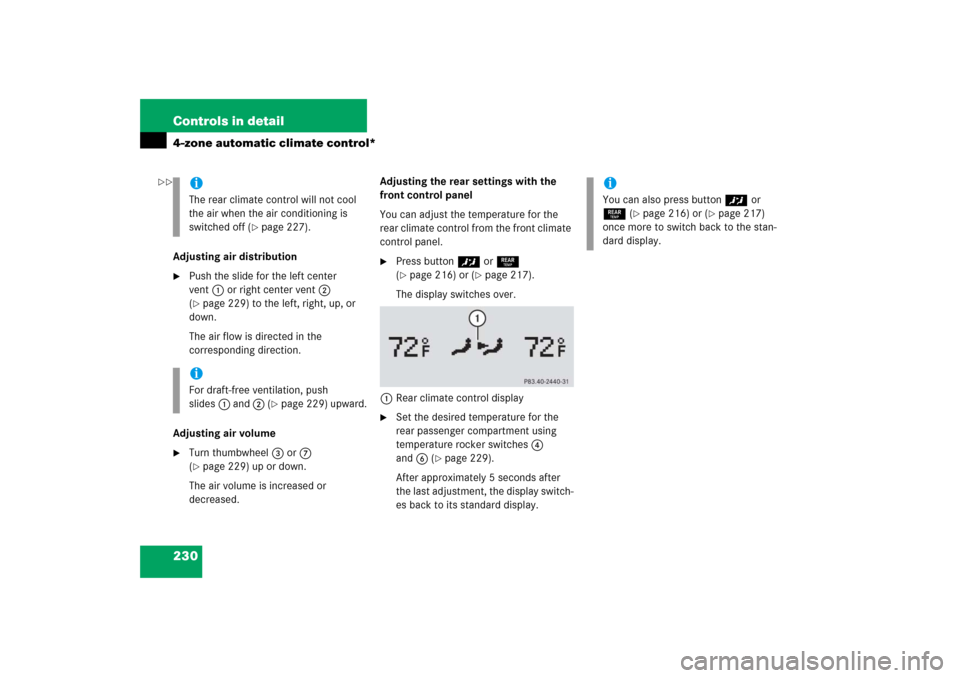
�
Press button™ or 5
(�page 216) or (
�page 217).
The display switches over.
1Rear climate control display
�
Set the desired temperature for the
rear passenger compartment using
temperature rocker switches4
and6 (
�page 229).
After approximately 5 seconds after
the last adjustment, the display switch-
es back to its standard display.
iThe rear climate control will not cool
the air when the air conditioning is
switched off (
�page 227).
iFor draft-free ventilation, push
slides1 and 2 (
�page 229) upward.
iYou can also press button™ or
5 (
�page 216) or (
�page 217)
once more to switch back to the stan-
dard display.
��
Page 241 of 521
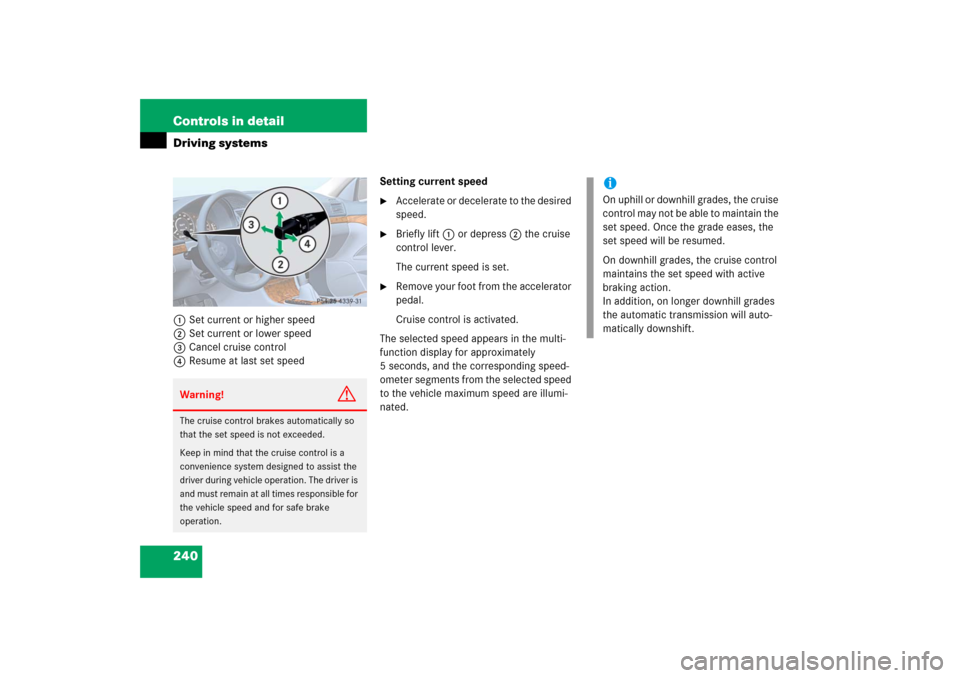
240 Controls in detailDriving systems1Set current or higher speed
2Set current or lower speed
3Cancel cruise control
4Resume at last set speedSetting current speed
�
Accelerate or decelerate to the desired
speed.
�
Briefly lift1 or depress2 the cruise
control lever.
The current speed is set.
�
Remove your foot from the accelerator
pedal.
Cruise control is activated.
The selected speed appears in the multi-
function display for approximately
5 seconds, and the corresponding speed-
ometer segments from the selected speed
to the vehicle maximum speed are illumi-
nated.
Warning!
G
The cruise control brakes automatically so
that the set speed is not exceeded.
Keep in mind that the cruise control is a
convenience system designed to assist the
driver during vehicle operation. The driver is
and must remain at all times responsible for
the vehicle speed and for safe brake
operation.
iOn uphill or downhill grades, the cruise
control may not be able to maintain the
set speed. Once the grade eases, the
set speed will be resumed.
On downhill grades, the cruise control
maintains the set speed with active
braking action.
In addition, on longer downhill grades
the automatic transmission will auto-
matically downshift.
Page 242 of 521
241 Controls in detail
Driving systems
Canceling cruise control
There are several ways to cancel the cruise
control:�
Step on the brake pedal.
The cruise control is canceled. The last
speed set is stored for later use.
or
�
Briefly push the cruise control lever in
direction of arrow3 (
�page 240).
The cruise control is canceled. The last
speed set is stored for later use.
iThe last stored speed is canceled when
you turn off the engine.
iThe cruise control switches off auto-
matically if�
you step on the brake pedal.
�
you depress the parking brake
pedal.
In this case the segments in the
multifunction display (
�page 245)
go out and no warning sounds.
�
the vehicle speed is below 20 mph
(30 km/h).
�
the ESP
® is in operation or
switched off with the ESP
® switch
(
�page 96).
�
you move the gear selector lever to
position N while driving.
The segments in the multifunction dis-
play (�page 245) go out, and an
acoustic warning sounds.
!Moving gear selector lever to
positionN while driving also cancels
the cruise control. However, the gear
selector lever should not be moved to
positionN while driving except to coast
when the vehicle is in danger of skid-
ding (e.g. on icy roads).iDepressing the accelerator pedal does
not deactivate the cruise control. After
brief acceleration (e.g. for passing), the
cruise control will resume the last
speed set.
Page 243 of 521

242 Controls in detailDriving systemsSetting a higher speed�
Lift cruise control lever in direction of
arrow1 (
�page 240) and hold it up
until the desired speed is reached.
�
Release the cruise control lever.
The new speed is set.
Setting a lower speed
�
Depress the cruise control lever in di-
rection of arrow2 (
�page 240) and
hold it down until the desired speed is
reached.
�
Release cruise control lever.
The new speed is set.Fine adjustment in 1 mph
(Canada: 1 km/h) increments
Faster
�
Briefly tip the cruise control lever in di-
rection of arrow1 (
�page 240).
Slower
�
Briefly tip the cruise control lever in di-
rection of arrow2 (
�page 240).Setting to last stored speed
(“Resume” function)
�
Briefly pull the cruise control lever in di-
rection of arrow4 (
�page 240).
The cruise control resumes the last set
speed.
�
Remove your foot from the accelerator
pedal.
The selected speed appears in the multi-
function display for approximately
5 seconds, and the corresponding speed-
ometer segments from the selected speed
to the vehicle maximum speed are illumi-
nated.
iWhen you use the cruise control lever
to decelerate, the brake system will au-
tomatically brake the vehicle if the en-
gine’s braking power does not brake
the vehicle sufficiently.
Warning!
G
The speed stored in memory should only be
set again if prevailing road conditions per-
mit. Possible acceleration or deceleration
differences arising from returning to the pre-
set speed could cause an accident and/or
serious injury to you and others.
Page 246 of 521

245 Controls in detail
Driving systems
Distronic displays in the speedometer
dial
1Set speed
If Distronic is activated, one or two seg-
ments come on around the set speed.
Warning!
G
Close attention to road and traffic condi-
tions is imperative at all times, regardless of
whether or not Distronic is activated.
Use of Distronic can be dangerous on wind-
ing roads or in heavy traffic because condi-
tions do not allow safe driving at a steady
speed.
Distronic will not react to stationary objects
in the roadway (e.g. a stopped vehicle in a
traffic jam or a disabled vehicle). Distronic
will also not respond to oncoming vehicles.
Switch off Distronic:�
when changing from the left to the right
lane if vehicles are moving more slowly
in the left lane
�
when entering a turn lane or highway off
ramp
�
in complex driving situations, such as in
highway construction zones
In these situations, Distronic will continue to
maintain the set speed unless deactivated.
Distronic is designed and intended only to
maintain a set speed and keep a set dis-
tance from moving objects in front of it.Warning!
G
The “Resume” function should only be oper-
ated if the driver is fully aware of the previ-
ously set speed and wishes to resume this
particular preset speed.
iThe vehicle speed displayed on the
speedometer can briefly vary from the
speed setting on the Distronic system.