Page 180 of 521
179 Controls in detail
Control system
Adjusting the dynamic seat
The function dynamic seat adjustment lets
you determine the way the seat adjusts
while driving.�
Move the selection marker with
buttonæ orç to the Dynamic Seat
submenu.
�
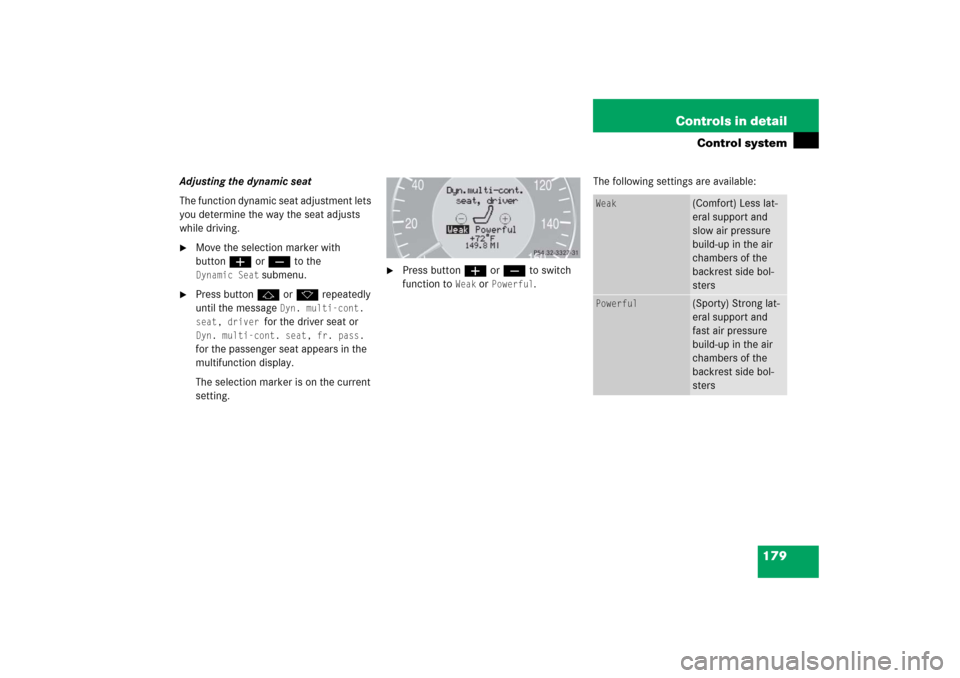
Press buttonj ork repeatedly
until the message
Dyn. multi-cont.
seat, driver
for the driver seat or
Dyn. multi-cont. seat, fr. pass.
for the passenger seat appears in the
multifunction display.
The selection marker is on the current
setting.
�
Press buttonæ orç to switch
function to
Weak
or
Powerful
.The following settings are available:
Weak
(Comfort) Less lat-
eral support and
slow air pressure
build-up in the air
chambers of the
backrest side bol-
sters
Powerful
(Sporty) Strong lat-
eral support and
fast air pressure
build-up in the air
chambers of the
backrest side bol-
sters
Page 181 of 521
180 Controls in detailControl systemTrip computer menu
Use the trip computer menu to call up sta-
tistical data on your vehicle. The following
information is available:Fuel consumption statistics after start
�
Press buttonÿ orè repeatedly
until you see the first function of the
trip computer menu.
�
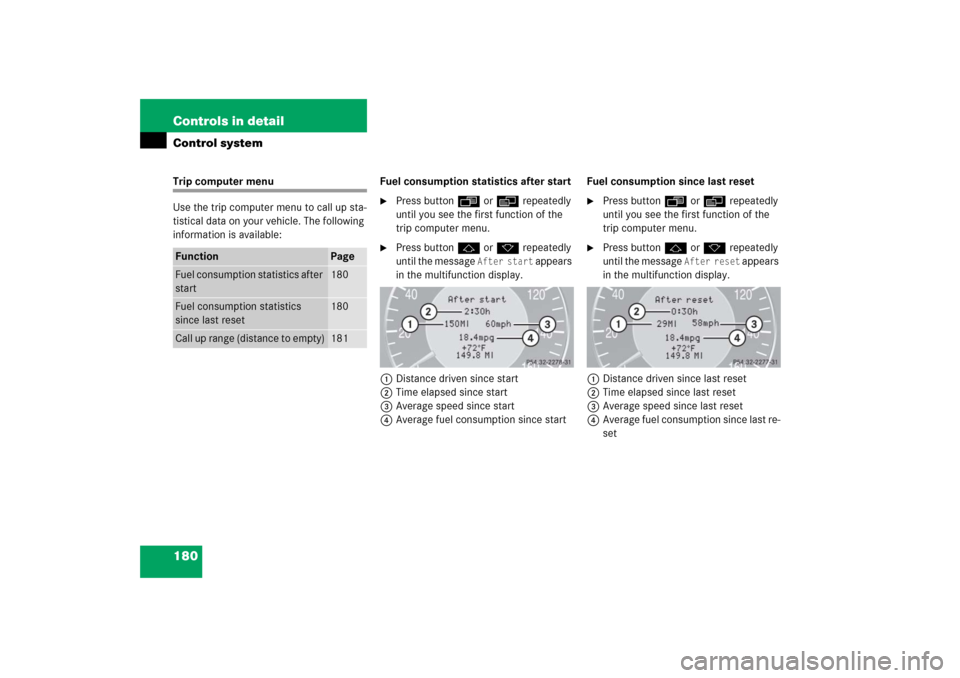
Press buttonj ork repeatedly
until the message
After start
appears
in the multifunction display.
1Distance driven since start
2Time elapsed since start
3Average speed since start
4Average fuel consumption since startFuel consumption since last reset
�
Press buttonÿ orè repeatedly
until you see the first function of the
trip computer menu.
�
Press buttonj ork repeatedly
until the message
After reset
appears
in the multifunction display.
1Distance driven since last reset
2Time elapsed since last reset
3Average speed since last reset
4Average fuel consumption since last re-
set
Function
Page
Fuel consumption statistics after
start
180
Fuel consumption statistics
since last reset
180
Call up range (distance to empty)
181
Page 182 of 521
181 Controls in detail
Control system
Resetting fuel consumption statistics�
Press buttonÿ orè repeatedly
until you see the first function of the
trip computer menu.
�
Press buttonj ork repeatedly
until you see the reading that you want
to reset in the multifunction display.
�
Press and hold the reset button in the
instrument cluster (
�page 151) until
the value is reset to 0.Calling up range (distance to empty)
�
Press buttonÿ orè repeatedly
until you see the first function of the
trip computer menu.
�
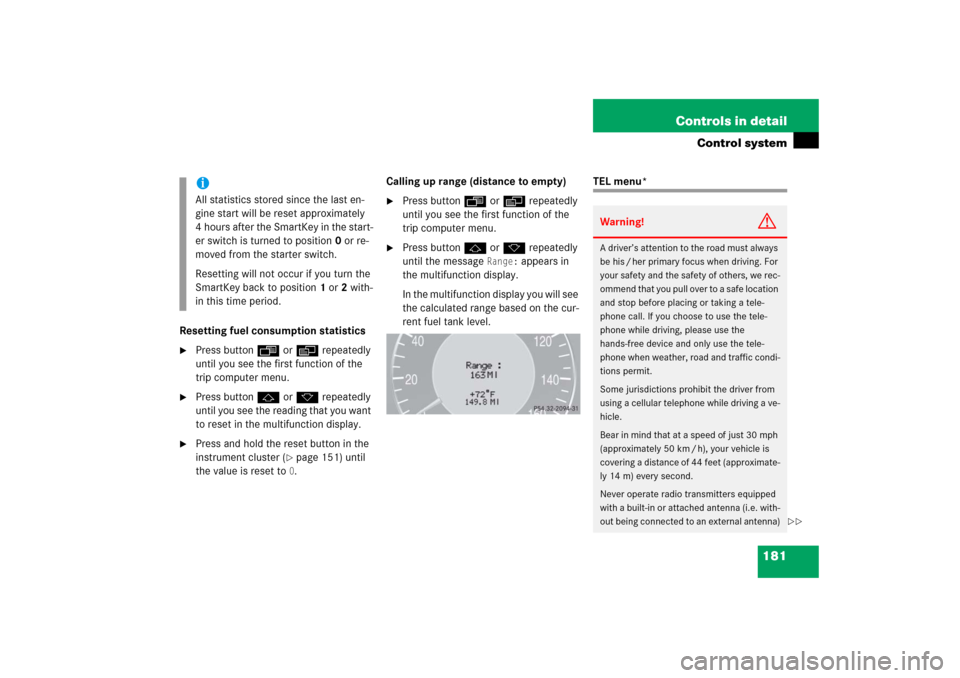
Press buttonj ork repeatedly
until the message
Range:
appears in
the multifunction display.
In the multifunction display you will see
the calculated range based on the cur-
rent fuel tank level.
TEL menu*
iAll statistics stored since the last en-
gine start will be reset approximately
4 hours after the SmartKey in the start-
er switch is turned to position0 or re-
moved from the starter switch.
Resetting will not occur if you turn the
SmartKey back to position1 or2 with-
in this time period.
Warning!
G
A driver’s attention to the road must always
be his / her primary focus when driving. For
your safety and the safety of others, we rec-
ommend that you pull over to a safe location
and stop before placing or taking a tele-
phone call. If you choose to use the tele-
phone while driving, please use the
hands-free device and only use the tele-
phone when weather, road and traffic condi-
tions permit.
Some jurisdictions prohibit the driver from
using a cellular telephone while driving a ve-
hicle.
Bear in mind that at a speed of just 30 mph
(approximately 50 km / h), your vehicle is
covering a distance of 44 feet (approximate-
ly 14 m) every second.
Never operate radio transmitters equipped
with a built-in or attached antenna (i.e. with-
out being connected to an external antenna)
��
Page 183 of 521
182 Controls in detailControl systemYou can use the functions in the
Tel
menu
to operate your telephone, provided it is
connected to a hands-free system and
switched on.
�
Switch on the telephone and COMAND.
�
Press buttonÿ orè on the
steering wheel repeatedly until the
Tel
menu appears in the multifunction dis-
play.
Which messages will appear in the multi-
function display depends on whether your
telephone is switched on or off:
�
If the telephone is off, the message in
the multifunction display is:
PHONE off
.
�
If the telephone is on:
The telephone will then search for a
network. During this time the multi-
function display is empty.
As soon as the telephone has found a
network,
READY
appears in the multi-
function display.
This standby message indicates that your
telephone is ready for use and you can op-
erate it using the control system.
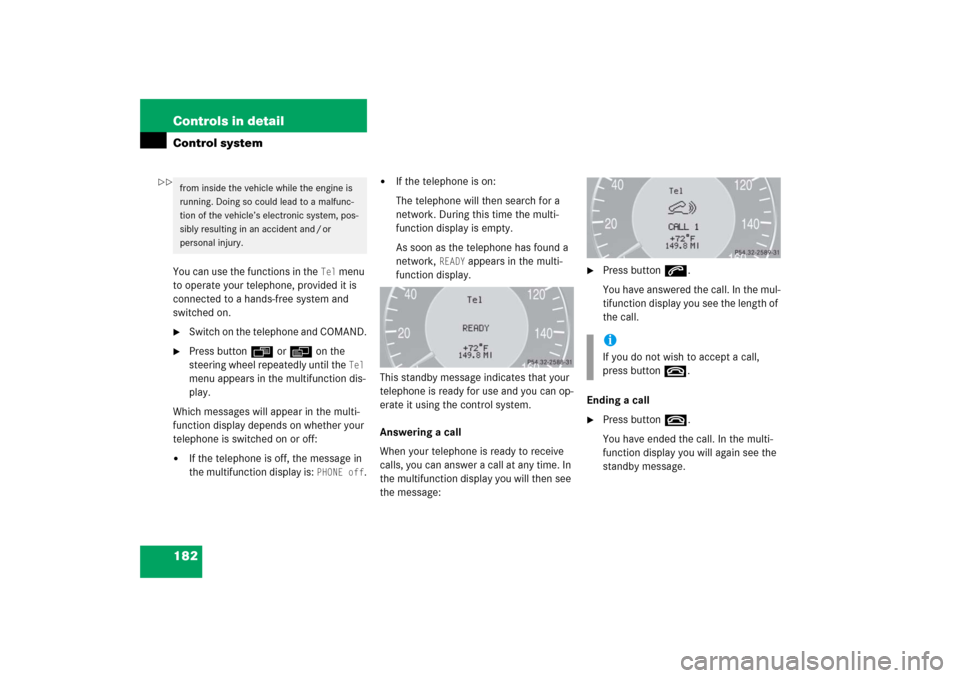
Answering a call
When your telephone is ready to receive
calls, you can answer a call at any time. In
the multifunction display you will then see
the message:
�
Press buttons.
You have answered the call. In the mul-
tifunction display you see the length of
the call.
Ending a call
�
Press buttont.
You have ended the call. In the multi-
function display you will again see the
standby message.
from inside the vehicle while the engine is
running. Doing so could lead to a malfunc-
tion of the vehicle’s electronic system, pos-
sibly resulting in an accident and / or
personal injury.
iIf you do not wish to accept a call,
press buttont.
��
Page 184 of 521

183 Controls in detail
Control system
Dialing a number from the phone book
If your telephone is ready to receive calls,
you may select and dial a number from the
phone book at any time.�
Press buttonÿ orè repeatedly
until you see the
Tel
menu in the mul-
tifunction display.
�
Press buttonj ork.
The control system reads the phone
book which is stored in the telephone.
This may take up to 30 seconds. In the
multifunction display you will see the
message
Please wait
.
When the message
Please wait
disap-
pears, the phone book has been load-
ed.
�
Press buttonj ork repeatedly
until the desired name appears in the
multifunction display.
The stored names are displayed in as-
cending or descending alphabetical or-
der.
�
Press buttons.
The system dials the selected phone
number.�
If the connection is successful, the
name of the party you called and
the duration of the call will appear
in the multifunction display.
�
If no connection is made, the con-
trol system stores the dialed num-
ber in the redial memory.
Redialing
The control system stores the most recent-
ly dialed phone numbers. This eliminates
the need to search through your entire
phone book.
�
Press buttonÿ orè repeatedly
until you see the
Tel
menu in the mul-
tifunction display.
�
Press buttons.
In the multifunction display you see the
first number in the redial memory.
�
Press buttonj ork repeatedly
until the desired name appears in the
multifunction display.
�
Press buttons.
The control system dials the selected
phone number.
iIf you press and hold buttonj
ork for longer than 1 second, the
system scrolls rapidly through the list
of names until you release the button
again.
Cancel the quick search mode by
pressing buttont.
Page 185 of 521

184 Controls in detailAutomatic transmissionFor more information on driving with an
automatic transmission, see “Automatic
transmission” (
�page 50).
Your vehicle’s transmission adapts its gear
shifting process to your individual driving
style by continually adjusting the shift
points up or down. These shift point adjust-
ments are performed based on current
operating and driving conditions.
If the operating conditions change, the
automatic transmission reacts by
adjusting its shift program.
Gearshift pattern for automatic
transmissionThe automatic transmission selects indi-
vidual gears automatically, depending on:�
the gear selector lever
positionD(
�page 186) with
gear ranges (�page 188)
�
the selected program mode:
(C/S)(
�page 189)
or
(M/C/S) (E 55 AMG only)
(
�page 194)
�
the position of the accelerator pedal
(�page 187)
�
the vehicle speed
1Current gear range/gear selector lever
position
2Current program mode
The current gear range/gear selector lever
position and program mode (
C/S) or
(
M/C/S) (E 55 AMG only) appear in the mul-
tifunction display.
An additional indication of the current gear
selector lever position can be found on the
cover of the shifting-gate.
iDuring the brief warm-up, transmission
upshifting is delayed. This allows the
catalytic converter to heat up more
quickly to operating temperature.
Page 189 of 521
188 Controls in detailAutomatic transmissionStopping
When you stop briefly, e.g. at traffic lights:�
Leave the transmission in gear.
�
Hold the vehicle with the brake.
When you stop longer with the engine
idling and/or on a hill:
�
Set the parking brake.
�
Move the gear selector lever to
positionP.Maneuvering
When you maneuver in tight areas,
e.g. when pulling into a parking space:
�
Control the vehicle speed by gradually
releasing the brakes.
�
Accelerate gently.
�
Never abruptly step on the accelerator.
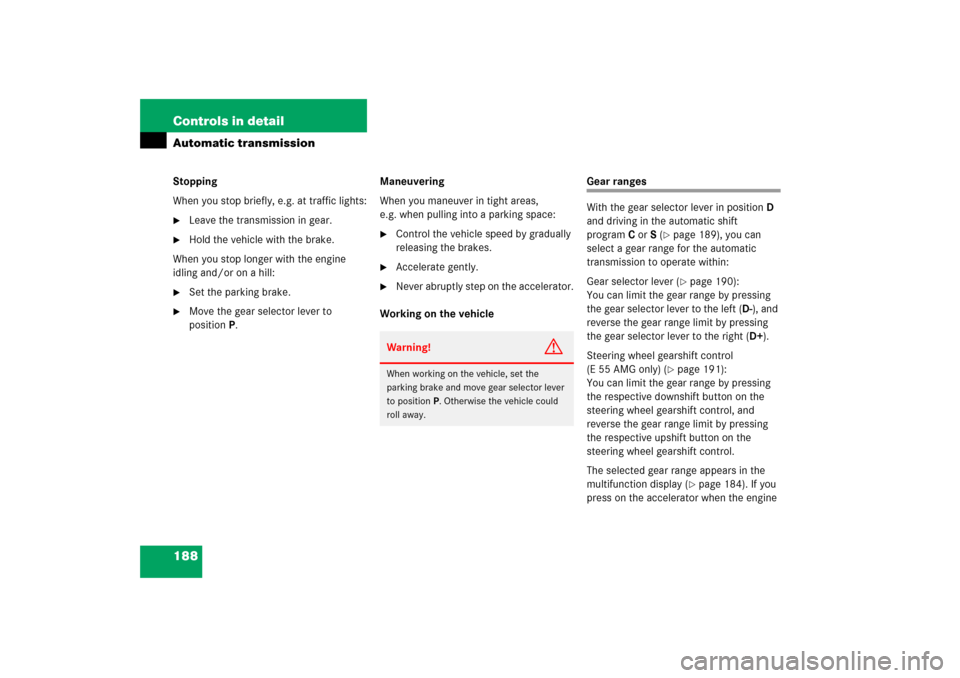
Working on the vehicle
Gear ranges
With the gear selector lever in positionD
and driving in the automatic shift
programC orS (
�page 189), you can
select a gear range for the automatic
transmission to operate within:
Gear selector lever (�page 190):
You can limit the gear range by pressing
the gear selector lever to the left (D-), and
reverse the gear range limit by pressing
the gear selector lever to the right (D+).
Steering wheel gearshift control
(E 55 AMG only) (
�page 191):
You can limit the gear range by pressing
the respective downshift button on the
steering wheel gearshift control, and
reverse the gear range limit by pressing
the respective upshift button on the
steering wheel gearshift control.
The selected gear range appears in the
multifunction display (�page 184). If you
press on the accelerator when the engine
Warning!
G
When working on the vehicle, set the
parking brake and move gear selector lever
to positionP. Otherwise the vehicle could
roll away.
Page 190 of 521
189 Controls in detail
Automatic transmission
has reached its rpm limit, the transmission
will upshift beyond any gear range limit
selected.
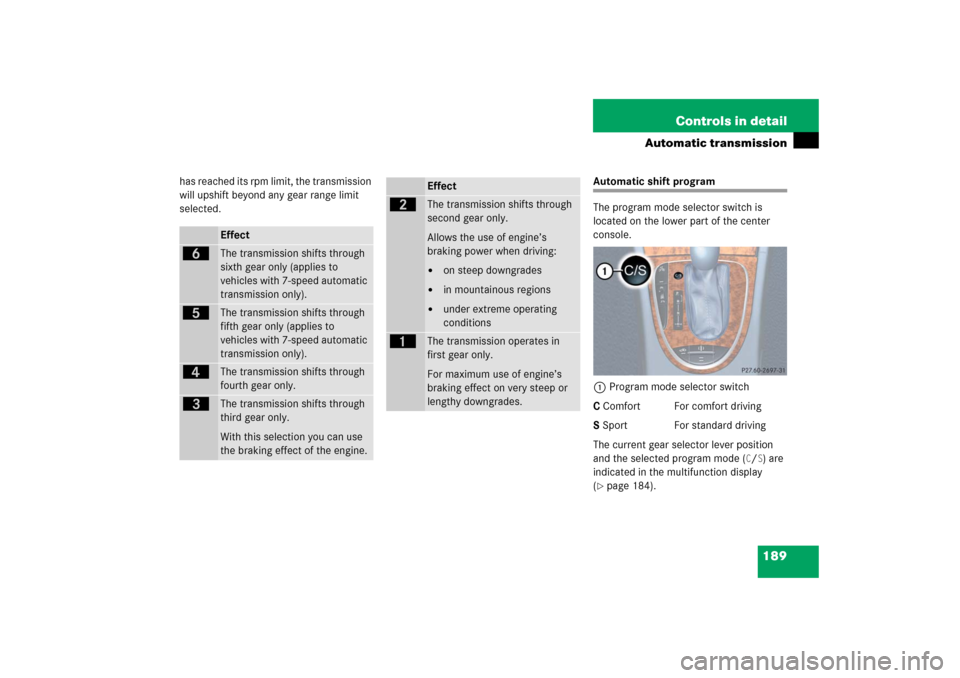
Automatic shift program
The program mode selector switch is
located on the lower part of the center
console.
1Program mode selector switch
C Comfort For comfort driving
S Sport For standard driving
The current gear selector lever position
and the selected program mode (
C/S) are
indicated in the multifunction display
(
�page 184).
Effect
ï
The transmission shifts through
sixth gear only (applies to
vehicles with 7-speed automatic
transmission only).
î
The transmission shifts through
fifth gear only (applies to
vehicles with 7-speed automatic
transmission only).
é
The transmission shifts through
fourth gear only.
è
The transmission shifts through
third gear only.
With this selection you can use
the braking effect of the engine.
Effect
ç
The transmission shifts through
second gear only.
Allows the use of engine’s
braking power when driving:�
on steep downgrades
�
in mountainous regions
�
under extreme operating
conditions
æ
The transmission operates in
first gear only.
For maximum use of engine’s
braking effect on very steep or
lengthy downgrades.