Page 128 of 521
127 Controls in detail
Locking and unlocking
Automatic central locking
The doors and the tailgate automatically
lock when the ignition is switched on and
the wheels are turning at vehicle speeds of
approximately 9 mph (15 km / h) or more.
You can open a locked door from the in-
side. Open door only when conditions are
safe to do so.For more information on towing the vehi-
cle, see “Towing the vehicle” (
�page 458).
You can deactivate the automatic locking
mode using the control system
(
�page 176).
Warning!
G
Monitor the closing procedure carefully to
make sure no one is in danger of being in-
jured. To prevent possible personal injury,
always keep hands and fingers away from
the cargo compartment opening when clos-
ing the tailgate. Be especially careful when
small children are around. To stop the clos-
ing procedure, do one of the following: �
press KEYLESS-GO locking / closing
switch 1
�
press tailgate closing switch1
(�page 125)
�
press button Š on the SmartKey with
KEYLESS-GO (
�page 111)
�
pull the remote tailgate switch (on the
driver’s door) (
�page 121)
Even with the SmartKey with KEYLESS-GO
removed from the vehicle, the locking/clos-
ing switch can be operated. Therefore, do
not leave children unattended in the vehicle,
or with access to an unlocked vehicle. Unsu-
pervised use of vehicle equipment may
cause an accident and/or serious personal
injury.Warning!
G
Only drive with the tailgate closed as,
among other dangers such as blocked visi-
bility, exhaust fumes may enter the vehicle
interior.
iThe doors unlock automatically after an
accident if the force of the impact ex-
ceeds a preset threshold.
The vehicle automatically locks when
the ignition is switched on and the
wheels are turning at vehicle speeds of
approximately 9 mph (15 km / h) or
more. You could therefore lock yourself
out when the vehicle�
is pushed or towed
�
is on a test stand
Page 129 of 521
128 Controls in detailLocking and unlockingLocking and unlocking from the inside
You can lock or unlock the doors and the
tailgate from inside using the central lock-
ing switch. This can be useful, for example,
if you want to lock the vehicle before start-
ing to drive.
The fuel filler flap cannot be locked or un-
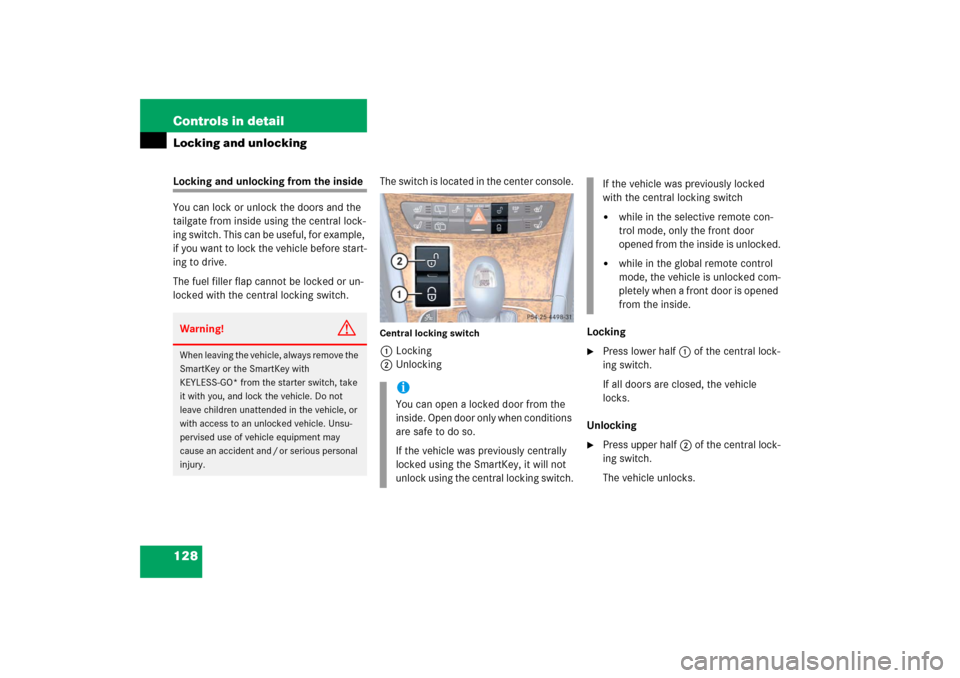
locked with the central locking switch.The switch is located in the center console.
Central locking switch1Locking
2UnlockingLocking
�
Press lower half 1 of the central lock-
ing switch.
If all doors are closed, the vehicle
locks.
Unlocking
�
Press upper half2 of the central lock-
ing switch.
The vehicle unlocks.
Warning!
G
When leaving the vehicle, always remove the
SmartKey or the SmartKey with
KEYLESS-GO* from the starter switch, take
it with you, and lock the vehicle. Do not
leave children unattended in the vehicle, or
with access to an unlocked vehicle. Unsu-
pervised use of vehicle equipment may
cause an accident and / or serious personal
injury.
iYou can open a locked door from the
inside. Open door only when conditions
are safe to do so.
If the vehicle was previously centrally
locked using the SmartKey, it will not
unlock using the central locking switch.
If the vehicle was previously locked
with the central locking switch�
while in the selective remote con-
trol mode, only the front door
opened from the inside is unlocked.
�
while in the global remote control
mode, the vehicle is unlocked com-
pletely when a front door is opened
from the inside.
Page 149 of 521
148 Controls in detailLightingSwitching on hazard warning flasher�
Press the hazard warning flasher
switch1.
All turn signals are flashing.
Switching off hazard warning flasher
�
Press hazard warning flasher switch1
again.
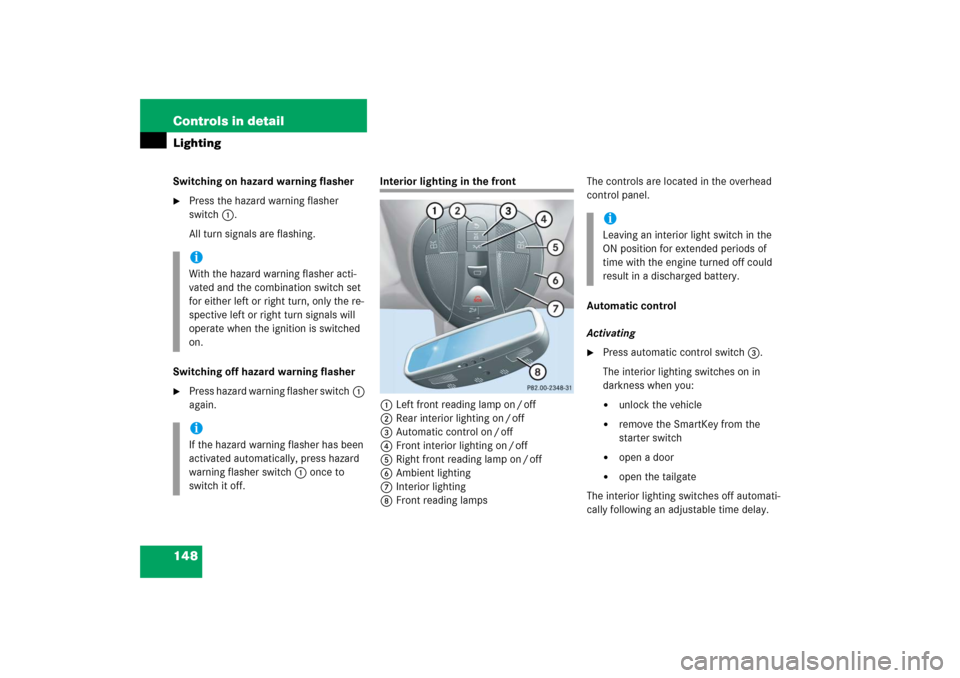
Interior lighting in the front
1Left front reading lamp on / off
2Rear interior lighting on / off
3Automatic control on / off
4Front interior lighting on / off
5Right front reading lamp on / off
6Ambient lighting
7Interior lighting
8Front reading lampsThe controls are located in the overhead
control panel.
Automatic control
Activating
�
Press automatic control switch3.
The interior lighting switches on in
darkness when you:�
unlock the vehicle
�
remove the SmartKey from the
starter switch
�
open a door
�
open the tailgate
The interior lighting switches off automati-
cally following an adjustable time delay.
iWith the hazard warning flasher acti-
vated and the combination switch set
for either left or right turn, only the re-
spective left or right turn signals will
operate when the ignition is switched
on.iIf the hazard warning flasher has been
activated automatically, press hazard
warning flasher switch1 once to
switch it off.
iLeaving an interior light switch in the
ON position for extended periods of
time with the engine turned off could
result in a discharged battery.
Page 150 of 521

149 Controls in detail
Lighting
For more information, see “Setting interior
lighting delayed shut-off” (
�page 175).
Deactivating
�
Press automatic control switch3
again.
The interior lighting remains switched
off in darkness, even when you:�
unlock the vehicle
�
remove the SmartKey from the
starter switch
�
open a door
�
open the tailgateManual control
Front interior lighting
�
Press front interior lighting switch4.
The front interior lighting switches on.
�
Press front interior lighting switch4
again.
The front interior lighting switches off.
Rear interior lighting
�
Press rear interior lighting switch2.
The rear interior lighting switches on.
�
Press rear interior lighting switch2
again.
The rear interior lighting switches off.Front reading lamps
The front reading lamps are located in the
lower edge of the interior rear view mirror.
�
Press front reading lamp
switch1or5 to switch on the de-
sired front reading lamp.
�
Press front reading lamp
switch1or5 again to switch off the
respective front reading lamp.
iIf the door remains open, the interior
lighting switches off automatically after
approximately 5 minutes.
iThe setting selected for the interior
lighting is used for the cargo compart-
ment as well.
If the tailgate remains open, the cargo
compartment lamp switches off auto-
matically after approximately
10 minutes.
Page 168 of 521
167 Controls in detail
Control system
The table below shows what settings can
be changed within the various menus.
Detailed instructions on making individual
settings can be found on the following pag-
es.INSTRUMENT CLUSTER
TIME/DATE
LIGHTING
VEHICLE
CONVENIENCE
DYNAMIC SEAT*
Select speedometer dis-
play mode
Synchronizing the
time
Set daytime running
lamp mode
(USA only)
Set automatic lock-
ing
Activate
easy-entry / exit
feature
Set level for
dynamic seat, driver
Select language
Set time (hours)
Set locator lighting
Limiting opening
height of tailgate*
Set parking position
for exterior rear
view mirror
Set level for
dynamic seat, pas-
senger
Select display (speed dis-
play or outside tempera-
ture) for status line
Set time (minutes)
Setting ambient
lighting
Select display (speed dis-
play or outside tempera-
ture) for basic display
Set date (month)
Setting headlamps
delayed shut-off
Set date (day)
Setting interior
lighting delayed
shut-off
Set date (year)
Page 177 of 521
176 Controls in detailControl systemVehicle submenu
Access the
Vehicle
submenu via the
Set-
tings
menu. Use the
Vehicle
submenu to
make general vehicle settings. The follow-
ing functions are available:
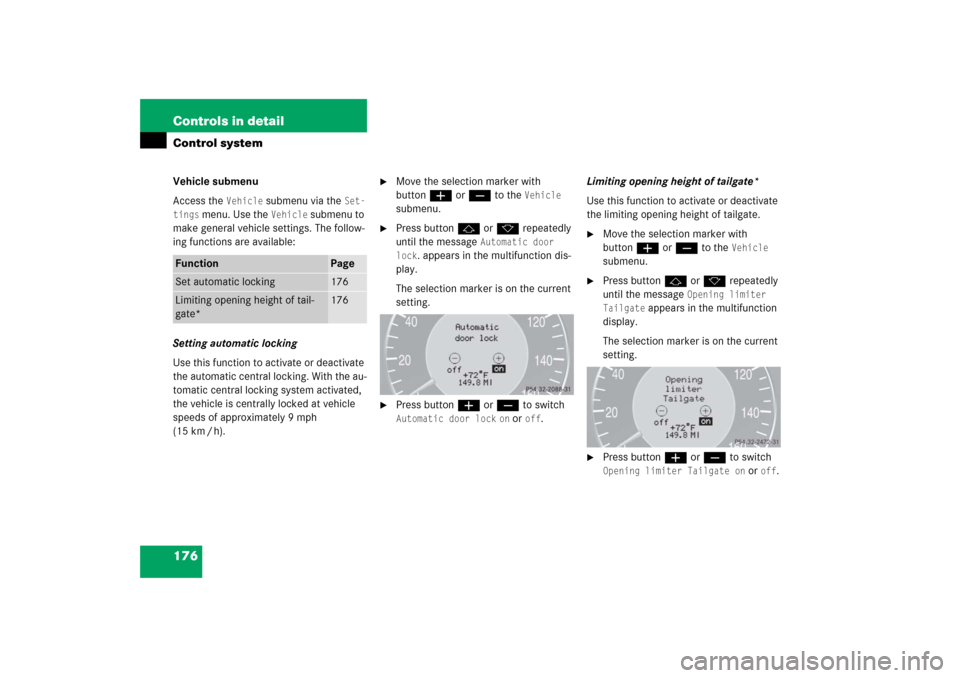
Setting automatic locking
Use this function to activate or deactivate
the automatic central locking. With the au-
tomatic central locking system activated,
the vehicle is centrally locked at vehicle
speeds of approximately 9 mph
(15 km / h).
�
Move the selection marker with
buttonæ orç to the
Vehicle
submenu.
�
Press buttonj ork repeatedly
until the message
Automatic door
lock
. appears in the multifunction dis-
play.
The selection marker is on the current
setting.
�
Press buttonæ orç to switch Automatic door lock
on or
off
.Limiting opening height of tailgate*
Use this function to activate or deactivate
the limiting opening height of tailgate.
�
Move the selection marker with
buttonæ orç to the
Vehicle
submenu.
�
Press buttonj ork repeatedly
until the message
Opening limiter
Tailgate
appears in the multifunction
display.
The selection marker is on the current
setting.
�
Press buttonæ orç to switch Opening limiter Tailgate on
or
off
.
Function
Page
Set automatic locking
176
Limiting opening height of tail-
gate*
176
Page 265 of 521

264 Controls in detailLoading
Cargo tie-down rings
Four rings1 are located in the cargo com-
partment.�
Carefully secure cargo by applying
even load on all rings with rope of suffi-
cient strength to hold down the cargo.
Always follow loading instructions
(�page 263).Rear seat
There is a cargo tie-down ring located on
each side of the footwell under the rear
seat.
Warning!
G
Always fasten items being carried as secure-
ly as possible.
In an accident, during hard braking or sud-
den maneuvers, loose items will be thrown
around inside the vehicle and can cause in-
jury to vehicle occupants unless the items
are securely fastened in the vehicle.
To help avoid personal injury during a colli-
sion or sudden maneuver, exercise care
when transporting cargo. Put luggage or car-
go in the cargo compartment if possible. Do
not pile luggage or cargo higher than the
seat backs.
Never drive vehicle with tailgate open.
Deadly carbon monoxide (CO) gases may
enter vehicle interior resulting in uncon-
sciousness and death.
Page 271 of 521
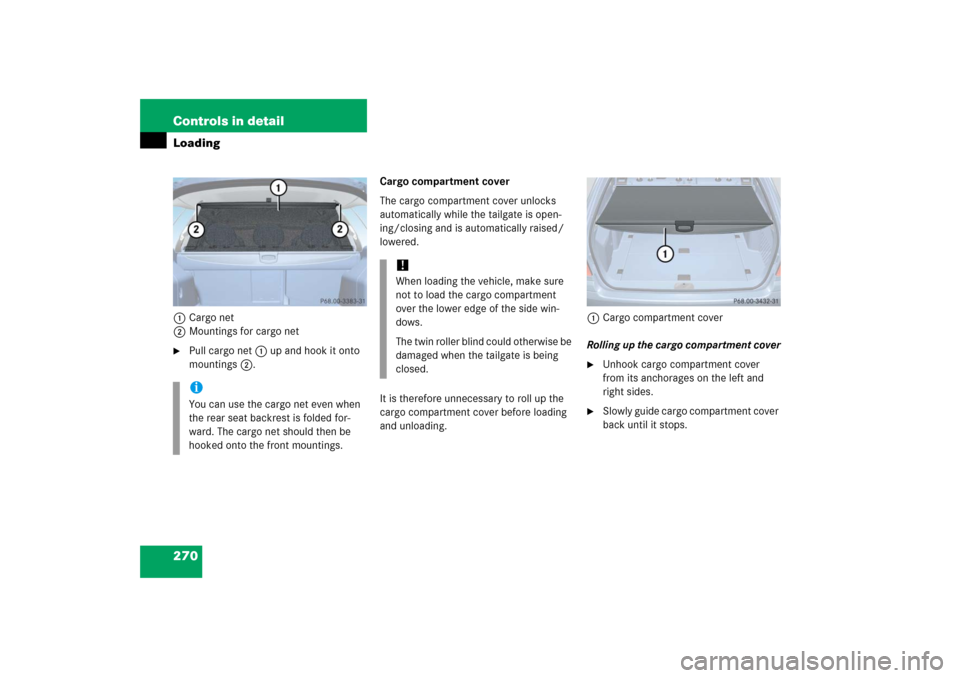
270 Controls in detailLoading1Cargo net
2Mountings for cargo net�
Pull cargo net 1 up and hook it onto
mountings 2.Cargo compartment cover
The cargo compartment cover unlocks
automatically while the tailgate is open-
ing/closing and is automatically raised/
lowered.
It is therefore unnecessary to roll up the
cargo compartment cover before loading
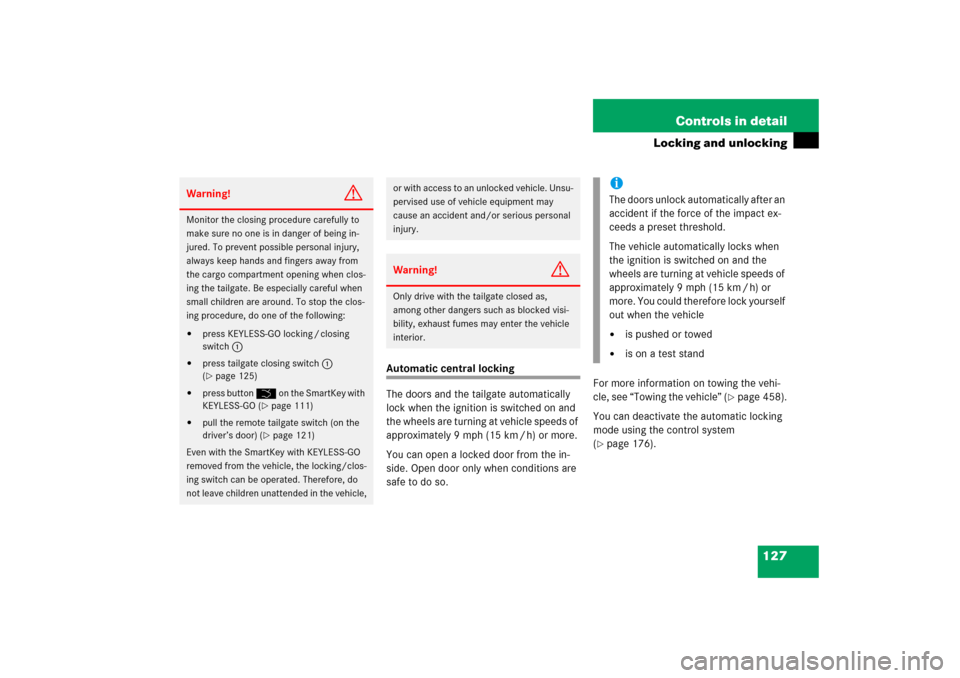
and unloading. 1Cargo compartment cover
Rolling up the cargo compartment cover
�
Unhook cargo compartment cover
from its anchorages on the left and
right sides.
�
Slowly guide cargo compartment cover
back until it stops.
iYou can use the cargo net even when
the rear seat backrest is folded for-
ward. The cargo net should then be
hooked onto the front mountings.
!When loading the vehicle, make sure
not to load the cargo compartment
over the lower edge of the side win-
dows.
The twin roller blind could otherwise be
damaged when the tailgate is being
closed.