Page 201 of 489
200 Controls in detailAutomatic climate control (CLK 500)Deactivating�
Press buttonU (
�page 197) again.
The indicator lamp on the button goes
out. The automatic operation of air vol-
ume and air distribution switches off.
Setting the temperature
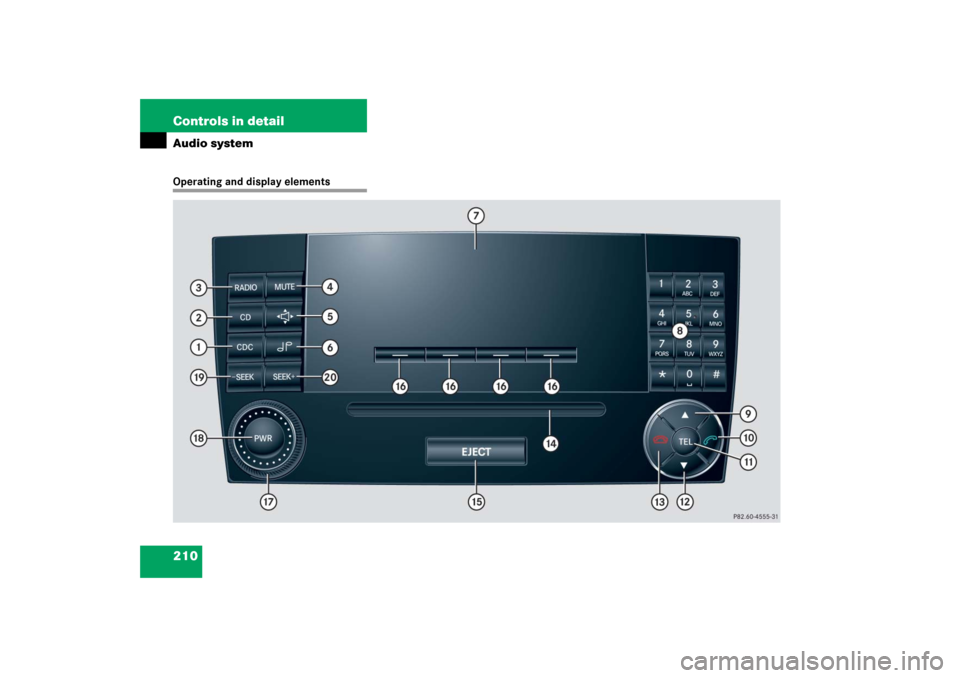
Use temperature controls3 andd for
the left side or6 andb for the right side
(�page 197) to separately adjust the air
temperature on each side of the passenger
compartment. You should raise or lower
the temperature setting in small incre-
ments, preferably starting at 72°F (22°C).
The automatic climate control will adjust
to the set temperature as fast as possible.Increasing
�
Press and hold temperature button3
and/or6 (
�page 197) until the de-
sired temperature appears in the dis-
play of the control panel4
(
�page 197).
The automatic climate control system
will correspondingly adjust the interior
air temperature.Decreasing
�
Press and hold temperature buttonb
and/ord (
�page 197) until the de-
sired temperature appears in the dis-
play of the control panel4
(
�page 197).
The automatic climate control system
will correspondingly adjust the interior
air temperature.
iIf you increase the temperature for one
side of the vehicle to the highest ad-
justable value then you will see the
message
HI
in the display. This also in-
creases the temperature for the other
side of the vehicle.
iIf you decrease the temperature for
one side of the vehicle to the lowest ad-
justable value then you will see the
message
LO in the display. This also de-
creases the temperature for the other
side of the vehicle.
Page 203 of 489
202 Controls in detailAutomatic climate control (CLK 500)Front defroster
You can use this setting to defrost the
windshield, for example if it is iced up.
You can also defog the windshield and the
side windows.
Activating�
Press buttonP or0
(�page 197).
The indicator lamp on the button
comes on.The air conditioning switches
automatically to the following functions:
�
cooling on to dehumidify
�
maximum blowing and heating
power
�
air flows onto the windshield and
the front side windows
�
the air recirculation mode is
switched off
Deactivating
�
Press buttonP or0
(�page 197) again.
The indicator lamp on the button goes
out.
The previous settings are once again in
effect.Windshield fogged on the outside
�
Switch the windshield wipers on
(�page 54).
If the automatic mode of the automatic cli-
mate control is switched off:
�
Turn air distribution control1 or8
toa orY (
�page 197).
Maximum cooling MAXCOOL
If the left and right air distribution controls
as well as the airflow volume control are
set toU (
�page 197) and there is a
high need for cooling, the display
“MAXCOOL” appears.
This provides the fastest possible cooling
of the vehicle interior (when side windows
and tilt/sliding sunroof* are closed).
iKeep this setting selected only until the
windshield or the side windows are
clear again.
iThe cooling remains switched on.
iKeep this setting selected only until the
windshield is clear again.
Page 211 of 489
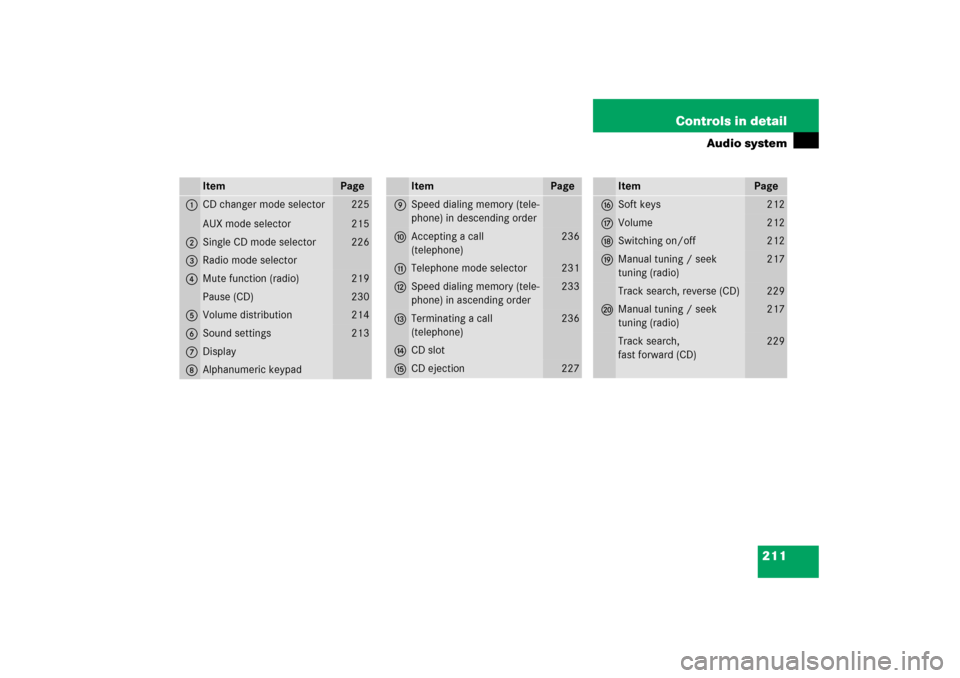
210 Controls in detailAudio systemOperating and display elements
Page 212 of 489
211 Controls in detail
Audio system
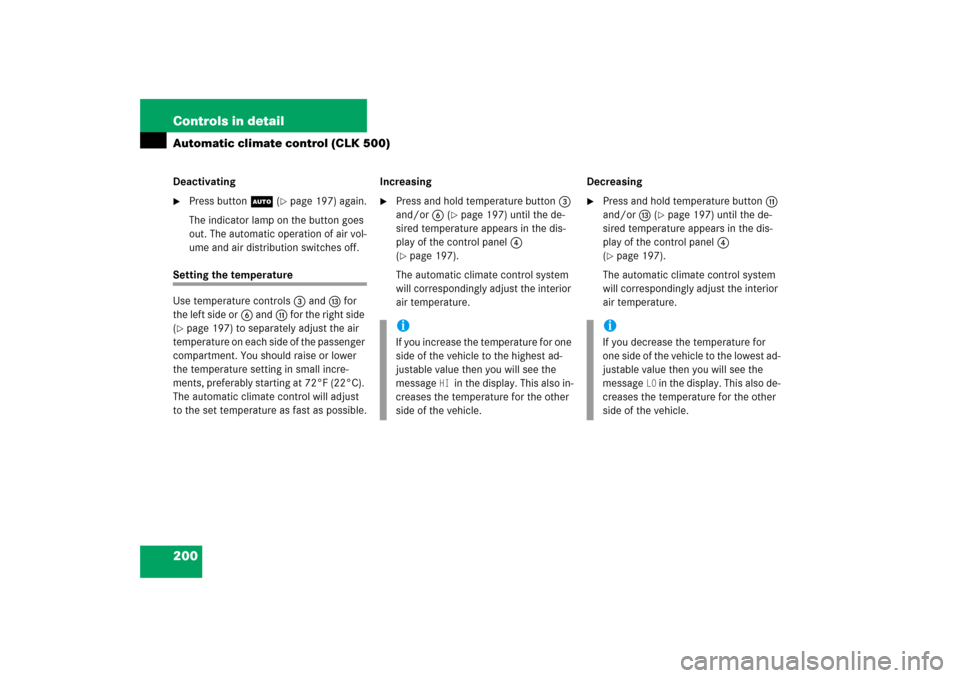
Item
Page
1
CD changer mode selector
AUX mode selector
225
215
2
Single CD mode selector
226
3
Radio mode selector
4
Mute function (radio)
219
Pause (CD)
230
5
Volume distribution
214
6
Sound settings
213
7
Display
8
Alphanumeric keypad
Item
Page
9
Speed dialing memory (tele-
phone) in descending order
a
Accepting a call
(telephone)
236
b
Telephone mode selector
231
c
Speed dialing memory (tele-
phone) in ascending order
233
d
Terminating a call
(telephone)
236
e
CD slot
f
CD ejection
227
Item
Page
g
Soft keys
212
h
Volume
212
j
Switching on/off
212
k
Manual tuning / seek
tuning (radio)
217
Track search, reverse (CD)
229
l
Manual tuning / seek
tuning (radio)
217
Track search,
fast forward (CD)
229
Page 213 of 489
212 Controls in detailAudio systemButton and soft key operation
In these instructions, the alphanumeric
keypad (right side of radio panel) and the
function buttons (left side of radio panel)
are referred to as “buttons”. The four keys
below the display panel are referred to as
“soft keys”.Operation
Switching the unit on/off
Switching on�
Turn the SmartKey in the starter switch
to position 1 or 2.
�
If the audio system was on as you
removed the SmartKey from the starter
switch, the audio system will
automatically come back on as you
turn the SmartKey to position 1 or 2.
or
�
Press M button.
Switching off
�
Remove SmartKey from starter switch.
or
�
Press M button.Adjusting the volume
�
Turn rotary control of N button.
The volume will increase or decrease
depending on the direction turned.
!Do not press directly in the display
face. Otherwise, the display will be
damaged.
iIf the radio is switched on without the
key in the starter switch, it will
automatically switch off again after
approximately 30 minutes.
If your vehicle is equipped with a
telephone, the display may prompt you
to enter your PIN (GSM network) or
code (TDMA or CDMA network).
iShould excessively high temperatures
occur while the audio system is being
operated, the display will dim. If tem-
peratures continue to rise,
HIGH TEMP
will appear in the display, after which
the audio system will be switched off
for a cooling-down period.
iIf your vehicle equipment includes a
Mercedes-Benz specified mobile
phone*, you can adjust its volume sep-
arately from the volume of the audio
system while the telephone is being
used.
Page 214 of 489
213 Controls in detail
Audio system
Adjusting sound functions
The bass and treble functions are called up
by pressing the O button.
Settings for bass and treble are stored
separately for the AM and FM wavebands,
weather band, CD mode and telephone
mode.
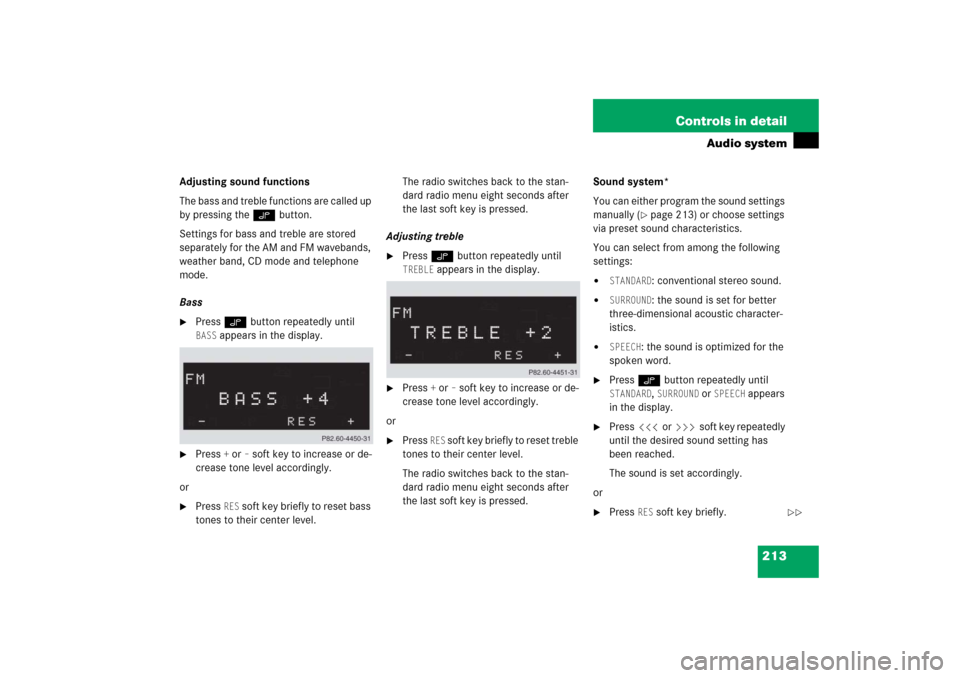
Bass�
Press O button repeatedly until BASS
appears in the display.
�
Press
+ or
– soft key to increase or de-
crease tone level accordingly.
or
�
Press
RES
soft key briefly to reset bass
tones to their center level.The radio switches back to the stan-
dard radio menu eight seconds after
the last soft key is pressed.
Adjusting treble
�
Press O button repeatedly until TREBLE
appears in the display.
�
Press
+ or
– soft key to increase or de-
crease tone level accordingly.
or
�
Press
RES
soft key briefly to reset treble
tones to their center level.
The radio switches back to the stan-
dard radio menu eight seconds after
the last soft key is pressed.Sound system*
You can either program the sound settings
manually (
�page 213) or choose settings
via preset sound characteristics.
You can select from among the following
settings:
�
STANDARD
: conventional stereo sound.
�
SURROUND
: the sound is set for better
three-dimensional acoustic character-
istics.
�
SPEECH
: the sound is optimized for the
spoken word.
�
Press O button repeatedly until STANDARD
, SURROUND
or
SPEECH
appears
in the display.
�
Press X or Y soft key repeatedly
until the desired sound setting has
been reached.
The sound is set accordingly.
or
�
Press
RES
soft key briefly.
��
Page 215 of 489
214 Controls in detailAudio system
The sound setting is reset depending
on the sound source activated.�
Radio mode:
STANDARD
�
CD/AUX mode:
SURROUND
�
Telephone:
SPEECH
The radio switches back to the stan-
dard radio menu eight seconds after
the last soft key is pressed.
Returning sound functions to factory
settings
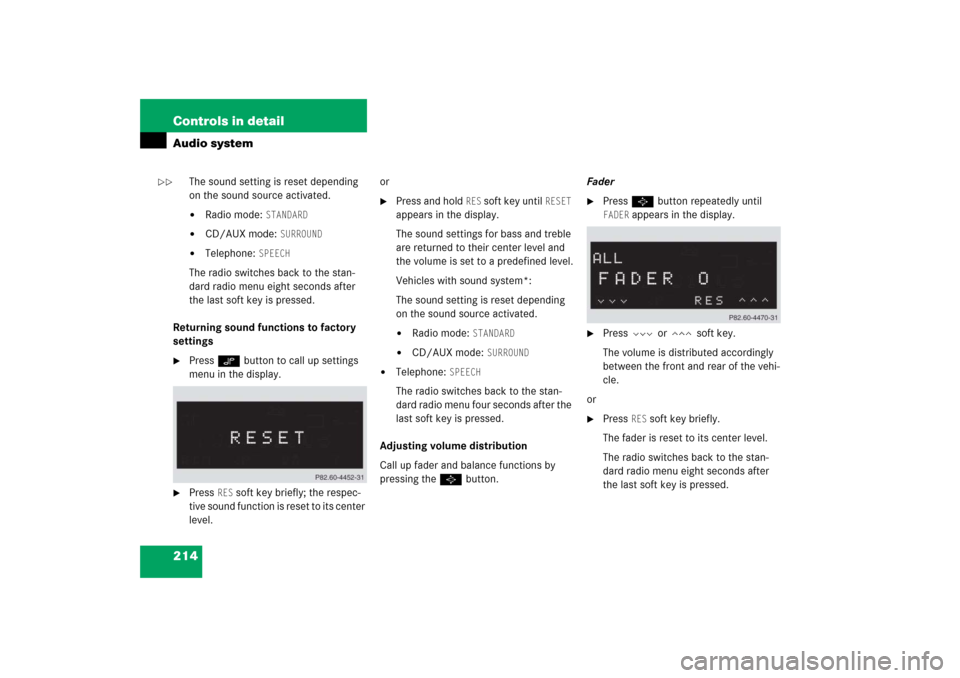
�
Press O button to call up settings
menu in the display.
�
Press
RES
soft key briefly; the respec-
tive sound function is reset to its center
level.or
�
Press and hold
RES
soft key until
RESET
appears in the display.
The sound settings for bass and treble
are returned to their center level and
the volume is set to a predefined level.
Vehicles with sound system*:
The sound setting is reset depending
on the sound source activated.
�
Radio mode:
STANDARD
�
CD/AUX mode:
SURROUND
�
Telephone:
SPEECH
The radio switches back to the stan-
dard radio menu four seconds after the
last soft key is pressed.
Adjusting volume distribution
Call up fader and balance functions by
pressing the P button.Fader
�
Press P button repeatedly until FADER
appears in the display.
�
Press V or W soft key.
The volume is distributed accordingly
between the front and rear of the vehi-
cle.
or
�
Press
RES
soft key briefly.
The fader is reset to its center level.
The radio switches back to the stan-
dard radio menu eight seconds after
the last soft key is pressed.
��
Page 216 of 489
215 Controls in detail
Audio system
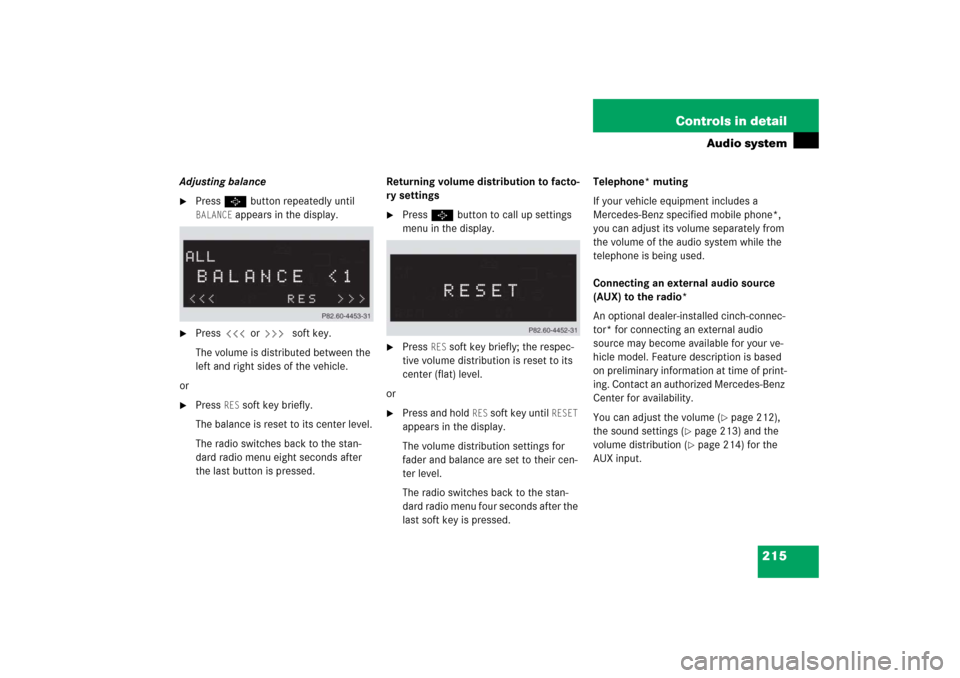
Adjusting balance�
Press P button repeatedly until BALANCE
appears in the display.
�
Press X or Y soft key.
The volume is distributed between the
left and right sides of the vehicle.
or
�
Press
RES
soft key briefly.
The balance is reset to its center level.
The radio switches back to the stan-
dard radio menu eight seconds after
the last button is pressed.Returning volume distribution to facto-
ry settings
�
Press P button to call up settings
menu in the display.
�
Press
RES
soft key briefly; the respec-
tive volume distribution is reset to its
center (flat) level.
or
�
Press and hold
RES
soft key until
RESET
appears in the display.
The volume distribution settings for
fader and balance are set to their cen-
ter level.
The radio switches back to the stan-
dard radio menu four seconds after the
last soft key is pressed.Telephone* muting
If your vehicle equipment includes a
Mercedes-Benz specified mobile phone*,
you can adjust its volume separately from
the volume of the audio system while the
telephone is being used.
Connecting an external audio source
(AUX) to the radio*
An optional dealer-installed cinch-connec-
tor* for connecting an external audio
source may become available for your ve-
hicle model. Feature description is based
on preliminary information at time of print-
ing. Contact an authorized Mercedes-Benz
Center for availability.
You can adjust the volume (
�page 212),
the sound settings (
�page 213) and the
volume distribution (�page 214) for the
AUX input.