Page 109 of 320

•Press the bottom portion of the
rocker switch to open.
•Press the top portion of the
rocker switch to close.
Express Down (One Touch Down)
To make the front driver or
passenger windows open fully
without holding the window control,
press the bottom portion of the
driver window control completely
down to the second detent or
“Express Down” position. Press the
control in either direction to stop window operation.
Express Up (One Touch Up)
To make the front driver or
passenger windows close fully
without holding the window control,
press the top portion of the driver
window control completely down to
the second detent or “Express Up”
position. Press the control in either
direction to stop window operation.
When closing the power windows, you should verify they are free
of obstructions and ensure that children and/or pets are not in
the proximity of the window openings.
Restoring the Express up functionality
Under low battery power conditions, Express Up only functionality may
be lost. To reset this function after restoring full battery power, press the
rocker switch to the Express Up position, hold the switch until the glass
reaches the stall position and continue to hold for 2 seconds.
Accessory delay
With accessory delay, the window switches may be used for up to ten
minutes after the ignition switch is turned to the OFF position or until
either front door is opened.
2006 Lincoln LS(dew)
Owners Guide (post-2002-fmt)
USA(fus)
Driver Controls
109
Page 112 of 320

Compass zone adjustment
1. Determine which compass zone
you are in by referring to the zone
map.
2. Turn the ignition to the ON/RUN
position.
3. Press and hold the control for no
more than six seconds until the
zone selection number appears in
the mirror display window. If a “C”
appears repeat this step.
4. Release the control, then press it
down again.
5. Repeatedly press until your zone number is shown in the mirror
display, then release.
6. The display will show all segments, then return to normal compass
mode within ten seconds.
Compass calibration adjustment
Perform this adjustment in an open area free from steel structures and
high voltage lines.
1. Start the vehicle.
2. Press and hold the control until “C” appears in the mirror display.
3. Drive the vehicle slowly (less than 5 km/h [3 mph]) in circles until the
display reads a direction.
4. The compass is now calibrated.
1 2 3
4
5
6 7 8 9 101112 13 14 15
2006 Lincoln LS(dew)
Owners Guide (post-2002-fmt)
USA(fus)
Driver Controls
112
Page 117 of 320
•Depress the brake pedal until the
desired vehicle speed is reached,
press the SET + control.
Turning off speed control
There are two ways to turn off the speed control:
•Depress the brake pedal . This
will not erase your vehicle’s
previously set speed.
•Press the speed control OFF
control.
Note:When you turn off the speed
control or the ignition, your speed
control set speed memory is erased.
STEERING WHEEL CONTROLS
These controls allow you to operate some audio control features.
Audio control features
Press MEDIA to select AM, FM1,
FM2, CD, or TAPE (if equipped).
O
N
O
F
F
RES
SET
CANCEL
MUTE
VOL
MEDIA
2006 Lincoln LS(dew)
Owners Guide (post-2002-fmt)
USA(fus)
Driver Controls
117
Page 122 of 320

Retain the original transmitter for use in other vehicles as well as for
future programming procedures (i.e. new HomeLink�equipped vehicle
purchase). It is also suggested that upon the sale of the vehicle, the
programmed Homelink�buttons be erased for security purposes, refer to
Programmingin this section.
Programming
Do not program HomeLink�with the vehicle parked in the garage.
Note:Your vehicle may require the ignition switch to be turned to the
ACC position for programming and/or operation of the HomeLink�.Itis
also recommended that a new battery be placed in the hand-held
transmitter of the device being programmed to HomeLink�for quicker
training and accurate transmission of the radio-frequency signal.
1. Press and hold the two outside
buttons releasing only when the
indicator light begins to flash after
20 seconds.Do notrepeat Step 1
to program additional hand-held
transmitters to the remaining two
HomeLink�buttons. This will erase
previously programmed hand-held
transmitter signals into HomeLink�.
2. Position the end of your
hand-held transmitter 1–3 inches (2–8 cm) away from the HomeLink�
button you wish to program (located on your visor) while keeping the
indicator light in view.
3. Simultaneously press and hold
both the HomeLink�and hand-held
transmitter button.Do not release
the buttons until Step 4 has
been completed.
Some entry gates and garage door
openers may require you to replace
Step 3 with procedures noted in the
“Gate Operator and Canadian Programming” in this section for Canadian
residents.
4. The indicator light will flash slowly and then rapidly. Release both
buttons when the indicator light flashes rapidly. (The rapid flashing light
indicates acceptance of the hand-held transmitters’ radio frequency
signals.)
2006 Lincoln LS(dew)
Owners Guide (post-2002-fmt)
USA(fus)
Driver Controls
122
Page 126 of 320

MESSAGE CENTER (IF EQUIPPED)
With the ignition in the RUN
position, the message center,
located on your instrument cluster,
displays important vehicle
information by monitoring vehicle
systems. When you change displays,
a brief indicator chime will sound. The system will also notify you of
potential vehicle problems with a system warnings display followed by a
long indicator chime.
Operator selectable features
These features are controlled by the message center controls located
above the radio.
FUEL
Press this control for the following displays:
•Distance to Empty
•Average Fuel Economy
•Display On/Off
RESET
Press this control to select and reset functions shown in the FUEL,
SETUP and STATUS controls.
SETUP
Press this control for the following displays:
•Units (English/Metric)
•Autolocks
•Easy Exit Seat (if equipped)
•Autolamp Delay
•Lock Chirp (if equipped)
•Language
STATUS
Selecting this function from the STATUS control causes the message
center to cycle through each of the systems being monitored. For each
of the monitored systems, the message center will indicate either an OK
message or a warning message for four seconds.
160240km/hE
FUEL
RESET
SETUP
STATUS
2006 Lincoln LS(dew)
Owners Guide (post-2002-fmt)
USA(fus)
Driver Controls
126
Page 127 of 320
The sequence of the status check report is as follows:
•washer fluid level
•oil life in XX%
•AC (cabin) filter XX%
•engine temperature
•brake fluid level
•charging system
•doors closed (driver and passenger side, front and rear). This message
can only be reset by closing the door(s). If the RESET control is
pressed, PLEASE CLOSE DOOR will be displayed.
•trunk status
•exterior lamps (front and rear turn, brake, tail and side repeater lamp
(if equipped) status)
•Traction Control�or AdvanceTrac�(if equipped)
Message center functions
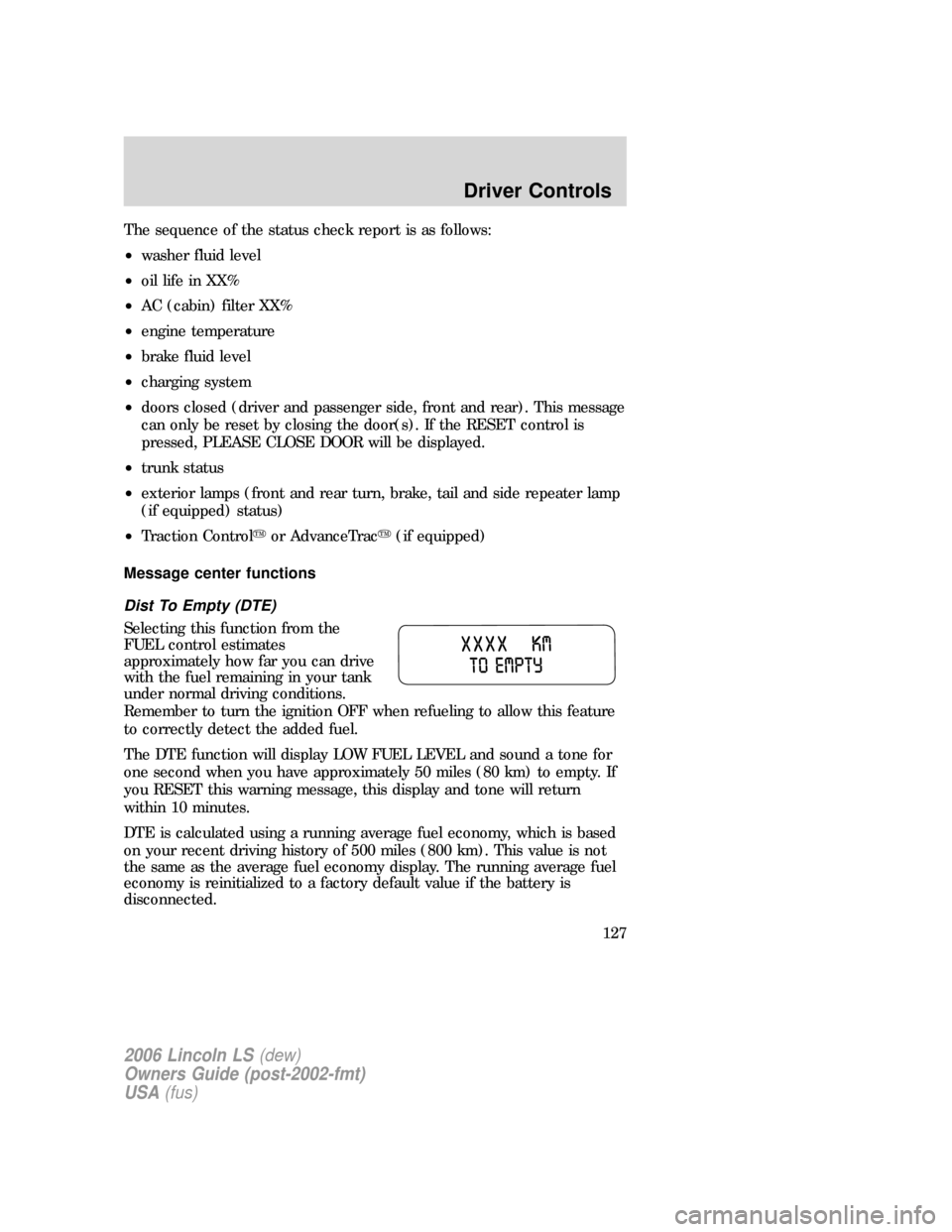
Dist To Empty (DTE)
Selecting this function from the
FUEL control estimates
approximately how far you can drive
with the fuel remaining in your tank
under normal driving conditions.
Remember to turn the ignition OFF when refueling to allow this feature
to correctly detect the added fuel.
The DTE function will display LOW FUEL LEVEL and sound a tone for
one second when you have approximately 50 miles (80 km) to empty. If
you RESET this warning message, this display and tone will return
within 10 minutes.
DTE is calculated using a running average fuel economy, which is based
on your recent driving history of 500 miles (800 km). This value is not
the same as the average fuel economy display. The running average fuel
economy is reinitialized to a factory default value if the battery is
disconnected.
2006 Lincoln LS(dew)
Owners Guide (post-2002-fmt)
USA(fus)
Driver Controls
127
Page 130 of 320

Language
1. Select this function from the
SETUP control for the current
language to be displayed.
2. Pressing the RESET control
cycles the message center through
each of the language choices.
3. Press and hold the RESET
control to set the language choice.
System warnings
System warnings alert you to possible problems or malfunctions in your
vehicle’s operating systems.
In the event of a multiple warning situation, the message center will
cycle the display to show all warnings by displaying each one for 4
seconds.
The message center will display the last selected feature if there are no
more warning messages. This allows you to use the full functionality of
the message center after you acknowledge the warning by pressing the
RESET control and clearing the warning message.
Warning messages that have been reset are divided into two categories:
•They will reappear on the display ten minutes from the reset.
•They will not reappear until an ignition OFF-RUN cycle has been
completed.
This acts as a reminder that these warning conditions still exist within
the vehicle.
2006 Lincoln LS(dew)
Owners Guide (post-2002-fmt)
USA(fus)
Driver Controls
130
Page 131 of 320
Warnings Status
Engine power reduced Warning cannot be reset
Pull off road safely
Turn off ignition
Driver’s door ajar
Passenger door ajar
Driver rear door ajar
Passenger rear door ajar
Park brake on & need service
Park brake on
Check engine temp Warning returns after 10 minutes
Check charging system
Transmission overheated
Check transmission
Low fuel level
Check fuel cap
ETC-engine failsafe mode
2006 Lincoln LS(dew)
Owners Guide (post-2002-fmt)
USA(fus)
Driver Controls
131

