Page 208 of 419
192
3-2. Using the audio system
Adjusting sound quality, volume, balance and sound level
■Changing sound quality modes
Turn each dial to the left or right.
■ A
djusting the Automatic Sound Levelizer (ASL)
Push . Automatic Sound levelizer (ASL).
ASL automatically adjusts the volu me and tone quality accor
ding to
the noise level as you driver your vehicle.
■ P
ositioning selector
Push Pushing the button changes th e position in the follo
wing
order and the letter displays fo r 6 seconds on the scr
een.
ALL DRI
VER FRONT REAR
Sound quality
modeMode
displayedLevelTurn to the leftTurn to the right
BassBAS-7 t o 7
LowHighMidrangeMID-7 t o 7
Tr e b l eTRE-7 t o 7
Left-right balanceBALL7 to R7Shifts to leftShifts to right
Forward-rear
balanceFA DF7 to R7Shifts to frontShifts to rear
Page 209 of 419
193
3-2. Using the audio system
3
Interior features
Using the rear controller
Turning on the power and selecting audio modes
■Pow e r
Push when the audio system is turned OFF.
■ Cha
nging modes
Push when the audio system is turned ON. P
ushing the button
changes the sound mode in the fo llo
wing order: AM, FM, cassette
deck, (CD changer).
Adjusting the volume
Push .
Continual adjustment is possible if the button is held for more than one
second.
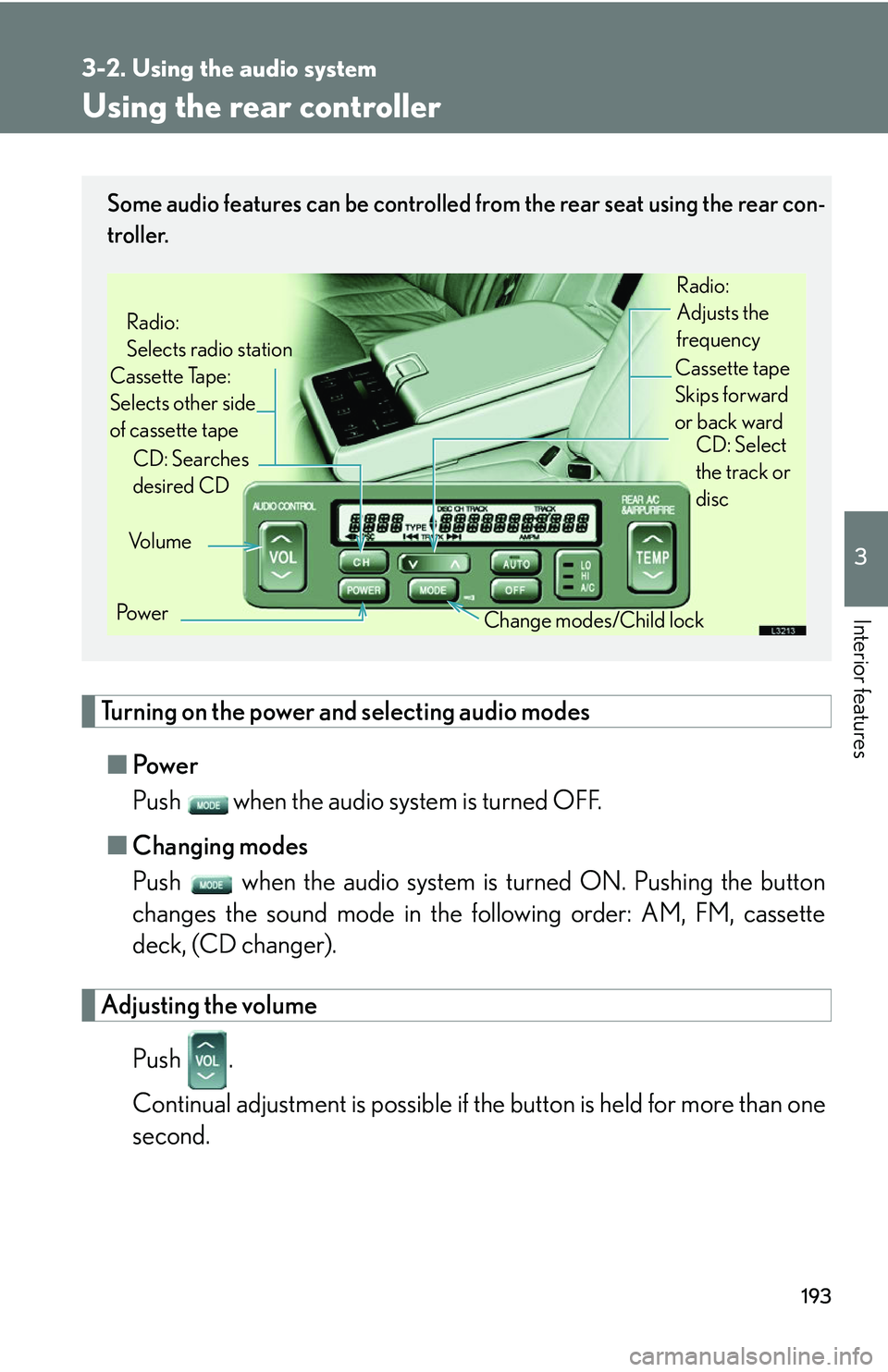
Some audio features can be controlled from the rear seat using the rear con-
troller.
Vo l u m e
Cassette Tape:
Selects other side
of cassette tape Radio:
Selects radio station
Po w e r Change modes/Child lock
CD: Searches
desired CD
Radio:
Adjusts the
frequency
Cassette tape
Skips forward
or back ward CD: Select
the track or
disc
Page 210 of 419
194
3-2. Using the audio system
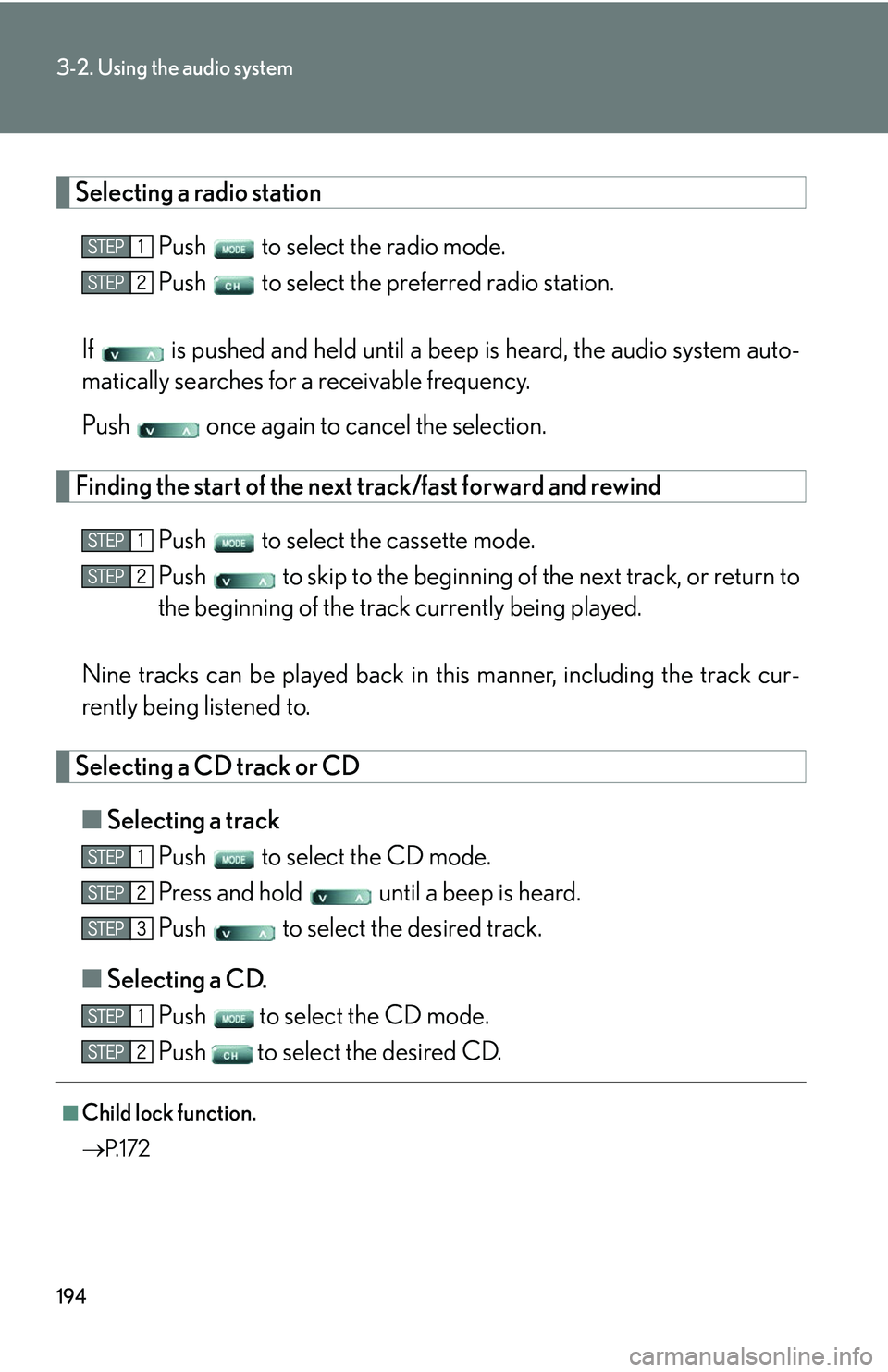
Selecting a radio station
Push to select the radio mode.
Push to select the preferred radio station.
If is pushed and held until a beep is hear
d, the audio system auto -
matically searches for a receivable frequency.
Push once again to cancel the selection.
Finding the start of the next track/fast forward and rewind
Push to select the cassette mode.
Push to skip to the beginning of th e ne
xt track, or return to
the beginning of the trac k curr
ently being played.
Nine tracks can be played back in this manner
, including the track cur-
rently being listened to.
Selecting a CD track or CD
■ Selecting a track
Push to select the CD mode.
Press and hold until a beep is heard.
Push to select the desired track.
■ Selecting a CD
.
Push
to select the CD mode.
Push
to select the desired CD.
■Child lock function.
P. 1 7 2
Page 211 of 419
195
3-2. Using the audio system
3
Interior features
Using the steering switches
Turning on the power and selecting audio modes
■Pow e r
Push when the audio system is turned OFF.
■ Cha
nging modes
Push when the audio system is turned ON. Pushing the button
changes the audio mode in the following order: AM, FM, cassette
deck (CD changer).
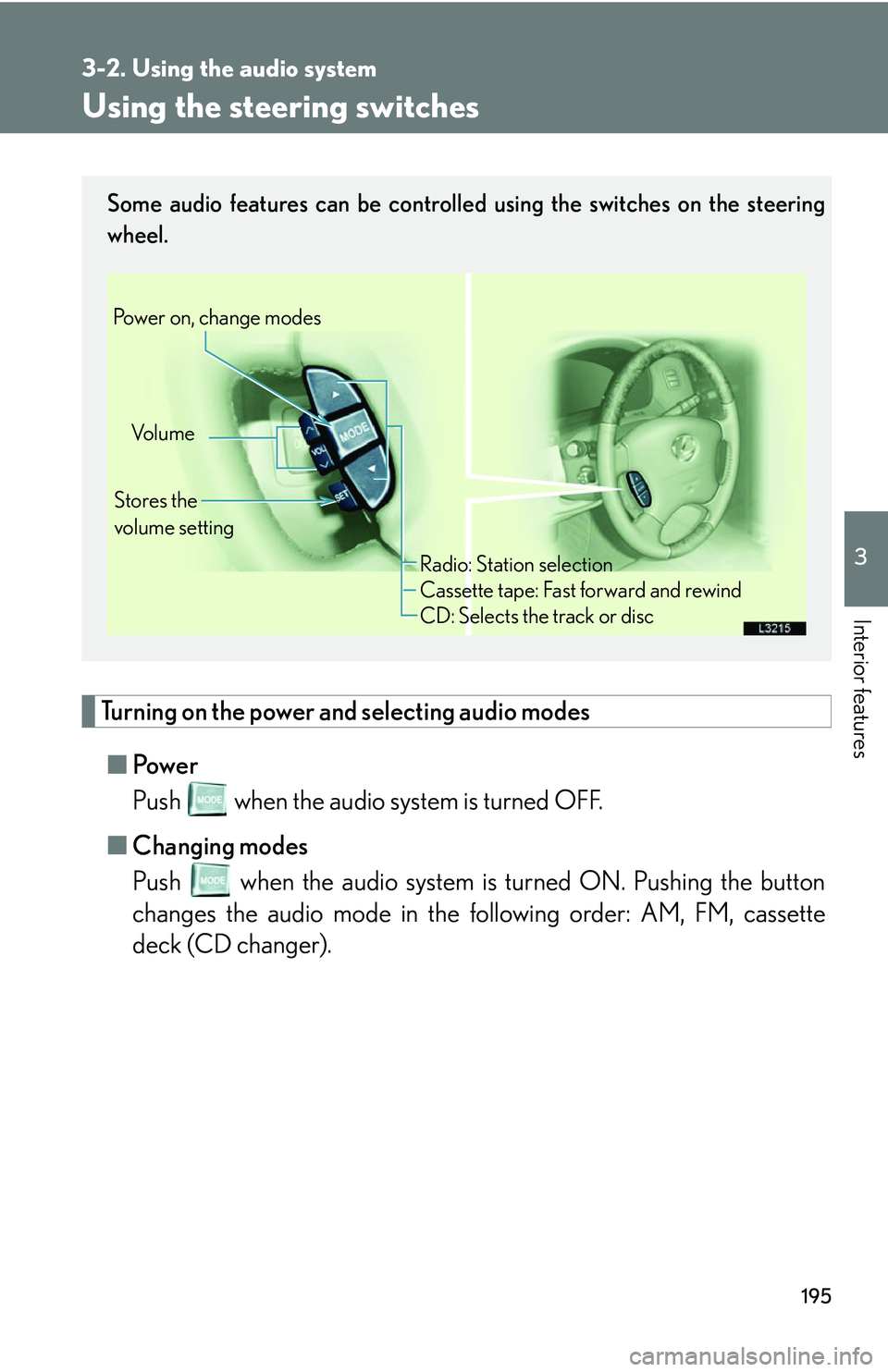
Some audio features can be controlled using the switches on the steering
wheel.
Vo l u m e
Stores the
volume setting
Power on, change modes
Radio: Station selection
Cassette tape: Fast forward and rewind
CD: Selects the track or disc
Page 212 of 419
196
3-2. Using the audio system
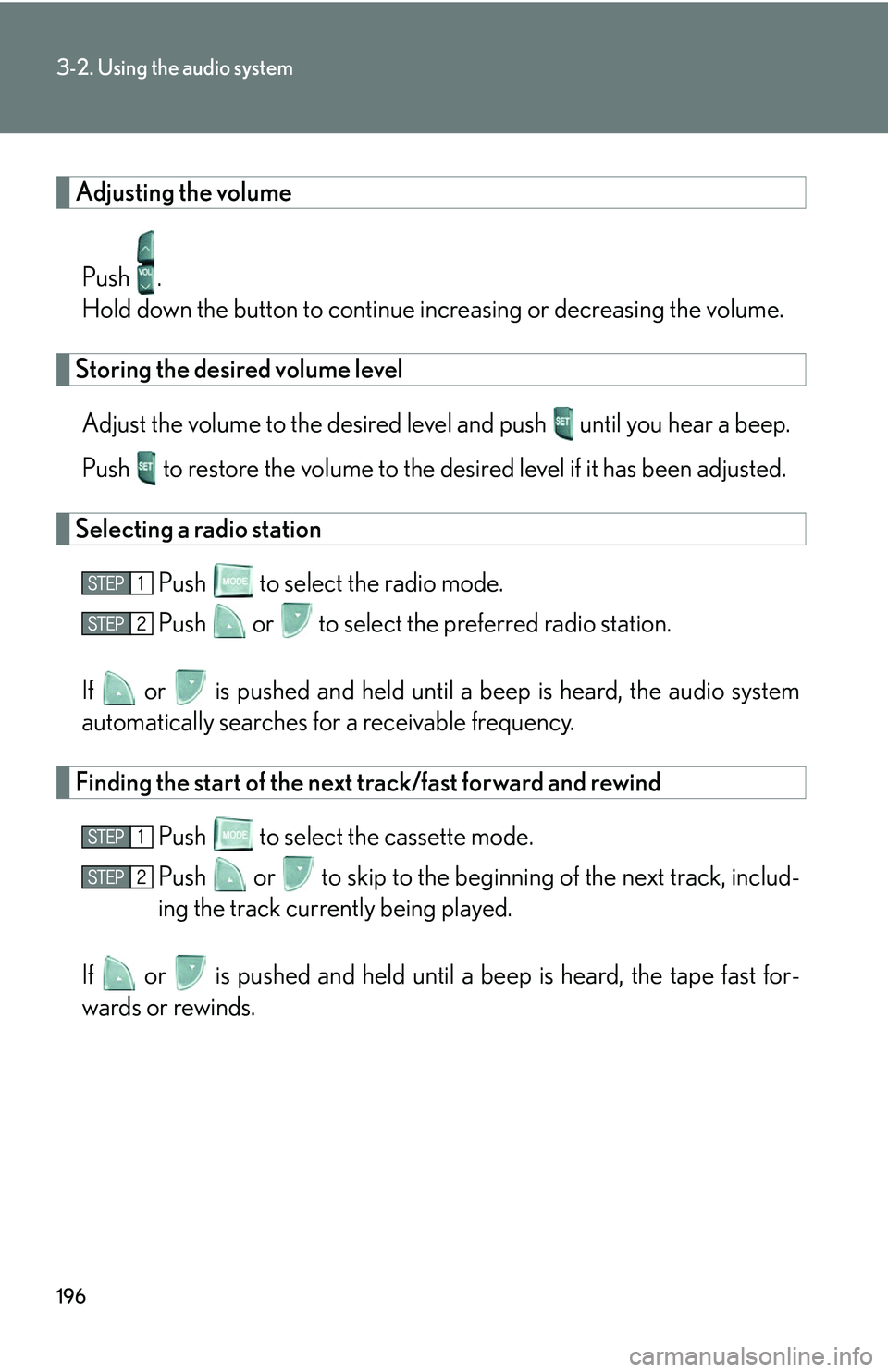
Adjusting the volume
Push .
Hold down the button to continue incr
easing or decreasing the volume.
Storing the desired volume level
Adjust the volume to the desired level and push until you hear a beep.
Push to restore the volume to the desir
ed level if it has been adjusted.
Selecting a radio station
Push to select the radio mode.
Push or to select the preferred radio station.
If or is pushed and held until a b eep is hear
d, the audio system
automatically searches for a receivable frequency.
Finding the start of the next track/fast forward and rewind
Push to select the cassette mode.
Push or to skip to the beginning of the ne
xt track, includ-
ing the track currently being played.
If or is pushed and held until a beep is heard, the tape fast for -
wards or rewinds.
Page 213 of 419
197
3-2. Using the audio system
3
Interior features
Selecting a CD track or CD
■Selecting a track.
Push
to select the CD mode.
Push or to select the desired track.
■ Selecting a CD
.
Push to select the CD mode.
Press and hold or until you hear a beep.
Push or to select the desired CD.
■Canceling
To cancel automatic selection of a radio station, push the same button.
CAUTION
■To reduce the risk of an accident
Exercise care when operating the audio switches on the steering wheel.
Page 257 of 419
241
3-5. Other interior features
3
Interior features
NOTICE
■To avoid compass malfunctions
Do not put magnets or any metal obje
cts near the audio system.
Doing this may cause a malfunction of the compass sensor.
■Notes during calibration
●Do not perform circling calibration of the compass in a place where the earth’s
magnetic field is subject to interference by artificial magnetic fields.
●During calibration, do not operate electr ic systems (moon roof, power windows,
etc.) as they may interfere with the calibration.
Page 265 of 419
249
4-1. Maintenance and care
4
Maintenance and care
NOTICE
■Cleaning detergents
Do not use organic substances such as benzine, alcohol, gasoline, or alkaline or
ac
id solutions as they may discolor the ve hicle interior or cause streaks or damage
to painted surfaces.
■Preventing damage to leather surfaces
Observe the following precautions to avoid d
amage to and deterioration of leather
surfaces.
• Remove any dust or dirt on leather surfaces immediately.
• Do not expose the vehicle to direct sunlight for extended periods of time. Park th
e vehicle in the shade, especially during summer.
• Do not place items made of vinyl, plastic, or that contain wax on the upholstery, as the
y may stick to the leather surface if the vehicle interior heats up signifi -
cantly.
■Water on the floor
Do not soak the floor carpet with wa ter
or other liquids when cleaning.
Vehicle systems such as electrical cont r
ol systems and the audio system may be
damaged if liquids come into contact with them. In addition, water may cause the
body to rust.
■Cleaning the inside of the rear window
Be careful not to scratch or damage the heater wires or connectors.