Page 92 of 419
76
1-7. Safety information
Installing child restraints
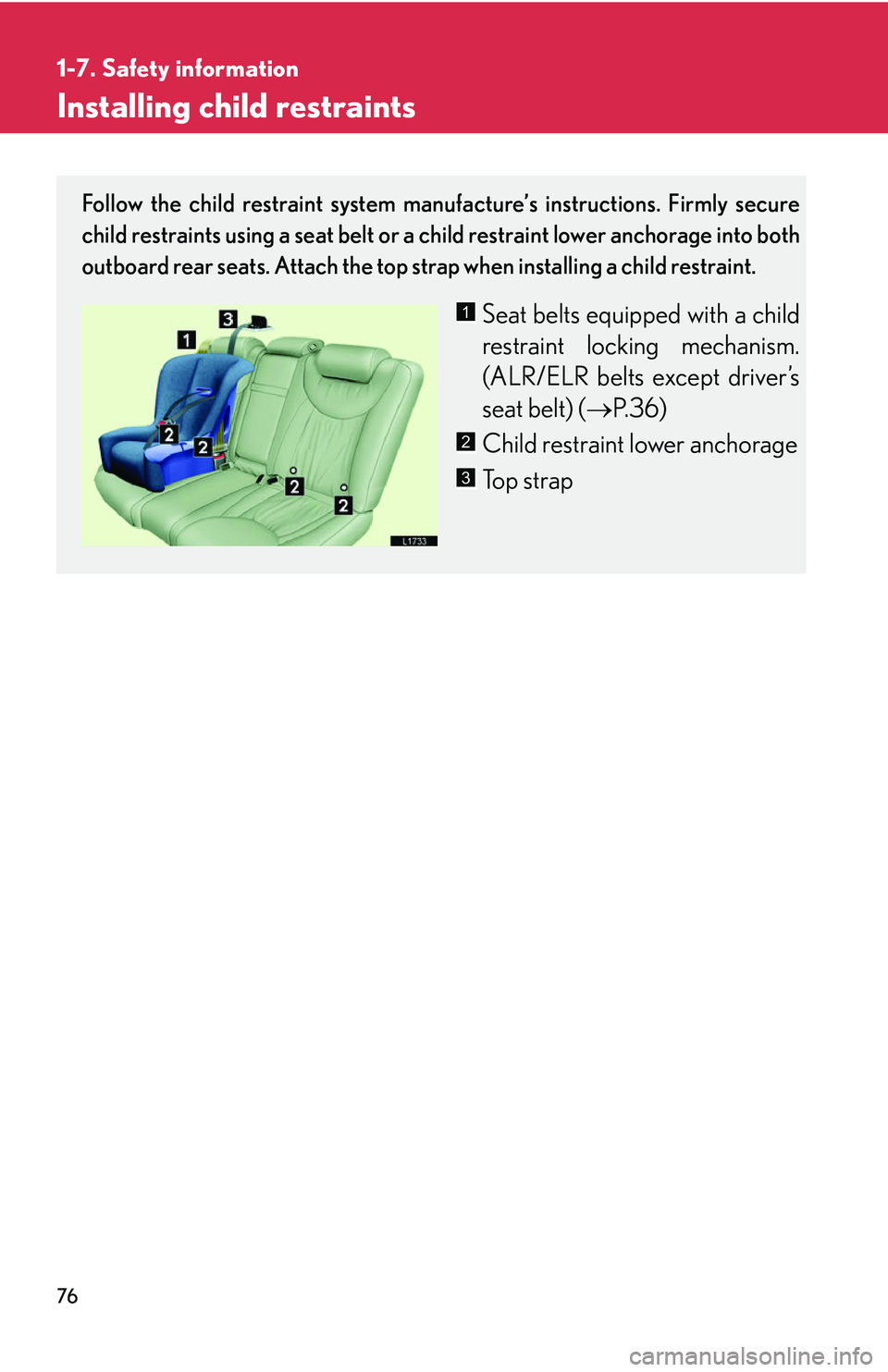
Follow the child restraint system manufacture’s instructions. Firmly secure
child restraints using a seat belt or a child restraint lower anchorage into both
outboard rear seats. Attach the top strap when installing a child restraint.
Seat belts equipped with a child
restraint locking mechanism.
(ALR/ELR belts e
xcept driver’s
seat belt) ( P.36 )
Child restraint lower anchorage
To p s t r a p
1
2
3
Page 94 of 419
78
1-7. Safety information
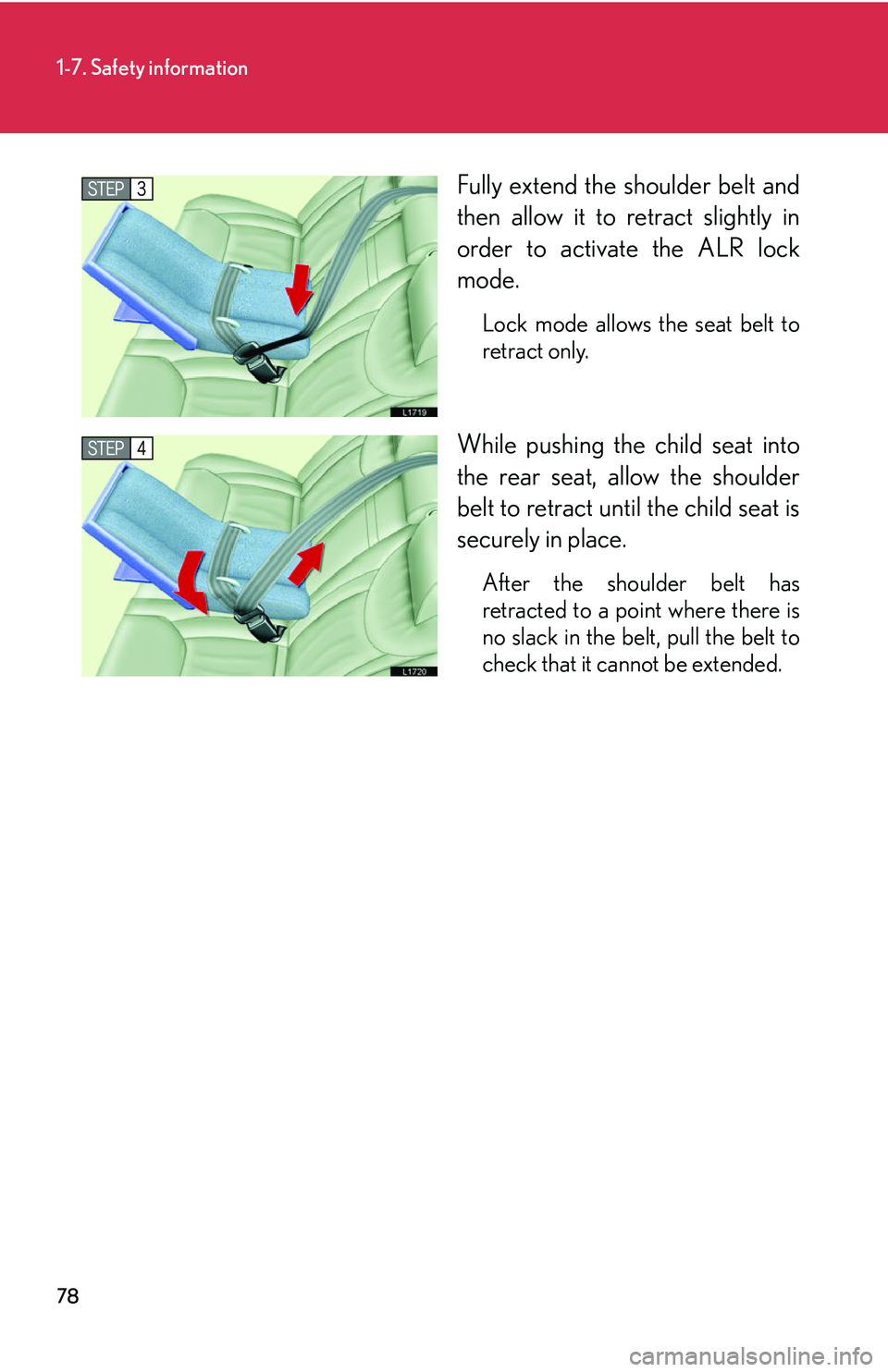
Fully extend the shoulder belt and
then allow it to retract slightly in
order to activate the ALR lock
mode.
Lock mode allows the seat belt to
retract only.
While pushing the child seat into
the rear seat, allow the shoulder
belt to retract until the child seat is
securely in place.
After the shoulder belt has
retracted to a point where there is
no slack in the belt, pull the belt to
check that it cannot be extended.
Page 95 of 419
79
1-7. Safety information
1
Before driving
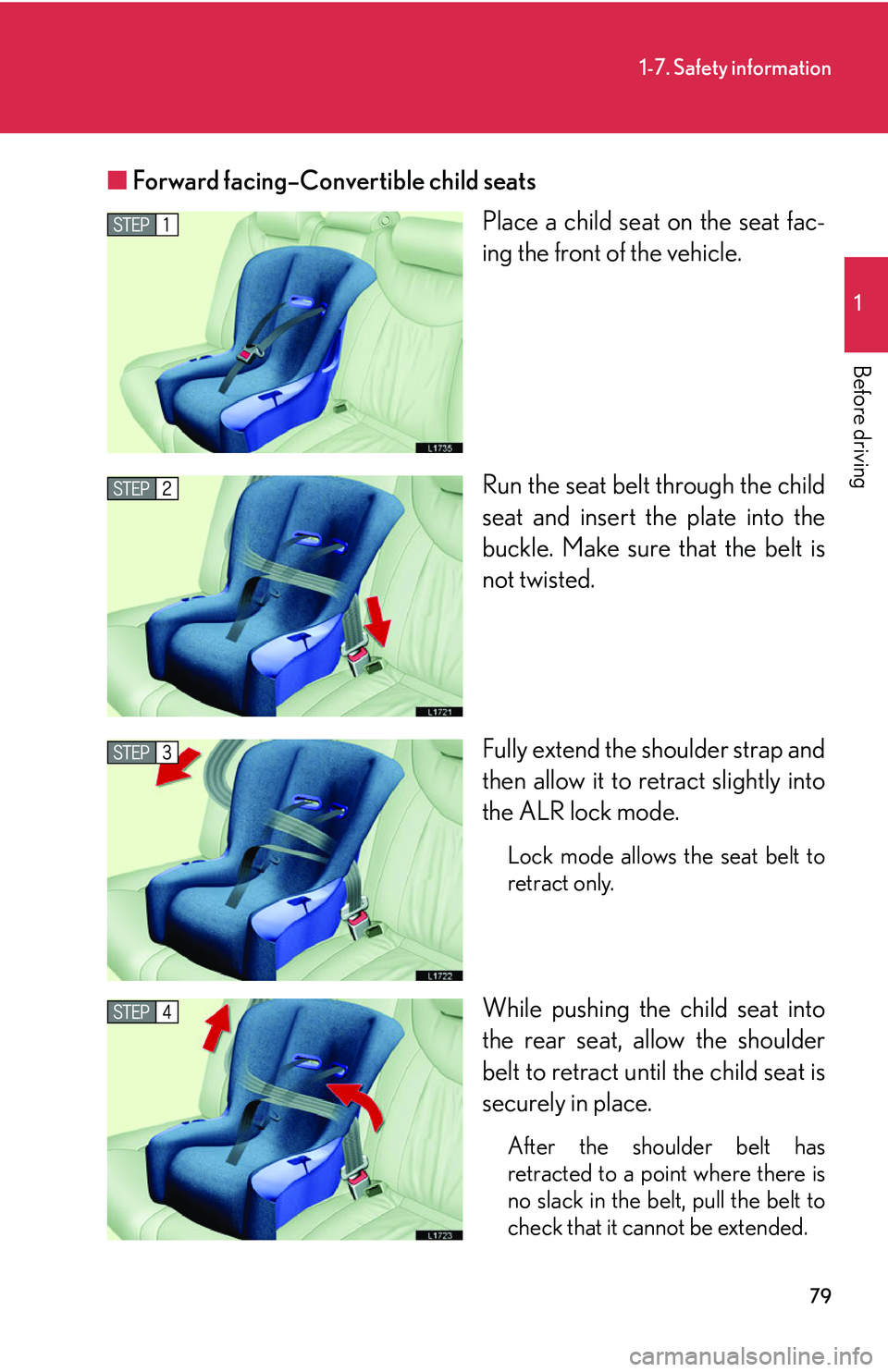
■Forward facing–Convertible child seats
Place a child seat on the seat fac-
ing the front of the vehicle.
Run the seat belt through the child
seat and inser
t the plate into the
buckle. Make sure that the belt is
not twisted.
Fully extend the shoulder strap and
then allo
w it to retract slightly into
the ALR lock mode.
Lock mode allows the seat belt to
retract only.
While pushing the child seat into
the rear seat, allow the shoulder
belt to retract until the child seat is
securely in place.
After the shoulder belt has
retracted to a point where there is
no slack in the belt, pull the belt to
check that it cannot be extended.
Page 97 of 419
81
1-7. Safety information
1
Before driving
CAUTION
■When installing the child restraint system
●When a booster seat is installed, always ensure that the shoulder belt is posi-
tioned across the center of the child’s shou lder
. The belt should be kept away from
the child’s neck, but not so that it could fall off the child's shoulder. Failing to do so
may result in death or serious injury in the event of an accident or sudden braking.
●Ensure that the belt and tab are securely locked and the seat belt is not twisted.
●Push and pull the child seat in different directions to be sure it is secure.
●Follow all installation instructions provid ed by the child restraint system manufac -
turer.
■Do not use the seat belt extender
If using the seat belt extender when inst al
ling a child seat, the seat belt will not
securely hold the child restraint system, which could cause death or serious injury
to the child or other passengers in the event of collision.
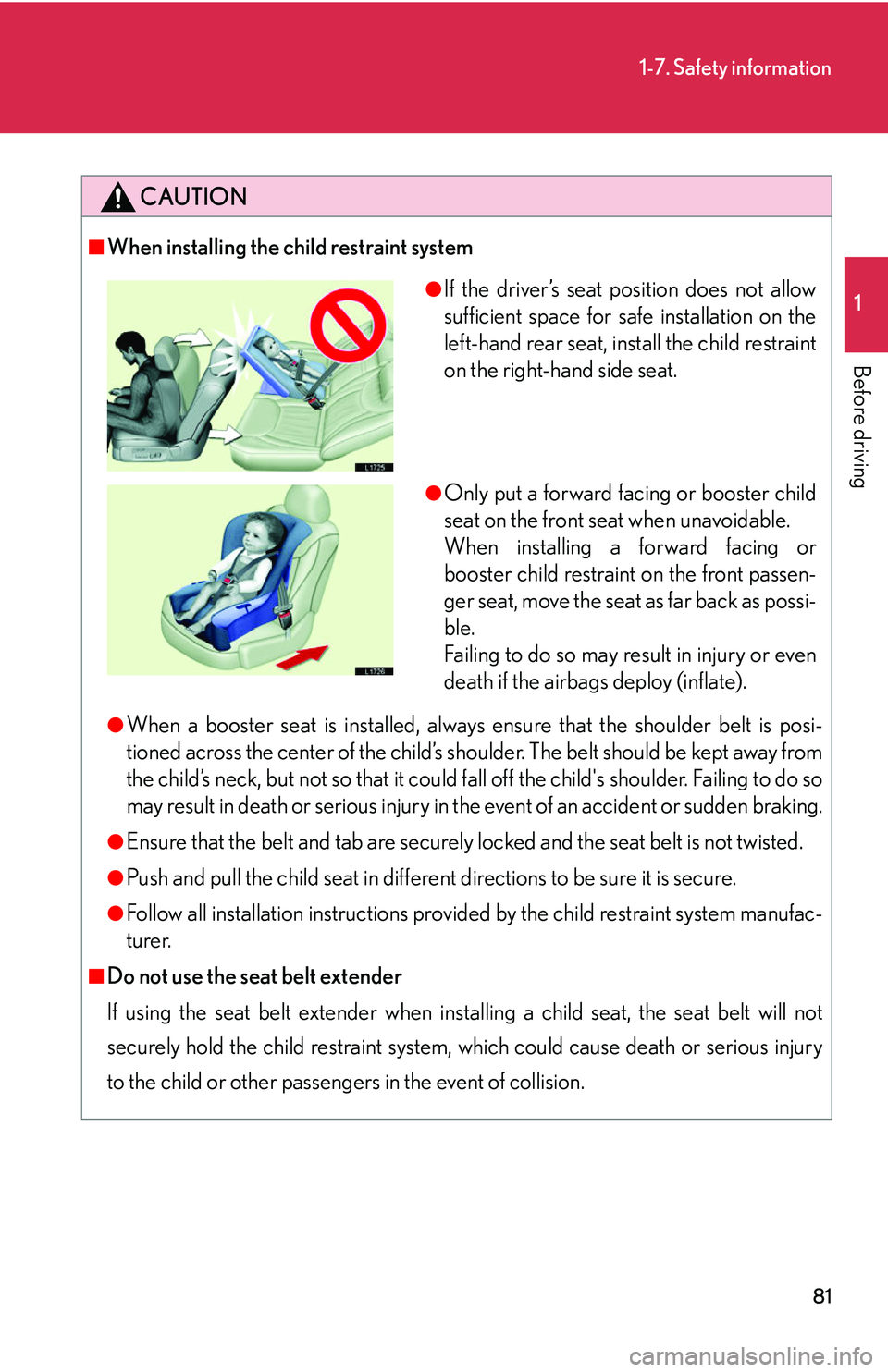
●If the driver’s seat position does not allow
sufficient space for safe installation on the
left-hand rear seat, install the child restraint
on the right-hand side seat.
●Only put a forward facing or booster child
seat on the front seat when unavoidable.
When installing a forward facing or
booster child restraint on the front passen-
ger seat, move the seat as far back as possi-
ble.
Failing to do so may result in injury or even
death if the airbags deploy (inflate).
Page 188 of 419
172
3-1. Using the air conditioning system and defogger
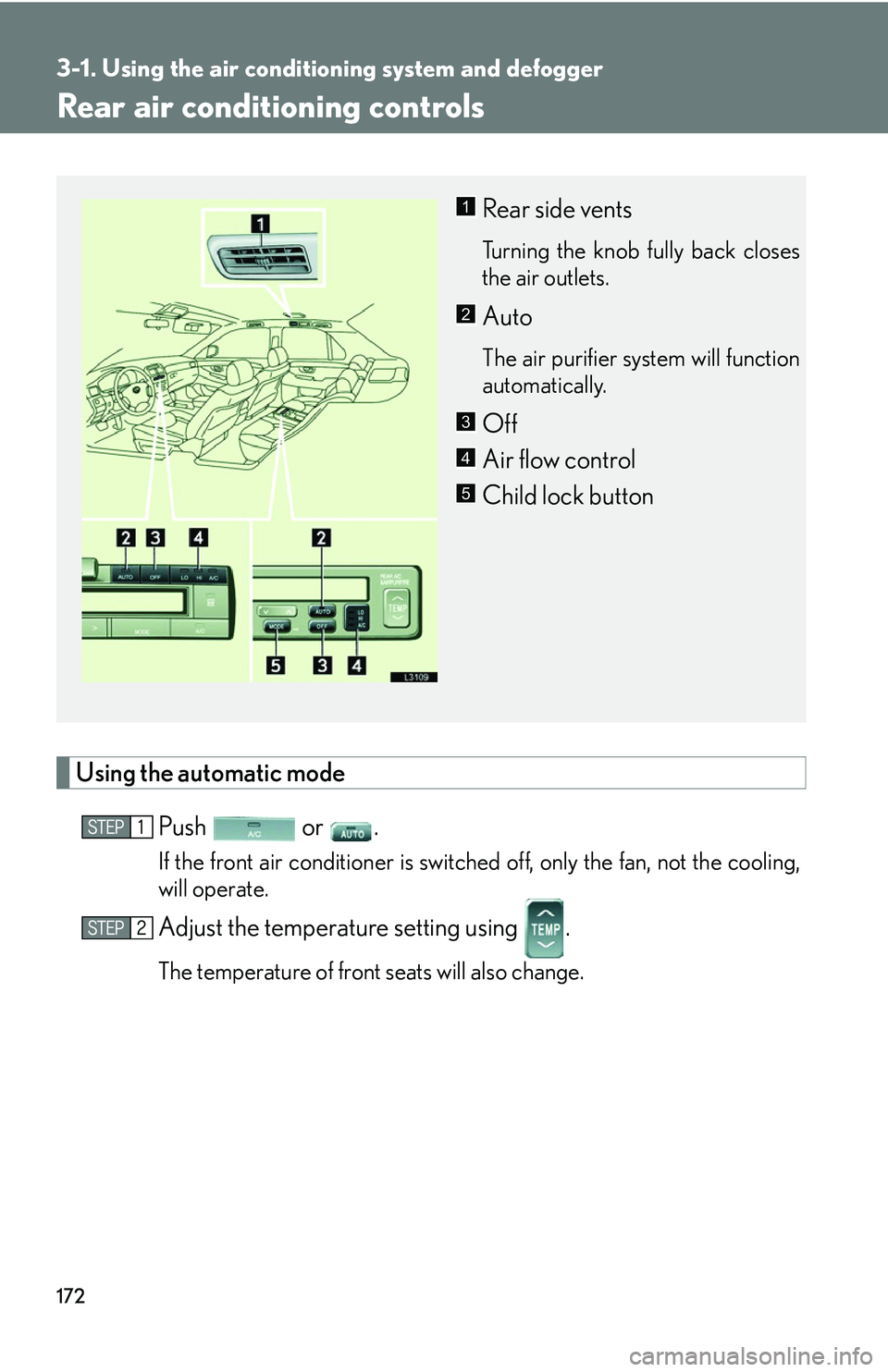
Rear air conditioning controls
Using the automatic mode
Push or .
If the front air conditioner is switched off, only the fan, not the cooling,
will operate.
Adjust the temperature setting using .
The temperature of front seats will also change.
Rear side vents
Turning the knob fully back closes
the air outlets.
Auto
The air purifier system will function
automatically.
Off
Air flow control
Child lock button
1
2
3
4
5
Page 189 of 419
173
3-1. Using the air conditioning system and defogger
3
Interior features
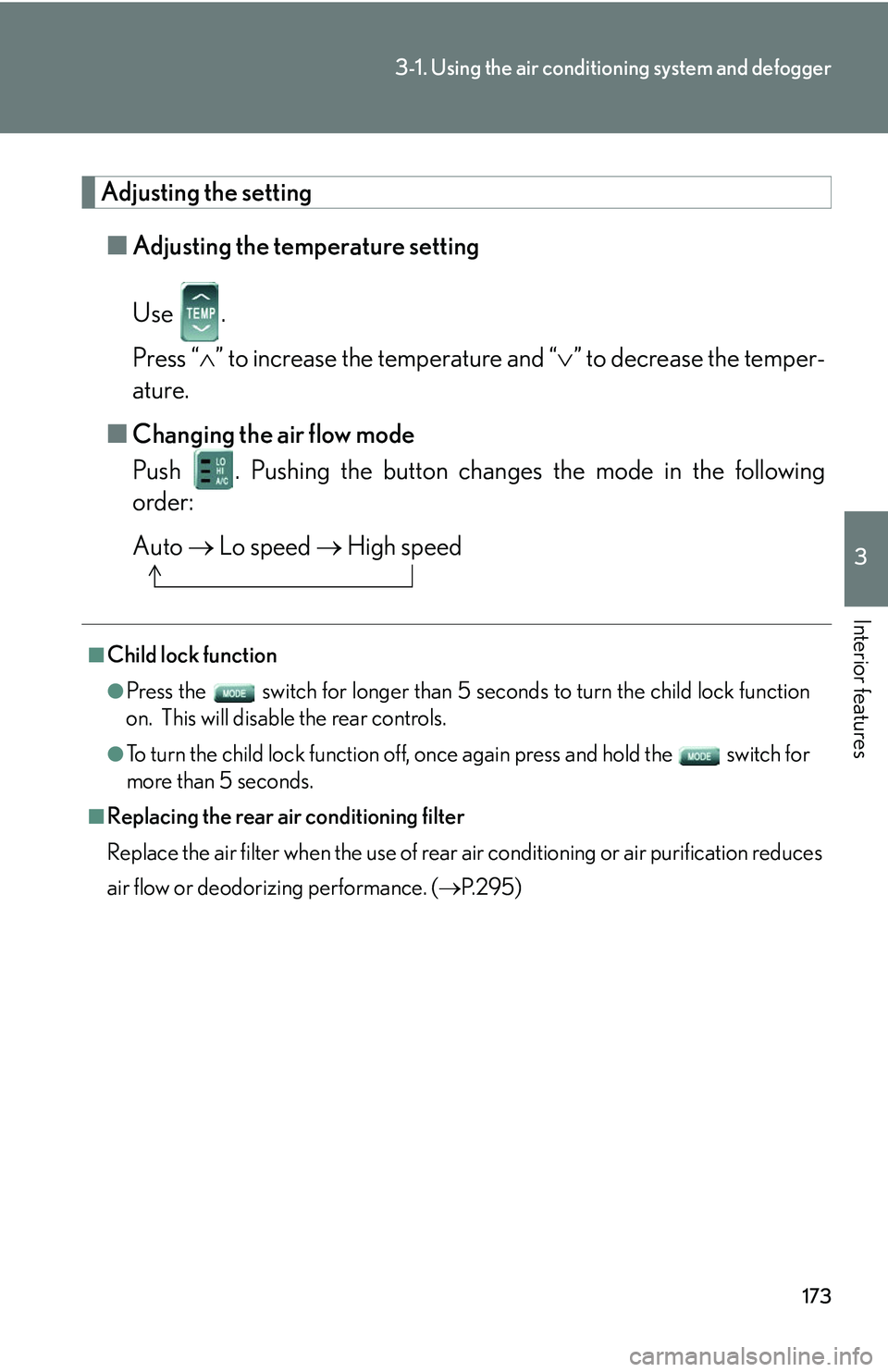
Adjusting the setting
■Adjusting the temperature setting
Use .
Press “ ” to increase the temperature and “ ” to decrease the temper -
ature.
■ Changing the air flo
w mode
Push . Pushing the button changes the mode in the following
order:
Auto Lo speed High speed
■Child lock function
●Press the switch for longer than 5 seconds t o turn the child lock function
on. This will disable the rear controls.
●To turn the child lock function off, once again press and hold the switch for
more than 5 seconds.
■Replacing the rear air conditioning filter
Replace the air filter when the use of rear air conditioning or air purification reduces
air
flow or deodorizing performance. ( P. 2 9 5 )
Page 209 of 419
193
3-2. Using the audio system
3
Interior features
Using the rear controller
Turning on the power and selecting audio modes
■Pow e r
Push when the audio system is turned OFF.
■ Cha
nging modes
Push when the audio system is turned ON. P
ushing the button
changes the sound mode in the fo llo
wing order: AM, FM, cassette
deck, (CD changer).
Adjusting the volume
Push .
Continual adjustment is possible if the button is held for more than one
second.
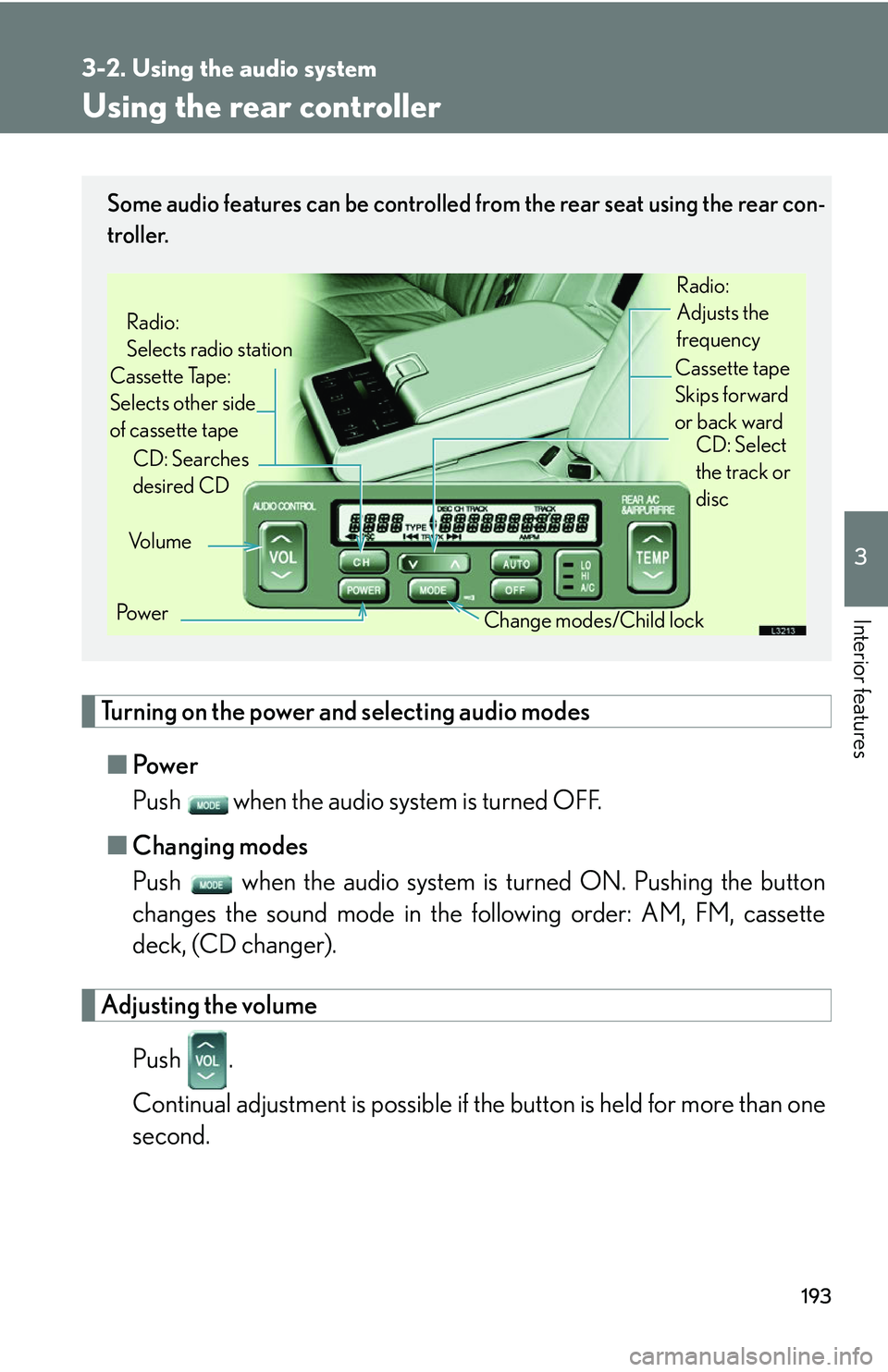
Some audio features can be controlled from the rear seat using the rear con-
troller.
Vo l u m e
Cassette Tape:
Selects other side
of cassette tape Radio:
Selects radio station
Po w e r Change modes/Child lock
CD: Searches
desired CD
Radio:
Adjusts the
frequency
Cassette tape
Skips forward
or back ward CD: Select
the track or
disc
Page 210 of 419
194
3-2. Using the audio system
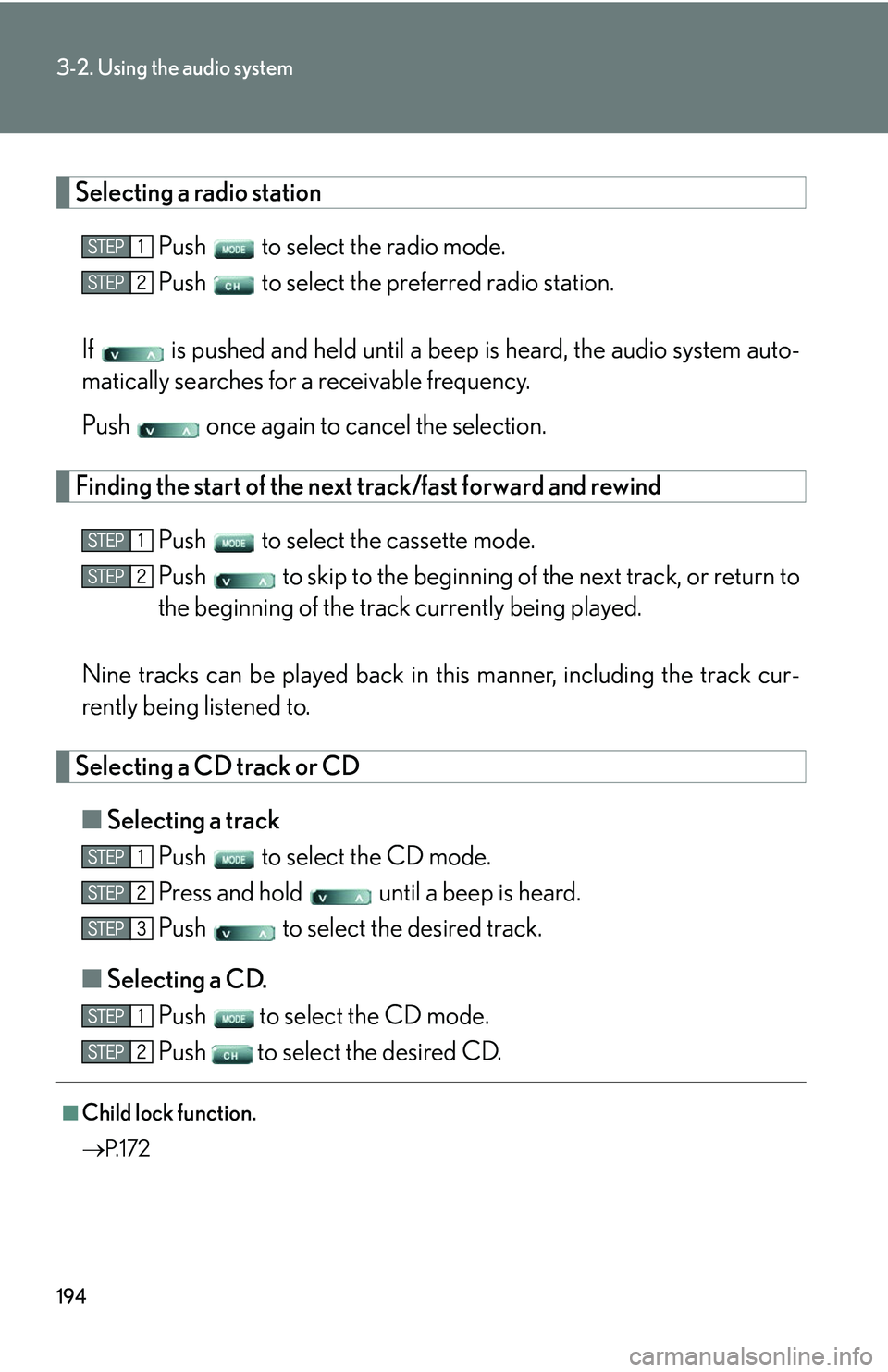
Selecting a radio station
Push to select the radio mode.
Push to select the preferred radio station.
If is pushed and held until a beep is hear
d, the audio system auto -
matically searches for a receivable frequency.
Push once again to cancel the selection.
Finding the start of the next track/fast forward and rewind
Push to select the cassette mode.
Push to skip to the beginning of th e ne
xt track, or return to
the beginning of the trac k curr
ently being played.
Nine tracks can be played back in this manner
, including the track cur-
rently being listened to.
Selecting a CD track or CD
■ Selecting a track
Push to select the CD mode.
Press and hold until a beep is heard.
Push to select the desired track.
■ Selecting a CD
.
Push
to select the CD mode.
Push
to select the desired CD.
■Child lock function.
P. 1 7 2