Page 141 of 312

GAUGESSpeedometer
The speedometer indicates the for-
ward speed of the vehicle.
Odometer/Tripmeter
You can choose the odometer, trip-
meter A and tripmeter B by pressing
the mode selection button.
Odometer
The odometer indicates the total dis-
tance the vehicle has been driven.
Tripmeter
TRIP A : Tripmeter A
TRIP B : Tripmeter B
The tripmeter indicates the distance
of individual trips selected by the driv-
er. Tripmeter A and B can be reset to
zero by pressing the mode selection
button for one second or more then
releasing.Engine Temperature Gauge
This gauge shows the temperature of
the engine coolant when the ignition
switch is ON.
If the gauge pointer moves beyond
the normal range area toward the H
position, it indicates overheating that
may damage the engine.
Do not continue driving with an over-
heated engine. If your vehicle over-
heats, refer to “Overheating’’in the
Index.Fuel Gauge
The fuel gauge indicates the approx-
imate amount of fuel remaining in the
fuel tank.
Fuel tank capacity - 20.8 gal. (80
liters).
The fuel gauge is supplemented by a
low fuel warning light, which will illu-
minate when the fuel level has
dropped to about 3.1 gal. (12 liters).
DRIVING YOUR VEHICLE
4-43
F
E
S2BLA428
H
C
S2BLA427
BL-ENG (CAN)-4.qxd 7/28/05 5:55 PM Page 43
Page 150 of 312
MULTI-METER
(IF EQUIPPED)The Functions Of Multi-Meter
1. Azimuth Compass
2. Relative Altimeter
3. Barometer
4. Tempmeter (if equipped)How to Adjust the Multi-Meter
Switch function
Mode/Set Switch Function
1. Selection of modes : If you push
the MODE/SET switch for less
than 1 second, the mode will be
selected as follows.
2. Correction of Relative Azimuth
Compass Indicator.
3. Correction of Terrestrial deviation
of the Azimuth Compass.
4. Clear the altitude to “0”(zero).Up/Down Switch
1. Correction of the terrestrial devia-
tion angle of the Azimuth
Compass.
2. Conversion of the Relative
Altimeter. units (m ⇔ft).
3. Conversion of the Tempmeter units
(°C ⇔°F).DRIVING YOUR VEHICLE4-52
DRT ALTI BARO
E
hpa
m
ft
P
U
S
HMODE
/SETUPDOWN
S2BLA430A
Azimuth Compass
↓
Relative Altimeter
↓
Barometer
↓
Tempmeter (if equipped)
BL-ENG (CAN)-4.qxd 7/28/05 5:55 PM Page 52
Page 151 of 312

Electric Azimuth Compass
It displays azimuth according to the
vehicle’s driving direction.
The indication is displayed only when
the vehicle is in motion.Correcting Azimuth Indicator
Position correction should be per-
formed if the displayed direction of
the vehicle differs from the actual
direction of the vehicle, or if the bat-
tery has been disconnected.1. Start the vehicle and access the
compass function indicated by
DRT on the display. Press the
MODE/SET button until the DRT
display begins to blink on and off.
2. Slowly (about 3 mph) and carefully
drive the vehicle in a complete 360
degree circle, within 128 seconds
(about two minutes).
3. After completing the circle drive,
the DRT display will stop blinking
and the error correction will be
complete.
DRIVING YOUR VEHICLE
4-53
DRT ALTI BARO
E
hpa
m
ft
PUSHMODE
/SETUPDOWN
DRT
S2BLA431
✽ ✽
NOTICEIf new vehicle is first driven or if the
battery has been disconnected, cor-
rect the azimuth indicator before
driving.
BL-ENG (CAN)-4.qxd 7/28/05 5:55 PM Page 53
Page 152 of 312

The azimuth compass indicator
correction will be cancelled:
1. If you press MODE/SET switch for
more than 1 second while the DRT
display blinks.
2. When the vehicle is not rotated
within 128 seconds after the blink-
ing of the DRT display.Magnetic Declination Correction
The compass function provides bear-
ing (direction of travel) information to
the driver. It is known that a magnet-
ic compass does not point to true
(geographic) north. Magnetic north is
the direction in which a compass will
point. Over most of the earth surface,
a magnetic compass will point either
east or west of true north. In order to
compensate for this, magnetic decli-
nation must be taken into considera-
tion. Magnetic declination is the
angle between magnetic north and
true north.
Correcting declination
1. Turn the ignition key ON and
access the compass function indi-
cated by DRT on the display.
2. Press and hold the MODE/SET
button for four seconds. The dis-
play will change from a direction to
a number followed by an E or W.3. Press the UP or DOWN button to
select the degree of correction for
your location from the contour line
map. (example: Los Angeles,
California would be 15E.)
4. Press the MODE/SET button until
the display changes back to its
normal view.
The terrestrial deviation angle
correction will be cancelled:
1. If you press MODE/SET switch for
less than 1 second.
2. If you don't correct the terrestrial
deviation angle within 30 seconds.DRIVING YOUR VEHICLE4-54✽ ✽
NOTICEThe azimuth may display abnor-
mally in specific places (tunnel,
parking lot in building, under-
ground parking lot, near trans-
former substation, etc.).
✽ ✽
NOTICEThe terrestrial deviation setting
will be remembered even if the bat-
tery has been disconnected.
BL-ENG (CAN)-4.qxd 7/28/05 5:55 PM Page 54
Page 154 of 312

Relative Altimeter
The relative altimeter displays the
current altitude to an actual altitude of
+/- 9800 feet.When you want to know the altitude
difference between your starting
point and destination:
1. Press the MODE/SET button until
the current altitude displayed is 0.
2. When you arrive at your destina-
tion, the altitude displayed will be
the difference between the starting
point and destination.
3. To change the display from feet to
meters, press the UP or DOWN
button for one second.Barometer
The barometer function displays
atmospheric pressure in hectopas-
cals. 1013 hPa is equivalent to 29.92
inches of mercury, or 14.7 psi. (air
pressure at sea level). The barome-
ter range is 600 to 1100 hPa.DRIVING YOUR VEHICLE4-56
DRT ALTI BARO
E
hpa
m
ft
PUSHMODE
/SETUPDOWN
m
ft
ALTIALTI
S2BLA432
DRT ALTI BARO
E
hpa
m
ft
PUSHMODE
/SETUPDOWN
hpa
BARO
S2BLA433
✽ ✽
NOTICEThe Relative Altimeter will display
different altitude at the same place
as the atmospheric pressure varies
at one place.
BL-ENG (CAN)-4.qxd 7/28/05 5:55 PM Page 56
Page 155 of 312
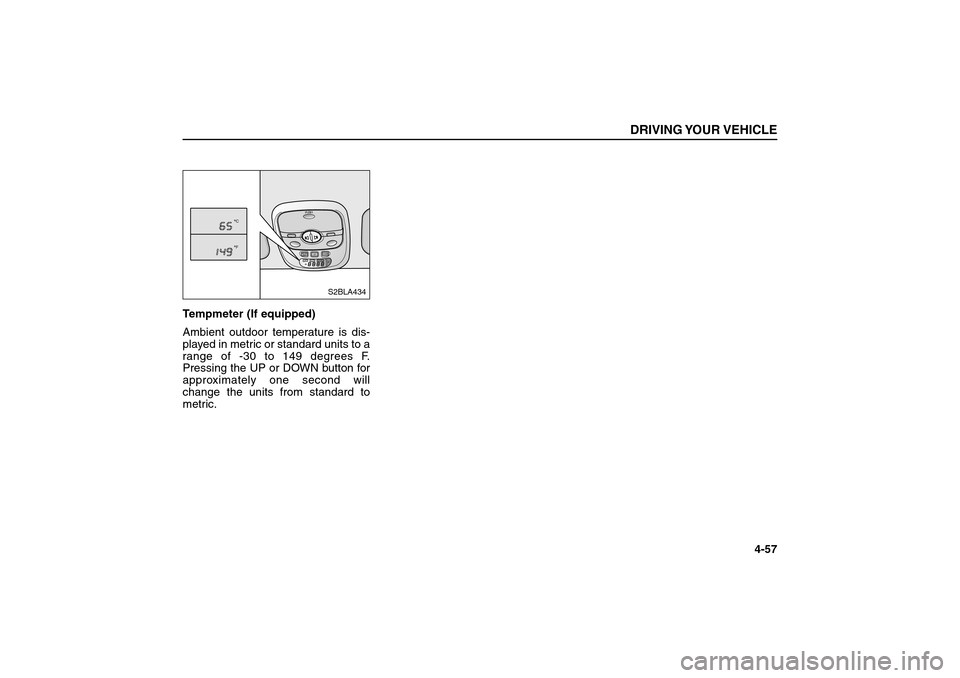
Tempmeter (If equipped)
Ambient outdoor temperature is dis-
played in metric or standard units to a
range of -30 to 149 degrees F.
Pressing the UP or DOWN button for
approximately one second will
change the units from standard to
metric.
DRIVING YOUR VEHICLE
4-57
DRT ALTI BARO
E
hpa
m
ft
PUSHMODE
/SETUPDOWN
CF
S2BLA434
BL-ENG (CAN)-4.qxd 7/28/05 5:55 PM Page 57
Page 172 of 312
Floor - defrost position
Most of the air flow is
directed to the floor and
the windshield with a small
amount directed to the
side window defrosters.
(outlet port: , , )
Defrost position
Most of the air flow is
directed to the windshield
with a small amount of air
directed to the side win-
dow defrosters.
(outlet port: , )MAX/ A/C position
When you select the MAX
A/C mode while the fan
speed is on, it will be set
the system automatically
as follows;
the air conditioning sys-
tem will be turned on.
the recirculated air posi-
tion will be selected.
the face mode will be
selected.
If you select the MAX A/C
mode, you could not can-
cel the A/C system and the
recirculated air position.
Set the fan speed control
knob to desired speed and
rotate the temperature
control knob to the
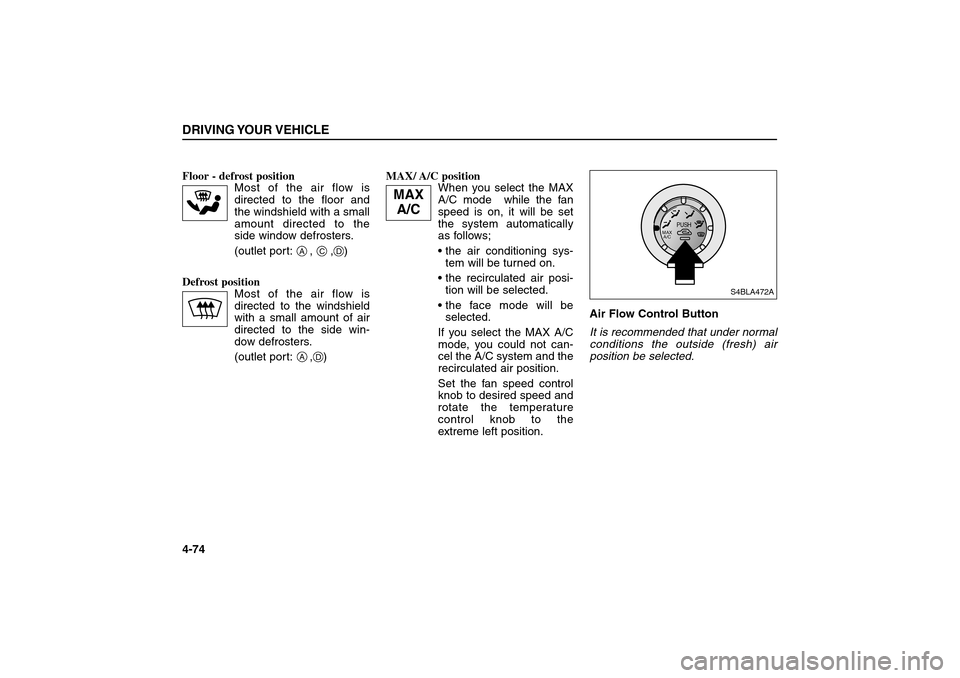
extreme left position.Air Flow Control Button
It is recommended that under normal
conditions the outside (fresh) air
position be selected.DRIVING YOUR VEHICLE4-74
AA
C
D
D
PUSH
MAX
A/C
S4BLA472A
MAX
A/C
BL-ENG (CAN)-4.qxd 7/28/05 5:55 PM Page 74
Page 176 of 312

Air Conditioning System
Operation Tips
If the vehicle has been parked in
direct sunlight during hot weather,
open the windows for a short time
to let the hot air inside the vehicle
escape.
To help reduce moisture inside of
windows on rainy humid days,
decrease the humidity inside the
vehicle by operating the air condi-
tioning system.
During air conditioning system
operation, you may occasionally
notice a slight change in engine
speed at idle as the air conditioning
compressor cycles on. This is a
normal system operation charac-
teristics.
Use the air conditioning system
every month if only for a few min-
utes.After the use of the air conditioning
system, you may notice clear water
dripping (or even pudding) on the
ground under the passenger side
of the vehicle. This is a normal sys-
tem operation characteristics.
The air conditioning system
includes a function that will auto-
matically turns the air conditioning
compressor off if engine coolant
temperature approaches an over
heating level. The air conditioning
compressor operation will resume
once engine coolant temperature
returns to the normal range. Also,
the air conditioning compressor is
automatically turned off for a few
seconds when the accelerator is
fully depressed.
When operating the air conditioning
system use the outside (fresh) air
position.Operating the air conditioning sys-
tem in the recirculated air position
does provide maximum cooling,
however, continual operation in this
mode may cause the air inside the
vehicle to become stale.DRIVING YOUR VEHICLE4-78
BL-ENG (CAN)-4.qxd 7/28/05 5:55 PM Page 78