Page 18 of 344
VQ35DE
1. Fuse/fusible link holder (P.8-25)
2. Battery (P.8-16)
3. Engine oil filler cap (P.8-10)
4. Brake fluid reservoir (P.8-14)
5. Clutch fluid reservoir (MT models)
(P.8-15)
6. Power steering fluid reservoir (P.8-13)
7. Engine coolant reservoir (P.8-8)
8. Window washer fluid reservoir
(P.8-15)
9. Radiator filler cap (P.8-9)
10. Drive belts (P.8-19)
11. Engine oil dipstick (P.8-10)
12. Air cleaner (P.8-20)
SSI0160ENGINE COMPARTMENT
0-12 Illustrated table of contents
w 06.1.4/V35-D/V5.0
X
Page 20 of 344

WARNINGO Do not ride in a moving vehicle when the
seatback is reclined. This can be danger-
ous. The shoulder belt will not be
against your body. In an accident, you
could be thrown into it and receive neck
or other serious injuries. You could also
slide under the lap belt and receive se-
rious internal injuries. O For the most effective protection when
the vehicle is in motion, the seat should
be upright. Always sit well back in the
seat and adjust the seat belt properly.
See ªPrecautions on seat belt usageº
later in this section. FRONT POWER SEAT ADJUSTMENT
WARNING O Do not adjust the driver's seat while
driving so full attention may be given to
vehicle operation.
O Do not leave children unattended inside
the vehicle. They could unknowingly ac-
tivate switches or controls. Unattended
children could become involved in se-
rious accidents.
Operating tips O The seat motor has an auto-reset over-
load protection circuit. If the motor
stops during operation, wait 30 sec-
onds, then reactivate the switch.
O Do not operate the power seat for a
long period of time when the engine is
off. This will discharge the battery.
See ªAutomatic drive positionerº in the
ª3. Pre-driving checks and adjustmentsº
for automatic seat positioner operation (if
so equipped). SSS0133B
SEATS
1-2 Safety Ð Seats, seat belts and supplemental restraint system
w 06.1.4/V35-D/V5.0
X
Page 94 of 344

CAUTIONUse the headlights with the engine running
to avoid discharging the vehicle battery.
Autolight system (if so equipped) The autolight system allows the head-
lights to be set so they turn on and off
automatically.
To set the autolight system:
1. Make sure the headlight switch is in
the AUTO
q 1
position.
2. Turn the ignition switch to the ON po-
sition.
3. The autolight system automatically
turns the headlights on and off. To turn the autolight system off, turn the
switch to the OFF, or position.
The autolight system can turn on the
headlights automatically when it is dark,
turn off the headlights when it is light,
and keep the headlights on for up to 45
seconds after you turn the ignition switch
to the OFF position and open any door
then close all the doors.
If the ignition switch is turned off and one
of the doors is opened and this condition
is continued, the headlights remain on for
5 minutes.SIC2228
Type B SIC2229
Autolight system
2-22 Instruments and controls
w 06.1.13/V35-D/V5.0
X
Page 95 of 344

Be sure not to put anything on top of the
photo sensor
q A
located on the top left-
hand side of the instrument panel. The
photo sensor controls the autolamp; if it is
covered, the photo sensor reacts as if it is
dark and the headlights will illuminate.
Headlight beam select
q 1
To select the low beam, put the lever
in the neutral position as shown.
q 2
To select the high beam, push the
lever forward while the switch is in the
position. Pull it back to select the
low beam.
q 3
Pulling the lever toward you will flash
the headlight high beam even when
the headlight switch is in the OFF posi-
tion. Battery saver system O When the headlight switch is in the
or position while the igni-
tion switch is in the ON position, the
lights (including the front fog light)
will automatically turn off 5 minutes
after the ignition switch has been
turned to the OFF position.
O When the headlight switch remains in
the or position after the
lights automatically turn off, the lights
will turn on for 5 minutes when the
headlight switch is turned to the OFF
position and then turned to the
or position.
CAUTION Even though the battery saver feature auto-
matically turns off the headlights after a pe-
riod of time, you should turn the headlight
switch to the OFF position when the engine
is not running to avoid discharging the ve-
hicle battery.SIC1230C SIC2230
Instruments and controls
2-23
w 06.1.4/V35-D/V5.0
X
Page 99 of 344

CAUTIONO The battery could run down if the seat
heater is operated while the engine is
not running.
O Do not use the seat heater for extended
periods or when no one is using the seat.
O Do not put anything on the seat which in-
sulates heat, such as a blanket, cushion,
seat cover, etc. Otherwise, the seat may
become overheated.
O Do not place anything hard or heavy on
the seat or pierce it with a pin or similar
object. This may result in damage to the
heater.
O Any liquid spilled on the heated seat
should be removed immediately with a
dry cloth.
O When cleaning the seat, never use gaso-
line, benzine, thinner, or any similar
materials. O If any abnormalities are found or the
heated seat does not operate, turn the
switch off and have the system checked
by an INFINITI dealer.
For driving or starting the vehicle on
snowy roads or slippery areas, push the
SNOW mode switch to the ON position
and then the indicator light in the switch
and the SNOW indicator light in the in-
strument panel will illuminate.
When the SNOW mode is activated, en-
gine output is controlled to reduce wheel
spin. SIC2660
SNOW MODE SWITCH (if so equipped)
Instruments and controls
2-27
w 06.1.4/V35-D/V5.0
X
Page 101 of 344

If the power supply is disconnected, the
clock will not indicate the correct time. Re-
adjust the time.
ADJUSTING THE TIME To move the time forward, push the
button
q 1
.
To move the time backward, push the
button
q 2
.
Push and hold each adjusting switch to
move the time forward or backward con-
tinuously. The power outlet is for powering electrical
accessories such as cellular telephones.
CAUTION O The outlet and plug may be hot during or
immediately after use.
O This power outlet is not designed for use
with a cigarette lighter unit.
O Do not use with accessories that exceed a
12 volt, 120W (10A) power draw. Do not
use double adapters or more than one
electrical accessory. O Use power outlets with the engine running
to avoid discharging the vehicle battery.
O Avoid using power outlets when the air
conditioner, headlights or rear window de-
froster is on.
O Before inserting or disconnecting a plug,
be sure the electrical accessory being used
is turned OFF.
O Push the plug in as far as it will go. If good
contact is not made, the plug may overheat
or the internal temperature fuse may open.
O When not in use, be sure to close the cap.
Do not allow water to contact the outlet.SIC2568 SIC1840B
Automatic transmission model SIC2673
Manual transmission modelsCLOCK POWER OUTLET
Instruments and controls
2-29
w 06.1.5/V35-D/V5.0
X
Page 113 of 344
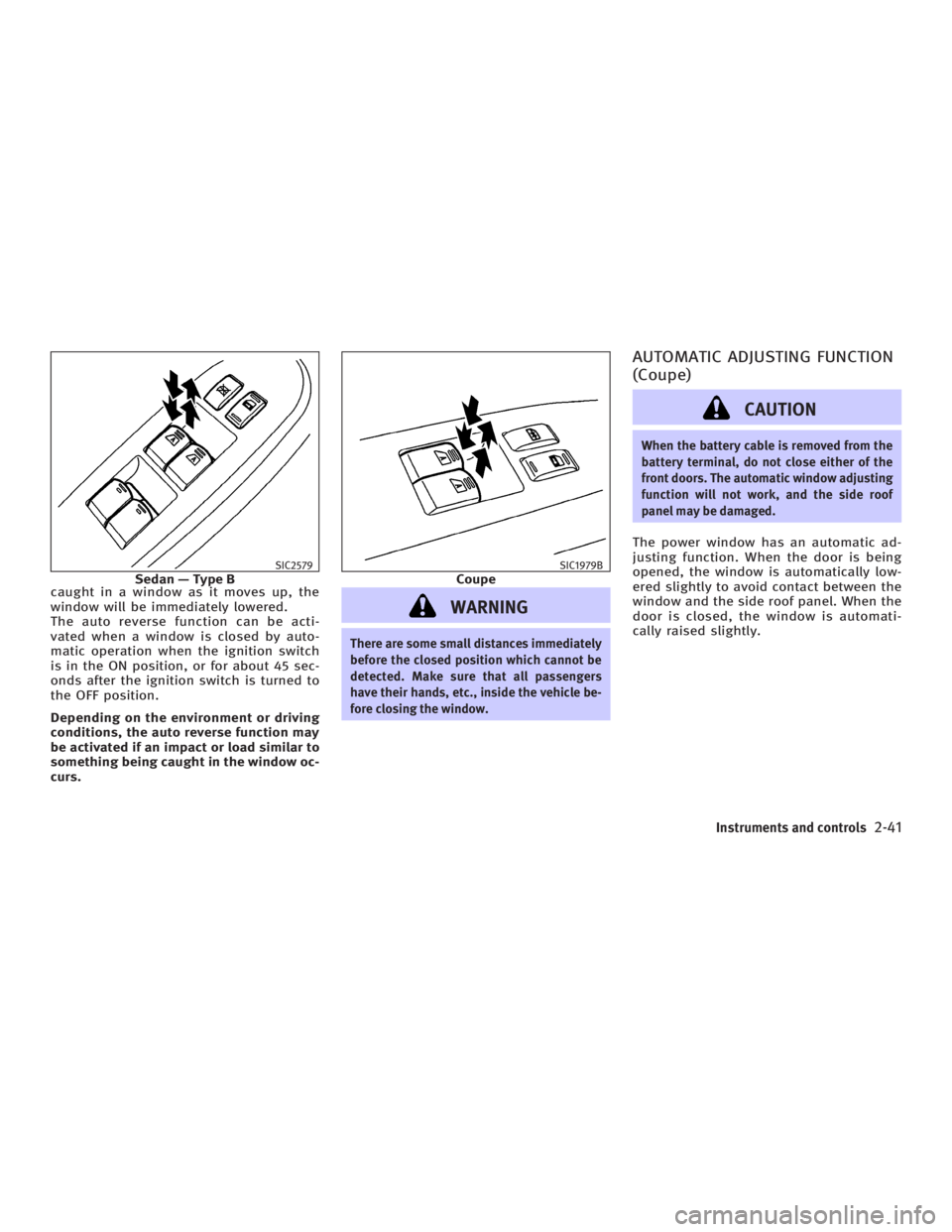
caught in a window as it moves up, the
window will be immediately lowered.
The auto reverse function can be acti-
vated when a window is closed by auto-
matic operation when the ignition switch
is in the ON position, or for about 45 sec-
onds after the ignition switch is turned to
the OFF position.
Depending on the environment or driving
conditions, the auto reverse function may
be activated if an impact or load similar to
something being caught in the window oc-
curs.
WARNING There are some small distances immediately
before the closed position which cannot be
detected. Make sure that all passengers
have their hands, etc., inside the vehicle be-
fore closing the window. AUTOMATIC ADJUSTING FUNCTION
(Coupe)
CAUTION When the battery cable is removed from the
battery terminal, do not close either of the
front doors. The automatic window adjusting
function will not work, and the side roof
panel may be damaged.
The power window has an automatic ad-
justing function. When the door is being
opened, the window is automatically low-
ered slightly to avoid contact between the
window and the side roof panel. When the
door is closed, the window is automati-
cally raised slightly.SIC2579
Sedan Ð Type B SIC1979B
Coupe
Instruments and controls
2-41
w 06.1.4/V35-D/V5.0
X
Page 117 of 344

lowing with the ignition switch in the ACC
or OFF position:
O Opening or closing any door
O Locking or unlocking with the keyfob,
a key, the power door lock switch or
the ignition is turned to the LOCK po-
sition (Intelligent Key system)
O Inserting or removing a key from the
ignition switch
These lights will turn on again when any
of the above operations is performed after
the lights have turned off automatically.
(The lights will turn off 30 minutes after
the latest operation of the above as well.)
CAUTIONO Turn off the map, personal and vanity
mirror lights when you leave the vehicle.
O Do not use for extended periods of time
with the engine stopped. This could re-
sult in a discharged battery. PERSONAL LIGHTS
Rear (Sedan)
q A
: Left-hand side
q B
: Right-hand side
The rear personal light has a three-
position switch.
When the switch is in the door position
q 2
, the light will illuminate when the rear
door is opened. When the rear personal light switch is in
the ON position
q 1
, the rear personal
lights illuminate, regardless of any condi-
tion.
When the switch is in the OFF
q 3
position,
the rear personal lights do not illuminate,
regardless of any condition.
When the personal light switch is in the
ON position, it will automatically turn off
30 minutes after the ignition switch has
been turned to the OFF position. To turn on
the light again, turn the ignition switch to
the ON position. SIC2582
Instruments and controls
2-45
w 06.1.4/V35-D/V5.0
X
