2006 INFINITI G35 ECO mode
[x] Cancel search: ECO modePage 99 of 344

CAUTIONO The battery could run down if the seat
heater is operated while the engine is
not running.
O Do not use the seat heater for extended
periods or when no one is using the seat.
O Do not put anything on the seat which in-
sulates heat, such as a blanket, cushion,
seat cover, etc. Otherwise, the seat may
become overheated.
O Do not place anything hard or heavy on
the seat or pierce it with a pin or similar
object. This may result in damage to the
heater.
O Any liquid spilled on the heated seat
should be removed immediately with a
dry cloth.
O When cleaning the seat, never use gaso-
line, benzine, thinner, or any similar
materials. O If any abnormalities are found or the
heated seat does not operate, turn the
switch off and have the system checked
by an INFINITI dealer.
For driving or starting the vehicle on
snowy roads or slippery areas, push the
SNOW mode switch to the ON position
and then the indicator light in the switch
and the SNOW indicator light in the in-
strument panel will illuminate.
When the SNOW mode is activated, en-
gine output is controlled to reduce wheel
spin. SIC2660
SNOW MODE SWITCH (if so equipped)
Instruments and controls
2-27
w 06.1.4/V35-D/V5.0
X
Page 119 of 344

WARNINGO Do not use the HomeLink Universal
Transceiver with any garage door opener
that lacks safety stop and reverse features
as required by federal safety standards.
(These standards became effective for
opener models manufactured after April 1,
1982.) A garage door opener which cannot
detect an object in the path of a closing
garage door and then automatically stop
and reverse, does not meet current federal
safety standards. Using a garage door
opener without these features increases
the risk of serious injury or death.
O During the programming procedure, your
garage door or security gate will open or
close (if the transmitter is within range).
Make sure that people or objects are clear
of the garage door, gate, etc. that you are
programming.
O Your vehicle's engine should be turned
off while programming the HomeLink
Universal Transceiver. PROGRAMMING HomeLink To program your HomeLink Transceiver
to operate a garage door, gate, or entry
door opener, home or office lighting, you
need to be at the same location as the
device. Note: Garage door openers (manu-
factured after 1996) have ªrolling code
protectionº. To program a garage door
opener equipped with ªrolling code pro-
tectionº; you will need to use a ladder to
get up to the garage door opener motor to
be able to access the ªtrainingº program
button.
1. To begin, push and hold the 2 outer
HomeLink buttons (to clear the
memory) until the indicator light
q A
blinks (after 20 seconds). Release both
buttons.
2. Position the end of the hand-held trans-
mitte r1-3 inches (26 - 76 mm) away
from the HomeLink
surface. SIC3012
Instruments and controls
2-47
w 06.1.4/V35-D/V5.0
X
Page 120 of 344
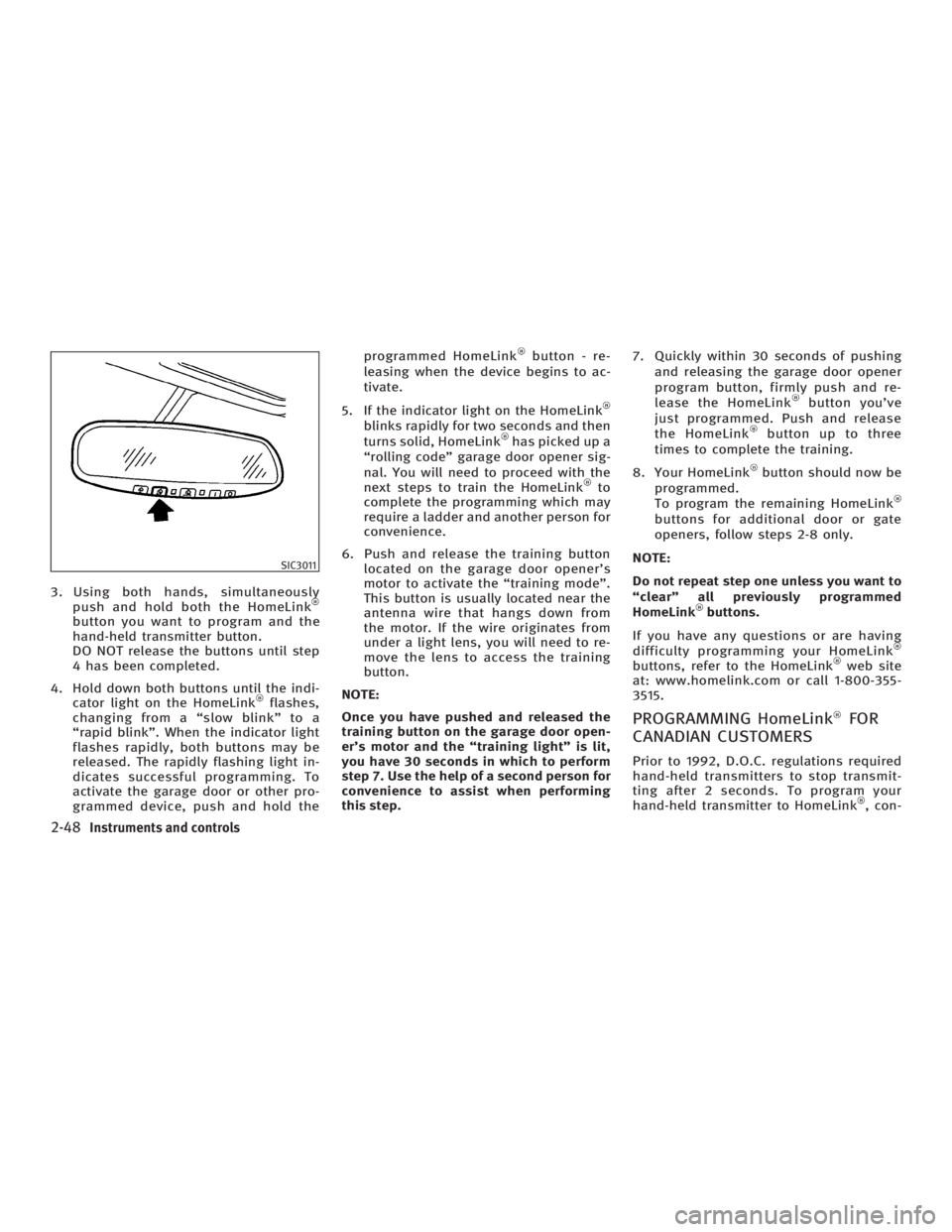
3. Using both hands, simultaneously
push and hold both the HomeLink
button you want to program and the
hand-held transmitter button.
DO NOT release the buttons until step
4 has been completed.
4. Hold down both buttons until the indi-
cator light on the HomeLink flashes,
changing from a ªslow blinkº to a
ªrapid blinkº. When the indicator light
flashes rapidly, both buttons may be
released. The rapidly flashing light in-
dicates successful programming. To
activate the garage door or other pro-
grammed device, push and hold the programmed HomeLink button - re-
leasing when the device begins to ac-
tivate.
5. If the indicator light on the HomeLink
blinks rapidly for two seconds and then
turns solid, HomeLink has picked up a
ªrolling codeº garage door opener sig-
nal. You will need to proceed with the
next steps to train the HomeLink to
complete the programming which may
require a ladder and another person for
convenience.
6. Push and release the training button
located on the garage door opener's
motor to activate the ªtraining modeº.
This button is usually located near the
antenna wire that hangs down from
the motor. If the wire originates from
under a light lens, you will need to re-
move the lens to access the training
button.
NOTE:
Once you have pushed and released the
training button on the garage door open-
er's motor and the ªtraining lightº is lit,
you have 30 seconds in which to perform
step 7. Use the help of a second person for
convenience to assist when performing
this step. 7. Quickly within 30 seconds of pushing
and releasing the garage door opener
program button, firmly push and re-
lease the HomeLink button you've
just programmed. Push and release
the HomeLink button up to three
times to complete the training.
8. Your HomeLink button should now be
programmed.
To program the remaining HomeLink
buttons for additional door or gate
openers, follow steps 2-8 only.
NOTE:
Do not repeat step one unless you want to
ªclearº all previously programmed
HomeLink buttons.
If you have any questions or are having
difficulty programming your HomeLink
buttons, refer to the HomeLink web site
at: www.homelink.com or call 1-800-355-
3515.
PROGRAMMING HomeLink FOR
CANADIAN CUSTOMERS Prior to 1992, D.O.C. regulations required
hand-held transmitters to stop transmit-
ting after 2 seconds. To program your
hand-held transmitter to HomeLink , con-SIC3011
2-48 Instruments and controls
w 06.1.4/V35-D/V5.0
X
Page 123 of 344

3 Pre-driving checks and adjustments Keys ................................................................. 3-2
Infiniti vehicle immobilizer system keys ...... 3-2
Doors ............................................................... 3-3
Locking with key ......................................... 3-3
Locking with inside lock knob ..................... 3-4
Locking with power door lock switch........... 3-4
Child safety rear door lock (Sedan) ............. 3-5
Remote keyless entry system (models without
Intelligent Key system) ..................................... 3-5
How to use remote keyless entry system .... 3-6
Intelligent Key system (if so equipped) ............. 3-9
Door locks/unlocks precaution .................. 3-11
Intelligent Key operation ............................ 3-11
Opening and closing windows ................... 3-14
Operating the engine ................................. 3-14
Intelligent Key operating range ................. 3-16
Warning signals ......................................... 3-17
Trouble-shooting guide .............................. 3-19
Operation with intelligent remote keyless
entry system ............................................. 3-20
Operation with the mechanical key and
valet key ................................................... 3-23 Hood .............................................................. 3-24
Trunk lid ......................................................... 3-25
Opener operation ...................................... 3-25
Interior trunk lid release ............................ 3-27
Secondary trunk lid release ....................... 3-27
Fuel-filler door ................................................ 3-28
Opening the fuel-filler door ....................... 3-28
Fuel-filler cap ............................................ 3-29
Steering wheel ............................................... 3-30
Manual operation ...................................... 3-30
Electric operation (if so equipped) ............. 3-31
Sun visors ...................................................... 3-32
Mirrors............................................................ 3-32
Automatic anti-glare inside mirror (if so
equipped) .................................................. 3-32
Outside mirrors ......................................... 3-33
Automatic drive positioner (if so equipped) .... 3-34
Automatic drive positioner operation ......... 3-34
Entry/exit function (if so equipped) ........... 3-34
Memory storage function ........................... 3-35
System operation ...................................... 3-36
Cancel switch (if so equipped)................... 3-37
w 06.1.4/V35-D/V5.0
X
Page 124 of 344

1. Master key 2 sets (With built-in tran-
sponder chip), INFINITI MARK: silver
2. Valet key (With built-in transponder
chip), INFINITI MARK: Black
3. Wallet key and Key case (Card type)
4. Key number plate 1. Intelligent Key 2 sets*
2. Mechanical key (metal key)* 2 sets
3. Valet key (metal key)
4. Wallet key and key case (card type)
(metal key)
5. Key number plate *: Refer to ªIntelligent Key systemº later
in this section.
A key number plate is supplied with your
keys. Record the key number and keep it
in a safe place (such as your wallet), not
in the vehicle. If you lose your keys, see
an INFINITI dealer for duplicates by using
the key number.
A key number is necessary when you have
lost all keys and do not have one to dupli-
cate from. If you still have a key, an
INFINITI dealer can duplicate it.
INFINITI VEHICLE IMMOBILIZER
SYSTEM KEYS You can only drive your vehicle using the
master or valet keys which are registered
to the INFINITI Vehicle Immobilizer System
components in your vehicle. These keys
have a transponder chip in the key head.
The master key can be used for all the
locks.
The valet key cannot be used for glove
box lock and the trunk access window lid
lock.
To protect belongings when you leave a
key with someone, give them the valet
key only.SPA2105
Model without Intelligent Key system SPA2179
Model with Intelligent Key systemKEYS
3-2 Pre-driving checks and adjustments
w 06.1.4/V35-D/V5.0
X
Page 130 of 344

Setting hazard indicator and horn
mode The factory setting of the remote keyless
entry system is in hazard indicator and
horn mode.
In hazard indicator and horn mode, when
the LOCK button is pushed, the
hazard indicator flashes twice and the
horn chirps once. When the UNLOCK
button is pushed, the hazard indica-
tor flashes once. If horn chirps are not necessary, the
system can be switched to hazard indica-
tor mode.
In hazard indicator mode, when the LOCK
button is pushed, the hazard indica-
tor flashes twice. When the UNLOCK
button is pushed, neither the hazard
indicator nor the horn operates.
Switching procedure:
Push the LOCK button and UNLOCK
button on the keyfob simultaneously
for more than 2 seconds to switch from
one mode to the other. When pushing the buttons to set hazard
indicator only mode, the hazard indicator
flashes 3 times.
When pushing the buttons to set hazard
indicator and horn mode, the hazard indi-
cator flashes once and the horn chirps
once. SPA2180
3-8 Pre-driving checks and adjustments
w 06.1.4/V35-D/V5.0
X
Page 144 of 344

3. The panic alarm stops when:
O It has run for 25 seconds, or
O The LOCK , UNLOCK ,
TRUNK or PANIC button
on the Intelligent Key is pushed for
longer than 0.5 second. Hazard indicator and horn mode DOOR LOCK DOOR UNLOCK
Keyfob or Intelligent Key
HAZARD - twice No operation
Door handle request switch
Hazard indicator mode DOOR LOCK DOOR UNLOCK
Keyfob or Intelligent Key HAZARD - twice
HORN-once HORN - once
Door handle request switch HAZARD - twice
OUTSIDE BUZZER - twice HORN - once
OUTSIDE BUZZER - once
Setting hazard indicator and horn mode:
This vehicle is set in hazard indicator and
horn mode when you first receive the ve-
hicle.
In hazard indicator and horn mode, when
the LOCK button is pushed, the haz-
ard indicator flashes twice and the horn
chirps once. When the UNLOCK
button is pushed, the hazard indica-
tor flashes once.
If horn are not necessary, the system can be
switched to the hazard indicator mode. In hazard indicator mode, when the LOCK
button is pushed, the hazard indica-
tor flashes twice. When the UNLOCK
button is pushed, neither the hazard
indicator nor the horn operates.
Switching procedure:
Push the LOCK button and UNLOCK
button on the Intelligent Key simul-
taneously for more than 2 seconds to
switch from one mode to the other.
3-22 Pre-driving checks and adjustments
w 06.1.4/V35-D/V5.0
X
Page 147 of 344
WARNINGO Do not drive with the trunk lid open. This
could allow dangerous exhaust gases to
be drawn into the vehicle. See ªPrecau-
tions when starting and drivingº in the
ª5. Starting and drivingº section for ex-
haust gas.
O Closely supervise children when they are
around cars to prevent them from
playing and becoming locked in the
trunk where they could be seriously in-
jured. Keep the car locked, with the rear
seatback and trunk lid securely latched
when not in use, and prevent children's
access to car keys.
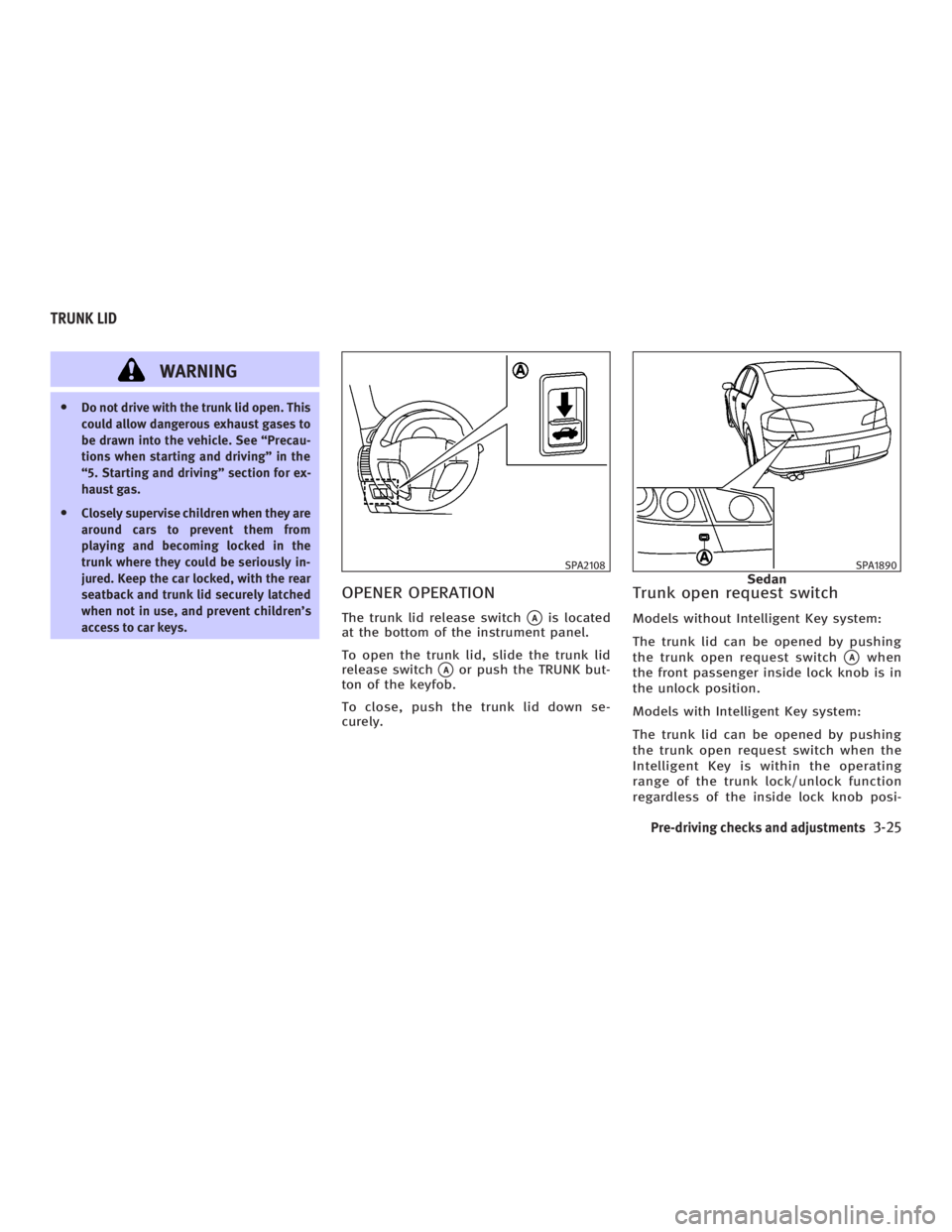
OPENER OPERATION The trunk lid release switch
q A
is located
at the bottom of the instrument panel.
To open the trunk lid, slide the trunk lid
release switch
q A
or push the TRUNK but-
ton of the keyfob.
To close, push the trunk lid down se-
curely. Trunk open request switch Models without Intelligent Key system:
The trunk lid can be opened by pushing
the trunk open request switch
q A
when
the front passenger inside lock knob is in
the unlock position.
Models with Intelligent Key system:
The trunk lid can be opened by pushing
the trunk open request switch when the
Intelligent Key is within the operating
range of the trunk lock/unlock function
regardless of the inside lock knob posi- SPA2108 SPA1890
SedanTRUNK LID
Pre-driving checks and adjustments
3-25
w 06.1.4/V35-D/V5.0
X