Page 170 of 316
�Û
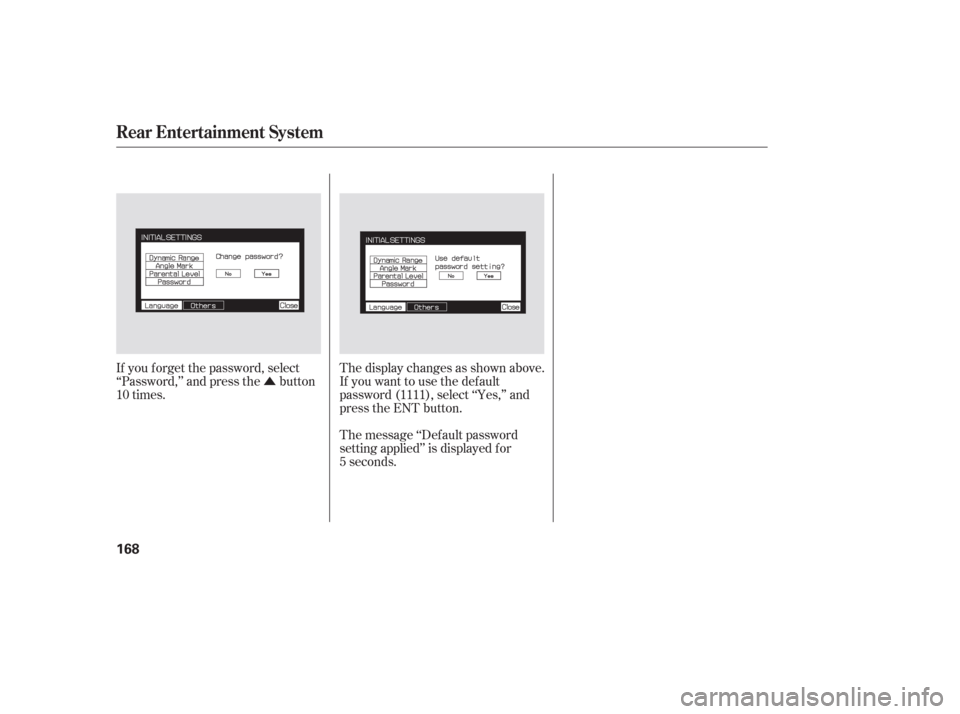
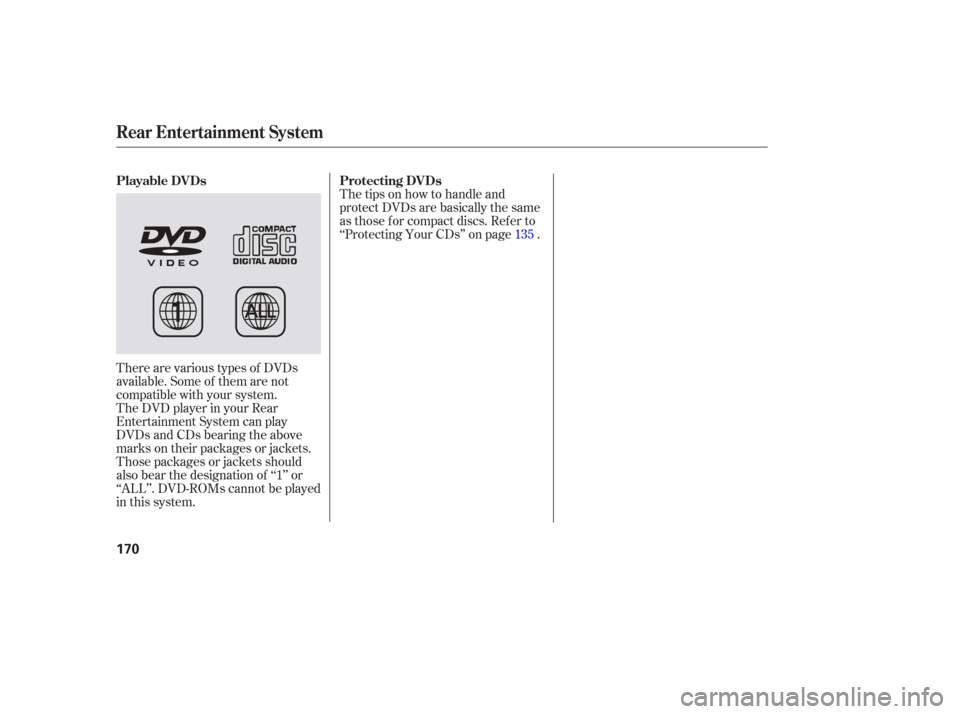
If you f orget the password, select
‘‘Password,’’ and press the button
10 times. The display changes as shown above.
If you want to use the def ault
password (1111), select ‘‘Yes,’’ and
press the ENT button.
The message ‘‘Def ault password
setting applied’’ is displayed f or
5 seconds.
Rear Entertainment System
168
Page 171 of 316
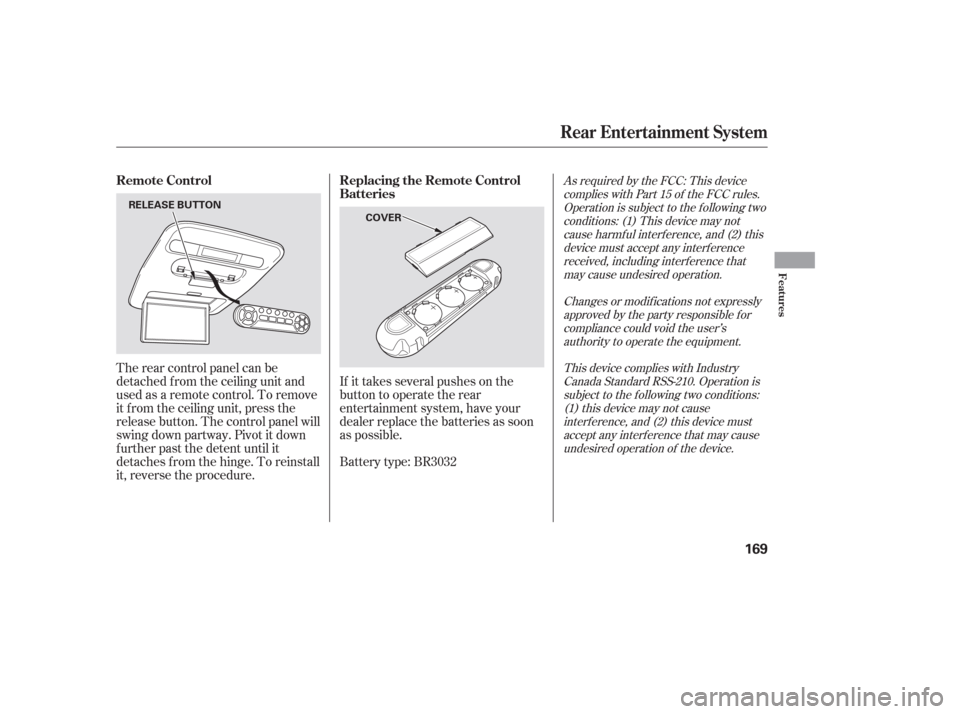
If it takes several pushes on the
button to operate the rear
entertainment system, have your
dealer replace the batteries as soon
as possible.
The rear control panel can be
detached f rom the ceiling unit and
used as a remote control. To remove
it f rom the ceiling unit, press the
release button. The control panel will
swing down partway. Pivot it down
f urther past the detent until it
detaches f rom the hinge. To reinstall
it, reverse the procedure.
Battery type: BR3032
As required by the FCC: This device
complies with Part 15 of the FCC rules.Operation is subject to the f ollowing twoconditions: (1) This device may notcause harmf ul interf erence, and (2) thisdevice must accept any interf erencereceived, including interf erence thatmay cause undesired operation.
Changes or modif ications not expresslyapproved by the party responsible f orcompliance could void the user’sauthority to operate the equipment.
This device complies with IndustryCanada Standard RSS-210. Operation issubject to the f ollowing two conditions:(1) this device may not causeinterf erence, and (2) this device mustaccept any interf erence that may causeundesired operation of the device.Remote Control Replacing the Remote Control
Batteries
Rear Entertainment System
Features
169
COVER
RELEASE BUTTON
Page 172 of 316
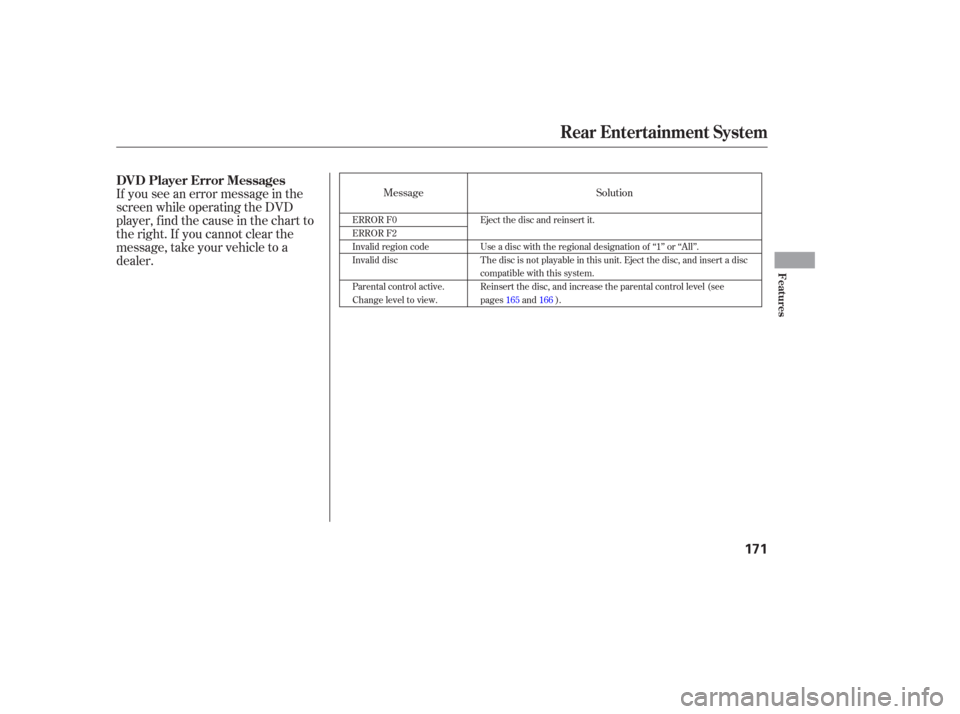
There are various types of DVDs
available. Some of them are not
compatible with your system.
The DVD player in your Rear
Entertainment System can play
DVDs and CDs bearing the above
marks on their packages or jackets.
Those packages or jackets should
also bear the designation of ‘‘1’’ or
‘‘ALL’’. DVD-ROMs cannot be played
in this system.The tips on how to handle and
protect DVDs are basically the same
as those f or compact discs. Ref er to
‘‘Protecting Your CDs’’ on page .
135
Playable DVDs
Protecting DVDs
Rear Entertainment System
170
Page 173 of 316
If you see an error message in the
screen while operating the DVD
player,findthecauseinthechartto
the right. If you cannot clear the
message, take your vehicle to a
dealer.MessageSolution
ERROR F0
ERROR F2
Invalid region code
Invalid disc
Parental control active.
Change level to view.Eject the disc and reinsert it.
Use a disc with the regional designation of ‘‘1’’ or ‘‘All’’.
The disc is not playable in this unit. Eject the disc, and insert a disc
compatible with this system.
Reinsert the disc, and increase the parental control level (see
pages
165and 166).
DVD Player Error Messages
Rear Entertainment System
Features
171
Page 174 of 316
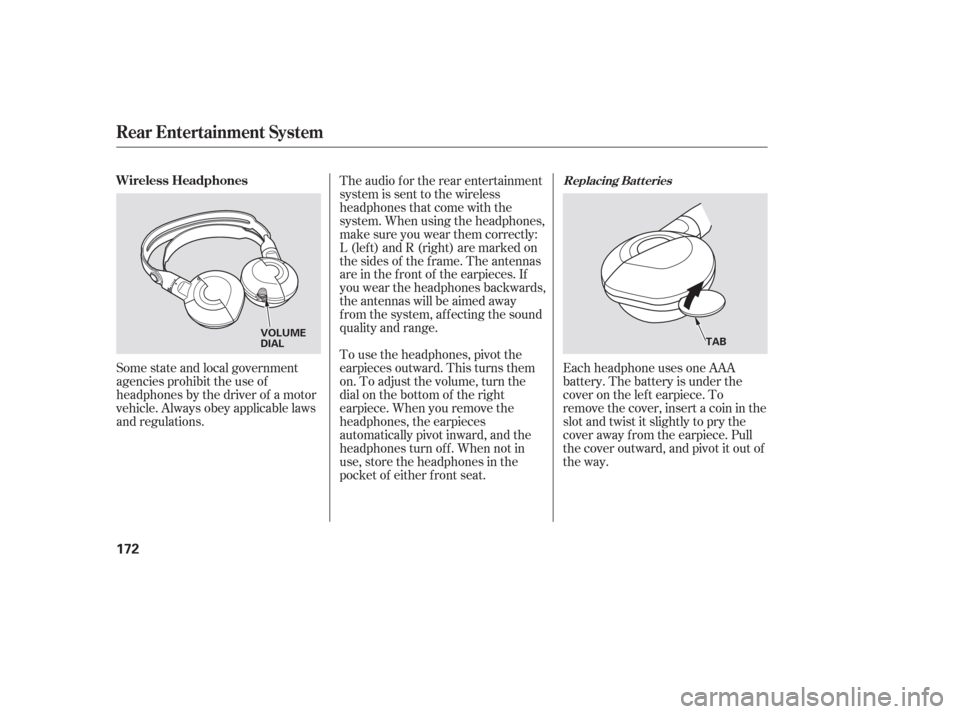
Each headphone uses one AAA
battery. The battery is under the
cover on the lef t earpiece. To
remove the cover, insert a coin in the
slot and twist it slightly to pry the
cover away f rom the earpiece. Pull
the cover outward, and pivot it out of
the way.
Some state and local government
agencies prohibit the use of
headphones by the driver of a motor
vehicle. Always obey applicable laws
and regulations. The audio f or the rear entertainment
system is sent to the wireless
headphones that come with the
system. When using the headphones,
make sure you wear them correctly:
L (lef t) and R (right) are marked on
the sides of the frame. The antennas
are in the f ront of the earpieces. If
you wear the headphones backwards,
the antennas will be aimed away
from the system, affecting the sound
quality and range.
To use the headphones, pivot the
earpieces outward. This turns them
on. To adjust the volume, turn the
dial on the bottom of the right
earpiece. When you remove the
headphones, the earpieces
automatically pivot inward, and the
headphones turn of f . When not in
use, store the headphones in the
pocket of either f ront seat.
Replacing Bat t eriesWireless Headphones
Rear Entertainment System
172
VOLUME
DIAL
TAB
Page 175 of 316
There are three headphone
connectors f or the third seat
passengers. Each connector has its
own volume control. The system will accept auxiliary
inputs f rom standard video games
and video equipment.
V=Videojack
L = Lef t audio jack
R = Right audio jack
Auxiliary input jacks and headphone
connectors f or the rear
entertainment system are on the
back of the center console
compartment.
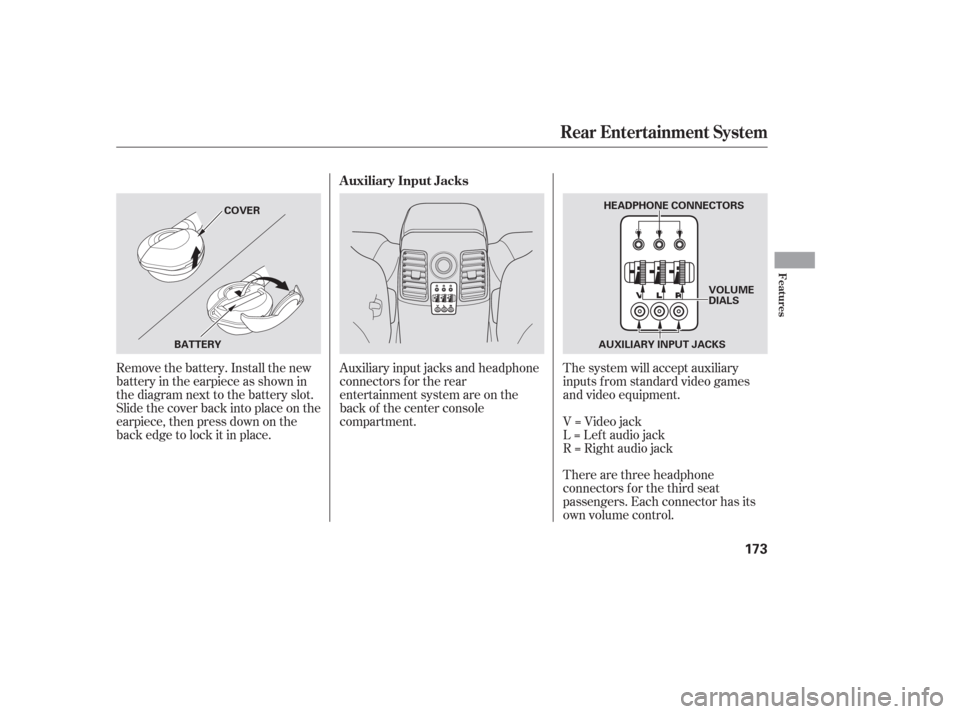
Remove the battery. Install the new
battery in the earpiece as shown in
the diagram next to the battery slot.
Slide the cover back into place on the
earpiece, then press down on the
back edge to lock it in place. Auxiliary Input Jacks
Rear Entertainment System
Features
173
AUXILIARY INPUT JACKS
BATTERY COVER
HEADPHONE CONNECTORS
VOLUME
DIALS
Page 312 of 316

...................
Radiator Overheating . 274
.............
Radio/CD Sound System . 115
...........................
Readiness Codes .296
...............................
Rear A/C Unit .113
............
Rear Audio Control Panel . 147
........
Rear Entertainment System . 142
..
Rear Lights, Bulb Replacement . 252
.
Rear View Camera and Monitor . 184
............................
Rear View Mirror .92
.................
Rear Window Def ogger . 77
.
Rear Window Wiper and Washer . 74
..........
Reclining the Seat Backs . 87-90
.............................
Reminder Lights .61
...............
Remoto Audio Controls . 138
.................
Remote Control (RES) . 169
.......................
Remote Transmitter .83
Replacement Inf ormation ................
Engine Oil and Filter . 240
.................................
Floor Mats .254
..........................................
Fuses .279
................................
Light Bulbs .248
........................................
Minder .235
................................
Timing Belt .245
...........................................
Tires .259 .............................
Wiper Blades .255
Replacing Seat Belts Af ter a ............................................
Crash .23
...
Reserve Tank, Engine Coolant . 189
...............................
Restraint, Child .38
..................
Reverse Gear Position . 201
................................
Rotation, Tire .259
......................................
Saf ety Belts .10
............
Safety Defects, Reporting . 302
.................................
Saf ety Features .9
.........................................
Airbags .11
.....................................
Seat Belts .10
.............
Saf ety Labels, Location of . 58
...............................
Saf ety Messages .ii
.........................................
Seat Belts .10
...............
Additional Information . 21
Automatic Seat Belt ...............................
Tensioners .23
.....................................
Cleaning .254
......................
Lap/Shoulder Belt .22
................................
Maintenance .23
Reminder Light and ................................
Beeper .21, 62 ...................
System Components . 25
...............
Use During Pregnancy . 19
...
Wearing a Lap/Shoulder Belt . 15
....................................
Seat Heaters .86
.................................................
Seats .87
............
Folding the Second Seat . 89
...............
Folding the Third Seat . 90
..........................
Head Restraints .91
.........
Reclining the Second Seat . 89
............
Reclining the Third Seat . 90
.......................
Third Seat Access .89
...................
Seats, Adjusting the . 87-90
............................
Security System .174
...............................
Serial Number .286
...........................
Service Intervals .229
.............................
Service Manual .303
.........
Service Station Procedures . 187
..........................
Setting the Clock .140
Shif ting the Automatic .............................
Transmission .200
.....
Shif t Lever Position Indicator . 200
........................
Shif t Lock Release .203
Side Marker Lights, Bulb .........................
Replacement in .249
..............................
Side Airbags .11, 31
..........................
Of f Indicator .34, 63
Index
R
S
VI