Page 162 of 316
�Ý�Û
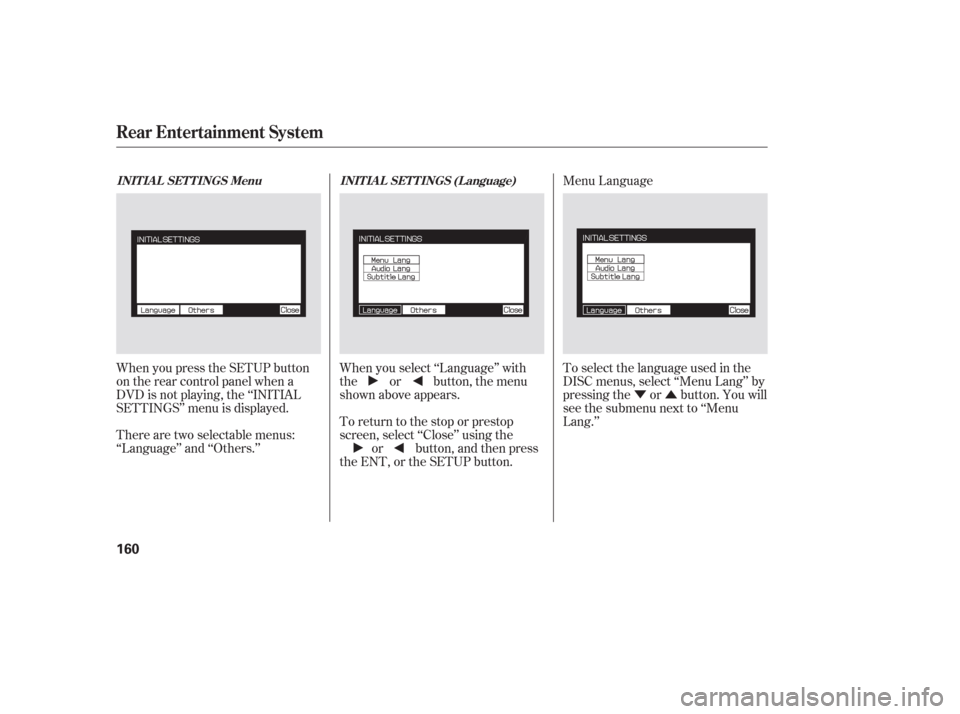
When you press the SETUP button
on the rear control panel when a
DVD is not playing, the ‘‘INITIAL
SETTINGS’’ menu is displayed. When you select ‘‘Language’’ with
the or button, the menu
shown above appears.
To return to the stop or prestop
screen, select ‘‘Close’’ using the
or button, and then press
the ENT, or the SETUP button. To select the language used in the
DISC menus, select ‘‘Menu Lang’’ by
pressing the or button. You will
see the submenu next to ‘‘Menu
Lang.’’
There are two selectable menus:
‘‘Language’’ and ‘‘Others.’’ Menu Language
INITIAL SETTINGS Menu
INITIAL SETTINGS (Language)
Rear Entertainment System
160
Page 163 of 316
�Ý�Û
Select the desired language by
pressing the or button, and
then pressing the ENT button.
The selectable languages are,
English, French, Spanish, German,
Italian, Dutch, and Japanese. If you want another language than
those listed, you need to enter the
code number of the desired language.
Select ‘‘other,’’ and press the ENT
button. The display changes as
showninthenextcolumn.
If you select ‘‘No,’’ and press the
ENT button, the display returns to
the initial screen of the ‘‘Language’’
menu.
CONT INUED
Rear Entertainment System
Features
161
Page 164 of 316
�Ý�Û Audio Language
You can select the dubbed language
bef ore playing DVDs.
Select ‘‘Audio Lang’’ by pressing theor button. You will see the
submenu next to ‘‘Audio Lang.’’
Follow the same instructions you
used to set the menu language.
If you made a mistake entering a
number, select ‘‘DEL’’ on the display
with the , , , or
button, and press the ENT
buttononthecontrolpanel.Then
select and enter the correct number
as described. The display returns to
the initial ‘‘Language’’ menu screen.
If you select ‘‘Yes,’’ the display
changes to the language code input
mode. Select the f irst number using
the,,,or
button, and press the ENT
button to enter it. Repeat this until all
f our numbers are entered. When the
f ourth number is entered, the cursor
automatically moves to ‘‘ENT’’ on the
display. Press the ENT button on the
control panel to enter the new
language code.
Rear Entertainment System
162
Page 165 of 316
�Ý�Û
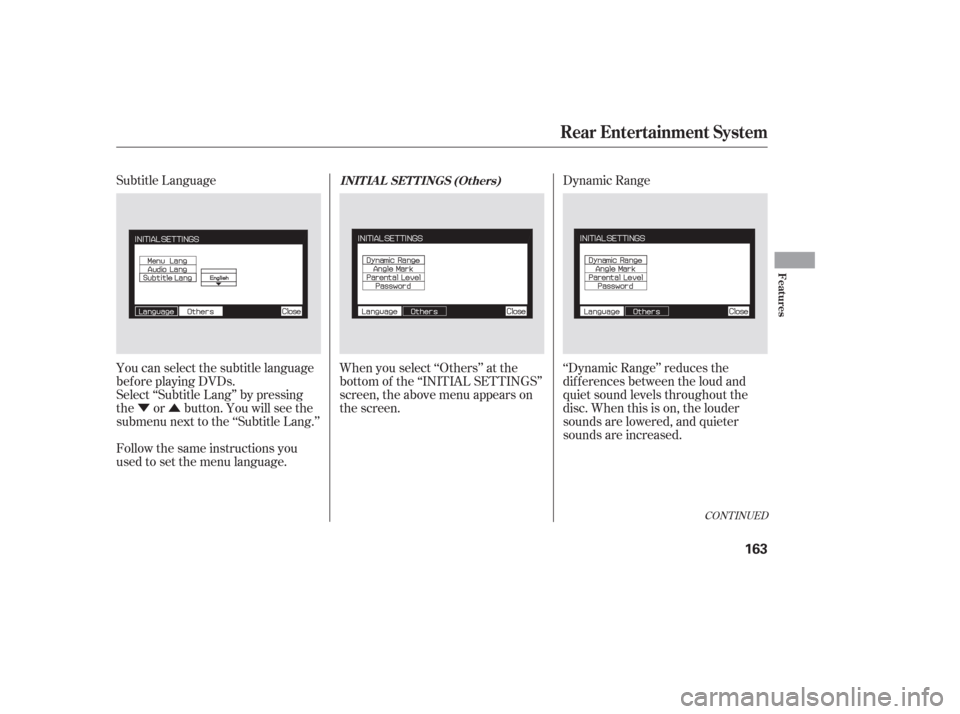
Subtitle Language
You can select the subtitle language
bef ore playing DVDs.
Select ‘‘Subtitle Lang’’ by pressing
the or button. You will see the
submenu next to the ‘‘Subtitle Lang.’’
When you select ‘‘Others’’ at the
bottom of the ‘‘INITIAL SETTINGS’’
screen, the above menu appears on
the screen.Dynamic Range
‘‘Dynamic Range’’ reduces the
dif f erences between the loud and
quiet sound levels throughout the
disc. When this is on, the louder
sounds are lowered, and quieter
sounds are increased.
Follow the same instructions you
used to set the menu language.
CONT INUED
INIT IA L SET T INGS (Ot hers)
Rear Entertainment System
Features
163
Page 166 of 316
�Ý�Û�Ý�Û
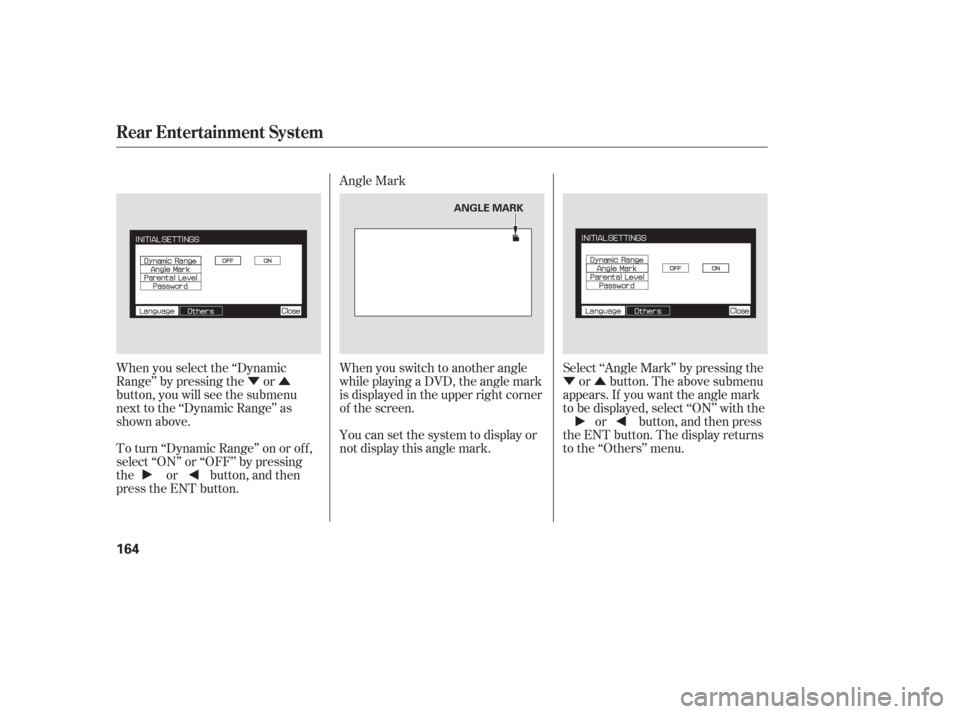
When you select the ‘‘Dynamic
Range’’ by pressing the or
button, you will see the submenu
next to the ‘‘Dynamic Range’’ as
shown above.
To turn ‘‘Dynamic Range’’ on or of f ,
select ‘‘ON’’ or ‘‘OFF’’ by pressing
the or button, and then
press the ENT button. Angle Mark
When you switch to another angle
while playing a DVD, the angle mark
is displayed in the upper right corner
of the screen.
You can set the system to display or
not display this angle mark.
Select ‘‘Angle Mark’’ by pressing the
or button. The above submenu
appears. If you want the angle mark
to be displayed, select ‘‘ON’’ with the or button, and then press
the ENT button. The display returns
to the ‘‘Others’’ menu.
Rear Entertainment System
164
ANGLE MARK
Page 167 of 316
�Ý�Û
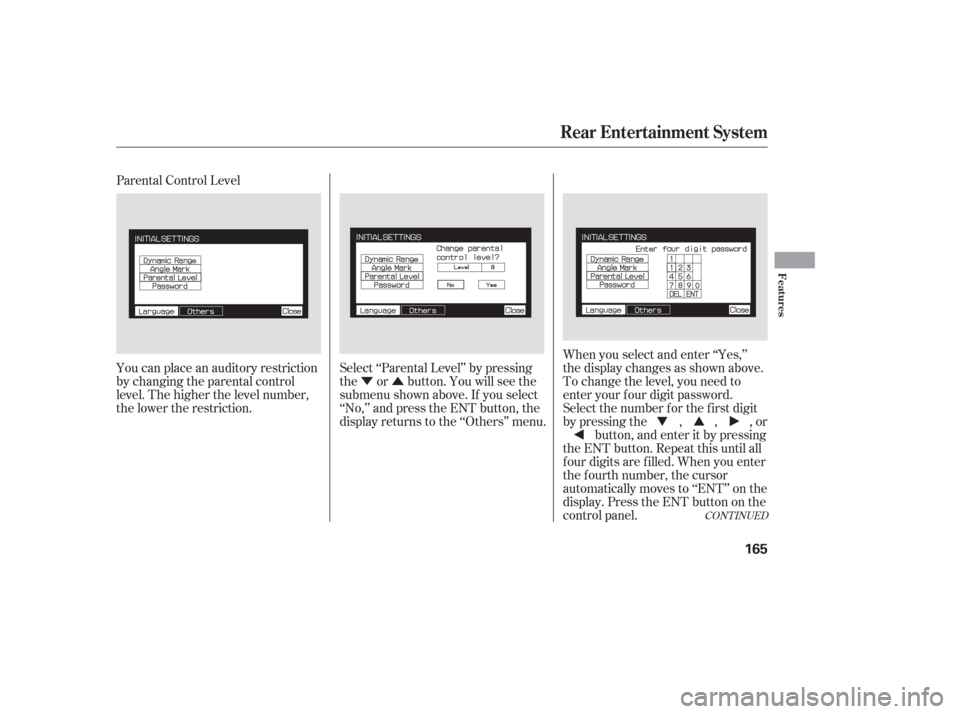
Parental Control Level
You can place an auditory restriction
by changing the parental control
level. The higher the level number,
the lower the restriction.
Select ‘‘Parental Level’’ by pressing
the or button. You will see the
submenu shown above. If you select
‘‘No,’’ and press the ENT button, the
display returns to the ‘‘Others’’ menu.When you select and enter ‘‘Yes,’’
the display changes as shown above.
To change the level, you need to
enter your f our digit password.
Select the number f or the f irst digit
by pressing the , , , or
button, and enter it by pressing
the ENT button. Repeat this until all
f our digits are f illed. When you enter
the f ourth number, the cursor
automatically moves to ‘‘ENT’’ on the
display. Press the ENT button on the
control panel.
CONT INUED
Rear Entertainment System
Features
165
Page 168 of 316
�Ý�Û
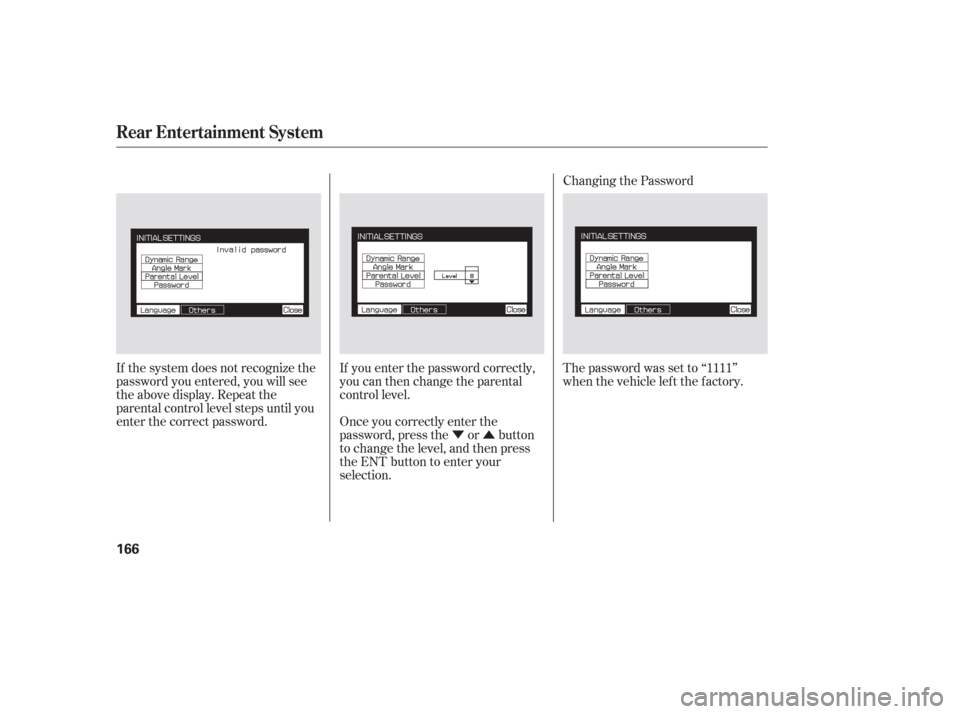
If the system does not recognize the
password you entered, you will see
the above display. Repeat the
parental control level steps until you
enter the correct password.
If you enter the password correctly,
you can then change the parental
control level.
Once you correctly enter the
password, press the or button
to change the level, and then press
the ENT button to enter your
selection.Changing the Password
The password was set to ‘‘1111’’
when the vehicle lef t the f actory.
Rear Entertainment System
166
Page 169 of 316
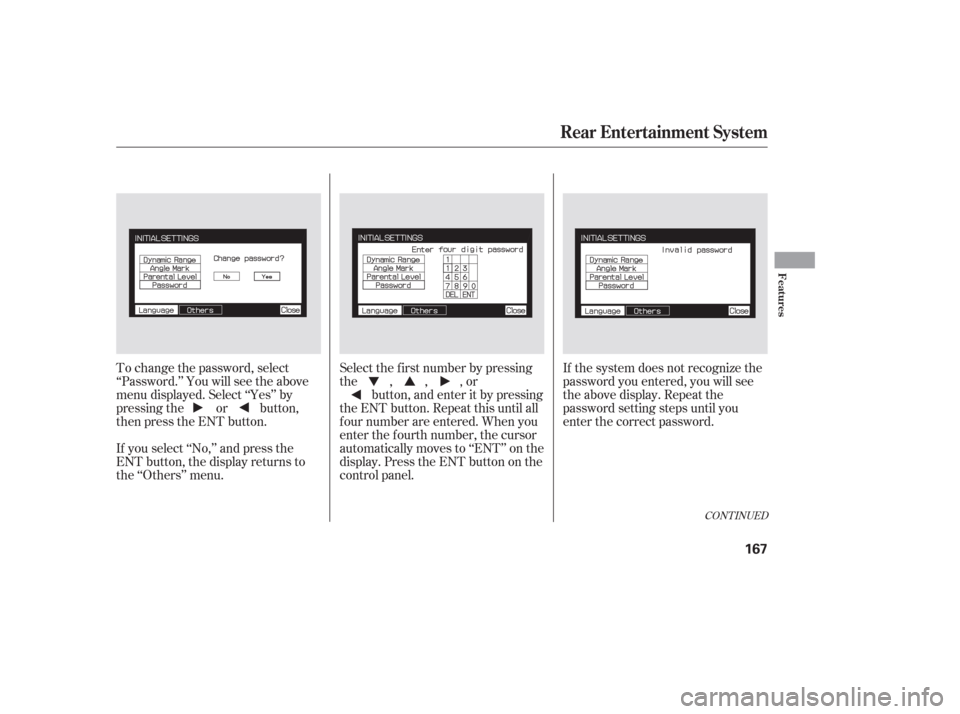
To change the password, select
‘‘Password.’’ You will see the above
menu displayed. Select ‘‘Yes’’ by
pressing the or button,
then press the ENT button.
If you select ‘‘No,’’ and press the
ENT button, the display returns to
the ‘‘Others’’ menu.If the system does not recognize the
password you entered, you will see
the above display. Repeat the
password setting steps until you
enter the correct password.
Select the f irst number by pressing
the,,,or
button, and enter it by pressing
the ENT button. Repeat this until all
f our number are entered. When you
enter the f ourth number, the cursor
automatically moves to ‘‘ENT’’ on the
display. Press the ENT button on the
control panel.
CONT INUED
Rear Entertainment System
Features
167