Page 271 of 420
Press and hold the DECEL/SET
button. Release the button when
you reach the desired speed.
To slow down in very small
amounts, tap the DECEL/SET
button repeatedly. Each time you
do this, your vehicle will slow
down about 1 mph (1.6 km/h).
Tap the brake pedal lightly with
your f oot. The CRUISE
CONTROL indicator on the
instrument panel goes out. When
the vehicle slows to the desired
speed, press the DECEL/SET
button.Resting your f oot on the brake pedal
causes cruise control to cancel.
You can increase the set speed in
any of these ways:
Press and hold the RES/ACCEL
button. When you reach the
desired speed, release the button.
Push the accelerator pedal,
accelerate to the desired speed,
and press the DECEL/SET button.
To increase the speed in very
small amounts, tap the RES/
ACCEL button. Each time you do
this, your vehicle will speed up
about 1 mph (1.6 km/h). You can decrease the set speed in
any of these ways:
Even with cruise control turned on,
you can still use the accelerator
pedal to speed up f or passing. Af ter
completing the pass, take your foot
of f the accelerator pedal. The vehicle
will return to the set speed.
Changing the Set Speed
Cruise Control
270
Page 273 of 420
�µ
The HomeLinkUniversal
Transceiver built into your vehicle
canbeprogrammedtooperateupto
three remote controlled devices
around your home, such as garage
doors, lighting, or home security
systems.
If you are training HomeLink to
operate a garage door or gate, you
should unplug the motor f or that
device during training. Repeatedly
pressing the remote control button
could burn out the motor. Always ref er to the opening
instructions and saf ety inf ormation
that came with your garage door
opener or other equipment you
intend to operate with HomeLink. If
you do not have this inf ormation,
contact the manuf acturer of the
equipment.
If you are training the second or
third buttons, go directly to step 1.
HomeLink stores the code in a
permanent memory. There should
be no need to retrain HomeLink if
your vehicle’s battery goes dead or is
disconnected. If your garage door
opener was manuf actured bef ore
April 1982, you may not be able to
program HomeLink to operate it.
They do not have the saf ety f eature that causes the motor to stop and
reverse if an obstacle is detected
during closing, increasing the risk of
injury.
For quick and accurate training,
make sure the remote control
transmitter for the device (garage
door, automatic gate, security
system, etc.) has a fresh battery.
If you just
received your vehicle and have not
trained any of the buttons in
HomeLink bef ore, you should erase
any previously learned codes bef ore
training the first button.
Todothis,pressandholdthetwo
outside buttons on the HomeLink
Transceiver for about 20 seconds
until the red indicator f lashes.
Release the buttons, then proceed to
step 1.
On EX, EX-L and Touring models
General Inf ormation T raining HomeL ink
Important Saf ety Precautions Bef ore you begin
HomeL ink Universal Transceiver
272
Page 275 of 420
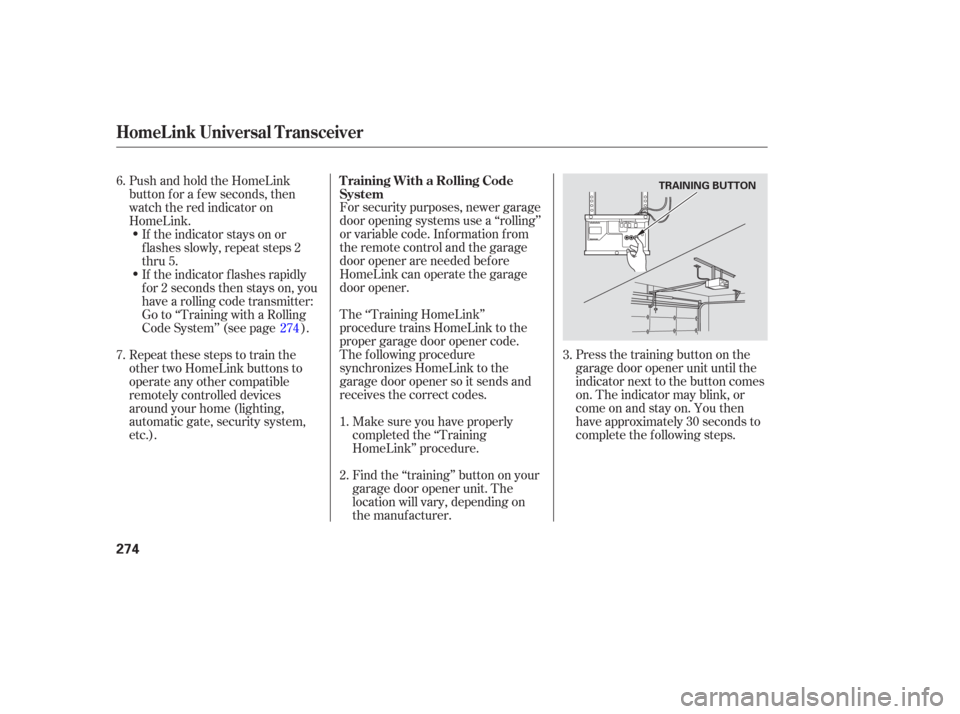
Press the training button on the
garage door opener unit until the
indicator next to the button comes
on. The indicator may blink, or
comeonandstayon.Youthen
have approximately 30 seconds to
complete the f ollowing steps.
For security purposes, newer garage
door opening systems use a ‘‘rolling’’
or variable code. Information from
the remote control and the garage
door opener are needed bef ore
HomeLink can operate the garage
door opener.
The ‘‘Training HomeLink’’
procedure trains HomeLink to the
proper garage door opener code.
The f ollowing procedure
synchronizes HomeLink to the
garage door opener so it sends and
receives the correct codes.
Make sure you have properly
completed the ‘‘Training
HomeLink’’ procedure.
Find the ‘‘training’’ button on your
garage door opener unit. The
location will vary, depending on
the manufacturer.
PushandholdtheHomeLink
button f or a f ew seconds, then
watch the red indicator on
HomeLink.
If the indicator stays on or
flashes slowly, repeat steps 2
thru 5.
If the indicator f lashes rapidly
f or 2 seconds then stays on, you
have a rolling code transmitter:
Go to ‘‘Training with a Rolling
Code System’’ (see page ).
Repeat these steps to train the
other two HomeLink buttons to
operate any other compatible
remotely controlled devices
around your home (lighting,
automatic gate, security system,
etc.).
6.
2. 1.3.
7. 274T raining With a Rolling Code
System
HomeL ink Universal Transceiver
274
TRAINING BUTTON
Page 287 of 420
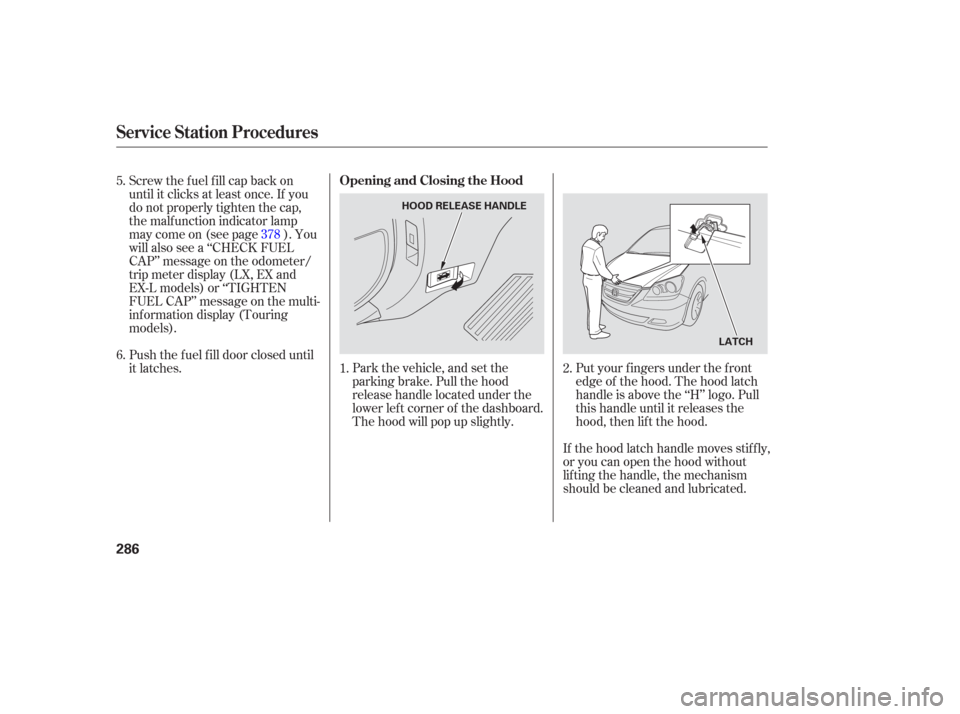
Park the vehicle, and set the
parking brake. Pull the hood
release handle located under the
lower lef t corner of the dashboard.
The hood will pop up slightly.Put your f ingers under the f ront
edge of the hood. The hood latch
handle is above the ‘‘H’’ logo. Pull
this handle until it releases the
hood, then lif t the hood.
If the hood latch handle moves stif f ly,
or you can open the hood without
lifting the handle, the mechanism
should be cleaned and lubricated.
Screw the fuel fill cap back on
until it clicks at least once. If you
do not properly tighten the cap,
the malf unction indicator lamp
maycomeon(seepage ).You
will also see a ‘‘CHECK FUEL
CAP’’ message on the odometer/
trip meter display (LX, EX and
EX-L models) or ‘‘TIGHTEN
FUEL CAP’’ message on the multi-
inf ormation display (Touring
models).
Push the f uel f ill door closed until
it latches.
1.
5.
6.
2.
378
Service Station Procedures
Opening and Closing the Hood
286
HOOD RELEASE HANDLE
LATCH
Page 288 of 420
Wait a f ew minutes af ter turning the
engine of f bef ore you check the oil.Remove the dipstick again, and
check the level. It should be
between the upper and lower
marks.
To close the hood, lif t it up slightly to
remove the support rod f rom the
hole. Put the support rod back into
its holding clip. Lower the hood to
about a f oot (30 cm) above the
f ender, then let it drop. Make sure it
is securely latched. Remove the dipstick (orange loop).
Wipe of f the dipstick with a clean
cloth or paper towel.
Insert it all the way back in its hole.
Pull the support rod out of its clip
and insert the end into the hole on
thepassenger’ssideof thehood.
If it is near or below the lower mark,
seeon page .
1.
3.
2.
3.4.
334
Oil Check
A dding Engine Oil
Service Station Procedures
Bef ore Driving
287
DIPSTICK
SUPPORT ROD
UPPER MARK
LOWER MARK
Page 291 of 420

Your dealer has Honda accessories
that allow you to personalize your
vehicle. These accessories have
been designed and approved f or your
vehicle, and are covered by warranty.When properly installed, cellular
phones, alarms, two-way radios, and
low-powered audio systems should
not interf ere with your vehicle’s
computer controlled systems, such
as your airbags and anti-lock brakes.Bef ore installing any accessory:
Make sure the accessory does not
obscure any lights, or interf ere
with proper vehicle operation or
perf ormance.
Modif ying your vehicle, or installing
some non-Honda accessories, can
make it unsaf e. Bef ore you make any
modif ications or add any accessories,
be sure to read the f ollowing
inf ormation.
Although non-Honda accessories
may f it on your vehicle, they may not
meet f actory specif ications, and
could adversely af f ect your vehicle’s
handling and stability (see page ). Be sure electronic accessories do
not overload electrical circuits
(see page ) or interf ere with
the proper operation of your
vehicle.
Bef ore installing any electronic
accessory, have the installer
contact your dealer. If possible,
have your dealer inspect the f inal
installation.
Do not install accessories on the
side pillars or across the rear
windows as these may interf ere
with proper operation of the side
curtain airbags.
291 382
A ccessories
A ccessories and Modif ications
290
Improper accessories or
modifications can affect your
vehicle’s handling, stability, and
performance, and cause a
crash in which you can be hurt
or killed.
Follow all instructions in this
owner’s manual regarding
accessories and modifications.
Page 296 of 420
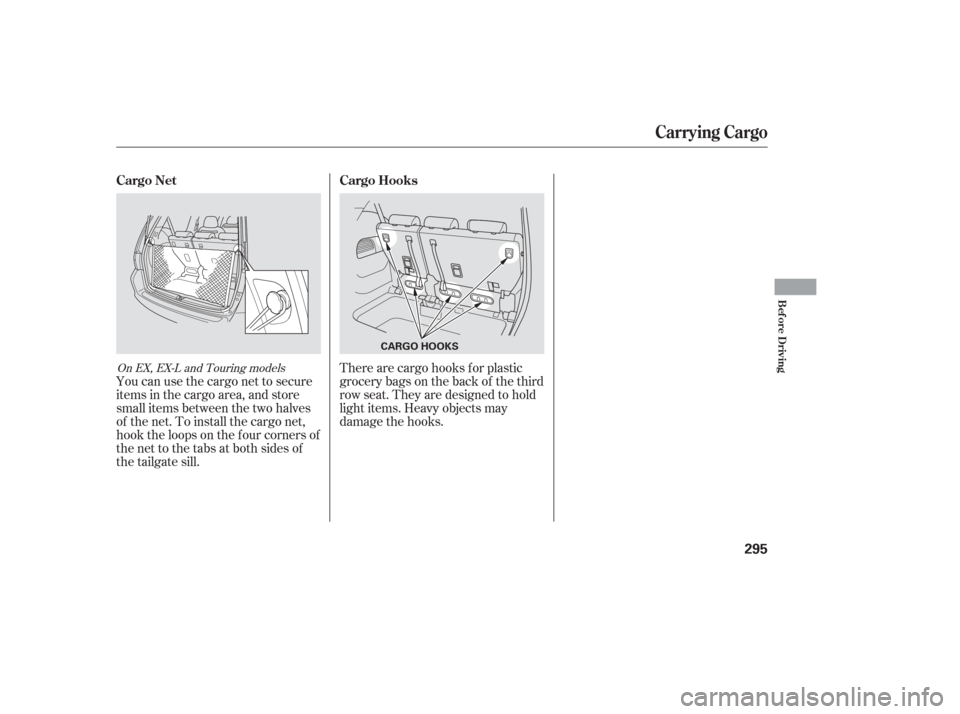
You can use the cargo net to secure
items in the cargo area, and store
small items between the two halves
of the net. To install the cargo net,
hook the loops on the f our corners of
the net to the tabs at both sides of
the tailgate sill.There are cargo hooks f or plastic
grocery bags on the back of the third
row seat. They are designed to hold
light items. Heavy objects may
damage the hooks.
On EX, EX-L and Touring models
Carrying Cargo
Cargo Net
Cargo Hooks
Bef ore Driving
295
CARGO HOOKS
Page 299 of 420
Youshoulddothefollowingchecks
and adjustments bef ore you drive
your vehicle.Make sure all windows, mirrors,
and outside lights are clean and
unobstructed. Remove f rost, snow,
or ice.
Check that the hood is f ully closed.
Visually check the tires. If a tire
looks low, use a gauge to check its
pressure.
Check that any items you may be
carrying are stored properly or
f astened down securely. Check the seat adjustment (see
page ).
Check the adjustment of the
inside and outside mirrors (see
page ).
Check the steering wheel
adjustment (see page ).
Make sure the doors and the
tailgate are securely closed and
locked.
Fasten your seat belt. Check that
your passengers have f astened
their seat belts (see page ).
When you start the engine, check
the gauges and indicators in the
instrument panel (see page ).
3.
2.
1.
4. 5.
6.
7.
8.
9.
10. 16
61
153
131
171
Preparing to Drive
298