Page 121 of 420
If you unlock the doors and the
tailgate with the remote transmitter,
but do not open any of the doors or
thetailgatewithin30seconds,the
doors and the tailgate automatically
relock and the security system sets.
You can change this relock time
f rom 30 seconds to 60 or 90 seconds.While the multi-information display
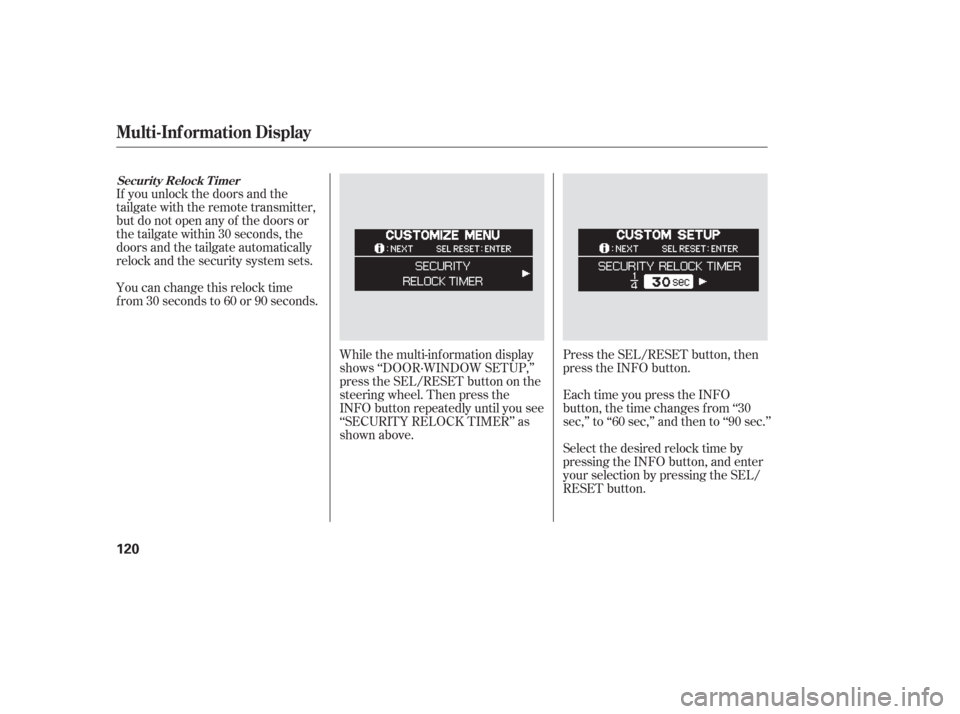
shows ‘‘DOOR·WINDOW SETUP,’’
press the SEL/RESET button on the
steering wheel. Then press the
INFO button repeatedly until you see
‘‘SECURITY RELOCK TIMER’’ as
shown above.Press the SEL/RESET button, then
press the INFO button.
Each time you press the INFO
button, the time changes f rom ‘‘30
sec,’’ to ‘‘60 sec,’’ and then to ‘‘90 sec.’’
Select the desired relock time by
pressing the INFO button, and enter
your selection by pressing the SEL/
RESET button.
Securit y Relock T imer
Multi-Inf ormation Display
120
Page 123 of 420
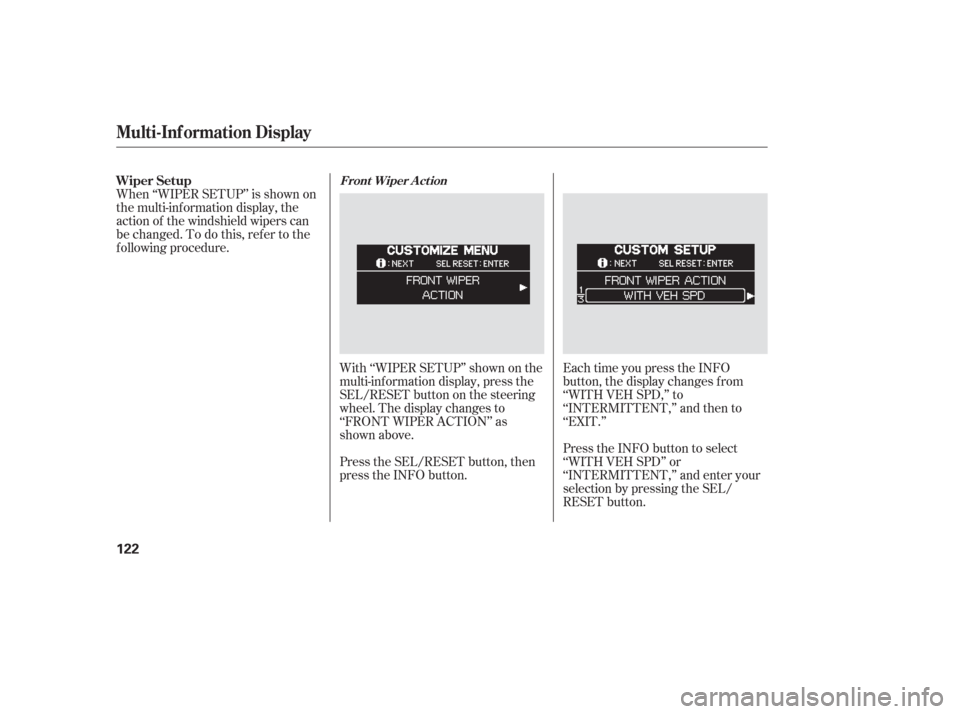
With ‘‘WIPER SETUP’’ shown on the
multi-inf ormation display, press the
SEL/RESET button on the steering
wheel. The display changes to
‘‘FRONT WIPER ACTION’’ as
shown above.
Press the SEL/RESET button, then
press the INFO button.Each time you press the INFO
button, the display changes f rom
‘‘WITH VEH SPD,’’ to
‘‘INTERMITTENT,’’ and then to
‘‘EXIT.’’
Press the INFO button to select
‘‘WITH VEH SPD’’ or
‘‘INTERMITTENT,’’ and enter your
selection by pressing the SEL/
RESET button.
When ‘‘WIPER SETUP’’ is shown on
the multi-information display, the
action of the windshield wipers can
be changed. To do this, ref er to the
f ollowing procedure. Wiper Setup
Front Wiper A ct ion
Multi-Inf ormation Display
122
Page 125 of 420
�Î
�Î
To use the horn, press the pad around the ‘‘H’’ logo.
:
Controls Near the Steering Wheel
124
POWER SLIDING
DOOR SWITCHES
REAR WINDOW
DEFOGGER
STEERING WHEEL
ADJUSTMENT CRUISE
CONTROL
CLOCK
LIGHT CONTROL
SWITCH
AUDIO SYSTEM/
REAR
ENTERTAINMENT
SYSTEM
STEERING WHEEL
AUDIO CONTROLS PASSENGER
AIRBAG OFF
INDICATOR
POWER TAILGATE
SWITCH HEADLIGHTS/
TURN SIGNALS
HAZARD WARNING
BUTTON
WINDSHIELD
WIPERS/WASHERS
VSA OFF
SWITCH
HORN (P.33)
PARKING SENSOR
SYSTEM SWITCH
DRIVER’S PEDAL
ADJUSTMENT SWITCH
(P.75)MULTI-INFORMATION
DISPLAY SWITCHES
VSA OFF SWITCH
/
MOONROOF
(P.173)
(P.146)(P.170)
(P.308)
(P.277)
(P.308)
(P.233) (P.131) (P.125)(P.187)
(P.130)
(P.232)
(P.130)
(P.269)
(P.126)
(P.203,235)
(P.143)
Page 132 of 420
Make any steering wheel adjustment
bef ore you start driving.Push the lever under the steering
column all the way down.
Move the steering wheel so it
points toward your chest, not
toward your f ace. Make sure you
can see the instrument panel
gauges and indicators.Push the lever up to lock the
steering wheel in position.
Make sure you have securely
locked the steering wheel in place
by trying to move it up and down.
3.
4.
1.
2.
Steering Wheel A djustment
Inst rument s and Cont rols
131
Adjusting the steering wheel
position while driving may
cause you to lose control of the
vehicle and be seriously injured
inacrash.
Adjust the steering wheel only
when the vehicle is stopped.
Page 135 of 420
�µ
�µ
�µ �µ Use this position
only to start the engine. The switch
returns to the ON (II) position when
you let go of the key.
You will hear a reminder beeper if
you leave the key in the ignition
switch in the LOCK (0) or
ACCESSORY (I) position and open
the driver’s door. Remove the key to
turn of f the beeper.
TheshiftlevermustbeinPark
bef ore you can remove the key f rom
the ignition switch.
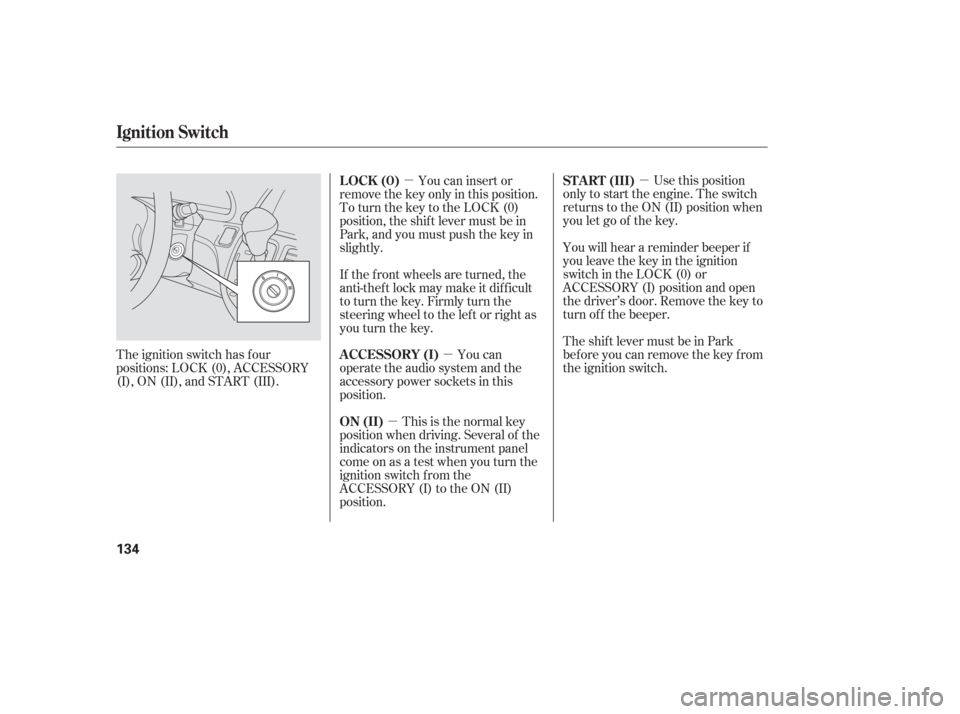
The ignition switch has f our
positions: LOCK (0), ACCESSORY
(I), ON (II), and START (III). You can insert or
remove the key only in this position.
To turn the key to the LOCK (0)
position, the shif t lever must be in
Park, and you must push the key in
slightly.
This is the normal key
position when driving. Several of the
indicators on the instrument panel
come on as a test when you turn the
ignition switch f rom the
ACCESSORY (I) to the ON (II)
position. You can
operate the audio system and the
accessory power sockets in this
position. If the f ront wheels are turned, the
anti-theft lock may make it difficult
to turn the key. Firmly turn the
steering wheel to the lef t or right as
you turn the key. ST A RT (III)
LOCK (0)
ON (II) A CCESSORY (I)
Ignition Switch
134
Page 174 of 420
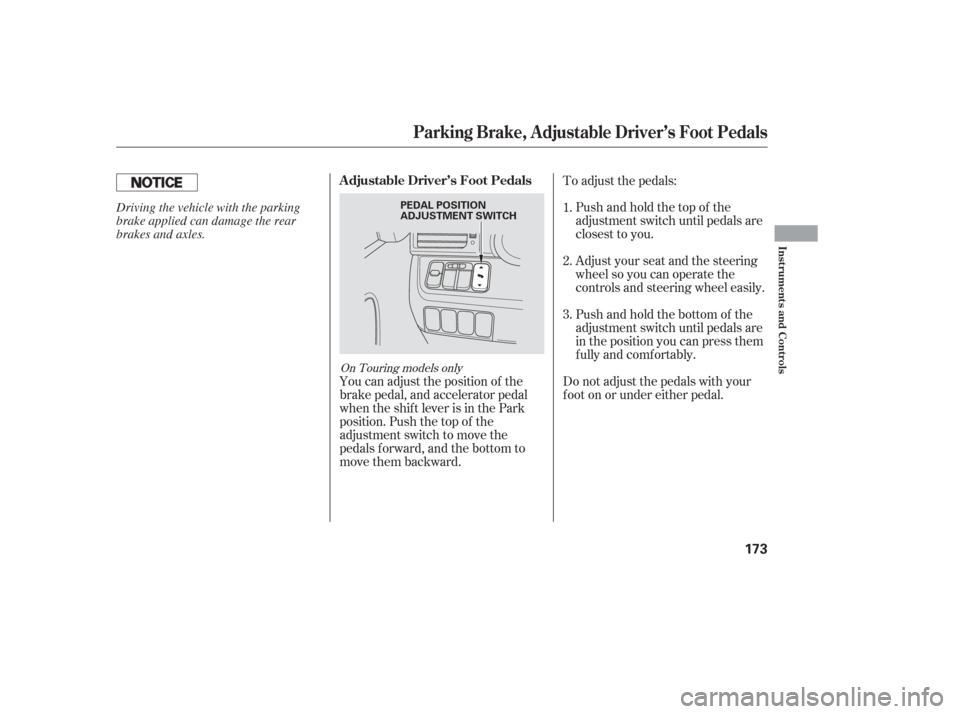
You can adjust the position of the
brake pedal, and accelerator pedal
when the shif t lever is in the Park
position. Push the top of the
adjustment switch to move the
pedals f orward, and the bottom to
move them backward.To adjust the pedals:
Pushandholdthetopof the
adjustment switch until pedals are
closest to you.
Adjust your seat and the steering
wheel so you can operate the
controls and steering wheel easily.
Pushandholdthebottomof the
adjustment switch until pedals are
in the position you can press them
f ully and comf ortably.
Do not adjust the pedals with your
f oot on or under either pedal. 1.
2.
3.
On Touring models only
Parking Brake, Adjustable Driver’s Foot Pedals
A djustable Driver’s Foot Pedals
Inst rument s and Cont rols
173
PEDAL POSITION
ADJUSTMENT SWITCHDriving the vehicle with the parking
brake applied can damage the rear
brakes and axles.
Page 192 of 420

The standard audio system has
many f eatures. This section
describes those f eatures and how to
use them. (If you selected an
optional audio system, ref er to the
operating instructions that came
with it.) The heating and air conditioning
system in your vehicle provides a
comf ortable driving environment in
all weather conditions.
The security system helps to
discourage vandalism and thef t of
your vehicle. Your vehicle has an anti-theft audio
system that requires a code number
to enable it..............
Vents, Heating, and A/C .192
Using Automatic Climate ...................................
Control .197
.........
Using the Rear A/C Unit .198
...................
Rear Climate Control .201
..............
Climate Control Sensors .202
..........
Playing the AM/FM Radio .203
............
AM/FM Radio Reception .209
...
Playing the XM Satellite Radio .211
..................................
Playing a CD .217
...................................
CD Changer .220
....................
Protecting Your CDs .226
.....
CD Changer Error Messages .227
...............................
Playing a Tape .228
.............
Steering Wheel Controls .233
.................
Radio Thef t Protection .234
........
Rear Entertainment System .235
..........................
Playable DVDs .263
............................
Security System .268
...............................
Cruise Control .269
HomeLink Universal ................................
Transceiver .272
................
Parking Sensor System .277
.
Rear View Camera and Monitor .281
Features
Features
191
Page 234 of 420

�´
�µ �´
�µ
�´ �µ
�Û�Ý
The MODE button changes the
mode. Pressing the button
repeatedly selects FM1, FM2, AM,
XM Radio (U.S. models), CD (if a
disc is loaded) or a tape (if the
optional tape player is installed and a
tape is loaded).
If you are listening to the radio, use
the CH button to change stations.
Each time you press the top ( ) of
the button, the system goes to the
next preset station on the band you
are listening to. Press the bottom
( ) to go back to the previous
station. If youareplayingaCD,thesystem
skips to the beginning of the next
track each time you press the top
( ) of the CH button. Press the
bottom ( ) to return to the
beginning of the current track. Press
it again to return to the previous
track. You will see the disc and track
numbers in the display.
Three controls f or the audio system
are mounted in the steering wheel
hub. They let you control basic
f unctions without removing your
hand f rom the steering wheel. If youareplayingatape,pressthe
top ( ) of the CH button to advance
to the next selection. Press the
bottom( )togobacktothe
previous selection. The system
senses a silent period, then goes
back to play mode.
The VOL button adjusts the volume
up ( ) or down ( ). Press the top
or bottom of the button and hold it
until the desired volume is reached,
then release it.
On EX, EX-L and Touring models
Steering Wheel Controls
Features
233
MODE BUTTON
VOL BUTTON
CH BUTTON