Page 95 of 253
Be caref ul when you are using the
beverage holders. A spilled liquid
that is very hot can scald you or your
passengers. Spilled liquids can
damage the upholstery, carpeting,
and electrical components in the
interior.To close, lower the lid, and push it
down until it latches.
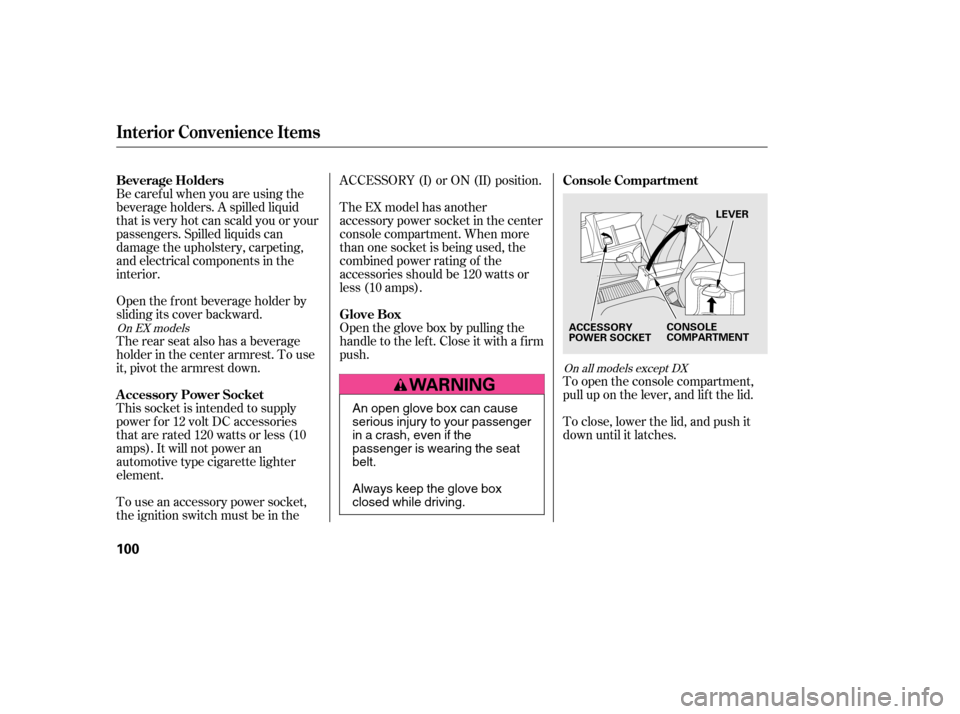
To open the console compartment,
pull up on the lever, and lif t the lid.
Open the f ront beverage holder by
sliding its cover backward.
The rear seat also has a beverage
holder in the center armrest. To use
it, pivot the armrest down.
This socket is intended to supply
power f or 12 volt DC accessories
that are rated 120 watts or less (10
amps). It will not power an
automotive type cigarette lighter
element.
To use an accessory power socket,
the ignition switch must be in the ACCESSORY (I) or ON (II) position.
The EX model has another
accessory power socket in the center
console compartment. When more
than one socket is being used, the
combined power rating of the
accessories should be 120 watts or
less (10 amps).
Open the glove box by pulling the
handle to the lef t. Close it with a f irm
push.
On all models except DX
On EX models
Beverage Holders
Console Compartment
A ccessory Power Socket Glove Box
Interior Convenience Items
100
LEVER
ACCESSORY
POWER SOCKET CONSOLE
COMPARTMENT
An open glove box can cause
serious injury to your passenger
inacrash,evenifthe
passenger is wearing the seatbelt.
Always keep the glove box
closed while driving.
�����—�����—���
�y�
����
����
���y���
�(�#���������y���
�����y
Page 105 of 253
�µ�µ
�µ
These two
modes adjust the strength of the
sound coming f rom each speaker.
BALANCE adjusts the side-to-side
strength, while FADER adjusts the
front-to-back strength. You can use the instrument panel
brightness control buttons to adjust
the illumination of the audio system
(see page ). The audio system
illuminates when the parking lights
are on, even if the radio is turned of f .
The SVC
mode controls the volume based on
vehicle speed. The f aster you go, the
louder the audio volume becomes.
As you slow down, the audio volume
decreases.
The SVC has f our modes; SVC OFF,
SVC LOW, SVC MID, and SVC
HIGH. The def ault setting is MID.
Turn the SOUND (TUNE) knob to
adjust the setting to your liking.
If you f eel the sound is too loud,
choose low. If you f eel the sound is
too quiet, choose high.
Use the TREBLE/
BASS modes to adjust the tone to
your liking.
72
Playing the Radio
Balance/FaderA udio System L ighting
Speed-sensitive volume
compensation (SVC)
Treble/Bass
Features
111
�����—�����—�����y�
�������������y���
�(�#���������y���
�
���y
Page 118 of 253
�µ�´�µ �µ �µ
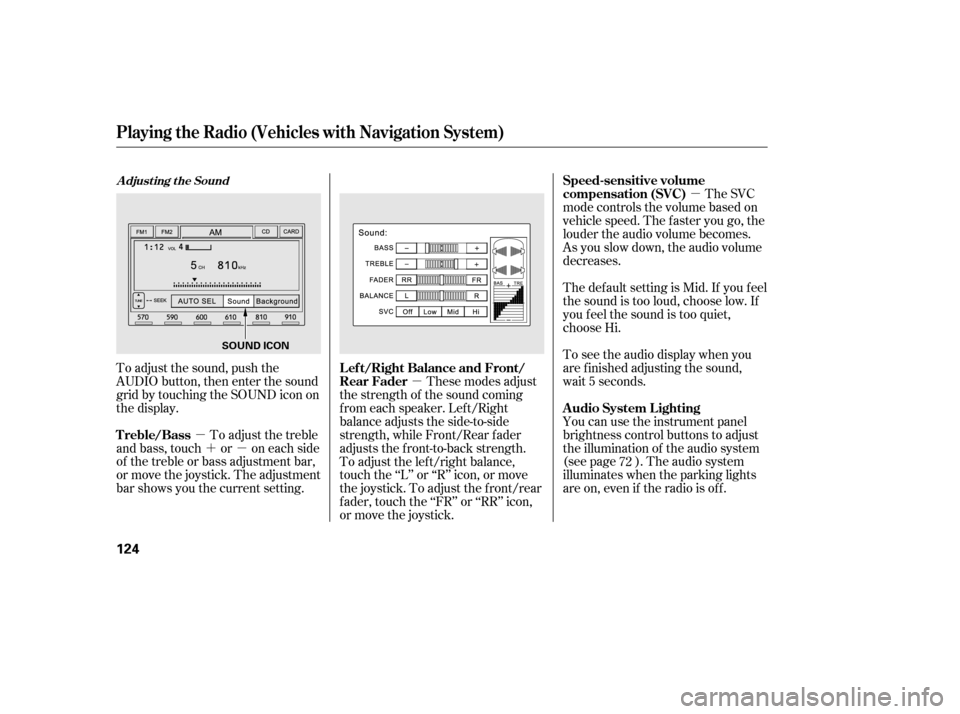
To adjust the sound, push the
AUDIO button, then enter the sound
grid by touching the SOUND icon on
the display. You can use the instrument panel
brightness control buttons to adjust
the illumination of the audio system
(see page ). The audio system
illuminates when the parking lights
are on, even if the radio is of f .
To adjust the treble
and bass, touch or on each side
of the treble or bass adjustment bar,
or move the joystick. The adjustment
bar shows you the current setting. These modes adjust
the strength of the sound coming
f rom each speaker. Lef t/Right
balance adjusts the side-to-side
strength, while Front/Rear f ader
adjusts the front-to-back strength.
To adjust the left/right balance,
touch the ‘‘L’’ or ‘‘R’’ icon, or move
the joystick. To adjust the f ront/rear
f ader, touch the ‘‘FR’’ or ‘‘RR’’ icon,
or move the joystick. The SVC
mode controls the volume based on
vehicle speed. The f aster you go, the
louder the audio volume becomes.
As you slow down, the audio volume
decreases.
The def ault setting is Mid. If you f eel
the sound is too loud, choose low. If
you f eel the sound is too quiet,
choose Hi.
To see the audio display when you
are f inished adjusting the sound,
wait 5 seconds.
72
A djust ing t he Sound
Playing t he Radio (Vehicles wit h Navigat ion System)
A udio System L ighting
Treble/Bass L ef t/Right Balance and Front/
Rear FaderSpeed-sensitive volume
compensation (SVC)
124
SOUND ICON
�����—�����—�����y�
���������
�
�y���
�(�#���������y���
�����y
Page 121 of 253
�µ
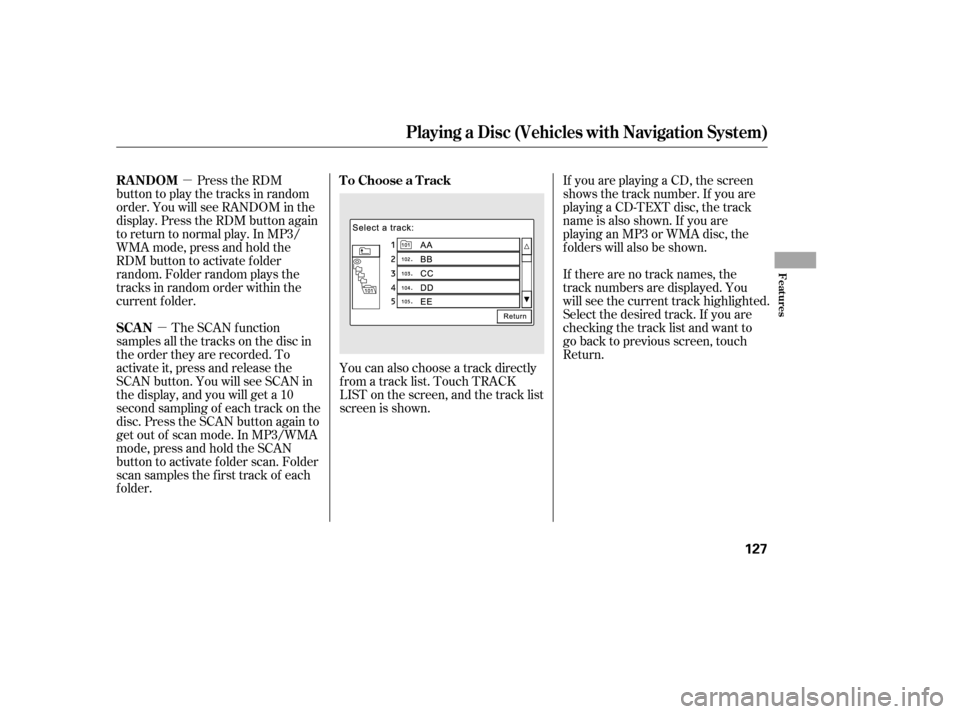
�µ You can also choose a track directly
f rom a track list. Touch TRACK
LIST on the screen, and the track list
screen is shown. If you are playing a CD, the screen
shows the track number. If you are
playing a CD-TEXT disc, the track
name is also shown. If you are
playinganMP3orWMAdisc,the
f olders will also be shown.
If there are no track names, the
track numbers are displayed. You
will see the current track highlighted.
Select the desired track. If you are
checking the track list and want to
go back to previous screen, touch
Return.
Press the RDM
button to play the tracks in random
order. You will see RANDOM in the
display. Press the RDM button again
to return to normal play. In MP3/
WMA mode, press and hold the
RDM button to activate f older
random. Folder random plays the
tracks in random order within the
current f older.
The SCAN f unction
samples all the tracks on the disc in
the order they are recorded. To
activate it, press and release the
SCAN button. You will see SCAN in
the display, and you will get a 10
second sampling of each track on the
disc. Press the SCAN button again to
get out of scan mode. In MP3/WMA
mode,pressandholdtheSCAN
button to activate f older scan. Folder
scan samples the f irst track of each
f older. To Choose a Track
RANDOM
SCAN
Playing a Disc (Vehicles with Navigat ion Syst em)
Features
127
�����—�����—�����y�
�
���������
�y���
�(�#���������y���
�����y
Page 124 of 253
Never insert f oreign objects into
the PC card slot.
You cannot close the display until
the PC card is inserted all the way
or removed.
Thesystemmaynotbeableto
read some memory cards
depending on the type of memory
card or combination of PC card
adaptor and memory card.
Recommended memory cards are
CompactFlash and Flash ATA
memory cards.
Push the AUDIO button to show the
audio system screen. You can also
operate the audio system without
showing the audio system screen by
using the standard controls. The
status bar is shown at the bottom of
the screen each time you press a
button.
ThePCcardplayercanplayMP3
and WMA formats.
When you insert a PC card into
the slot, make sure you put it in
straight. If you cannot insert it,
remove it, and insert again.
Do not keep PC cards in the
vehicle. Direct sunlight and high
heat will damage them.
To avoid damaging the card
reader, do not insert hard disc
drive cards into the PC card slot.
Playing a PC Card (Vehicles with Navigation System)
130
NOTE:
�����—�����—�����y�
�������������y���
�(�#���������y���
�����y
Page 129 of 253
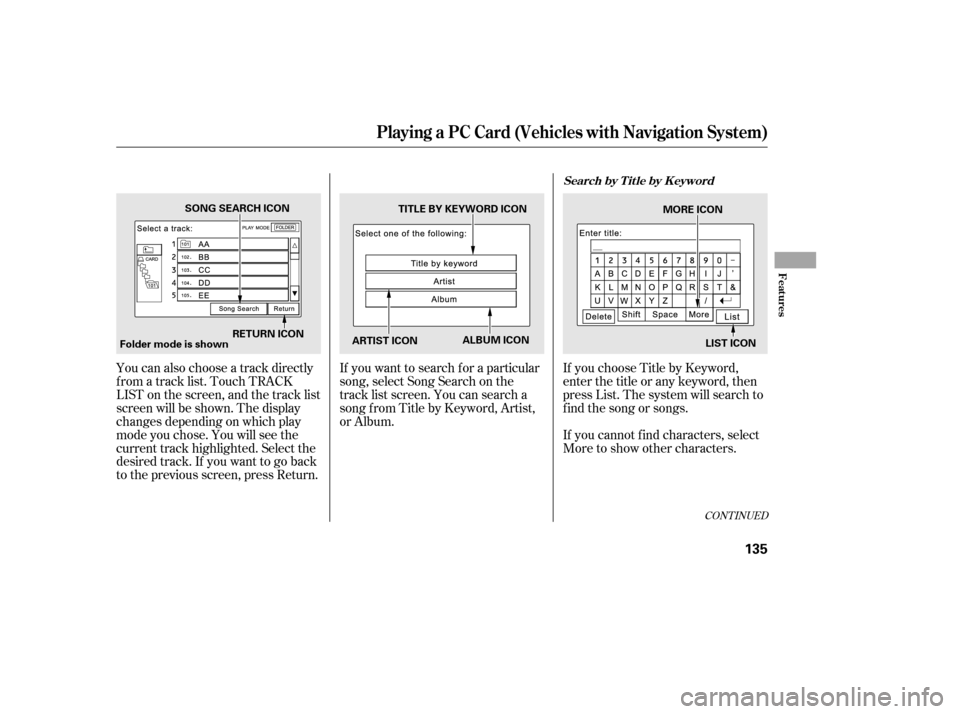
You can also choose a track directly
f rom a track list. Touch TRACK
LIST on the screen, and the track list
screen will be shown. The display
changes depending on which play
mode you chose. You will see the
current track highlighted. Select the
desired track. If you want to go back
to the previous screen, press Return.If you want to search f or a particular
song, select Song Search on the
track list screen. You can search a
songfromTitlebyKeyword,Artist,
or Album.
If you choose Title by Keyword,
enter the title or any keyword, then
press List. The system will search to
f ind the song or songs.
If youcannotfindcharacters,select
More to show other characters.
CONT INUED
Playing a PC Card (Vehicles with Navigation System)
Search by T it le by K eyword
Features
135
Folder mode is shownSONG SEARCH ICON
RETURN ICON ARTIST ICONALBUM ICON
TITLE BY KEYWORD ICON
MORE ICON
LIST ICON
�����—�����—�����y�
�������������y���
�(�#���������y���
�����y
Page 135 of 253
When a disc is not being played,
store it in its case to protect it f rom
dust and other contamination. To
prevent warpage, keep discs out of
direct sunlight and extreme heat.
To clean a disc, use a clean sof t cloth.
Wipe across the disc f rom the center
to the outside edge.
A new disc may be rough on the
inner and outer edges. The small
plastic pieces causing this roughness
can f lake of f and f all on the
recording surf ace of the disc,
causing skipping or other problems.
Remove these pieces by rubbing the
inner and outer edges with the side
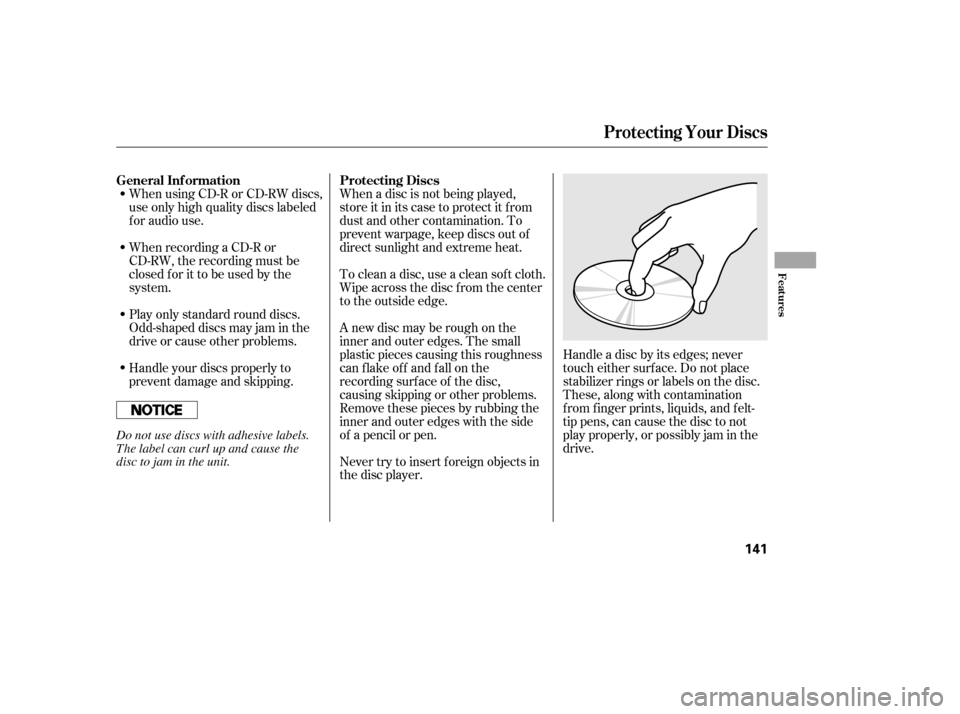
of a pencil or pen.Handle a disc by its edges; never
touch either surf ace. Do not place
stabilizer rings or labels on the disc.
These, along with contamination
f rom f inger prints, liquids, and f elt-
tip pens, can cause the disc to not
play properly, or possibly jam in the
drive.
When recording a CD-R or
CD-RW, the recording must be
closedforittobeusedbythe
system.
When using CD-R or CD-RW discs,
use only high quality discs labeled
f or audio use.
Never try to insert f oreign objects in
the disc player.
Handle your discs properly to
prevent damage and skipping.
Play only standard round discs.
Odd-shaped discs may jam in the
driveorcauseotherproblems.
General Inf ormation Protecting Discs
Protecting Your Discs
Features
141
Do not use discs with adhesive labels.
The label can curl up and cause the
disc to jam in the unit.
�����—�����—�����y�
���������
���y���
�(�#���������y���
�����y
Page 138 of 253
Once the security system is set,
opening any door, the trunk, or the
hood without using the key or the
remote transmitter will cause it to
alarm. It also alarms if the radio is
removed f rom the dashboard or the
wiring is cut.
The security system helps to protect
your vehicle and valuables f rom thef t.
The horn sounds and a combination
of headlights (low beam), parking
lights, side marker lights, and
taillights f lash if someone attempts
to break into your vehicle or remove
the radio. This alarm continues f or 2
minutes, then it stops. To reset an
alarming system bef ore the 2
minutes have elapsed, unlock the
driver’s door with the key or the
remote transmitter.
The security system automatically
sets 15 seconds after you lock the
doors, hood, and trunk. For the
system to activate, you must lock the
doors f rom the outside with the key,
driver’s lock tab, door lock switch, or
remote transmitter. The security
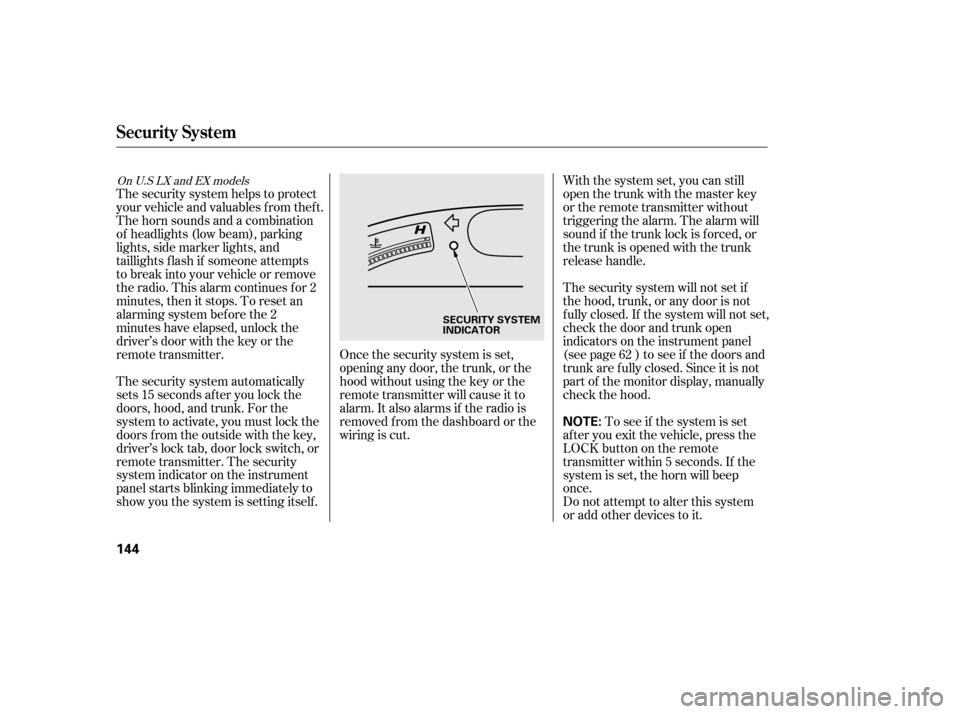
system indicator on the instrument
panel starts blinking immediately to
show you the system is setting itself . With the system set, you can still
open the trunk with the master key
or the remote transmitter without
triggering the alarm. The alarm will
sound if the trunk lock is f orced, or
the trunk is opened with the trunk
release handle.
The security system will not set if
the hood, trunk, or any door is not
f ully closed. If the system will not set,
check the door and trunk open
indicators on the instrument panel
(see page ) to see if the doors and
trunk are f ully closed. Since it is not
part of the monitor display, manually
check the hood.
Do not attempt to alter this system
or add other devices to it.
To see if the system is set
af ter you exit the vehicle, press the
LOCK button on the remote
transmitter within 5 seconds. If the
system is set, the horn will beep
once. 62
On U.S LX and EX models
Security System
144
NOTE:
SECURITY SYSTEM
INDICATOR
�����—�����—�����y�
�����������
�y���
�(�#���������y���
�����y