Page 16 of 198
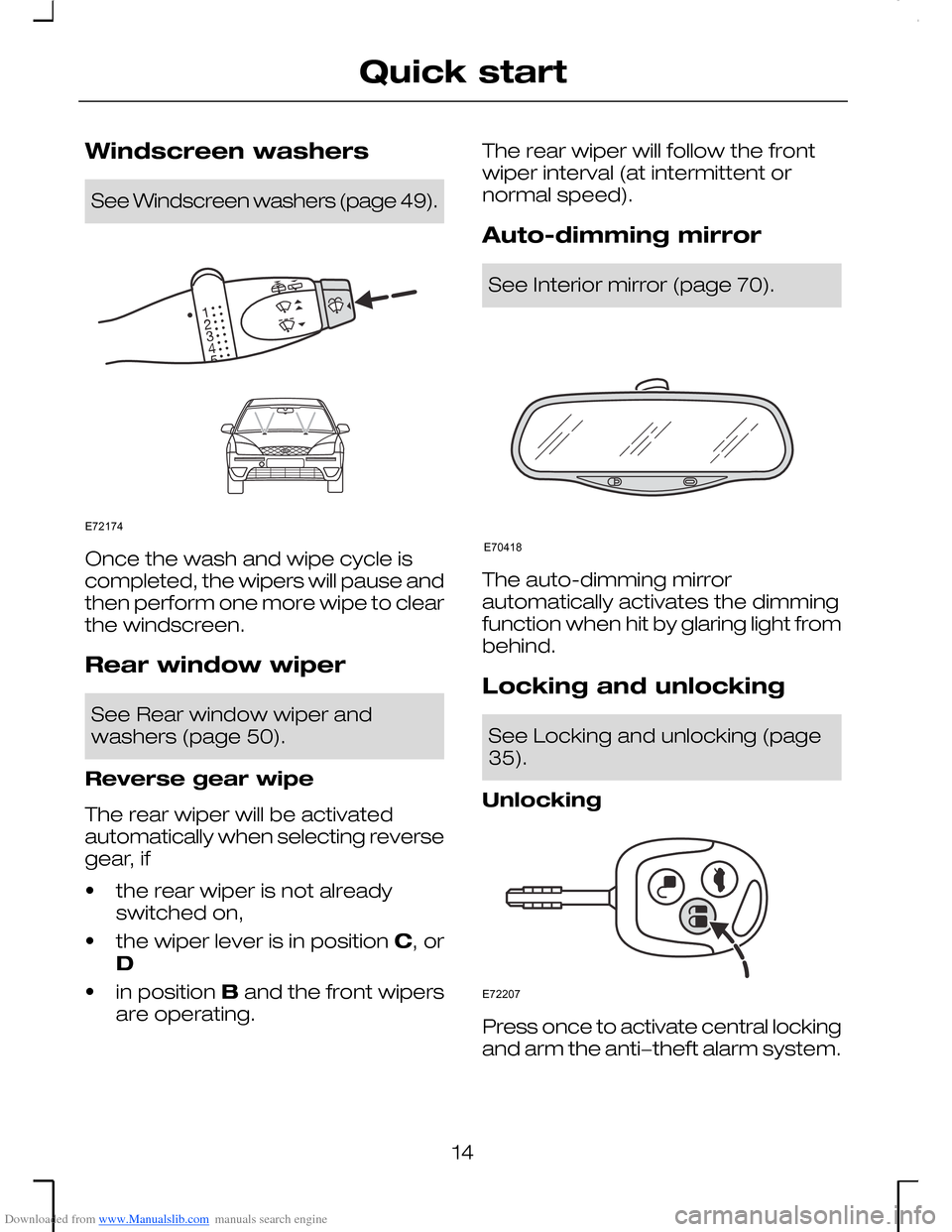
Downloaded from www.Manualslib.com manuals search engine Windscreen washers
See Windscreen washers (page 49).
Once the wash and wipe cycle iscompleted, the wipers will pause andthen perform one more wipe to clearthe windscreen.
Rear window wiper
See Rear window wiper andwashers (page 50).
Reverse gear wipe
The rear wiper will be activatedautomatically when selecting reversegear, if
•the rear wiper is not alreadyswitched on,
•the wiper lever is in position C, orD
•in position B and the front wipersare operating.
The rear wiper will follow the frontwiper interval (at intermittent ornormal speed).
Auto-dimming mirror
See Interior mirror (page 70).
The auto-dimming mirrorautomatically activates the dimmingfunction when hit by glaring light frombehind.
Locking and unlocking
See Locking and unlocking (page35).
Unlocking
Press once to activate central lockingand arm the anti−theft alarm system.
14
Quick startE72174 E70418 E72207
Page 18 of 198
Downloaded from www.Manualslib.com manuals search engine Note: The settings of the heatedseats are stored when the ignition isswitched off.
+ = raise the temperature.
- = lower the temperature.
Red lamps warmer setting.
Blue lamps = cooler setting.
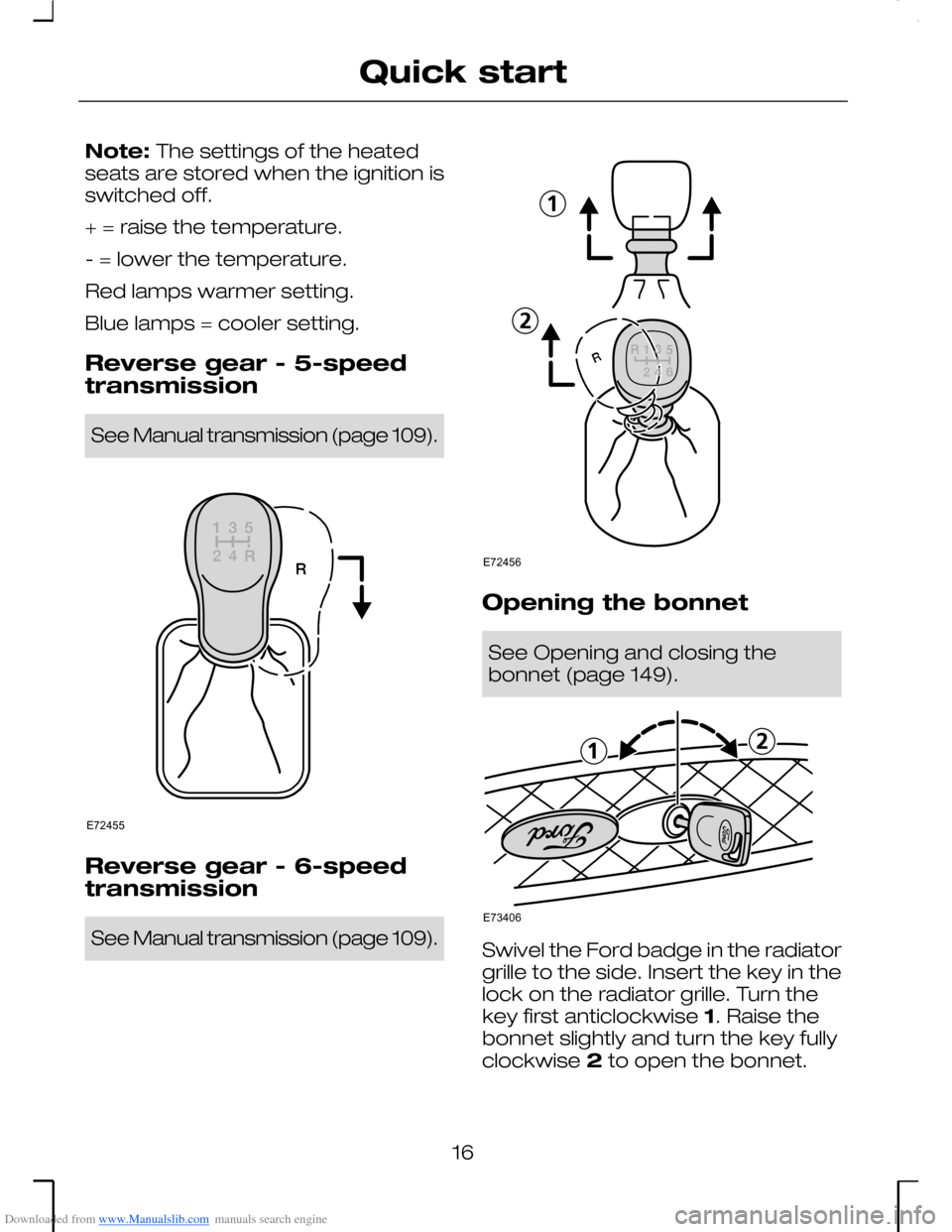
Reverse gear - 5-speedtransmission
See Manual transmission (page 109).
Reverse gear - 6-speedtransmission
See Manual transmission (page 109).
Opening the bonnet
See Opening and closing thebonnet (page 149).
Swivel the Ford badge in the radiatorgrille to the side. Insert the key in thelock on the radiator grille. Turn thekey first anticlockwise 1. Raise thebonnet slightly and turn the key fullyclockwise 2 to open the bonnet.
16
Quick startE72455 E72456 E73406
Page 44 of 198
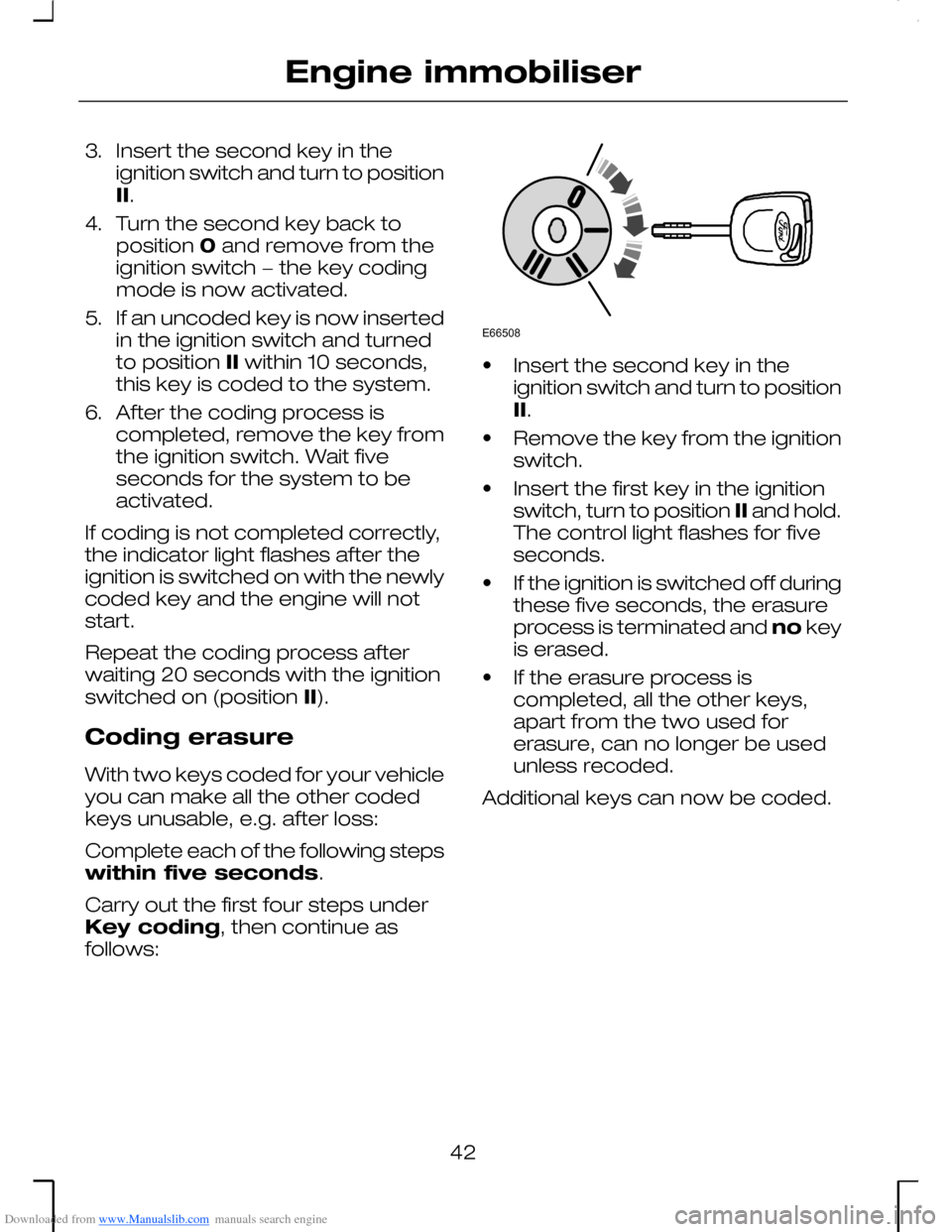
Downloaded from www.Manualslib.com manuals search engine 3.Insert the second key in theignition switch and turn to positionII.
4.Turn the second key back toposition 0 and remove from theignition switch − the key codingmode is now activated.
5.If an uncoded key is now insertedin the ignition switch and turnedto position II within 10 seconds,this key is coded to the system.
6.After the coding process iscompleted, remove the key fromthe ignition switch. Wait fiveseconds for the system to beactivated.
If coding is not completed correctly,the indicator light flashes after theignition is switched on with the newlycoded key and the engine will notstart.
Repeat the coding process afterwaiting 20 seconds with the ignitionswitched on (position II).
Coding erasure
With two keys coded for your vehicleyou can make all the other codedkeys unusable, e.g. after loss:
Complete each of the following stepswithin five seconds.
Carry out the first four steps underKey coding, then continue asfollows:
•Insert the second key in theignition switch and turn to positionII.
•Remove the key from the ignitionswitch.
•Insert the first key in the ignitionswitch, turn to position II and hold.The control light flashes for fiveseconds.
•If the ignition is switched off duringthese five seconds, the erasureprocess is terminated and no keyis erased.
•If the erasure process iscompleted, all the other keys,apart from the two used forerasure, can no longer be usedunless recoded.
Additional keys can now be coded.
42
Engine immobiliserE66508
Page 53 of 198
Downloaded from www.Manualslib.com manuals search engine ADJUSTING THE
WINDSCREEN WASHER
JETS
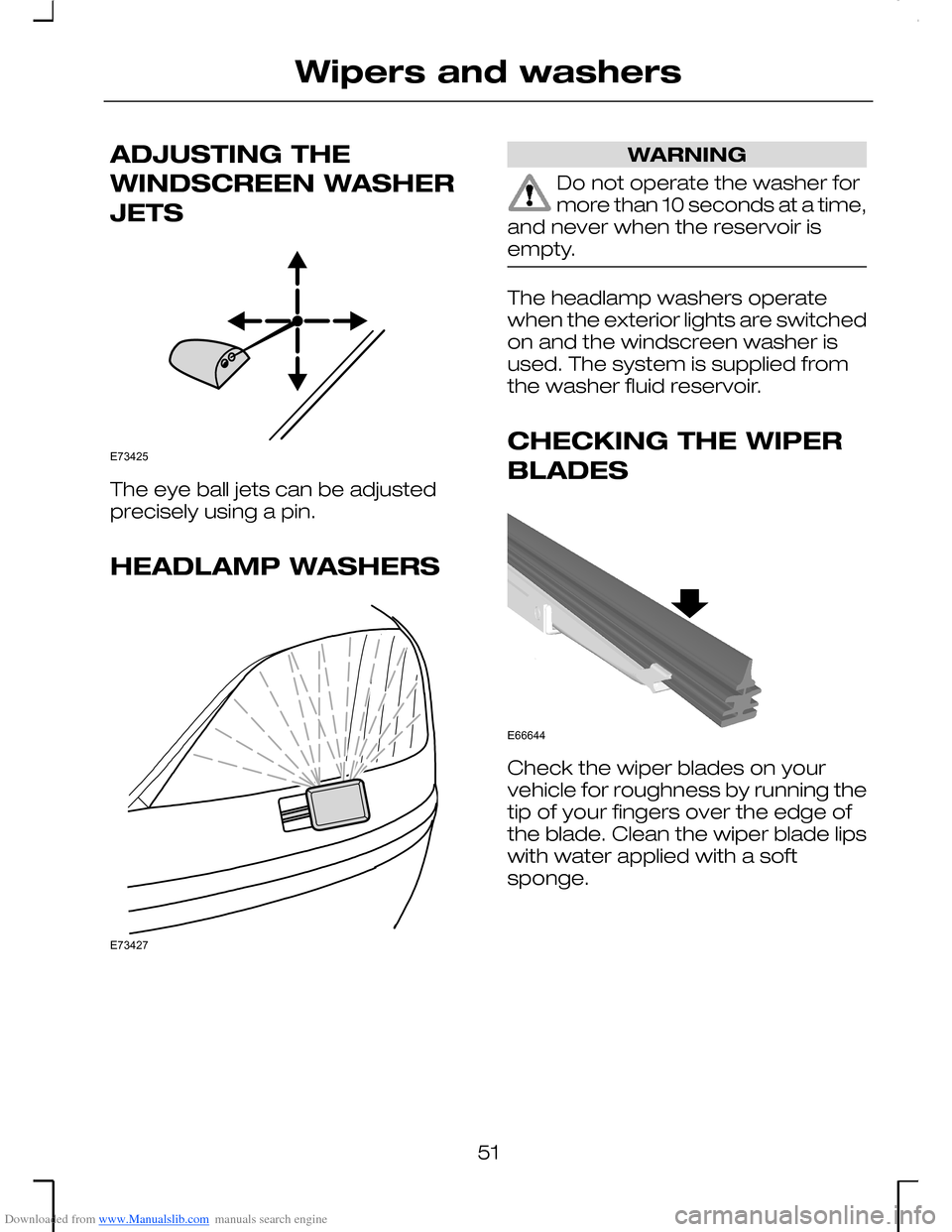
The eye ball jets can be adjustedprecisely using a pin.
HEADLAMP WASHERS
WARNING
Do not operate the washer formore than 10 seconds at a time,and never when the reservoir isempty.
The headlamp washers operatewhen the exterior lights are switchedon and the windscreen washer isused. The system is supplied fromthe washer fluid reservoir.
CHECKING THE WIPER
BLADES
Check the wiper blades on yourvehicle for roughness by running thetip of your fingers over the edge ofthe blade. Clean the wiper blade lipswith water applied with a softsponge.
51
Wipers and washersE73425 E73427 E66644
Page 55 of 198
Downloaded from www.Manualslib.com manuals search engine LIGHTING CONTROL
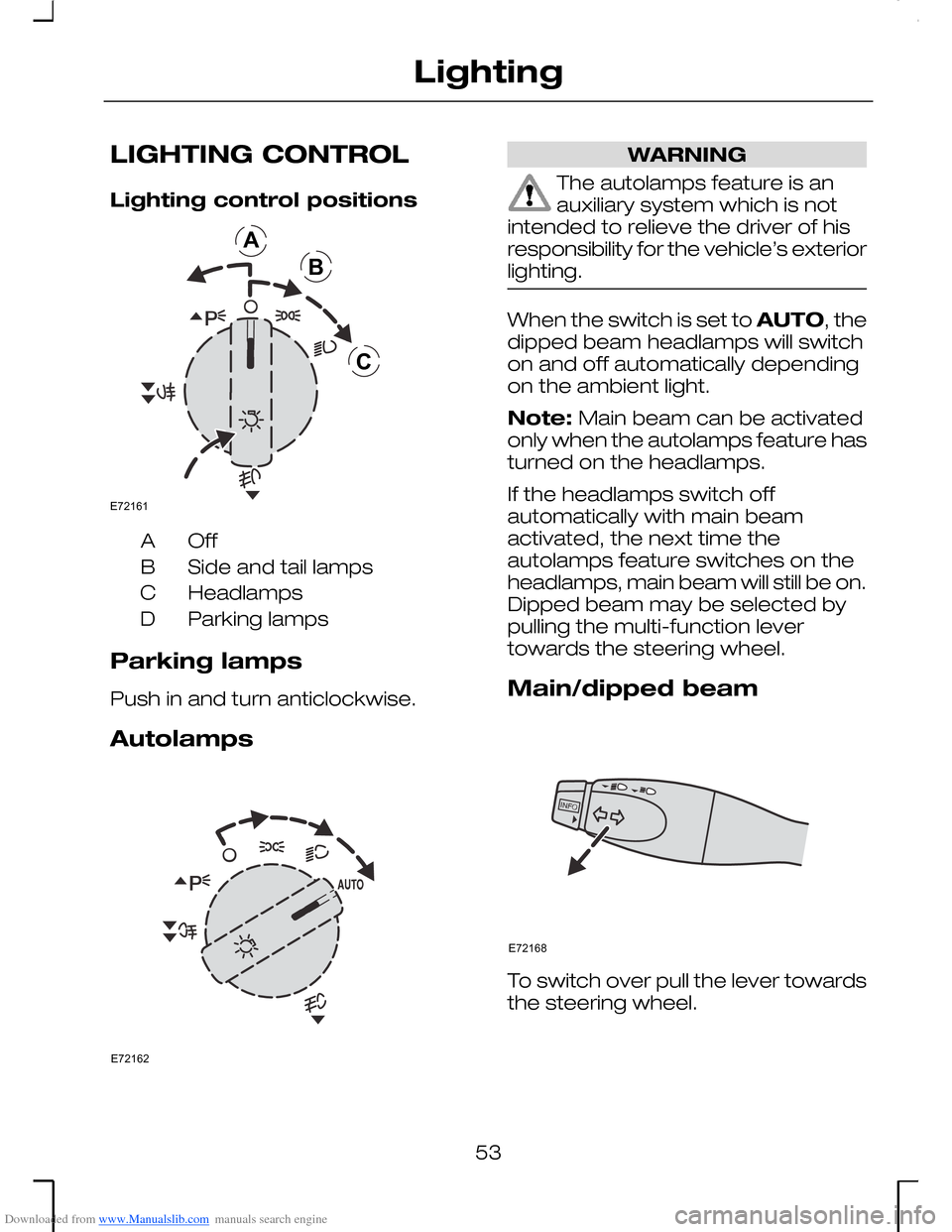
Lighting control positions
OffA
Side and tail lampsB
HeadlampsC
Parking lampsD
Parking lamps
Push in and turn anticlockwise.
Autolamps
WARNING
The autolamps feature is anauxiliary system which is notintended to relieve the driver of hisresponsibility for the vehicle’s exteriorlighting.
When the switch is set to AUTO, thedipped beam headlamps will switchon and off automatically dependingon the ambient light.
Note: Main beam can be activatedonly when the autolamps feature hasturned on the headlamps.
If the headlamps switch offautomatically with main beamactivated, the next time theautolamps feature switches on theheadlamps, main beam will still be on.Dipped beam may be selected bypulling the multi-function levertowards the steering wheel.
Main/dipped beam
To switch over pull the lever towardsthe steering wheel.
53
LightingABCE72161 E72162 E72168
Page 56 of 198
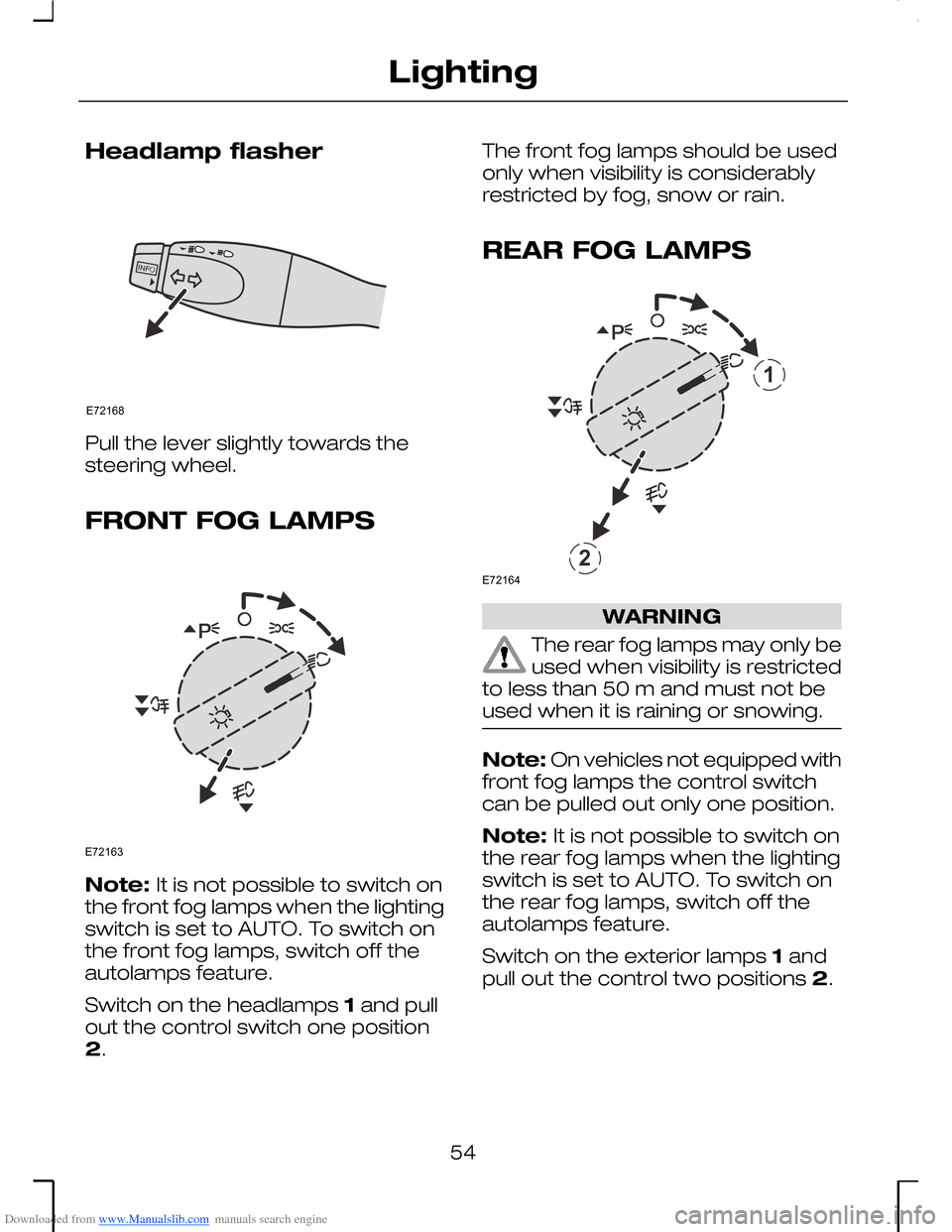
Downloaded from www.Manualslib.com manuals search engine Headlamp flasher
Pull the lever slightly towards thesteering wheel.
FRONT FOG LAMPS
Note: It is not possible to switch onthe front fog lamps when the lightingswitch is set to AUTO. To switch onthe front fog lamps, switch off theautolamps feature.
Switch on the headlamps 1 and pullout the control switch one position2.
The front fog lamps should be usedonly when visibility is considerablyrestricted by fog, snow or rain.
REAR FOG LAMPS
WARNING
The rear fog lamps may only beused when visibility is restrictedto less than 50 m and must not beused when it is raining or snowing.
Note: On vehicles not equipped withfront fog lamps the control switchcan be pulled out only one position.
Note: It is not possible to switch onthe rear fog lamps when the lightingswitch is set to AUTO. To switch onthe rear fog lamps, switch off theautolamps feature.
Switch on the exterior lamps 1 andpull out the control two positions 2.
54
LightingE72168 E72163 12E72164
Page 57 of 198
Downloaded from www.Manualslib.com manuals search engine ADJUSTING THE
HEADLAMPS
Vehicles with Xenonheadlamps
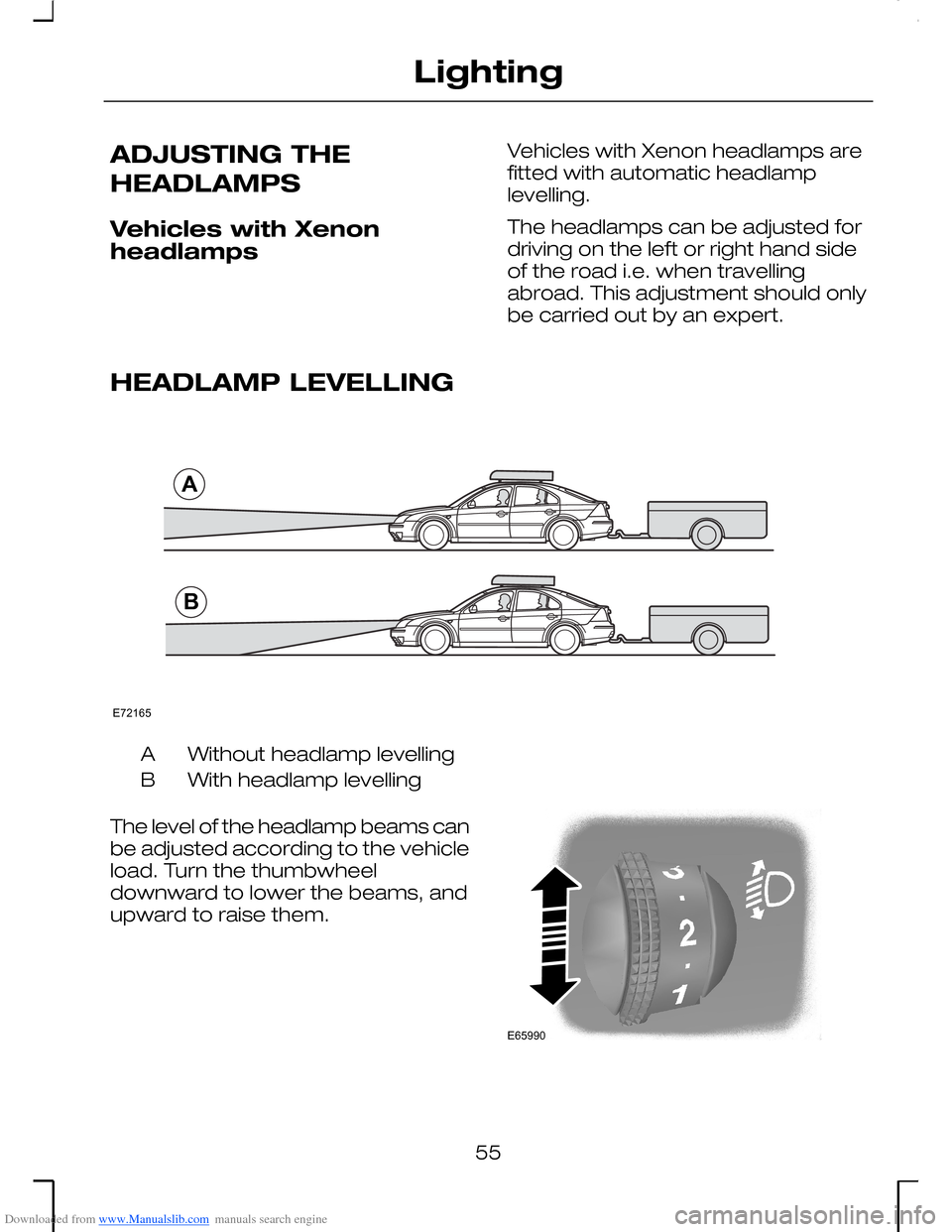
Vehicles with Xenon headlamps arefitted with automatic headlamplevelling.
The headlamps can be adjusted fordriving on the left or right hand sideof the road i.e. when travellingabroad. This adjustment should onlybe carried out by an expert.
HEADLAMP LEVELLING
Without headlamp levellingA
With headlamp levellingB
The level of the headlamp beams canbe adjusted according to the vehicleload. Turn the thumbwheeldownward to lower the beams, andupward to raise them.
55
LightingABE72165 E65990
Page 58 of 198
Downloaded from www.Manualslib.com manuals search engine Recommended headlamp levelling control positions
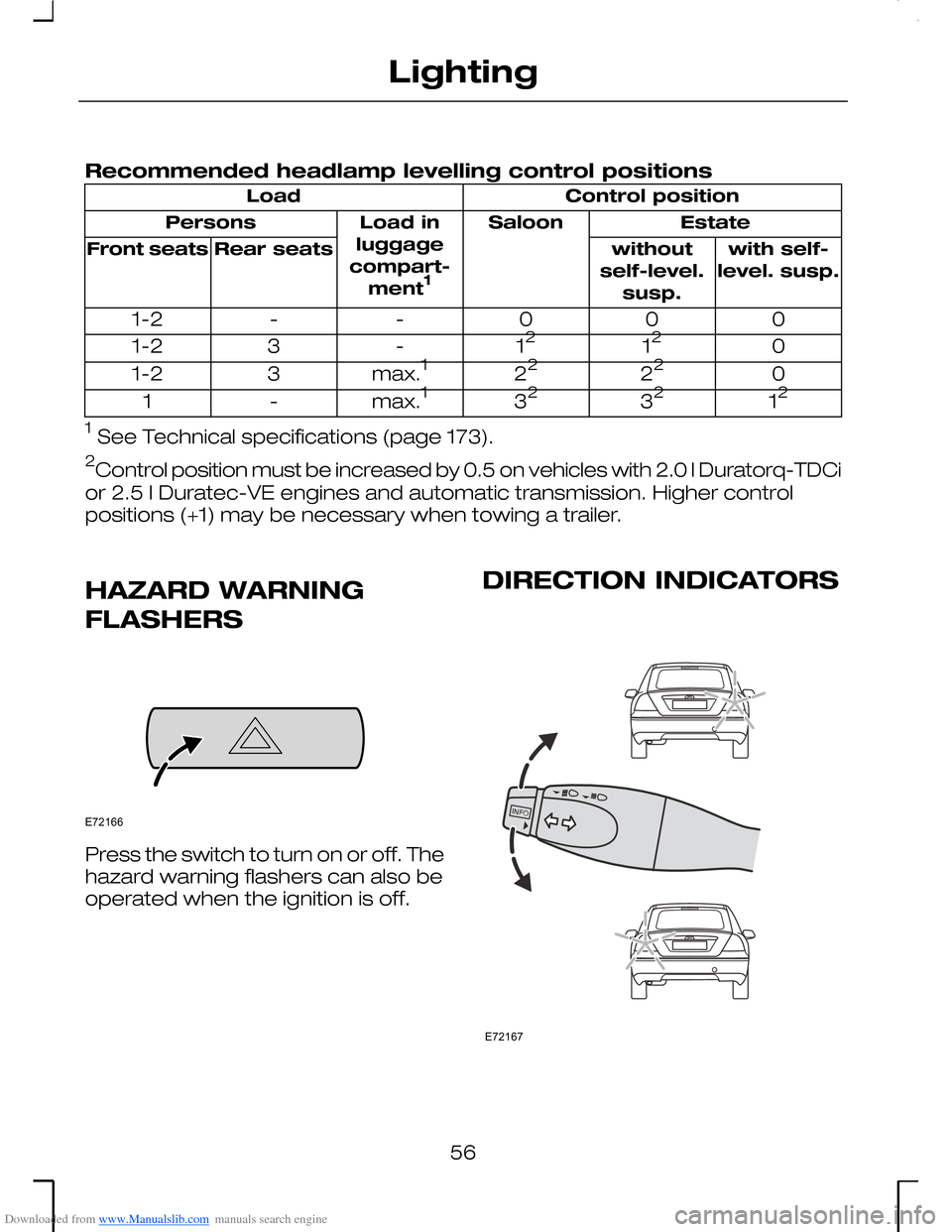
Control positionLoad
EstateSaloonLoad inluggagecompart-ment1
Persons
with self-level. susp.withoutself-level.susp.
Rear seatsFront seats
000--1-2
01212-31-2
02222max.131-2
123232max.1-1
1 See Technical specifications (page 173).
2Control position must be increased by 0.5 on vehicles with 2.0 l Duratorq-TDCi
or 2.5 l Duratec-VE engines and automatic transmission. Higher controlpositions (+1) may be necessary when towing a trailer.
HAZARD WARNING
FLASHERS
Press the switch to turn on or off. Thehazard warning flashers can also beoperated when the ignition is off.
DIRECTION INDICATORS
56
LightingE72166 E72167