2006 FORD EXPLORER engine
[x] Cancel search: enginePage 80 of 328
WASHER FLUID LEVEL LOW.Indicates the washer fluid reservoir is
less than one quarter full. Check the washer fluid level. Refer to
Windshield washer fluidin theMaintenance and Specifications
chapter.
OIL CHANGE REQUIRED.Displayed when the engine oil life
remaining is 0%.
An oil change is required whenever indicated by the message center and
according to the recommended maintenance schedule. USE ONLY
RECOMMENDED ENGINE OILS.
ENGINE OIL CHANGE SOON.Displayed when the engine oil life
reaches 5% or less of the Oil Life Start Value.
LIFTGATE/GLASS AJAR.Displayed when the liftgate or the liftgate
glass is not completely closed.
OPTIONAL MESSAGE CENTER (IF EQUIPPED)
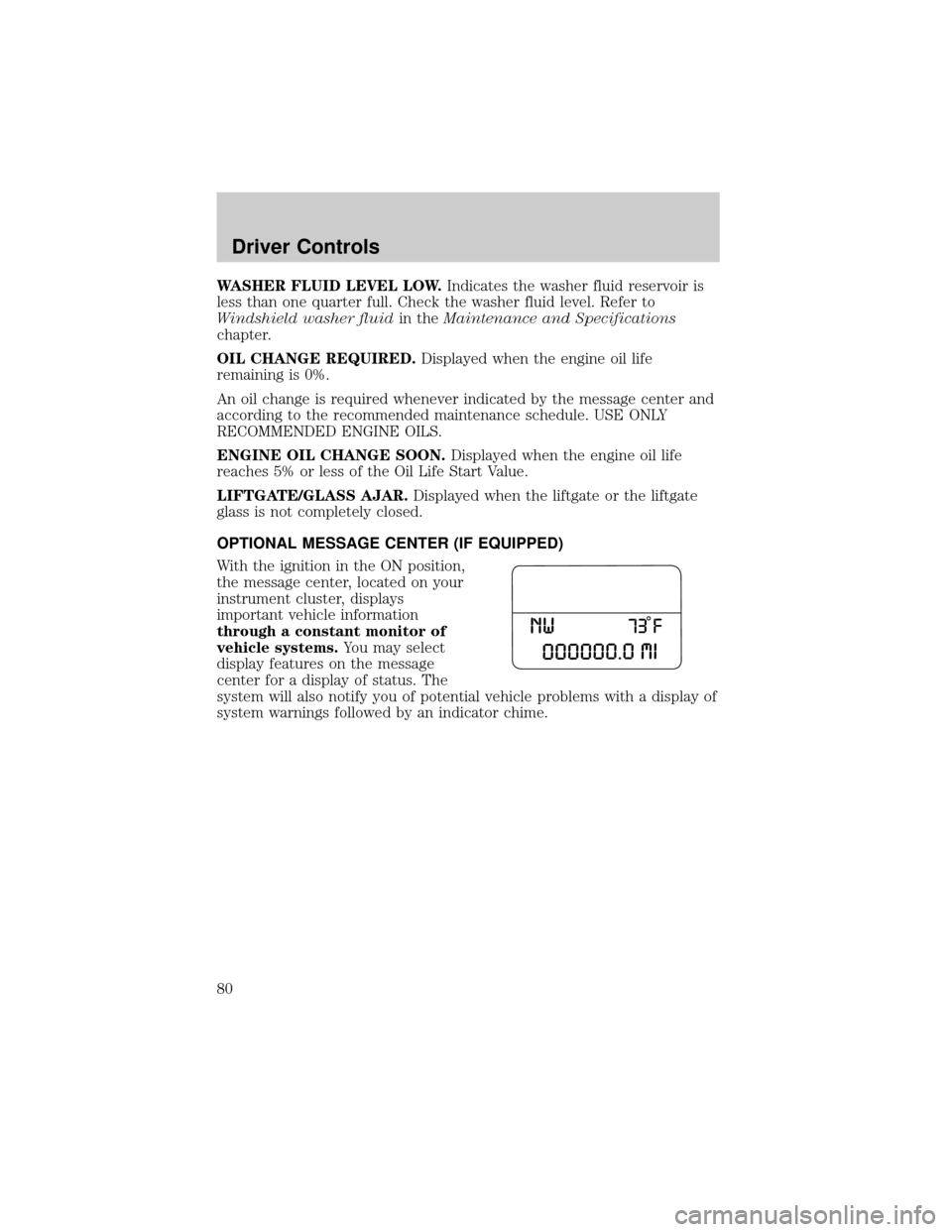
With the ignition in the ON position,
the message center, located on your
instrument cluster, displays
important vehicle information
through a constant monitor of
vehicle systems.You may select
display features on the message
center for a display of status. The
system will also notify you of potential vehicle problems with a display of
system warnings followed by an indicator chime.
Driver Controls
80
Page 89 of 328
Compass zone adjustment
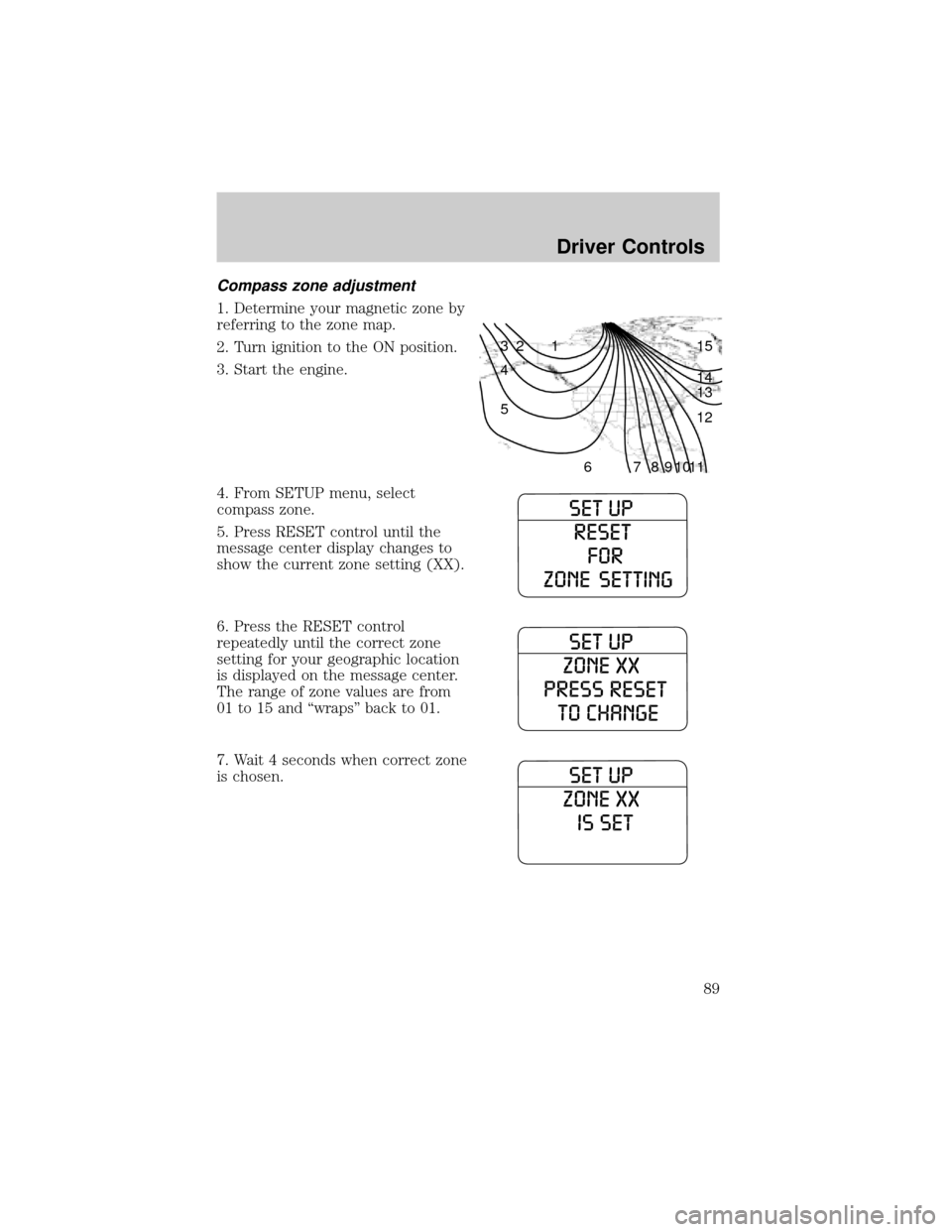
1. Determine your magnetic zone by
referring to the zone map.
2. Turn ignition to the ON position.
3. Start the engine.
4. From SETUP menu, select
compass zone.
5. Press RESET control until the
message center display changes to
show the current zone setting (XX).
6. Press the RESET control
repeatedly until the correct zone
setting for your geographic location
is displayed on the message center.
The range of zone values are from
01 to 15 and ªwrapsº back to 01.
7. Wait 4 seconds when correct zone
is chosen.
1 2 3
4
5
6 7 8 9 101112 13 14 15
Driver Controls
89
Page 92 of 328

Warning display Status
Check park aid Warning returns only after the ignition
key is turned from OFF to ON.
Low tire pressure
Tire monitor fault
Tire sensor fault
Brake fluid level low
Check brake lamp
Check headlamp
Check highbeam
Check turn lamp
Washer fluid level low
Oil change required
Engine oil change soon
Liftgate/glass ajar Warning returns after the condition
has cleared then reoccures within the
same ignition ON-OFF cycle.
DOOR AJAR.Displayed when a door is not completely closed.
CHECK CHARGING SYSTEM.Displayed when the electrical system is
not maintaining proper voltage. If you are operating electrical accessories
when the engine is idling at a low speed, turn off as many of the
electrical loads as soon as possible. If the warning stays on or comes on
when the engine is operating at normal speeds, have the electrical
system checked as soon as possible.
FUEL LEVEL LOW.Displayed as an early reminder of a low fuel
condition.
PARK BRAKE ENGAGED.Displayed when the manual park brake is
set, the engine is running and the vehicle is driven more than 3 mph (5
km). If the warning stays on after the park brake is released, contact
your authorized dealer as soon as possible.
CHECK BRAKE SYSTEM.Displayed when the braking system is not
operating properly. If the warning stays on or continues to come on,
contact your authorized dealer as soon as possible.
CHECK PARK AID.Displayed when the transmission is in R (Reverse)
and the Reverse Sensing System (Park Aid) is disabled. Refer toReverse
Sensing System (Park Aid)in this section to enable.
Driver Controls
92
Page 93 of 328

LOW TIRE PRESSURE.Displayed when one or more tires on your
vehicle have low tire pressure. Refer toInspecting and Inflating Your
Tiresin theTires, Wheels and Loadingchapter.
TIRE MONITOR FAULT.Displayed when the Tire Pressure Monitoring
System is malfunctioning. If the warning stays on or continues to come
on, have the system inspected by your authorized dealer.
TIRE SENSOR FAULT.Displayed when a tire pressure sensor is
malfunctioning, or your spare tire is in use. For more information on how
the system operates under these conditions, refer toUnderstanding
Your Tire Pressure Monitoring Systemin theTires, Wheels and
Loadingchapter. If the warning stays on or continues to come on, have
the system inspected by your authorized dealer.
BRAKE FLUID LEVEL LOW.Indicates the brake fluid level is low and
the brake system should be inspected immediately. Refer toBrake fluid
reservoirin theMaintenance and Specificationschapter.
CHECK BRAKE LAMP.Displayed when the brake lamps are activated
and at least one bulb is burned out. Check the lamps as soon as possible
and have the burned out lamp replaced. Refer toReplacing headlamp
bulbsin theLightschapter.
CHECK HEADLAMP.Displayed when the headlamps are activated and
at least one bulb is burned out. Check the lamps as soon as possible and
have the burned out lamp replaced. Refer toReplacing headlamp bulbs
in theLightschapter.
CHECK HIGHBEAM LAMP.Displayed when the highbeam lamps are
activated and at least one bulb is burned out. Check the lamps as soon
as possible and have the burned out lamp replaced. Refer toReplacing
headlamp bulbsin theLightschapter.
CHECK TURN LAMP.Displayed when the turn lamps are activated and
at least one bulb is burned out. Check the lamps as soon as possible and
have the burned out lamp replaced. Refer toReplacing headlamp bulbs
in theLightschapter.
WASHER FLUID LEVEL LOW.Indicates the washer fluid reservoir is less
than one quarter full. Check the washer fluid level. Refer toWindshield
washer fluidin theMaintenance and Specificationschapter.
OIL CHANGE REQUIRED.Displayed when the engine oil life
remaining is 0%.
An oil change is required whenever indicated by the message center and
according to the recommended maintenance schedule. USE ONLY
RECOMMENDED ENGINE OILS.
Driver Controls
93
Page 94 of 328
ENGINE OIL CHANGE SOON.Displayed when the engine oil life
reaches 5% or less of the Oil Life Start Value.
LIFTGATE/GLASS AJAR.Displayed when the liftgate or the liftgate
glass is not completely closed.
POSITIVE RETENTION FLOOR MAT
Position the driver floor mat so that
the eyelet is over the pointed end of
the retention post and rotate
forward to lock in. Make sure that
the mat does not interfere with the
operation of the accelerator or the
brake pedal. To remove the floor
mat, reverse the installation
procedure.
Only use one set of floor mats at any given time.
CARGO COVER (IF EQUIPPED)
Your vehicle may be equipped with a cargo area cover that covers the
luggage compartment of your vehicle.
To install the cover:
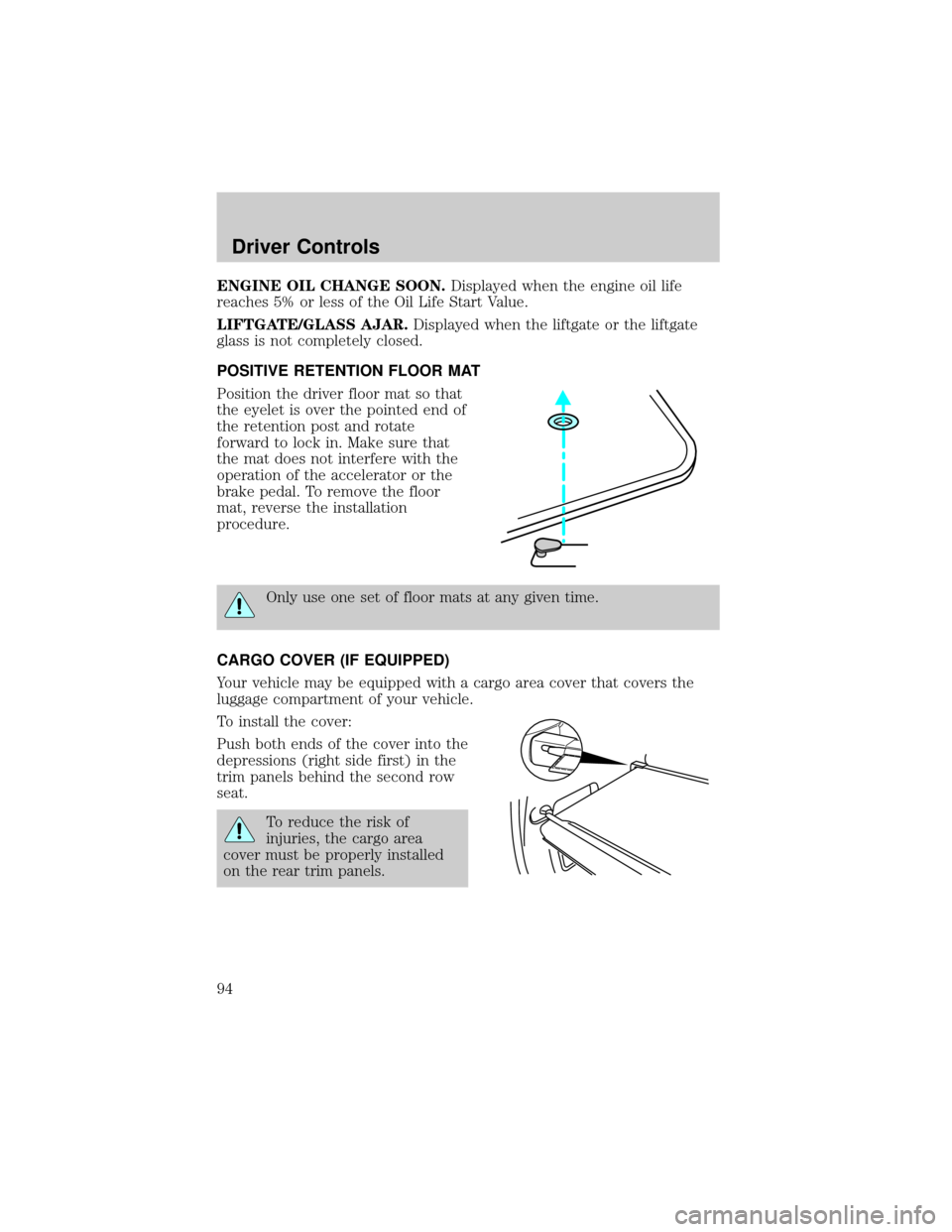
Push both ends of the cover into the
depressions (right side first) in the
trim panels behind the second row
seat.
To reduce the risk of
injuries, the cargo area
cover must be properly installed
on the rear trim panels.
Driver Controls
94
Page 111 of 328

6. Release the 3²4.
The user should receive a horn chirp to indicate the system has been
disabled or a chirp followed by a honk to indicate the system has been
enabled.
Message center procedure
For information on activating/deactivating the autounlock feature using
the vehicle's message center (if equipped), refer toMessage center
information in theDriver Controlschapter.
SECURILOCKYPASSIVE ANTI-THEFT SYSTEM
SecuriLockypassive anti-theft system is an engine immobilization
system. This system is designed to help prevent the engine from being
started unless acoded key programmed to your vehicleis used. The
use of the wrong type of coded key may lead to a ªno-startº condition.
Your vehicle comes with two coded keys; additional coded keys may be
purchased from your authorized dealer. The authorized dealer can
program your spare keys to your vehicle or you can program the keys
yourself. Refer toProgramming spare keysfor instructions on how to
program the coded key.
Note:The SecuriLockypassive anti-theft system is not compatible with
non-Ford aftermarket remote start systems. Use of these systems may
result in vehicle starting problems and a loss of security protection.
Note:Large metallic objects, electronic devices that are used to
purchase gasoline or similar items, or a second coded key on the same
key chain may cause vehicle starting issues. You need to prevent these
objects from touching the coded key while starting the engine. These
objects will not cause damage to the coded key, but may cause a
momentary issue if they are too close to the key when starting the
engine. If a problem occurs, turn the ignition off, remove all objects on
the key chain away from the coded key and restart the engine.
Anti-theft indicator
The anti-theft indicator is located on top of the instrument panel.
²When the ignition is in the 1 (OFF/LOCK) position, the indicator will
flash once every 2 seconds to indicate the SecuriLockysystem is
functioning as a theft deterrent.
²When the ignition is in the 3 (ON) position, the indicator will glow for
3 seconds to indicate normal system functionality.
If a problem occurs with the SecuriLockysystem, the indicator will flash
rapidly or glow steadily when the ignition is in the 3 (ON) position. If this
occurs, the vehicle should be taken to an authorized dealer for service.
Locks and Security
111
Page 112 of 328
Automatic arming
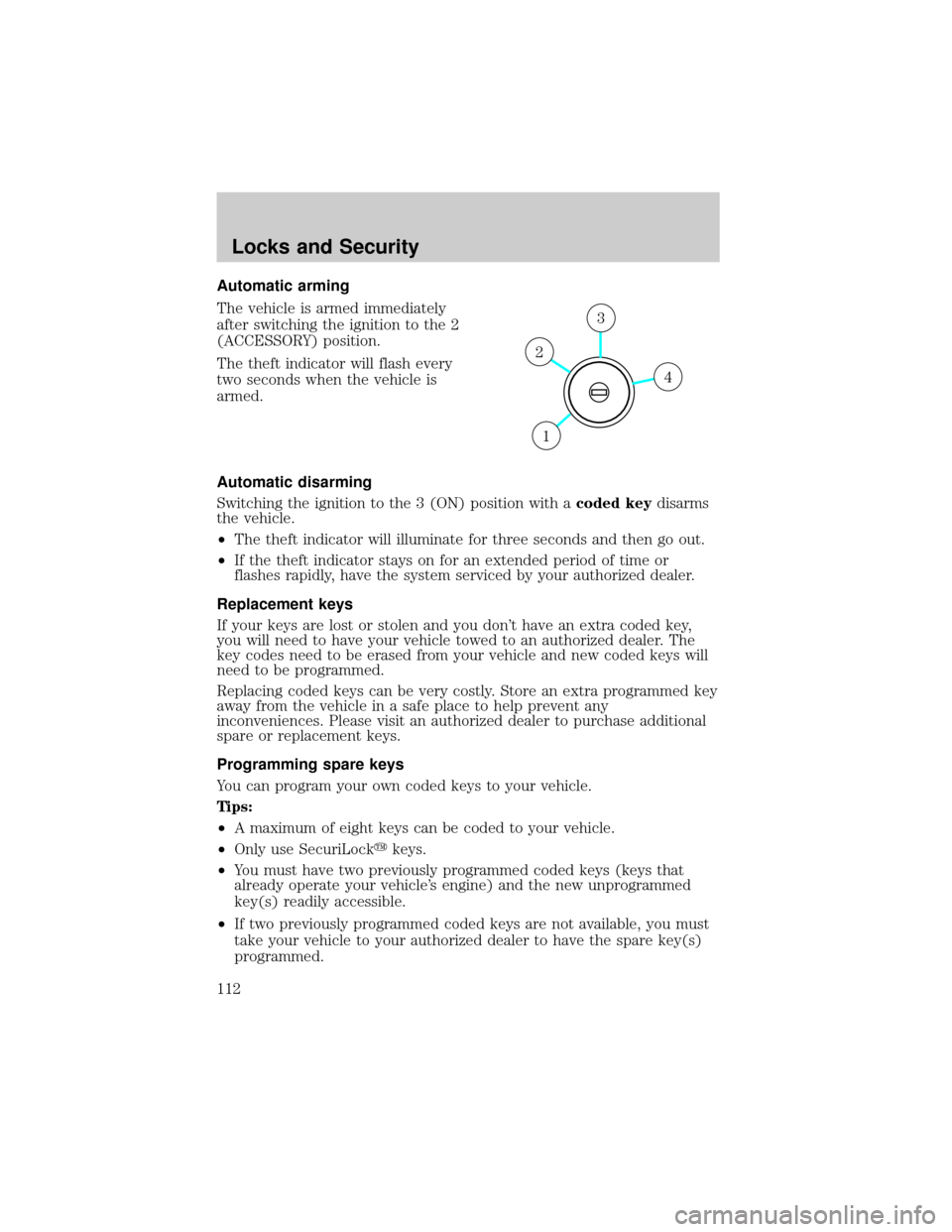
The vehicle is armed immediately
after switching the ignition to the 2
(ACCESSORY) position.
The theft indicator will flash every
two seconds when the vehicle is
armed.
Automatic disarming
Switching the ignition to the 3 (ON) position with acoded keydisarms
the vehicle.
²The theft indicator will illuminate for three seconds and then go out.
²If the theft indicator stays on for an extended period of time or
flashes rapidly, have the system serviced by your authorized dealer.
Replacement keys
If your keys are lost or stolen and you don't have an extra coded key,
you will need to have your vehicle towed to an authorized dealer. The
key codes need to be erased from your vehicle and new coded keys will
need to be programmed.
Replacing coded keys can be very costly. Store an extra programmed key
away from the vehicle in a safe place to help prevent any
inconveniences. Please visit an authorized dealer to purchase additional
spare or replacement keys.
Programming spare keys
You can program your own coded keys to your vehicle.
Tips:
²A maximum of eight keys can be coded to your vehicle.
²Only use SecuriLockykeys.
²You must have two previously programmed coded keys (keys that
already operate your vehicle's engine) and the new unprogrammed
key(s) readily accessible.
²If two previously programmed coded keys are not available, you must
take your vehicle to your authorized dealer to have the spare key(s)
programmed.
4
3
2
1
Locks and Security
112
Page 113 of 328
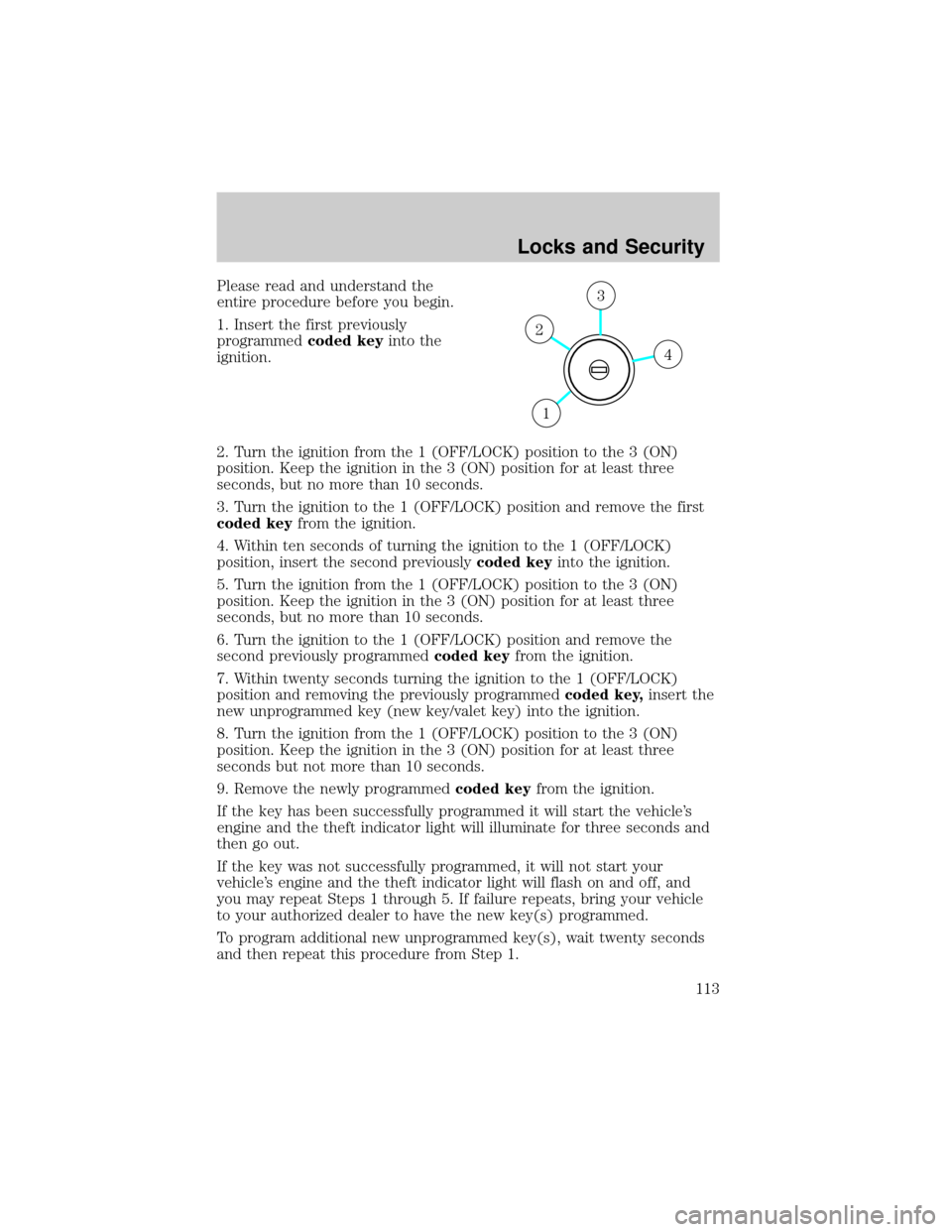
Please read and understand the
entire procedure before you begin.
1. Insert the first previously
programmedcoded keyinto the
ignition.
2. Turn the ignition from the 1 (OFF/LOCK) position to the 3 (ON)
position. Keep the ignition in the 3 (ON) position for at least three
seconds, but no more than 10 seconds.
3. Turn the ignition to the 1 (OFF/LOCK) position and remove the first
coded keyfrom the ignition.
4. Within ten seconds of turning the ignition to the 1 (OFF/LOCK)
position, insert the second previouslycoded keyinto the ignition.
5. Turn the ignition from the 1 (OFF/LOCK) position to the 3 (ON)
position. Keep the ignition in the 3 (ON) position for at least three
seconds, but no more than 10 seconds.
6. Turn the ignition to the 1 (OFF/LOCK) position and remove the
second previously programmedcoded keyfrom the ignition.
7. Within twenty seconds turning the ignition to the 1 (OFF/LOCK)
position and removing the previously programmedcoded key,insert the
new unprogrammed key (new key/valet key) into the ignition.
8. Turn the ignition from the 1 (OFF/LOCK) position to the 3 (ON)
position. Keep the ignition in the 3 (ON) position for at least three
seconds but not more than 10 seconds.
9. Remove the newly programmedcoded keyfrom the ignition.
If the key has been successfully programmed it will start the vehicle's
engine and the theft indicator light will illuminate for three seconds and
then go out.
If the key was not successfully programmed, it will not start your
vehicle's engine and the theft indicator light will flash on and off, and
you may repeat Steps 1 through 5. If failure repeats, bring your vehicle
to your authorized dealer to have the new key(s) programmed.
To program additional new unprogrammed key(s), wait twenty seconds
and then repeat this procedure from Step 1.
4
3
2
1
Locks and Security
113