Page 49 of 360
•To use the system as effectively and safely as possible, obtain
up-to-date navigation CD’s whenever they become available.
•Set the volume level so that you can hear directions clearly.
•Do not disassemble or modify the system as this may lead to damage
and void your warranty. If a problem occurs, stop using the system
immediately and contact your Ford or Lincoln Mercury dealer.
System overview
1.HOME:When the home location
is empty, pressing and holding this
key will store the vehicle’s current
location as home. Pressing the home
key after the home location has been set will calculate a route to that set
home location.
2.Eject:Press this control to eject
an audio CD or a navigation CD.
PUSH
ON
AM/FM
SEEK 12
3456 MAP BACK
HEREHOME
MENUNAV
8
12
11
10
9
5
6
4
2
3
151131416
7
HOME
2006 Expedition(exd)
Owners Guide (post-2002-fmt)
USA(fus)
Entertainment Systems
49
Page 51 of 360

10.AM/FM:Press to listen to the
AM or FM frequency band (AM,
FM1, FM2). Pressing AM/FM in
Navigation mode will return you to
the audio screen.
11.On/volume:Press the ON
control to turn on the VNR system.
Press again to turn the system off.
Turn the control to adjust the audio
volume levels. To adjust the voice
output levels from the navigation
system, adjust the volume levels
only during voice output.
12.Phone (if equipped):If the
phone button is pressed, the display
will read NO PHONE. This button is
non-functional (the radio will not
mute). Cellular connectivity is not currently available for this radio.
13.CD:Press to enter CD mode or
to begin play of a CD that is already
loaded in the system. Press the CD
control again to toggle CD, CD DJ
and DVD (if equipped).
NOTE:Navigation CD’s are not operational in the CD DJ.
NOTE:To use the navigation system and listen to an audio CD, the
navigation CD must be loaded into the VNR and the audio CD must be
loaded into the CD DJ.
14.MENU:The MENU control
works in both the audio and
navigation mode. Press to access
various menus in both modes.
15.HERE:The HERE control works
in the navigation mode. Press the
control to identify the current
location of the vehicle.
AM/FM
PUSH
ON
PUSH
ON
MENU
HERE
2006 Expedition(exd)
Owners Guide (post-2002-fmt)
USA(fus)
Entertainment Systems
51
Page 53 of 360
Note:To use the navigation system and listen to an audio CD, the
navigation CD must be loaded into the VNR and the audio CD must be
loaded into the CD DJ.
2. Press the NAV control to enter
into Navigation mode.
3. To enter a destination, ensure
that the vehicle is in the PARK position.
4. To navigate to home from the
current location, press HOME. If a
home location has not previously
been stored, pressing and holding
HOME will store the home location.
Audio features
Your Vehicle Navigation Radio has many features including a full range of
audio functions.
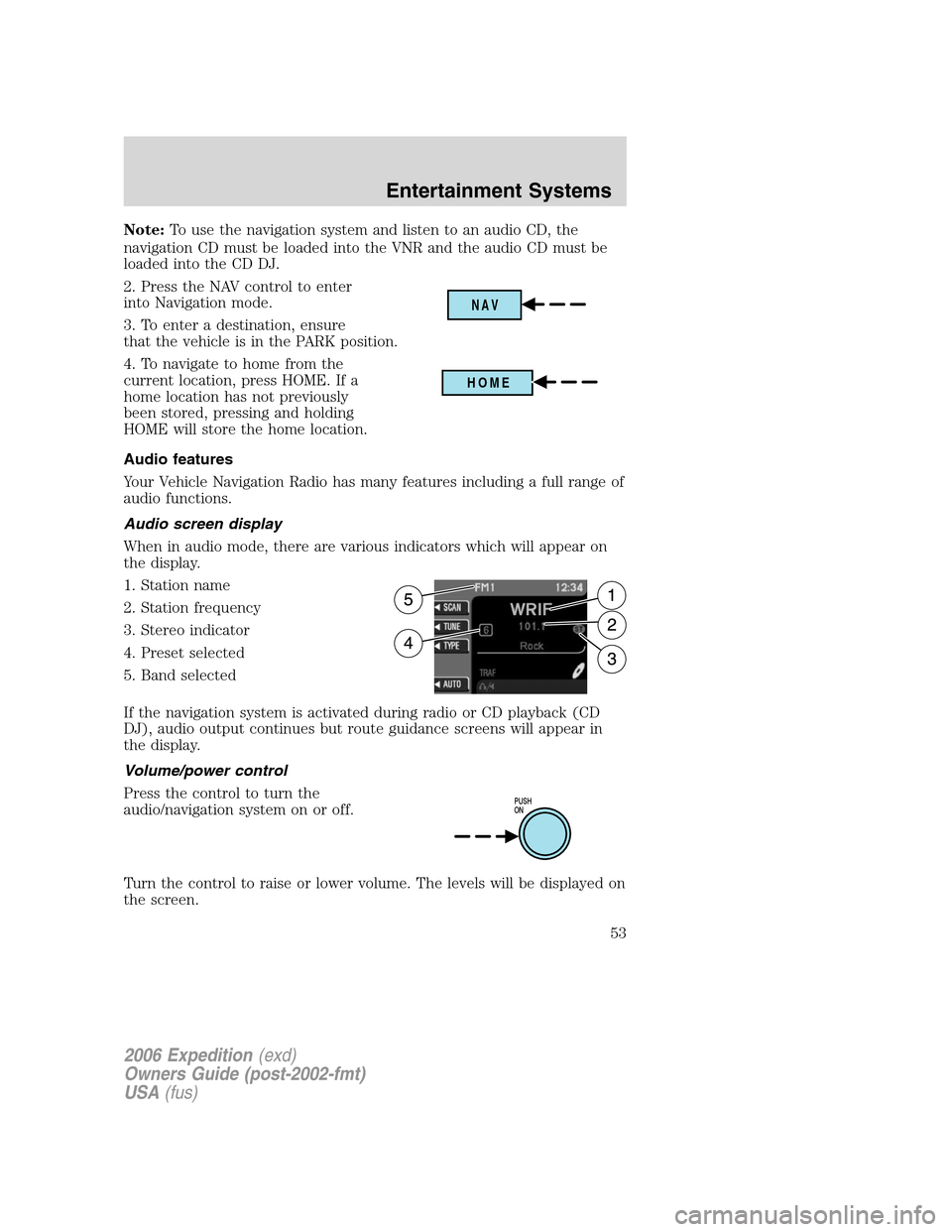
Audio screen display
When in audio mode, there are various indicators which will appear on
the display.
1. Station name
2. Station frequency
3. Stereo indicator
4. Preset selected
5. Band selected
If the navigation system is activated during radio or CD playback (CD
DJ), audio output continues but route guidance screens will appear in
the display.
Volume/power control
Press the control to turn the
audio/navigation system on or off.
Turn the control to raise or lower volume. The levels will be displayed on
the screen.
NAV
HOME
PUSH
ON
2006 Expedition(exd)
Owners Guide (post-2002-fmt)
USA(fus)
Entertainment Systems
53
Page 54 of 360
To adjust the navigation voice output level, adjust the volume control
only when the navigation system is speaking. Otherwise, it will adjust the
radio levels.
Automatic volume control (AVC)
With this feature, radio volume changes automatically with vehicle speed
to compensate for road and wind noise. To engage the AVC feature:
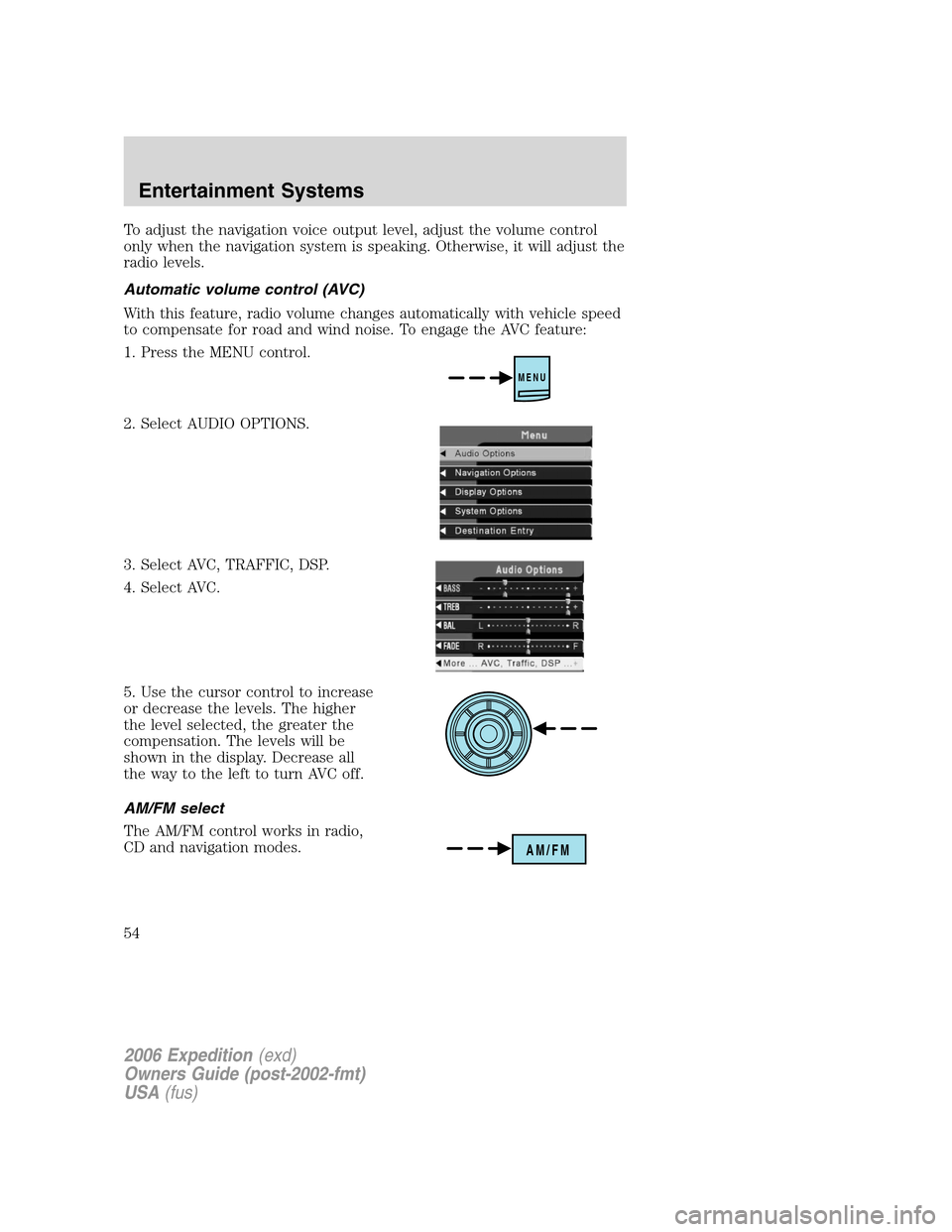
1. Press the MENU control.
2. Select AUDIO OPTIONS.
3. Select AVC, TRAFFIC, DSP.
4. Select AVC.
5. Use the cursor control to increase
or decrease the levels. The higher
the level selected, the greater the
compensation. The levels will be
shown in the display. Decrease all
the way to the left to turn AVC off.
AM/FM select
The AM/FM control works in radio,
CD and navigation modes.
MENU
AM/FM
2006 Expedition(exd)
Owners Guide (post-2002-fmt)
USA(fus)
Entertainment Systems
54
Page 55 of 360
AM/FM select in radio mode
This control allows you to select AM or FM frequency bands. Press the
control to switch between AM, FM1 or FM2 memory preset stations.
AM/FM select in CD mode
Press to stop CD play and begin radio play.
Radio reception factors:
•Distance/strength.The further an FM signal travels, the weaker it is.
The listenable range of the average FM station is approximately 40 km
(24 miles). This range can be affected by “signal modulation.” Signal
modulation is a process radio stations use to increase their
strength/volume relative to other stations.
•Terrain.Hills, mountains and tall buildings between your vehicle’s
antenna and the radio station signal can cause FM reception problems.
Static can be caused on AM stations by power lines, electric fences,
traffic lights and thunderstorms. Moving away from an interfering
structure (out of its “shadow”) returns your reception to normal.
•Station overload.Weak signals are sometimes captured by stronger
signals when you pass a broadcast tower. A stronger signal may
temporarily overtake a weaker signal and play while the weak station
frequency is displayed.
AM/FM select in navigation mode
Press once when in navigation mode to return to the audio screen (while
the navigation function continues to work in the background). Press
again to enter AM/FM mode where you are able to make frequency band
adjustments.
CD select
To begin CD play (if a CD is already
loaded), press the CD control. The
first track of the disc will begin
playing. After that, CD play will
begin where it stopped last. Press the CD control again to toggle
between CD, CD DJ, DVD/Video (or DVD/Aux Mode), if equipped with
DVD Rear seat entertainment system.
If a navigation CD is in the head unit and you press CD, the system will
automatically search for an audio CD in the CD DJ and begin play if it is
present.
2006 Expedition(exd)
Owners Guide (post-2002-fmt)
USA(fus)
Entertainment Systems
55
Page 56 of 360
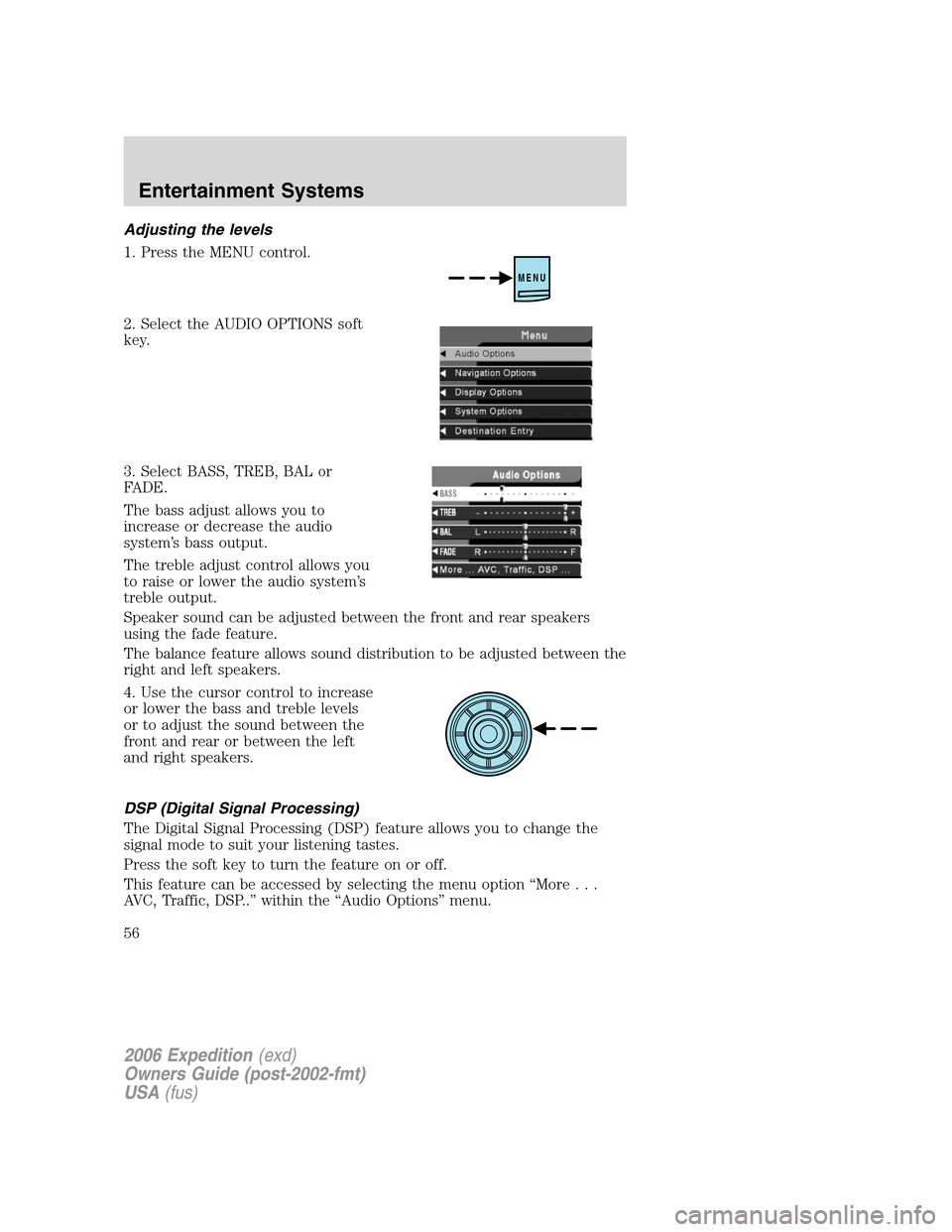
Adjusting the levels
1. Press the MENU control.
2. Select the AUDIO OPTIONS soft
key.
3. Select BASS, TREB, BAL or
FADE.
The bass adjust allows you to
increase or decrease the audio
system’s bass output.
The treble adjust control allows you
to raise or lower the audio system’s
treble output.
Speaker sound can be adjusted between the front and rear speakers
using the fade feature.
The balance feature allows sound distribution to be adjusted between the
right and left speakers.
4. Use the cursor control to increase
or lower the bass and treble levels
or to adjust the sound between the
front and rear or between the left
and right speakers.
DSP (Digital Signal Processing)
The Digital Signal Processing (DSP) feature allows you to change the
signal mode to suit your listening tastes.
Press the soft key to turn the feature on or off.
This feature can be accessed by selecting the menu option “More...
AVC, Traffic, DSP..” within the “Audio Options” menu.
MENU
2006 Expedition(exd)
Owners Guide (post-2002-fmt)
USA(fus)
Entertainment Systems
56
Page 57 of 360
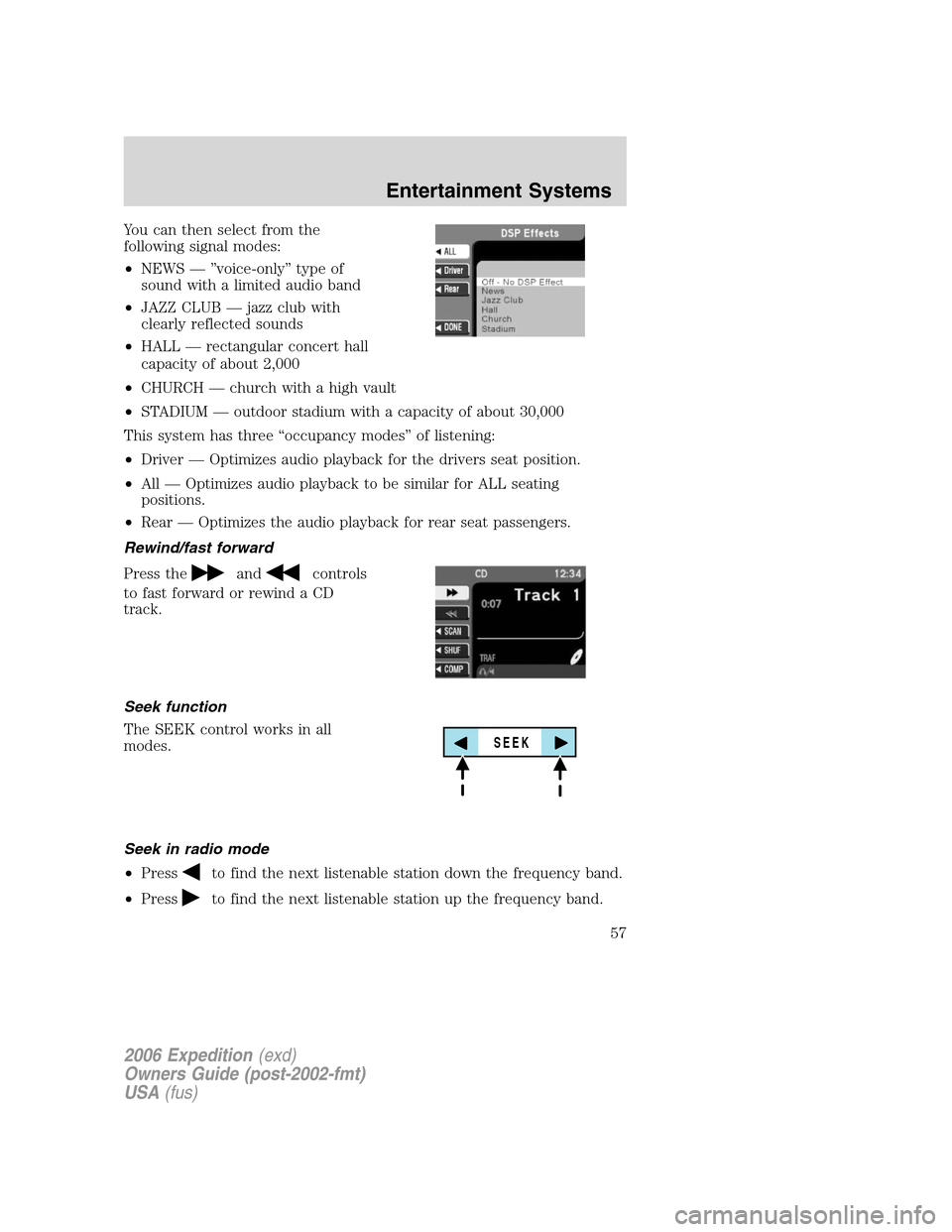
You can then select from the
following signal modes:
•NEWS — ”voice-only” type of
sound with a limited audio band
•JAZZ CLUB — jazz club with
clearly reflected sounds
•HALL — rectangular concert hall
capacity of about 2,000
•CHURCH — church with a high vault
•STADIUM — outdoor stadium with a capacity of about 30,000
This system has three “occupancy modes” of listening:
•Driver — Optimizes audio playback for the drivers seat position.
•All — Optimizes audio playback to be similar for ALL seating
positions.
•Rear — Optimizes the audio playback for rear seat passengers.
Rewind/fast forward
Press the
andcontrols
to fast forward or rewind a CD
track.
Seek function
The SEEK control works in all
modes.
Seek in radio mode
•Press
to find the next listenable station down the frequency band.
•Press
to find the next listenable station up the frequency band.
SEEK
2006 Expedition(exd)
Owners Guide (post-2002-fmt)
USA(fus)
Entertainment Systems
57
Page 58 of 360
Seek in CD or CD DJ mode
•Press
to seek to the previous track of the current disc. If a
selection has been playing for three seconds or more and you
press
, the CD changer will replay that selection from the
beginning.
•Press
to seek forward to the next track of the current disc. After
the last track has been completed, the first track of the current disc
will automatically replay.
Seek in navigation mode
•Press
orto access the next audio station if in radio mode, and
next track if in CD mode.
Radio station memory preset
The radio is equipped with six station memory preset controls. These
controls can be used to select up to six preset AM stations and twelve
FM stations (six in FM1 and six in FM2).
The presets will also allow you to access CDs which are loaded in the CD
DJ. When in CD mode, simply press the preset number which
corresponds to the desired disc.
Setting memory preset stations
1. Select the frequency band with the AM/FM select control.
2. Select a station. Refer toTune adjustorSeek functionfor more
information on selecting a station.
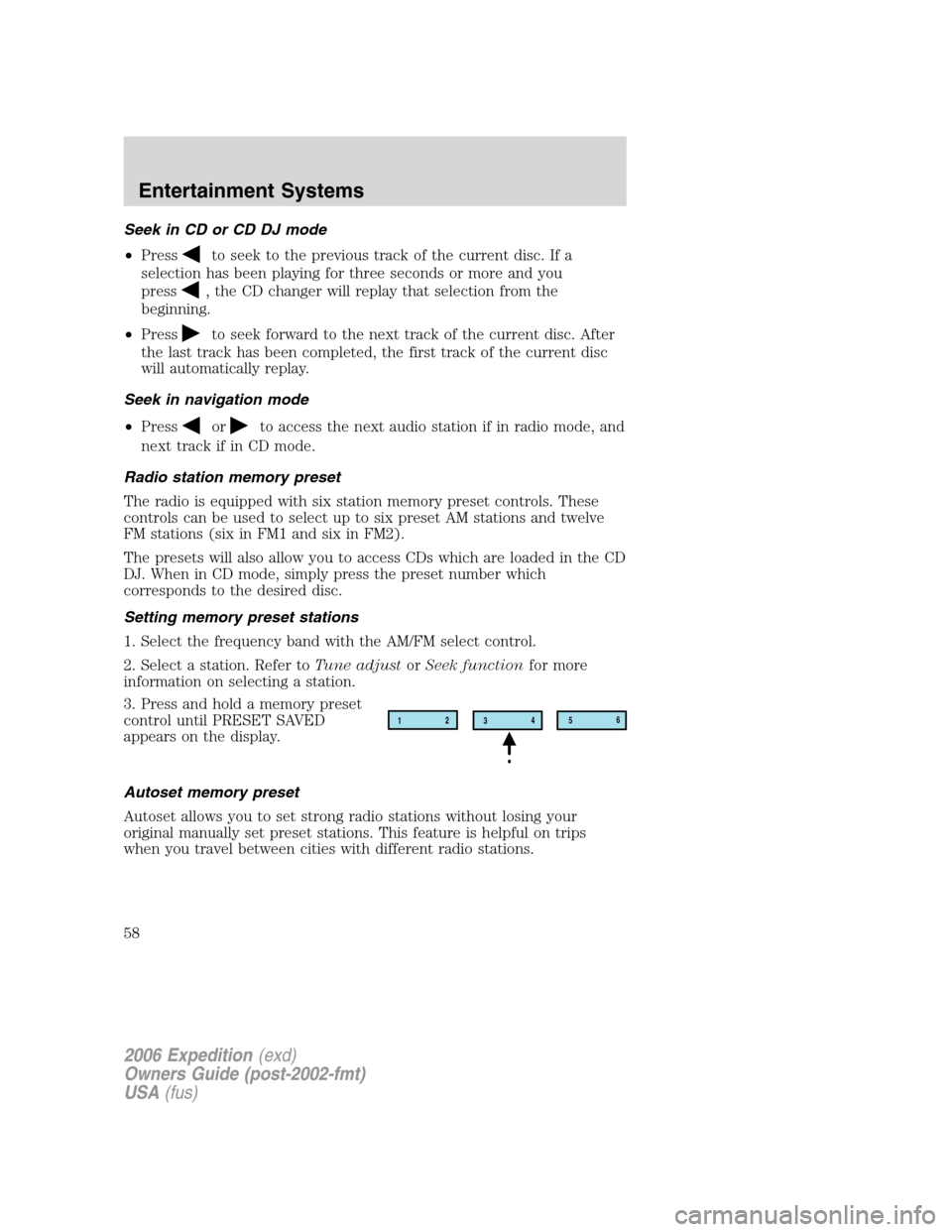
3. Press and hold a memory preset
control until PRESET SAVED
appears on the display.
Autoset memory preset
Autoset allows you to set strong radio stations without losing your
original manually set preset stations. This feature is helpful on trips
when you travel between cities with different radio stations.
12
3456
2006 Expedition(exd)
Owners Guide (post-2002-fmt)
USA(fus)
Entertainment Systems
58