Page 30 of 288

18.Memory presets:To set a
station: Select frequency band; tune
to a station, press and hold a preset
button until sound returns.
19.Power/volume:Press to turn
ON/OFF; turn to increase or
decrease volume levels.
20.CD:Press to enter CD mode.
CD units are designed to play commercially pressed 4.75 in
(12 cm) audio compact discs only. Due to technical
incompatibility, certain recordable and re-recordable compact
discs may not function correctly when used in Ford CD players.
Irregular shaped CDs, CDs with a scratch protection film
attached, and CDs with homemade paper (adhesive) labels should
not be inserted into the CD player. The label may peel and cause
the CD to become jammed. It is recommended that homemade
CDs be identified with permanent felt tip marker rather than
adhesive labels. Ballpoint pens may damage CDs. Please contact
your authorized dealer for further information.
21.COMP(Compression): Brings
soft and loud CD passages together
for a more consistent listening level
when in CD mode. Press COMP to turn the feature ON/OFF.
22.Scan:Press SCAN to hear a
brief sampling of radio stations or
CD/MP3 tracks. Press again to stop.
23.CAT/Tune:Press
orto
manually tune down/up the radio
frequency band.
CAT:CAT is only available when equipped with Satellite Radio. Your
radio comes equipped with Satellite ready capability. The kit to enable
Satellite reception is available through your dealer. Detailed Satellite
instructions are included with the dealer installed kit.Dealer installed
satellite kit only available in the continental United States.
2006 Escape(204)
Owners Guide (post-2002-fmt)
USA(fus)
Entertainment Systems
30
Page 33 of 288
Dolby:In tape mode, press MENU until DOLBY B XX appears in the
display. Press SEL to toggle ON/OFF.
The Dolby�noise reduction system is manufactured under license from
Dolby Laboratories Licensing Corporation. Dolby�and the double-D
symbol are registered trademarks of Dolby Laboratories Licensing
Corporation.
Folder/Track Mode:In MP3 mode, press MENU until MODE appears in
the display. Use SEL to toggle between FOLDER (only tracks within
selected folder are accessible) or TRACK (all tracks on disk are
accessible) MODE.
Autoset:Press MENU until AUTOSET appears in the display. Press SEL
to toggle on/off. Allows you to set the strongest local stations without
losing your original memory preset stations for AM/FM1/FM2. When the
six strongest stations are filled, the station stored in preset 1 will begin
playing. If there are less than six strong stations, the system will store
the last one in the remaining presets.
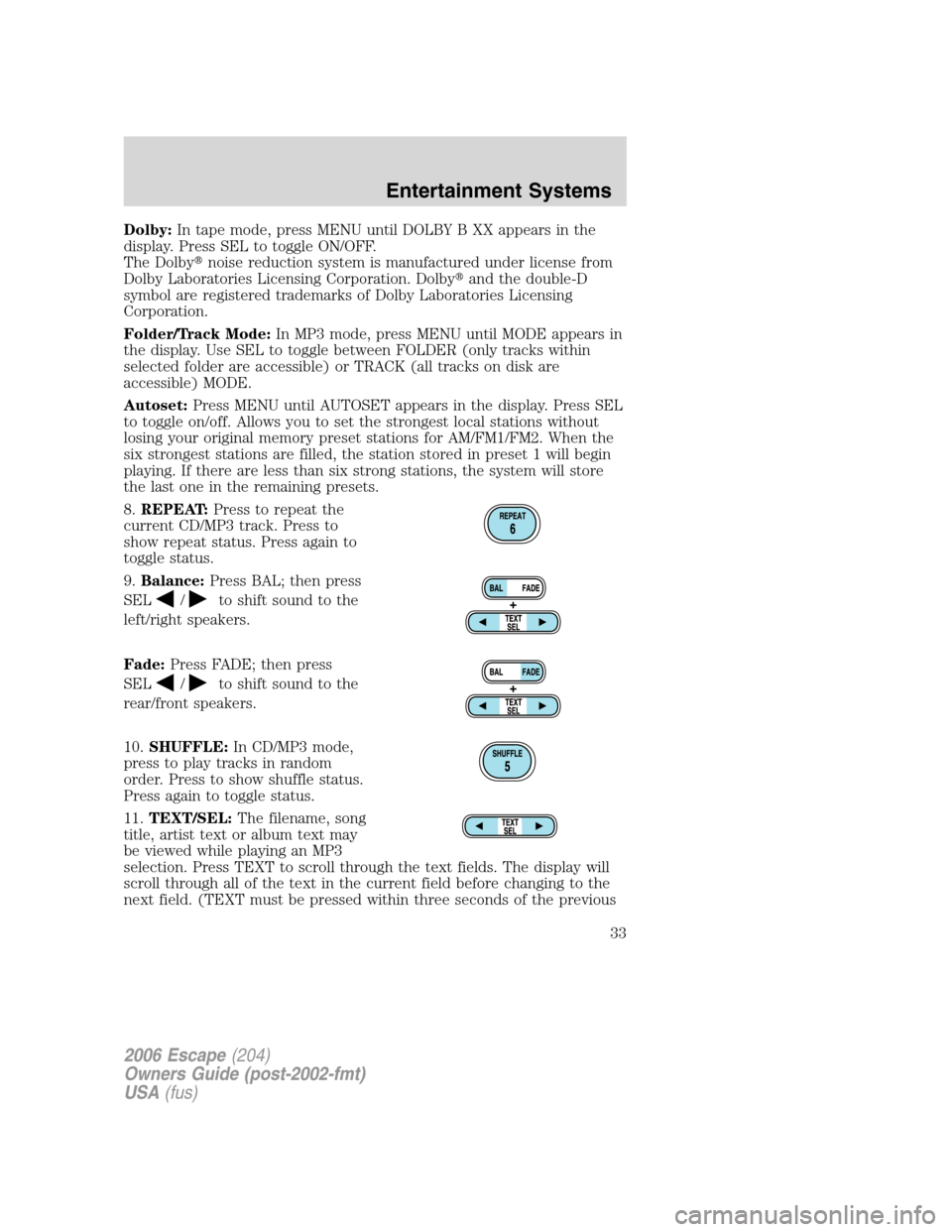
8.REPEAT:Press to repeat the
current CD/MP3 track. Press to
show repeat status. Press again to
toggle status.
9.Balance:Press BAL; then press
SEL
/to shift sound to the
left/right speakers.
Fade:Press FADE; then press
SEL
/to shift sound to the
rear/front speakers.
10.SHUFFLE:In CD/MP3 mode,
press to play tracks in random
order. Press to show shuffle status.
Press again to toggle status.
11.TEXT/SEL:The filename, song
title, artist text or album text may
be viewed while playing an MP3
selection. Press TEXT to scroll through the text fields. The display will
scroll through all of the text in the current field before changing to the
next field. (TEXT must be pressed within three seconds of the previous
2006 Escape(204)
Owners Guide (post-2002-fmt)
USA(fus)
Entertainment Systems
33
Page 35 of 288
18.Scan:Press to hear a brief
sampling of all listenable stations,
tape selections or CD tracks. Press
again to stop.
19.Tune/CAT:TUNE: Works in
radio mode only. Press
TUNE
/to change frequency
down/up.
CAT:CAT is only available when equipped with Satellite Radio. Your
radio comes equipped with Satellite ready capability. The kit to enable
Satellite reception is available through your dealer. Detailed Satellite
instructions are included with the dealer installed kit.Dealer installed
satellite kit only available in the continental United States.
20.Seek:Press and release
SEEK
/for previous/next
strong station, tape selection or CD
track.
21.BAND:Press to toggle through
AM/FM1/FM2 frequency bands.
22.Cassette door:Insert the cassette with the opening to the right.
23.Power/volume:Press to turn
ON/OFF; turn to increase/decrease
volume.
Accessory delay
With accessory delay, the window switches, moon roof (if equipped) and
audio system may be used for up to ten minutes after the ignition switch
is turned to the OFF position or until any door is opened.
2006 Escape(204)
Owners Guide (post-2002-fmt)
USA(fus)
Entertainment Systems
35
Page 55 of 288
the rubber actuator (1) is cut too long, the storage compartment door
(3) will not close properly. Excessive force to close the storage
compartment door (3) may cause the door latch to break.
•Per the table below, cut the rubber actuator (1) to the proper length
based on the thickness (4) measured in the third step.
ApproximateThickness of Transmitter(GDO)
inches mmCut to Bottom of
Notch
Less Than
1/4 6.35 No Cut
7/8 22.00 Notch 2
1.0 26.00 Notch 4
1–3/16 32.00 Notch 6
•Reinstall the rubber actuator (1) in the storage compartment (7) by
twisting and pushing it back into the slot.
•Install the transmitter (6) on to storage compartment door (3)
aligning the actuator control (8) with the rubber actuator (1). Close
the storage compartment door (3) to verify proper fit. Do not force
the storage compartment door (3) or you may break the door latch. If
the rubber actuator (1) is the proper length the storage compartment
door will close. Press the storage compartment door (3) to activate
the transmitter (6).
Illuminated visor mirror (if equipped)
Lift the mirror cover to turn on the
visor mirror lamps.
AUXILIARY POWER POINT (12VDC)
Power outlets are designed for accessory plugs only. Do not insert
any other object in the power outlet as this will damage the
outlet and blow the fuse. Do not hang any type of accessory or
accessory bracket from the plug. Improper use of the power
outlet can cause damage not covered by your warranty.
2006 Escape(204)
Owners Guide (post-2002-fmt)
USA(fus)
Driver Controls
55
Page 71 of 288
Ensure that the posts are properly latched in mounting features.
The cover may cause injury in a sudden stop or accident if it is
not securely installed.
Do not place any objects on the cargo area shade. They may
obstruct your vision or strike occupants of vehicle in the case of
a sudden stop or collision.
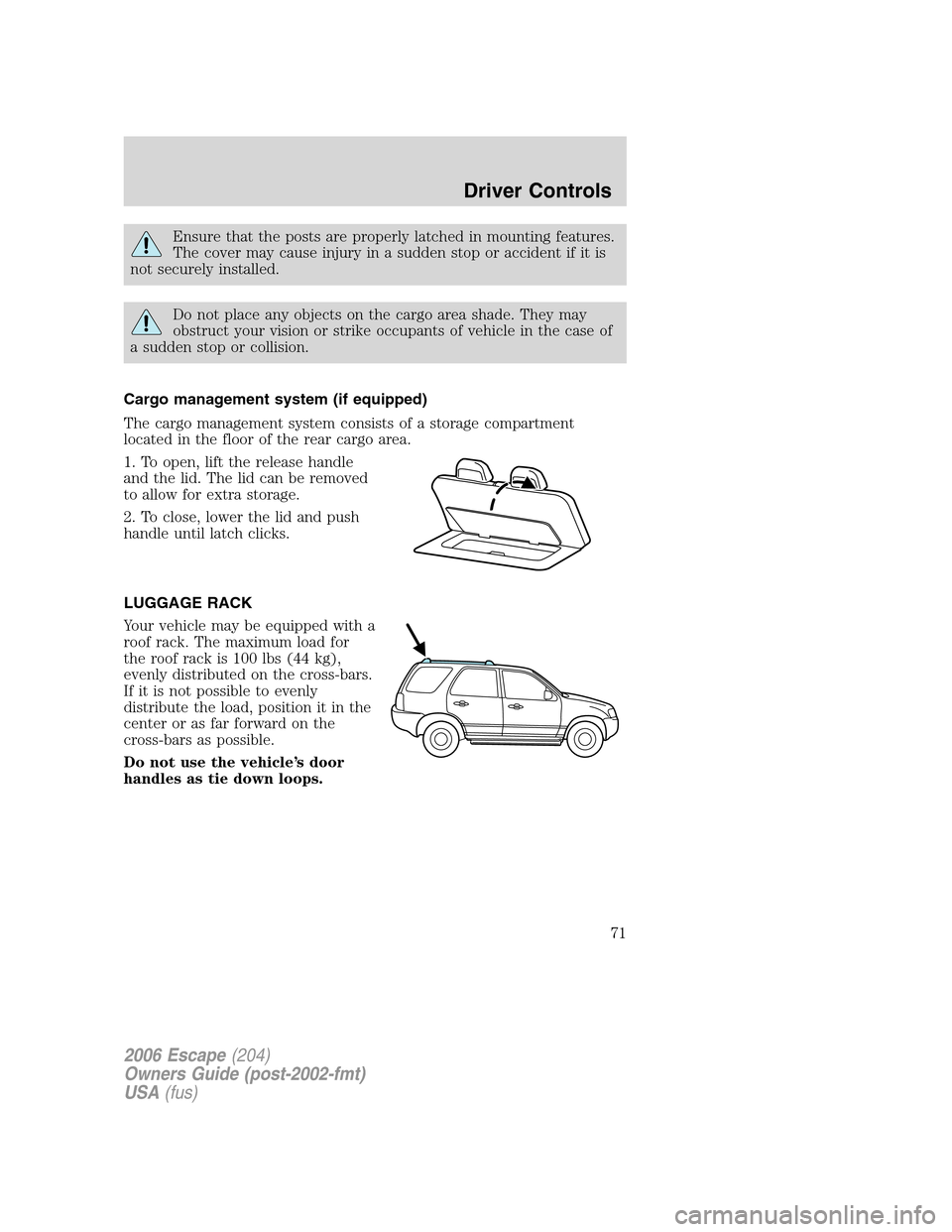
Cargo management system (if equipped)
The cargo management system consists of a storage compartment
located in the floor of the rear cargo area.
1. To open, lift the release handle
and the lid. The lid can be removed
to allow for extra storage.
2. To close, lower the lid and push
handle until latch clicks.
LUGGAGE RACK
Your vehicle may be equipped with a
roof rack. The maximum load for
the roof rack is 100 lbs (44 kg),
evenly distributed on the cross-bars.
If it is not possible to evenly
distribute the load, position it in the
center or as far forward on the
cross-bars as possible.
Do not use the vehicle’s door
handles as tie down loops.
2006 Escape(204)
Owners Guide (post-2002-fmt)
USA(fus)
Driver Controls
71
Page 72 of 288
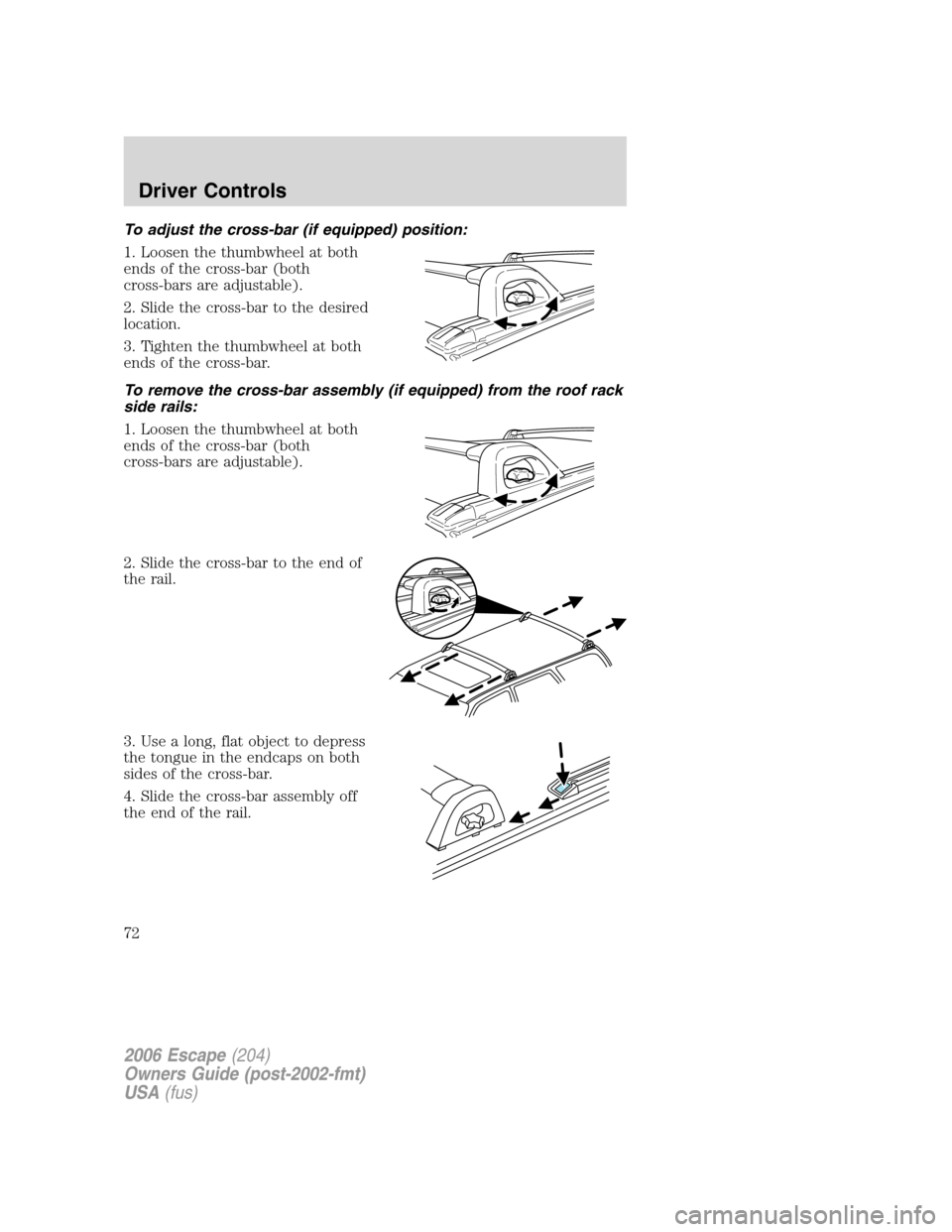
To adjust the cross-bar (if equipped) position:
1. Loosen the thumbwheel at both
ends of the cross-bar (both
cross-bars are adjustable).
2. Slide the cross-bar to the desired
location.
3. Tighten the thumbwheel at both
ends of the cross-bar.
To remove the cross-bar assembly (if equipped) from the roof rack
side rails:
1. Loosen the thumbwheel at both
ends of the cross-bar (both
cross-bars are adjustable).
2. Slide the cross-bar to the end of
the rail.
3. Use a long, flat object to depress
the tongue in the endcaps on both
sides of the cross-bar.
4. Slide the cross-bar assembly off
the end of the rail.
2006 Escape(204)
Owners Guide (post-2002-fmt)
USA(fus)
Driver Controls
72
Page 73 of 288
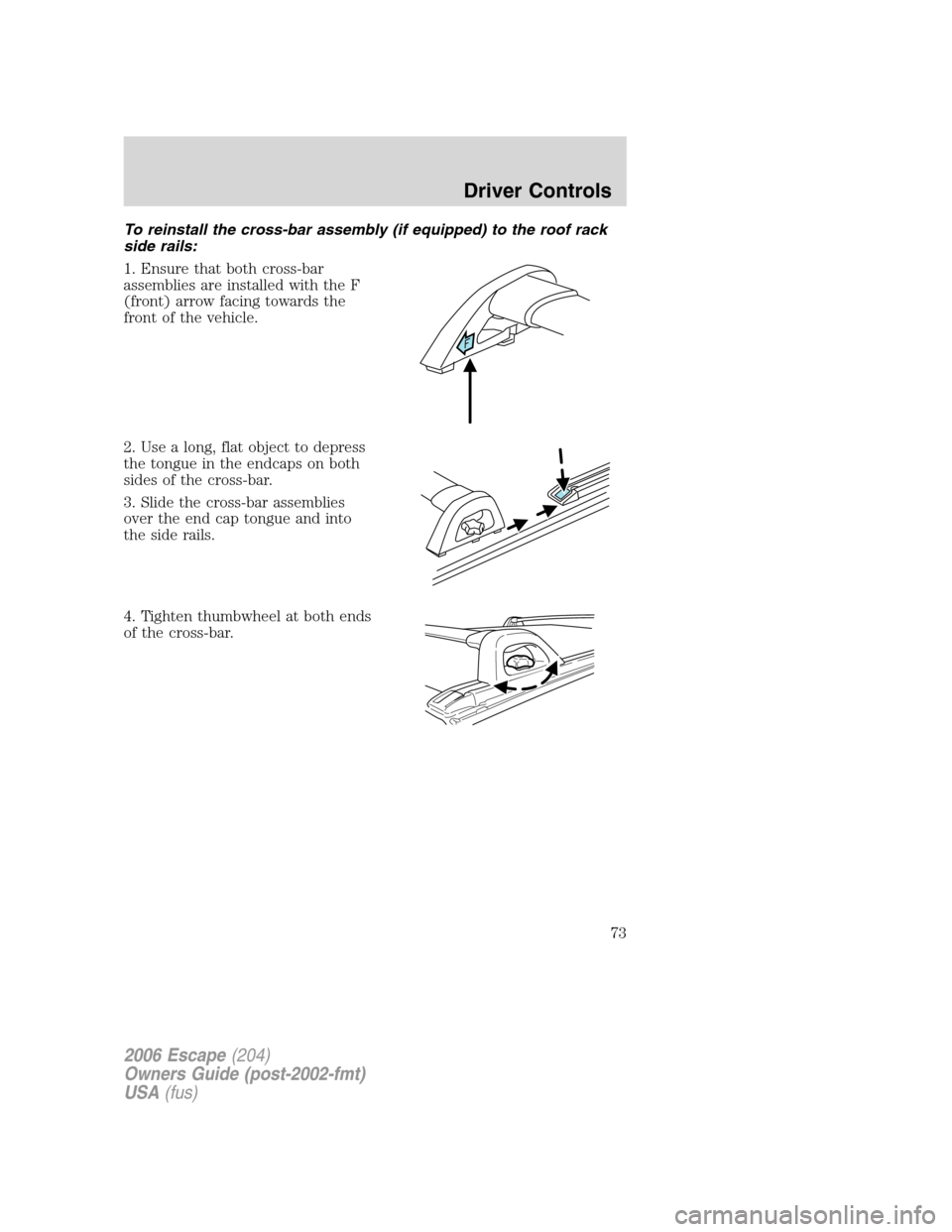
To reinstall the cross-bar assembly (if equipped) to the roof rack
side rails:
1. Ensure that both cross-bar
assemblies are installed with the F
(front) arrow facing towards the
front of the vehicle.
2. Use a long, flat object to depress
the tongue in the endcaps on both
sides of the cross-bar.
3. Slide the cross-bar assemblies
over the end cap tongue and into
the side rails.
4. Tighten thumbwheel at both ends
of the cross-bar.
2006 Escape(204)
Owners Guide (post-2002-fmt)
USA(fus)
Driver Controls
73
Page 74 of 288
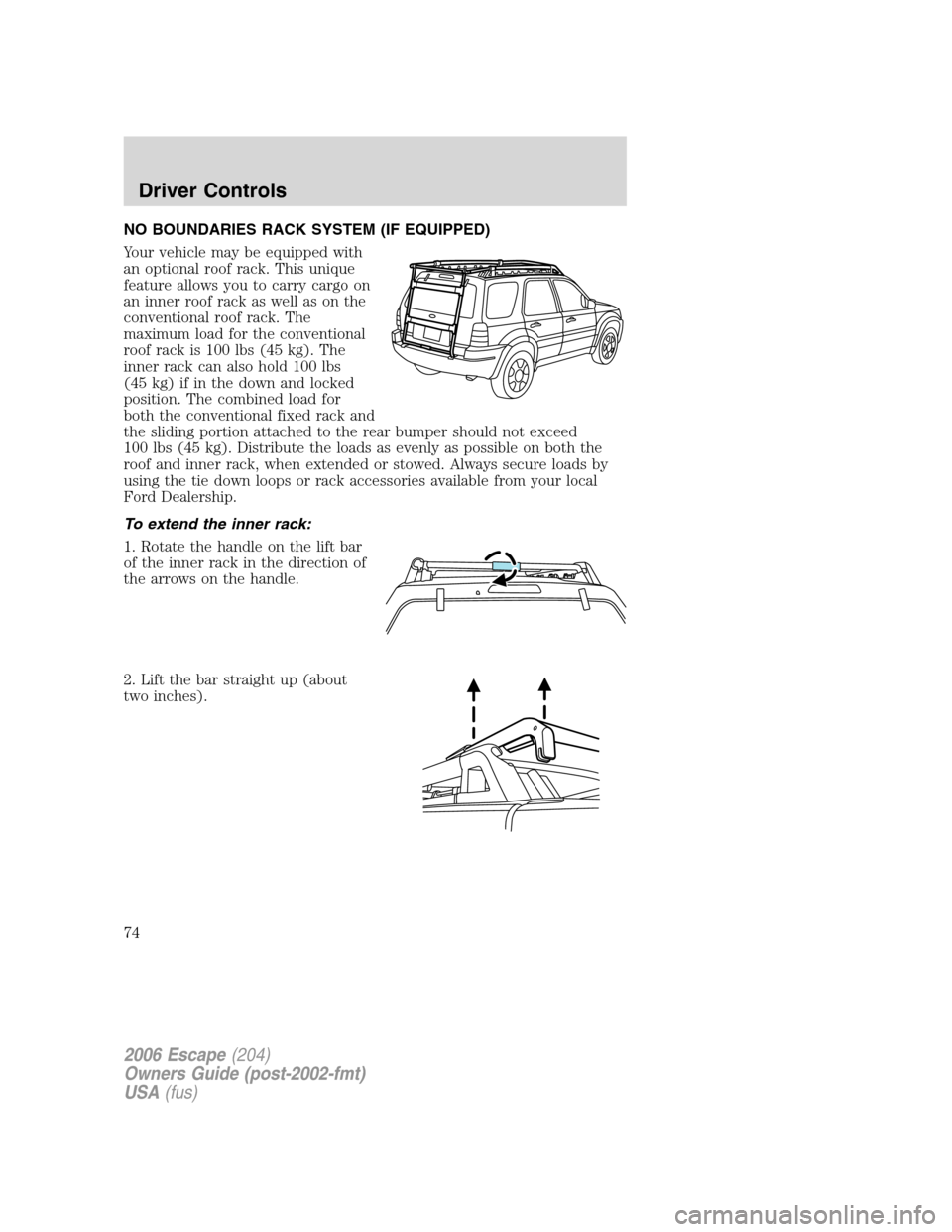
NO BOUNDARIES RACK SYSTEM (IF EQUIPPED)
Your vehicle may be equipped with
an optional roof rack. This unique
feature allows you to carry cargo on
an inner roof rack as well as on the
conventional roof rack. The
maximum load for the conventional
roof rack is 100 lbs (45 kg). The
inner rack can also hold 100 lbs
(45 kg) if in the down and locked
position. The combined load for
both the conventional fixed rack and
the sliding portion attached to the rear bumper should not exceed
100 lbs (45 kg). Distribute the loads as evenly as possible on both the
roof and inner rack, when extended or stowed. Always secure loads by
using the tie down loops or rack accessories available from your local
Ford Dealership.
To extend the inner rack:
1. Rotate the handle on the lift bar
of the inner rack in the direction of
the arrows on the handle.
2. Lift the bar straight up (about
two inches).
2006 Escape(204)
Owners Guide (post-2002-fmt)
USA(fus)
Driver Controls
74