Page 70 of 272
transmitters with a single built-in device. This feature will learn the radio
frequency codes of most transmitters to operate garage doors, entry gate
operators, security systems, entry door locks, and home or office lighting.
When programming your HomeLink�Wireless Control System to
a garage door or gate, be sure that people and objects are out of
the way to prevent potential harm or damage.
Do not use the HomeLink�Wireless Control System with any garage
door opener that lacks safety stop and reverse features as required by
U.S. federal safety standards (this includes any garage door opener
model manufactured before April 1, 1982). A garage door which cannot
detect an object, signaling the door to stop and reverse, does not meet
current U.S. federal safety standards. For more information, contact
HomeLink�at:www.homelink.comor1–800–355–3515.
Retain the original transmitter for use in other vehicles as well as for
future programming procedures (i.e. new HomeLink�equipped vehicle
purchase). It is also suggested that upon the sale of the vehicle, the
programmed Homelink�buttons be erased for security purposes, refer to
Programmingin this section.
Programming
Do not program HomeLink�with the vehicle parked in the garage.
Note:Some vehicles may require the ignition switch to be turned to the
second (or “ACC”) position for programming and/or operation of the
HomeLink�. It is also recommended that a new battery be placed in the
hand-held transmitter of the device being programmed to HomeLink�for
quicker training and accurate transmission of the radio-frequency signal.
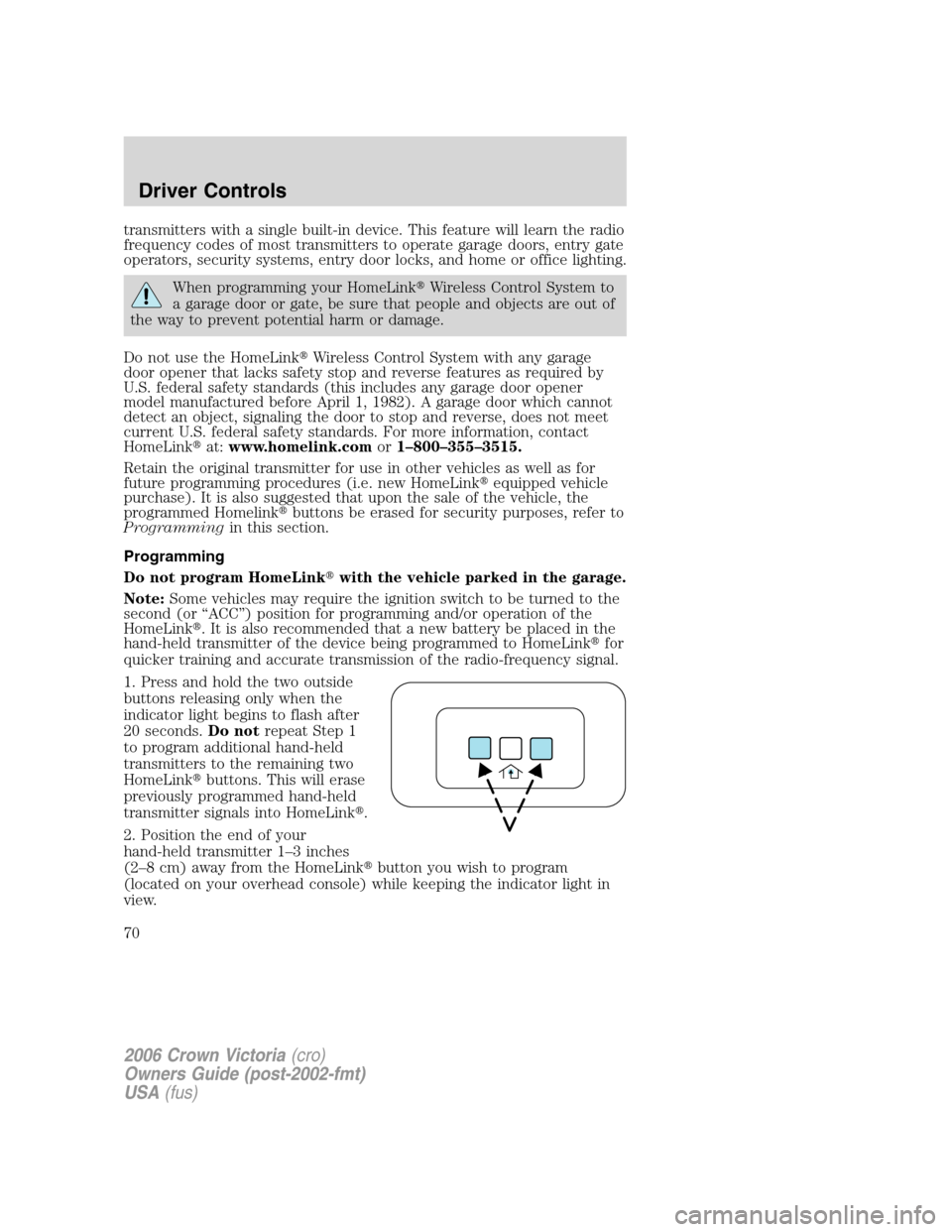
1. Press and hold the two outside
buttons releasing only when the
indicator light begins to flash after
20 seconds.Do notrepeat Step 1
to program additional hand-held
transmitters to the remaining two
HomeLink�buttons. This will erase
previously programmed hand-held
transmitter signals into HomeLink�.
2. Position the end of your
hand-held transmitter 1–3 inches
(2–8 cm) away from the HomeLink�button you wish to program
(located on your overhead console) while keeping the indicator light in
view.
2006 Crown Victoria(cro)
Owners Guide (post-2002-fmt)
USA(fus)
Driver Controls
70
Page 72 of 272
Gate Operator & Canadian Programming
During programming, your
hand-held transmitter may
automatically stop transmitting —
not allowing enough time for
HomeLink�to accept the signal
from the hand-held transmitter.
After completing Steps 1 and 2
outlined in the“Programming”
section, replace Step 3 with the
following:
Note:If programming a garage door opener or gate operator, it is
advised to unplug the device during the “cycling” process to prevent
overheating.
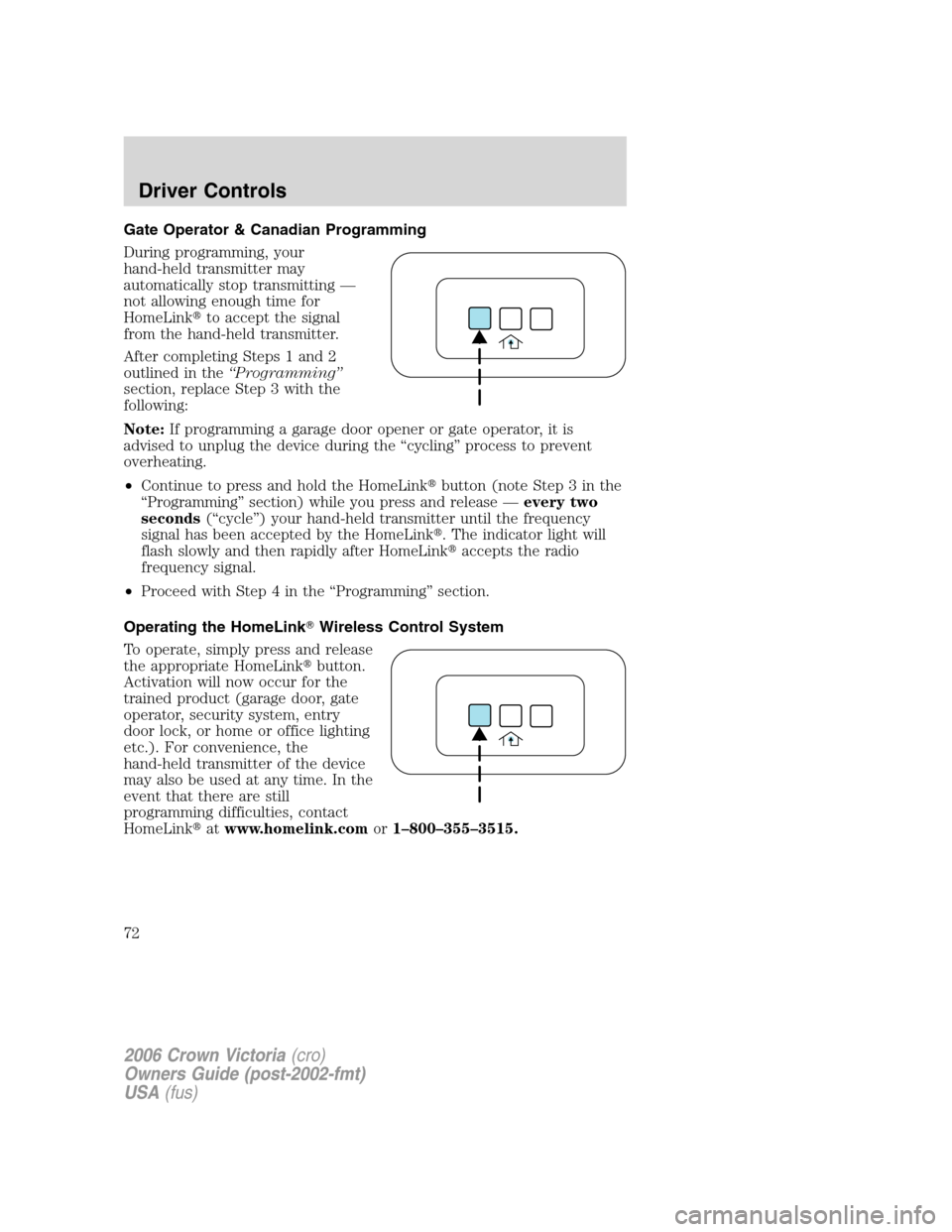
•Continue to press and hold the HomeLink�button (note Step 3 in the
“Programming” section) while you press and release —every two
seconds(“cycle”) your hand-held transmitter until the frequency
signal has been accepted by the HomeLink�. The indicator light will
flash slowly and then rapidly after HomeLink�accepts the radio
frequency signal.
•Proceed with Step 4 in the “Programming” section.
Operating the HomeLink�Wireless Control System
To operate, simply press and release
the appropriate HomeLink�button.
Activation will now occur for the
trained product (garage door, gate
operator, security system, entry
door lock, or home or office lighting
etc.). For convenience, the
hand-held transmitter of the device
may also be used at any time. In the
event that there are still
programming difficulties, contact
HomeLink�atwww.homelink.comor1–800–355–3515.
2006 Crown Victoria(cro)
Owners Guide (post-2002-fmt)
USA(fus)
Driver Controls
72
Page 81 of 272
![FORD CROWN VICTORIA 2006 2.G Owners Manual To reset the oil monitoring system to 100% after each oil change
[approximately 5,000 miles (8,000 km) or 180 days] perform the
following:
1. Press and hold the RESET
control for 2 seconds and release](/manual-img/11/4782/w960_4782-80.png "FORD CROWN VICTORIA 2006 2.G Owners Manual To reset the oil monitoring system to 100% after each oil change
[approximately 5,000 miles (8,000 km) or 180 days] perform the
following:
1. Press and hold the RESET
control for 2 seconds and release")
To reset the oil monitoring system to 100% after each oil change
[approximately 5,000 miles (8,000 km) or 180 days] perform the
following:
1. Press and hold the RESET
control for 2 seconds and release.
Oil life is set to 100% and “OIL LIFE
XXX% HOLD RESET IF NEW OIL”
is displayed.
2. Press and hold the RESET
control for 3 seconds and release.
Oil life is set to 100% and “OIL LIFE
START VALUE SET TO XXX%” is
displayed.
INTERIOR TRUNK CONTROL
The remote trunk release control is
located on the driver’s door trim
panel and can be operated at any
time.
You can render the switch
inoperable by locking the button
with your master key.
If equipped with a perimeter alarm system, the remote trunk release
control and power door locks will be disabled when the vehicle perimeter
alarm system is armed. This control will not work until the vehicle
perimeter alarm system is disarmed. Refer toPerimeter Alarm System
in theLocks and Securitychapter.
2006 Crown Victoria(cro)
Owners Guide (post-2002-fmt)
USA(fus)
Driver Controls
81
Page 82 of 272
POSITIVE RETENTION FLOOR MAT
Do not install additional floor mats on top of the factory installed
floor mats as they may interfere with the accelerator or the
brake pedals.
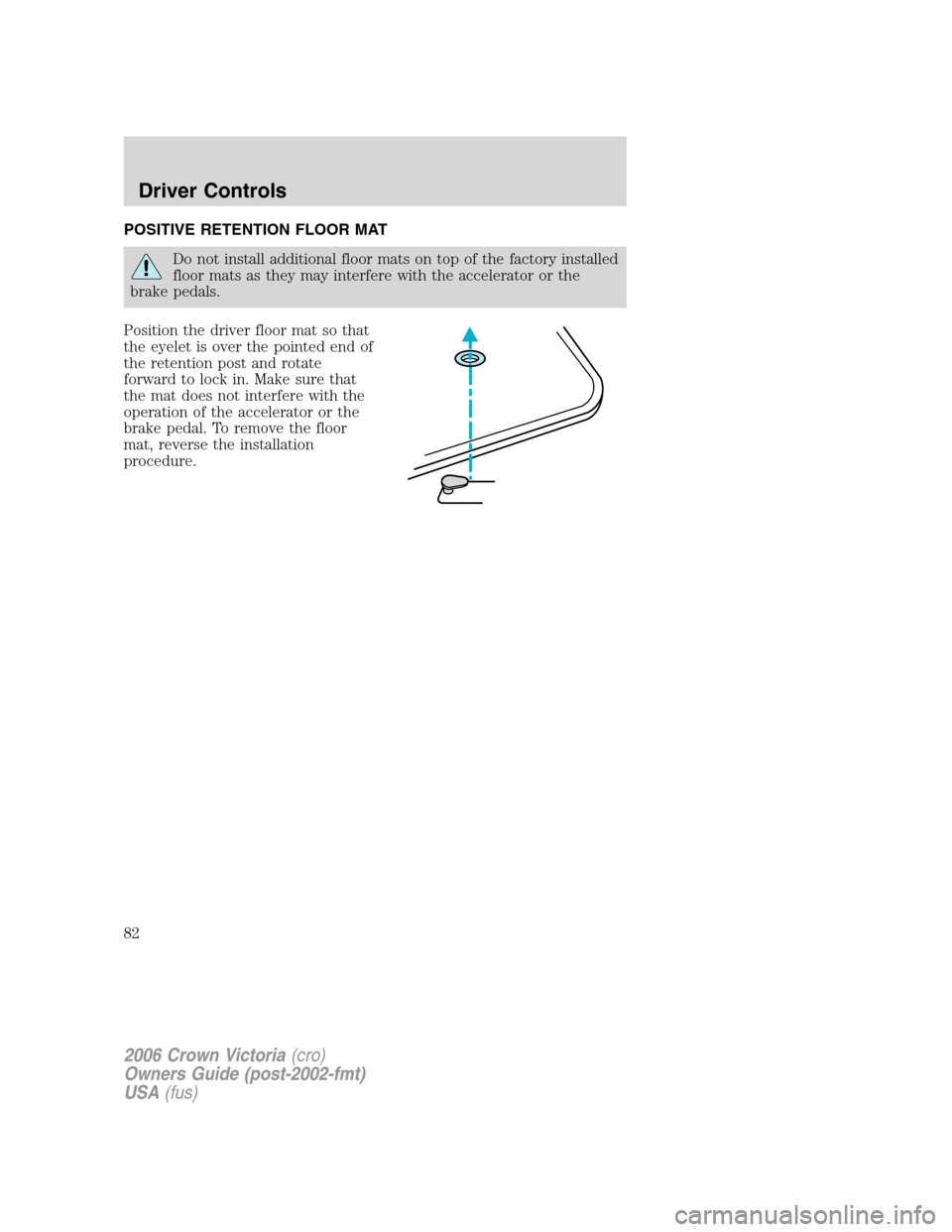
Position the driver floor mat so that
the eyelet is over the pointed end of
the retention post and rotate
forward to lock in. Make sure that
the mat does not interfere with the
operation of the accelerator or the
brake pedal. To remove the floor
mat, reverse the installation
procedure.
2006 Crown Victoria(cro)
Owners Guide (post-2002-fmt)
USA(fus)
Driver Controls
82
Page 83 of 272
KEYS
The vehicle is equipped with a master (black) key and valet (gray) key
lock system (if equipped with valet feature).
•The master key will access the vehicle’s doors, trunk, glove box,
ignition and remote trunk release.
•The valet key (if equipped) will access doors and ignition only.
Before using the valet key with an attendant, lock the interior trunk
control to disable the interior trunk control located on the drivers door,
then lock the glove compartment with your master key. Do not hand
over the remote entry transmitter or the master key to the valet
attendant. For more information, refer toInterior trunk controlin the
Driver Controlschapter.
POWER DOOR LOCKS
Power door trim switch inhibit
This feature disables the power door locks and trunk interior release
switches if all doors are closed and the perimeter alarm becomes armed.
Once the power door trim switches are disabled, they can only become
active when perimeter alarm is disarmed.
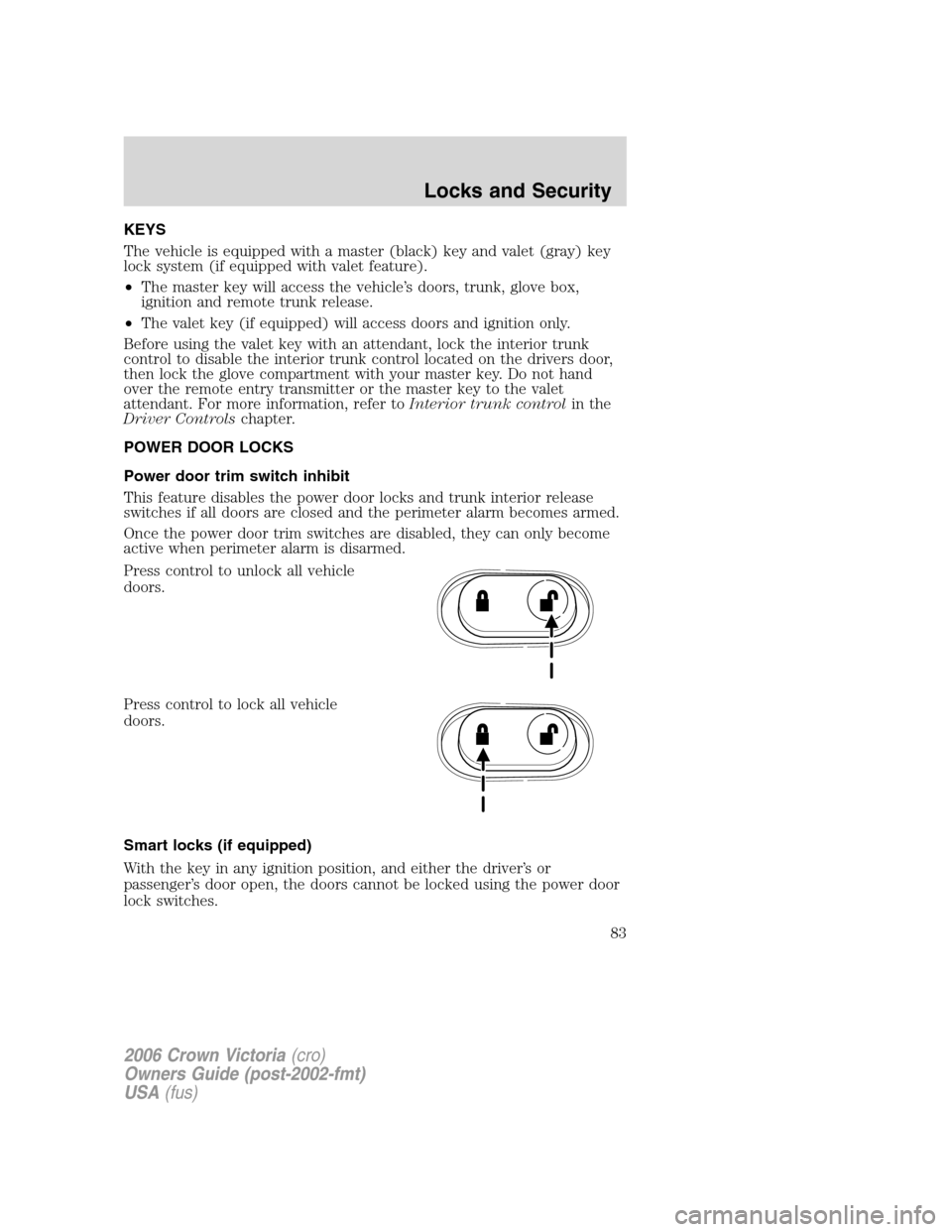
Press control to unlock all vehicle
doors.
Press control to lock all vehicle
doors.
Smart locks (if equipped)
With the key in any ignition position, and either the driver’s or
passenger’s door open, the doors cannot be locked using the power door
lock switches.
2006 Crown Victoria(cro)
Owners Guide (post-2002-fmt)
USA(fus)
Locks and Security
83
Page 84 of 272
The vehicle may still be locked with the key in the ignition, and
performing one of the following actions:
•Pressing the manual lock button on the door.
•Operating the remote entry transmitter (if equipped).
•Operating the keyless entry keypad (if equipped).
•Operating the driver’s door with a key.
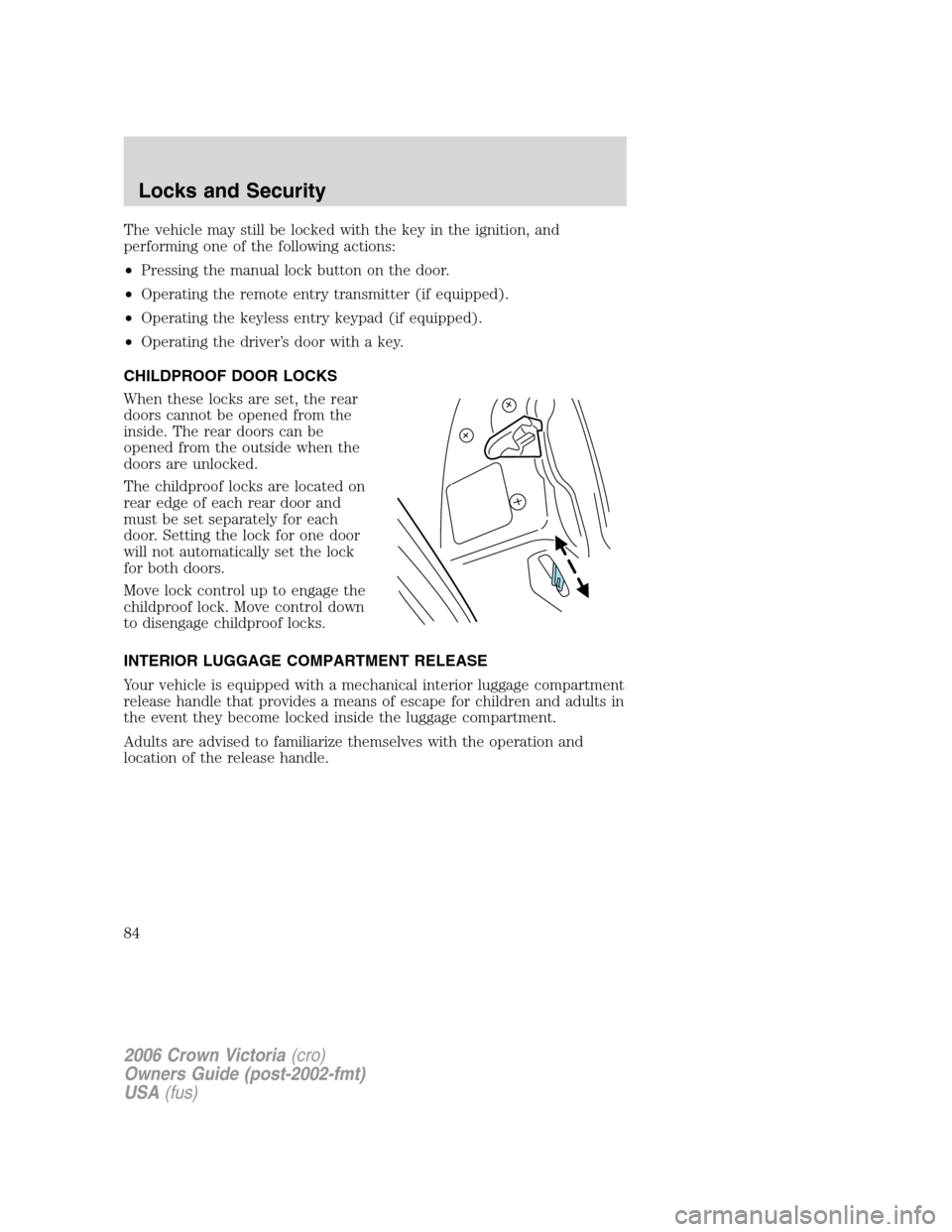
CHILDPROOF DOOR LOCKS
When these locks are set, the rear
doors cannot be opened from the
inside. The rear doors can be
opened from the outside when the
doors are unlocked.
The childproof locks are located on
rear edge of each rear door and
must be set separately for each
door. Setting the lock for one door
will not automatically set the lock
for both doors.
Move lock control up to engage the
childproof lock. Move control down
to disengage childproof locks.
INTERIOR LUGGAGE COMPARTMENT RELEASE
Your vehicle is equipped with a mechanical interior luggage compartment
release handle that provides a means of escape for children and adults in
the event they become locked inside the luggage compartment.
Adults are advised to familiarize themselves with the operation and
location of the release handle.
2006 Crown Victoria(cro)
Owners Guide (post-2002-fmt)
USA(fus)
Locks and Security
84
Page 85 of 272
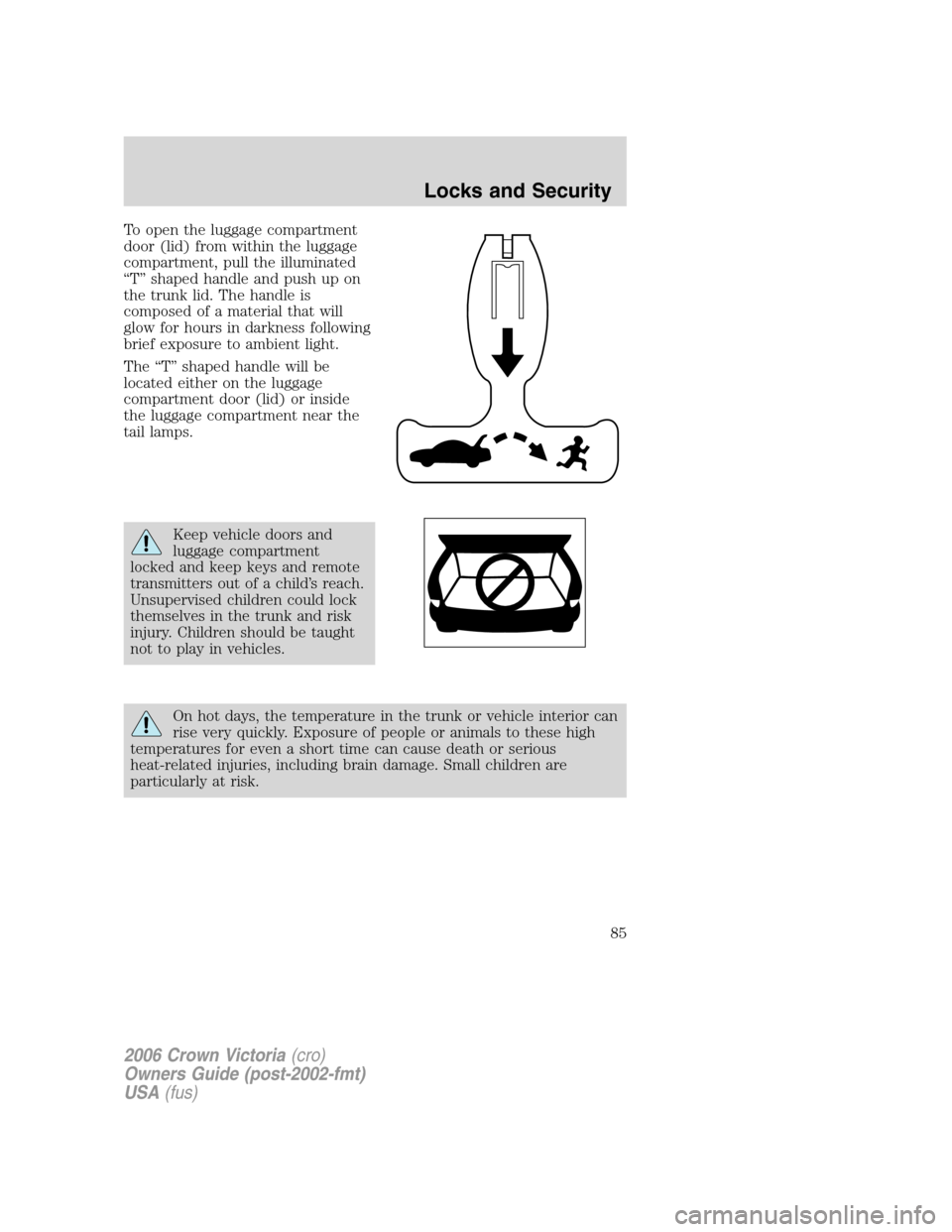
To open the luggage compartment
door (lid) from within the luggage
compartment, pull the illuminated
“T” shaped handle and push up on
the trunk lid. The handle is
composed of a material that will
glow for hours in darkness following
brief exposure to ambient light.
The “T” shaped handle will be
located either on the luggage
compartment door (lid) or inside
the luggage compartment near the
tail lamps.
Keep vehicle doors and
luggage compartment
locked and keep keys and remote
transmitters out of a child’s reach.
Unsupervised children could lock
themselves in the trunk and risk
injury. Children should be taught
not to play in vehicles.
On hot days, the temperature in the trunk or vehicle interior can
rise very quickly. Exposure of people or animals to these high
temperatures for even a short time can cause death or serious
heat-related injuries, including brain damage. Small children are
particularly at risk.
2006 Crown Victoria(cro)
Owners Guide (post-2002-fmt)
USA(fus)
Locks and Security
85
Page 86 of 272
REMOTE ENTRY SYSTEM (IF EQUIPPED)
This device complies with part 15 of the FCC rules and with RSS-210 of
Industry Canada. Operation is subject to the following two conditions:
(1) This device may not cause harmful interference, and (2) This device
must accept any interference received, including interference that may
cause undesired operation.
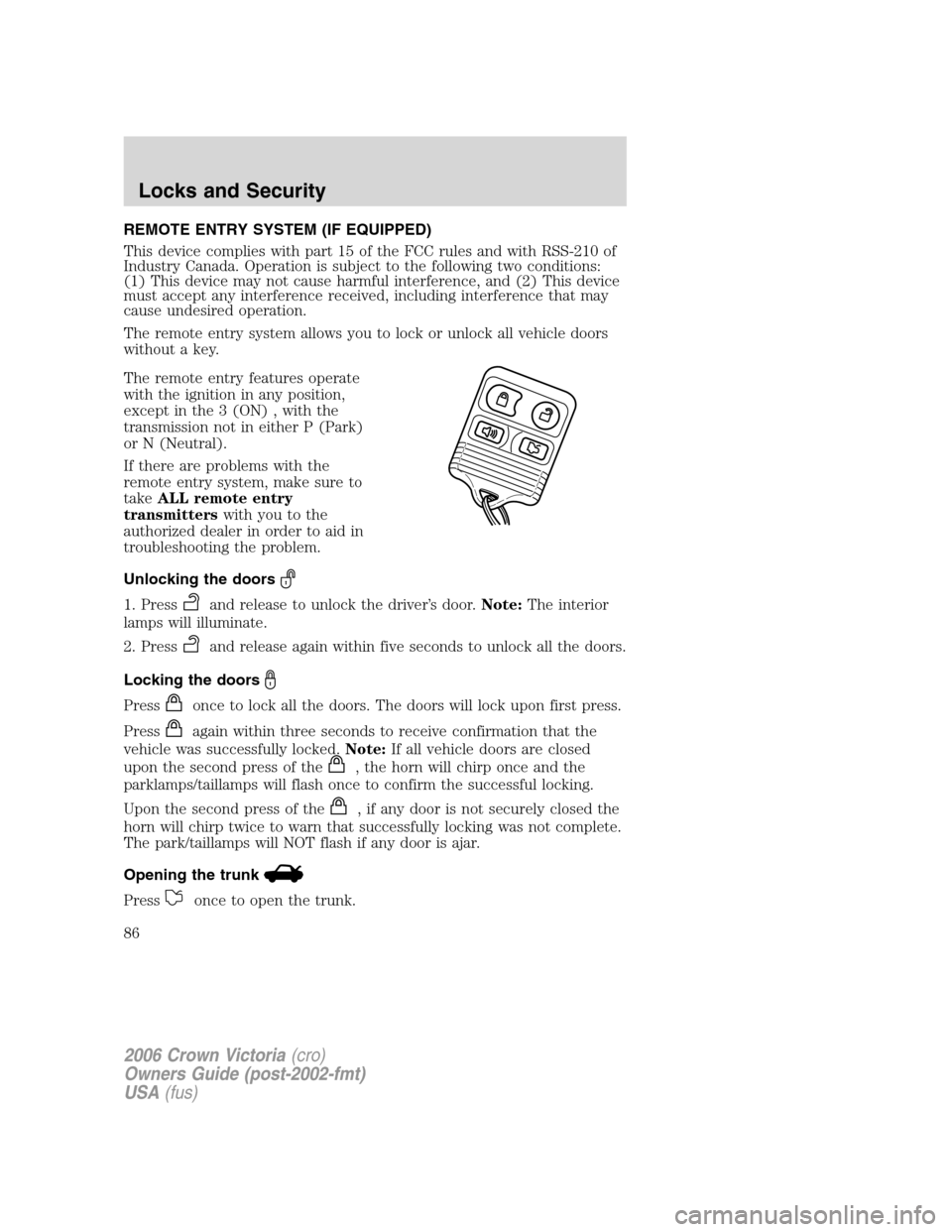
The remote entry system allows you to lock or unlock all vehicle doors
without a key.
The remote entry features operate
with the ignition in any position,
except in the 3 (ON) , with the
transmission not in either P (Park)
or N (Neutral).
If there are problems with the
remote entry system, make sure to
takeALL remote entry
transmitterswith you to the
authorized dealer in order to aid in
troubleshooting the problem.
Unlocking the doors
1. Pressand release to unlock the driver’s door.Note:The interior
lamps will illuminate.
2. Press
and release again within five seconds to unlock all the doors.
Locking the doors
Pressonce to lock all the doors. The doors will lock upon first press.
Press
again within three seconds to receive confirmation that the
vehicle was successfully locked.Note:If all vehicle doors are closed
upon the second press of the
, the horn will chirp once and the
parklamps/taillamps will flash once to confirm the successful locking.
Upon the second press of the
, if any door is not securely closed the
horn will chirp twice to warn that successfully locking was not complete.
The park/taillamps will NOT flash if any door is ajar.
Opening the trunk
Pressonce to open the trunk.
2006 Crown Victoria(cro)
Owners Guide (post-2002-fmt)
USA(fus)
Locks and Security
86