Page 48 of 272
6. Turn the headlamps on and make sure they work properly. If the
headlamp was correctly aligned before you changed the bulb, you should
not need to align it again.
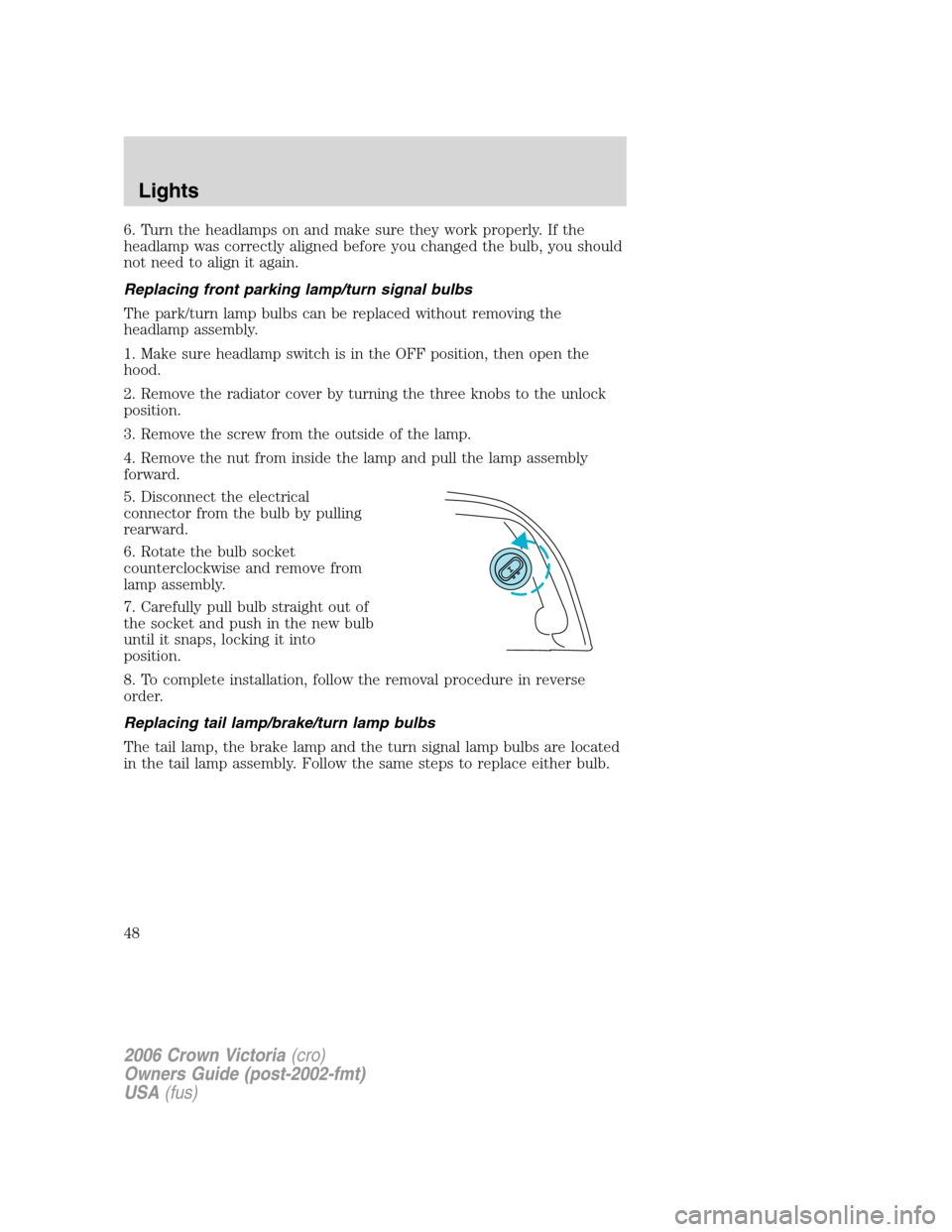
Replacing front parking lamp/turn signal bulbs
The park/turn lamp bulbs can be replaced without removing the
headlamp assembly.
1. Make sure headlamp switch is in the OFF position, then open the
hood.
2. Remove the radiator cover by turning the three knobs to the unlock
position.
3. Remove the screw from the outside of the lamp.
4. Remove the nut from inside the lamp and pull the lamp assembly
forward.
5. Disconnect the electrical
connector from the bulb by pulling
rearward.
6. Rotate the bulb socket
counterclockwise and remove from
lamp assembly.
7. Carefully pull bulb straight out of
the socket and push in the new bulb
until it snaps, locking it into
position.
8. To complete installation, follow the removal procedure in reverse
order.
Replacing tail lamp/brake/turn lamp bulbs
The tail lamp, the brake lamp and the turn signal lamp bulbs are located
in the tail lamp assembly. Follow the same steps to replace either bulb.
2006 Crown Victoria(cro)
Owners Guide (post-2002-fmt)
USA(fus)
Lights
48
Page 49 of 272
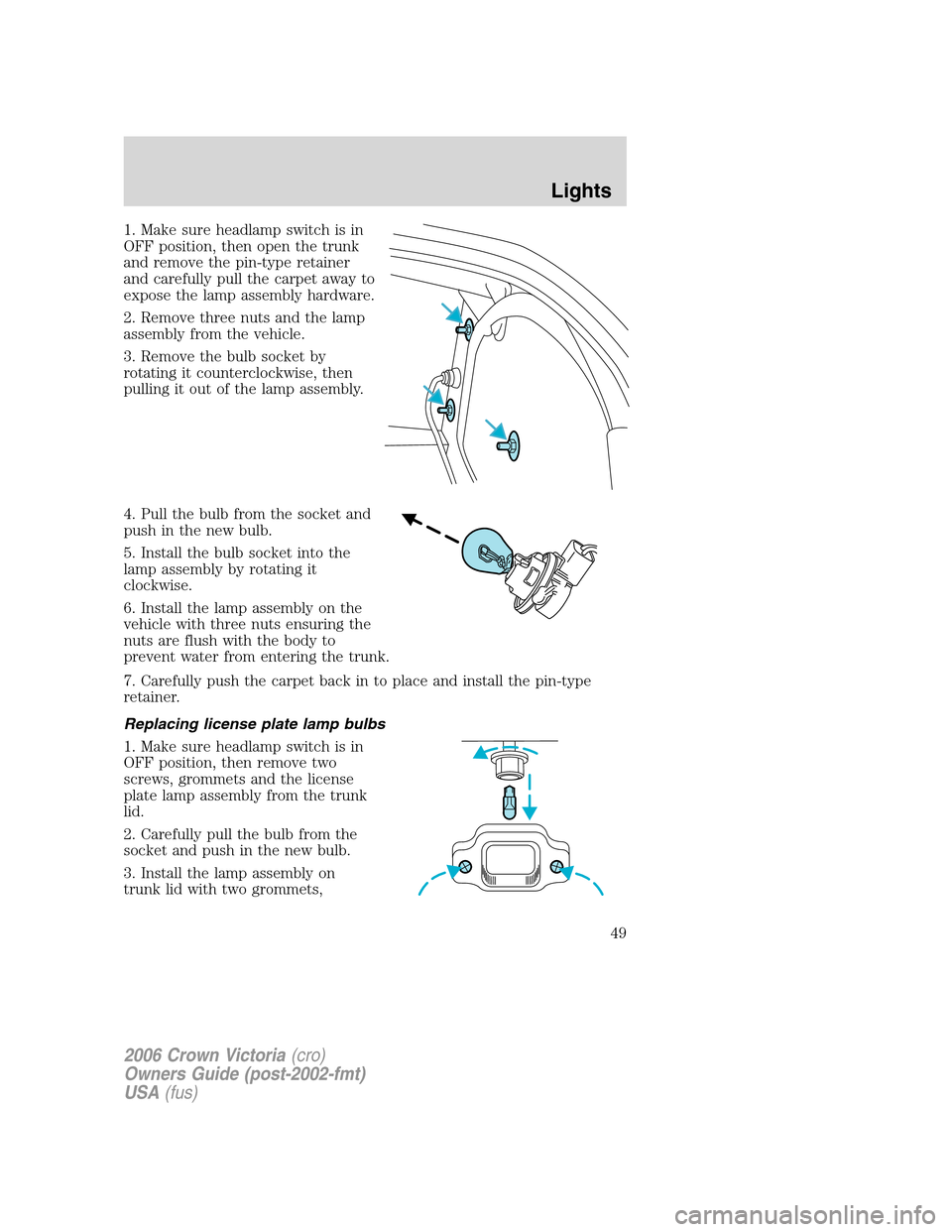
1. Make sure headlamp switch is in
OFF position, then open the trunk
and remove the pin-type retainer
and carefully pull the carpet away to
expose the lamp assembly hardware.
2. Remove three nuts and the lamp
assembly from the vehicle.
3. Remove the bulb socket by
rotating it counterclockwise, then
pulling it out of the lamp assembly.
4. Pull the bulb from the socket and
push in the new bulb.
5. Install the bulb socket into the
lamp assembly by rotating it
clockwise.
6. Install the lamp assembly on the
vehicle with three nuts ensuring the
nuts are flush with the body to
prevent water from entering the trunk.
7. Carefully push the carpet back in to place and install the pin-type
retainer.
Replacing license plate lamp bulbs
1. Make sure headlamp switch is in
OFF position, then remove two
screws, grommets and the license
plate lamp assembly from the trunk
lid.
2. Carefully pull the bulb from the
socket and push in the new bulb.
3. Install the lamp assembly on
trunk lid with two grommets,
2006 Crown Victoria(cro)
Owners Guide (post-2002-fmt)
USA(fus)
Lights
49
Page 50 of 272
ensuring the grommets are pushed all the way into the trunk lid and
secure with two screws.
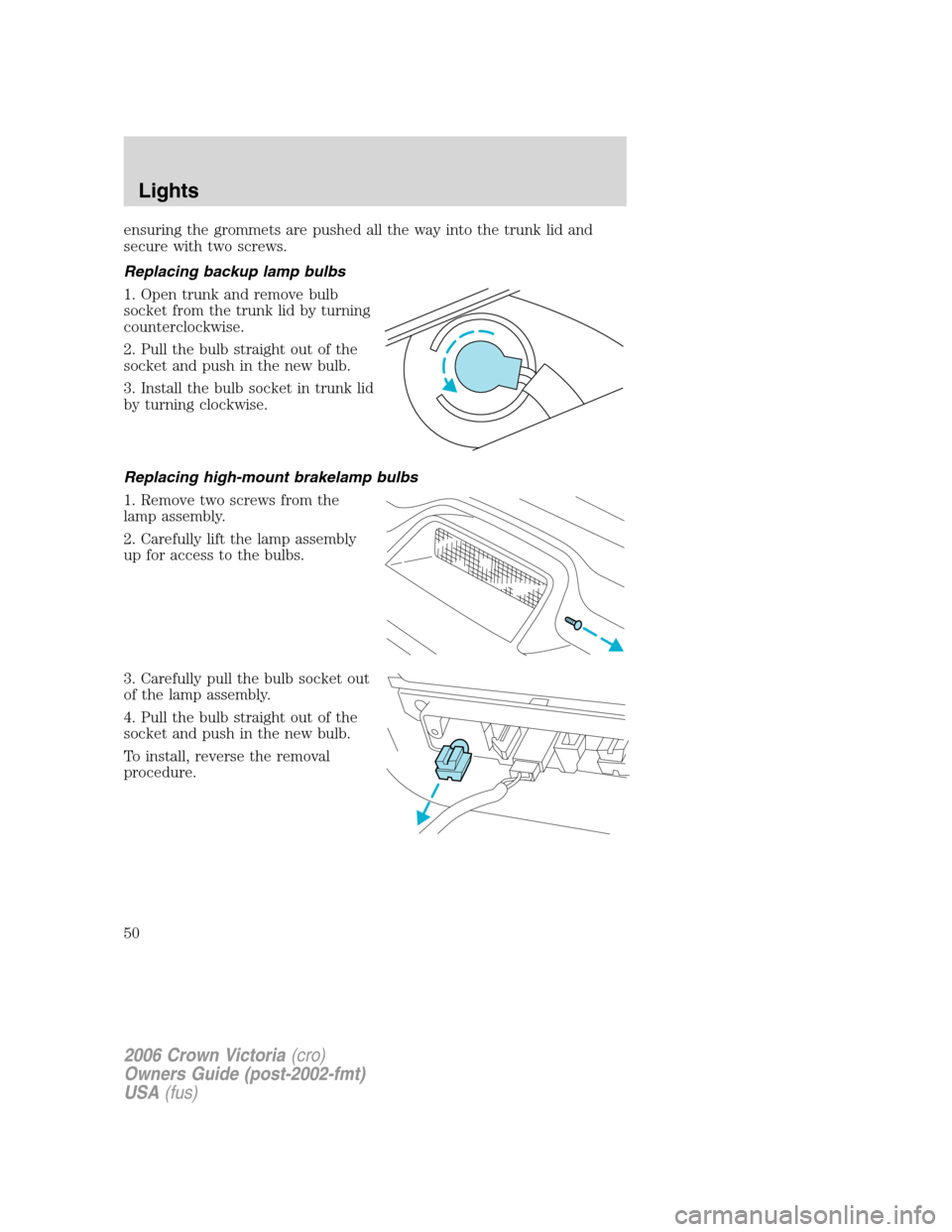
Replacing backup lamp bulbs
1. Open trunk and remove bulb
socket from the trunk lid by turning
counterclockwise.
2. Pull the bulb straight out of the
socket and push in the new bulb.
3. Install the bulb socket in trunk lid
by turning clockwise.
Replacing high-mount brakelamp bulbs
1. Remove two screws from the
lamp assembly.
2. Carefully lift the lamp assembly
up for access to the bulbs.
3. Carefully pull the bulb socket out
of the lamp assembly.
4. Pull the bulb straight out of the
socket and push in the new bulb.
To install, reverse the removal
procedure.
2006 Crown Victoria(cro)
Owners Guide (post-2002-fmt)
USA(fus)
Lights
50
Page 51 of 272
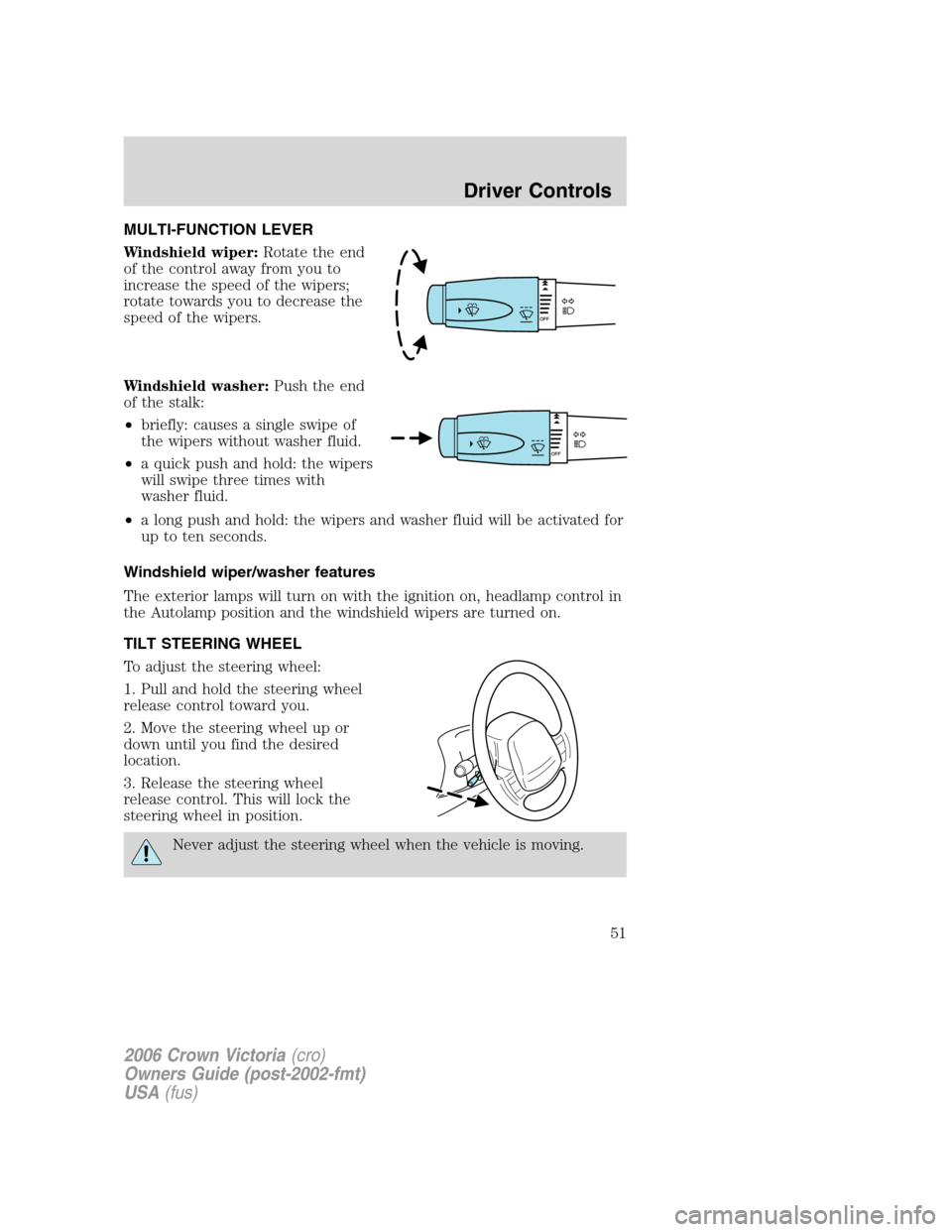
MULTI-FUNCTION LEVER
Windshield wiper:Rotate the end
of the control away from you to
increase the speed of the wipers;
rotate towards you to decrease the
speed of the wipers.
Windshield washer:Push the end
of the stalk:
•briefly: causes a single swipe of
the wipers without washer fluid.
•a quick push and hold: the wipers
will swipe three times with
washer fluid.
•a long push and hold: the wipers and washer fluid will be activated for
up to ten seconds.
Windshield wiper/washer features
The exterior lamps will turn on with the ignition on, headlamp control in
the Autolamp position and the windshield wipers are turned on.
TILT STEERING WHEEL
To adjust the steering wheel:
1. Pull and hold the steering wheel
release control toward you.
2. Move the steering wheel up or
down until you find the desired
location.
3. Release the steering wheel
release control. This will lock the
steering wheel in position.
Never adjust the steering wheel when the vehicle is moving.
2006 Crown Victoria(cro)
Owners Guide (post-2002-fmt)
USA(fus)
Driver Controls
51
Page 56 of 272
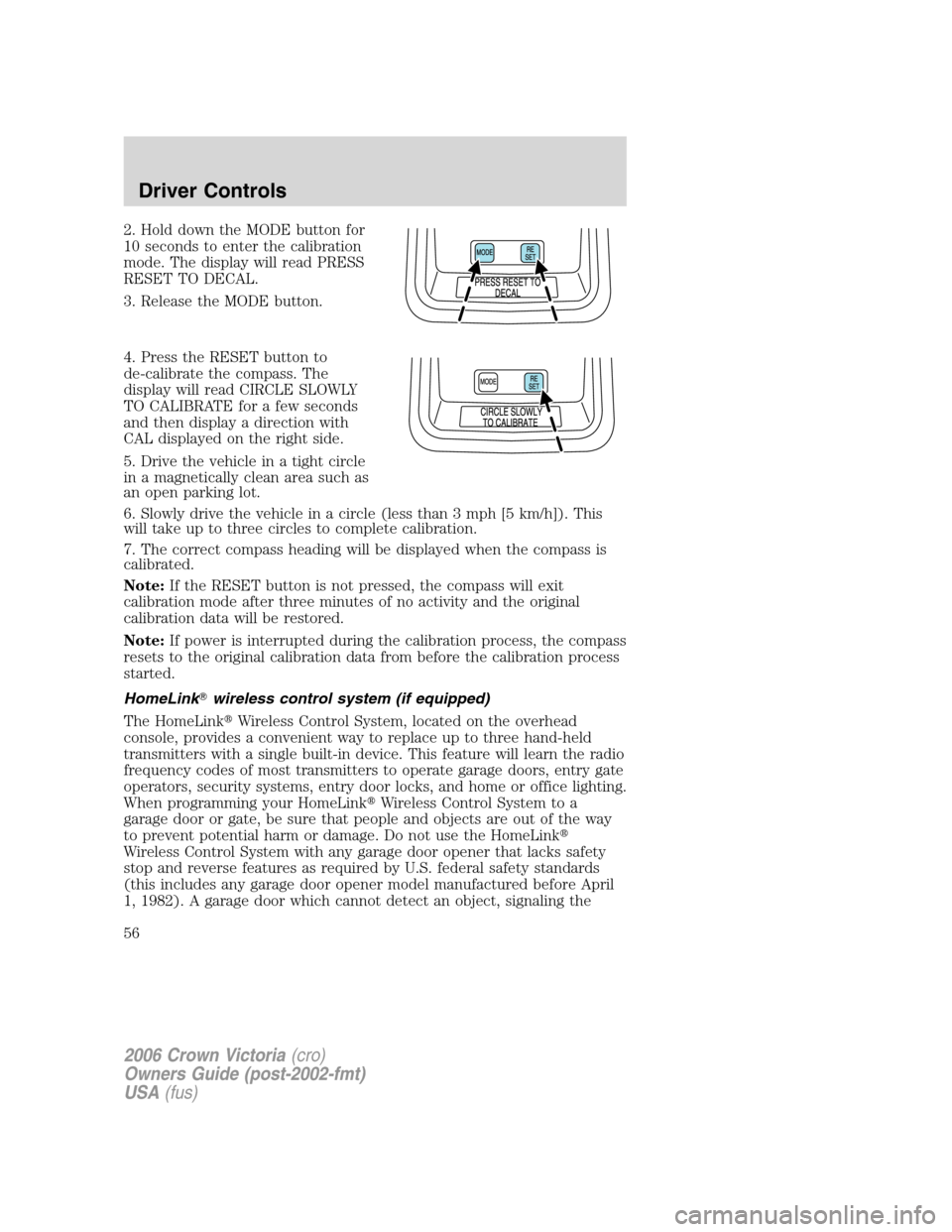
2. Hold down the MODE button for
10 seconds to enter the calibration
mode. The display will read PRESS
RESET TO DECAL.
3. Release the MODE button.
4. Press the RESET button to
de-calibrate the compass. The
display will read CIRCLE SLOWLY
TO CALIBRATE for a few seconds
and then display a direction with
CAL displayed on the right side.
5. Drive the vehicle in a tight circle
in a magnetically clean area such as
an open parking lot.
6. Slowly drive the vehicle in a circle (less than 3 mph [5 km/h]). This
will take up to three circles to complete calibration.
7. The correct compass heading will be displayed when the compass is
calibrated.
Note:If the RESET button is not pressed, the compass will exit
calibration mode after three minutes of no activity and the original
calibration data will be restored.
Note:If power is interrupted during the calibration process, the compass
resets to the original calibration data from before the calibration process
started.
HomeLink�wireless control system (if equipped)
The HomeLink�Wireless Control System, located on the overhead
console, provides a convenient way to replace up to three hand-held
transmitters with a single built-in device. This feature will learn the radio
frequency codes of most transmitters to operate garage doors, entry gate
operators, security systems, entry door locks, and home or office lighting.
When programming your HomeLink�Wireless Control System to a
garage door or gate, be sure that people and objects are out of the way
to prevent potential harm or damage. Do not use the HomeLink�
Wireless Control System with any garage door opener that lacks safety
stop and reverse features as required by U.S. federal safety standards
(this includes any garage door opener model manufactured before April
1, 1982). A garage door which cannot detect an object, signaling the
2006 Crown Victoria(cro)
Owners Guide (post-2002-fmt)
USA(fus)
Driver Controls
56
Page 60 of 272
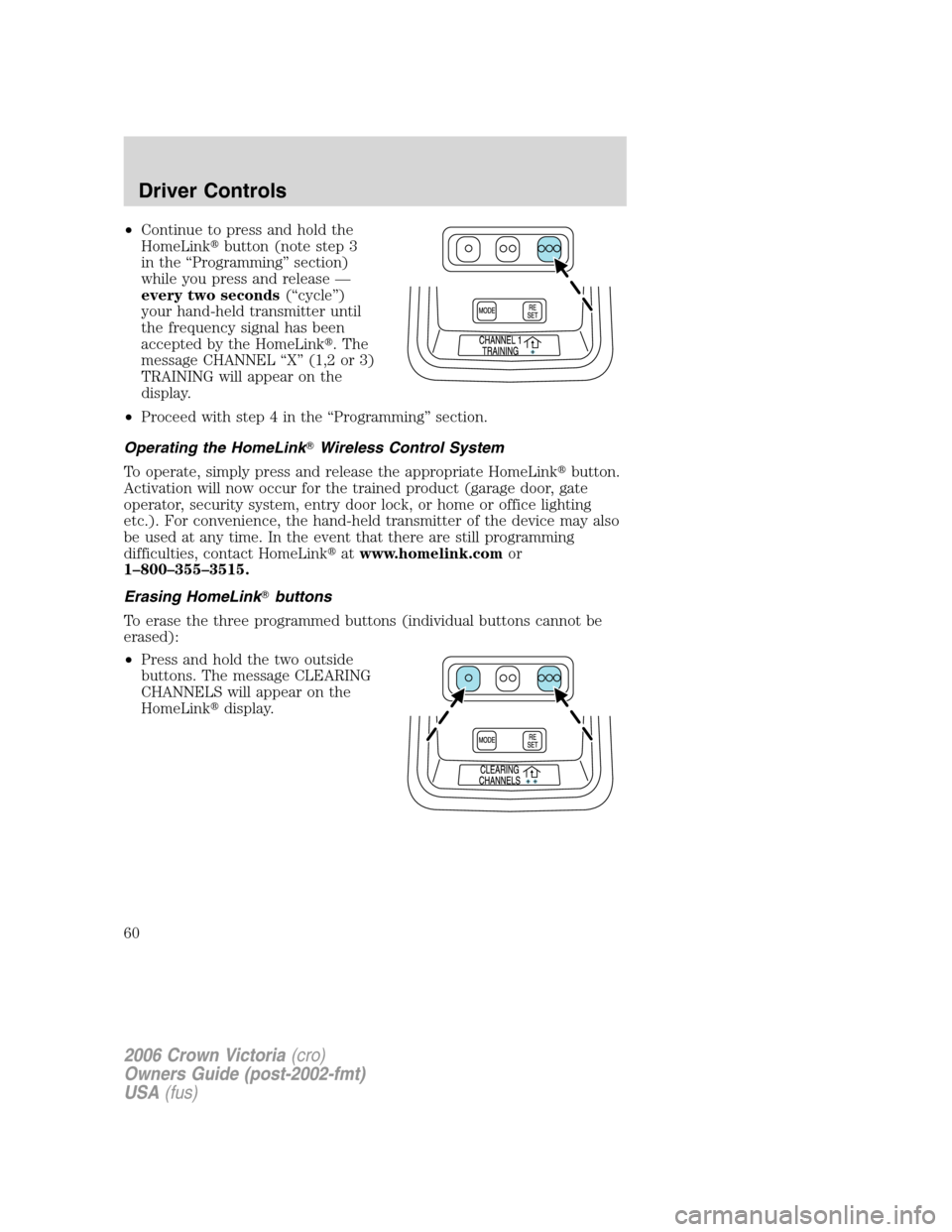
•Continue to press and hold the
HomeLink�button (note step 3
in the “Programming” section)
while you press and release —
every two seconds(“cycle”)
your hand-held transmitter until
the frequency signal has been
accepted by the HomeLink�. The
message CHANNEL “X” (1,2 or 3)
TRAINING will appear on the
display.
•Proceed with step 4 in the “Programming” section.
Operating the HomeLink�Wireless Control System
To operate, simply press and release the appropriate HomeLink�button.
Activation will now occur for the trained product (garage door, gate
operator, security system, entry door lock, or home or office lighting
etc.). For convenience, the hand-held transmitter of the device may also
be used at any time. In the event that there are still programming
difficulties, contact HomeLink�atwww.homelink.comor
1–800–355–3515.
Erasing HomeLink�buttons
To erase the three programmed buttons (individual buttons cannot be
erased):
•Press and hold the two outside
buttons. The message CLEARING
CHANNELS will appear on the
HomeLink�display.
2006 Crown Victoria(cro)
Owners Guide (post-2002-fmt)
USA(fus)
Driver Controls
60
Page 63 of 272
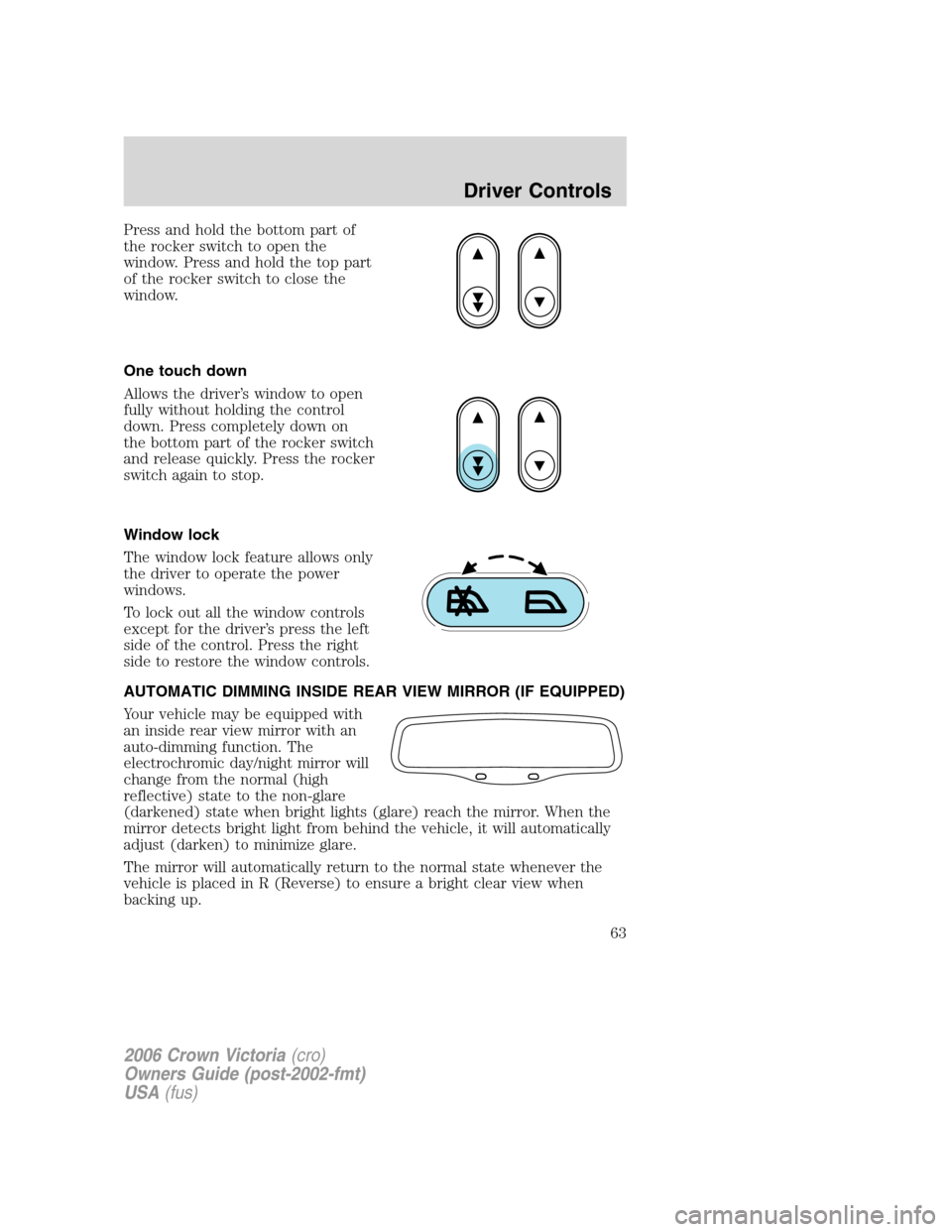
Press and hold the bottom part of
the rocker switch to open the
window. Press and hold the top part
of the rocker switch to close the
window.
One touch down
Allows the driver’s window to open
fully without holding the control
down. Press completely down on
the bottom part of the rocker switch
and release quickly. Press the rocker
switch again to stop.
Window lock
The window lock feature allows only
the driver to operate the power
windows.
To lock out all the window controls
except for the driver’s press the left
side of the control. Press the right
side to restore the window controls.
AUTOMATIC DIMMING INSIDE REAR VIEW MIRROR (IF EQUIPPED)
Your vehicle may be equipped with
an inside rear view mirror with an
auto-dimming function. The
electrochromic day/night mirror will
change from the normal (high
reflective) state to the non-glare
(darkened) state when bright lights (glare) reach the mirror. When the
mirror detects bright light from behind the vehicle, it will automatically
adjust (darken) to minimize glare.
The mirror will automatically return to the normal state whenever the
vehicle is placed in R (Reverse) to ensure a bright clear view when
backing up.
2006 Crown Victoria(cro)
Owners Guide (post-2002-fmt)
USA(fus)
Driver Controls
63
Page 64 of 272
Do not block the sensor on the backside of the inside rear view mirror
since this may impair proper mirror performance.
EXTERIOR MIRRORS
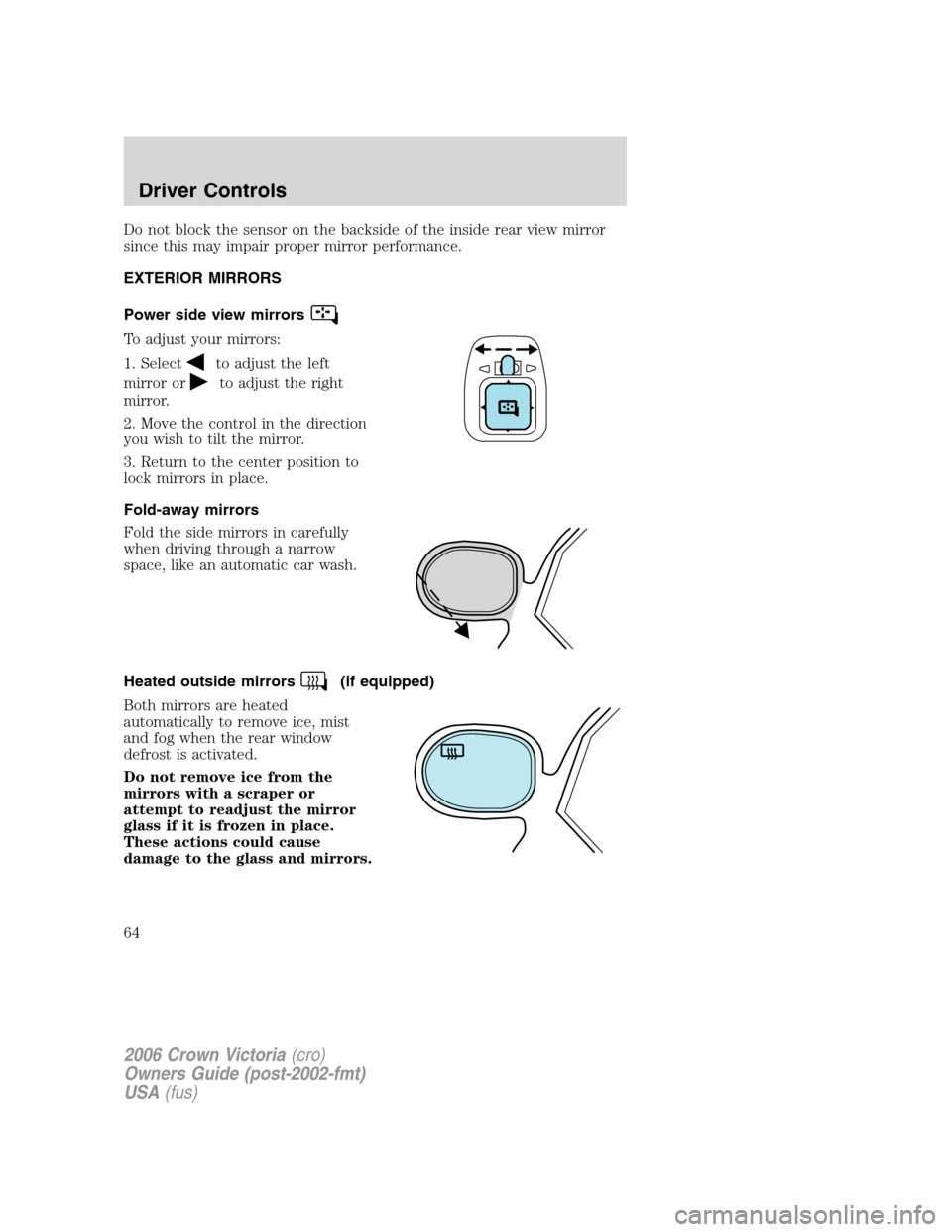
Power side view mirrors
To adjust your mirrors:
1. Select
to adjust the left
mirror or
to adjust the right
mirror.
2. Move the control in the direction
you wish to tilt the mirror.
3. Return to the center position to
lock mirrors in place.
Fold-away mirrors
Fold the side mirrors in carefully
when driving through a narrow
space, like an automatic car wash.
Heated outside mirrors
(if equipped)
Both mirrors are heated
automatically to remove ice, mist
and fog when the rear window
defrost is activated.
Do not remove ice from the
mirrors with a scraper or
attempt to readjust the mirror
glass if it is frozen in place.
These actions could cause
damage to the glass and mirrors.
2006 Crown Victoria(cro)
Owners Guide (post-2002-fmt)
USA(fus)
Driver Controls
64