Page 132 of 440

Interior Lights
Courtesy and dome lights are turned on when the front
doors are opened, when the dimmer control (rotating
wheel on the right side of the switch) is rotated to the
second upward detent position, or when the UNLOCK
button is pressed on the key fob. When a door is open
and the interior lights are on, rotating the dimmer controlall the way down to the OFF detent will cause all the
interior lights to go out. This allows the doors to stay
open for extended periods of time without discharging
the vehicle’s battery.
The brightness of the instrument panel lighting can be
regulated by rotating the dimmer control up (brighter) or
down (dimmer). When the headlights are ON you can
supplement the brightness of the odometer, trip odom-
eter, radio and overhead console by rotating the control
up until you hear a click. This feature is termed the
�Parade�mode and is useful when headlights are re-
quired during the day.Battery Saver
To protect the life of your vehicle’s battery, Load Shed-
ding is provided for both the interior and exterior lights.
If the ignition is off and any door is left ajar for eight
minutes or the dimmer control is rotated upwards for 15
minutes, the interior lights will automatically turn off.
132 UNDERSTANDING THE FEATURES OF YOUR VEHICLE
Page 134 of 440

Headlights, Parking Lights, Panel Lights
When the headlight switch is rotated to the first position
to the right, the parking lights, taillights, side marker
lights, license plate light and instrument panel lights are
all turned on. The headlights will turn ON when the
switch is rotated to the second position.
Your vehicle is equipped with plastic headlight lenses
that are lighter and less susceptible to stone breakage
than glass headlights.
Plastic is not as scratch resistant as glass and therefore
different lens cleaning procedures must be followed.
To minimize the possibility of scratching the lenses and
reducing light output, avoid wiping with a dry cloth. To
remove road dirt, wash with a mild soap solution fol-
lowed by rinsing.
Do not use abrasive cleaning components, solvents, steel
wool or other abrasive materials to clean the lenses.
Illuminated Entry
Headlights turn on for 90 seconds, when the Remote
Keyless Entry UNLOCK button is pressed.
NOTE:This feature can be activated by your authorized
dealer.
Daytime Running Lights (Canada Only)
The headlights on your Durango will illuminate when
the engine is started. This provides a constant “Lights
ON” condition until the ignition is turned OFF. The lights
illuminate at reduced intensity. If the parking brake is
applied the Daytime Running Lights will turn off. If the
headlights are activated, the Daytime Running Lights
feature will transition to the normal headlight operating
mode.
134 UNDERSTANDING THE FEATURES OF YOUR VEHICLE
Page 141 of 440
WARNING!
Tilting the steering column while the vehicle is
moving is dangerous. Without a stable steering col-
umn, you could lose control of the vehicle and have
an accident. Adjust the column only while the ve-
hicle is stopped. Be sure it is locked before driving.
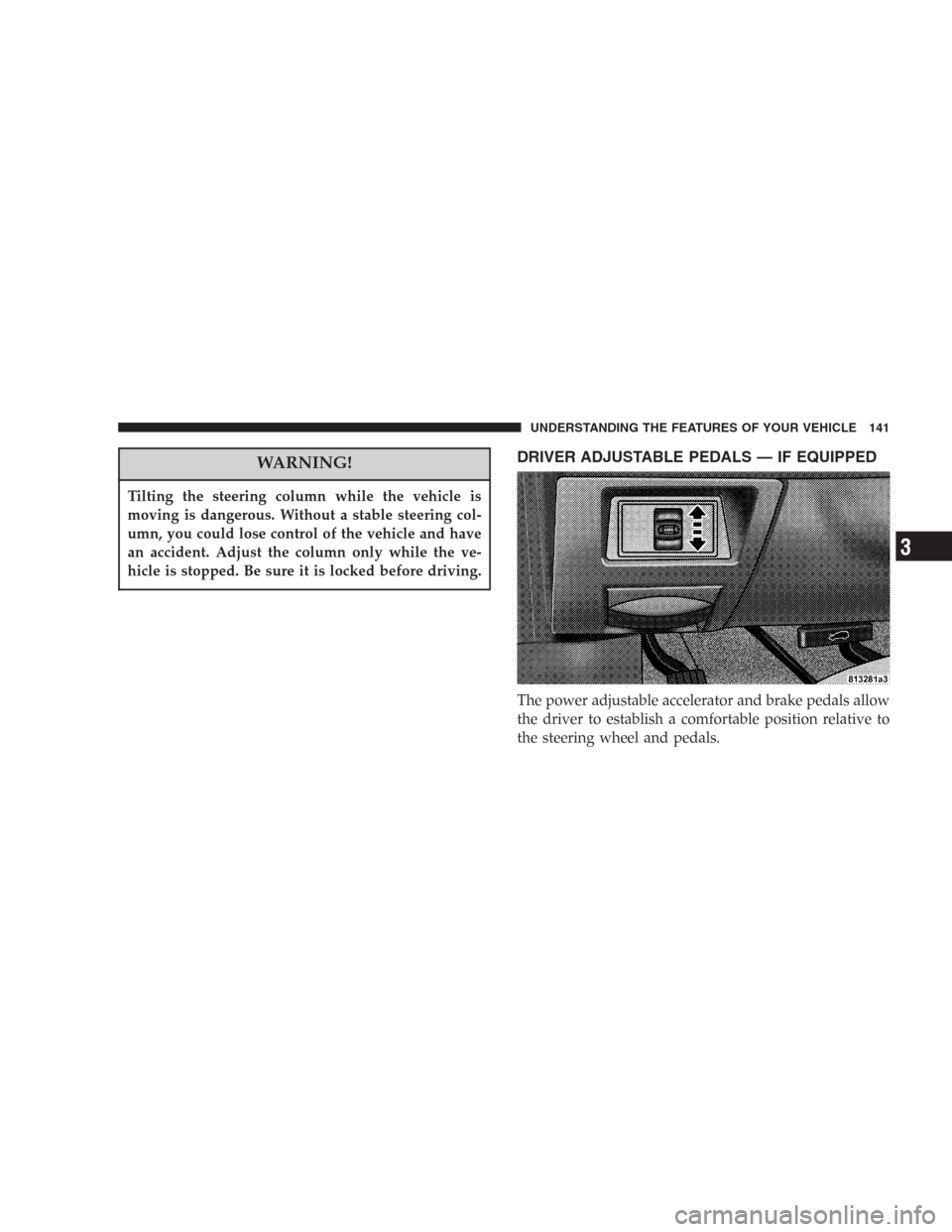
DRIVER ADJUSTABLE PEDALS — IF EQUIPPED
The power adjustable accelerator and brake pedals allow
the driver to establish a comfortable position relative to
the steering wheel and pedals.
UNDERSTANDING THE FEATURES OF YOUR VEHICLE 141
3
Page 145 of 440

Functions 3.7L 4.7L 5.7L
Engage Speed 35 mph (56 km/h) 35 mph (56 km/h) 25 mph (40 km/h)
Minimun RESUME Speed 30 mph (50 km/h) 30 mph (50 km/h) 20 mph (32 km/h)
ACCEL Increase 2 mph (3km/h) 2 mph (3km/h) 1 mph (2 km/h)
DECEL Decrease 1 mph (2 km/h) 1 mph (2 km/h) 1 mph (2 km/h)
Dropout Speed 30 mph (50 km/h) 30 mph (50 km/h) 20 mph (32 km/h)
To Accelerate For Passing
Depress the accelerator as you would normally. When the
pedal is released, the vehicle will return to the set speed.
NOTE:When driving uphill, at elevations above 2,000
feet (610 meters), or when the vehicle is heavily loaded
(especially when towing) the vehicle may slow below the
SET speed. If the vehicle speed drops below (refer to the
table below for the speed for your specific engine), the
speed control will automatically disengage. If this hap-
pens, you can push down on the accelerator pedal to
maintain the desired speed.Vehicles equipped with a Automatic transmission may
exhibit several downshifts under the above conditions.
To reduce the frequency of the downshifts and to im-
prove vehicle performance, it is advisable to lock out
overdrive by pressing the “TOW/HAUL” button located
at the end of the gear shifter.
UNDERSTANDING THE FEATURES OF YOUR VEHICLE 145
3
Page 146 of 440

WARNING!
Speed Control can be dangerous where the system
can’t maintain a constant speed. Your vehicle could
go too fast for the conditions, and you could lose
control. An accident could be the result. Don’t use
Speed Control in heavy traffic or on roads that are
winding, icy, snow-covered, or slippery.
ELECTRONIC BRAKE CONTROL SYSTEM
Your vehicle is equipped with an advanced electronic
brake control system that includes ABS (Anti-Lock Brake
System), BAS (Brake Assist System), TCS (Traction Con-
trol System), ERM (Electronic Roll Mitigation) and ESP
(Electronic Stability Program). All five systems work
together to enhance vehicle stability and control in vari-
ous driving conditions, and are commonly referred to as
ESP.
ABS (Anti-Lock Brake System)
This system aids the driver in maintaining vehicle control
under adverse braking conditions. The system controls
hydraulic brake pressure to prevent wheel lockup and
help avoid skidding on slippery surfaces during braking.
Refer to “Anti-Lock Brake System” in Section 5 of this
manual for more information about ABS.
NOTE:ABS improves steering control of the vehicle
during hard braking maneuvers.
146 UNDERSTANDING THE FEATURES OF YOUR VEHICLE
Page 147 of 440
WARNING!
•Anti-lock system (ABS) cannot prevent the natu-
ral laws of physics from acting on the vehicle, nor
can it increase braking or steering efficiency be-
yond that afforded by the condition of the vehicle
brakes and tires or the traction afforded.
•The ABS cannot prevent accidents, including
those resulting from excessive speed in turns,
following another vehicle too closely, or hydro-
planing. Only a safe, attentive, and skillful driver
can prevent accidents.
•The capabilities of an ABS equipped vehicle must
never be exploited in a reckless or dangerous
manner which could jeopardize the user’s safety
or the safety of others.
BAS (Brake Assist System) – if equipped with
ESP
The BAS is designed to optimize the vehicle’s braking
capability during emergency braking maneuvers. The
system detects an emergency braking situation by sens-
ing the rate and amount of brake application and then
ESP Off Switch Location
UNDERSTANDING THE FEATURES OF YOUR VEHICLE 147
3
Page 148 of 440

applies optimum pressure to the brakes. The system
applies optimum pressure to the brakes in emergency
braking conditions. This can help reduce braking dis-
tances. The BAS complements the antilock brake system
(ABS). Applying the brakes very quickly results in the
best BAS assistance. To receive the benefit of the system,
you must apply continuous braking pressure during the
stopping sequence. Do not reduce brake pedal pressure
unless braking is no longer desired.
Once the brake pedal is released, the BAS is deactivated.WARNING!
•BAS cannot prevent the natural laws of physics
from acting on the vehicle, nor can it increase
braking efficiency beyond that afforded by the
condition of the vehicle brakes and tires or the
traction afforded.
•The BAS cannot prevent accidents, including
those resulting from excessive speed in turns,
following another vehicle too closely, or hydro-
planing. Only a safe, attentive, and skillful driver
can prevent accidents.
•The capabilities of a BAS-equipped vehicle must
never be exploited in a reckless or dangerous
manner which could jeopardize the user ’s safety
or the safety of others.
148 UNDERSTANDING THE FEATURES OF YOUR VEHICLE
Page 155 of 440
OVERHEAD CONSOLE
The overhead console has the following features:
•Courtesy Lights
•Garage Door Opener — If Equipped
•Compass/Temperature Mini-Trip Computer — If
Equipped
Courtesy/Reading Lights
Near the front of the console are two courtesy/reading
lights.
Both lights illuminate as courtesy lights when a door is
opened, when the dimmer control is rotated to the
courtesy light position (fully upward position), or when
the UNLOCK button is pressed on the Remote Keyless
Entry transmitter, if so equipped. These lights are also
operated individually as reading lights by pressing the
recessed area of the corresponding lens.
NOTE:The courtesy/reading lights will remain on until
the switch is pressed a second time, so be sure they have
been turned off before leaving the vehicle. If the interior
lights are left on after the vehicle is turned OFF, they will
extinguish after 15 minutes.
UNDERSTANDING THE FEATURES OF YOUR VEHICLE 155
3